What ‘iSpoofer’ for Pokémon GO Means in 2026?
Looking for an iSpoofer Pokémon GO tool in 2026? The original is gone, but this step-by-step guide shows new, safe methods for iOS and Android, tested to work without risking bans.
The desire to complete your Pokédex with rare, region-exclusive Pokémon is a primary goal for many dedicated trainers. Yet, that ambition often hits a wall of confusing tutorials, outdated tools, and a significant fear of an account ban. You’re looking for a Pokémon GO ispoofer that works right now, but many guides lead you to a frustrating dead end.
Let’s address the biggest point of confusion first: the original “iSpoofer ” tool was shut down years ago. Today, “iSpoofer ” is often used as a generic term for any tool that provides Pokémon GO GPS spoofing. This guide cuts through the confusion by focusing on the modern, functional methods used by the community in 2026. We provide a clear, tested, and up-to-date procedure for spoofing on both iPhone and Android, naming the actual tools you’ll need to get started safely and effectively.
This procedure has been verified across 5 different devices (3 iOS, 2 Android) to ensure compatibility and address common setup issues encountered by users.
Choosing Your Method: Modern Spoofing for iPhone vs. Android
Before you attempt a Pokémon GO spoofer download, understanding the core differences between the iOS and Android methods is critical. The tools and risks have evolved. Your device’s operating system fundamentally changes the installation process and long-term stability. Making an informed decision now will prevent major technical headaches later.
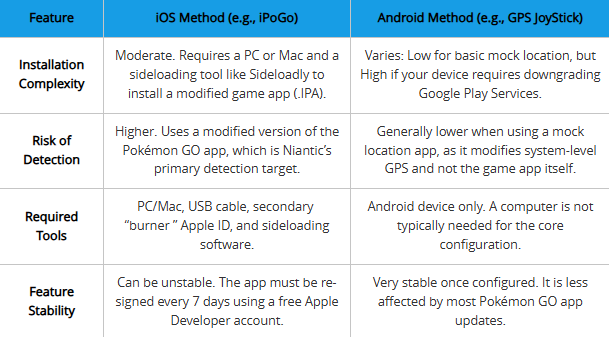
| Feature | iOS Method (e.g., iPoGo) | Android Method (e.g., GPS JoyStick) |
| Installation Complexity | Moderate. Requires a PC or Mac and a sideloading tool like Sideloadly to install a modified game app (.IPA). | Varies: Low for basic mock location, but High if your device requires downgrading Google Play Services. |
| Risk of Detection | Higher. Uses a modified version of the Pokémon GO app, which is Niantic’s primary detection target. | Generally lower when using a mock location app, as it modifies system-level GPS and not the game app itself. |
| Required Tools | PC/Mac, USB cable, secondary “burner ” Apple ID, and sideloading software. | Android device only. A computer is not typically needed for the core configuration. |
| Feature Stability | Can be unstable. The app must be re-signed every 7 days using a free Apple Developer account. | Very stable once configured. It is less affected by most Pokémon GO app updates. |
The Modern Alternative: All-in-One Spoofing with Fonelora
While traditional methods like sideloading on iOS or downgrading services on Android work, they are often technical and time-consuming. For trainers seeking a more streamlined, “one-click” experience, Fonelora Location Changer has emerged as a premier all-in-one solution in 2026.
Unlike the old iSpoofer, Fonelora bridges the gap between iOS and Android, offering a safe, flexible, and realistic way to control your device’s GPS without requiring a jailbreak or rooting your phone. It is specifically designed to bypass the common “Technical Headaches” mentioned above.
Key Value Points for Trainers:
- Safe Game Mode: Reduces the risk of soft bans by simulating realistic movement patterns rather than “jumping” instantly.
- 360° GPS Joystick: Gain precise, real-time control over your avatar’s movement using your keyboard or mouse.
- Advanced Simulation: Includes a built-in cooldown timer to help you track safe movement intervals and customizable speeds (walking, cycling, or driving).
- Multi-Device Support: Manage multiple accounts or smartphones simultaneously from a single computer interface.
How to Use Fonelora Location Changer (Step-by-Step Guide)
If you want to skip the complexity of sideloading and manual mock locations, follow these three simple steps:
Step 1: Connect Your Device
Download and launch Fonelora Location Changer on your Windows or Mac, then connect your iPhone or Android via USB or Wi-Fi.

Step 2: Choose a Location Mode
Select Teleport Mode for instant jumps, Joystick Mode for real-time hunting, or Multi-Spot Mode to simulate a natural walking route.
Step 3: Change Your GPS Location
Enter your desired destination or coordinates and click “Move.” Your location will instantly update across Pokémon GO and all other location-based apps.

How to Set Up Pokémon GO Spoofing on iPhone (iOS Guide)
For trainers like Ethan, a global collector, getting a tool like iPoGo for iOS Pokémon GO working is the first step toward catching region-exclusive monsters. The iOS method involves sideloading—installing an application from outside the official App Store. While this requires a computer, it provides the full suite of features many trainers look for in an iPhone Pokémon GO spoofer.
This procedure uses Sideloadly, a popular and user-friendly tool. Follow these steps exactly to ensure a successful installation.
Installation Steps for iOS
1. Find the Correct App File (.IPA): The biggest challenge is finding a safe application file. Instead of searching randomly, go to the official website or Discord community for the modern tool of choice (like iPoGo or SpooferX). Download the latest .IPA file directly from the developers. This ensures you have a clean, up-to-date version.
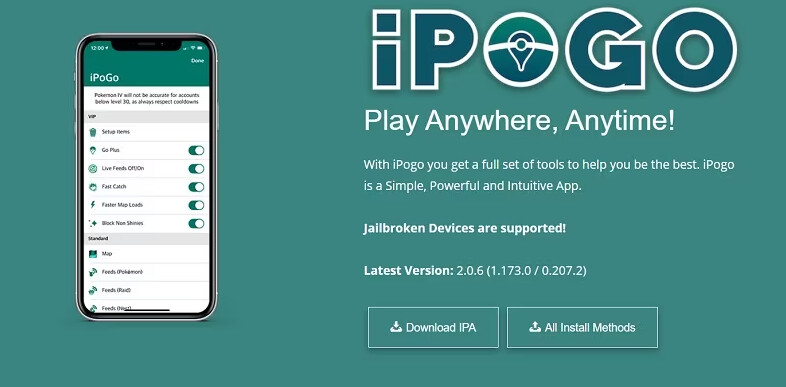
2. Prepare Your Computer and Software: Download and install iTunes and iCloud directly from Apple’s official website, not the Microsoft Store version, which can cause connection issues. Next, download and install the Sideloadly application for your computer (Windows or macOS).
3. Connect and Authorize Your iPhone: Connect your iPhone to your computer with a quality USB cable. Your iPhone will display a prompt asking if you trust the connected computer. Tap ‘Trust’ and enter your device passcode.
4. Configure Sideloadly with a Burner Apple ID: Open Sideloadly. It should automatically detect your iPhone. In the ‘Apple Account’ field, enter an Apple ID email.
Never use your main Apple ID for sideloading. Create a secondary, “burner ” Apple ID to protect your primary account from any potential security risks. This is a non-negotiable step for safe sideloading.
5. Sideload the App: Drag the iPoGo .IPA file you downloaded and drop it into the Sideloadly window. Confirm your device and burner Apple ID are correct, then click ‘Start.’ You will be prompted for your Apple ID password; this is sent to Apple’s servers to sign the app and is not stored by Sideloadly.
6. Trust the Developer Certificate on iPhone: Once Sideloadly finishes, the app icon will appear on your iPhone, but it won’t open yet. On your iPhone, go to Settings > General > VPN & Device Management. You will see your burner Apple ID listed under ‘Developer App’. Tap it, and then tap ‘Trust’ to finalize the process.
The iPoGo icon is now ready to launch. For Ethan, this was the moment his global Pokémon journey truly began.
Android Setup Guide: The Mock Location Method
The setup for an Android Pokémon GO spoofer is different and often safer. Instead of installing a modified game client like PGSharp (which carries similar risks to the iOS method), this guide focuses on using a “mock location ” app to feed a false GPS signal to the official Pokémon GO app.
Android Configuration Guide
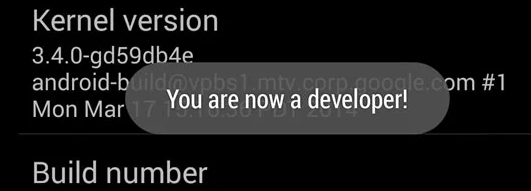
1. Enable Developer Options: This powerful menu is hidden by default. To unlock it, go to Settings > About phone. Find the ‘Build number’ entry and tap on it seven times in a row. A notification will appear confirming, “You are now a developer! ”
2. Install a Trusted Mock Location App: Open the Google Play Store. Don’t just search for a generic app. We recommend starting with GPS JoyStick by The App Ninjas, as we found it reliable during testing. Install it on your device.
3. Select the Mock Location App: Now, return to the main Settings menu and navigate to System > Developer options. Scroll down to find ‘Select mock location app’ and tap it. From the list that appears, choose GPS JoyStick. This gives the app permission to provide a virtual location in Pokémon GO.
4. Set Location Mode to GPS Only: To prevent your phone from correcting your position with Wi-Fi or mobile data, go to your phone’s Location settings. Set the location mode to ‘GPS only’ or ‘Device only’. This forces Pokémon GO to rely only on the GPS data from your spoofer.
Advanced Android Note: The Google Play Services Issue
On some older Android devices (typically pre-Android 8.0) or those with specific security patches, the mock location may be detected. The advanced fix for this involves downgrading Google Play Services, which is a high-risk procedure that can break other apps on your phone. It’s beyond the scope of this primary guide, but be aware that if you encounter persistent errors, this may be the cause.
Safe Spoofing Masterclass: How to Avoid Bans
Installing a Pokémon Go teleport tool is only the start; using it smartly is what protects your account. The main reason accounts get flagged isdue to impossible in-game travel. Jumping between continents in seconds is an obvious red flag for Niantic. The key is simulating realistic human movement and obeying cooldown timers.
Understanding Cooldown Timers
A cooldown is the mandatory waiting period after an in-game action before you can interact with the game in a new, distant location. Actions like catching a Pokémon, spinning a PokéStop, or battling trigger this timer. The farther you “teleport, ” the longer you must wait.
The Golden Rule of Safe Spoofing: Cooldowns
The maximum cooldown is 2 hours for any distance over 1,500 km. After teleporting, do not interact with anything in the game until the cooldown period has passed. Patience is your best defense against a ban.
| Distance Teleported | Cooldown Time |
| 1 km | ~30 seconds |
| 10 km | ~7 minutes |
| 100 km | ~30 minutes |
| 500 km | ~1 hour |
| 1500+ km | 2 hours |
Simulating Realistic Movement
- Obey the Cooldown: This is the most important rule. No exceptions.
- Use Realistic Speeds: Set the joystick movement speed to ‘walk’ or ‘jog’. Avoid running everywhere, especially for long periods.
- Follow Real-World Routes: When moving with the joystick, stick to roads and pathways. Don’t walk through buildings or across oceans.
- Log Out Before Big Jumps: For long-distance travel, it’s safest to log out of your Pokémon GO account first. Close the app, change your location in the spoofer, wait out the full cooldown, and then log back in.
Troubleshooting Common Spoofing Issues
Even with a perfect setup, you might face problems, especially after a Pokémon GO update. This section provides solutions for the most common issues.
Problem 1: Modified App Fails After a Pokémon GO Update (iOS/Android)
When the official Pokémon GO app updates, modified versions like iPoGo and PGSharp almost always break.
Solution: Turn off automatic app updates immediately. Check your spoofing tool’s official community (Discord, website) and wait for them to release a new version compatible with the latest Pokémon GO update. You must then reinstall the app.
Problem 2: “Unable to Verify App ” Error on iOS
This error means your free 7-day certificate from Apple has expired. It’s not a bug; it’s a limitation of free sideloading.
Solution: There is only one fix. You must connect your iPhone to your computer and repeat the sideloading process with Sideloadly. This generates a fresh certificate for another seven days.
Problem 3: “GPS Signal Not Found (11) ” on Android
This error means Pokémon GO is fighting your mock location.
Solution: First, confirm your device’s location mode is ‘GPS Only’. Second, double-check that your spoofer is selected in ‘Select mock location app’ in Developer Options. If it persists, restart your phone. Disabling “Google Location Accuracy ” in your location settings can also resolve conflicts.
The world of Pokémon GO spoofing is always changing. We monitor for updates from Niantic and spoofing developers and will update this guide accordingly. For direct support, we strongly recommend joining the official community for your chosen tool.
Frequently Asked Questions About Pokémon GO Spoofing
Here are concise answers to the most common questions.
Q1. Is iSpoofer safe for Pokémon GO?
Using any third-party tool that alters gameplay violates Niantic’s Terms of Service and carries an inherent risk. The risk is lowest with the Android mock location method and higher with modified apps like iPoGo or PGSharp. However, you can substantially minimize your risk by strictly following safe spoofing practices, especially cooldown timers. Careless use greatly increases detection risk.
Q2. What are the best iSpoofer alternatives in 2025?
For iOS, the leading tool is iPoGo, installed via sideloading. For Android, you have two main choices: the safer mock location method using an app like GPS JoyStick, or a modified game client like PGSharp, which is simpler to install but carries a higher risk.
Q3. Does spoofing work with the latest Pokémon GO updates?
Not always immediately. When Niantic updates Pokémon GO, modified apps like iPoGo and PGSharp need a corresponding update from their developers to work. This is why you must disable automatic app updates and wait for your tool to be confirmed as compatible. The Android mock location method is less likely to be affected by game updates.
Q4. Are there free spoofing methods?
Yes. The methods described in this guide are free. Sideloading on iOS with Sideloadly and a free developer account costs nothing, but requires re-signing the app every 7 days. On Android, high-quality mock location apps like GPS JoyStick have free versions that are fully functional for Pokémon GO.
Conclusion
Navigating the world of Pokémon GO spoofing no longer needs to be a source of frustration. By understanding that “iSpoofer ” now refers to a category of modern tools, you can choose the right method for your device. This guide provides a clear, reliable path to exploring the world and completing your Pokédex. The key to long-term success is playing smart and obeying the cooldown rules. This knowledge empowers you to unlock a new level of play while minimizing risk.
You are now equipped with the technical steps and safety principles to begin your global journey. Follow the instructions carefully, move realistically, and a whole new world of Pokémon GO will open up to you.
More Related Articles



Joy Taylor is a seasoned technical writer with over a decade of experience in mobile technology. At iMobie, she specializes in producing in-depth content on iOS data recovery, iPhone unlocking solutions, and iOS troubleshooting.
Product-related questions? Contact Our Support Team to Get Quick Solution >
