Pokémon GO Cheats in 2026: What Still Works & What Gets You Banned
Looking for Pokémon GO cheats that still work? This guide explains modern spoofing methods, Error 12, cooldown rules, and how players reduce ban risks on iPhone and Android.
Many players search for Pokémon GO cheats for one simple reason: they want to enjoy more of the game without being limited by location, time, or local player activity. For rural players especially, missing raids, rare Pokémon, and limited event spawns can make the game feel frustratingly restrictive.
That is why GPS spoofing remains one of the most searched Pokémon GO topics in 2026. But the reality today is very different from the early days of the game. Most old spoofing methods no longer work reliably, and many free fake GPS apps now trigger warnings, Error 12, rubber-banding, or even account strikes within minutes.
This guide is not another outdated “free hack” article. Instead, it explains what still works on modern iPhone and Android devices, why so many spoofing methods fail now, how Niantic actually detects spoofing behavior, and what players are doing to reduce risk when using location-changing tools.
During testing, we evaluated multiple spoofing methods across modern Android and iPhone devices, including:
- iPhone 16 Pro Max (iOS 26)
- Samsung S25 Ultra (Android 16)
- Pixel 9 Pro
- Older rooted Android devices commonly used by spoofers
The goal is simple: give players realistic information instead of false promises.

Why Most Pokémon GO Cheats No Longer Work
Several years ago, basic fake GPS apps were often enough to spoof Pokémon GO successfully. That is no longer the case.
Modern Android and iOS systems now include stronger location verification, while Niantic continuously analyzes movement behavior, GPS consistency, device integrity, and account activity patterns.
During testing, most free “Pokémon GO cheat” apps failed quickly because:
- GPS signals snapped back to the real location
- Pokémon GO triggered Error 12
- The game detected mock location settings
- Rubber-banding made movement look unnatural
- The fake location froze after several minutes
Many players still assume spoofing only involves changing GPS coordinates. In reality, modern phones combine multiple signals:
- GPS
- Wi-Fi positioning
- Cellular towers
- Device integrity checks
- Background movement behavior
This is why older spoofing tutorials often fail completely on modern devices.
Tip: Use a Desktop GPS Changer Instead of Random Free Cheat Apps
Free fake GPS apps often rely on weak mock-location overlays, which can easily lead to Error 12, rubber-banding, or unstable movement. If you still want to test location-changing methods, a desktop-based tool is usually more controllable than a random mobile cheat app.
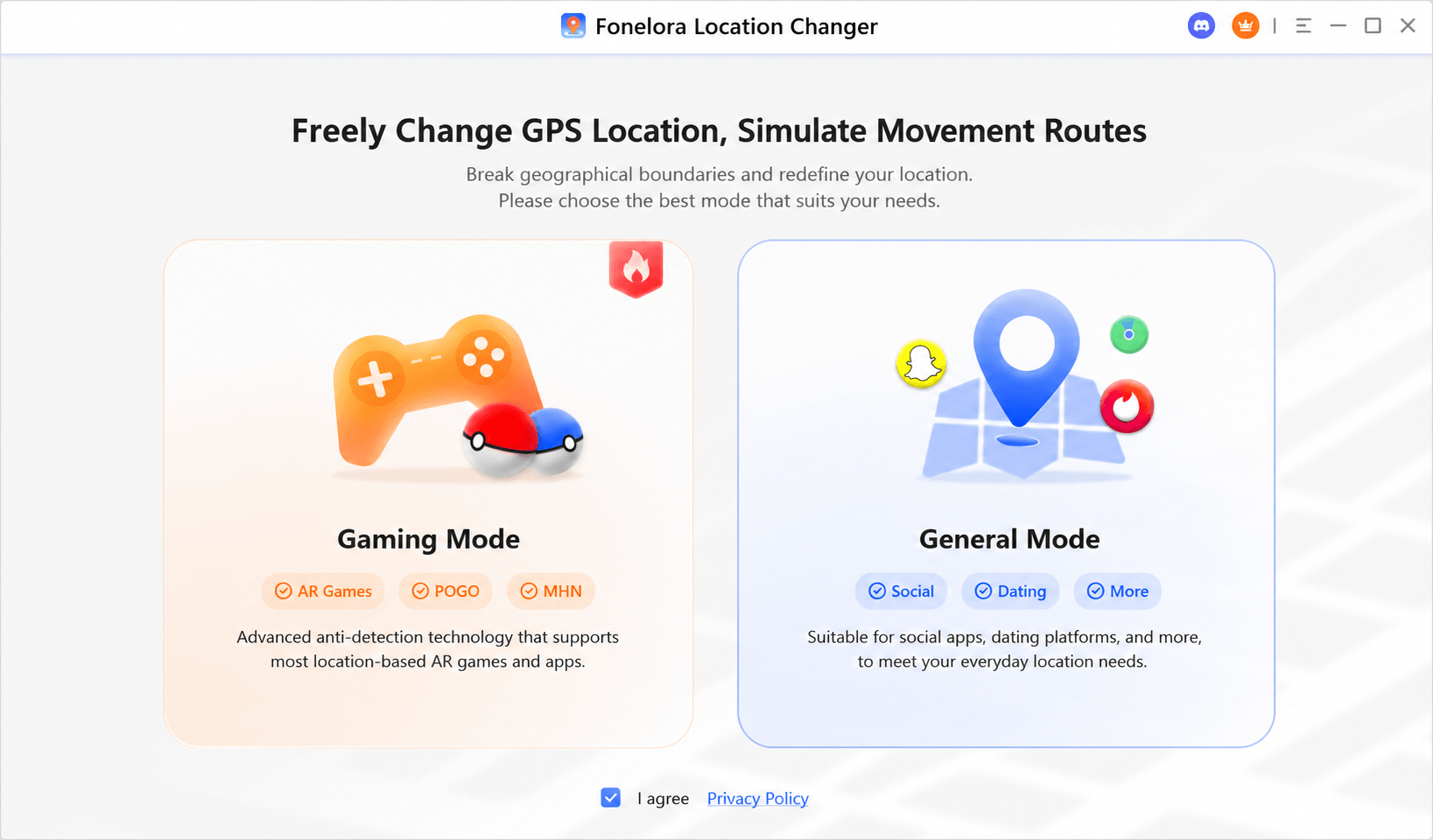
Fonelora Location Changer is designed for users who need to change GPS location on iPhone and Android without jailbreak or root. It supports teleport mode, joystick movement, route simulation, and adjustable speed, helping players create more natural-looking location behavior.
Understanding Pokémon GO’s Ban System
Before using any spoofing method, it is important to understand the actual risk.
Niantic actively enforces a three-strike discipline system for cheating and spoofing behavior.
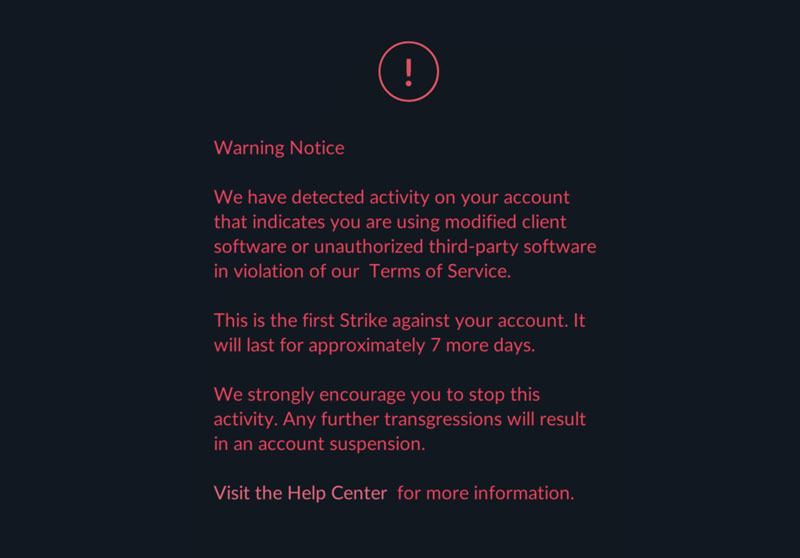
First Strike: Warning / Shadow Ban
The account receives a warning message inside Pokémon GO. Rare Pokémon may disappear temporarily, and gameplay becomes limited for approximately 7 days.
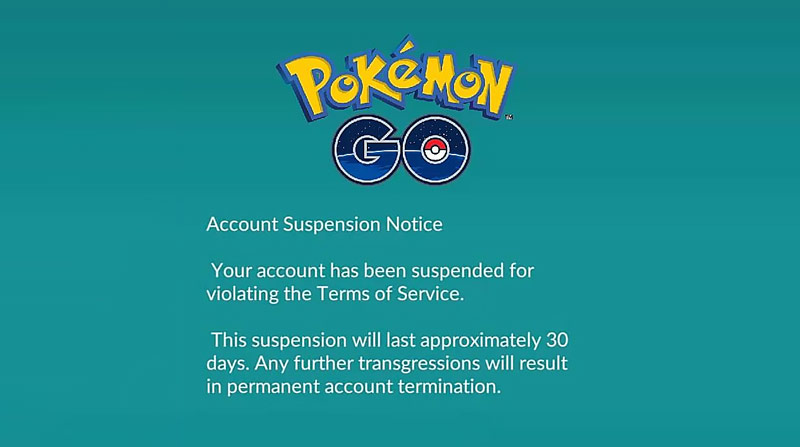
Second Strike: 30-Day Suspension
The account becomes completely inaccessible for around 30 days.
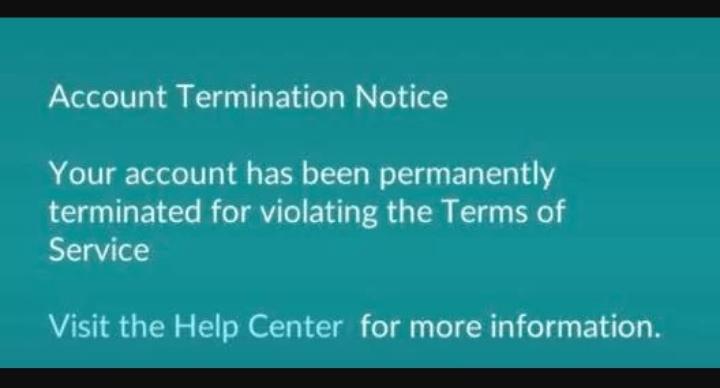
Third Strike: Permanent Ban
The account is terminated permanently, including all Pokémon, progress, and purchases. One of the biggest triggers for strikes is ignoring cooldown behavior. Teleporting between distant cities and immediately interacting with Pokémon or PokéStops creates highly suspicious movement patterns.
What Causes Error 12 in Pokémon GO?
Error 12 is one of the most common problems players experience when spoofing Pokémon GO.
The message usually appears as: Failed to detect location.
Many generic tutorials blame only weak GPS apps, but the real causes are more complicated.
During testing, Error 12 was commonly triggered by:
- Weak overlay-based fake GPS apps
- Mock location detection
- Root/jailbreak traces
- GPS and Wi-Fi mismatches
- Unstable location refreshes
- Background location conflicts
In several tests, free fake GPS apps worked for only a few minutes before Error 12 appeared after the game refreshed location verification.
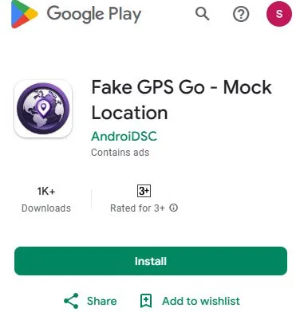
This is why many experienced players now avoid simple Play Store spoofing apps entirely.
Best Pokémon GO Spoofing Methods Tested
Not all spoofing methods behave the same way. Some are much easier for Niantic to detect.
Here is the practical difference between the major spoofing approaches currently used in 2026:
| Method | Stability | Error 12 Risk | Skill Required | Account Risk |
| Basic Fake GPS Apps | Low | Very High | Low | Very High |
| Root/Jailbreak Methods | Medium-High | Medium | High | Very High |
| PC Tethered GPS Changers | Medium-High | Lower | Moderate | High |
Why Many Players Prefer PC GPS Changers
Desktop-based GPS changers have become more popular because they generally produce more stable movement behavior than simple mobile spoofing apps.
Popular tools include:
- AnyTo
- iAnyGo
- iMoveGo
- Fonelora Location Changer
These tools usually support:
- Teleport mode
- Route simulation
- Walking speed control
- Joystick movement
- Multi-spot movement
Instead of instantly jumping between locations, players can simulate more realistic walking or driving routes.
This does not make spoofing “safe,” but it often reduces obvious movement anomalies that trigger detection systems.
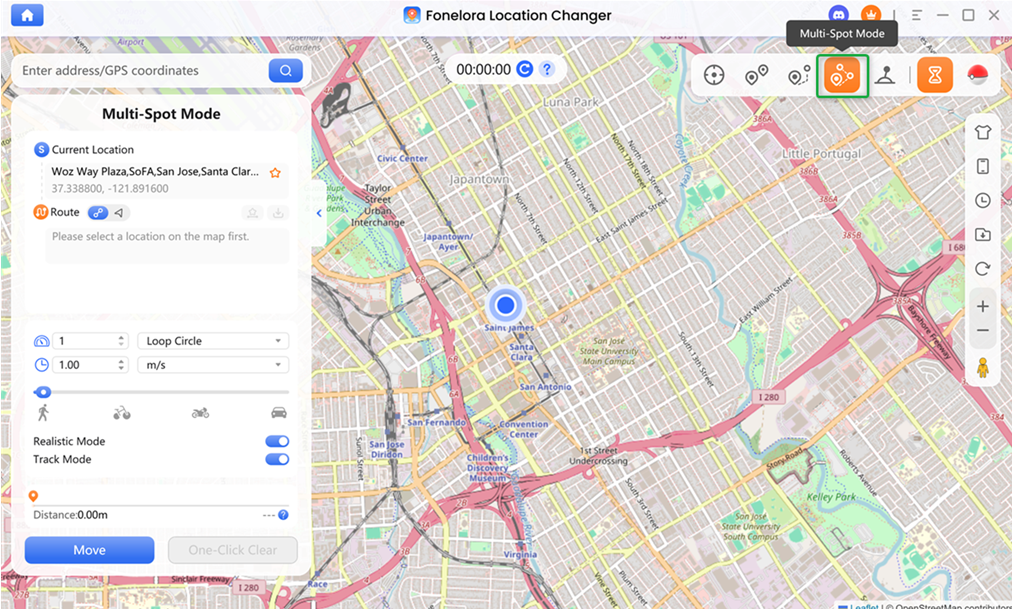
Among these options, Fonelora Location Changer is a practical choice for players who want a cleaner desktop setup. It lets you change GPS location on iOS and Android, plan custom routes, control movement speed, and use joystick-style movement without relying on unstable free spoofing apps.
Fonelora Location Changer: Best for Controlled GPS Movement
If your goal is not just teleporting but creating smoother, more realistic movement, Fonelora Location Changer is worth considering. It is especially useful when you want to:
- Move around a city without physically walking
- Simulate walking routes for Pokémon GO
- Adjust speed to avoid unrealistic movement behavior
- Use joystick mode for more flexible map control
- Change GPS location on iPhone or Android without jailbreak/root
How Niantic Detects Spoofing
Many players still believe Niantic only checks GPS coordinates. That is incorrect.
Modern anti-cheat systems analyze:
- Device integrity
- Root/jailbreak traces
- Mock location settings
- Movement speed
- Route consistency
- GPS drift
- Wi-Fi positioning conflicts
- Play session behavior
One major detection trigger is unrealistic movement.
For example:
- Teleporting between countries within minutes
- Moving in perfectly straight lines for hours
- Staying active 24/7
- Walking through rivers or buildings
All of these behaviors appear unnatural.
How Players Reduce Spoofing Risk
There is no completely safe spoofing method in Pokémon GO. However, players who avoid immediate detection usually behave differently from casual spoofers.
1. Respect Cooldown Time
Cooldown remains one of the most important anti-ban habits. Teleporting from New York to Tokyo and immediately catching Pokémon is still one of the fastest ways to trigger detection.
2. Avoid Aggressive Teleporting
Repeated long-distance jumps create obvious movement anomalies.
Many experienced players stay within one general region for longer sessions.
3. Simulate Human Movement
Natural-looking routes appear safer than frozen teleport points.
Most desktop GPS changers now include:
- Walking routes
- Driving simulation
- Joystick controls
- Speed variation
This is where a tool like Fonelora Location Changer can be more useful than basic fake GPS apps. Instead of only dropping your character onto a new point, it allows users to simulate movement routes and adjust speed, which is closer to how real players move on the map.
4. Use Secondary Accounts First
Many players test spoofing setups on alternate accounts before risking older main accounts.
This is especially common for accounts with:
- Rare collections
- Event Pokémon
- Years of progress
Why Android Version Matters
Android security has changed significantly since older spoofing guides were published. Android 10 through Android 16 now include:
- Better mock location detection
- Stronger GPS verification
- Improved Play Integrity checks
- Smarter location fusion systems
This is why many methods that worked several years ago no longer function reliably.
During testing:
- Older rooted Android devices remained more flexible
- New flagship phones triggered stricter detection behavior
- Some Samsung devices handled tethered GPS more consistently than Pixel devices
Device-specific behavior matters far more now than many tutorials admit.
Common Spoofing Problems Players Still Face
Rubber-Banding
The fake location snaps back repeatedly to the real location.
Usually caused by:
- Weak GPS overlays
- Wi-Fi conflicts
- Poor signal consistency
Error 12
Often triggered after GPS refreshes or integrity checks.
Soft Bans
Pokémon flee instantly and PokéStops stop working temporarily. Usually caused by ignoring cooldown timing.
GPS Drift
The character moves unpredictably or jumps around the map. Common with unstable free spoofing apps.
Quick Tip: Choose Stability Over “Free Cheat” Claims
If a tool promises unlimited free spoofing, instant teleporting, or “100% ban-free” gameplay, be cautious. Pokémon GO spoofing always carries risk, and unstable apps often create the exact movement patterns that lead to detection.
Safer Alternatives to Spoofing
For players uncomfortable with spoofing risks, there are still legitimate ways to improve gameplay experience.
Some safer alternatives include:
- Remote Raid Passes
- Campfire communities
- Trading systems
- Event-based farming
- Route participation
- Local Discord raid groups
These methods cannot fully replace spoofing, but they reduce the need for high-risk behavior.
FAQ
Does Pokémon GO still detect fake GPS?
Yes. Niantic continuously updates spoofing detection systems, especially on modern Android devices.
Can I get banned for spoofing?
Yes. Permanent bans are still actively enforced.
What is Error 12?
Error 12 usually means Pokémon GO failed to verify your location correctly.
Are free fake GPS apps safe?
Most free apps are unstable and often trigger rubber-banding, GPS drift, or Error 12.
Why do some spoofers avoid bans longer?
Usually because they:
- Follow cooldown rules
- Simulate realistic movement
- Use more stable setups
- Avoid aggressive teleporting
Final Thoughts
The reality of Pokémon GO cheats in 2026 is very different from older YouTube tutorials and outdated “free hack” guides.
Niantic’s detection systems are much stronger now, and many traditional fake GPS methods fail almost immediately on modern phones. Most players who get detected are not necessarily using the “wrong” tool — they are creating unrealistic movement behavior that stands out to the anti-cheat system.
For players still considering spoofing, understanding how detection works is far more important than blindly downloading random cheat apps. Stable movement, cooldown management, realistic routes, and avoiding aggressive teleporting remain the biggest factors influencing account safety.
There is no risk-free spoofing setup anymore. But if you still need a more stable and controllable GPS spoofing tool, Fonelora Location Changer is a better option than random free fake GPS apps. It supports teleport mode, joystick movement, route simulation, and adjustable speed on iPhone and Android, helping users manage GPS movement more realistically.
More Related Articles



Joy Taylor is a seasoned technical writer with over a decade of experience in mobile technology. At iMobie, she specializes in producing in-depth content on iOS data recovery, iPhone unlocking solutions, and iOS troubleshooting.
Product-related questions? Contact Our Support Team to Get Quick Solution >
