The Quickest Way: The “Tamao” Name Trick
Quick Answer: To evolve Eevee into Umbreon immediately, change your Eevee’s nickname to Tamao and tap the evolve button. You will need 25 Eevee Candy to complete the evolution.
This simple name trick is the absolute fastest way to add Umbreon to your Pokédex, but it comes with a strict limitation: it strictly works only once per account.
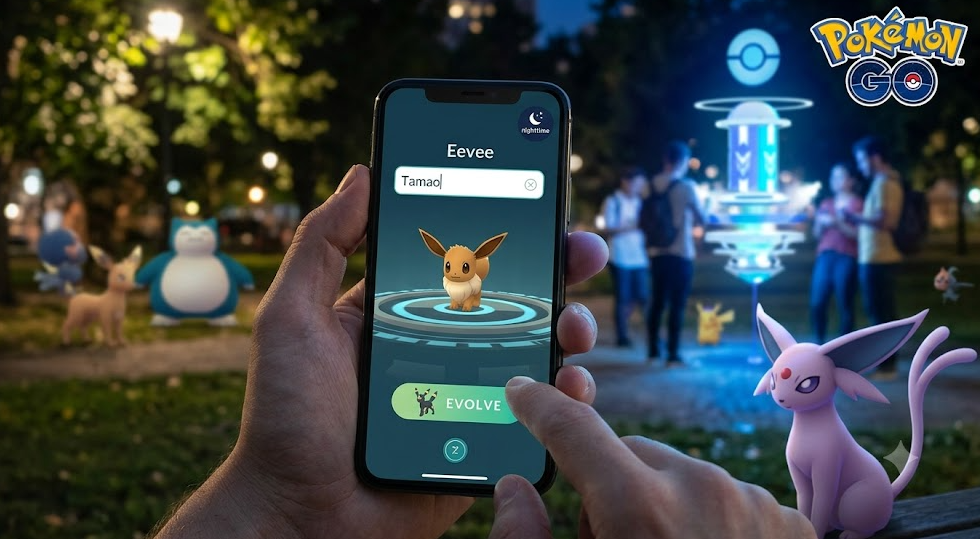
Before you tap evolve, always check the evolution button silhouette. It should display Umbreon’s outline, not a question mark. If the button still shows a question mark after you rename your Eevee to “Tamao”, you have likely already used this trick in the past, or you simply need to restart the Pokémon GO app to refresh the server connection. (For more general gameplay tips, check out our Pokémon GO guides).
The Standard Method: How to Evolve Umbreon Without the Name Trick
If you have already used the “Tamao” name trick, you cannot use it again. Instead, you must follow the standard buddy evolution method. This method guarantees an Umbreon, but only if you meet four very specific requirements.
Use this foolproof checklist before tapping the evolve button:
- Make Eevee your Active Buddy: Tap your trainer profile and set the specific Eevee you want to evolve as your active buddy.
- Walk Exactly 10km: You must walk at least 10 kilometers with that specific Eevee as your buddy. You can check the distance on your buddy profile screen.
- Earn 2 Eevee Candies: Eevee has a buddy distance of 5km per candy. This means walking exactly 10km will naturally result in finding the required 2 Eevee candies through the buddy system. Ensure you receive these notifications before proceeding.
- Evolve at Night: You must initiate the evolution during local nighttime. Pokémon GO determines this based on your device’s local clock. You will know it is night when the in-game map background turns dark (usually after 6 PM or 8 PM local time).
- Keep Eevee as your Active Buddy: This is the most critical rule. Eevee MUST remain your active buddy on the screen at the exact moment you tap the evolve button.
As always, check the silhouette on the evolution button. If you see Umbreon, you are safe to spend your 25 candies.
Why Did My Eevee Evolve into Espeon? (Mistakes to Avoid)
Nothing is more frustrating than walking 10km, spending your hard-earned candies, and receiving the wrong Pokémon. The most common pain point for players is accidentally evolving an Espeon or a random Kanto Eeveelution instead of Umbreon.
Here are the two major mistakes that cause this:
Evolving During the Daytime
If you complete your 10km walk but tap evolve while the in-game map is still bright (daytime in your local timezone), you will always get an Espeon. The day/night cycle is entirely dependent on your local device clock. You must wait for the map to visually turn dark before proceeding.
Un-buddying Eevee Too Early
Many players hit the 10km mark, swap out their buddy for another Pokémon to earn different candies, and then go to their Pokémon storage to evolve the Eevee. Do not do this. If Eevee is not currently your active buddy when you tap evolve, the 10km walking requirement breaks. The game will ignore your walking distance and randomly give you Vaporeon, Jolteon, or Flareon instead.
To prevent wasting 10km of walking, always verify that the evolution silhouette shows Umbreon and not a question mark.
How to Simulate the 10km Buddy Walk from Home
Walking 10km physically for every Umbreon you want to build—especially if you are hunting for high IVs for PvP or trying to evolve a Shiny Umbreon—requires significant time and physical effort. Bad weather, mobility constraints, or a busy schedule can make this requirement a frustrating barrier.
While some players try to use basic fake GPS apps on their phones to bypass this, those apps often fail to simulate natural walking and frequently trigger the game’s location warnings (such as Error 12) or fail to register the buddy distance accurately.
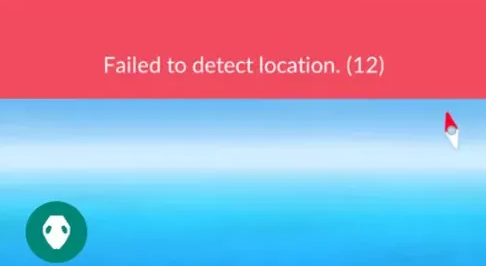
If you want to fulfill the buddy distance requirement from home, you can safely change location in Pokémon GO using desktop-guided software. Fonelora Location Changer provides a guided desktop workflow that allows players to safely simulate route movement on supported iOS and Android devices.
Fonelora Location Changer
Realistic GPS movement simulation, flexible route control, easy no-modification setup, and support for gaming, social, privacy, and location-based testing in one platform.
Instead of instantly teleporting (which does not count toward buddy distance), Fonelora’s route simulation allows you to map a path and walk your avatar at a controlled, natural human speed. This automated virtual walking ensures the game registers your distance, allowing you to easily farm the required 10km and 2 Eevee candies under supported conditions.
Step-by-Step: Fulfilling Buddy Distance with Fonelora Location Changer
Using Fonelora Location Changer to walk your Eevee is straightforward. By setting a realistic speed, you can let the desktop software do the walking for you.
Here is how to simulate the 10km walk safely:
1. Connect Your Device: Open Fonelora Location Changer on your Windows or Mac computer, connect your supported iOS or Android device via USB or Wi-Fi, and select Game Mode.
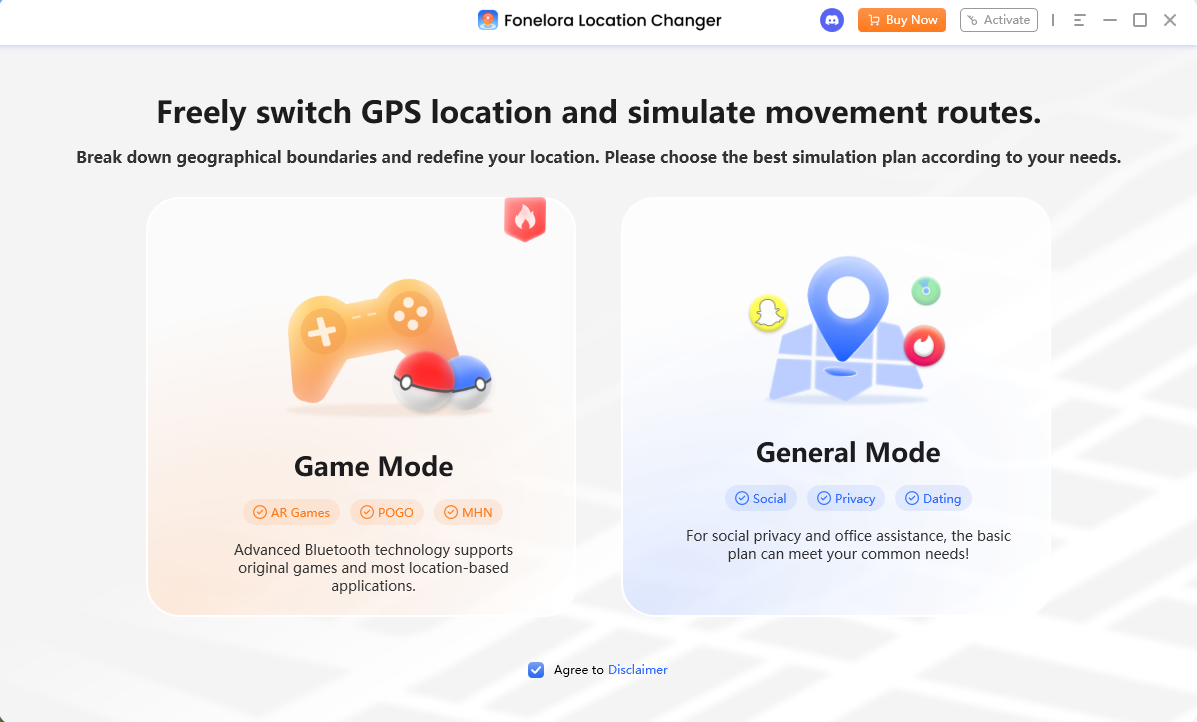

2. Select Route Mode: Choose Single-Spot Mode or Multi-Spot Mode from the interface to map out a walking route around your current virtual location.
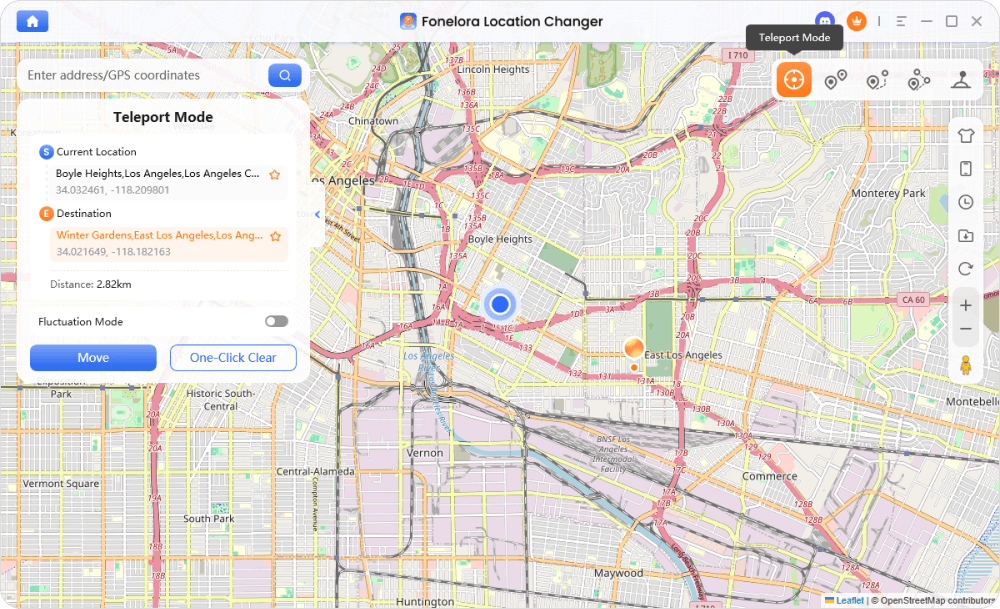
3. Set a Realistic Speed: This is the most crucial step. Adjust the speed slider to a natural walking pace (e.g., 4 to 6 km/h). If you move too fast, the game will trigger a speed lock and the distance will not count toward your Eevee candies.
4. Start the Simulation: Click to start moving. Leave your game open and Eevee set as your active buddy. The software will automatically move your avatar along the route.
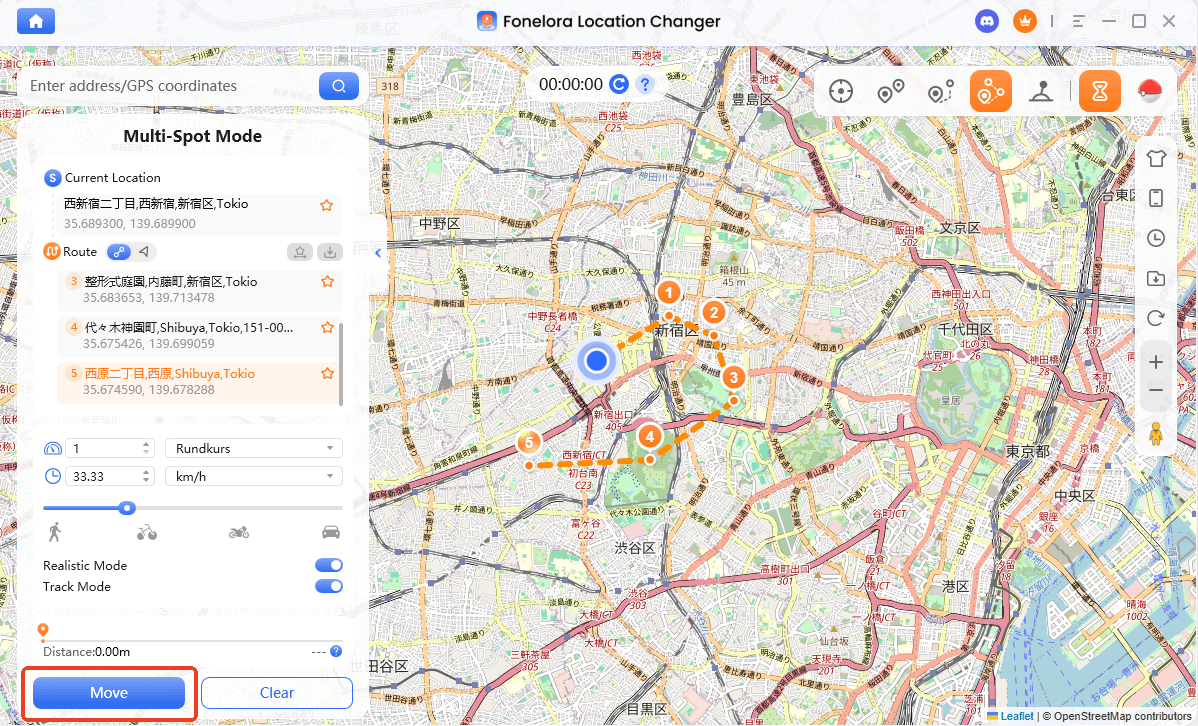
5. Check the Distance: Let the simulation run until your buddy profile shows exactly 10km walked and at least 2 candies earned.
Once the 10km is complete, simply stop the simulation. Remember to wait until it is nighttime in your local device timezone and keep Eevee as your active buddy before hitting the evolve button.
Hunting Shiny Umbreon and Managing Account Risks
A Shiny Umbreon features striking blue rings instead of yellow, making it one of the most highly sought-after evolutions in the game. However, it is important to understand that you cannot (typically) catch a Shiny Umbreon in the wild. You must first catch a Shiny Eevee and follow the 10km buddy evolution process at night to get one.
While location changers like Fonelora can help you teleport to known Eevee nests or high-spawn areas to increase the volume of Eevees you encounter, they do not alter the in-game RNG (Random Number Generation). Finding a Shiny Eevee is still entirely up to luck.
Additionally, managing your account safety is critical. LBS game spoofing carries inherent account ban risks if done recklessly. If you teleport long distances to check Eevee nests, you must strictly observe Pokémon GO cooldown rules before interacting with the game (spinning PokéStops or throwing Poké Balls). Fonelora Location Changer includes a built-in cooldown reminder to help you manage this waiting period, but it is ultimately your responsibility to respect the game’s cooldown rules to minimize risk.
Frequently Asked Questions
Q1: How to get Umbreon in Pokemon GO without the name trick?
To get Umbreon without the name trick, you must make Eevee your active buddy, walk exactly 10km, earn 2 Eevee candies, and tap the evolve button at night while Eevee is still your active buddy.
Q2: Why did my Eevee evolve into Espeon instead of Umbreon?
This happens if you evolve your Eevee during the daytime in your local timezone. Espeon is the daytime buddy evolution, while Umbreon is the nighttime evolution. Always check the map to ensure it is dark before evolving.
Q3: Can I get Umbreon in Pokemon GO without walking?
Yes. If you cannot physically walk 10km, you can use a virtual location tool like Fonelora Location Changer to simulate a walking route on your desktop under supported conditions. Just ensure the speed is set to a natural walking pace (4-6 km/h) so the distance counts.
Ready to Add Umbreon to Your Team?
Adding the Dark-type Umbreon to your Pokémon GO roster is highly rewarding, especially for PvP battles. The golden rule is simple: use the “Tamao” name trick for your very first Umbreon, and rely on the manual 10km + nighttime + active buddy method for every Umbreon after that. Always remember to check the evolution silhouette before spending your candies to avoid a daytime Espeon mistake.
If you find the physical 10km walking requirement difficult due to time constraints, weather, or mobility issues, physical walking isn’t your only option.
We recommend trying the desktop-guided route simulation offered by Fonelora Location Changer. By mapping a customized path and controlling your virtual walking speed, you can safely simulate the required 10km buddy distance to effortlessly farm Eevee candy right from home.

Fonelora Location Changer
- Bluetooth Hardware Simulation for Safer GPS Spoofing
- Realistic Movement & Route Simulation
- No Root or Jailbreak Required
- All-in-One Solution for Games, Social Apps & Privacy
More Related Articles



