How to Fix Predictive Emoji Not Working in iOS 10
Predictive keyboard does not suggest emoji after updating to iOS 10? Here in this guide we collect some useful methods to help you fix this problem.
The interesting emoji allows us to express ourselves in a fun way. It has become an important part of our conversions. The brand new iOS 10 is available to public now, and it has added a new feature to the keyboard, the Emoji Prediction. Now on your iOS 10 iPhone or iPad, when typing a car with keyboard, a car emoji will appear in your prediction bar.
However, some users have reported that the predictive emoji is not working on their device after installing iOS 10. If you also meet this problem, then just keep reading to get some solutions to fix it.
If you meet some other issues after updating to iOS 10, this guide can help you out: The Most Common iOS 10 Problems and Solutions >
How to Fix Predictive Emoji Not Working in iOS 10
Solution 1: Turn Predictive Keyboard Off/On
Go to have a check whether you have turn on Predictive Keyboard. If you have already enable it, then first turn it off and then turn it on after a few seconds. Go to Settings > General > Keyboard > Predictive to make it.
Solution 2: Reset Keyboard Dictionary
Go to Settings > General > Reset > Reset Keyboard Dictionary > Enter your passcode > Tap Reset Dictionary to confirm.
Solution 3: Tap Random Emojis with Emoji Keyboard
The emoji prediction is an iDevice learned behavior. So you can first tap random emojis with Emoji keyboard by yourself. You can send a message to your friends with a lot of random emojis or just tap them into a text. Many users have fixed this iOS 10 predictive emoji not working issue with this method. By the way, for some users, you may have to do this a few times.
Solution 4: Delete Emoji & English Keyboard and Add Again
Step 1. Go to Settings > General > Keyboard > Keyboards.
Step 2. Swipe the English & Emoji to the left and tap Delete.
Step 3. Tap Add New Keyboard… > Add English and Emoji keyboard again.
Solution 5: Reset Your Device
Press and hold on the Home button and on/off button until your device restarts with the Apple logo. You can also perform this action this after you have tried the above 4 methods.
Bonus Tip: How to Manage iPhone/iPad Content with Ease
Upgrading to iOS 10 is great. It can let you enjoy many brand new features. Here we recommend you an entirely new iOS data manager named AnyTrans. It can help you transfer data from iDevice to iDevice, iDevice to computer/iTunes and vice versa. If you just got a new iPhone 7, AnyTrans can transfer everything to your new iPhone without effort.
How to Transfer Data from iPhone to iPhone 7/7 Plus >
How to Transfer Data from Android to iPhone 7/7 Plus >
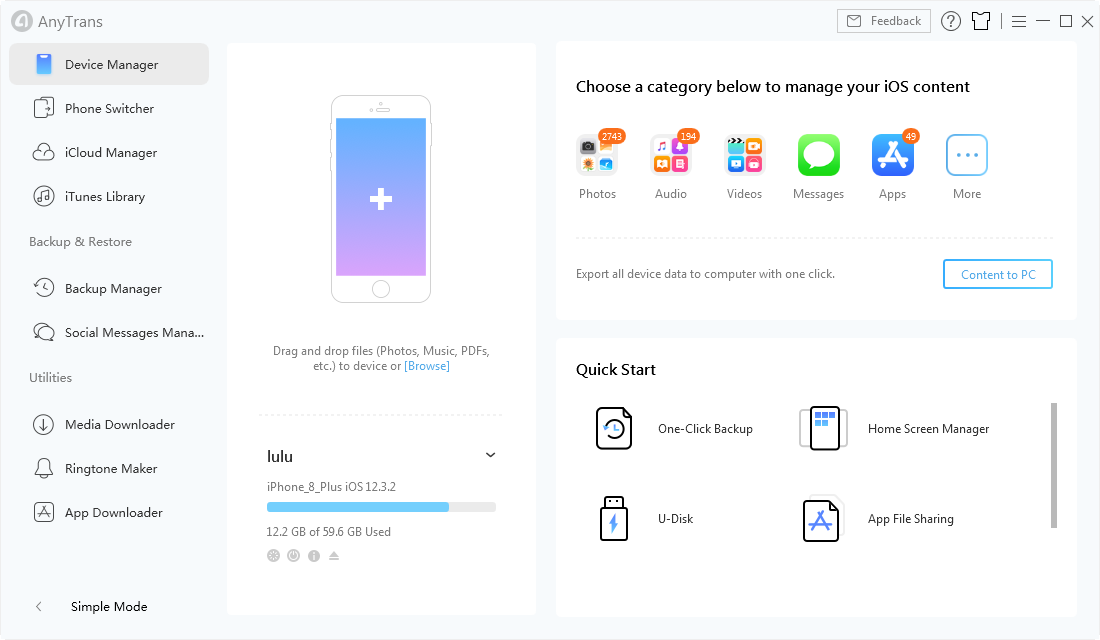
Manage iPhone/iPad Content with Ease in AnyTrans
The Bottom Line
Hope this guide can help you fix iOS 10 predictive emoji not working problem successfully. And do not forget to give it a try on AnyTrans, it will not let you down.


Member of iMobie team, an Apple fan as well as an anime lover. Like to share solutions on iOS and Android related problems.
Product-related questions? Contact Our Support Team to Get Quick Solution >

AnyTrans ®
The best tool to transfer, backup and manage your iPhone iPad content, even iTunes, iCloud backup files. As easy as ABC!
- * 100% Clean & Safe
Users Served