Top 6 Android PC Suites to Manage Your Device
Manage your Android device from your PC with ease using Android PC Suites. This article introduces the 6 best Android PC Suites in 2026, highlighting their main features, supported devices, and pricing. Find the ideal tool to streamline your Android phone management for wireless file transfers or full data backups.
When your phone storage fills up or you need to move everything to a new device, the pain really shows. That’s where an Android PC Suite comes in, which brings all of that into one clean dashboard on your computer. In this article, we explore the 6 best of these software solutions that let you seamlessly manage your Android device from a PC.
We’ll explain what an Android PC Suite is and help you decide which one suits your needs. All these PC suites can make effortless file sync and reliable data recovery to organize your phone’s content.
What is an Android PC Suite?
An Android PC Suite is a software application that connects your Android phone to a PC for convenient data management. You can back up your phone’s media or any other files directly to your computer. You can even sync important data and handle apps directly from the interface of your PC.
This approach not only organizes and safeguards your data but also improves productivity. For example, you can type messages with a full keyboard or quickly drag and drop files. In short, an Android PC Suite enhances how you control your smartphone by providing a convenient desktop dashboard for your mobile life.
6 Best Android PC Suites 2026
Now let’s look at the top six Android PC Suite software options in 2025. Each of these has a free download available and offers a range of features to help you manage your device.
1. DroidKit
DroidKit is a comprehensive Android toolkit that doubles as a powerful PC suite for all major device management. It stands out by offering an all-in-one solution for managing data and resolving commonly persistent phone issues. You cannot only deal with file management but also perform advanced operations with this tool, like unlocking a locked phone.
Key Features:
- One-click backup & restore for photos, videos, contacts, and more.
- Data Manager to import/export files between Android and PC.
- Data Recovery for deleted photos, messages, WhatsApp, and documents.
- Screen Unlock (PIN/Pattern/Password) and FRP Bypass tools.
- System Fix/Reinstall to resolve boot loops, crashes, and OS glitches.
- Storage cleanup to remove junk and free up space.
Steps to manage Android data on PC with DroidKit:
Step 1. DroidKit Download & Install
Download DroidKit directly. Then follow the instructions to install it on your Windows PC. It also supports Mac computers.
Free Download * 100% Clean & Safe
Step 2. Connect Your Android to DroidKit
Launch DroidKit after installing. Use a USB cable to connect your Android device to DroidKit. It will detect your device automatically. Allow access when it asks for permission.
Step 3. Manage Android Data in One Click
Once connected, you can choose Device Manager under the Data Manager option. Then, manage the data on your Android device in one click.
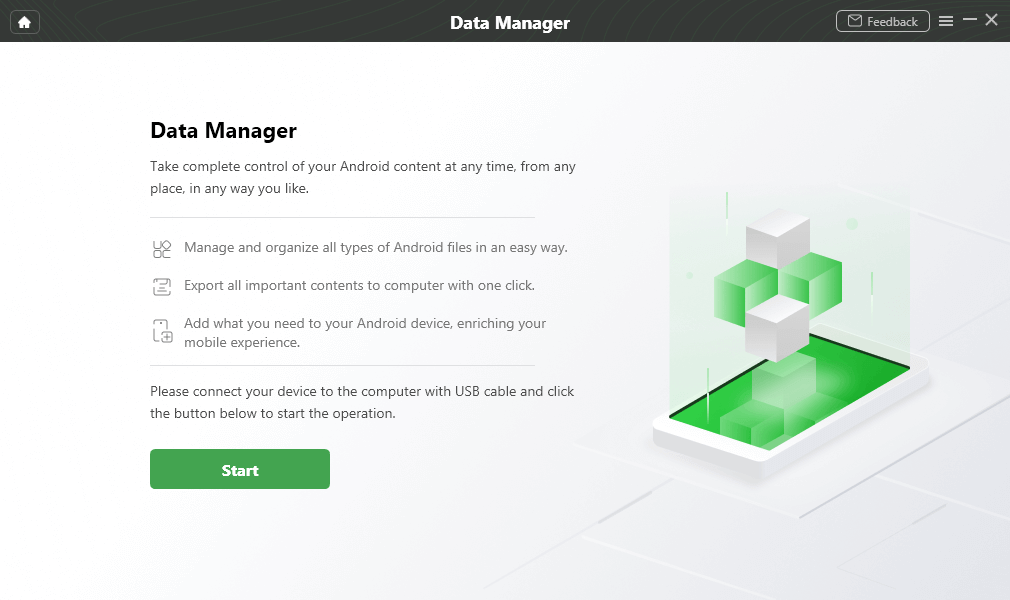
Select Data Manager
2. AirDroid
AirDroid is a well-known Android PC suite famous for its wireless device management capabilities. It’s ideal for those who want to seamlessly integrate their phone with their PC for notifications and more.
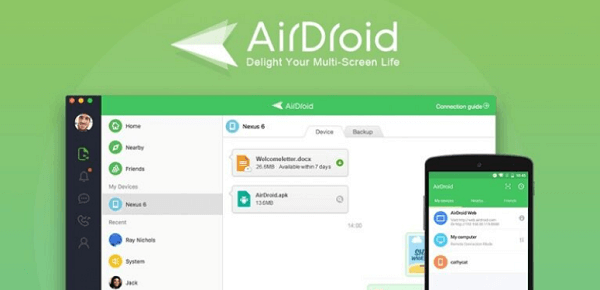
AirDroid
Key Features:
- Wireless file transfer between phone and PC (no cables).
- Notification mirroring and SMS from the desktop.
- Remote access/control and real-time screen mirroring.
- Phone camera access from PC for remote viewing.
- Cross-platform clients: Windows/Mac/Web for easy access.
3. Dr.Fone – Phone Manager
Dr.Fone – Phone Manager is another solution to manage and transfer data between your Android phone and PC. It’s a user-friendly tool, especially suited for those who want a full-featured phone content manager.
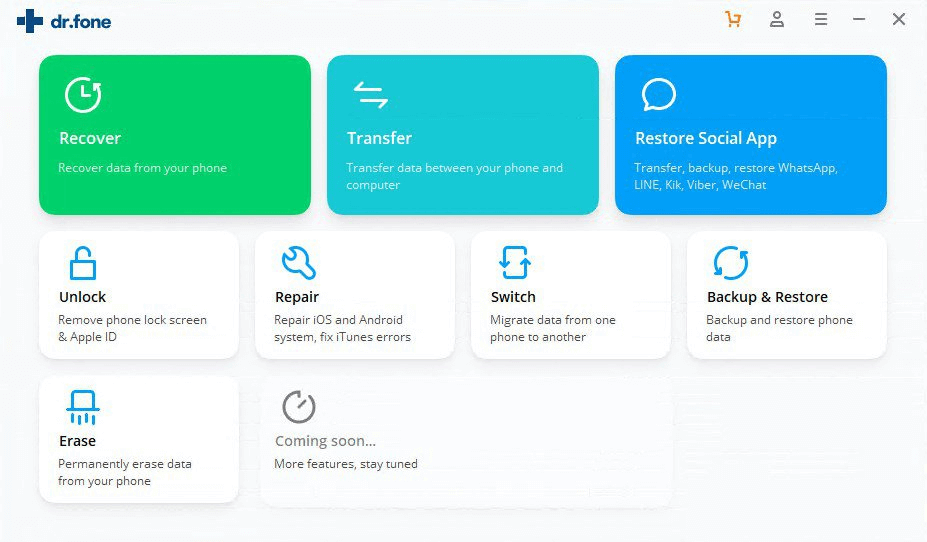
Dr.Fone
Key Features:
- Two-way transfer of photos, videos, music, contacts,and SMS.
- iTunes/Android import/export for media libraries.
- Batch operations: export, delete, or organize files and apps.
- Contact/SMS management from desktop.
- Backup & restore selected data without full device wipe.
4. ApowerManager
ApowerManager is a professional phone manager for both Android and iOS, known for its clean interface. It provides a convenient way to manage and restore your mobile data using a computer. ApowerManager’s versatility and cross-platform support make it a top pick for those who may have multiple devices.
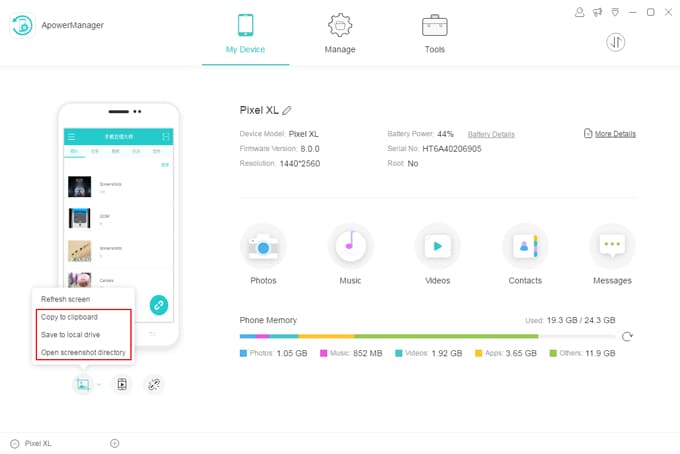
ApowerManager Android
Key Features:
- Full device backup/restore in one click.
- Organized file & app management (import/export/delete).
- Screen mirroring & recording from Android to PC (USB/Wi-Fi).
- Contacts/SMS management with desktop editing and export.
- Storage access for internal/SD card with drag-and-drop.
5. Huawei HiSuite
Huawei HiSuite is the official Android device manager for Huawei smartphones and tablets. It’s developed by Huawei to ensure full compatibility with their devices (especially useful since newer Huawei phones may not work optimally with third-party suites).
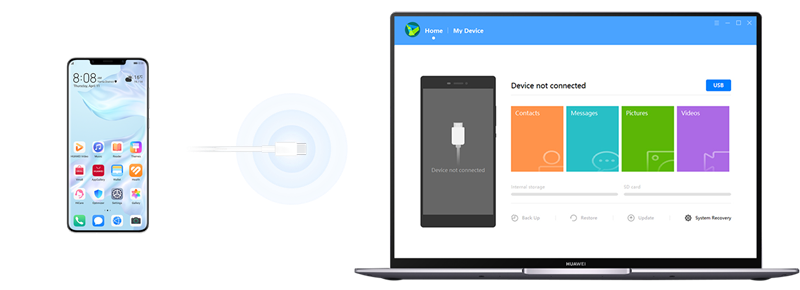
Huawei HiSuite
Key Features:
- Official backup & restore for Huawei/Honor devices.
- File transfer for photos, videos, documents, and music.
- Contacts/SMS management and app install/uninstall.
- System update/recovery and rollback assistance.
- Screenshot & screen view utilities from the desktop app.
6. Mi PC Suite
Mi PC Suite is Xiaomi’s official desktop software for Windows, designed specifically to manage Xiaomi, Redmi, and POCO smartphones. It lets you handle backups and even device recovery, all from your computer.
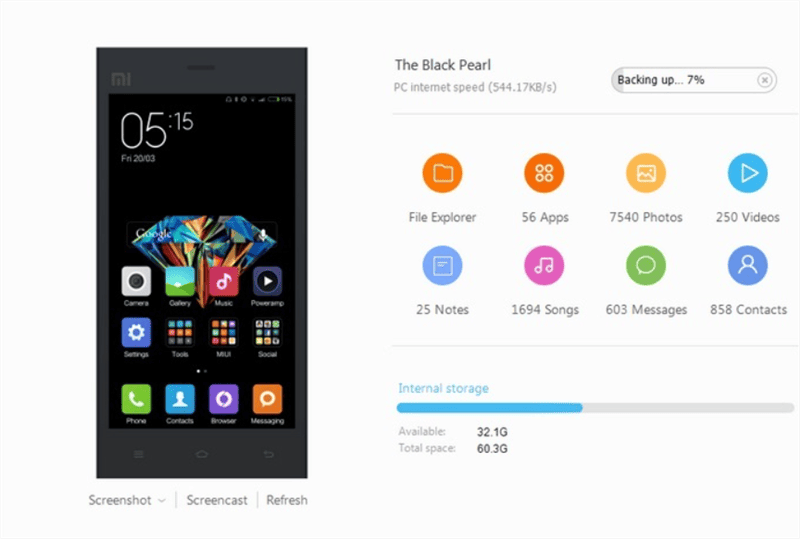
Mi PC Suite
Key Features:
- Super fast file transfer & backup/restore of media, contacts, and more.
- App management, including easy install/uninstall of apps from the PC.
- File Explorer for managing folders and organizing media.
- Screencast & screenshots, allowing you to mirror your device screen.
- Firmware update/flash and unbrick tool, enabling updates or downgrades.
Comparison Chart of 6 Android PC Suites
To help you see the differences at a glance, here’s a quick comparison of the six Android PC suites discussed above:
| PC Suite | Key Features | Supported Devices & Platforms | Pricing |
| DroidKit | All-in-one toolkit: file manager, full phone backup, advanced tools (data recovery, unlock, system repair, etc.) | Android phones/tablets (20,000+ models);
Windows & Mac |
$29.99 per year |
| AirDroid | Wireless management: cable-free file transfers, remote access & control, messaging, and notification sync | Any Android device;
Windows/Mac, Web access, companion app for Android (some features on iOS) |
$3.99 per month
$29.99 per year |
| Dr.Fone – Phone Manager | Comprehensive data management: transfer files (all types) between Android & PC, manage contacts/SMS, import iTunes media. Offers backup & restore | Supports 8000+ Android devices;
Desktop program on Windows & Mac |
$79.95 per year (for full toolkit) |
| ApowerManager | Complete phone manager: one-click full backup, organized file/app management, screen mirroring & recording, and cross-platform support | Works with Android & iOS devices;
Desktop software for Windows & Mac |
$39.95 per year
$69.95 for lifetime |
| Huawei HiSuite | Official Huawei suite: backup & restore, file transfer, contact/message management, system updates & recovery tools for Huawei phones | Huawei/Honor devices only (Android EMUI/HarmonyOS);
Windows and Mac |
Free |
| Mi PC Suite | Backup, app management, file explorer, firmware flash, screencast | Xiaomi/Redmi/POCO phones;
Windows only |
Free |
FAQs About Android PC Suite
1. Is Android PC Suite free?
Yes, there are some free Android PC suites you can try, such as Huawei PC suite and Mi PC suite. However, such free tools are only available for use on limited models.
2. What’s the best Android PC Suite?
There are multiple Android PC suites on the market. You can choose one of them according to your real needs. The most recommended one is DroidKit, which supports managing data, transferring files, unlocking the screen, etc, on your Android device.
Conclusion
In conclusion, a good Android PC Suite turns messy phone management into a reliable workflow for moving files or organizing apps. In this roundup, we have introduced you to 6 different tools to handle your Android’s content management most handily. Our recommendation is DroidKit but your best choice comes down to what you need most. Grab the free downloads and keep the one that fits your routine. Managing your Android from a PC becomes effortless with the right suite in place.
Free Download * 100% Clean & Safe



Jeremy Feron is a writer for iMobie with a deep passion for Android. He specializes in creating clear guides on Android tips and the latest updates, helping users navigate their devices and get the most out of new features.
Product-related questions? Contact Our Support Team to Get Quick Solution >
