A Full Review of BMB V35 Tool [2026 Updated]
In this guide, you will learn about the BMB V35 tool, its features, and how to use it to bypass FRP. This tool helps unlock devices and remove FRP locks easily. If BMB V35 does not work, DroidKit is a great alternative. It offers a simple way to bypass FRP and unlock Android devices safely.
Suppose that after you reset your phone, you lost your Google account information. You cannot use your smartphone now and are trapped at the FRP lock screen. It can be somewhat annoying, but don’t worry! The BMB V35 Tool makes unlocking your phone and getting around FRP locks simple. Many users believe this tool is for flashing, unlocking, and removing FRP locks. It functions on a variety of Android smartphones and is easy to use. However, sometimes, the BMB V35 Tool may fail. In that case, you need a better alternative. DroidKit is a reliable tool that can help you bypass FRP quickly and safely. Read more about the BMB V35 Tool and its best alternative.
Part 1. What is the BMB V35 Tool?
BMB V35 Tool is meant to assist in bypassing various types of Android locks, including screen and Factory Reset Protection (FRP) lock.
It supports various phones brands such as Samsung, Huawei, Xiaomi, OPPO, Vivo, and several others using MediaTek and Qualcomm processors. The program is compatible with 32-bit and 64-bit Windows operating systems, including Windows 10, 8.1, 8, and 7. You can link your Android phone to a Windows computer using a USB cable and access the BMB V35 Tool. Compatibility might have problems for various models of devices, and therefore, testing for device compatibility before using is advised.
Part 2. Main Functions of BMB V35 Tool
The BMB V35 Tool is a helpful software for unlocking and fixing Android devices. It allows users to remove FRP locks, reset devices, and format system files. This tool works on specific Qualcomm-based devices and helps solve many phone issues quickly. Below are its main features and how they work.
- Remove FRP Lock: This feature lets you bypass Google FRP. If you can’t remember your Google account information, use this tool to unlock your device and log in.
- Reset Device to Factory Settings: It allows you to perform a full factory reset. This deletes all data, settings, and installed apps, returning the phone to its original state.
- Format System Files: This function clears the ROM (Read-Only Memory) to fix software issues, remove viruses, or prepare the device for a fresh software installation.
- Erase EFS Data: The tool can erase the EFS (Encrypted File System), which stores important information like IMEI and network settings. This is useful for fixing network-related problems.
- Restore EFS Data: This option allows users to create a backup of EFS files before making changes. The backup can be restored to fix the device if something goes wrong.
Part 3. How to Download and Use BMB V35 Tool to Bypass FRP
The BMB V35 Tool is free downloadable software designed to assist MediaTek (MTK) and Qualcomm chipset-powered Android device unlocking and repairing. The application is equipped with FRP (Factory Reset Protection) removal, screen lock bypass, factory reset, and bootloader unlocking for various brands such as OPPO, Vivo, Samsung, Huawei, and Xiaomi.
Step 1: Install Software
Visit a safe web portal to download BMB V35. Be sure to download BMB V35 from a safe source to keep any malicious content from infecting your system. After downloading, extract the ZIP to a folder on your machine.
Step 2: Prepare Your Computer
Disable antivirus protection for some time, as few antimalware tools may halt the application. You might have to install drivers for your device, such as MediaTek or Qualcomm USB drivers, to ensure smooth interaction.
Step 3: Run BMB V35 Tool
Go to the directory where you have extracted and run the .exe in administrator mode. Allow the tool to start up before proceeding.
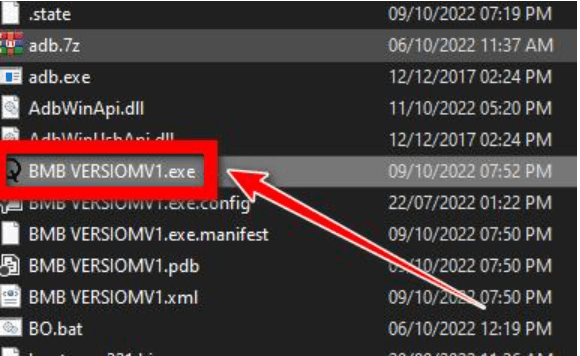
Step 4: Connect Your Device
Turn off your device before connecting it to the PC. For MediaTek devices, connect the device while it is powered off. For Qualcomm devices, boot into EDL (Emergency Download) mode before connecting.
Step 5: Use the Tool’s Features
Select the function you want to perform, such as FRP removal, factory reset, or bootloader unlocking. Click the corresponding button to execute the operation and follow any on-screen instructions.
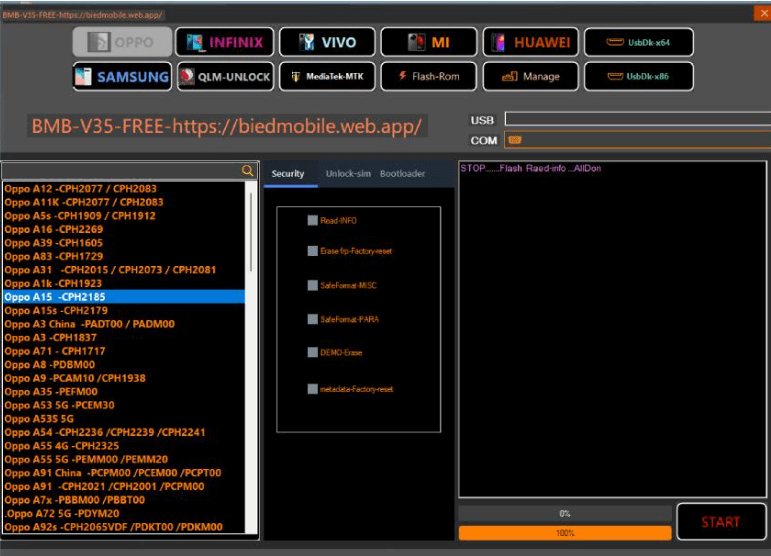
Step 6: Final Steps and Precautions
Once the process is complete, disconnect your device and restart it. Ensure that the changes were applied successfully. Be cautious when using unlocking tools, as improper use can lead to device issues.
Part 4. [Hot] Try Best BMB V35 Tool Alternative
Sometimes, the BMB V35 Tool may not work for all devices, especially those without Qualcomm processors. If your phone runs on Exynos, or other chipsets, BMB V35 won’t support it. That’s where DroidKit comes in as the best FRP bypass tool. After a factory reset, it helps users remove Google account verification from Android devices. DroidKit can quickly get around an FRP lock, regardless of whether you purchased a used phone, forgot your Google login, or got a locked handset as a gift. It is compatible with Samsung, Xiaomi, OPPO, Motorola, and other devices and supports Android 6 through Android 15. Plus, it offers customized FRP solutions to ensure a high success rate.
Key Features:
- It is an useful Screen Unlocker that assist you Remove PIN, password, pattern, fingerprint, or facial recognition in a few clicks.
- It supports Android 6 to Android 15, making it compatible with old and new models.
- Easy-to-use process that requires only three simple steps for FRP bypass at home.
- Offers additional device repair tools, including system recovery and data extraction features.
Free Download * 100% Clean & Safe
Here are the easy steps to use this tool:
Step 1. Access and launch Droidkit on your PC and click “FRP Bypass.”
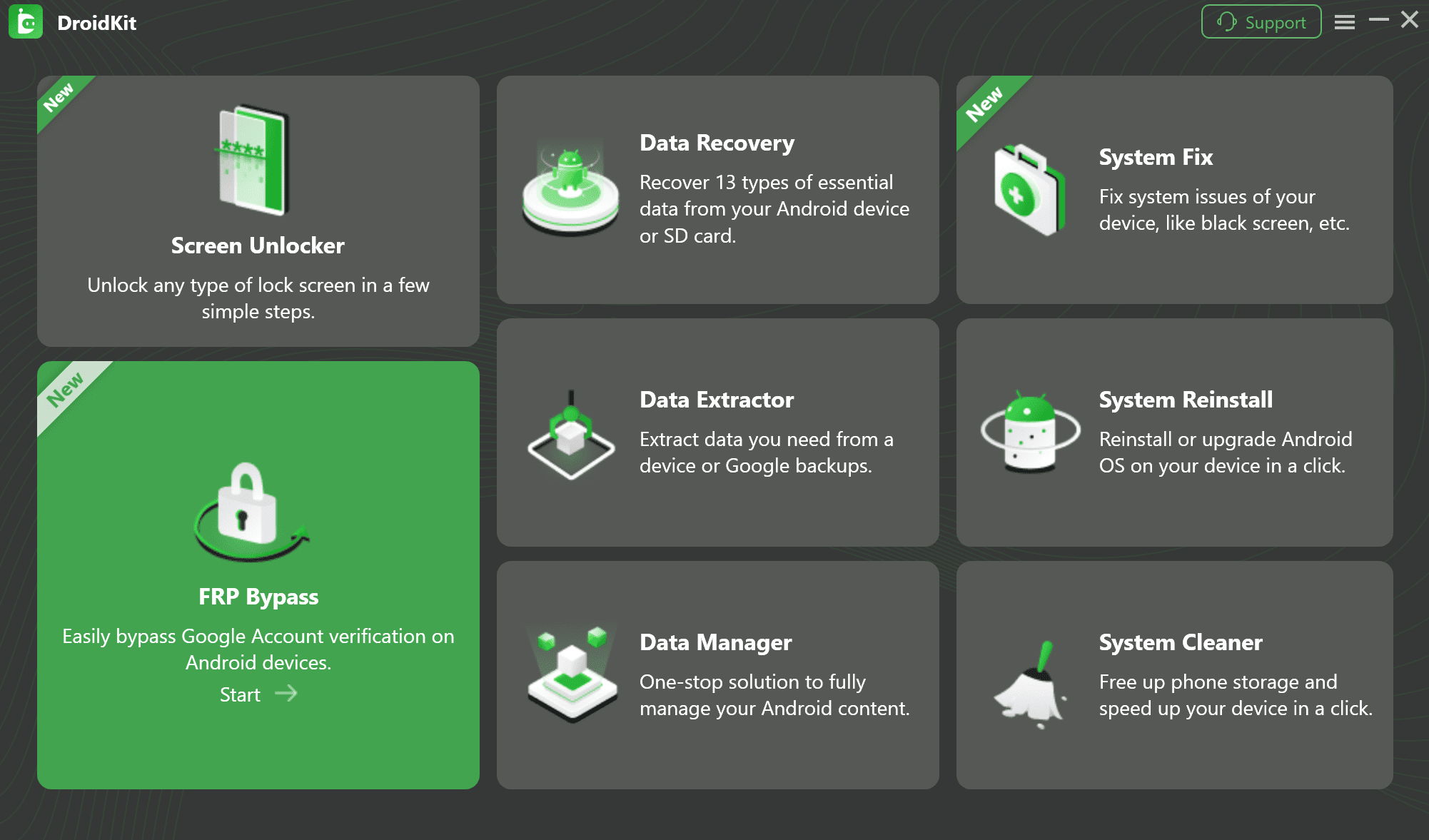
Step 2. Continue by connecting your Android device to the computer through a USB cable and click “Start.”
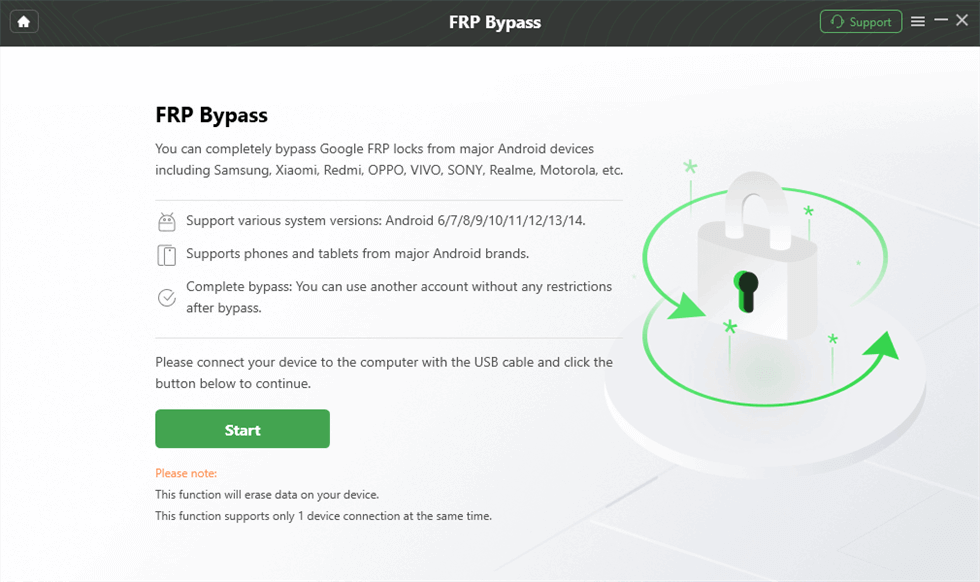
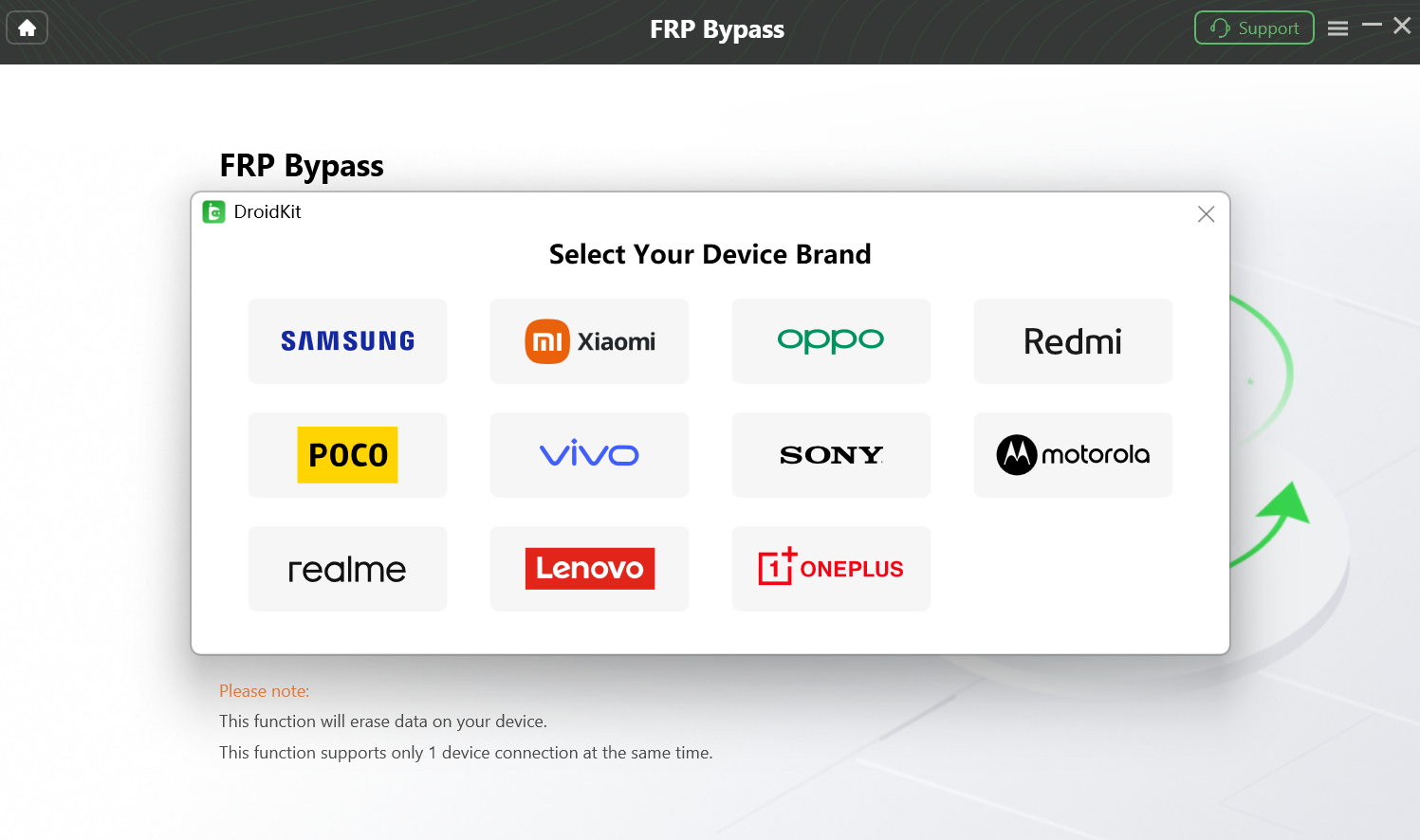
Step 3. Choose your device brand, then wait while DroidKit prepares the configuration file.
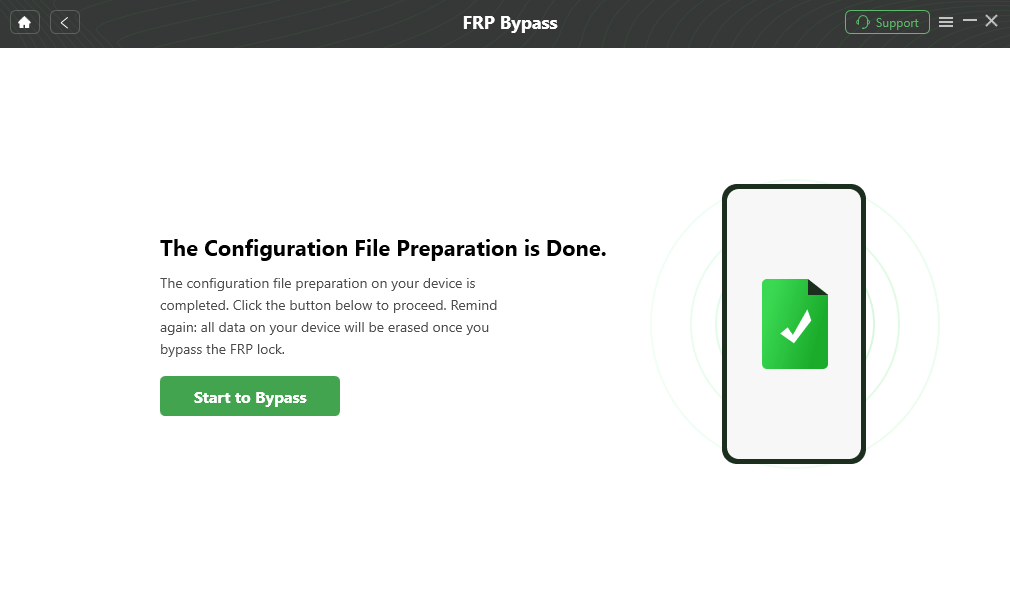
Step 4. Once the setup is ready, click “Start to Bypass” to continue.
Step 5. Select the device model and operating system version, then click “Next.”
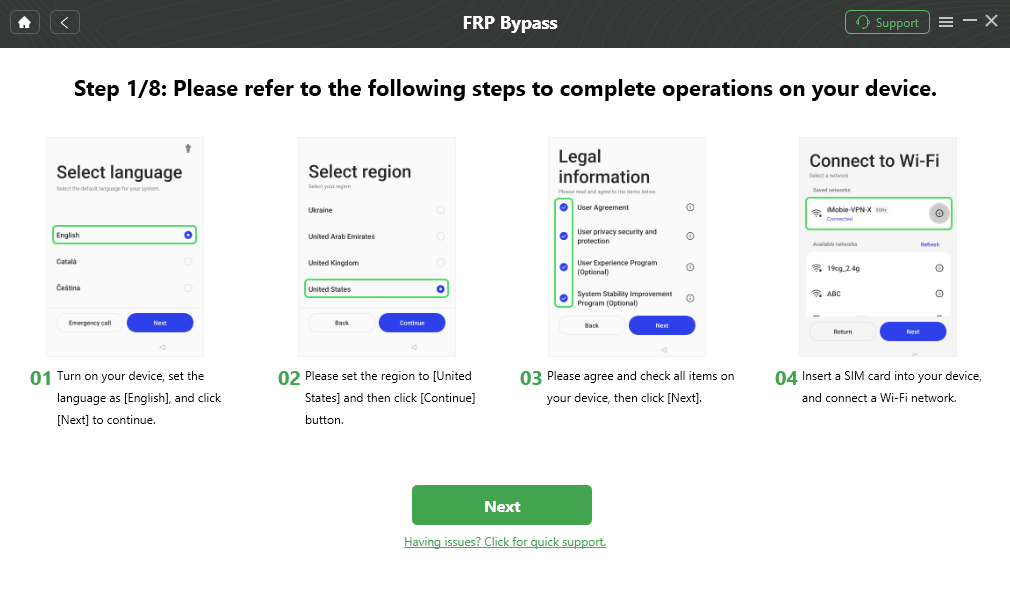
Step 6. Modify your phone’s settings by following the on-screen directions.
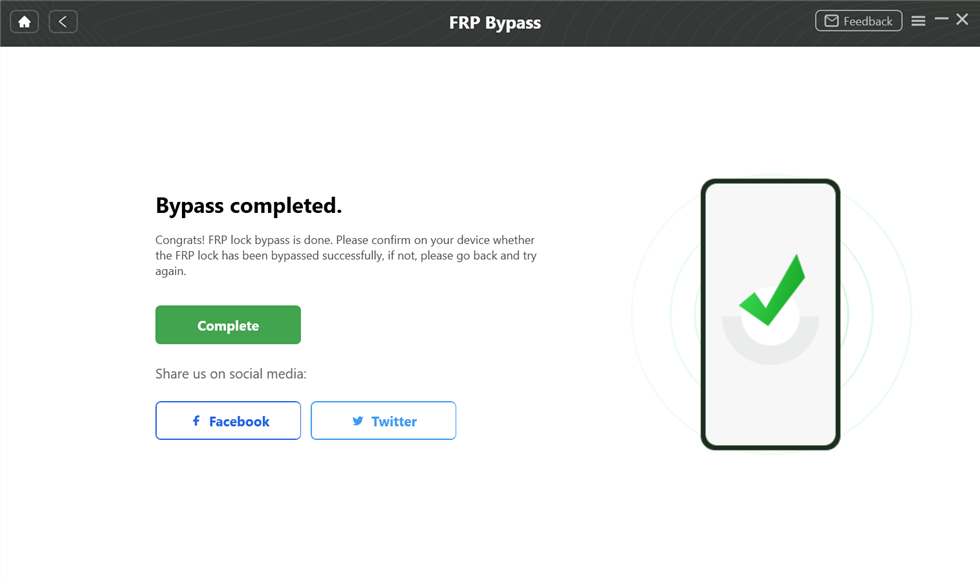
Step 7. Await the completion of the procedure. The FRP lock will be successfully removed after your device restarts.
Part 5. Frequently Asked Questions
Is BMB V35 safe and reliable for professional use?
It can be reliable if you are technically proficient, but it carries risks. Because it performs low-level format operations, selecting the wrong option can “”brick”” a device. It is generally safe for professionals who understand the underlying technology, but risky for casual users.
Which phone brands and chipsets does BMB V35 support?
The tool supports a wide variety of brands including Samsung, Xiaomi, Oppo, Vivo, and Huawei. However, compatibility is based on the processor. It has specific modules for Qualcomm Snapdragon and MediaTek (MTK) chipsets.
Does BMB V35 require internet activation or login?
Generally, the standard version operates offline once installed, but some specific “”server-side”” operations for newer devices might require an internet connection. Always ensure you are using a legitimate version to avoid malware.
Can BMB V35 remove FRP locks and screen locks?
Yes, this is its primary function. It can remove Google Account verification (FRP) and standard PIN/Pattern locks. However, success depends on the Android version; newer security patches (Android 13+) may patch the exploits the tool uses.
Part 6. Conclusion
The BMB V35 Tool is a helpful choice if you need to unlock your Android device’s FRP lock. It is unreliable for many people, though, because it only functions with specific Qualcomm devices. If the BMB V35 Tool does not support your phone, DroidKit is the best alternative. It works on a wide range of devices.
You may bypass Google account verification in no time without using a password using DroidKit FRP Bypass. The process is fast, secure, and does not require technical skill. Unlock your phone by following our simple steps. For free access to your phone, download DroidKit today!



Jeremy Feron is a writer for iMobie with a deep passion for Android. He specializes in creating clear guides on Android tips and the latest updates, helping users navigate their devices and get the most out of new features.
Product-related questions? Contact Our Support Team to Get Quick Solution >
