EaseUs MobiUnlock Review & Best Alternative 2026
EaseUS MobiUnlock is a popular tool for removing forgotten passcodes and locks from iPhones and some Android phones, but it’s relatively expensive. A more affordable, feature-rich alternative is iMobie’s DroidKit, which can bypass all Android locks and recover data on 20,000+ devices.
Stuck with your phone screen being locked? EaseUS MobiUnlock is a popular tool that helps you remove phone locks without needing the password. Though it is a reliable tool, it comes at a high cost, which is why users don’t prefer it. That’s why in this EaseUS MobiUnlock review, we’ll explore its main features, pricing, and risks, while also introducing you to a better and more affordable alternative – DroidKit.
“I lost a 70hr save file from a game and googled how to recover it, found easeus, but it seems kind of sketchy so I went and googled if it is safe. So there I get the answer: yes! From where did this answer come from? The easeus website. I am not trusting them on telling me if it’s safe, so I’ll ask reddit.” – A user asked on Reddit.
What Does EaseUS MobiUnlock Do?
EaseUS MobiUnlock is essentially a lock-removal toolkit that can bypass or remove various iOS and Android device locks. Some of the key capabilities include:
- Password Manager Access: View and export saved passwords from your iOS device.
- Samsung FRP Removal: Bypass Google Factory Reset Protection on Samsung devices to reset the phone.
- Remove Screen Passcodes: Unlock digit codes, patterns, Touch ID, or Face ID locks on iOS and Android devices.
- Apple ID / iCloud Removal: Remove Apple ID from activated devices to sign in with a new account.
| Supported Devices | Best For |
| iOS: Supports iPhone 4s to iPhone 15, all iPads, and iPod touch (iOS 9 – iOS 26).
Android: Compatible with Android 2 – 13; supports brands like Samsung, Motorola, LG, HTC, Huawei, OPPO, Sony, Xiaomi, vivo, etc. PC/Mac: Works on Windows 7/8/10/11 and macOS 10.13+. |
Users who are locked out of their devices. It comes in use if you’ve forgotten your iPhone passcode, entered the wrong PIN too many times, or bought a second-hand locked device. Users can also use it to remove Face ID, Touch ID, or an Apple ID from an activated phone. |
Is EaseUS MobiUnlock Free?
EaseUS MobiUnlock is not fully free, but it offers a limited free trial that lets you install and explore the interface. In order to unlock your phone, you need to acquire a paid license. Its packages differ for both iOS and Android, which are as follows:
| iOS | Android |
| 1-Year: $39.95
Life Time: $69.95 Technician Plan (Unlimited Devices): $799.00/year or $1999.00 lifetime |
Yearly: $39.95
Lifetime: $59.95 |
Can You Get EaseUS MobiUnlock Crack?
Users often search for a cracked version of EaseUS MobiUnlock to prevent themselves from buying the paid version. Downloading EaseUS MobiUnlock crack could infect your computer or ruin your device. It’s always recommended to use the official version to avoid security risks and viruses.
Some YouTube videos or websites claim to support the MobiUnlock crack version download. You should always check the file security and avoid downloading malware in the cracked version.
How to Unlock Android with EaseUS MobiUnlock?
Upon exploring the EaseUS MobiUnlock review, let’s now learn how you can unlock your Android phones with it.
Step 1. Open EaseUS MobiUnlock for Android on your PC and choose the “Remove Screen Lock” option on its main interface.
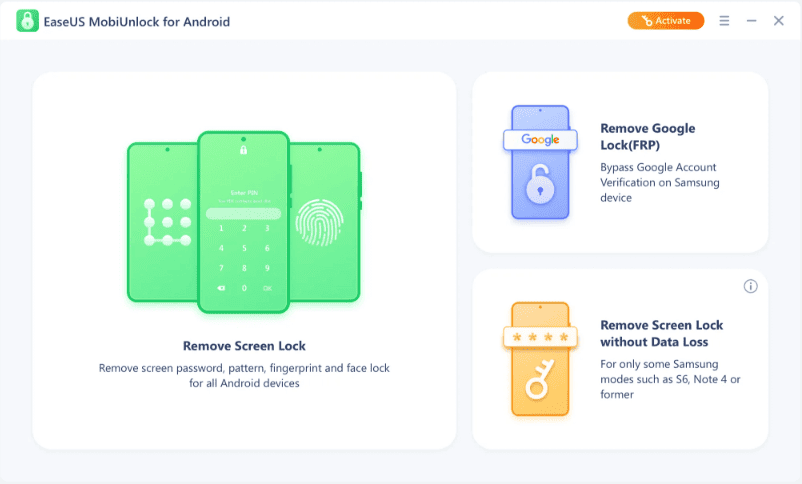
MobiUnlock Remove Screen
Step 2. In the list of mobile model options, choose the brand of your mobile and follow the on-screen instructions to unlock your device.
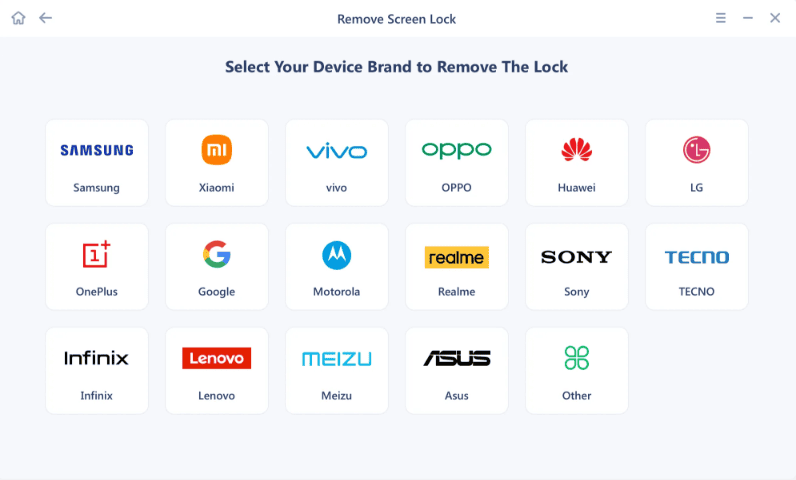
MobiUnlock Choose Brand
Step 3. Once you follow the complete instructions, you’ll see a window that shows the completion of the screen unlock process. You can now unlock your device without a password or other lock screen types.
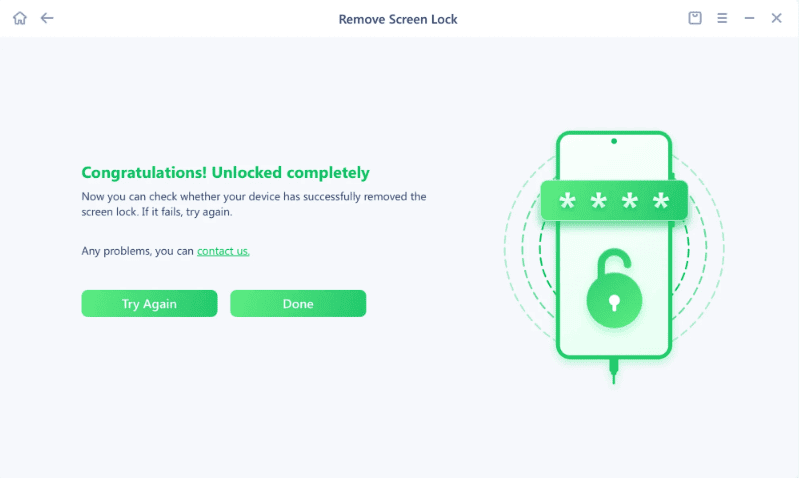
MobiUnlock Screen Removed
EaseUS MobiUnlock for Android Alternative – DroidKit
Because EaseUS’s licenses can be costly and EaseUS MobiUnlock cracks are unsafe, DroidKit stands out as a more affordable and reliable alternative for Android unlocking. It’s a comprehensive Android toolkit that helps users unlock devices with a few clicks. Other than that, the software can fix various system issues and recover lost data.
Talking specifically about screen unlock, DroidKit can remove any type of Android screen lock in minutes. No matter if it’s a 4-/6-digit PIN, pattern, password, fingerprint, or face recognition, you can bypass all types of passwords with it. It also enables FRP bypass on popular brands like Samsung, Xiaomi, and others.
Key Features of DroidKit:
- Full Android Unlock: Supports unlocking various screen passwords, bypassing FRP on Android.
- Recover Lost Data: Retrieve 13 types of lost data from Android devices with the highest success rate.
- No Root Required: Unlock screen locks safely without risking phone warranty or security since no rooting is needed.
- Broad Android Compatibility: Works with 20,000+ Android phones and tablets running Android 6 to 16.
Free Download * 100% Clean & Safe
Guide to Unlock Android Devices With the Best EaseUS MobiUnlock Alternative – DroidKit
Now that we’ve established DroidKit as the best alternative to EaseUS MobieUnlock, let’s delve into its walkthrough guide to unlock an Android device using it.
Step 1. You need to open the DroidKit software on your PC and connect it to your Android device with a USB cable. Then, select the “Screen Unlocker” mode on its homepage.
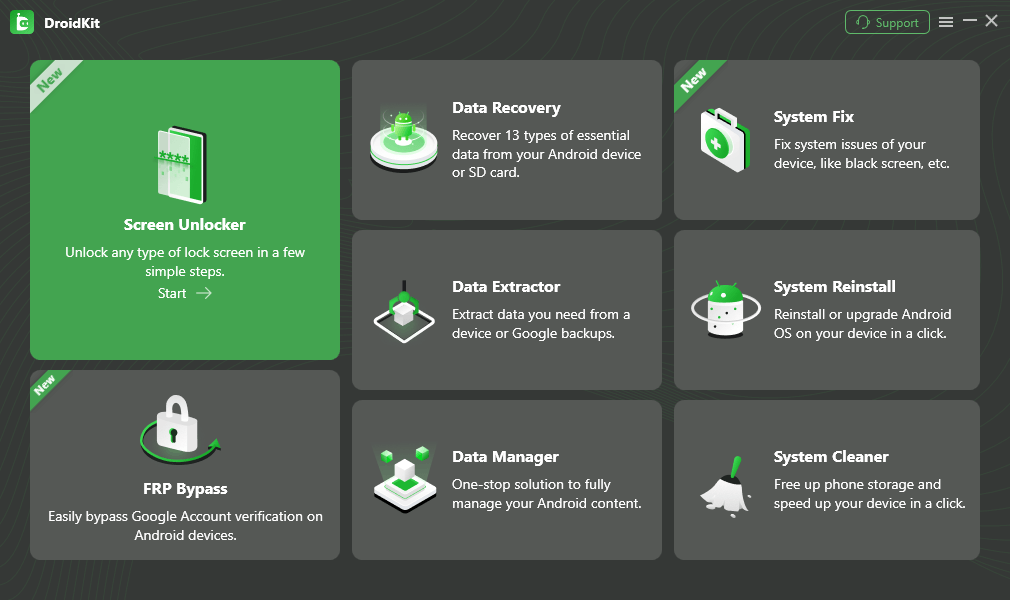
Select Screen Unlocker Mode
In the following window, press the “Start” button and select the “Device Connected” button from the dialogue box.
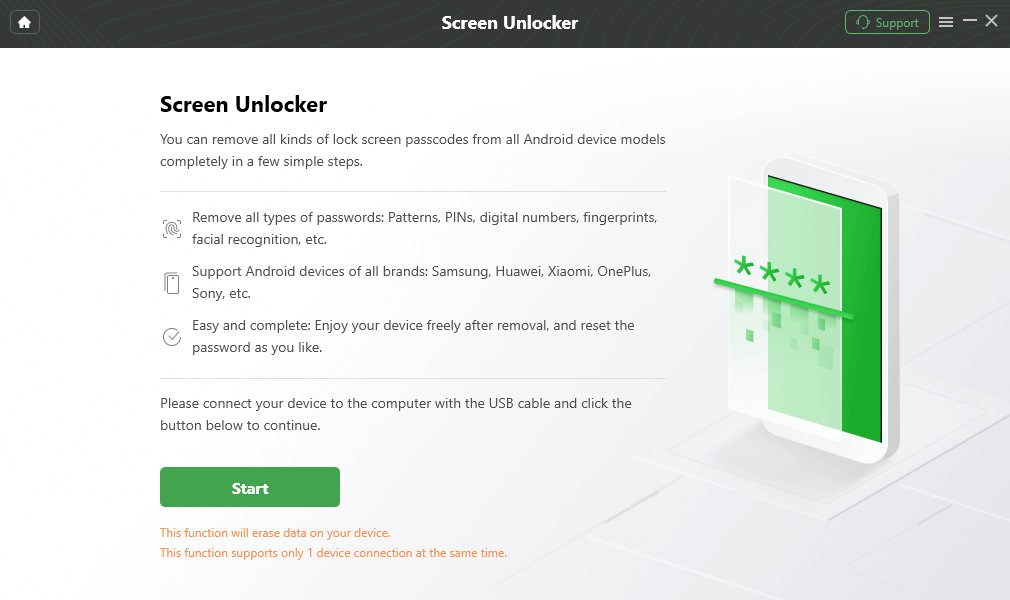
Connect your Locked Phone
Step 2. Now, the software will begin preparing the configuration file for your phone. As the preparation process gets over, hit the “Remove Now” button to continue. Afterward, please choose the Android brand that you’re using.
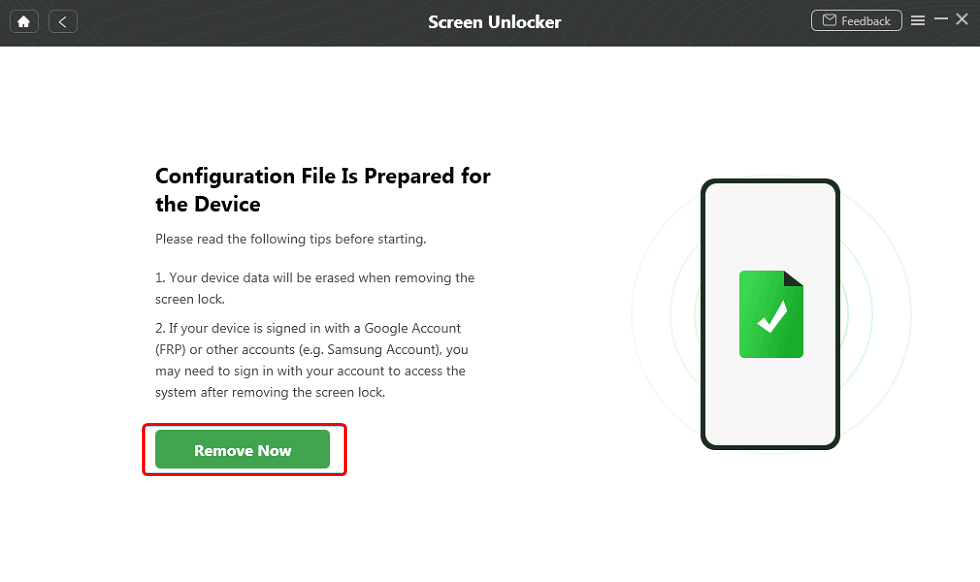
Select the “Remove Now” Button
After that, you’ll see an interface where you need to pick the “Keep device data (older models only)” option and choose your model from its list. Alternatively, you can also choose the “Wipe device data” option if you want to remove data. Upon making your choice, press the “OK” button.
Step 3. Now, follow the on-screen instructions to put your device in download mode. After doing so, press the Next button to unlock your device.
Step 4. The software will now begin the Android screen lock removal process. You’ll be able to see the completion process through a progress bar. Once the process is complete, your device will restart and you can open it without entering a password.
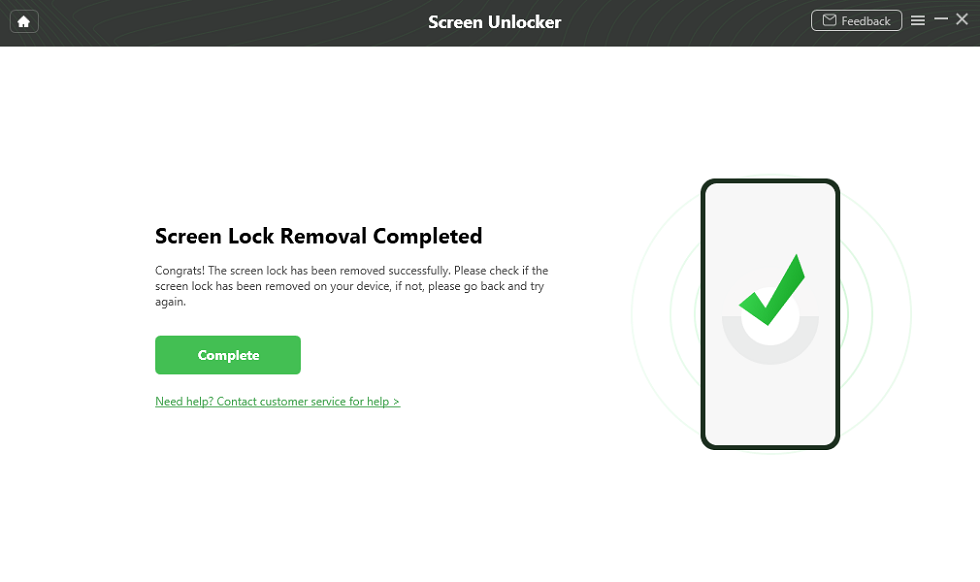
Unlock Screen Successfully
FAQs About EaseUS MobiUnlock
1. Is it safe to use EaseUS MobiUnlock crack?
No, it is not safe to use EaseUS MobiUnlock crack as it can lead to malware or make your device unstable.
2. Does EaseUS MobiUnlock support FRP bypass on Android?
Yes, EaseUS MobiUnlock supports FRP bypass, but only on Samsung devices running on Android 6–13 versions.
Conclusion
All in all, EaseUS MobiUnlock is a reliable tool for Android screen lock removal and FRP bypass. But, its high pricing and limited features make it unsuitable for all users. This EaseUS MobiUnlock review discussed DroidKit as a better alternative to EaseUS due to its broader compatibility, fast unlocking, and extra features like Android system repair and data recovery. Try DroidKit today to unlock, fix, and optimize your Android with ease.
Free Download * 100% Clean & Safe


Roger Smith is a senior technical writer with years of experience in providing Android solutions. He loves to help users solve various problems such as Android unlock, Android data recovery, and Android system repair.
Product-related questions? Contact Our Support Team to Get Quick Solution >
