Haafedk GSM Tool Latest Version Free Download [Full Guide]
Haafedk GSM Tool is an effective tool for several tasks like FRP Bypass, Bootloader Unlocking, and Android Device Repair of various brands. Read this in-depth guide to learn everything about this tool. Also, explore a safe, speedy, and efficient solution for the FRP bypass on a large variety of Android models.
For anyone looking to use their GSM devices efficiently and without hassle, the Haafedk GSM Tool is an essential solution. This solution is a one-stop shop for unlocking, repairing, and flashing functionalities. In this guide, we’ll walk you through the latest edition of Haafedk GSM Tool, including how to freely download and install it, and step-by-step instructions to bypass FRP on Android devices. We also have a more reliable alternative for unlocking phones.
What Is Haafedk GSM Tool?
Haafedk GSM Tool is an all-around software created for mobile technicians and experienced users to unlock, fix, and control Android devices. It is made for removing FRP lock on various phones of brands like Samsung, Xiaomi, Vivo, etc. The tool is compatible with devices that have different chipsets, such as MediaTek, Qualcomm, and Unisoc.
With its frequent updates, Haafedk GSM Tool remains compatible with the latest Android versions, thus providing a convenient and efficient solution for GSM device servicing.
Main Functions:
- FRP Lock Removal: Bypass Google Account Lock (FRP) on multiple Android phone brands, including Samsung, Huawei, Xiaomi, Oppo, Vivo, and more.
- Screen Lock Unlock: Remove PIN, pattern, password, and other screen lock methods. Unlock a phone screen without factory reset for some models.
- Firmware Flashing and Update Services: Supports one-click flashing of official or custom firmware for certain models, used to fix system errors or upgrade/downgrade system versions.
- Network Unlocking: Unlocks SIM network restrictions (available for select brands and models).
- Device Information Retrieval: Retrieves IMEI, serial number, software version, bootloader information, etc., for repair and diagnostic purposes.
Pros:
- Supports a wide range of Android brands and chipsets.
- User-friendly interface suitable for beginners and pros.
- Regular updates for the latest device and Android version support.
Cons:
- Some devices may require extra steps or specific configurations.
- Requires proper USB drivers, which can be tricky for novices.
- Potential ethical concerns if used without authorization.
- Limited official support or documentation.
Haafedk GSM Tool V6.0 Latest Version
The Haafedk GSM Tool V6.0 was officially launched in July 2026, continuing the consistent update schedule of this comprehensive Android unlocking and repair software. Compared to previous versions, this update emphasizes enhanced compatibility with the latest Android versions and resolves persistent stability problems. Here are highlights of Haafedk GSM Tool V6.0:
New Device Support:
- Extended compatibility for Samsung Galaxy A54, A14, Xiaomi Redmi Note 13, Vivo Y36, Huawei Nova series, and more running Android 14/15.
Enhanced Functions:
- Faster and more reliable FRP bypass on devices with the latest security updates.
- Improved screen lock removal that preserves data.
- Enhanced flashing engine optimized for Qualcomm, MediaTek, and Unisoc devices.
- Smoother user interface with reduced setup errors.
- Increased stability during network unlocking and device information fetching.
These improvements allow Haafedk GSM Tool V6.0.0.0 to not only support a wider range of devices but also improve user experience, making it a more effective option for both technicians and Android users.
Is Haafedk GSM Tool Free to Use?
Yes, Haafedk GSM Tool is still the same, free of charge for download and usage. It is an ideal choice for both professional technicians and casual users. However, there might be a lack of official customer support and detailed procedure documentation. Users should be cautious and ensure they understand the procedures.
Is Haafedk GSM Tool Safe to Use?
Haafedk GSM Tool is generally safe when downloaded from legitimate and trusted sources. The software is essentially a toolkit to perform operations such as FRP bypass, unlocking, and flashing, which carry inherent risks if done incorrectly.
To avoid mishaps, users have to be certain that the drivers are correct and installed, and they have to follow the manual step-by-step. If not, the outcome may be a device that is bricked or software that is malfunctioning.
Note: Since Haafedk GSM Tool can bypass security features like FRP lock, it is very important that one uses it responsibly and ethically, only on devices that they own or have gotten permission to service.
How to Use Haafedk GSM Tool to Bypass FRP
Now that you know what Haafedk GSM Tool is and its capabilities, let’s go through the step-by-step instructions to use it for bypassing FRP on your Android device.
Step 1: Download and Connect Your Device
Download Haafedk GSM Tool from the official site. Then install and launch it on your PC. After that, use a USB cable to connect your Android device to the computer.
Step 2: Launch the Tool and Select FRP Bypass
Open Haafedk GSM Tool and allow it to find your device. Then, pick the “FRP Bypass” option from the main window and from the drop-down list, choose your device model.
Step 3: Start and Complete the Bypass
Press the “Begin” button to initiate the FRP bypass operation. Give the tool some time to do its work. At the end, you will get a message saying that the process is done successfully.
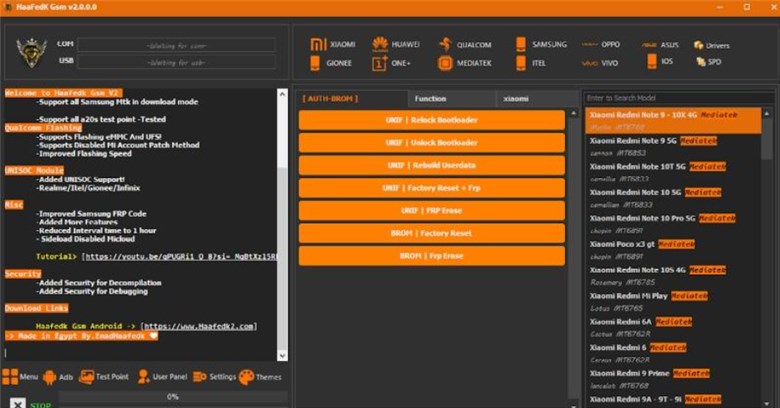
Bypass FRP via Haafedk GSM Tool
Best Haafedk GSM Tool Alternative for FRP Bypass
For a more trustworthy and user-friendly option to bypass FRP locks on Android devices, DroidKit from iMobie is a wise choice. This tool supports a broad range of devices running Android 6 to Android 15, including Samsung, Xiaomi, OPPO, Vivo, Motorola, etc. With its advanced FRP bypass technology, DroidKit allows users to bypass a Google account verification without entering the password. It’s designed for both beginners and professionals, thanks to its straightforward process. DroidKit still gives the highest priority to the issues of privacy and security, so that the data being used during the process of bypass remains safe.
Key Features of DroidKit:
- Supports FRP bypass on Samsung, Xiaomi, Redmi, OPPO, Motorola, OnePlus, etc.
- Compatible with Android versions 6 through 15.
- High success rate with advanced FRP unlock technology.
- Removes Google account verification without requiring the password.
- User-friendly interface with step-by-step guidance, easier for beginners.
Free Download * 100% Clean & Safe
How to Bypass FRP Easily Using DroidKit in 5 Steps:
Step 1: Download and Install DroidKit
Download and install DroidKit on your computer, and open the program on your computer. Select the “FRP Bypass” mode.
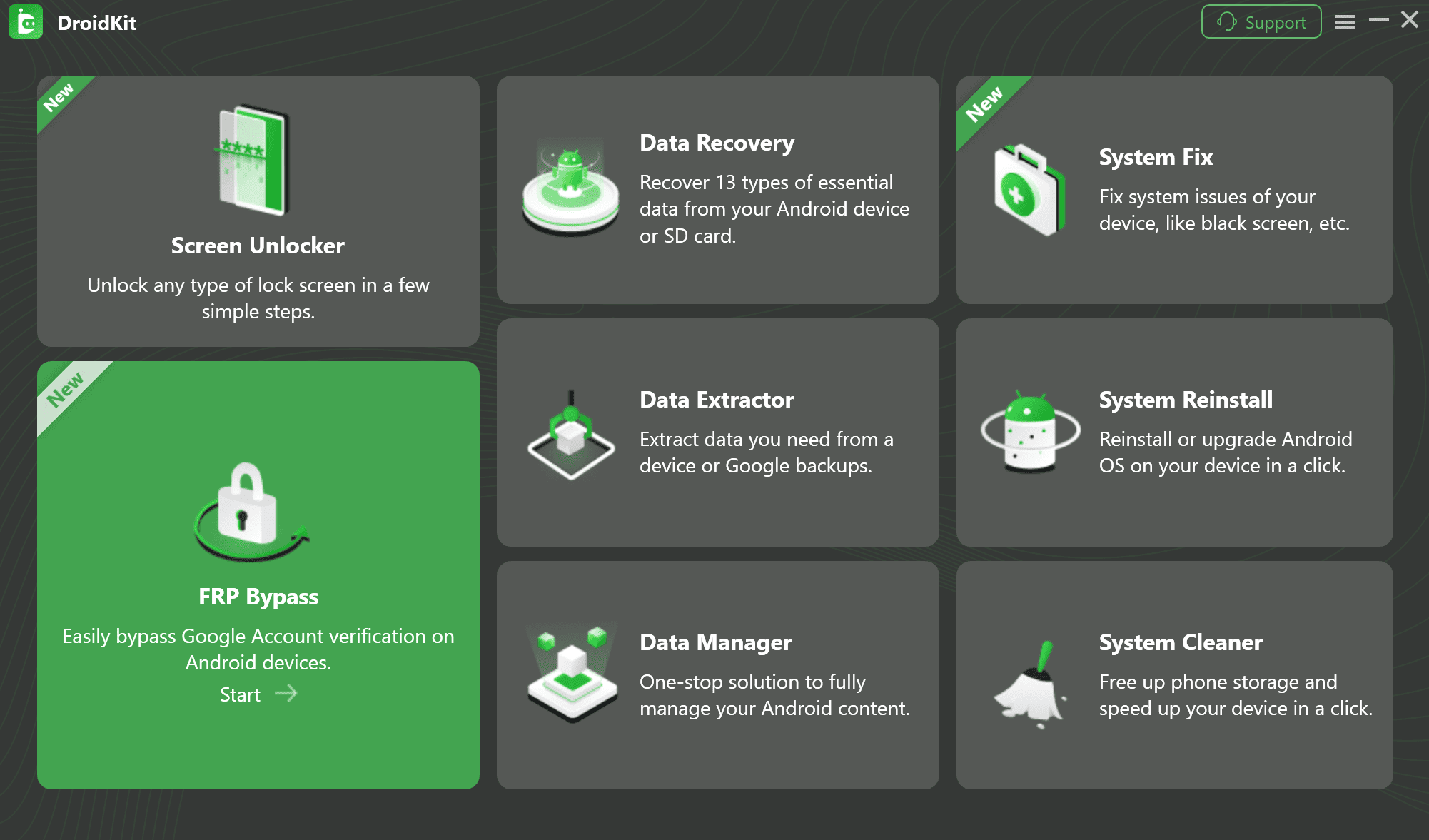
FRP Bypass Feature
Step 2: Connect Your Phone to the Computer:
Use a USB cable to connect your Android phone or tablet to the computer. Wait until DroidKit detects your device. Then click “Start”.
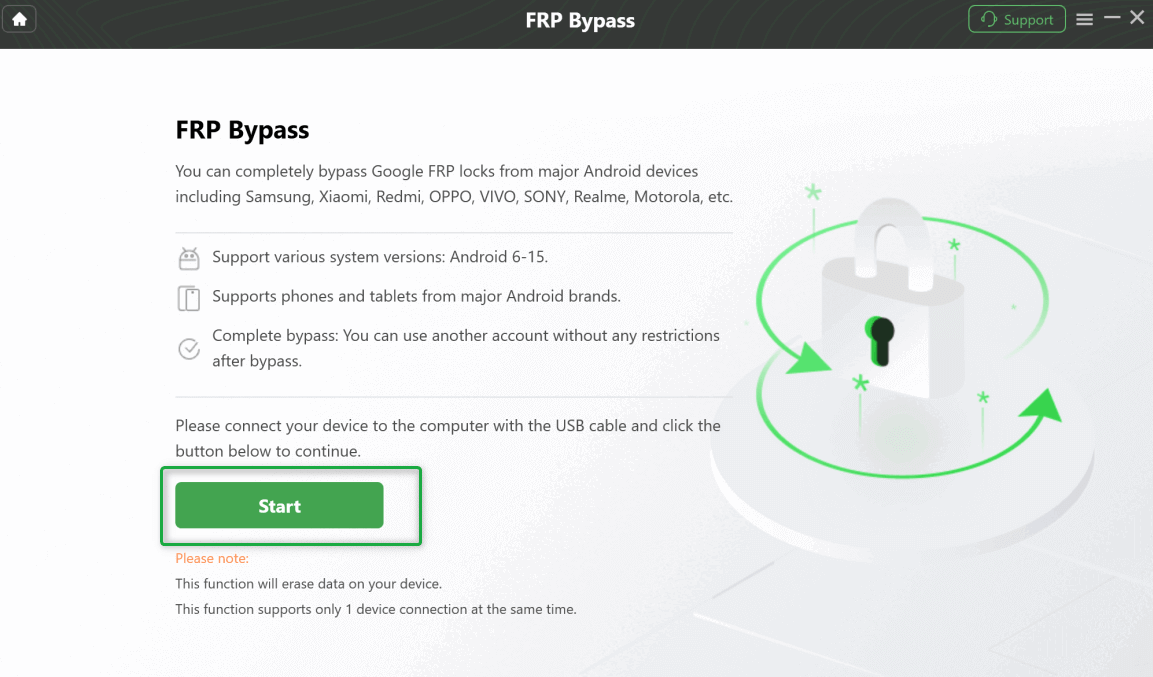
Click Start Button
Step 3: Wait for the Configuration to Be Prepared:
DroidKit will automatically prepare a configuration file tailored for your device. Once the preparation is complete, click “Start to Bypass.”
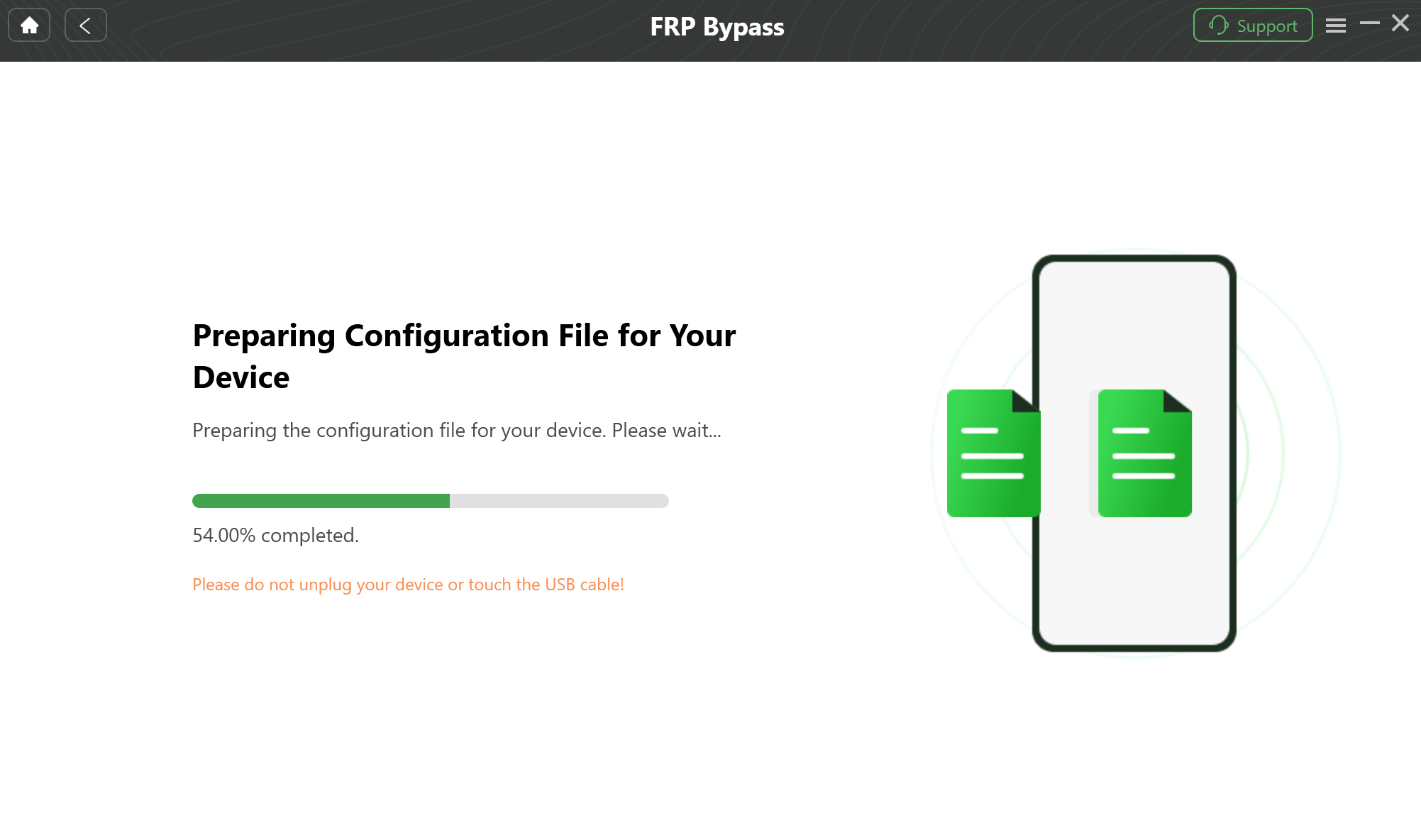
Prepare the Device-Specific Configuration
Step 4: Enter Factory Mode
Follow the instructions to put your device into the factory mode, and click “Reset” to begin bypassing the FRP lock.
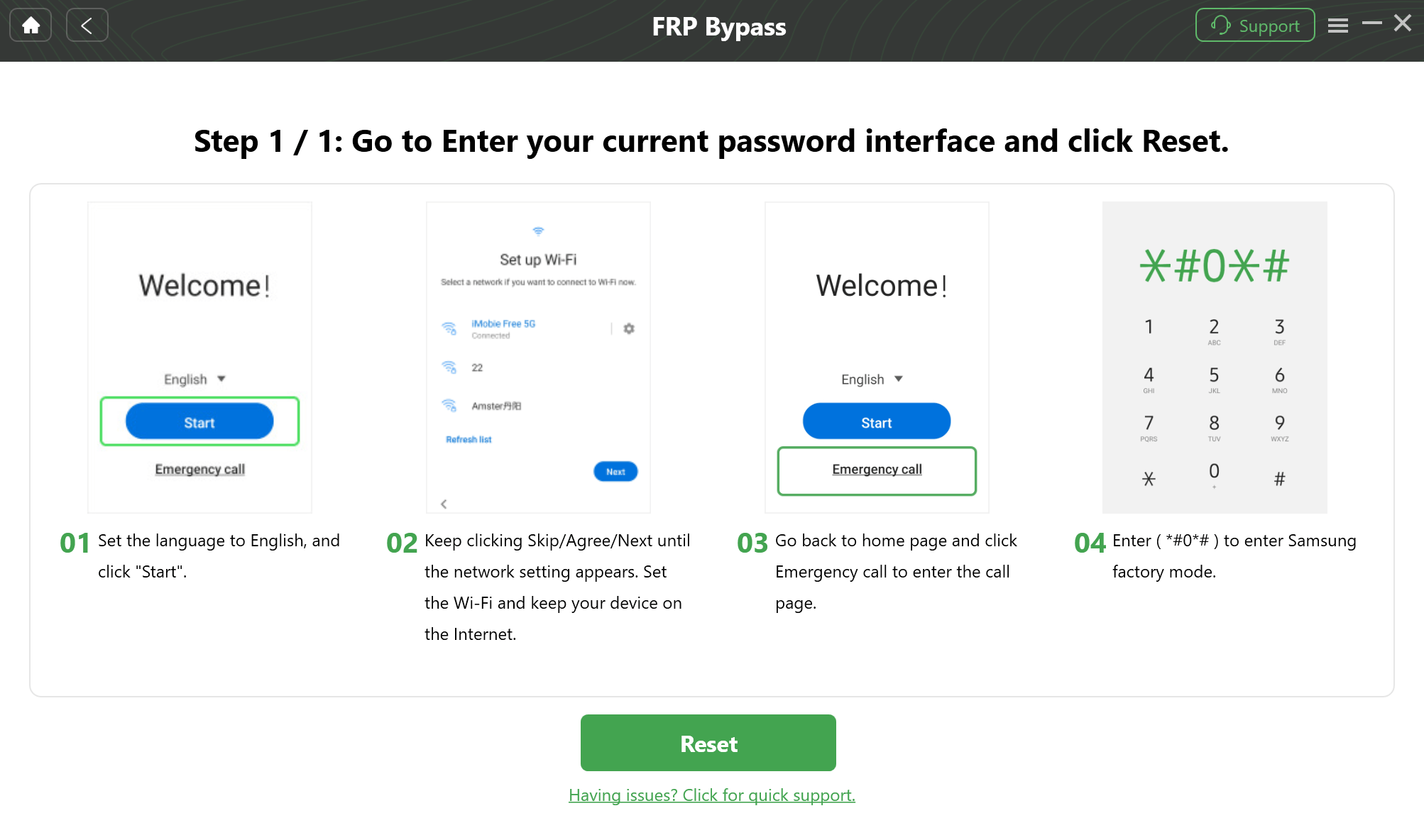
Reset Your Phone
Step 5: Bypass FRP Successfully
Wait for the process to be completed, and your device will restart with the FRP lock removed.
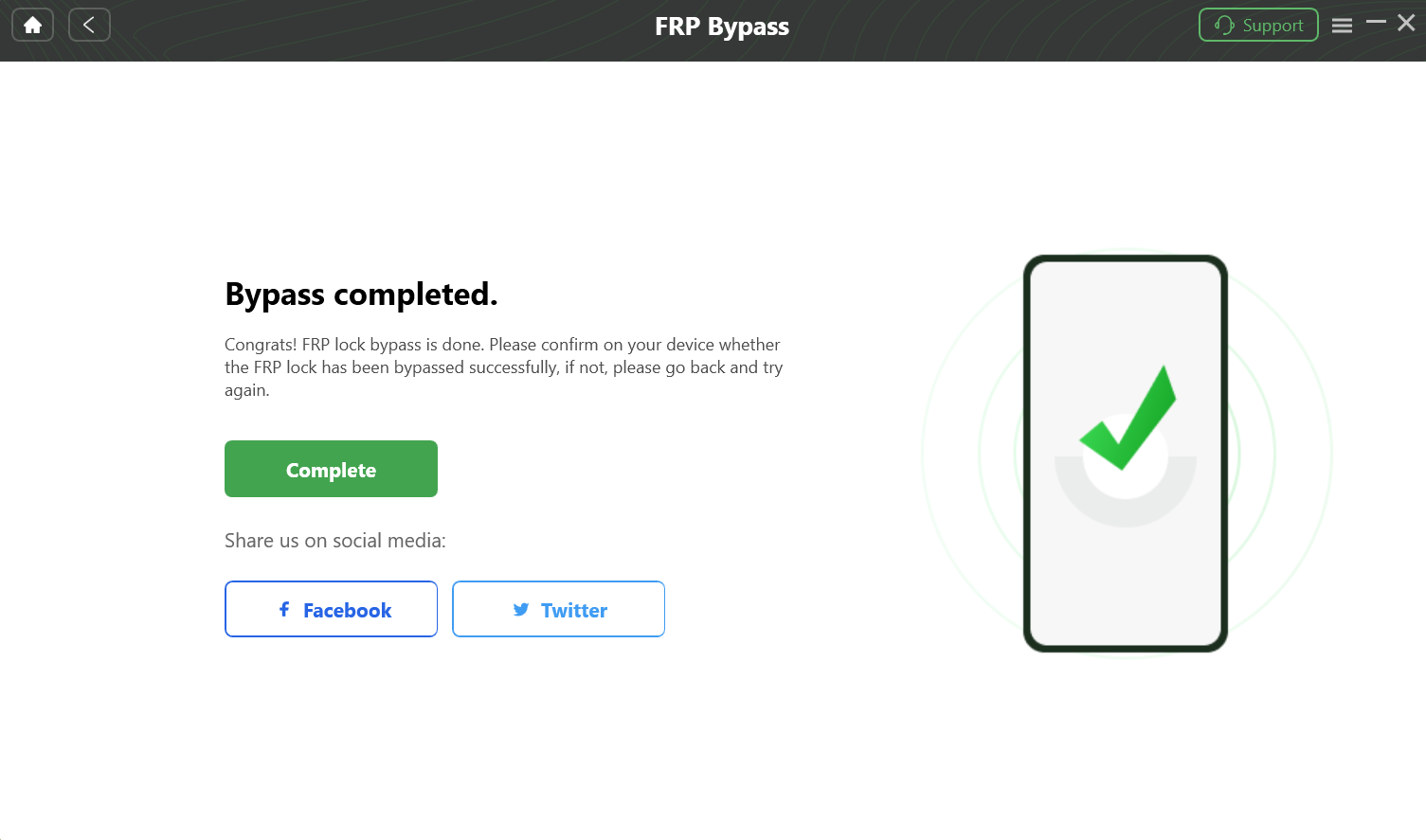
Complete the FRP Bypass Process
DroidKit vs Haafedk GSM Tool
While Haafedk GSM Tool is highly popular among technicians, it presents complex operations, demanding installation requirements, and lacks official support for general users. In contrast, DroidKit is better suited for most Android users, especially those seeking quick and secure solutions. Below is a comparison table of the two products:
| Feature | DroidKit | Haafedk GSM Tool |
| Target Users | General users & beginners | Professional repair technicians |
| Core Functions | FRP bypass, screen lock removal, system repair, data recovery, data transfer | FRP bypass, screen lock removal, firmware flashing, network unlocking |
| Ease of Use | Intuitive UI & easy steps | Requires manual flashing, more complex |
| Compatibility | Supports Android 6–15 | Requires specific firmware/driver setup, partial support for latest devices |
| Security & Support | Official support, regular updates, customer service available | No official support, community-driven updates, potential risks |
| Success Rate | High success rate | lower success on newer Android builds |
After comparing both tools, DroidKit is the more recommended option. Designed for everyday users, it enables effortless FRP bypass or screen lock removal without requiring complex flashing knowledge. As one Reddit user’s comment confirmed: “Yes, it worked on a phone I’d bought for a relative after I did a factory reset and forgot the login for the Google account I set it up with.” Backed by official support, continuous updates, and customer service, DroidKit delivers superior security and reliability.
Editor’s Suggestions: Professional repair technicians can use Haafedk GSM Tool to handle complex tasks like flashing and network unlocking; for Ordinary users, DroidKit offers simple and secure operation.
FAQs about Haafedk GSM Tool
Q1: Does Haafedk GSM Tool Support macOS?
No, the Haafedk GSM Tool is made for Windows computers only. No official version for macOS has been launched so far. For Mac users, DroidKit is a good choice to bypass Google account verification.
Q2: Is Haafedk GSM Tool Compatible with All Devices?
The Haafedk GSM Tool supports several well-known Android brands, like Samsung, Xiaomi, Huawei, Vivo, etc., with various MediaTek, Qualcomm, Unisoc, and SPD chipsets. It might not be able to support every model, especially some new or less common devices.
Q3: How to Free Download Haafedk GSM Tool v3.1/3.0?
The most reliable way to download and install Haafedk GSM Tool V3.0 for free is through GSM technology forums or developer communities. However, since V3.0 is an older version, it is recommended to use a newer version (such as V6.0.0.0) whenever possible for broader device compatibility and support for newer operating systems.
Q4: How To Download and Register Haafedk Tool V5.0?
To download Haafedk Tool V5.0, the safest method is to obtain the shared installation package from GSM Forum/XDA Community. Registration depends on whether you’re using the free or professional version; the professional version typically requires a registration code or hardware ID binding for activation.
Conclusion
Haafedk GSM Tool is indeed a useful FRP bypass tool. However, it’s not ideal for beginners due to its lack of macOS support, occasional device compatibility issues, and the need for technical expertise. For a more secure, simpler, and quicker method, DroidKit would be the best option. Working on both Windows and Mac, it contains a more user-friendly FRP bypass process with a high success rate. Try DroidKit and get your device fully accessible again in a few clicks.
Free Download * 100% Clean & Safe


Roger Smith is a senior technical writer with years of experience in providing Android solutions. He loves to help users solve various problems such as Android unlock, Android data recovery, and Android system repair.
Product-related questions? Contact Our Support Team to Get Quick Solution >
