Samsung MCK Code Free List & How to Unlock Guide
Samsung shows “SIM network PIN blocked. Enter MCK,” means your phone is locked due to too many wrong attempts. This guide explains how to get the MCK code for free, what causes the lock, and how to safely unlock your Samsung to use any SIM card again.
Samsung phone may get locked after several wrong unlock attempts, asking for an MCK code. This message can catch users off guard, especially if they’ve never heard of an MCK code before. It can feel confusing, but don’t worry, this guide explains everything in simple words. We’ll walk you through what the MCK code Samsung means, why it appears, and how you can unlock your Samsung phone easily and safely in 2026, without paying for expensive services.
What Is the MCK Code in Samsung?
The MCK code, also called the Master Control Key or unfreeze code, is a special code that helps unlock a Samsung phone when it’s been locked after too many wrong attempts. When you see a message like “SIM network PIN blocked. Enter MCK,” it means the regular unlock code (NCK) won’t work until you enter the MCK code first. It’s like a backup key that unfreezes your phone so you can try unlocking it again.
When Do You Need the MCK Code on a Samsung Phone?
You’ll need the MCK code, also called the Master Control Key, when your Samsung phone becomes “hard-locked.” This happens if you type the wrong network unlock code (NCK) too many times. Instead of unlocking, your phone shows a message like “SIM network PIN blocked. Enter MCK” or “Phone freeze.”
This usually means:
- You entered the wrong code 10 times or more.
- You bought a locked Samsung phone and tried unlocking it with the wrong code.
- The original network provider locked the phone to stop it from being used on other networks.
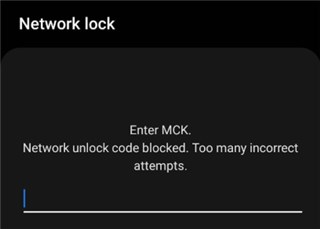
Network Lock
Even the right unlock code cannot work on a hard-locked phone. You have to first enter the MCK code. Otherwise, your phone will be jammed and will not accept any SIM card.
Keep in mind, the MCK code is linked to your device, and only your original carrier can provide it. You won’t find it online, and they’ll likely ask for your phone’s IMEI number. Also, don’t mix it up with your SIM PIN or PUK; those are for unlocking the SIM card, not the phone itself.
How to Get the Samsung MCK Code [3 Ways]
When a Samsung device does not accept any unlock code and displays a “freeze” or “blocked” message, this indicates the phone is locked at a deeper level. In such cases, the device requires the unique MCK code Samsung, which can only be obtained from the original carrier.
Way 1. Contact Original Carrier
The first and most reliable option is reaching out to the network provider that sold or locked your Samsung phone. Carriers typically provide the MCK code free of charge if the device is fully paid off or the contract has ended. Here are the steps:
Step 1. Check the IMEI number by dialing *#06# on the Samsung phone.
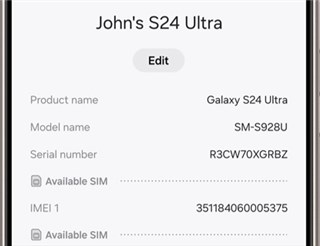
Check IMEI Number
Step 2. Call your carrier’s customer service center and explain this matter.
Step 3. Give them your IMEI number and any account verification information they may need, possibly along with a copy of your purchase receipt. Request both the MCK and NCK (network unlock code).
Step 4. Follow the carrier’s instructions to complete the unlock process.
The carrier may deny the request if the device is reported lost, stolen, or blacklisted.
Way 2. Contact Samsung Support
Sometimes carriers don’t provide the MCK code, but Samsung can step in. You may visit their official support page or call their customer care team directly, but be sure to come prepared with an IMEI number, the model of your cellphone, and points Ticket or proof of purchase and possession. Once everything is okayed, Samsung sends you the code, but it might take a few days.
Way 3. Use an Authorized Third-Party Unlocking Service
Another option is to go through a verified third-party unlocking service. These services use your IMEI to retrieve the MCK code, usually for a fee. It works best for second-hand handsets, and for cases where other support options didn’t come through.
Always go with a service that has received plenty of good reviews before so that you avoid faults or scams.
How to Use MCK Code to Unfreeze Samsung Network Lock
To unfreeze Samsung Network lock, make sure you have received the correct MCK code from your carrier. Using the code properly will allow you to regain access to the standard network unlock screen, where you can then enter the NCK (Network Unlock Code). Follow these simple steps to unlock your Samsung device using the MCK code:
Step 1. Switch off the phone and insert the SIM card from a different network.
Step 2. Turn the phone back on. You’ll see a message like “SIM network PIN blocked. Enter MCK.”
Step 3. Type in the MCK code you got from your carrier, Samsung, or a trusted unlock service. This code helps lift the freeze.
Step 4. The phone will now prompt you for the network unlock code.
Step 5. Enter the 8-digit NCK, and your phone will receive commands to release the original network lock.
Step 6. If successful, confirmation will be given, and the phone will now acquire a new SIM card signal.
Special Code List to Unlock Samsung Models
Samsung phones come with different locks depending on the model and carrier. Some use special dial codes to unlock them so that you can use any sim. Below are the most typical unlock codes by model series.
Universal Network Unlock Format
Most modern Galaxy models (like S, Note, A, J, Z series) use this format:
- #7465625638CODE#
- #0111*CODE#
Older Samsung Models & Special Codes
Some older Samsung feature phones use different sequences:
- SGH-A107 / A877: *2767*3855# then #7465625*638*CODE#
- SGH-E500: *2767*688#
- J600 / A127 / E840 / F210 / T749: *2767*2878#
- SGH-X100: Use combination of #99983323#, *0141#, and *#7337# to disable lock
You may also like: Full Guide on Master Code to Unlock Any Android Phone >
Bonus Tip: How to Unlock Samsung Without Password
To unlock Samsung without any passwords, DroidKit makes fixing Android phone issues a lot less stressful for you. No matter whether your Samsung is locked or needs to bypass Google account verification after a reset, DroidKit does all that for you. No need to root your phone or have any technical skills, it can help you regain access to your Samsung with simple steps. DroidKit is also a great option to repair Android phone issues at home without the headache of taking it to a repair shop.
Key Features of DroidKit:
- Unlock all types of screen locks, including PIN, pattern, password, fingerprint, and face ID.
- Bypass the FRP on Samsungs without Google account credentials
- No root or complex setup required, suitable for beginners.
- Works on mobile devices running Android 6 – 15.
Free Download * 100% Clean & Safe
Steps to Unlock Samsung Screen Lock with DroidKit:
Step 1. Download and install DroidKit onto your computer. Open the app, and on the main screen, click Screen Unlock mode.
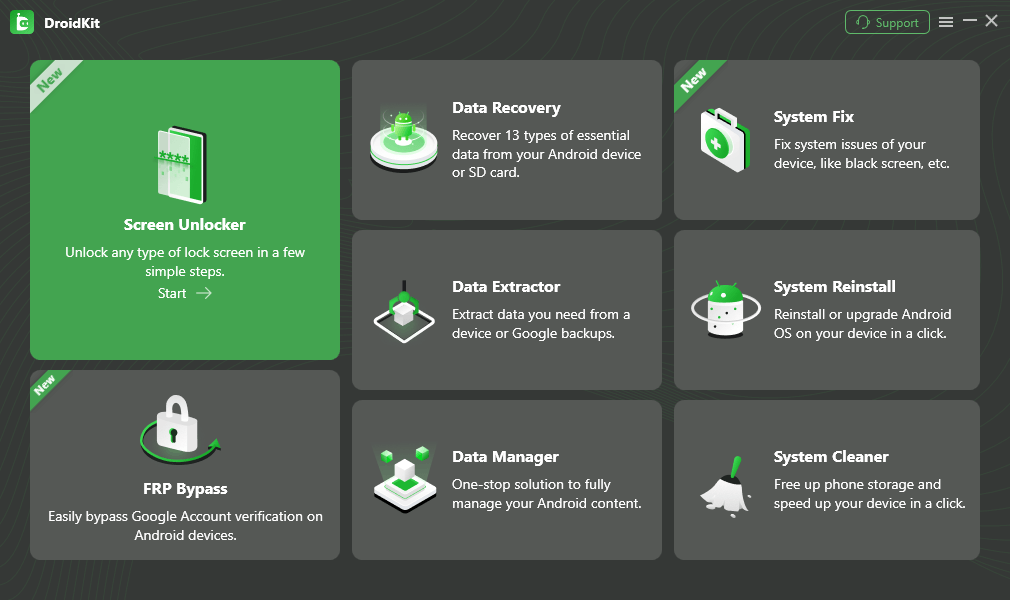
Select Screen Unlocker Mode
Step 2. Connect your locked Samsung phone using a USB cable. Click “Start” to continue.
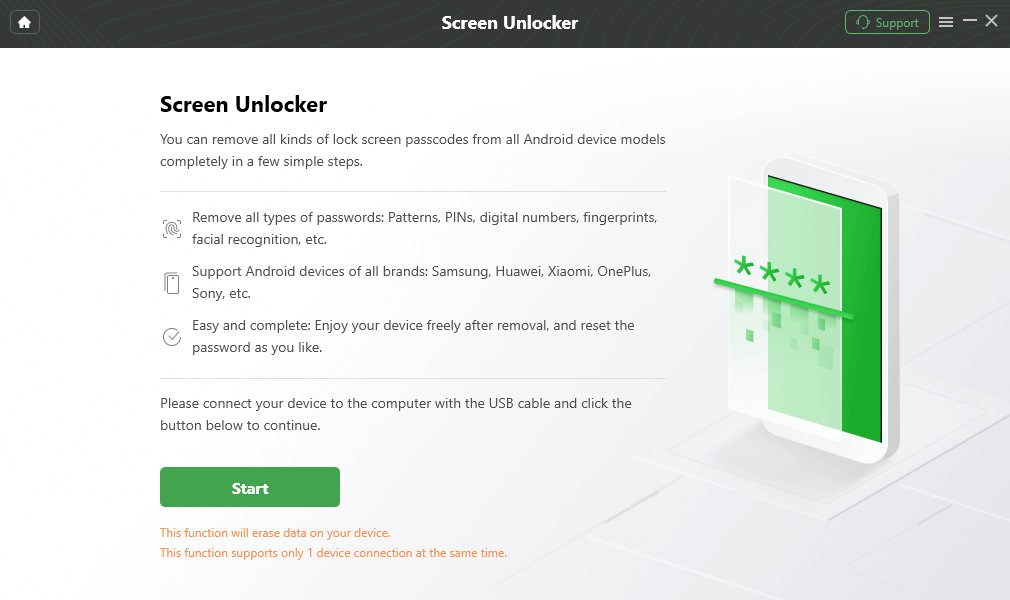
Connect your Locked Phone
Step 3. DroidKit will prepare the right configuration file for your specific device. Just wait a few seconds while it processes. Then click on “Remove Now” when asked to begin unlocking the device.
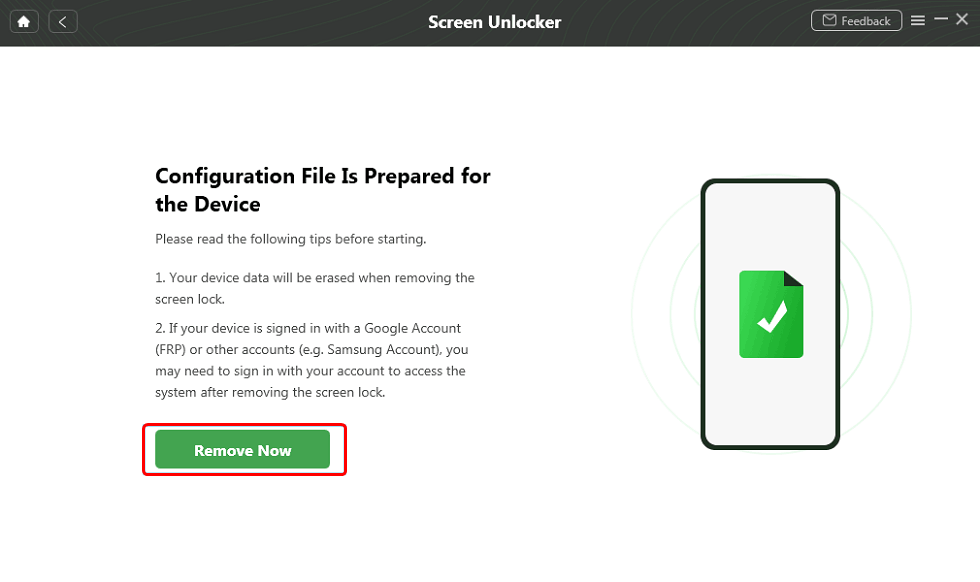
Click Remove Now Button
Step 4. After the process is completed, you can see the successful interface.
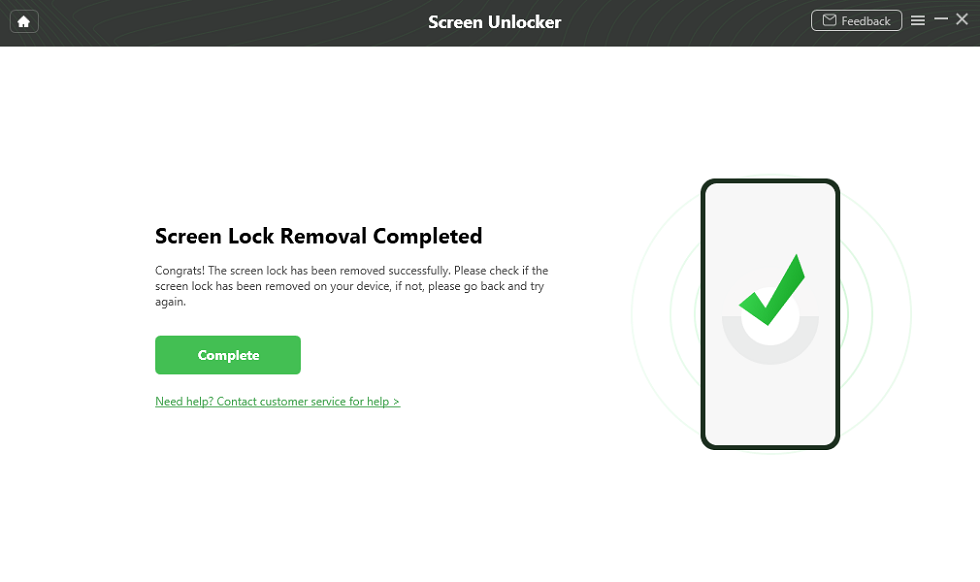
Unlock Screen Successfully
FAQs About MCK Code Samsung
Q1: Is a MCK Code the Same as a PUK Code?
Not at all. The MCK code unlocks a frozen phone, while the PUK code unlocks a blocked SIM card. They’re for totally different things.
Q2: What Does “SIM Network PIN Blocked. Enter MCK” Mean?
It means your Samsung phone is frozen because of too many incorrect unlock attempts. Only the MCK code, also known as the unfreeze code, can reset the lock and allow further actions.
Q3: What Is the Carrier Unlock Code for Samsung?
The Carrier Unlock Code for Samsung is called the NCK code. It can remove your phone’s network lock. Once unlocked, you’re free to use SIM cards from any carrier. This code usually needs to be requested from the original network provider.
Conclusion
In this guide, you have learned all the MCK code Samsung, including what it does and how to obtain it properly, as well as some special code to unlock Samsung models. If you’re looking for an easy solution to unlock screen or bypass FRP on Samsung, DroidKit can really help. It can help you to remove screen locks and bypass Google account verification on Android phones without any tech headaches. Try DroidKit to unlock your Samsung and use the phone without any restrictions.
Free Download * 100% Clean & Safe



Senior writer of the iMobie team as well as an Apple fan, love to help more users solve various types of iOS & Android-related issues.
Product-related questions? Contact Our Support Team to Get Quick Solution >
