Miracle Box Crack Download: Miracle Thunder 3.4 Risks & Fixes
Searching for Miracle Box Crack or Miracle Thunder 3.4? Learn what the tool is used for, why unofficial crack downloads are risky, how to check chipset and driver compatibility, what to do when the tool will not open or detect your phone, and which safer FRP alternatives to consider.
Searching for Miracle Box Crack, Miracle Box download, or Miracle Thunder 3.4? These names still appear frequently in Android repair, FRP, flashing, and screen-unlock searches because users want a free technician-style servicing tool. The main problem is that cracked Miracle packages are usually distributed through unofficial third-party sources, which makes version, safety, compatibility, and support difficult to verify.
Before running any Miracle Thunder or Miracle Box Crack package, identify what you actually need to fix. A Google FRP screen, forgotten Android PIN, firmware problem, and chipset servicing task are different situations. Choosing the wrong function or an incompatible tool build can turn a simple lock problem into a driver, boot, or firmware issue.
Quick Answer: Miracle Box Crack is not a good first choice for most regular users. Unofficial packages can be outdated, modified, unstable, or blocked by Windows security. If you still want to evaluate Miracle Thunder 3.4, first verify the file source, exact phone model, chipset, USB driver, required device mode, and whether the tool actually detects the device. If it fails before the operation starts, do not keep downloading random crack copies.
If your main goal is Google FRP rather than Miracle Box specifically, use the FRP bypass tool comparison to compare different tool categories before installing unofficial software.
Is Miracle Box Crack Worth Using?
For experienced technicians working with an older device and a known servicing workflow, Miracle Box may still be familiar. For a normal user who simply wants to remove Google verification or regain access to one phone, the cracked version introduces several extra problems before the actual unlock process even begins.
| Your Situation | Miracle Box Crack Fit | Better Starting Point |
| You are researching an old technician workflow | Possible, with caution | Verify chipset, tool build, drivers, and device mode first |
| You only need to resolve Google verification after reset | Often unnecessarily technical | Identify the FRP situation and compare current FRP tools |
| The download page tells you to disable antivirus | High risk | Stop and investigate the package rather than disabling protection |
| The phone is not detected | The operation cannot proceed reliably | Fix the driver, cable, port, chipset, or device mode first |
| The phone uses a newer Android/security environment | Compatibility is uncertain | Use current device- and version-specific guidance |
| You prefer a guided Windows or Mac workflow | Poor fit | Evaluate a supported consumer FRP tool |
What Is Miracle Box?
Miracle Box is commonly associated with technician-oriented Android servicing workflows. Depending on the version and hardware environment, Miracle tools have been discussed for functions such as firmware servicing, device formatting, FRP-related operations, lock servicing, chipset communication, and other repair tasks.
That broad scope is also why search results can be confusing. “Miracle Box,” “Miracle Thunder,” “Miracle Box Crack,” and different loader or crack packages may not represent the same build or the same level of device support.
Functions Commonly Associated with Miracle Box
- Android firmware servicing and flashing.
- FRP-related operations on supported devices.
- Selected screen-lock servicing functions.
- Chipset- or manufacturer-specific repair workflows.
- USB communication through different servicing modes.
These functions should be treated as build- and device-dependent. Do not assume that because a button exists in one screenshot, the same operation works on every Android model.
What Is Miracle Thunder 3.4?
Miracle Thunder 3.4, also searched as Miracle Thunder 3.40, is a version frequently referenced in old tutorials, forums, and third-party download pages. Users generally search for it in connection with FRP, screen locks, flashing, or older repair workflows.
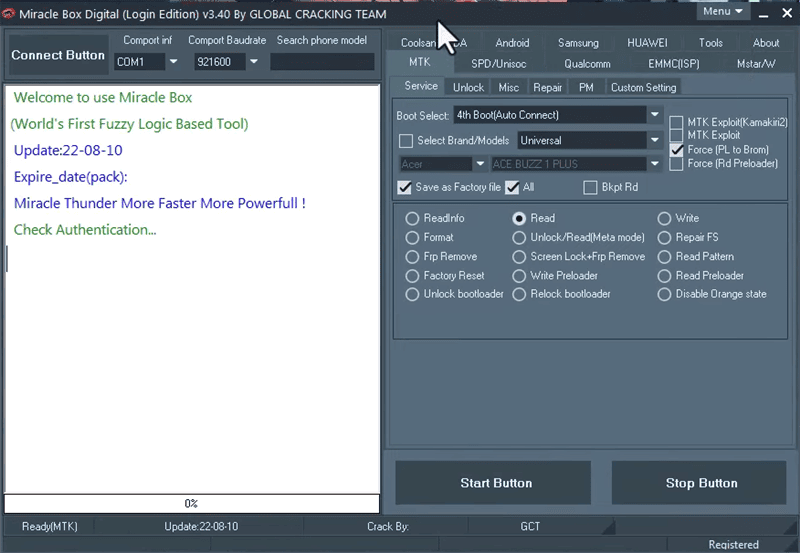
The version number alone does not establish whether a download is original or safe. Two archives labeled “Miracle Thunder 3.4” can contain different loaders, dependencies, patches, or modified executables.
Before Treating a 3.4 Package as Genuine
- Compare the archive name with the tutorial you are following.
- Check whether the interface actually reports a version.
- Compare the executable and interface screenshots.
- Check whether the device tabs or chipset options match the guide.
- Do not assume that a recently published download page contains a recently updated application.
Is Miracle Box Crack Safe?
A cracked package should be treated as a higher-risk download because it is modified or distributed outside a normal licensed software channel. That does not prove that every Miracle crack contains malware, but it means the integrity of the executable is harder to establish.
| Risk | Why It Matters | Safer Response |
| Modified executable | The crack or loader may differ from the original application | Verify the file instead of assuming the filename is trustworthy |
| Windows security warning | The file may be unsigned, modified, uncommon, or unsafe | Investigate the warning instead of automatically disabling protection |
| Bundled files | Third-party archives can include unrelated installers or scripts | Do not run unexplained components |
| No dependable updates | Old device routines may not match newer firmware | Check model, Android version, chipset, and patch level |
| No reliable support channel | A failed flash or servicing action may leave you without recovery guidance | Avoid low-level operations unless you understand the recovery process |
Do not disable antivirus or Windows protections solely because a tutorial says that every warning is a false positive. Some servicing utilities do produce alerts, but an unknown crack can also genuinely be unsafe.
Miracle Box Crack Download: What to Check Before Running It
Users searching for Miracle Box crack download, Miracle Thunder crack, or Miracle Thunder 3.4 free download often reach file-sharing pages and archived forum links.
This article does not provide a direct cracked executable download. Instead, evaluate any package you encounter using these checkpoints:
- Is the source identifiable?
- Does the page explain where the package originated?
- Does the downloaded archive match the version claimed by the page?
- Are unexpected installers, scripts, or extra executables included?
- Does Windows display a publisher or security warning?
- Does the tutorial match the exact interface you downloaded?
- Does the tool list a workflow relevant to your actual phone?
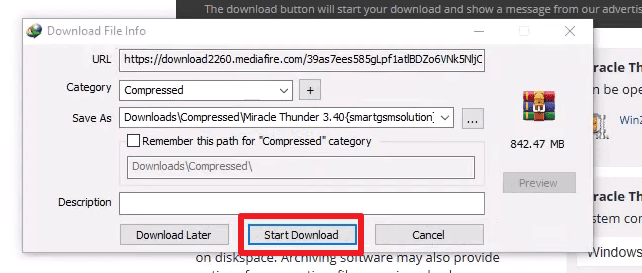
Download safety: A “free download” label tells you the price of obtaining the file, not whether the file is original, current, safe, or compatible.
Miracle Thunder Requirements and Compatibility
Many Miracle Thunder failures are actually connection or compatibility failures. The tool cannot perform a device operation reliably if the Windows computer cannot communicate with the phone in the expected mode.
| Requirement | Why It Matters |
| Windows PC | Miracle servicing workflows are primarily associated with Windows |
| Correct USB driver | Different manufacturers and chipsets use different communication drivers |
| Data-capable USB cable | A charge-only or unstable cable can prevent detection |
| Exact phone model | Similar model names can use different hardware or firmware |
| Chipset identification | MediaTek, Qualcomm, Unisoc and other platforms can require different workflows |
| Correct device mode | The selected operation may require a particular servicing state |
| Compatible tool build | An older Miracle build may not match current firmware or security changes |
MediaTek Device?
If you specifically know that your phone uses a MediaTek chipset and FRP is the problem, the MTK FRP Tool review provides a more focused comparison of MediaTek-related FRP tool considerations.
Can Miracle Thunder 3.4 Remove FRP?
Miracle Thunder 3.4 is frequently discussed in connection with FRP-related servicing, but that does not mean one FRP function works across every phone, chipset, Android version, and security patch.
If the tool exposes an FRP option, verify these conditions before proceeding:
- The phone is yours or you are authorized to service it.
- The current screen is actually Google FRP after a reset.
- The exact device and chipset match the workflow.
- The correct driver is installed.
- The phone is in the required connection mode.
- The tool detects the phone correctly before the operation starts.
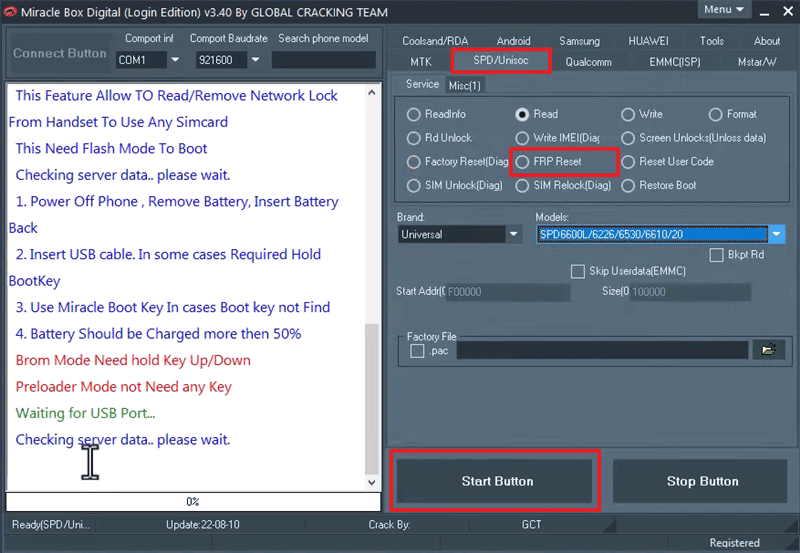
If Google verification returns after restart, do not keep repeating the same operation. Use the FRP bypass not working guide to identify whether the blocker is device detection, Android security changes, Setup Wizard behavior, or method compatibility.
Can Miracle Box Unlock an Android Screen?
Screen lock and FRP should not be treated as the same task. A PIN, pattern, or password protects access to Android before a reset, while FRP typically appears during setup after a protected reset.
Miracle interfaces may expose lock-related servicing options in particular builds, but using an FRP function on a normal screen lock—or the reverse—does not solve the correct problem.
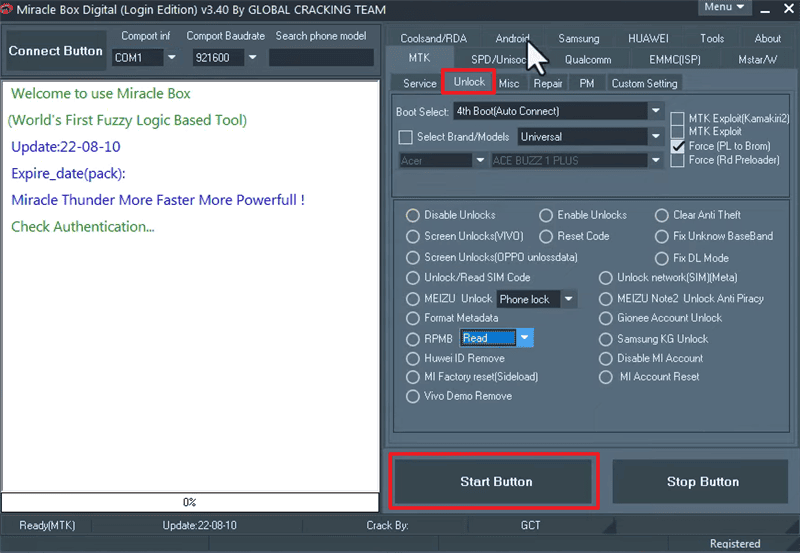
Check the Lock Type First
| What the Phone Shows | Likely Problem |
| PIN, pattern, or password before Android opens | Screen lock |
| “Verify your account” after factory reset | Google FRP |
| Manufacturer account verification | OEM account lock |
| Company or school management message | MDM / enterprise management |
| Boot loop or firmware error | System or firmware problem |
Miracle Thunder 3.4 Not Working? Fix by Error
Instead of searching immediately for another Miracle crack, use the first failure point to decide what is actually wrong.
| Problem | Likely Cause | Better Next Step |
| Archive will not extract | Corrupted package, wrong archive password, or damaged download | Do not run partial or unknown files |
| Windows blocks Miracle Thunder | Unsigned, modified, uncommon, or potentially unsafe executable | Investigate the file instead of disabling security blindly |
| Miracle Thunder will not open | Broken loader, missing runtime, old build, or incompatible Windows environment | Stop downloading random copies of the same build |
| Login or loader fails | Old authentication mechanism or broken crack component | Confirm whether the package still functions before connecting a phone |
| Phone is not detected | Driver, cable, USB port, chipset, or device-mode problem | Resolve detection before attempting FRP or unlock |
| Operation freezes | Tool instability or device incompatibility | Do not repeatedly interrupt and restart a low-level process |
| Unlock operation fails | Unsupported model, chipset, firmware, or security state | Move to a device-compatible workflow |
| FRP returns after reboot | The selected operation did not resolve the active verification state | Reassess the Google account and FRP method |
Miracle Thunder Does Not Detect the Phone
Start with Windows Device Manager, the USB driver, cable, port, and device mode. If the computer itself cannot recognize the expected device interface, clicking another unlock or FRP button is unlikely to help.
Miracle Thunder Opens but the Required Function Is Missing
The tutorial may show a different Miracle build. Compare the version, interface, tabs, and chipset module before looking for a hidden menu that may not exist in your package.
Miracle Box Works on Another Phone but Not Yours
Do not generalize by brand name. Two Samsung, OPPO, Vivo, Tecno, or Infinix phones can use different chipsets, firmware branches, security patches, and communication requirements.
Miracle Box Crack vs DroidKit
These tools target different users. Miracle Box Crack is primarily a technician-style unofficial route, while DroidKit provides a guided iMobie workflow for supported Android scenarios.
| Feature | Miracle Box Crack | DroidKit |
| Distribution | Cracked packages commonly circulate through third-party sources | Official iMobie distribution |
| Primary platform | Windows-focused | Windows and Mac versions available |
| Workflow style | Technical and servicing-oriented | Guided on-screen workflow |
| Driver / chipset knowledge | Often important | Less manual servicing knowledge required for applicable workflows |
| FRP suitability | Depends on Miracle build, phone and device mode | Depends on the FRP route available for the connected device |
| Download risk | Higher when using unknown crack mirrors | Official product source |
| Best fit | Technical users evaluating a known servicing workflow | Users who prefer guided steps on a supported Android device |
The comparison intentionally avoids invented universal success rates. A useful FRP comparison should be based on the phone and supported workflow rather than labels such as “high” or “moderate” success.
A Guided Alternative for Supported FRP Cases
If your actual problem is Google verification after factory reset and Miracle Thunder cannot detect the phone, crashes, or does not offer a compatible route, check whether DroidKit FRP Bypass provides an applicable workflow for the device.
Consider the Alternative When:
- You own the phone or are authorized to service it.
- The phone is actually stopped at Google FRP.
- The previously synced Google account cannot be recovered.
- You do not want to run an unknown cracked executable.
- Miracle Thunder cannot detect the device after connection troubleshooting.
- You prefer a guided workflow over chipset-oriented servicing controls.
- DroidKit presents an applicable route for the connected device.
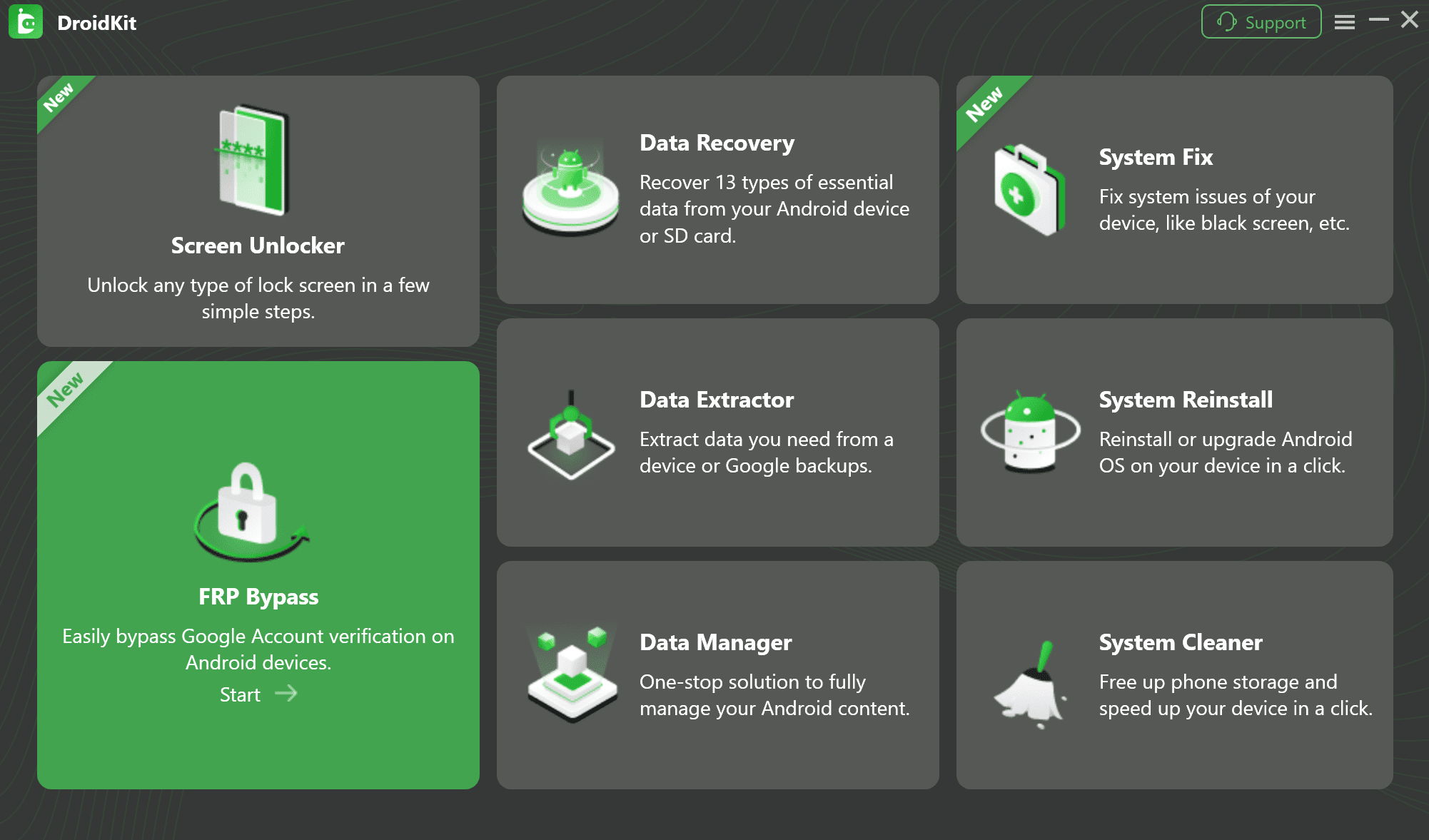
Step 1. Install DroidKit and choose FRP Bypass.
Step 2. Connect the Android device to the computer with a data-capable USB cable.
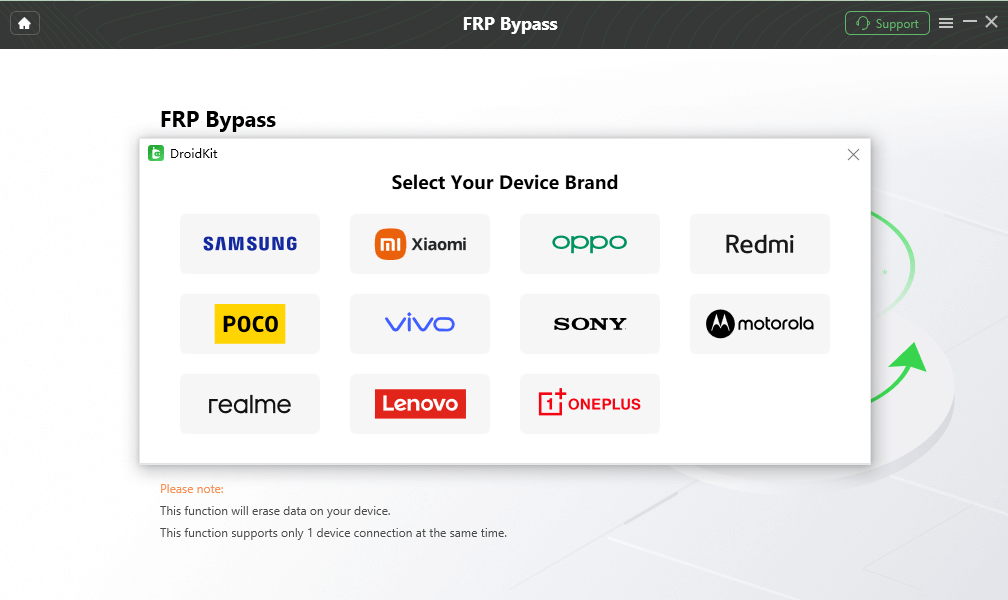
Step 3. Select the correct device brand when prompted and continue only if the software provides a matching device route.
Step 4. Follow the on-screen preparation instructions for the connected device.
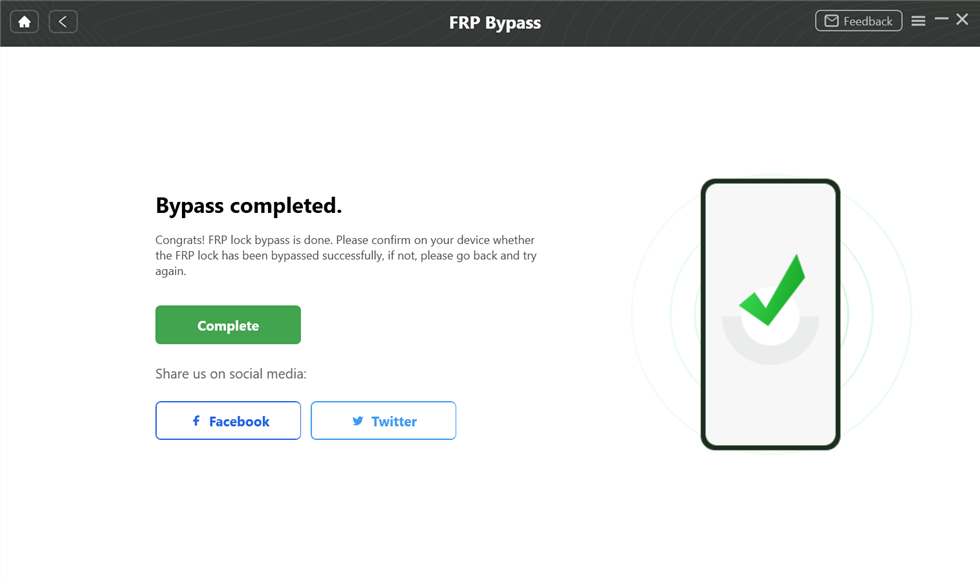
Step 5. Keep the device connected until the available workflow reports completion.
Compatibility first: Do not choose another brand or device configuration merely to make the software continue. Stop if the connected phone does not match the available workflow.
FAQs About Miracle Box Crack
Is Miracle Box Crack safe?
A cracked Miracle package should be treated as higher risk because it is modified or distributed outside a normal licensed channel. The executable may be outdated, repackaged, bundled with extra files, or blocked by Windows security. Do not automatically disable antivirus protection to run an unknown copy.
What is Miracle Thunder 3.4 used for?
Miracle Thunder 3.4 is commonly discussed in Android servicing tutorials involving FRP, screen locks, flashing, chipset communication, and other repair functions. The exact capabilities depend on the package and device.
Is Miracle Thunder 3.4 the same as Miracle Box?
The names are closely associated in third-party download and servicing communities, but different packages, loaders, and builds can circulate under Miracle-related names. Check the actual software rather than relying only on the filename.
Where can I download Miracle Box Crack?
This guide does not provide a cracked executable download. If you encounter a third-party package, verify the source, version, archive contents, interface, and security warnings before deciding whether to run it.
Why does Miracle Thunder 3.4 not open?
The package may be corrupted, the loader may be broken, Windows may block the executable, a runtime may be missing, or the old build may not work correctly on the current computer.
Why does Miracle Box not detect my phone?
Check the USB cable, port, Windows driver, chipset, phone model, and required servicing mode. Device detection should be resolved before you start a lock, FRP, reset, or flashing operation.
Can Miracle Box remove FRP from every Android phone?
No. Compatibility can vary with brand, model, chipset, firmware, Android version, security patch, driver, connection mode, and Miracle build.
Can Miracle Box unlock a Samsung phone?
Some Miracle builds may expose Samsung-related servicing functions, but the Samsung name alone does not establish support. Verify the exact model, firmware, device mode, and operation before proceeding.
Can I use Miracle Box on a Mac?
Miracle servicing workflows are primarily Windows-focused. If you need a Mac-based FRP workflow, choose software that explicitly provides a macOS version and supports your device situation.
What should I do if Miracle Thunder removes nothing and Google verification returns?
Stop repeating the same operation. Recheck whether you can recover the previously synced Google account and whether the tool actually supports your phone, firmware, and security environment.
What is a safer alternative to Miracle Box Crack?
If your goal is FRP on an authorized Android device, an officially distributed tool with a guided workflow can reduce the risks associated with downloading an unknown cracked executable. Compatibility still needs to be checked for the specific phone.
Final Verdict
Miracle Box Crack and Miracle Thunder 3.4 continue to attract searches because they are associated with free technician-style Android repair and FRP workflows. The trade-off is that unofficial crack packages introduce uncertainty before the phone is even connected: source integrity, version identity, Windows compatibility, drivers, chipset support, and device-mode requirements all need to be checked.
If you are researching an older device and already understand the relevant servicing workflow, Miracle remains useful as a reference point. If you simply need to resolve Google verification on one authorized Android phone, begin with the actual FRP situation and device compatibility instead of the first crack download result.
When Miracle Thunder crashes, cannot detect the device, or fails to change the FRP state, use the failure as a stopping point. Moving to a current, supported workflow is more useful than testing several unknown copies of the same cracked tool.
More Related Articles


Roger Smith is a senior technical writer with years of experience in providing Android solutions. He loves to help users solve various problems such as Android unlock, Android data recovery, and Android system repair.
Product-related questions? Contact Our Support Team to Get Quick Solution >
