ZeroKnox Removal Tool Download: Is It Safe & Still Working?
ZeroKnox Removal Tool is an unofficial Windows utility searched mainly for Samsung FRP removal through ADB and #0# Test Mode. This guide covers download risks, setup requirements, Reset FRP steps, device-detection and ADB failures, and what to try when ZeroKnox does not work.
ZeroKnox Removal Tool is an unofficial Windows utility searched mainly for Samsung FRP removal through ADB and *#0*# Test Mode. It is commonly shared through third-party download pages rather than through Samsung, so the archive source, device compatibility, Samsung USB drivers, Test Mode access, and ADB activation all matter before you try the Reset FRP function.
If your Samsung phone is asking for a previously synced Google Account after a factory reset, that is Factory Reset Protection rather than a normal screen lock. If you need a quick explanation of the protection itself, see what FRP lock means on Android. Use the ZeroKnox steps below only on a Samsung device you own or are authorized to service.
Quick Answer: Should You Download ZeroKnox Removal Tool?
ZeroKnox may be worth evaluating if you have a Samsung phone, a Windows PC, working Samsung USB drivers, access to *#0*# Test Mode, and enough experience to troubleshoot ADB and device detection. It should not be treated as a universal or guaranteed Samsung FRP remover.
| Your Situation | ZeroKnox Fit | Next Step |
| Test Mode opens and the PC detects the Samsung phone | Possible workflow | Scan the package and check whether Enable ADB is available. |
| Recent Samsung firmware or security patch | Compatibility is uncertain | Check current Samsung FRP tool options before relying on an older ADB route. |
*#0*# does not open or ADB cannot be enabled |
The ZeroKnox route may be blocked | Diagnose the exact failure instead of repeatedly clicking Reset FRP. |
| The archive triggers unexplained security warnings | Poor fit | Do not disable system protection just to force an unknown executable to run. |
What Is ZeroKnox Removal Tool?
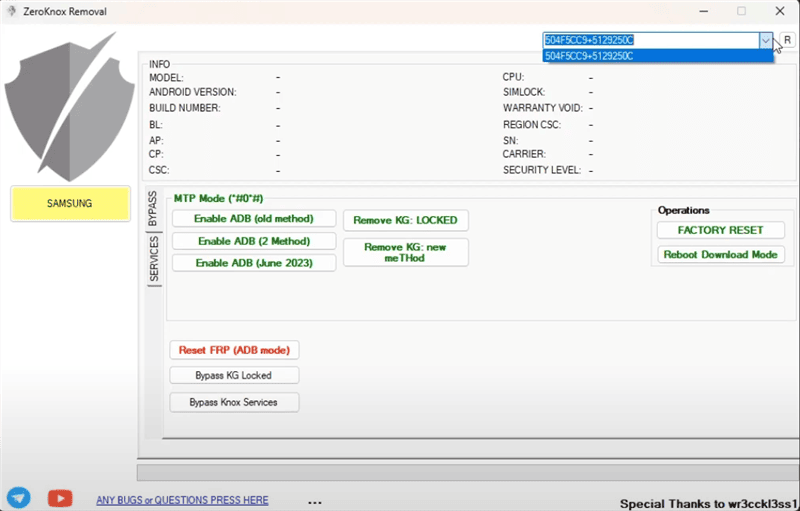
ZeroKnox Removal Tool is a third-party Windows program associated mainly with Samsung FRP workflows. The supplied interface shows functions for connecting a Samsung phone, attempting to enable ADB, and using Reset FRP or Reset FRP in ADB mode.
Although the name contains “Knox,” the workflow documented on this page is specifically centered on Google FRP removal. It should not be interpreted as proof that the utility can remove every Samsung Knox, enterprise-management, enrollment, or security restriction.
Users often search for ZeroKnox because it combines several Samsung FRP actions in one desktop interface. The actual result still depends on whether the exact phone, firmware, security patch, USB connection, Test Mode route, and ADB state match the workflow.
- It is a Windows-based third-party utility.
- It is mainly relevant to selected Samsung FRP scenarios.
- It can depend on
*#0*#Test Mode. - Its documented route attempts to enable ADB before Reset FRP.
- It is not an official Samsung or Google utility.
Does ZeroKnox Removal Tool Still Work?
There is no reliable basis for saying that ZeroKnox works on every current Samsung phone. A better way to judge the tool is to check whether the technical entry points it needs are still available on your exact device.
| Device Check | What It Means | ZeroKnox Impact |
*#0*# Test Mode opens |
The documented Test Mode entry point is available | The workflow may be able to continue to its ADB stage. |
| Samsung phone has newer firmware or a recent security patch | Older service or ADB paths may have changed | Compatibility is uncertain and should be checked rather than assumed. |
| ADB cannot be enabled | The main ZeroKnox transition to its ADB-based Reset FRP route is blocked | Repeating the same action is unlikely to fix the underlying issue. |
| Phone is never detected by Windows | USB driver, cable, port, or device communication is failing | Fix detection before attempting FRP actions. |
If the issue is broader than ZeroKnox itself, the Samsung FRP bypass guide separates other Samsung recovery, tool, and device-specific routes from this particular ADB/Test Mode method.
Is ZeroKnox Removal Tool Safe to Download?
ZeroKnox should be treated as a high-caution download because the supplied article does not identify a Samsung-hosted or verified developer distribution channel. The archive is shared through a third-party file host, so a familiar filename alone is not enough to establish authenticity.
Before running a downloaded ZeroKnox package:
- Check that the filename and download page match the package you expected.
- Scan the compressed RAR or ZIP file before extraction.
- Scan the extracted executable again before launching it.
- Avoid unrelated installers, browser add-ons, or bundled software.
- Do not disable Windows Defender or another antivirus simply because an unofficial tutorial tells you to do so.
- Stop if repeated security warnings cannot be reasonably explained.
| Safety Check | Why It Matters | Recommended Action |
| Third-party download source | The archive may not be identical across mirrors | Inspect the source and scan the package. |
| Security warning | An unknown executable may be modified or risky | Do not create broad antivirus exclusions to force it to run. |
| Unexpected installer behavior | The package may contain unrelated components | Stop instead of continuing through unexpected prompts. |
| Device ownership | FRP protects access to the previously linked Google account | Proceed only with your own device or an authorized repair. |
ZeroKnox Removal Tool Download Requirements
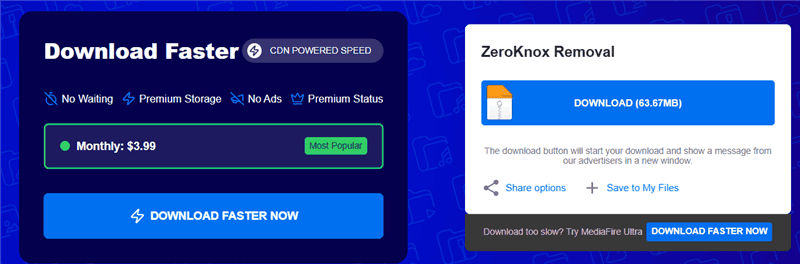
There is no official Samsung download page for ZeroKnox Removal Tool in the supplied material. The original article references a third-party MediaFire archive, so treat that location as a file-hosting mirror rather than an official ZeroKnox distribution channel.
Prepare the following before downloading:
- A Windows computer.
- Samsung USB drivers.
- A reliable USB data cable.
- Security software for scanning the archive and extracted files.
- A RAR-compatible extraction utility.
- The exact Samsung model and firmware information when available.
- Authorization to service the target device.
Important: A free download does not confirm that the archive is authentic, compatible, or safe. Evaluate the exact package before opening the executable.
Step 1. Open the ZeroKnox Removal Tool mirror and review the file information before downloading.
Step 2. Scan the downloaded archive before extracting it.
Step 3. If you decide to continue, extract the archive to a dedicated folder and scan the executable files again before running them.
Supported Samsung Scenarios and Limitations
ZeroKnox is Samsung-focused, but the Samsung brand name alone does not prove compatibility. The documented workflow depends on several technical checkpoints rather than on a broad list of Android versions.
| Compatibility Factor | Why It Matters | Main Limitation |
| Samsung model and firmware | Service menus and FRP behavior can differ between variants | A route that appears on one model may be missing on another. |
| Security patch | Samsung and Google updates can alter older FRP entry points | Older ADB workflows may stop functioning after updates. |
*#0*# Test Mode |
The documented ZeroKnox route uses this entry point | If Test Mode does not open, the route may stop before ADB activation. |
| ADB state | Reset FRP in the supplied workflow relies on ADB-related communication | ZeroKnox cannot continue normally if it fails to enable ADB. |
| Samsung USB driver | Windows must communicate with the connected phone | Broken or missing drivers can look like a ZeroKnox compatibility failure. |
Preparations for ZeroKnox FRP Bypass
Before opening ZeroKnox, prepare both the Windows computer and the Samsung phone. Separating setup problems from actual Reset FRP failures makes troubleshooting much easier.
- Install the appropriate Samsung USB drivers.
- Use a stable USB data cable and a direct USB port.
- Charge the Samsung phone sufficiently to avoid interruption.
- Connect the phone to Wi-Fi if the ZeroKnox workflow requests it.
- Check whether
*#0*#Test Mode opens on the exact Samsung device. - Scan the ZeroKnox archive and extracted executable.
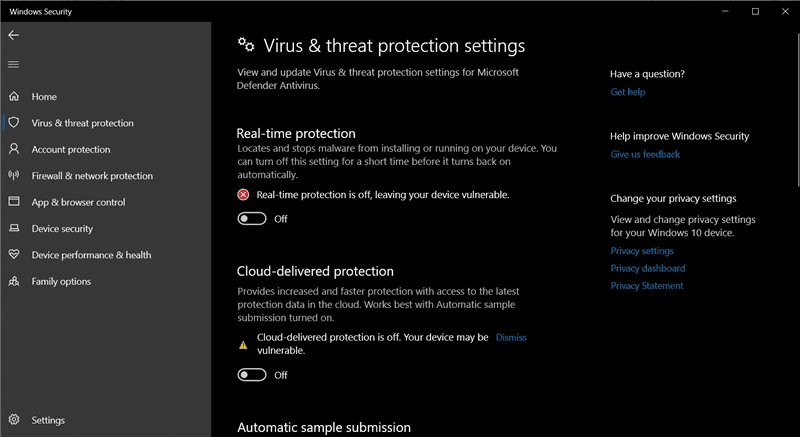
Security reminder: If Windows security software blocks an archive that you cannot verify, do not solve the problem by switching off system-wide protection.
How to Bypass Samsung FRP with ZeroKnox Removal Tool
The steps below preserve the supplied ZeroKnox workflow. They are intended only for a Samsung phone you own or are authorized to service, and they do not guarantee that the route will be available on every firmware build.
Step 1. Open the extracted ZeroKnox folder on the Windows computer. Launch the tool, connect the Samsung phone with a USB data cable, and wait for the program to recognize the device.
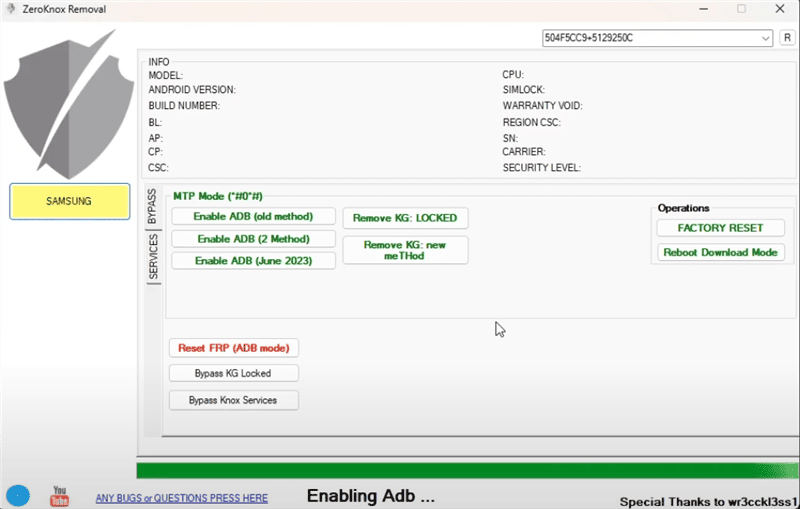
Step 2. Click Enable ADB if the option is available. Follow the tool prompt and make sure the Samsung device is connected to Wi-Fi when requested.
Step 3. Open the emergency dialer on the Samsung phone and enter *#0*#. If Test Mode does not appear, stop and move to the troubleshooting section instead of repeatedly entering the code.
Step 4. If ADB is available, select Reset FRP or Reset FRP (ADB mode) as shown in the ZeroKnox interface. Keep the phone connected during the operation.
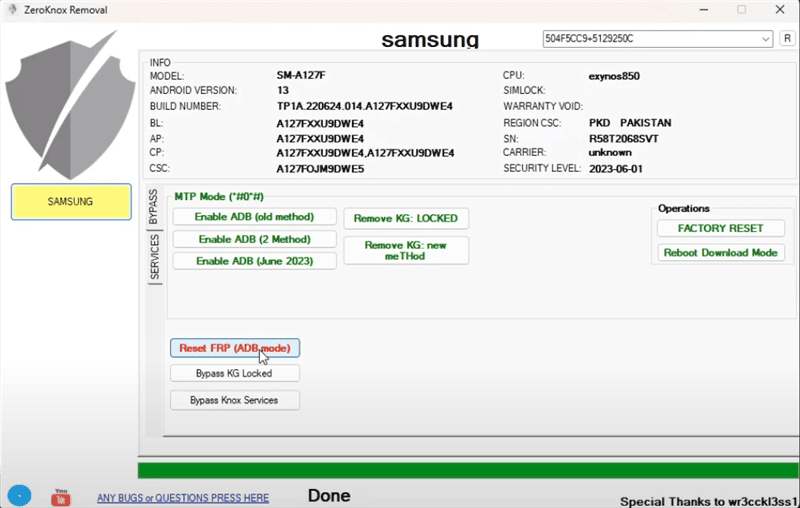
Step 5. Restart the Samsung phone and go through setup again. If the Google verification screen remains, the ZeroKnox operation did not resolve FRP for that device state.
ZeroKnox Removal Tool Not Working: Common Fixes
The useful question when ZeroKnox fails is where the workflow stopped: Windows detection, Test Mode, ADB activation, Reset FRP, or verification after reboot.
| Problem | Likely Check | Next Action |
| Phone is not detected | Samsung driver, cable, USB port, Windows detection | Repair the connection before using Reset FRP. |
*#0*# Test Mode does not open |
Model, carrier firmware, security patch, service-menu availability | Do not keep repeating the same ZeroKnox route. |
| Enable ADB does not work | The required ADB transition is unavailable on the current device state | Treat this as a workflow blocker rather than a download problem. |
| Reset FRP fails | Unsupported device state, firmware difference, or blocked command | Compare another Samsung-specific FRP route. |
| Google verification remains after reboot | The operation did not remove the FRP verification state | Use a different recovery or supported FRP path. |
| Security software flags the archive | Unknown or modified executable | Stop if the package cannot be evaluated confidently. |
ZeroKnox Is Not Detecting the Samsung Phone
Check Windows Device Manager, reinstall the appropriate Samsung USB driver if necessary, try another USB data cable, and use a different direct USB port. A Reset FRP command cannot work if the PC never establishes a stable connection with the phone.
*#0*# Test Mode Does Not Open
Test Mode availability can vary with the Samsung model, carrier firmware, and security state. If the dialer code does nothing, do not assume a second ZeroKnox archive will restore the missing entry point. The broader FRP bypass not working guide is useful when a security update or device state has blocked an older method.
ZeroKnox Cannot Enable ADB
If Windows recognizes the Samsung phone but the Enable ADB stage fails, the problem has moved beyond basic USB detection. The current firmware or device state may not expose the ADB path expected by ZeroKnox. Repeating Reset FRP before ADB is available does not address that failure point.
Reset FRP Fails
If Test Mode and ADB are available but Reset FRP still fails, avoid random format, erase, or unrelated service commands. Compare the exact Samsung situation with current FRP bypass tool options rather than downloading multiple modified copies of ZeroKnox.
The Archive Is Flagged by Security Software
A security alert should be evaluated rather than automatically ignored. Recheck the file host, archive name, extracted contents, and scanner result. If the package cannot be trusted, do not disable protection just to get ZeroKnox running.
ZeroKnox vs. DroidKit: Which Fits Your Situation?
ZeroKnox and DroidKit address FRP through different workflows. ZeroKnox depends on a third-party archive and the documented Samsung Test Mode/ADB route. DroidKit FRP Bypass provides a separate desktop workflow with on-screen instructions for supported device scenarios.
| Factor | ZeroKnox Removal Tool | DroidKit FRP Bypass |
| Download source | Third-party archive in the supplied workflow | iMobie product page |
| Main Samsung checkpoint | *#0*# Test Mode and ADB activation |
Follow the device route presented by the software |
| Setup style | Manual drivers, Test Mode, ADB, and Reset FRP steps | On-screen desktop instructions |
| Better fit when | You understand the ZeroKnox workflow and its required entry points are available | ZeroKnox cannot enable ADB, the Test Mode route is unavailable, or you prefer a guided interface |
| Limitation | Compatibility and archive provenance can be difficult to establish | Device support still needs to be checked before use |
How the DroidKit FRP Workflow Differs
Step 1. Open DroidKit on your computer and select FRP Bypass.
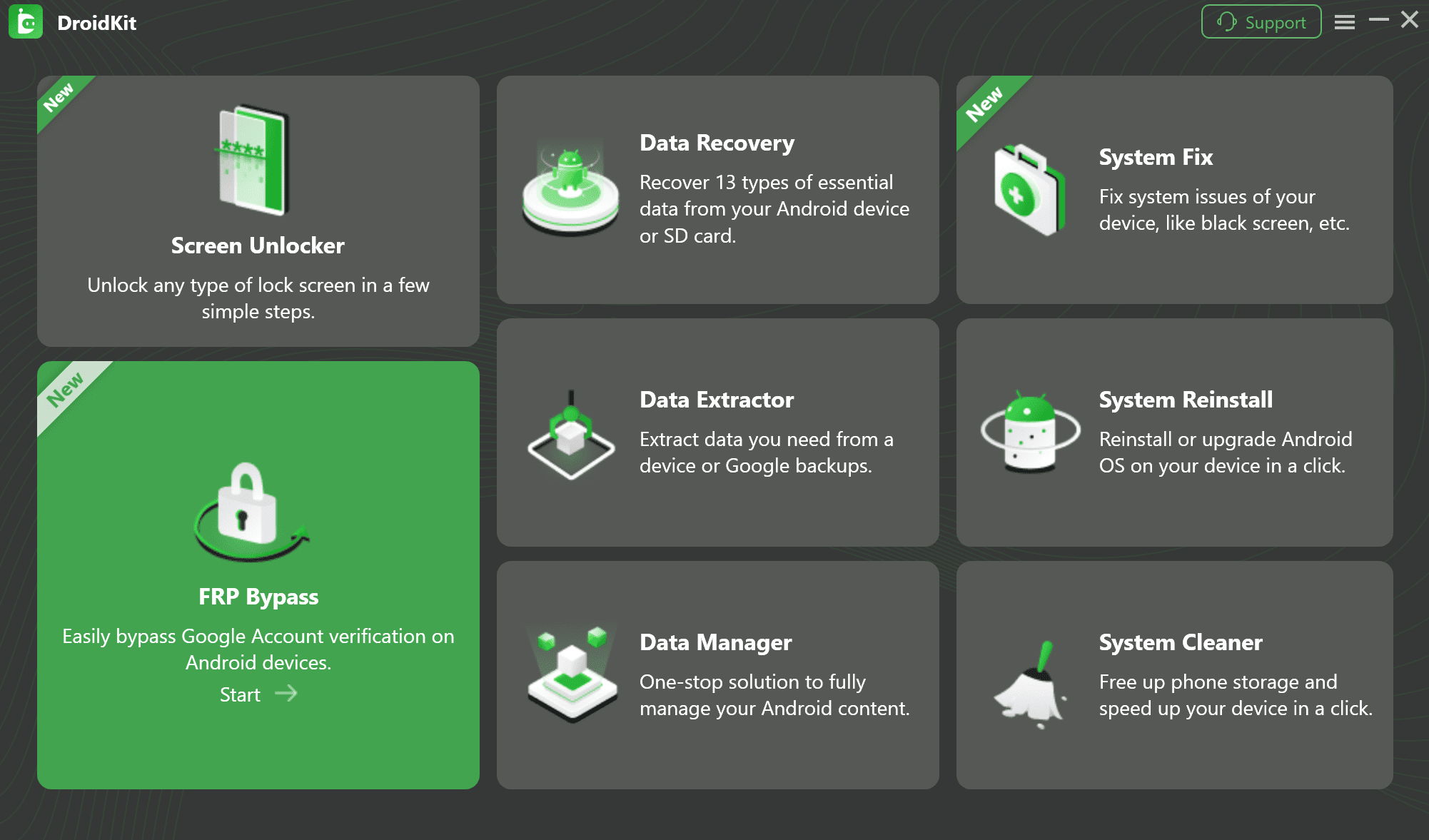
Step 2. Connect the Samsung phone with a USB cable and start the FRP workflow.
Step 3. Select the device information requested by the software.
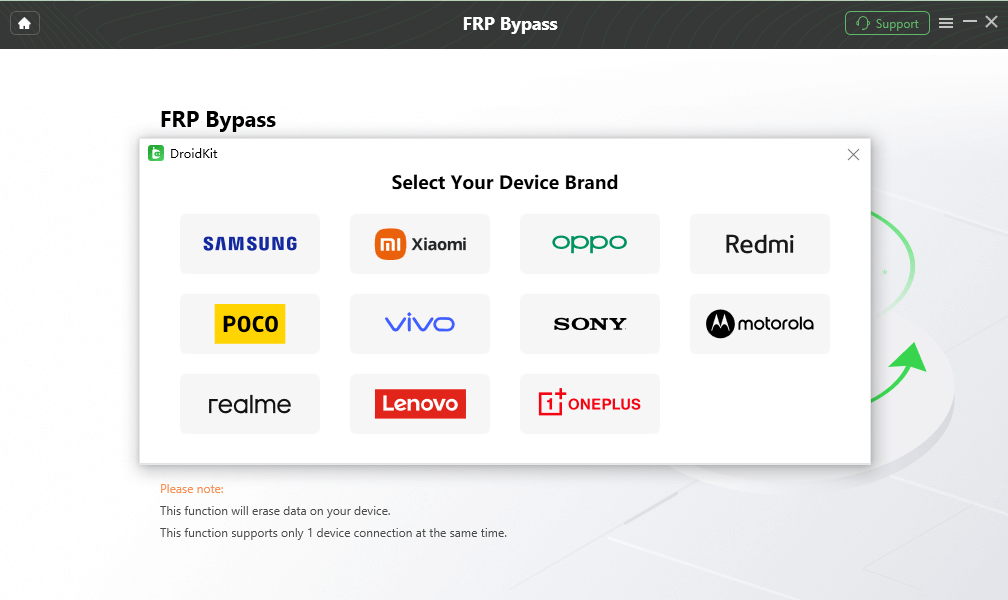
Step 4. Wait while DroidKit prepares the configuration required for the selected route, then continue when prompted.
Step 5. Follow the on-screen device instructions and keep the Samsung phone connected until the workflow finishes.
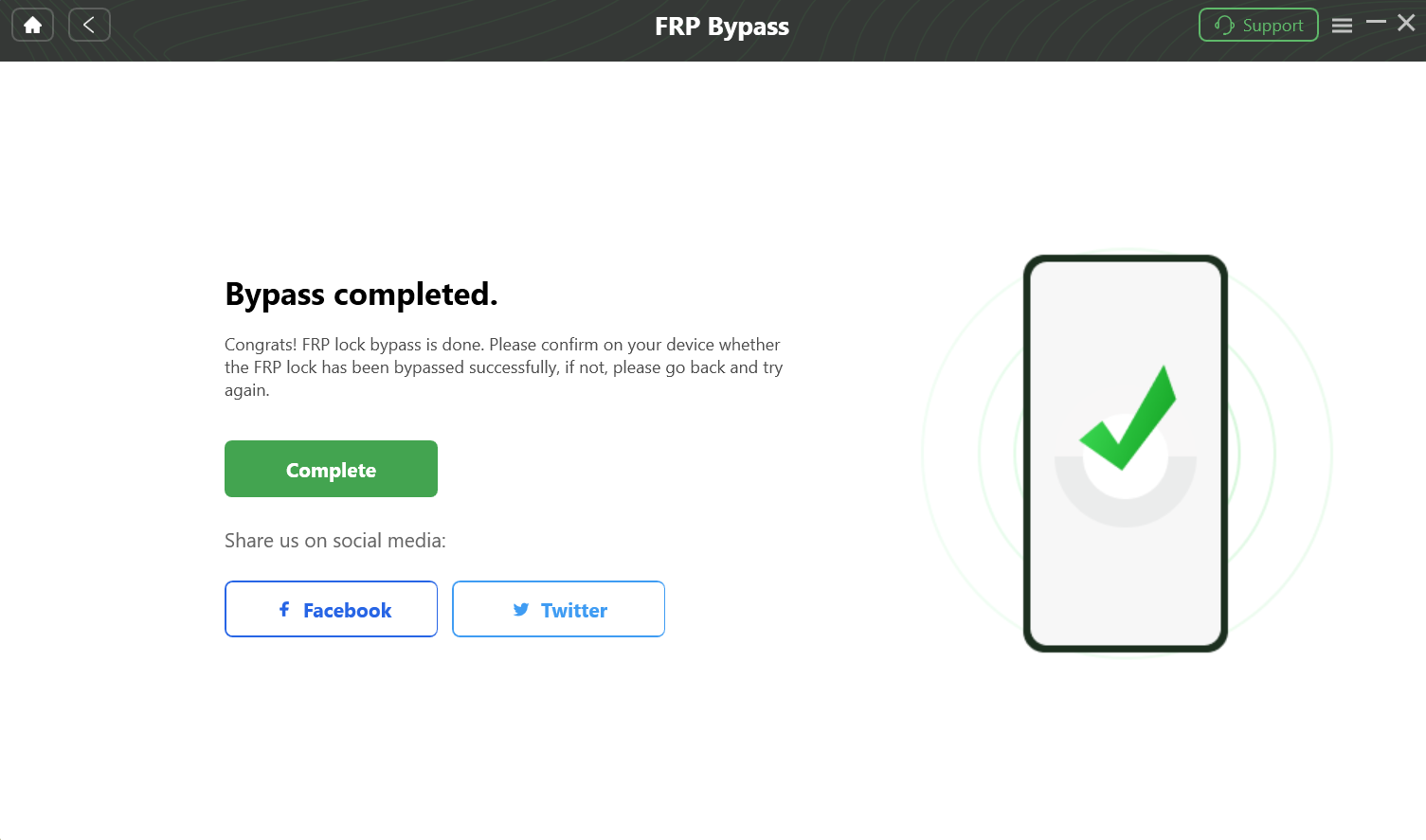
Check the supported device route before choosing any FRP software. Switching from ZeroKnox makes the most sense when your actual blocker is unavailable Test Mode, failed ADB activation, an untrusted archive, or difficulty following the manual Samsung workflow.
FAQs About ZeroKnox Removal Tool
What is ZeroKnox Removal Tool?
ZeroKnox Removal Tool is an unofficial Windows utility associated with selected Samsung FRP workflows. The process documented here uses device detection, ADB activation, *#0*# Test Mode, and a Reset FRP function.
Is ZeroKnox an official Samsung tool?
No. The supplied article does not identify ZeroKnox as Samsung software or provide an official Samsung distribution page for it.
Where can I download ZeroKnox Removal Tool?
The supplied workflow references a third-party MediaFire archive. Treat it as a mirror rather than an official Samsung or verified ZeroKnox distribution channel, and scan the package before opening it.
Why is ZeroKnox Removal Tool not working on my Samsung phone?
Check the exact failure stage. Common blockers in the documented workflow include Windows not detecting the phone, *#0*# Test Mode not opening, ADB activation failing, Reset FRP failing, or Google verification remaining after reboot.
Why can’t ZeroKnox enable ADB or open *#0*# Test Mode?
The available service and ADB routes can vary with the Samsung model, firmware, carrier configuration, and security patch. If either checkpoint is unavailable, the ZeroKnox workflow described on this page may not be suitable for that device state.
Does ZeroKnox Removal Tool require a PC?
Yes. The supplied ZeroKnox workflow runs on Windows and requires a USB connection between the computer and Samsung phone.
Conclusion
ZeroKnox is best understood as a specific Samsung FRP workflow rather than a universal Knox or Android unlocking tool. Its critical checkpoints are the third-party archive, Samsung USB detection, *#0*# Test Mode, ADB activation, and the Reset FRP operation.
If all of those checkpoints are available on your Samsung phone, you can evaluate the documented ZeroKnox route carefully. If Test Mode is blocked, ADB cannot be enabled, the file source raises concerns, or Google verification remains after Reset FRP, stop repeating the same process and move to a different Samsung FRP or account-verification route.
More Related Articles


Roger Smith is a senior technical writer with years of experience in providing Android solutions. He loves to help users solve various problems such as Android unlock, Android data recovery, and Android system repair.
Product-related questions? Contact Our Support Team to Get Quick Solution >
