How to Download and Use MRT Tool | With Alternative
MRT Tool helps you fix or unlock Android and iOS devices with features like FRP bypass, flashing, and iCloud removal. The guide shows how to download, install, and use it step by step. If it feels too technical, we also share DroidKit, a simpler alternative anyone can try.
DroidKit – Easiy FRP Bypass Tool [Android 6-15]
Finding the MRT Tool too complex or cannot meet your requirements? As the best alternative to MRT, DroidKit lets you bypass FRP in just a few simple steps and in minutes. It supports over 20,000 phone and tablet models. Whether you’ve forgotten your PIN, pattern, or face recognition, DroidKit can help you unlock your device with ease.

Fixing or unlocking an Android phone can be really technical, especially when new updates and security patches are rolling out. This is where MRT Tool comes in, a straightforward yet powerful program that helps with FRP bypass, network unlocking, flashing firmware, removing iCloud lock, and repairing different Android and iOS issues.
The guide walks you through what MRT Tool is capable of, which devices it supports, and how to download and use it step by step. We’ll also mention a simpler alternative at the end if you’d prefer something more beginner-friendly.
Part 1. What Is MRT Tool?
MRT Tool is a tool that provides technicians with software-based solutions for Android and iOS repairs, such as flashing, unlocking, resetting FRP locks, bypassing passcodes, and removing screen locks.
1. Key Features of MRT Tool
The following are features that MRT comes packed with:
- Easily remove the Google account lock on supported Android devices.
- Helps you get back into your phone if you’ve forgotten the PIN, password, or pattern.
- Wipes everything and brings your phone back to how it was when you first bought it.
- Fix or restore corrupted and invalid IMEI numbers.
- Flash stock firmware for upgrades or downgrades.
- Unlock or relock device bootloaders with ease.
- Perform rooting and recovery-related operations.
2. Supported Brands
MRT Tool caters to a wide range of mobile brands, supporting many of their models, which include:
- For Samsung, it supports the flagship S and Note series, the budget-friendly A series, as well as the Galaxy Tab lineup.
- For Huawei, devices that are powered by Qualcomm chipsets.
- Also supports Oppo, Realme, Infinix, Techno, and other Mediatek-based models.
Part 2. How to Download and Install MRT Tool Latest Version V6.0.0
If you need to set up MRT Tool on your system properly and make the process run smoothly, download the latest version from a reliable source and then follow these steps to install it without issues.
Step 1: Open your favorite browser and visit the MRT Tool webpage. From the download section, download the tool.
Step 2: When downloaded, extract the installation file to your desired directory. Although the C Drive is recommended.
Step 3: Go into the selected folder and locate the setup file.
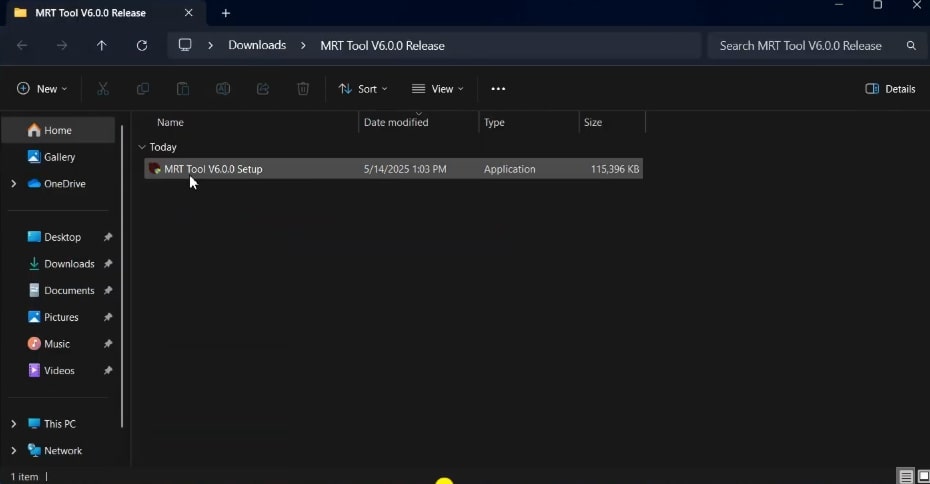
MRT Tool Setup File
Step 4: Launch the file..
Step 5: The system will ask for permission to run the program as administrator; select “Yes”.
Step 6: At this point, it requires an account to work; that is why you need to register on the MRT website.
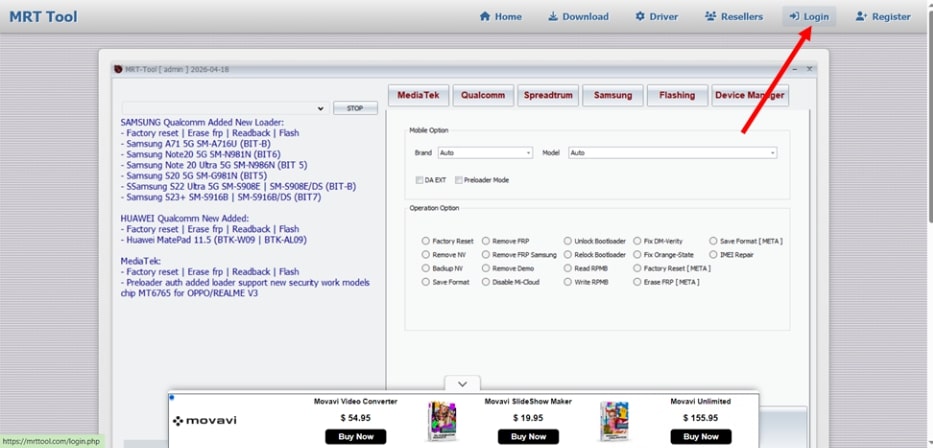
Register on the MRT Website
Step 7: At the login page, select the “Don’t have an account? Register here” link.
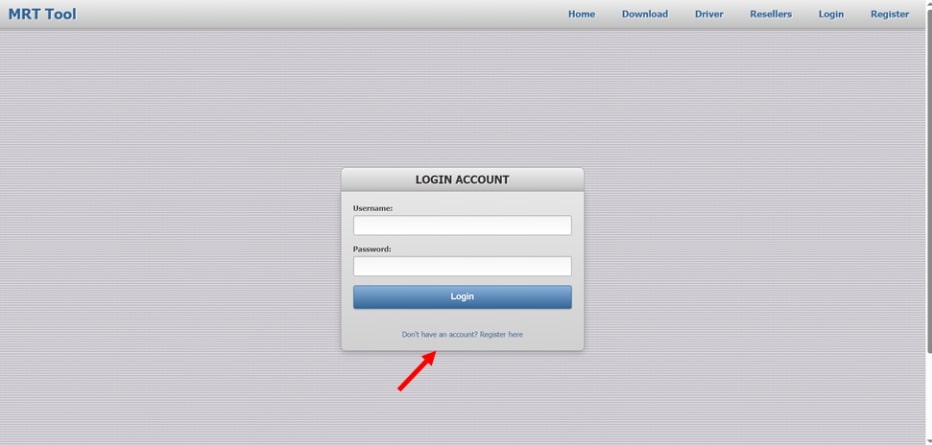
Registration Link
Step 8: Fill in the text boxes, with respect to their relevant titles, and click “Create Account”. This will also provide you with one year of free use.
Step 9: At this point, the application might have been launched in the background; open it, and log in with your credentials.
Part 3. How to Use MRT Tool Latest Version V6.0.0-Stepwise Guide
Once the installation is complete and your account is ready, you can move on to using the MRT Tool by following these step-by-step instructions.
Step 1: Launch it and log in.
Step 2: The main window will open, and choose the repair option you want.
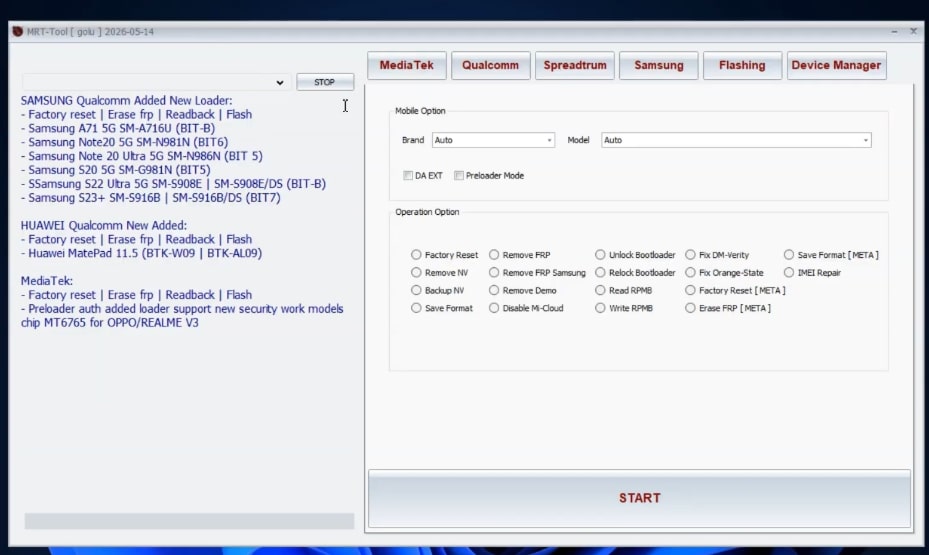
MRT Tool’s Dashboard
From now on, the interface is simple to navigate. Select the brand name, followed by the repair you are performing, and follow the provided instructions, which may also include connecting your device with the computer using the USB cable.
Part 4. Bonus. Easier Alternative to Bypass FRP on Android-DroidKit Way
While MRTTool is a dependable choice for many Android technicians, it isn’t always the option for everyone. Some users feel it lacks smooth support for macOS, while others may find its interface a bit too technical to navigate.
That’s where DroidKit, an all-in-one Android Toolkit, steps in. It’s designed to be simple and beginner-friendly, yet still offers powerful features for Android FRP Bypass, Screen Unlock, and System repair.
DroidKit – Best MRT FRP Bypass Alternative
- Bypass Android FRP lock if you forgot Google account password.
- High success rate with advanced FRP unlock technology.
- Unlock 20,000+ models of Android phones & tablets.
- No technical knowledge is required; No need to root your device.
Free Download100% Clean & Safe
Free Download100% Clean & Safe
Free Download * 100% Clean & Safe
If you want to use it, here is a step-by-step guide to bypass FRP on Android:
Step 1: Download and open DroidKit on your computer. From the home screen, select FRP Bypass.

DroidKit FRP Bypass
Step 2: Connect your phone with a USB cable and click Start. Choose your phone’s brand.
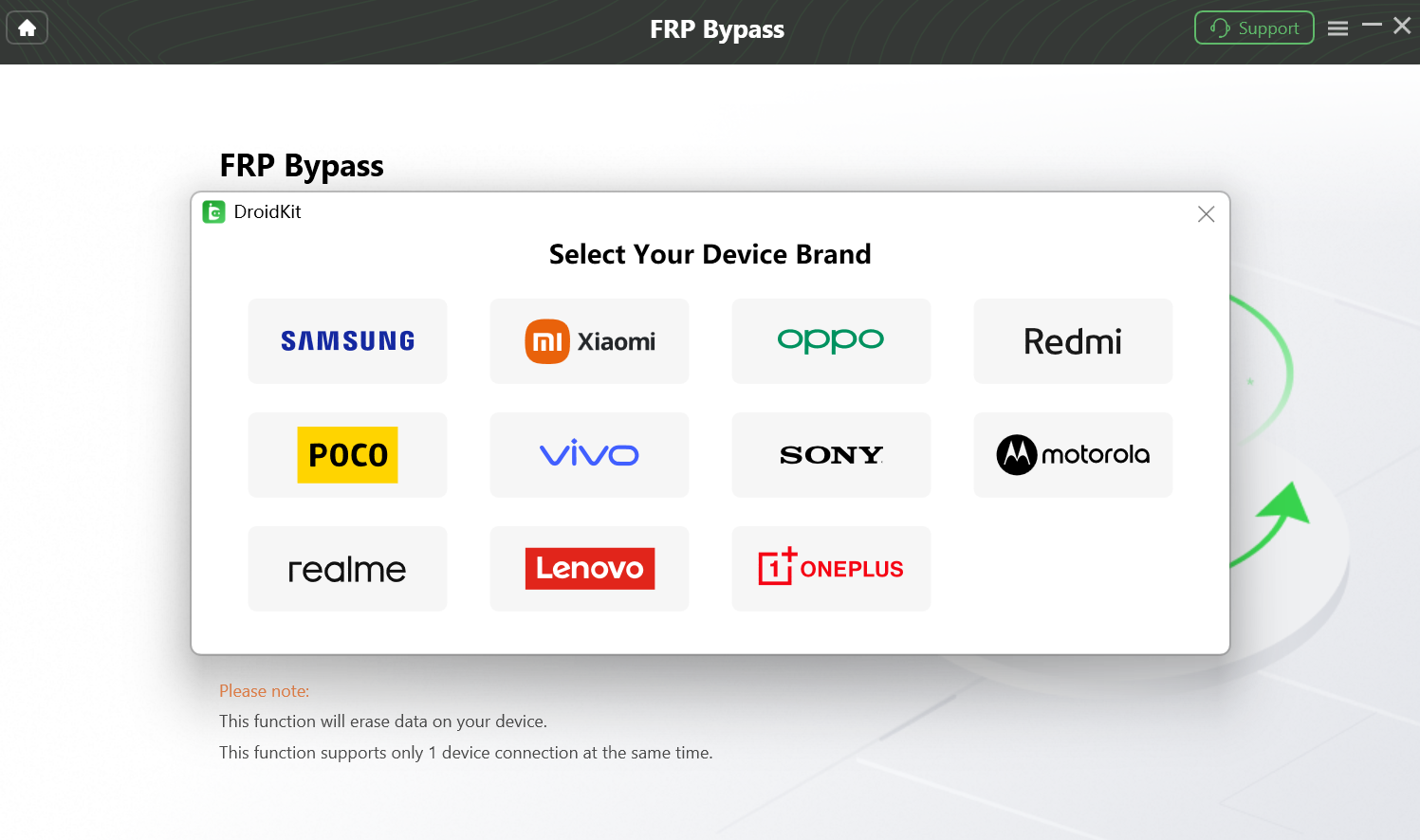
Supported Android Devices
Step 3: DroidKit will prepare the right configuration for your device. Click Start to Bypass.
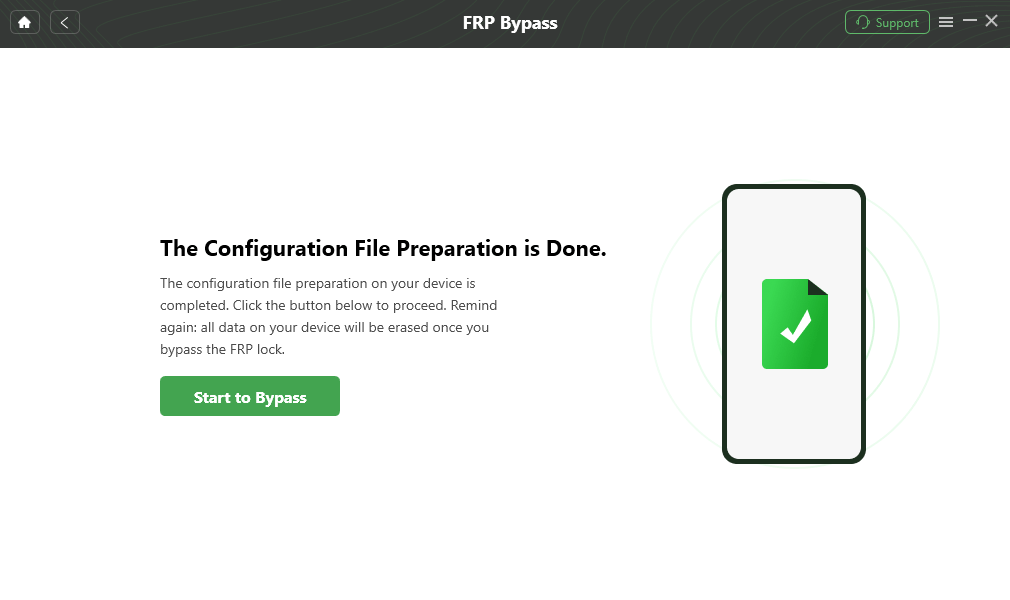
Click Start to Bypass
Step 4: Choose the appropriate Android version that matches the boot screen of your phone. Instructions included on your screen (e.g., for Samsung dial #0#) will help you to go into factory mode and finish the settings.
Step 5: Click Reset to begin the FRP bypass. After a few moments, your device will restart with the Google account lock successfully removed.
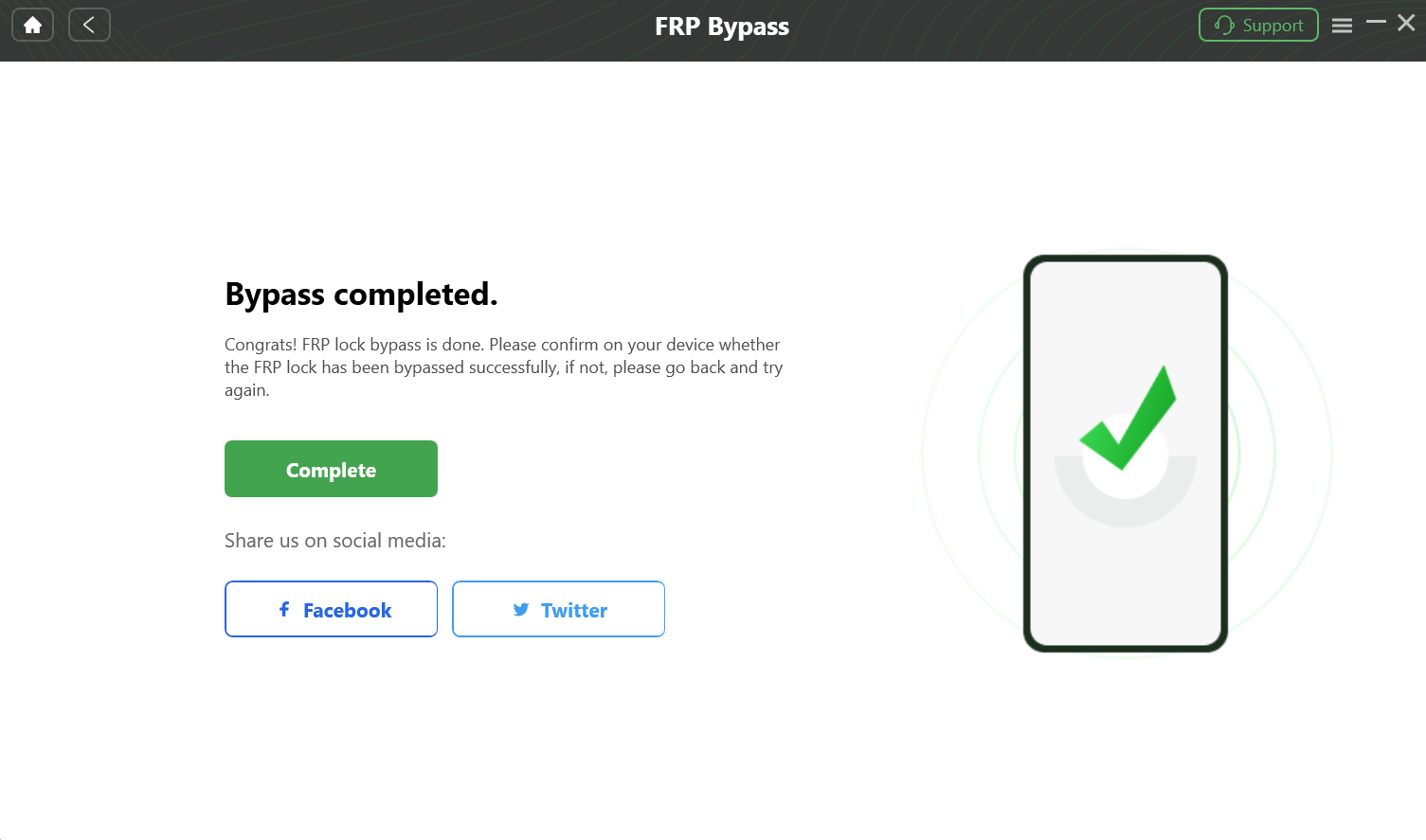
Complete the FRP Bypass
Part 5. Conclusion
When your Android or iPhone is locked, stuck, or gets into a trouble situation after a reset, MRT Tool can help you get it working again. It supports a wide range of devices and keeps improving with new updates. You will need to register an account and go through some setup steps.
However, it lacks options for macOS users. Additionally, you may find it’s too complex and technical to handle. This time, DroidKit provides a simpler way to handle most of the same issues. It serves as an easier alternative for the MRT tool to bypass FRP on Android devices. Additionally, it helps you retrieve deleted files and repair system issues with ease.


Roger Smith is a senior technical writer with years of experience in providing Android solutions. He loves to help users solve various problems such as Android unlock, Android data recovery, and Android system repair.
Product-related questions? Contact Our Support Team to Get Quick Solution >
