iUnlocker Review: Is It Safe to Use? [2025 Guide]
iUnlocker is an online tool offering free IMEI/iCloud status checks and paid iCloud/SIM unlock services. It lets users remove activation locks on iPhones, but these services can be slow and costly. This review examines iUnlocker’s features, safety, and pricing, and recommends a more reliable option.
Many of us happen to buy used iPhones and are often troubled with a locked iCloud or carrier network. Even if the phone is new, we might fail to remember the password we set for ourselves. That’s where tools like iUnlocker claim to help, offering IMEI check, SIM unlock, and even iCloud removal. But is it really safe, effective, and worth your money in 2025?
In this iUnlocker review, we’ll break down exactly what the tool does, how it works, and what real users should know before trying it. We’ll also introduce you to a more reliable desktop alternative, which promises faster and more secure results.
An Overview of the iUnlocker Tool
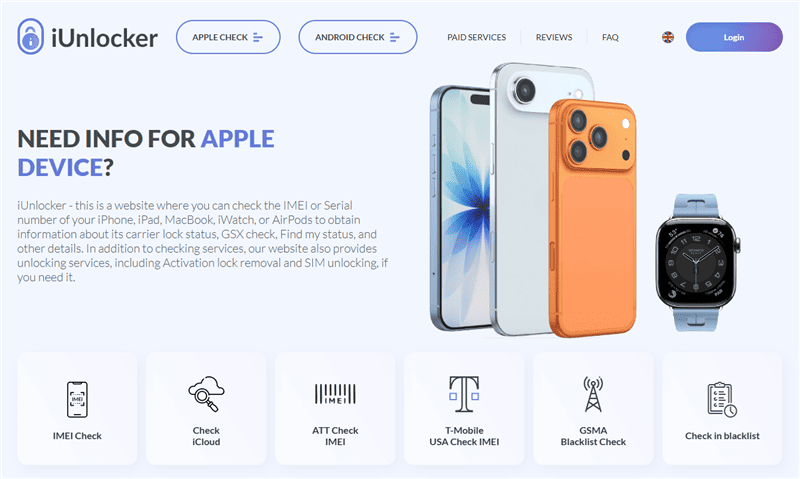
iUnlocker is a web-based service for iPhone/iPad unlocking and checking iCloud status. It allows users to verify a device’s IMEI or serial number to get information like carrier lock status, warranty, and Find My iPhone status. They also have paid services to remove activation locks or SIM locks from your iOS devices.
In practice, iUnlocker is aimed at people who bought a locked second-hand iPhone or forgot their Apple ID password. Some of its prominent features include:
- iCloud Activation Lock Removal – to bypass Apple ID locks on older devices.
- IMEI Checking – reports if a device is blacklisted or stolen.
- iCloud Status Checks – to see if Find My iPhone is active.
Is It Safe to Use iUnlocker?
Yes, iUnlocker is safe to use to help you with your iPhone issues. Plus, they have many positive Trustpilot reviews, making it a legit service. iUnlocker’s free status-check features are generally safe, but its paid unlock services carry uncertainty. The tool itself claims to cover the necessary security measures. However, independent reviews note privacy risks because the service handles sensitive data, such as the device IMEI and Apple ID info.
For example, your personal data could be exposed if the system isn’t fully secure or gets hacked. Moreover, iUnlocker does not guarantee 100% success, as users who pay for an unlock might end up with no result. The lack of a strong success guarantee and the potential handling of private Apple ID data mean users should be cautious.
How Much Does It Cost to Use iUnlocker?
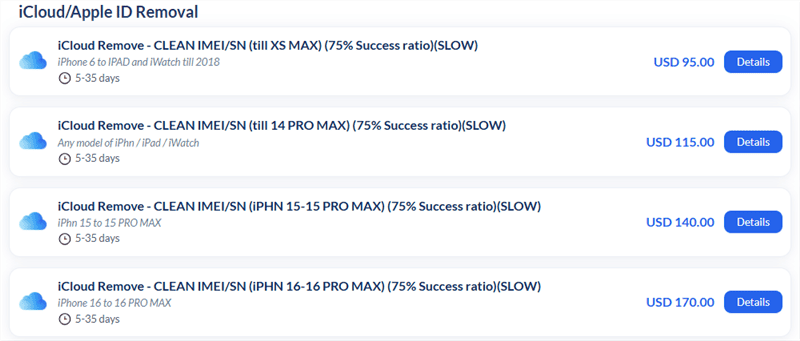
iUnlocker price for the iCloud/Apple ID removal starts from $95 and goes up to $170 with a 75% success ratio. For other checks, such as basic IMEI/serial number checks, their prices are inexpensive. For example, an instant IMEI check is listed at about $1.50. By contrast, SIM unlocking can cost you $1.70. Specialized carrier options such as AT&T may cost more for newer models (some listings show up to $260 for the latest iPhones).
You may also like: How much does it cost to unlock an iPhone
How to Use iUnlocker Services
You can use iUnlocker’s services by going through multiple steps for each service. Below is an outline of the typical process for each task:
For IMEI Check
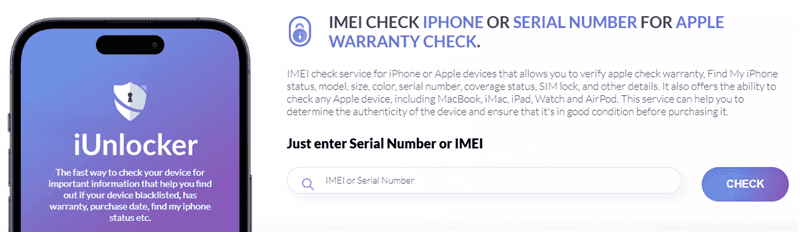
Step 1. Access the IMEI Check Tool
Visit iUnlocker’s website and navigate to the “IMEI Check” tool for Apple devices. There, input your device’s IMEI or serial number in the form, and hit “CHECK”.
Step 2. Wait and View Results
After a while, iUnlocker will display information about warranty, carrier lock, Find My iPhone status, model details, etc.
Possible Drawbacks of iUnlocker IMEI Check:
- The IMEI check won’t work if the IMEI or serial number is replaced.
- May return incomplete data for refurbished or replacement devices.
For SIM Unlock
To unlock the SIM, you need to first verify whether your phone is locked to a carrier or not. After that, you can take their paid services to bypass SIM lock restrictions. Here is the step-by-step guide:
Step 1. Confirm Lock Status
Find the IMEI Check SimLock at the end of the site and click it. Enter your SIM’s IMEI and your phone’s serial number. It will show the carrier lock details.
Step 2. Place Carrier Unlock Order
Next, go to “Paid Services” and select the appropriate Factory Unlock option, as per your carrier service.
Step 3. Enter IMEI and Proceed
After that, input your IMEI and email ID in the form. Then, hit Place order and pay the unlocking fee. iUnlocker processes SIM unlock orders in 1-15 days.
After the phone is unlocked, iUnlocker emails you instructions. Typically, you must restart the phone to activate the unlock.
Possible Drawbacks of iUnlocker SIM Unlock:
- SIM unlock requires an upfront payment.
- Processing can take up to a couple of weeks.
- SIM unlock doesn’t remove an iCloud or Apple ID lock.
For iCloud Remove
Step 1. Check Eligibility
Access the CHECK ICLOUD STATUS tool and ensure the device is supported (clean iCloud status, not in Lost Mode, not a replacement device).
Step 2. Select iCloud Removal Tool
On the Paid Services page, choose the iCloud Remove tool for your matching model.
Step 3. Submit IMEI and Proceed
Next, enter your device’s IMEI/serial and email. Click Place order and you will be directed to the payment process.
iUnlocker processes iCloud removal requests in about 5-35 days on average. Once complete, you must erase the device and set it up as new.
Possible Drawbacks of iUnlocker iCloud Remove:
- iCloud removal can take several weeks to complete.
- Only around a 75% success rate overall.
- Refunds may be denied or reduced if device conditions aren’t met.
- Devices in Lost Mode or sold by Apple are not accepted.
An Alternative to iUnlocker – AnyUnlock
Many users look for other unlocking solutions due to iUnlocker’s mixed track record and high cost. A top alternative is AnyUnlock – iPhone Unlocker, which is a computer application for Windows and macOS designed to remove various locks from iPhones.
It can unlock forgotten screen passcodes, remove Apple ID without password, bypass MDM profiles, and remove SIM locks from your device. Unlike iUnlocker’s web service, AnyUnlock works by connecting your iPhone to your computer and following an on-screen process, which can be faster and more straightforward for many users.
Why Choose AnyUnlock:
- Multi-Purpose Unlocking: Works for various lock issues, including screen passcodes, SIM locks, etc.
- User-Friendly Interface: Designed with a clean layout so anyone can follow the on-screen steps without technical experience.
- High Success Rate: Ensures a higher unlock success rate than competitors.
- 60-Day Refund Guarantee: Offers a full money-back guarantee within 60 days if you’re not satisfied.
- 24/7 Customer Support: Help is always available if you run into any issues.
Free Download * 100% Clean & Safe
How to Bypass iCloud Activation Lock with AnyUnlock:
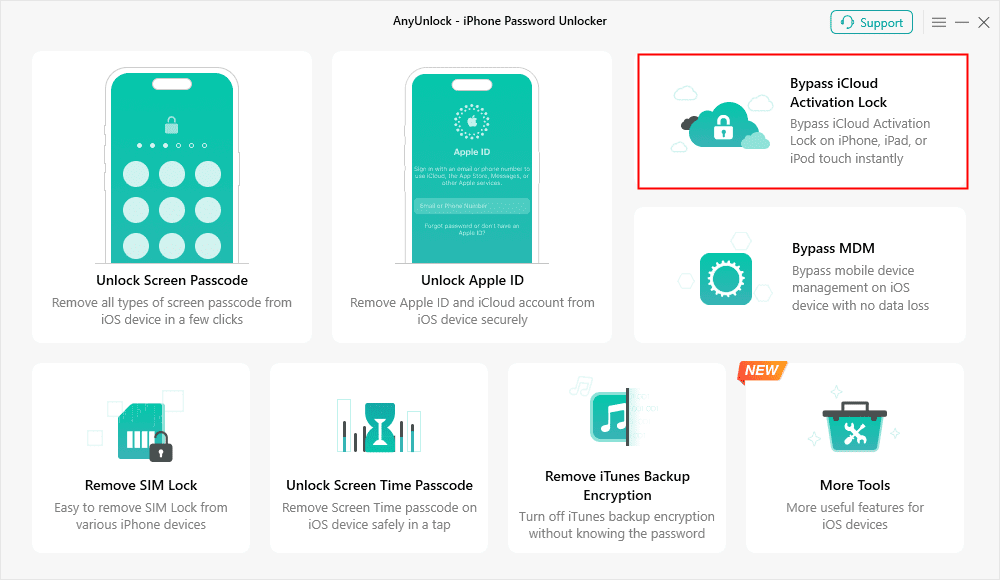
Step 1. Install AnyUnlock on Your Computer
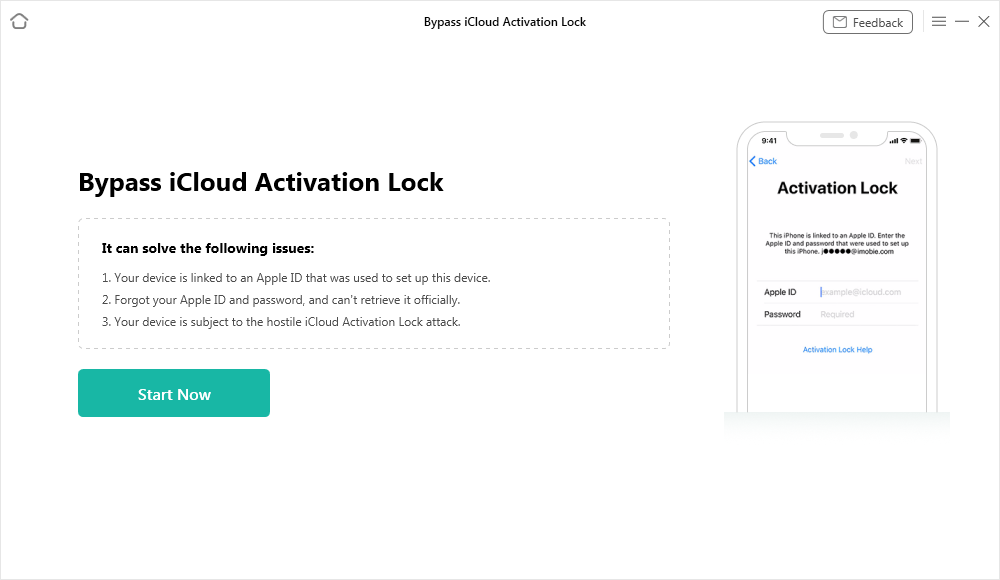
Download and open AnyUnlock – iPhone Password Unlocker, then pick Bypass iCloud Activation Lock.
Step 2. Connect the iPhone to the PC
Use a USB cable to link the locked device, then press Start Now in the app.
Step 3. Jailbreak the Device When Prompted
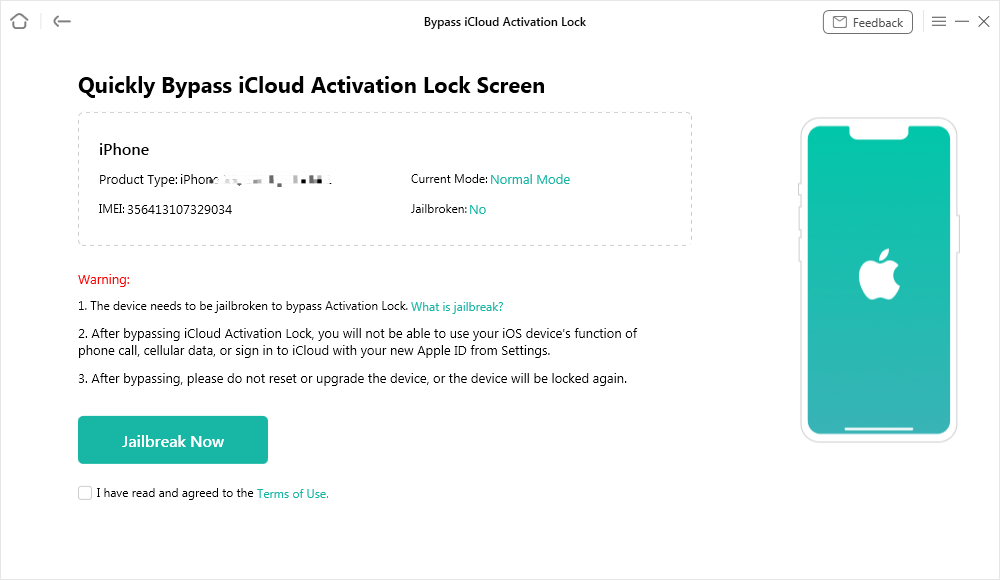
Click Jailbreak Now and accept the terms. Then follow the on-screen prompts to jailbreak the phone. You may need to put the device into DFU or recovery mode as instructed.
Step 4. Begin the Bypass Process
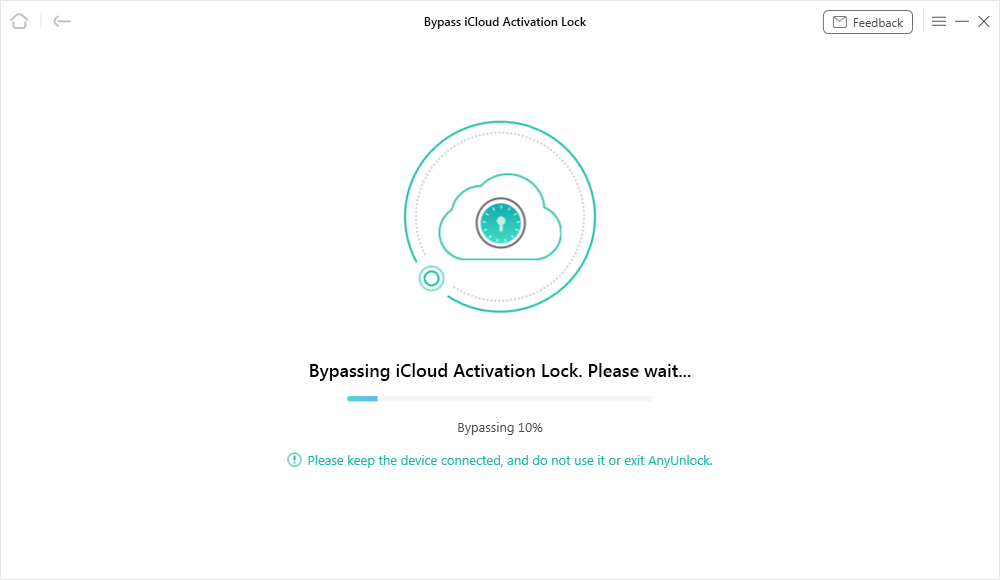
After the jailbreak completes, follow the app’s instructions to enter DFI mode again if needed, then click Bypass Now and keep the device connected while the software runs.
Step 5. Finish and Set Up the Device
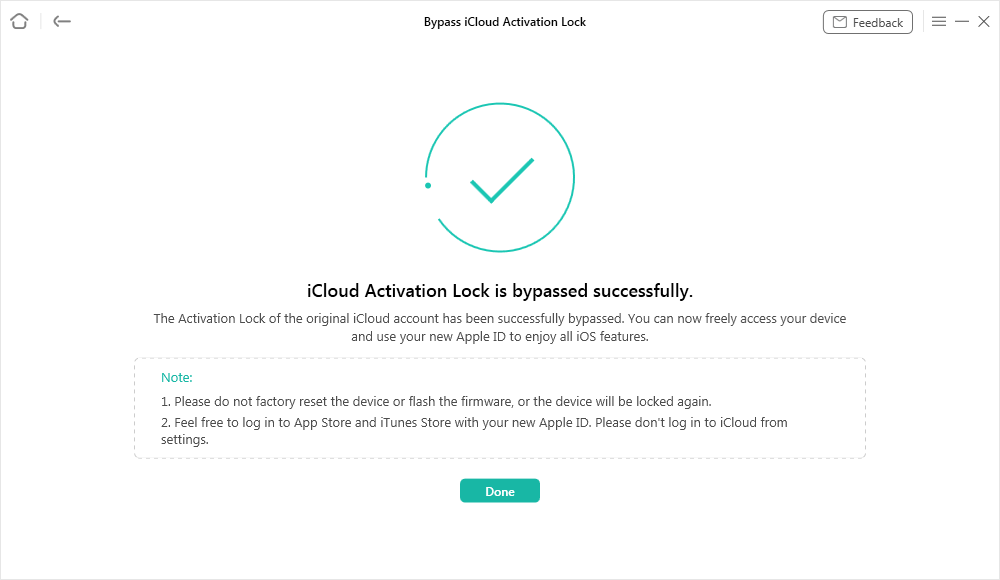
When AnyUnlock finishes bypassing activation lock, your iPhone will restart and you can set it up with a new Apple ID.
Conclusion
Overall, iUnlocker can help you check your iOS device’s IMEI info or remove iCloud locks. However, not everyone can find it promising due to its inefficiencies, like long wait times and strict conditions. That’s why users looking for faster and safer results may prefer better alternatives. Our top-notch recommendation is AnyUnlock, which can handle almost all iOS lock-related issues directly on your computer. You can consider it with utmost trust if you want a reliable and all-in-one unlocking solution.
Free Download * 100% Clean & Safe



Joy Taylor is a seasoned technical writer with over a decade of experience in mobile technology. At iMobie, she specializes in producing in-depth content on iOS data recovery, iPhone unlocking solutions, and iOS troubleshooting.
Product-related questions? Contact Our Support Team to Get Quick Solution >
