You are traveling abroad, you open your laptop to relax with a show you regularly pay for at home, and instead of the video loading, you are hit with an all-too-familiar error: the content is not available in your region.
Like many of us, you might try firing up a standard VPN, only to find that the streaming app still detects your actual location or blocks the proxy outright. Why does simply changing your IP address no longer work? Modern platforms use advanced, multi-layered tracking to enforce regional licensing. If you need a reliable way to access content from another country across your laptop, phone, and television—even from a restrictive hotel Wi-Fi network—this guide provides a tested, realistic solution to restore your access.
Table of ContentsHide
Why Changing Your IP Address Is Not Enough to Avoid Geo Blocking
To successfully unblock region-locked websites, it helps to understand why basic attempts almost always fail. When users try to watch a home broadcast from overseas, they usually assume the streaming app is only looking at their IP address. This is a massive oversight.
The Invisible Layers of IP Geolocation Detection
Modern streaming platforms deploy several background technologies to enforce strict content licensing restrictions. When these companies secure broadcasting rights, they are legally bound to limit access to specific geographic borders.
To enforce this, they monitor several data points simultaneously:
- IP Geolocation Detection: Platforms check your public IP against databases of VPN and proxy servers. If your connection comes from a known data center instead of a residential ISP, access may be blocked.
- Device GPS and Wi-Fi Triangulation: Mobile devices report precise physical coordinates. If your IP shows one location (e.g., New York) but your GPS shows another (e.g., London), the mismatch can trigger detection.
- Browser Location APIs: Browsers can determine your location based on nearby Wi-Fi networks, independent of your IP address. Learn how to disable browser location tracking.
- Account Region History: If your account is typically used in one region (e.g., Europe), sudden activity from a different region (e.g., US) may trigger security or regional restriction systems.
Understanding these mechanisms explains exactly why single-layer bypass methods fail. Aligning your digital identity across all detection points is strictly necessary to circumvent modern geo-blocking.
Geo Block Bypass Methods Compared
When figuring out how to access geo-blocked content, you will encounter a mix of free tools and professional software. Let us compare the most common options based on success rate, technical requirements, and overall safety.
| Bypass Method | Success Rate | Technical Skill | Primary Benefit | Major Drawback |
|---|---|---|---|---|
| Basic Proxies | Low | Low | Free and easy to find | High risk of data monitoring; easily blocked by modern region restrictions |
| Smart DNS | Medium | Moderate | Fast connection speeds for HD streaming | No encryption and cannot hide browser or GPS location data |
| Top-Tier VPNs | High | Low | Encrypts traffic and reliably masks location | Requires a paid subscription for advanced features |
Why Free Proxies and Smart DNS Fall Short
A proxy server acts as a middleman between you and the website. While free, they suffer from abysmal success rates because streaming services easily identify their IP ranges. A Smart DNS changes your routing without encrypting your traffic. This is faster for streaming but does not hide your actual IP address location, limiting its effectiveness against advanced tracking.
The Role of Top-Tier VPNs
To bypass strict regional blocks, you need tools that offer advanced obfuscation techniques. Obfuscation hides the fact that you are using a VPN, making your encrypted traffic look like regular HTTPS web browsing. Providers like NordVPN (using their specialized “Obfuscated Servers”) or ExpressVPN (using their proprietary Lightway protocol) offer features specifically designed to evade deep packet inspection by streaming giants.
How to Access Geo Blocked Content: The Multi-Layer Bypass Procedure
Here is the critical insight: Even if a high-quality VPN successfully changes your IP location, a mismatch between your GPS location, browser permissions, and IP region will trigger an immediate block. Aligning all signals—IP location, device GPS location, and browser geolocation—dramatically improves your success rate.
Step 1: Select and Connect a Quality VPN
Open your VPN application (such as NordVPN, ExpressVPN, or Surfshark) and connect to a server in your desired home country.
If you are using NordVPN, switch your protocol to OpenVPN (TCP) and enable Obfuscated Servers in the settings. If using ExpressVPN, set the protocol to Automatic or Lightway to improve your chances of bypassing VPN detection.
Step 2: Apply Location Spoofing with Fonelora Location Changer
If you are streaming on a smartphone or tablet, the app may check your physical GPS location in addition to your IP address. A VPN only changes your IP region; it does not change your device-level GPS signal. To reduce this mismatch, you need to align your GPS location with the same country or city as your VPN server.
For this step, Fonelora Location Changer is a practical desktop-based option. It allows you to change GPS location on iPhone and Android from a Windows PC or Mac, without jailbreak or root. This is especially useful for iPhone users, since iOS does not allow App Store apps to directly modify GPS location.
- Install Fonelora Location Changer: Download and install Fonelora Location Changer on your Windows PC or Mac.
- Connect Your Device: Use a USB cable to connect your iPhone or Android device to the computer.

- Complete Device Setup: Follow the on-screen guide to complete device connection and required permissions.
- Match Your VPN Region: Open your VPN app and connect to the country or city you want to access. Then, in Fonelora, select Teleport Mode and search for the same or nearby location.
- Apply the Virtual GPS Location: Confirm the location change so your phone reports GPS coordinates that match your VPN region.
- Test the Streaming App: Fully close and reopen the streaming app. If the region error still appears, clear app cache or browser cookies, then test again.

This approach helps align two important signals: your VPN-based IP location and your phone’s GPS location. For best results, keep the VPN server, GPS location, and browser location permissions consistent before opening the streaming service.
Step 3: Synchronize Browser Data (For Desktop Devices)
Web browsers quietly leak your real physical location through the HTML5 Geolocation API, which triangulates nearby Wi-Fi networks.
- Clear Cache and Cookies: Close your streaming tab and completely clear your browser cache and cookies.
- Connect to VPN: Launch your VPN and connect to your desired server location.
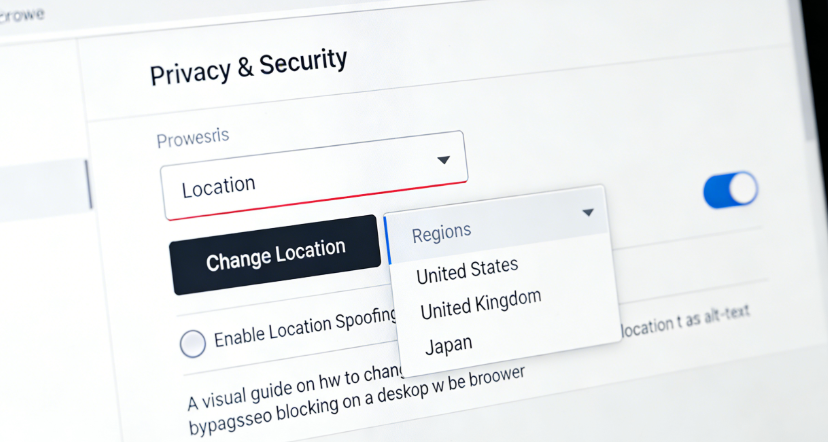
- Open Privacy Settings: Go to your browser settings (e.g., Chrome: Settings > Privacy and security > Site Settings > Location).
- Disable Location Access: Turn off location access entirely or deny permission specifically for the streaming website.
Realistic Travel Solutions: Unblocking Smart TVs on the Road
A common frustration for travelers is trying to watch a show on a Fire TV Stick, Roku, or hotel Smart TV. Unlike desktop browsers, streaming sticks don’t natively support complex VPN apps or browser tweaks. Furthermore, you cannot simply “install a VPN on your home router” when you are staying in a European hotel.
Here are two realistic, field-tested methods for travelers:
Method 1: The Windows Mobile Hotspot Workaround
If you travel with a Windows laptop, you can easily share your laptop’s VPN connection to your streaming stick.
- Connect to Hotel Wi-Fi: Connect your Windows laptop to the hotel’s Wi-Fi network.
- Enable VPN: Turn on your VPN (e.g., NordVPN or ExpressVPN) on the laptop.
- Open Hotspot Settings: Go to Settings > Network & Internet > Mobile Hotspot.
- Configure Hotspot: Enable the Mobile Hotspot and select your VPN’s virtual adapter under “Share my Internet connection from”.
- Connect Streaming Device: Connect your Fire Stick or Roku to the new hotspot. Your device will now route traffic through the VPN.
Method 2: Use a Dedicated Travel Router
For frequent travelers, purchasing a portable travel router (like the GL.iNet Beryl or Slate) is the ultimate solution.
- Set Up the Travel Router: Plug the travel router into the hotel’s Ethernet port or connect it wirelessly to the hotel Wi-Fi.
- Configure VPN: Access the router’s admin panel and upload an OpenVPN or WireGuard configuration file from your VPN provider.
- Connect Your Devices: Connect your phone, laptop, and streaming device to the router’s Wi-Fi network.
- Automatic Protection: All connected devices will route through the VPN automatically, with no additional setup required.
Troubleshooting Common Geo-Block Failures
Even with a multi-layer setup, streaming platforms continuously update their detection algorithms. If you run into a wall, here is how to troubleshoot the most common failures.
- What to do if Netflix or Prime Video is stuck on a loading screen?
- If the app opens but the video infinitely buffers, the platform likely detects a routing anomaly. First, try switching to a different obfuscated server in the same country. If that fails, disable IPv6 on your device’s network settings. Many VPNs only route IPv4 traffic; if your device leaks an IPv6 request, the streaming platform will intercept it and stall the connection.
- What if the streaming app immediately crashes or forces me to log out?
- This is often caused by an account region mismatch. If your account is hard-coded to a European billing address, sudden US activity can trigger a security freeze. Try accessing the service through an “Incognito” or “Private” desktop browser window rather than the dedicated mobile/TV app. Browsers enforce fewer hard-coded regional checks than dedicated applications.
Conclusion
Facing a geo-block when you are traveling is incredibly frustrating. When an app tells you the content is not available in your region, it is easy to feel locked out of the subscriptions you rightfully pay for. But the real issue is often not just your IP address. Modern platforms may compare your VPN IP, device GPS, browser location data, Wi-Fi signals, and account region history before allowing access.
That is why a multi-layer setup works better than a basic proxy or single VPN connection. Start with a high-quality VPN to change your IP region, then lock down browser location permissions and clear cached location data. If you are using a mobile streaming app that checks physical GPS, make sure your device-level GPS location matches the same region as your VPN server.
For that GPS layer, Fonelora Location Changer is a practical option. It lets you change GPS location on iPhone or Android from a Windows PC or Mac, without jailbreak or root, making it useful when a VPN alone cannot solve the geo-block because your phone still reports your real physical location.
Use a VPN to manage your IP location, use browser privacy settings to prevent location leaks, and use Fonelora Location Changer when GPS-level location alignment is required. With these layers working together, you can reduce region mismatch errors and restore a smoother streaming experience while traveling.


Hot Topics
