Why Are My TikTok Shop Promo Codes Always Rejected?
Quick Answer: Even if you find a perfectly valid TikTok Shop promo code, it will fail at checkout if your device’s physical GPS location does not match the promo code’s required region.
Hunting for TikTok Shop discounts can feel like a frustrating guessing game. You spend time digging through forums and coupon sites, only to be hit with a “not eligible” or “not available in your region” error at the final checkout step. While expired or fake codes are definitely part of the problem, region locks are the hidden, technical reason why legitimate deals are constantly rejected. To successfully apply those discounts, you need to understand not just where to find real codes, but how to fix the location mismatch that is blocking your checkout.
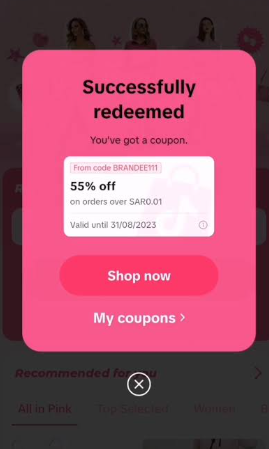
Where to Find Working TikTok Shop Coupon Codes
Before troubleshooting why codes are rejected, you need to make sure you are sourcing real, unexpired discount codes. Because TikTok frequently updates its marketing campaigns, relying on random coupon generator sites often leads to disappointment.
Here are the most reliable sources for working TikTok Shop promo codes:
- In-App Creator Campaigns: TikTok frequently sponsors creators to share unique, time-sensitive promo codes during live streams or product showcase videos.
- Reddit Deal-Hunting Threads: Communities dedicated to online shopping often share active codes and flash sale alerts. These are generally user-verified, saving you time.
- New User Discounts: TikTok heavily incentivizes first-time buyers. “New user” promo codes are the most reliable and offer the steepest discounts, though they are strictly tied to specific regional campaigns.
- Reputable Coupon Aggregators: Stick to major, well-moderated deal sites that allow users to vote on whether a code actually worked today.
Always check the terms and conditions before trying to apply a code. Most deals require a minimum spend and are strictly restricted to a specific country’s TikTok Shop.
The ‘Not Available in Your Region’ Error Explained
Coupon sites give you the codes, but they never explain the technical reason why those codes fail when you actually try to use them. How does TikTok know you aren’t in the country the promo code is for?
The answer lies in TikTok’s strict geolocation security. The app does not just look at your account settings; it relies on a multi-layered location check to enforce regional shopping restrictions:
- Your IP Address: The internet address provided by your Wi-Fi or cellular network, which broadcasts your general geographical area.
- Your SIM Card Region: The country code tied to your physical mobile carrier.
- Your Device GPS (Location Services): The precise physical coordinates reported by your smartphone’s internal GPS chip.
If any of these layers clash, the app flags your account. While the SIM card layer is relatively easy to handle—usually by temporarily removing your physical SIM card or using a secondary Wi-Fi-only device—the network and GPS layers require specific tools. For example, if you are attempting an iPhone and Android location change to shop internationally with a US-only promo code, but your network says US and your device’s GPS still reports UK coordinates, the code is immediately marked as “not eligible” or “not available in your region.”
Why a VPN Alone Won’t Fix TikTok Shop Region Locks
When faced with a region lock, the most common tech advice is to “just use a VPN.” However, deal hunters quickly find out that turning on a VPN is often not enough to make a foreign promo code work on TikTok Shop.
Why does a VPN fail? Because it only solves half of the problem. A VPN successfully changes your IP address, but TikTok Shop also reads your device’s precise GPS data. If your VPN says you are in New York, but your phone’s GPS says you are in London, TikTok detects the mismatch and blocks the transaction.
| Feature Comparison | VPN (IP Layer) | Device GPS (Physical Layer) |
|---|---|---|
| What it hides | Your internet routing address | Your exact physical coordinates |
| How TikTok uses it | Checks general regional availability | Verifies precise location for Shop eligibility |
| Can it bypass Shop region locks alone? | No, GPS mismatch will trigger an error | No, IP mismatch will trigger an error |
| The Solution | Changes IP to target country | Requires a Location Changer to match IP |
To successfully apply a region-locked promo code, you need a complete solution: handling the SIM, using a VPN for the IP address, and utilizing a GPS location changer to align your device’s physical coordinates.
Bridging the Gap: Handling the GPS Layer with Fonelora Location Changer
If a VPN handles your IP address, how do you safely handle the GPS layer without resorting to risky fake GPS apps or jailbreaking your phone? This is where Fonelora Location Changer becomes a practical part of your deal-hunting workflow.
Fonelora Location Changer provides a guided desktop workflow for supported devices, acting as a reliable iOS virtual location tool and offering safe GPS spoofing on Android. By aligning your physical GPS data with your VPN’s IP address, you can bypass the GPS layer of the region lock and browse TikTok Shop deals as if you were actually in that country.
It is important to manage expectations: while Fonelora handles the GPS location check, it does not bypass TikTok’s payment fraud checks, nor does it guarantee unlimited free items. However, under supported conditions, pairing Fonelora Location Changer with your VPN aligns the layers needed to resolve the “not available in your region” error so you can finally apply valid regional codes.
Fonelora Location Changer
Realistic GPS movement simulation, flexible route control, easy no-modification setup, and support for gaming, social, privacy, and location-based testing in one platform.
Step-by-Step: Changing Your GPS to Claim Regional Deals
Setting up your device to match your target region’s TikTok Shop is straightforward. For static shop browsing and applying promo codes, Fonelora’s Teleport Mode is the best tool for the job.
Here is how to change your GPS location using Fonelora Location Changer:
1. Connect to your desktop: Download and open Fonelora Location Changer on your Windows or Mac computer, then connect your supported iOS or Android device via USB or Wi-Fi.
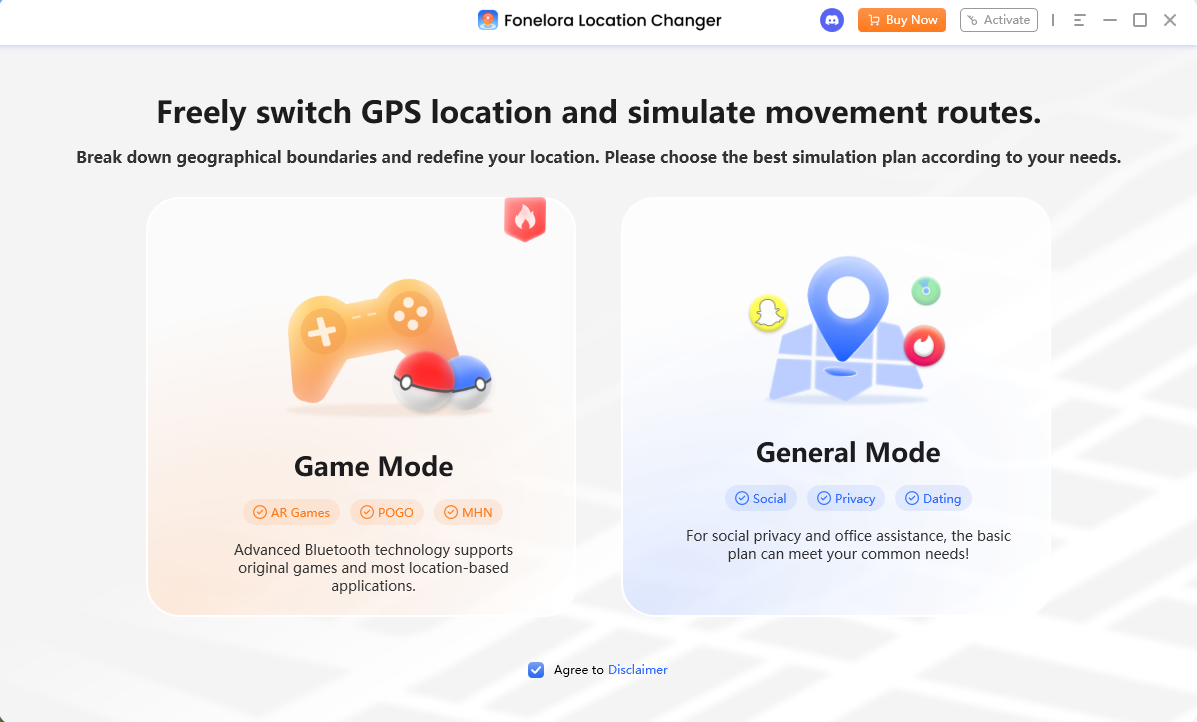
2. Select Teleport Mode: On the main interface, choose Teleport Mode (usually the first icon in the top right corner).
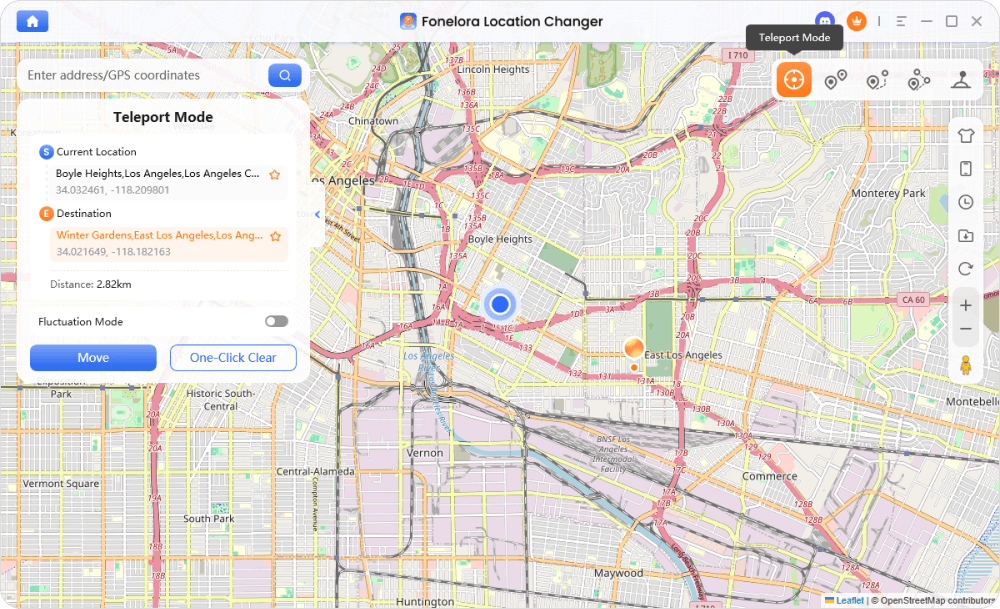
3. Match your VPN region: In the search bar, type the exact city or region that matches both the active VPN connection on your phone and the requirements of your promo code.
4. Confirm the location: Click “Move” or “Teleport” to instantly change your device’s GPS coordinates.
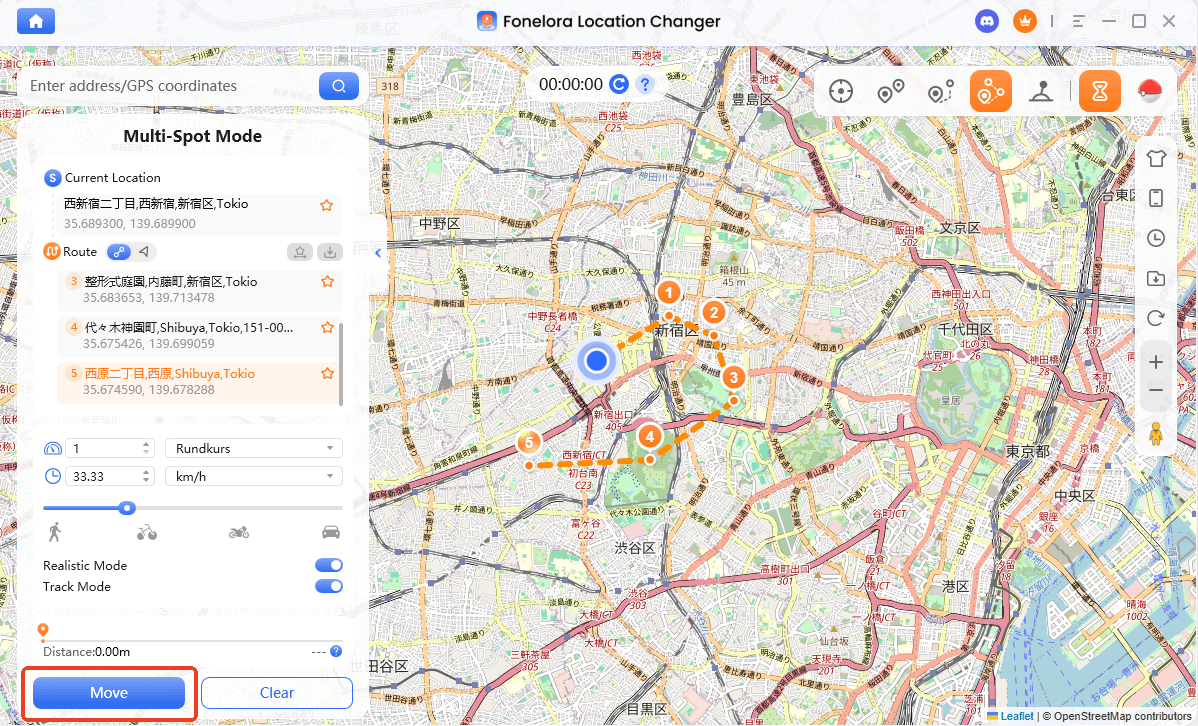
5. erify on your device: Open a standard map app on your phone to confirm your blue GPS dot is now in the target city before proceeding to TikTok.
The Pre-Checkout Checklist: Applying Your Promo Code
Now that you have the tools to control your IP and GPS data, timing is everything. If you open TikTok before your location layers are fully aligned, the app will cache your real location and block the code anyway.
Follow this exact sequence before attempting to apply your TikTok Shop promo code:
- Force close the TikTok app: Ensure it is not running in the background on your device.
- Remove your SIM card (if applicable): Because TikTok checks your SIM region, temporarily remove your physical SIM card or use a Wi-Fi-only device. This forces the app to rely purely on your matched network and GPS data.
- Turn on your VPN: Set your VPN to the target country required by the promo code.
- Change your GPS: Use Fonelora Location Changer to set your physical coordinates to the exact same country and city as your VPN.
- Open TikTok: Navigate to the TikTok Shop tab and add your items to the cart.
- Apply the promo code: Enter the code at checkout. Because your IP, SIM state, and GPS now match the target region, the “not eligible” error should be bypassed.
Even with matched location data, you may still need a valid payment method (like a regional credit card or PayPal account) accepted in that specific target region to finalize the purchase.
Frequently Asked Questions
Q1: Why is TikTok Shop not available in my region?
TikTok utilizes strict geofencing based on your IP address, SIM card, and device GPS to restrict access to regional storefronts. If your location data does not match an active TikTok Shop market, the tab will simply not appear.
Q2: Does TikTok check GPS for promo codes?
Yes. TikTok reads precise Location Services data during the checkout process to ensure deals are only claimed by users actually located in the campaign’s target region. This is exactly why using a VPN by itself usually fails.
Q3: Do I need both a VPN and a GPS spoofer for TikTok Shop?
Yes. To successfully bypass a region lock, you must align both your network location (handled by a VPN) and your device’s physical coordinates (handled by a GPS location changer like Fonelora), while also managing the SIM card tracking layer.
Final Thoughts: Getting Your TikTok Shop Deals to Work
Finding a working TikTok Shop promo code is only half the battle; bypassing the strict regional restrictions blocking your checkout is the rest. If you are tired of watching valid discounts go to waste because of a “not available in your region” error, remember that a VPN is only a partial fix.
By matching your IP address with your device’s actual physical coordinates and handling the SIM layer, you can effectively clear the “not eligible” hurdle. For a reliable, desktop-guided way to handle the GPS side of the equation safely on iOS and Android devices, pairing Fonelora Location Changer with your preferred VPN is the most practical solution. Take control of your location layers, check your device compatibility, and start claiming the deals you actually found.
More Related Articles

Fonelora Location Changer
- Bluetooth Hardware Simulation for Safer GPS Spoofing
- Realistic Movement & Route Simulation
- No Root or Jailbreak Required
- All-in-One Solution for Games, Social Apps & Privacy



