Searching for a reliable scanner to locate rare catches is often a deeply frustrating experience. Take it from Evan, a dedicated rare spawn hunter in our local community. He recently spent days looking for a tool that would display activity around his city in real time. Instead of a working live map, he uncovered dead websites, confusing Reddit threads, and outdated articles. I felt that exact same pain recently when I missed a Shiny Sylveon entirely because a local group’s automated bot lagged by two minutes.
The reality is that classic automated trackers no longer function the way players expect. Today, old recommendations simply do not work, and downloading sketchy third-party apps puts your account at massive risk. The modern, practical solution requires redefining your approach: instead of one single magical website, the most effective method is using a dedicated stack of community-safe tools. By combining Campfire for raids, community maps for local data, and event calendars for timing, you can safely track targets without risking your account.
Table of ContentsHide
The Reality of Tracking Maps: Community Networks vs. Automated Tools
When reviewing your options for locating targets, you must understand the stark difference between legacy automated tools and modern community networks. Most users searching for a scanner want immediate, real-time awareness. To achieve this today securely, you need to rely on approved software and manual player reporting.
To clarify what works in 2025, here is a breakdown of the modern tracking ecosystem:
| Tool Category | Best Used For | Top Recommended Tools | Safety & Accuracy Level |
|---|---|---|---|
| Raid Trackers | Coordinating gym battles and finding active raid eggs. | Campfire, Pokebattler, Raid Party | 100% Safe (Uses official data or remote invites) |
| Community Maps | Finding rare wild spawns and local coordinate callouts. | Discord (PokeNav, Meowth bots) | Highly accurate, depends on active local players |
| Event Calendars | Tracking shiny rates, event bonuses, and spawn pools. | LeekDuck, Pokemon GO Hub, Serebii | 100% Safe (Browser-based manual scheduling) |
| Gym & Stop Maps | Planning walking routes for Community Days. | Campfire Map, Ingress Intel Map | 100% Safe (Official Niantic portals) |
Let us examine these distinct categories across a few core metrics:
- Success Rate: Automated third-party bots constantly break due to server security updates. The modern stack relies on manual player input and official interfaces, which remain consistently functional.
- Time Cost: Searching for working automated sites wastes hours of gameplay. Setting up notifications for a local Discord server and the official Campfire application takes only a few minutes.
- Technical Skill: Old tools often required complex configurations or rooting your device. The community-based method requires only basic navigation of standard social platforms.
- Safety Risk: Automated bots directly violate the terms of service, leading to permanent account bans. Community networks use officially sanctioned data, eliminating ban risks entirely.
Using any third-party application that requires your actual game login credentials directly violates the Terms of Service. This will permanently ban your account. Stick to official apps like Campfire or community-reported data to keep your account completely safe.
The Modern Tracking Stack: Combining Campfire, Discord, and Calendars
In Evan’s situation, the breakthrough moment was learning to combine three specific utilities into one unified procedure. He recognized that relying on a single automated website was an obsolete strategy. Instead, he adopted a technique that merged official software with local network data.
First, he installed the official Campfire application for continuous raid coordination. Campfire directly displays active and upcoming boss battles on a global map overlay. What many players miss is that Campfire has a built-in map specifically designed to help you find local community groups. By filtering Campfire raids, you gain immediate, officially sanctioned visibility into nearby gyms, and you can light digital flares to signal other players during Raid Hours.

Second, Evan joined his local city Discord server to access precise community map data. Many local player groups run dedicated channels specifically for live spawn reports using bots like PokeNav or Meowth. When a player finds a rare creature, they use the bot to post the exact coordinates and the despawn timer. This cooperative system acts as a highly accurate local locator.
Third, he integrated reliable event trackers like LeekDuck or Pokémon Go Hub to anticipate exactly when rare targets would appear in his region.
Here is the exact step-by-step method to replicate this tracking procedure:
1. Download Official Software:
Install the Campfire app and link it directly to your primary game account. Use the Campfire map to search for established local player hubs in your city.
2. Locate Local Networks:
Join your local Discord or Telegram group directly through those Campfire community links.
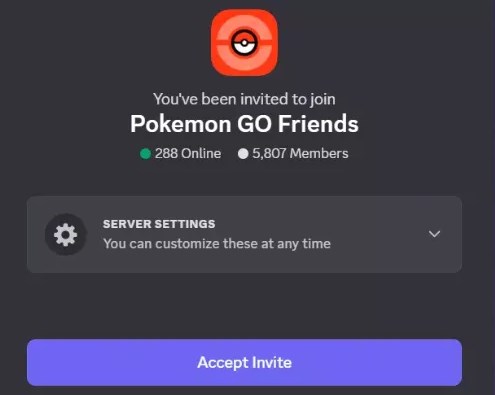
3. Configure Bot Alerts:
Inside your local Discord, set up notifications for bots like PokeNav. Filter your alerts for specific high-IV targets or rare species so you receive push notifications exactly when they spawn nearby.
4. Bookmark Event Calendars:
Keep LeekDuck or Serebii open in your mobile browser to track weekly spotlight hours, raid rotations, and specific event spawn pools.
This combined technique gives you high-level awareness and functions flawlessly as a modern system.
Optimizing Your Strategy During Special Events
Special events require a completely different timing strategy compared to casual daily play. If you want to use your tracking stack effectively during limited-time windows like a monthly Community Day or a global GO Fest, you must plan ahead.
Relying solely on your in-game nearby radar during a strict three-hour window is highly inefficient. You need advanced notice to optimize your physical movement and capture rates.
Here is a strategic procedure for managing limited-time event windows:
- Pre-Event Planning: Check LeekDuck the night before. Confirm the exact event hours, active bonuses, and specific featured targets. Identify a local park with the highest concentration of stops to maximize lure efficiency.
- The First Hour: Monitor your local community Discord for active spawn reporting. Dedicated players will quickly identify the neighborhoods with the highest density of the featured target.
- Targeted Raid Coordination: During dedicated Wednesday Raid Hours, shift your focus entirely to the Campfire app. Filter the map for five-star or Mega Raids, and light flares to gather local players at specific gyms immediately.
Tracking Solutions for Rural and Suburban Players
Community coverage frequently varies outside major metropolitan areas. If you live in a rural or suburban zone, you likely lack dense local Discord data. Advising you to simply “make a group chat” ignores the reality of playing in an area with sparse spawns and few active gyms.
If you are a rural player, your best approach is to utilize global networks and precise item management:
- Remote Raiding Networks: Instead of relying on a local map, join massive remote raiding Discord servers like Pokebattler or Raid Party. You can host a raid at your single local gym and instantly invite five global players to help you take down a high-tier boss.
- Maximize Incense and Lures: Because you cannot rely on dense wild spawns, your timing must be flawless. Consult the Pokémon Go Hub to see exactly which events boost Incense effectiveness, and plan your limited playtime around those specific hours.
- Global Campfire Features: Zoom out on the Campfire map to locate the nearest active hub, or use it to see which distant towns have active raid eggs before deciding to drive into town.
If you do happen to find a few dedicated local players over time, establishing a small dedicated server can help share manual callouts, but your primary focus should always be on maximizing global remote tools.
The Evolution of Scanners: Why Legacy Sites Fail
To fully grasp the current landscape, it helps to examine how developer security updates effectively disabled classic automated sites. When the game first launched, third-party developers could easily query the official game servers to display global spawn locations. This early access created the original expectation of a tracker: a website showing every creature on a real-time, interactive map.
Over the years, the game’s developer implemented strict encryption and continuous server-side security updates. These technical barriers blocked unauthorized server requests completely. Consequently, almost every automated global map permanently broke.
Today, finding an operational automated map is highly unlikely. The very few that still exist are strictly limited to a handful of major cities where operators spend significant financial resources running fleets of physical mobile devices to scan small areas. For the vast majority of the player base, chasing these legacy websites is entirely obsolete and frequently results in downloading malware or getting an account strike.
In 2025, a functional system relies exclusively on official integration and active community participation. Transitioning to the modern community stack is the only viable method for secure and accurate gameplay.
Bonus Tip: Make the Most of Spawn Alerts
Community trackers and event calendars are most effective when you can respond quickly to the information they provide. If a rare Pokémon is reported in another part of town or a limited-time event is active in a different area, Fonelora Location Changer can help you explore those locations more efficiently through GPS location changes and route simulation features.
Used alongside Campfire, Discord notifications, and event-tracking websites, it can become a useful addition to your overall Pokémon GO strategy, helping you spend less time traveling and more time catching Pokémon.

Frequently Asked Questions
- Is there still a working scanner?
- Yes, but not in the traditional sense. Automated global maps are mostly defunct due to server encryption. The working solution today involves using a stack of specific community-based tools, including Campfire for raids and Discord bots like PokeNav for spawn reporting.
- What is the best app or website to use?
- The official Campfire application is the absolute best tool for locating active gym battles. For wild encounters, joining a local community Discord server for live spawn updates remains the most effective method available. For event tracking, LeekDuck is the community standard.
- Are Pokémon Go PokéStop maps accurate?
- Their accuracy varies heavily based on location and the tool used. Automated city scanners provide near-perfect accuracy. Global tools relying on user submissions tend to have extremely accurate data in highly populated urban areas, but rural areas might suffer from outdated information due to inactive local players.
- Are these tools accurate in real time?
- Modern local trackers rely heavily on manual player reports. Therefore, the accuracy depends entirely on how quickly a community member posts the location and the accompanying despawn timer into your local Discord.
- What is the difference between a scanner, a map, and a tracker?
- Historically, a scanner automated unauthorized server requests to find wild spawns. A map displayed scraped data visually. Today, the term tracker usually refers to modern, safe tools like community-driven reporting systems, event calendars, or official integrations like Campfire.
Secure Your Tracking Strategy Today
Securing a reliable tracking system eliminates the frustration of relying on outdated scanners and unreliable third-party tools. By combining the Campfire app for raid coordination, local Discord communities for live spawn reports, and trusted event calendars such as LeekDuck, you can build a modern tracking setup that provides accurate information without compromising account safety.
To further enhance your gameplay efficiency, some trainers also use tools such as Fonelora Location Changer to manage GPS-based exploration more flexibly. When paired with community alerts and event planning resources, route simulation and location management features can help players make better use of limited playtime and respond more quickly to rare spawn reports or time-sensitive events.
With the right combination of tracking resources and planning tools, you can stay informed about important spawns, raids, and event bonuses while avoiding the risks associated with outdated tracking methods. Set up your community alerts, follow event schedules, and refine your strategy so you’re always ready when the next rare Pokémon appears. As new game updates continue to expand social and community features, staying connected to reliable networks will remain one of the most effective ways to maximize your Pokémon GO experience.


Hot Topics
