Act Unlock Tool V6.0 Free Download, Use & Best Alternative
One popular program for unlocking Android smartphones is the Act Unlock Tool, which lets users bypass various locks and limitations. This article thoroughly explains the tool’s functionality and step-by-step directions for downloading and efficiently utilizing it. Additionally, you’ll learn about a reliable alternative – DroidKit to unlock your Android device in easier ways.
If you’ve been searching for ACT Unlock Tool download, chances are your Android phone is locked by FRP (Factory Reset Protection) or a forgotten password. Many users look for act unlock tool 6.0 download or even the tool’s password to make it work. But is ACT Unlock Tool really the best solution? Let’s go through everything you need to know — from features and pros & cons, to download links, usage steps, and safer alternatives.
What is the Act Unlock Tool?
Act Unlock Tool was created to assist users in swiftly unlocking Android without password. It will help those who may have forgotten their screen locks or bought a used phone that is still locked. FRP Bypass is another feature offered in this program that assists users in avoiding Google account verification when resetting devices. The tool is also user-friendly and requires no technical skills. It accelerates the unlocking process and has a high success rate while dealing with all lock problems.
In addition to unlocking capabilities, the tool also supports operations like bootloader unlocking, bypassing security features (SLA/DAA), and even data recovery in certain cases. It’s updated regularly, with recent versions, like V5.5, supporting an extensive range of models from Xiaomi, Huawei, and other major manufacturers.
What Does the Act Unlock Tool Do?
The Act Unlock Tool is designed to help users easily unlock their Android devices. Here are its best functions:
1. FRP Bypass: After a reset, users can deactivate Google account verification with theFactory Reset Protection(FRP) Bypass. This feature is quite helpful if you purchase a used phone and are unable to access the Google account page. It’s highly effective for MTK and Qualcomm-based devices and has a high success rate.
2. Screen Unlock: The Screen Unlock feature allows users to bypass various screen locks, such as PINs, patterns, and fingerprints. This program can assist you in regaining access to your phone without erasing any data if you forget your lock or cannot access it.
3. Data Recovery: Accidentally deleted files during unlocking? The tool scans your device for recoverable data, ensuring you don’t lose important photos, contacts, or documents permanently.
4. Removal of Third-Party Lock Screens: This function allows users to remove third-party lock screens that may prevent device access. If a previous owner used a custom lock app, the Act Unlock Tool can eliminate it, restoring your ability to access your phone as intended. This makes it easy to regain control over your device.
5. Unlock Multiple Android Models: The Act Unlock Tool is flexible for any user as it supports many Android devices. Regardless of the brand—Samsung, LG, Oppo, Xiaomi, Pixel, and many more—the tool can assist you in unlocking your cellphone. This function guarantees a dependable unlocking solution for any smartphone.
Pros and Cons of ACT Unlock Tool
| Pros | Cons |
| Free to download and use. | Often requires an ACT Unlock Tool password just to open. |
| Can unlock certain FRP-locked or password-locked devices. | Compatibility is poor with new Android versions (Android 11, 12, 13+). |
| Lightweight software. | not beginner-friendly. |
| Download links are usually from third-party sites (security risks). | |
| Limited updates and technical support. |
Weigh these pros and cons based on your device model. For broader compatibility, consider alternatives like DroidKit.
How to Download & Use Act Unlock Tool
1. ACT Unlock Tool Download [Latest Version]
If you’re specifically looking for Act Unlock Tool download or the 6.0 version, you can find it on some third-party forums and websites. However, be aware:
- Files may require extraction with a password.
- Some downloads contain malware or don’t work.
- Official updates are no longer released.
Step 1. Visit a trusted source, such as the official developer forum or reputable tech sites (avoid shady links to prevent malware).
Step 2. Search for “Act Unlock Tool download” and select the latest version (V6.0 as of 2026).
Step 3. Download the ZIP file. If prompted for a password during extraction, use the Act Unlock Tool password – it’s often “actunlock” or provided in the download description.
Step 4. Extract the files to a folder on your Windows PC.
⚠️ Warning: Downloading from unverified sources carries security risks. If you want a safer option, consider a professional FRP bypass tool (see below).
2. How to Use ACT Unlock Tool
Here’s a general guide to using ACT Unlock Tool once you’ve downloaded it:
Now, let’s explore the simple steps to download and use the Act Unlock Tool:
Step 1. Download the latest version of the Act Unlock Tool from the official website.
Step 2. Install the tool and run it as an administrator.
Step 3. Open the Act Unlock Tool to see the main menu.
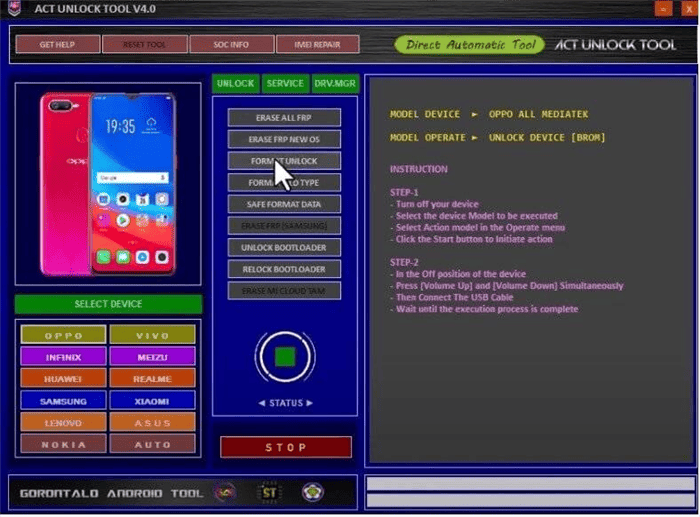
Act Unlock Tool Menu
Step 4. Connect your mobile phone to your computer using a USB cable.
Step 5. Select your phone model from the list or click “Automatic Detection” to let the tool identify it.
Step 6. Choose the action you want to perform, like “Unlock Bootloader,” “Bypass FRP,” or “Reset Lock.”
Step 7. Wait for the process to finish. Disconnect your phone from the PC and start using it again.
For FRP bypass specifically, ensure your device is in the correct mode (e.g., recovery) as instructed. If errors occur, try the Act Unlock Tool for bug fixes.
Better Way to Bypass FRP/Unlock Android Without Passwords
While Act Unlock Tool works with MTK and Qualcomm devices, its compatibility doesn’t extend to all chipsets or newer security patches, potentially leaving some users without a solution for their devices. That’s where DroidKit comes in! With several tools intended to unlock Android smartphones effectively, DroidKit is an effective alternative to the Act Unlock Tool. PINs, patterns, and fingerprints are among the many screen locks that users may get around with the Screen Unlock feature. Furthermore, following a reset, users can eliminate Google account verification with the FRP Bypass feature, facilitating access to used devices.
Why Choose DroidKit Over ACT Unlock Tool?:
- Works with both Android phones and tablets, making it versatile for various devices.
- No technical skills are needed, making it easy for anyone to use the tool.
- It provides a fast unlocking process, and tasks are often completed in just a few minutes.
- It previews recoverable data before unlocking it so users know what to expect.
- Regular updates ensure compatibility with the latest Android versions and device models.
DroidKit unlocks over 20,000 Android phone and tablet models, ensuring compatibility for nearly all clients. Even those without much technical experience can use the tool because of its intuitive design. DroidKit combines convenience and efficacy, making it a reliable choice for unlocking Android phones.
How to Use DroidKit for FRP Bypass:
Step 1: Download and Install DroidKit
Download DroidKit for Windows/Mac. Install Samsung USB drivers and prepare a reliable USB cable.
Free Download * 100% Clean & Safe
Step 2: Select FRP Bypass
Launch DroidKit, choose “FRP Bypass.” Then connect your phone via USB.
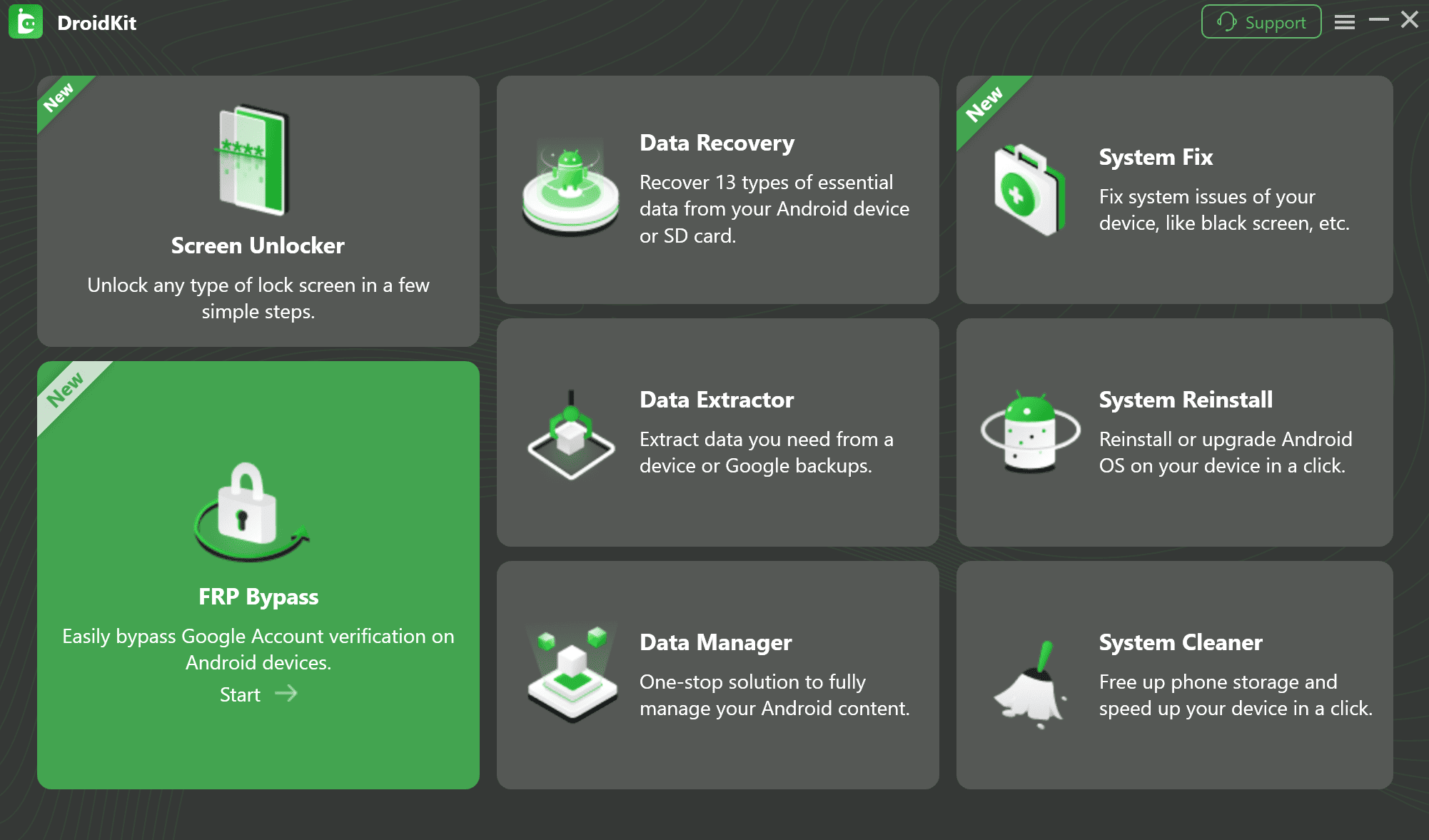
Select the FRP Bypass Feature
Step 3: Configure the Device
Now you just need to choose your device’s brand. The configuration file will be prepared for your device. Later, tap on Start to bypass FRP on your device.
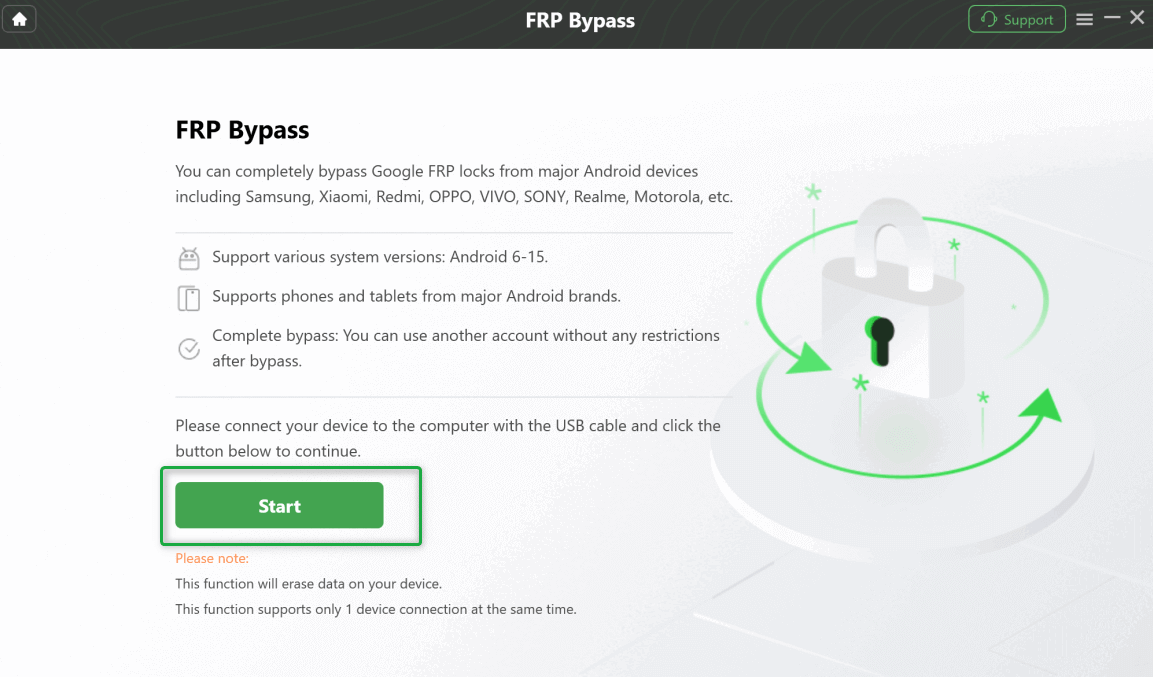
Connect Your Device and Start the Process
Step 4: Follow the Guided Steps to Remove Google Account
Follow the on-screen instructions. DroidKit will automatically prepare the necessary firmware and guide you through a simple process to remove the FRP lock.
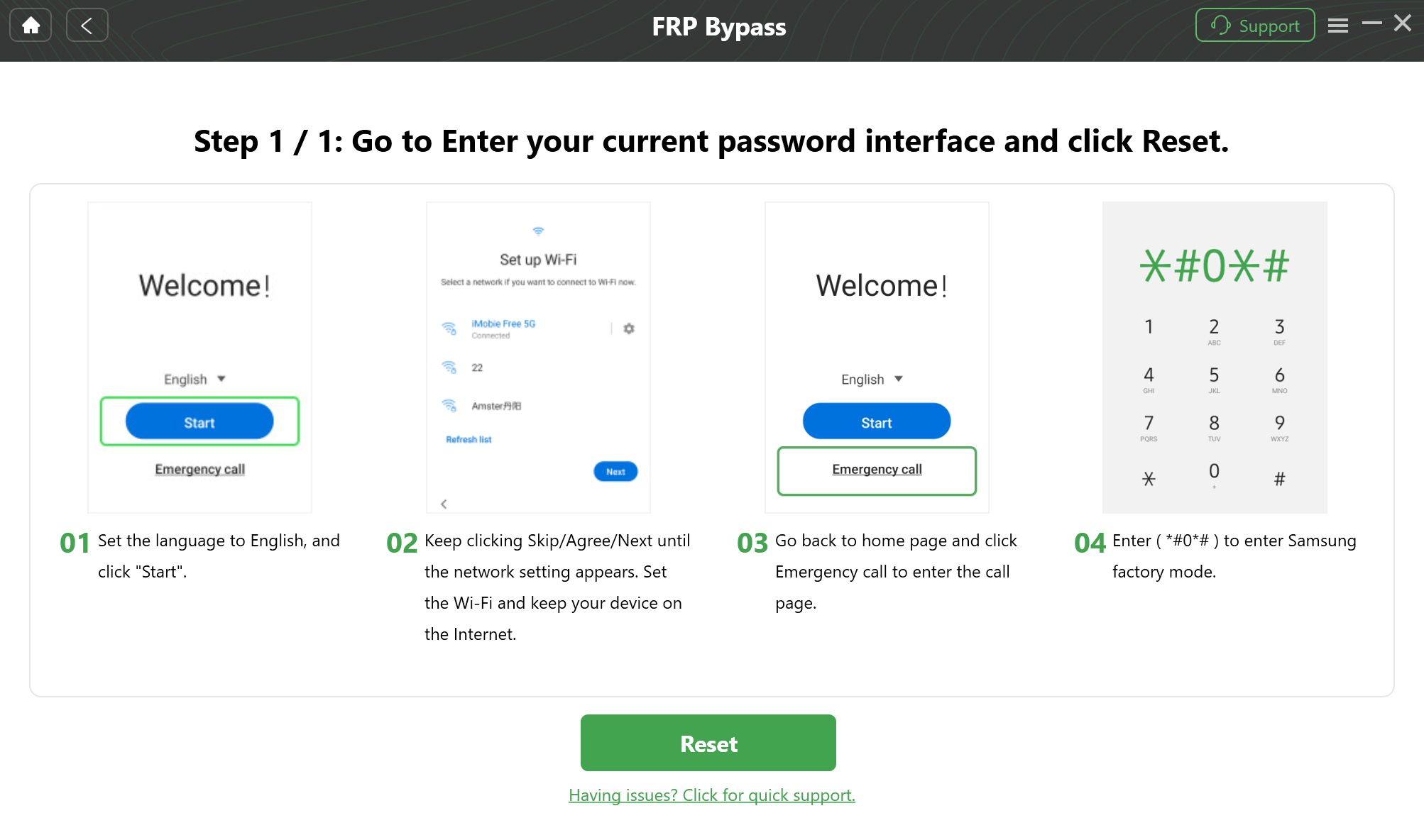
Follow On-Screen Prompts
Step 5: Execute Bypass
After completing the preceding steps, it will begin to circumvent the FRP lock. Finally, the Bypass will be completed, and your device will be restarted.
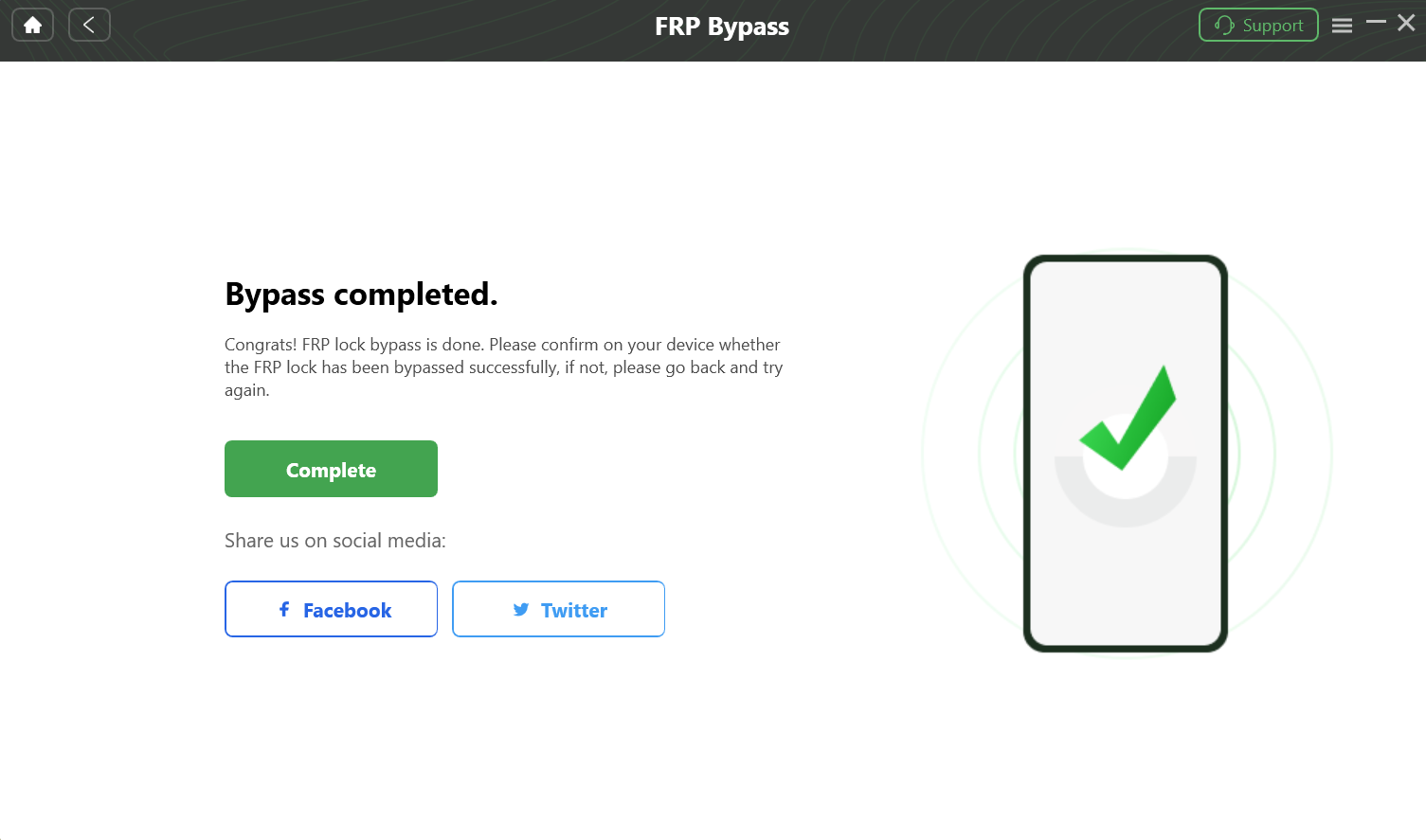
Bypass FRP Lock
How to Use DroidKit to Remove Screen Locks
Step 1. Open DroidKit and select “Screen Unlocker” from the main menu. Connect your Android device to the computer using a USB cable.
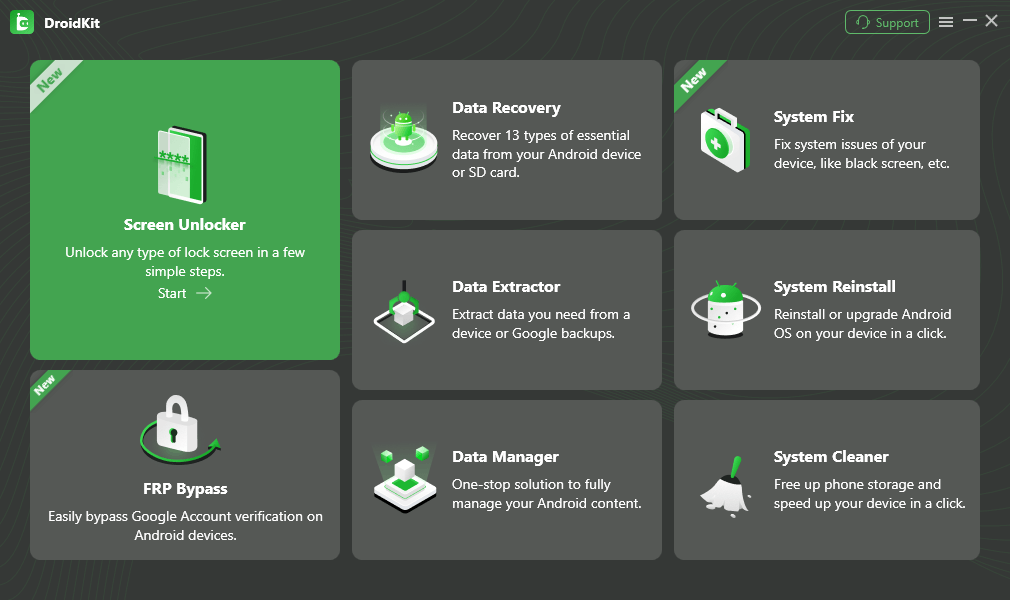
Choose Screen Unlocker
Step 2. Click “Start” to begin the unlocking process.
Step 3. DroidKit will set up a configuration file. Wait a moment for this to be completed.
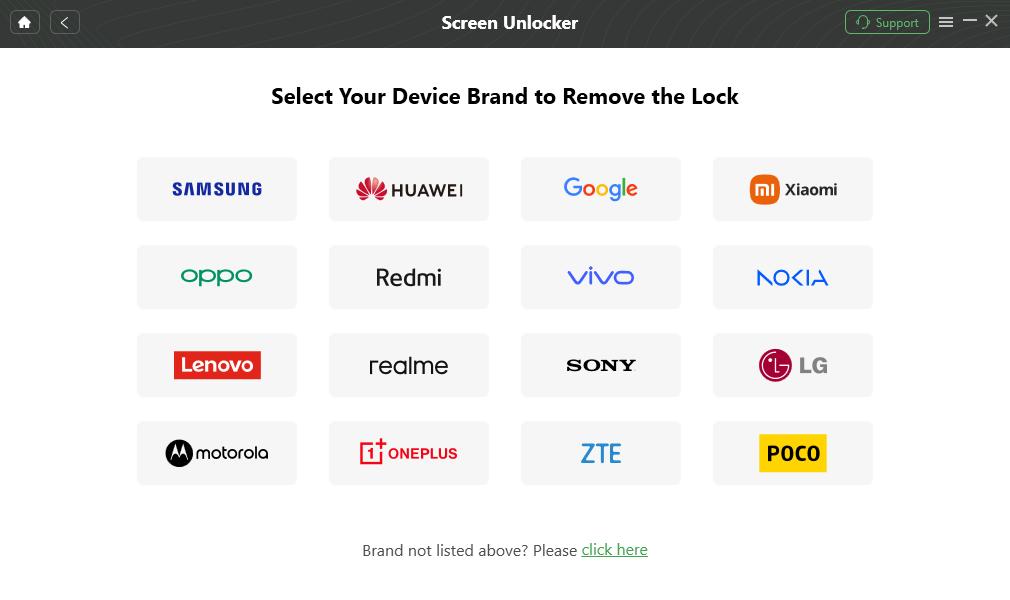
Confirm your Device Brand and Continue
Step 4. Once ready, click “Remove Now” to continue. Follow the instructions to enter Recovery Mode based on your device type, then select “Wipe Cache Partition.”

Put Your Android Phone into Recovery Mode
Step 5. DroidKit will start removing the lock. Wait for the process to finish. When done, your device will restart, allowing you to access it without a password.
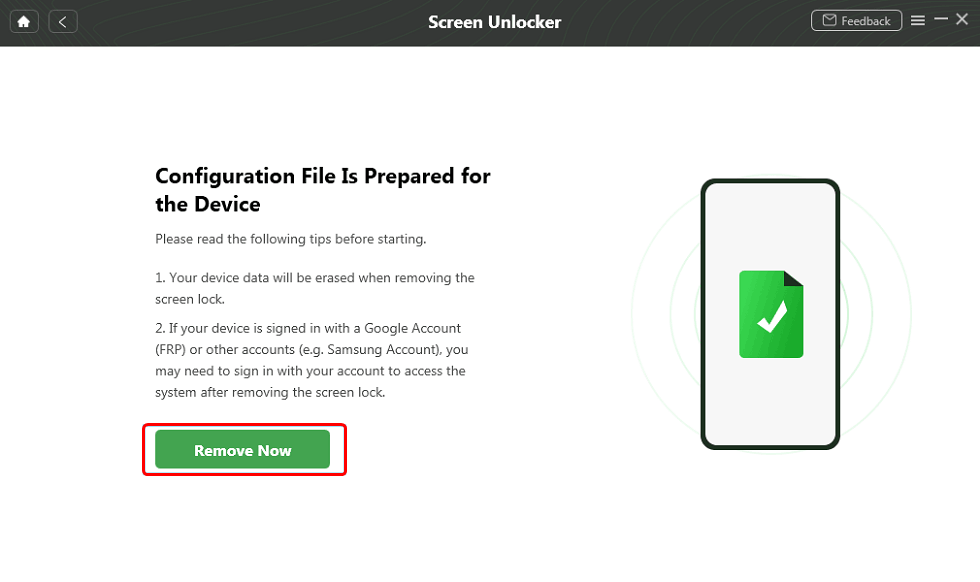
Click Remove Now Button
FAQs
Q1: Is ACT Unlock Tool safe?
Not entirely. Since downloads come from third-party sources, there’s a risk of viruses or non-working files.
Q2: What is the password for ACT Unlock Tool?
Different downloads use different extraction passwords, and many users struggle to find them.
Q3: Does ACT Unlock Tool work on Android 12/13?
No, it has poor compatibility with newer versions.
Q4: What’s the best alternative if ACT doesn’t work?
Tools like DroidKit are much safer and more effective for FRP bypass and unlocking.
Conclusion
In this post, we covered the Act Unlock Tool, a useful tool for unlocking Android smartphones. It assists clients in rapidly and simply regaining access to their phones with capabilities like FRP bypass and screen unlocking. The Act Unlock Tool can be complex and limited in device compatibility, whereas DroidKit offers a broader, user-friendly solution for unlocking, data recovery, and Android maintenance. It is a flexible choice for unlocking Android phones and tablets because it provides comparable capabilities and supports over 20,000 devices.
Free Download * 100% Clean & Safe


Roger Smith is a senior technical writer with years of experience in providing Android solutions. He loves to help users solve various problems such as Android unlock, Android data recovery, and Android system repair.
Product-related questions? Contact Our Support Team to Get Quick Solution >
