Android Screen Unlock – Remove Lock Screen Safely
Learn how Android screen unlock works and how to remove a PIN, pattern, password, or biometric lock safely. Compare official methods, factory reset, and professional unlock tools, including data loss and FRP risks.
Android screen unlock is the process of regaining access to an Android phone when the screen lock (PIN, pattern, password, biometric lock) can no longer be unlocked.
There is no single universal way to unlock an Android phone.
The correct method depends on the device brand, Android version, lock type, and Google account status.
This page serves as a comprehensive overview of Android screen lock situations, explaining:
- what Android screen unlock means,
- common lock problems users encounter,
- how to identify your specific lock scenario,
- and which unlock approaches are safest under different conditions.
Detailed, brand-specific instructions and advanced scenarios are covered in dedicated guides linked throughout this page.
What Is Android Screen Unlock?
Android screen unlock refers specifically to removing or bypassing the lock screen when normal authentication is no longer possible.
It differs from routine unlocking because it involves recovery methods, account verification, or reset-based solutions rather than simply entering the correct credentials.
What types of screen lock are there?
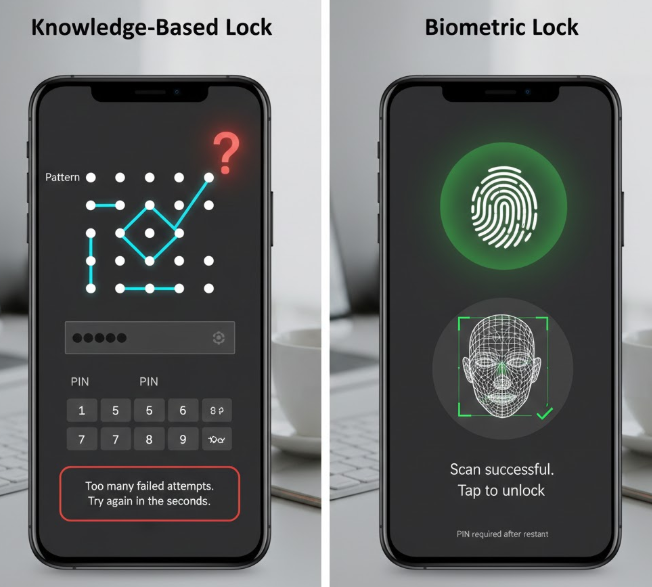
Knowledge-Based Locks (PIN / Pattern / Password)
Knowledge-based locks are screen security methods that rely on information the user creates and remembers. These include a PIN, pattern, or password set during device setup. If the user forgets this information, the device becomes inaccessible after multiple failed attempts.
When users say “I forgot my Android password” or “how to unlock any phone PIN”, they are usually referring to this type of lock.
Biometric Locks (Fingerprint / Face)
Biometric locks use the user’s physical traits, such as a fingerprint or facial recognition, to unlock the device. These methods are designed for convenience, but they are always backed by a knowledge-based lock (PIN, pattern, or password).
If biometric unlock fails or the device restarts, Android requires the original PIN, pattern, or password for verification.
Common Android Lock Screen Problems
1. I forgot my Android password or pattern
If you can no longer remember the screen lock you set, Android will block access after multiple failed attempts and require the correct credentials. This is one of the most common lock situations users face with PINs and patterns.
2. What to do if you forget your Android password after too many attempts
Repeated incorrect entries cause Android to temporarily disable the screen for security reasons. The phone will stop accepting input and may require account verification or a reset process to regain access.
3. How to get into a phone without a passcode when the screen is broken
If the screen is unresponsive while the device remains locked, you may need to get into a phone without a passcode, as entering the passcode in the usual way is no longer possible. This situation typically requires an alternative unlock method that does not rely on normal touch input.
How to Identify Your Lock Screen Situation
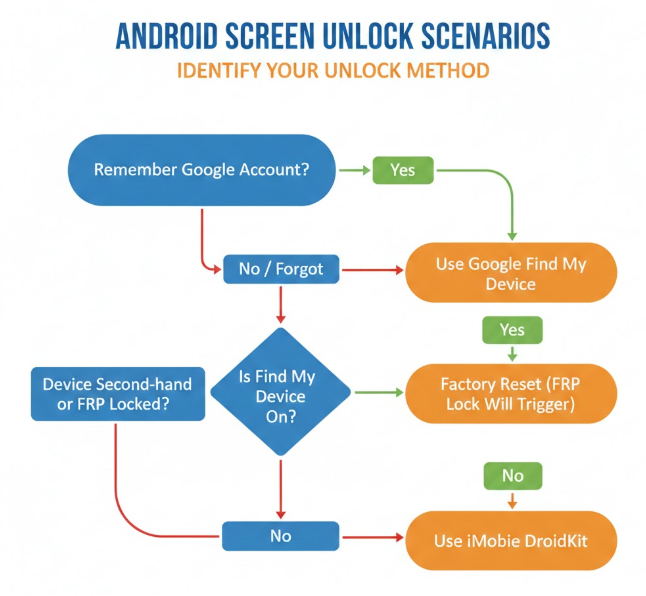
Before choosing a method, check:
- Do you remember your Google account?
- Is Find My Device enabled?
- Will unlocking trigger FRP verification after reset?
These three factors determine the available unlock methods: official recovery, need a factory reset, or require a professional unlock tool.
How to Unlock an Android Phone
Users often ask:
- How do I unlock a phone without the password?
- Is there any phone unlock software that works safely?
Android phones can be unlocked in three ways:
1. Official Methods (Google / OEM Recovery)
Official recovery relies on verifying the original Google account or manufacturer credentials linked to the device. This method is safe and recommended but only works if you still remember the account information.
Limitations:
It does not work if the Google account is forgotten, the device is second-hand, or FRP lock is triggered after a reset.
2. Factory Reset Methods
A factory reset removes the screen lock by erasing all data and restoring the device to its original state. This is often used when account recovery is not possible.
Limitations:
All data is permanently erased, and FRP lock will appear if the original Google account is still linked to the device.
3. Professional Phone Unlock Software
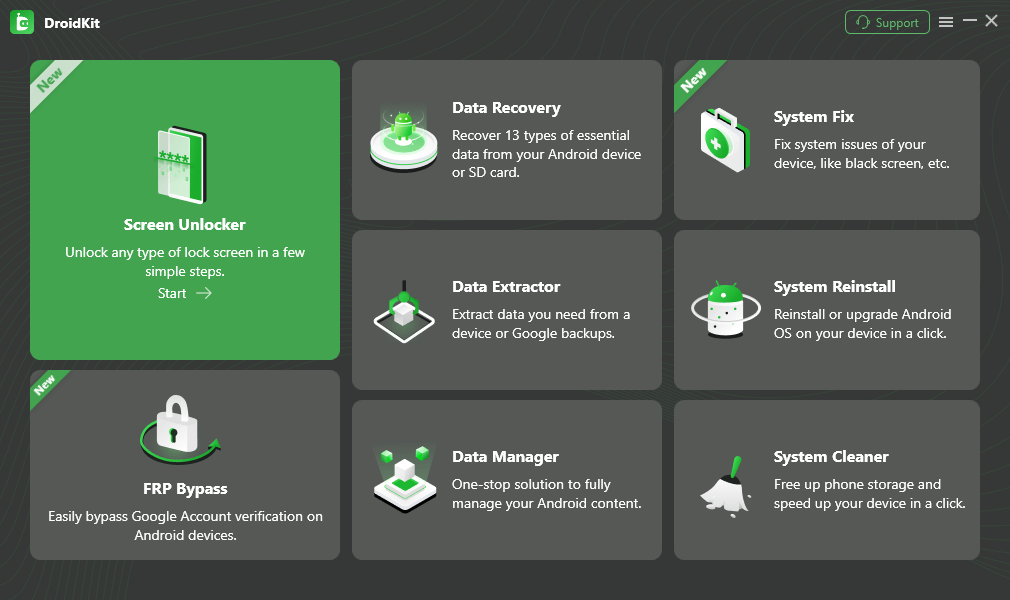
Professional phone unlock software (iMobie DroidKit) can remove certain types of screen locks when official solutions are no longer possible. It is often used in situations where users forgot both the lock screen and account credentials.
Limitations:
Success depends on device model, Android version, and security patch level. Data loss is common, and FRP may still be triggered in some cases.
Unlock methods comparison table
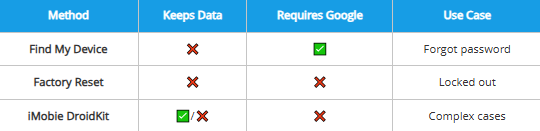
To help you choose the most effective solution for your specific situation, we have summarized the key differences between official methods, manual resets, and professional tools. The following table compares these methods based on data safety, account requirements, and common use cases.
| Method | Keeps Data | Requires Google | Use Case |
| Find My Device | ❌ | ✅ | Forgot password |
| Factory Reset | ❌ | ❌ | Locked out |
| iMobie DroidKit | ✅/❌ | ❌ | Complex cases |
Some methods will require Google account verification after the device is unlocked due to FRP.
- Find My Device → Google verification required after unlock
- Factory Reset → Google verification required after unlock
- iMobie DroidKit → Usually no Google verification after unlock
Device Compatibility (Samsung / Xiaomi / etc.)
Android screen unlock solutions are generally available for most major Android brands, including Samsung, Xiaomi, Huawei, Oppo, and others.
However, unlock behavior varies significantly by manufacturer, Android version, and lock type. For example, Samsung devices may support additional unlock paths under specific conditions, while other brands rely strictly on official recovery or reset-based methods.
Because of these differences, there is no single universal unlock method that works the same way across all devices. Detailed instructions, success conditions, and limitations are therefore covered in brand-specific unlock guides, rather than in this overview page.
👉 View brand-specific unlock guides to find the method that applies to your device.
Limitations & Data Risks
Q1: Is Android Screen Unlock Safe?
Yes. Android screen unlock is safe when using official recovery methods or reputable tools like iMobie DroidKit.
Depends on the method you choose and whether the tool follows proper system procedures.
Risks usually come from unofficial bypass tools that may damage the system or cause permanent data loss.
Q2: Will Unlocking Erase Data?
Yes. Unlocking an Android phone usually erases data.
Unless the device, Android version, and lock type support a data-preserving method.
Official methods remove local data, but recovery may still be possible with tools like iMobie DroidKit if the data hasn’t been overwritten.
Q3: Will Unlocking Trigger FRP (Factory Reset Protection)?
Yes. FRP is triggered if the device is reset without removing the Google account first.
When a factory reset happens while the account is still linked to the device.
After reset, you must sign in with the original Google account to regain access.
Q4: Are There Android Version Limitations?
Yes. Newer Android versions include stricter security protections.
Depends on the device model, Android version, and current security patch level.
Some unlock methods may no longer work on recent Android releases, and the available solution depends on the device model, Android version, and lock type.
Q5: Is it safe to use third-party unlock software to unlock my phone, and which options are reputable?
Depends. Some third-party unlock software is safe, while many unofficial tools are risky.
When the software follows official system protocols and supports specific devices and Android versions.
Reputable options like iMobie DroidKit are designed to unlock phones without modifying the system, while unknown bypass tools may cause errors or data loss.
Related Unlock Scenarios
Not sure what applies to you?
DroidKit
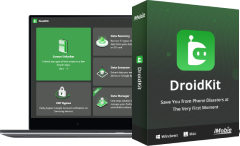
As an all-round Android solution, DroidKit has multiple functions such as Android data recovery, screen password unlock, Google account lock removal, SD card data recovery, Android data management, etc., fully meeting the various needs of Android users.
Free Download
for all windows & 100% safe
Free Download
for all mac & 100% safe
Free Download 100% Clean & Safe


Roger Smith is a senior technical writer with years of experience in providing Android solutions. He loves to help users solve various problems such as Android unlock, Android data recovery, and Android system repair.
Product-related questions? Contact Our Support Team to Get Quick Solution >
