Full Review on Shark Tool FRP Latest Version & Best Alternative
Shark Tool FRP is an efficient tool to bypass Google account verification on Android devices. Equipped with secure ADB techniques and supporting major brands, this versatile software has proven itself invaluable. Take a closer look at this powerful solution to make FRP removal simple without flashing or complicated technical steps!

DroidKit – Byapss FRP on Android Without Password
Free download DroidKit to bypass Google account lock on Android devices quickly. No technical experience is required. Supports multi-brand models, including Samsung, Xiaomi, OPPO, etc.
Shark Tool FRP is an expert software solution developed specifically to bypass Factory Reset Protection on Android devices. It offers an effective solution when buying secondhand phones that require removing previously synced Google account or losing your login after factory reset, without needing credentials for access. Let’s discuss the Shark tool FRP in detail, and a better alternative to help you bypass FRP, regaining access to your phone without hassle.
What Is a Shark Tool FRP?
Shark Tool FRP is a specialized Windows program developed to bypass Factory Reset Protection on Android devices through secure ADB and Fastboot-level communication. It is designed specifically with professional technicians in mind, automating low-level device interaction by leveraging known exploits and device protocols. This fulfills the FRP unlocking requirement without needing firmware flashing or root access. This tool supports various Android brands, especially Xiaomi, LG, and Samsung. It provides reliable access to locked devices in professional environments, due to its user-friendly interface and auto-detection of device configurations.
Beyond its primary function of bypassing FRP locks, Shark Tool FRP also features several other utilities designed to make Android device maintenance and repair more effective. Let’s dive further into insights of what special features it contains:
Main Features:
- Bypass the FRP: It helps users bypass Android’s advanced security measure, FRP, to unlock their Android device without a password.
- Factory Reset: Allows users to perform a complete factory reset of their devices directly through this tool, making it useful when troubleshooting or prepping phones for resale.
- Firmware Flashing (Limited Support): Provides basic firmware flashing features for select devices, enabling users to reinstall or upgrade the operating system of their devices.
- Remove Lock screens: At certain device models, Shark Tool gives users an option to remove screen locks such as PINs, patterns and passwords without losing data.
Pros:
- This tool is convenient to use, with no complex coding or manual commands required.
- The Shark FRP is compatible with all major Android manufacturers, including Samsung and LG.
- It is easy to install and user-friendly in navigating the complete FRP bypass.
- The Shark tool is available for free download and installation on Windows devices.
Cons:
- It is only compatible with Windows devices and lacks compatibility with macOS.
- Primarily, the latest Android devices do not support this tool due to enhanced security.
- Using the Shark Tool may violate the terms and conditions set by device manufacturers, exposing the device to unpatched security vulnerabilities.
- When a user bypasses the default security using this tool, the risk of data loss increases.
Is Shark FRP Tool Free to Use?
No, the Shark FRP tool is not free to utilize. Users must purchase credits in order to unlock devices. However, the costs and refund policies vary by each provider. So, users should carefully consider both before purchasing. It generally costs around $2 to $3.
Is Shark Tool FRP Safe to Use?
Unfortunately, this tool is not 100% safe to use, as it requires downloading the software from an unknown source. Therefore, users should verify the authority and authenticity of the website before initiating the process for saving the zip file. Untrusted sources may trigger antivirus warnings and could contain potentially harmful files
Try using such tools in an isolated sandbox environment or virtual machine.
How to Use Shark Tool to Bypass FRP on Android?
After understanding how this tool’s features and pricing structure work, let’s learn its proper implementation. Its interface should be quite complex for those who are unfamiliar with basic Android troubleshooting techniques. Here are the steps needed to bypass FRP using Shark Tool on Windows PCs:
Step 1. Download and install the Shark tool on your PC. Make sure to download the latest version of the Shark tool and log in.
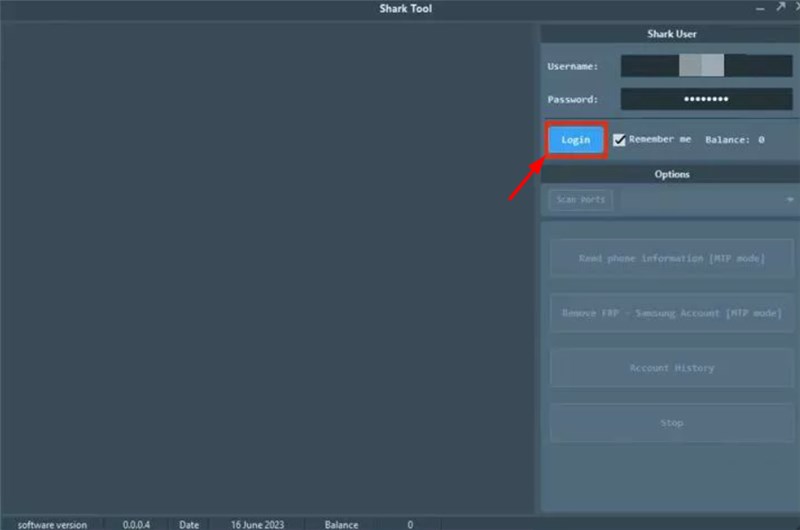
Log in Shark Tool FRP
Step 2. Add the required details, including the scan ports and account history. Then navigate to the bottom right of the interface and tap Remove FRP.
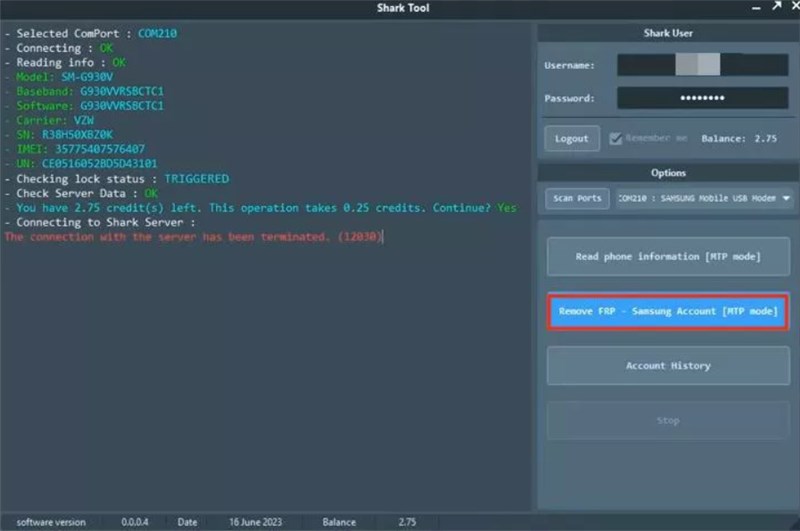
Remove FRP via Shark Tool
Step 3. The Shark tool will scan and determine if your phone is FRP-locked. It will automatically unlock the device from FRP and display a message FRP Unlocked. Restart the device and prepare it for use.
On the latest Android model and software versions, the Shark tool might not work effectively due to enhanced security restrictions.
Best Shark Tool FRP Alternative for FRP Bypass [Easy & Secure]
If you do not want to take any risks to bypass FRP on your Android, choosing DroidKit would be the best alternative. With this professional tool, Users can bypass FRP without requiring Google credentials. Unlike Shark Tool FRP, DroidKit can be downloaded directly from its official website for easy and safe installation on devices. Its comprehensive list of supported devices includes all Samsung, Xiaomi, OPPO, POCO, Motorola, Lenovo, VIVO handsets, as well as many older ones that may still work as intended.
Main Features of DroidKit:
- Simple installation and one-click FRP bypass via a user-friendly interface.
- Supports major Android brands like Samsung, Xiaomi, OPPO, OnePlus, and more.
- Works without requiring Android Debug Bridge in easy steps.
- Fast device unlock process, no need to wait a long time.
Free Download * 100% Clean & Safe
Steps to Use DroidKit for FRP Bypass in Easy Steps:
Step 1. Download the application on your PC and connect the PC to Android using a USB cable. Choose FRP Bypass and select the device model.

DroidKit FRP Bypass
Step 2. Wait until the preparation of configuration files is completed. Press the Start to Bypass button to proceed.
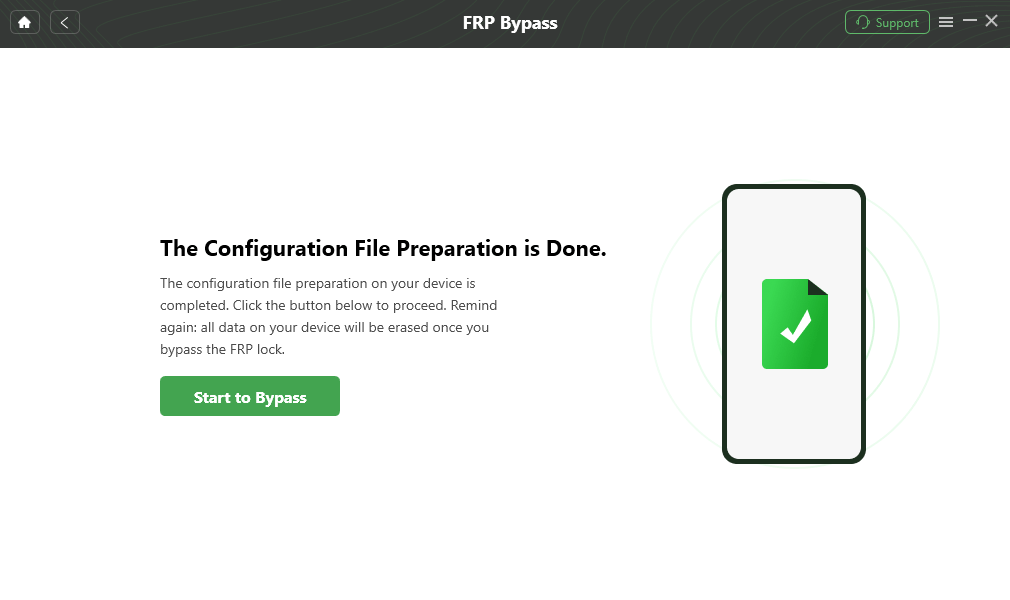
Click Start to Bypass
Step 3. FRP Bypass will start, and you will be notified once it is completed.
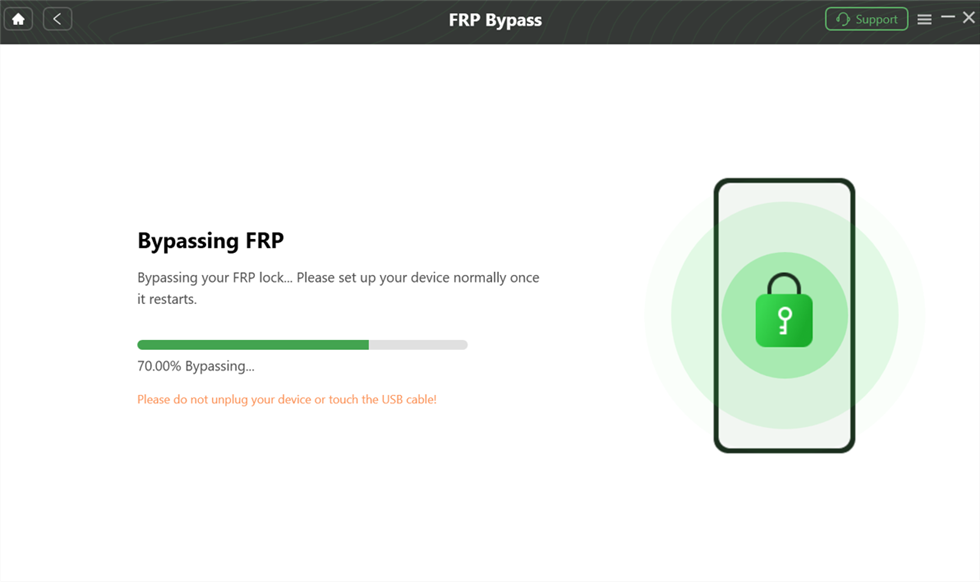
Bypass FRP on Android
FAQs about Shark Tool FRP
Q1: Does Shark Tool FRP Support Mac OS?
No, Shark Tool FRP does not support macOS. Shark tool only supports Windows devices. For Mac OS users, DroidKit is perfectly compatible with Mac systems and will help you bypass FRP.
Q2: Is Shark FRP Tool Compatible with All Devices?
Unfortunately, Shark Tool FRP is not compatible with the latest versions of Android; instead, it only works effectively with older software versions.
Conclusion
In this article, we provide a comprehensive review of Shark Tool FRP. Due to the limited support for newer Android models and potential security concerns of Shark Tool, DroidKit would be a more reliable solution. Compatible with both Windows and Mac, this tool has a high success rate in bypassing FRP on Android devices. Free download DroidKit to unlock your device safely and effortlessly!
Free Download * 100% Clean & Safe



Senior writer of the iMobie team as well as an Apple fan, love to help more users solve various types of iOS & Android-related issues.
Product-related questions? Contact Our Support Team to Get Quick Solution >
