What Is VG Tool? How to Download and Bypass FRP
VG Tool is an effective utility for bypassing Samsung FRP and device locks, supporting Android 6-13 and select 14-15 devices. For broader compatibility and enhanced safety, DroidKit is a superior alternative, offering secure FRP bypass for Android 6-15 across multiple brands.
Locked out of your Android device? VG Tool 2025 is a reliable utility for swiftly tackling FRP (Factory Reset Protection) locks and other restrictions, eliminating trial-and-error frustration. This guide details its features, safe installation, and a clear, step-by-step FRP bypass process used by professional technicians. You’ll decide if VG Tool suits your needs or if DroidKit, a more versatile alternative, is the better choice.
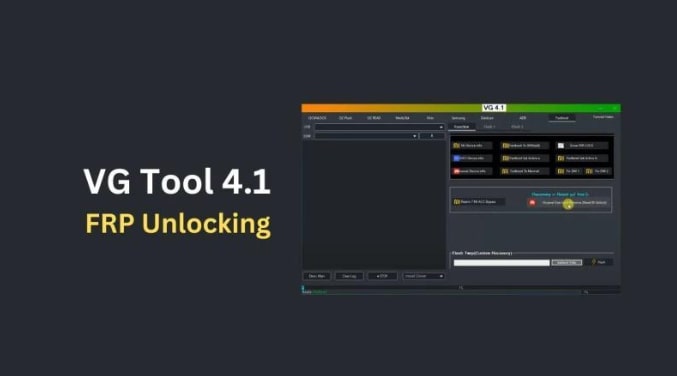
Part 1. What Is VG Tool?
1. Overview of VG Tool
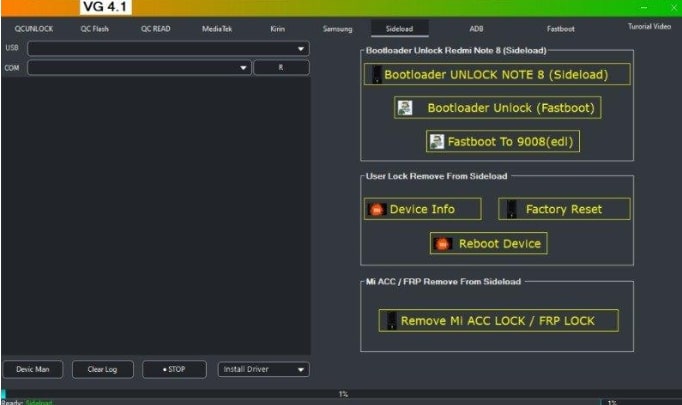
VG Tool is a Windows-based utility designed for technicians and advanced users to unlock Android devices. It specializes in bypassing FRP and removing screen locks, enabling device reactivation after forgotten Google credentials. Its popularity in repair shops stems from its straightforward, guided process.
2. Main Features of VG Tool
The extent of features for the VG Tool differs a bit across different builds; however, the most common features are:
- FRP Bypass: Removes Google account locks post-factory reset.
- Screen Lock Removal: Clears patterns, PINs, and passwords, primarily for Samsung.
- Driver and Mode Support: Installs USB drivers and uses modes like Download or Test Mode for PC-device communication.
- Simple Interface: Step-driven, minimalist UI for quick technician use.
- Offline Operation: Some versions work without internet, ideal for low-connectivity areas.
- Multi-Mode Connectivity: Adapts to various USB modes based on model/firmware.
3. Supported Devices & Compatibility
VG Tool primarily targets Samsung but supports other brands like Xiaomi, OPPO, Vivo, and Huawei in newer versions. It’s most effective on:
Samsung Galaxy S, Note, A, and J series (older/mid-range models).
Compatibility details:
- Android Versions: Reliable from 6 to 13; limited for 14-15 due to firmware patches.
- Firmware Dependency: Success depends on security patch levels.
- Required Modes: Needs Download or Test Mode; procedures vary by model.
Part 2. How to Download and Setup VG Tool Latest Version
Below is a step-by-step guide on how to safely and securely get and prepare the VG Tool, commonly known as versions 3.6, 4.1, and later. The instructions mainly focus on features like safe sourcing, environment setup, and cautious activation to lower the risk.
Prerequisites and Environment:
- A Windows PC with admin rights (Windows 7, 8, 10, or 11).
- Official Samsung USB drivers installed.
- A USB cable is in good condition and an available USB port.、
- Reliable USB cable and port.
- Stable internet (for some activations).
- Updated antivirus software.
- Recent device data backup.
- Optional: Use a virtual machine to isolate risks.
Step 1: Source Safely
Choose the developer’s official site or trusted repair forums. Avoid unverified file-hosting sites or “cracked” versions due to malware risks.
Step 2: Download and Scan
Save to a clean folder and scan with antivirus software.
Step 3: Install
Extract if needed, run as Administrator, and follow prompts for runtimes/drivers.
Step 4: Verify Drivers
If the phone isn’t detected, install official Samsung USB drivers or vetted tool-provided drivers.
Step 5: Activate Tool
Launch VG Tool, copy the HW ID from the login portal, and use an official license. Keygens are risky—opt for verified activation.
Step 6: Test Setup
Connect a test device to confirm functionality.
Part 3. How to Bypass FRP via VG Tool
Use these steps for FRP bypass (adapt for your model; back up data first):
Step 1: Launch VG Tool
Open the tool and select “FRP Bypass.”
Step 2: Enter Service Mode
Put the phone in Download Mode (e.g., power off, hold Vol Down + Home + Power for Samsung). Connect via USB.
Step 3: Confirm Detection
Ensure the tool recognizes the device; reinstall drivers if needed.
Step 4: Start Bypass
Select model/firmware details and follow on-screen instructions. This may involve ADB or mode switches—do not disconnect.
Step 5: Complete Process
Wait for completion (minutes). The device restarts with FRP removed. Verify by setting up without Google credentials.
Part 4. VG Tool User Review
1. Is VG Tool Safe & Legit?
VG Tool is a legitimate software repair utility if it is obtained from a verified and trusted source. On the other hand, a vast number of non-official downloads are available on the internet, and some packages may contain malware or altered code. One can be safe only if the download is from a trustworthy distributor.
2. Pros & Cons of VG Tool
| Pros | Cons |
| User-friendly, step-by-step design for technicians. | Limited support for Android 14+ due to security patches. |
| Effective for Samsung older/mid-range models. | Keygen activation is risky and complex. |
| Combines FRP bypass and screen unlocks. | Malware risks from unofficial sources. |
| Offline versions for low-connectivity areas. | Success varies by model/firmware. |
Part 5. Best Alternative to VG Tool for Samsung FRP Bypass-DroidKit
If VG Tool fails, DroidKit by iMobie is a robust alternative, supporting Android 6-15 with secure, advanced FRP bypass for Samsung, Xiaomi, OPPO, Motorola, and more. It’s user-friendly, requiring no root or technical skills.
Key features of DroidKit FRP Bypass:
- Instantly remove the Google FRP lock on Samsung and other Android devices.
- Support for Android 6 to Android 15.
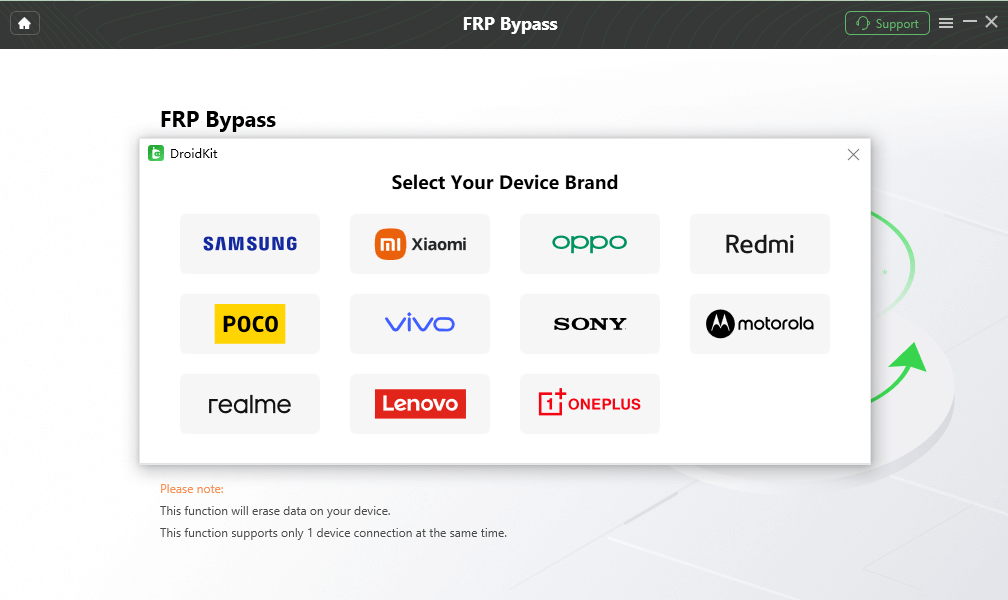
- Compatible with major brands: Samsung, Xiaomi, Redmi, OPPO, Motorola, Lenovo, Vivo, Realme, Sony, and OnePlus.
- By completely removing the old Google account, you gain full access to your device.
- After the bypass, the possibility of logging in to a new Google account.
- Customized FRP solutions that bring about a high success rate.
- Secured with SSL-256 encryption.
- Simple 3-step process: launch DroidKit, connect the device, select the brand, and bypass FRP.
- More features are available, such as screen unlock, system repair, data recovery, and so on.
Step 1: Install DroidKit
Download from iMobie’s official site for Windows/Mac. Install Samsung USB drivers and prepare a reliable USB cable.
Free Download * 100% Clean & Safe
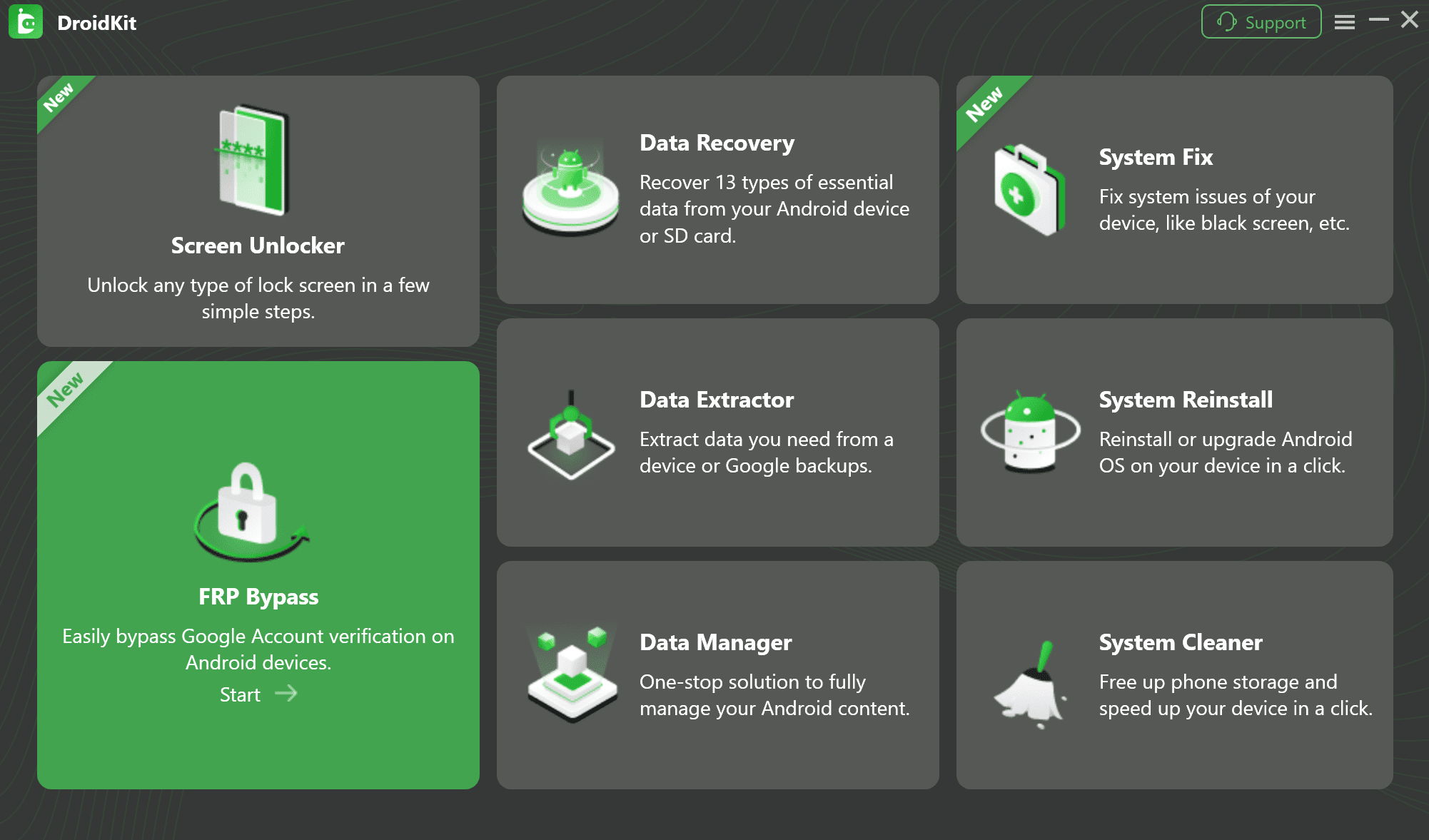
Step 2: Select FRP Bypass
Launch DroidKit, choose “FRP Bypass,” and click “Start.”
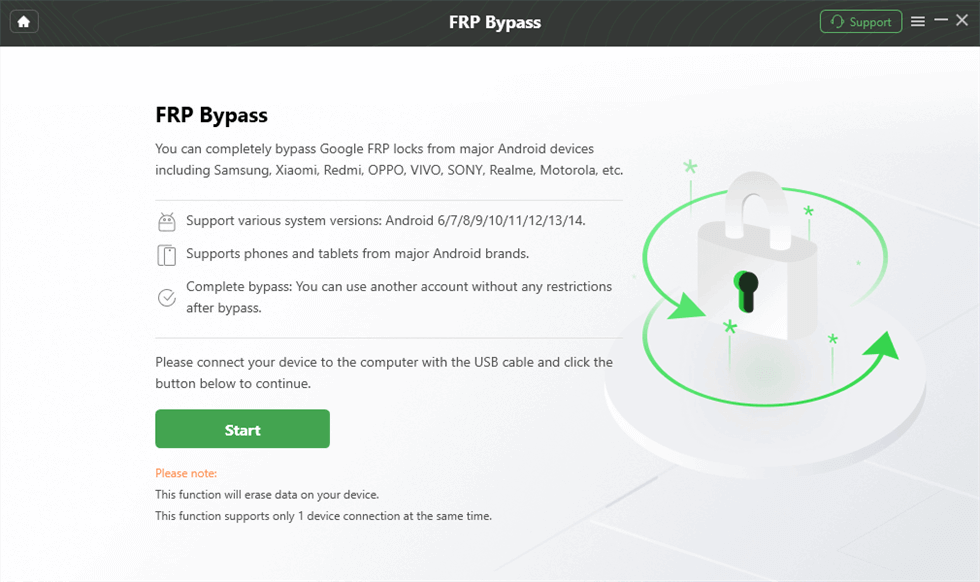
Step 3: Connect Device
Connect your phone via USB. Enable USB Debugging (Settings > About Phone > Tap Build Number 7 times > Developer Options). Retry cable/port if undetected. Then click “Start”.
Step 4: Specify Device Details
Select the manufacturer (e.g., Samsung) and Android version accurately.
Step 5: Execute Bypass
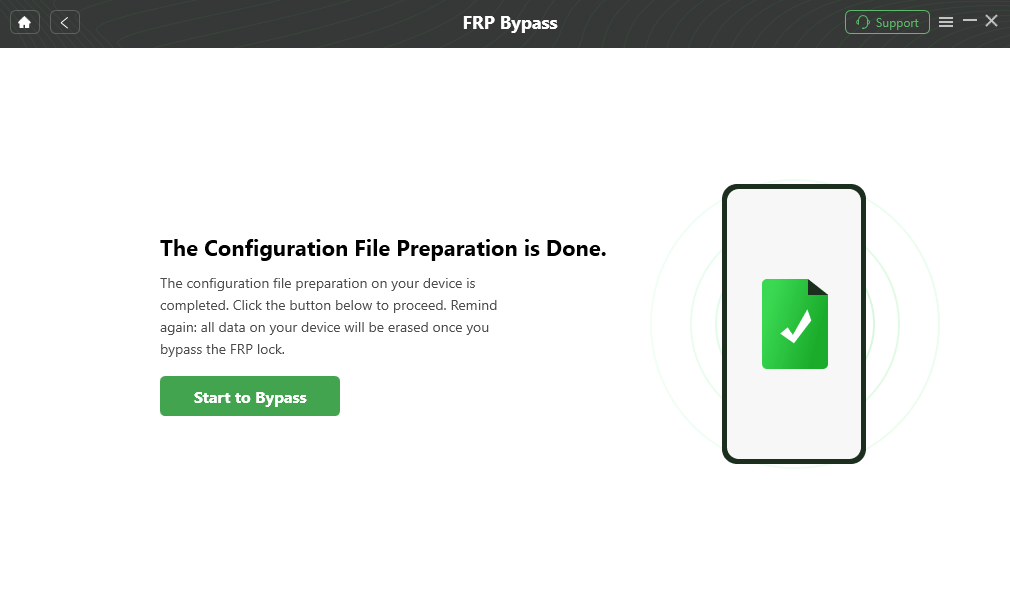
DroidKit generates a configuration file. Click “Start to Bypass,” follow model-specific instructions, and confirm actions (e.g., reset). Do not disconnect. The device restarts with FRP removed.
Conclusion
VG Tool remains a convenient choice for bypassing Samsung FRP, particularly for users who work with older versions of Android. Nevertheless, the fact that it has limited support for the latest Android releases and that it relies on a keygen for activation makes it less dependable nowadays.
DroidKit is the better alternative for an up-to-date and more secure solution. It covers Android versions 6–15, allows for a higher success rate, and makes the FRP bypass process safe and trouble-free. In case you are locked out of your device after a reset or you have a second-hand phone, DroidKit is the easiest and safest way to get back full access.
DroidKit – Unlock Phone without Password
- Bypass Samsung FRP lock if forgot Google account password.
- Unlock all types of screen locks on an Android phone in minutes.
- Unlock 20,000+ models of Android phones & tablets.
- No technical knowledge is required; No need to root your device.
Free Download100% Clean & Safe
Free Download100% Clean & Safe
Free Download * 100% Clean & Safe


Roger Smith is a senior technical writer with years of experience in providing Android solutions. He loves to help users solve various problems such as Android unlock, Android data recovery, and Android system repair.
Product-related questions? Contact Our Support Team to Get Quick Solution >
