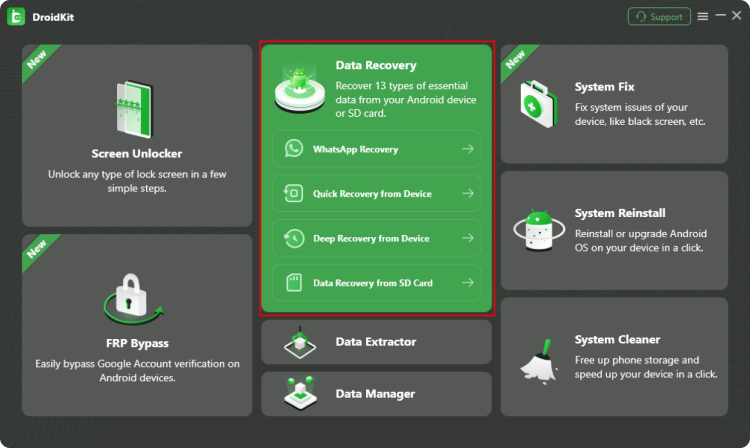
1 Launch DroidKit and choose Data Recovery from the homepage.
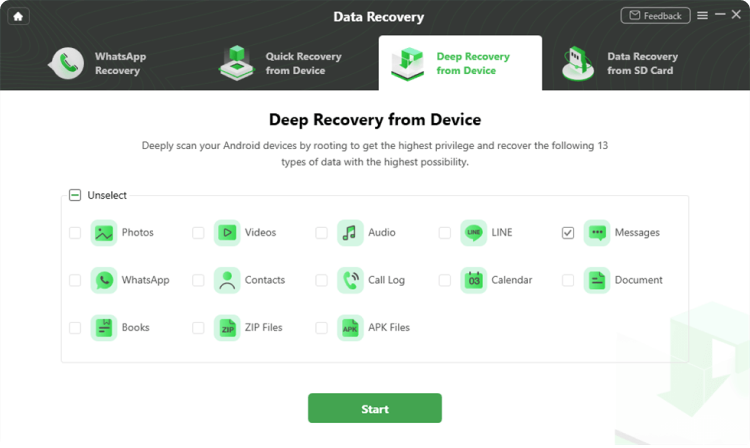
2 Connect your Android phone via USB and select Messages as the data type to scan.
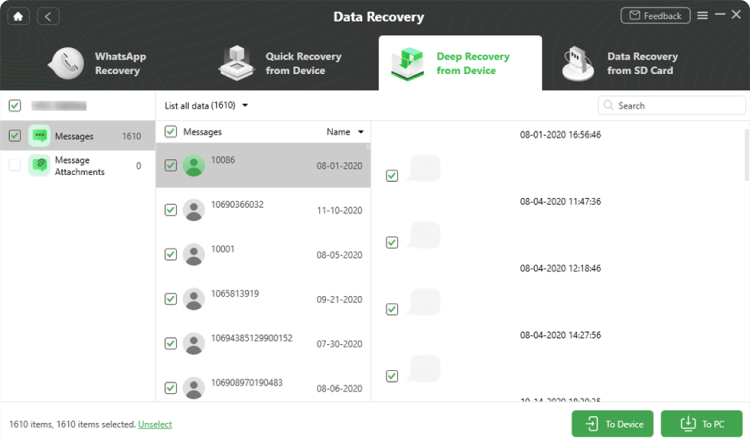
3 Preview and recover the deleted messages and attachments back to your device or computer.
Yes. DroidKit allows you to preview all recoverable messages and attachments so you can choose exactly what to restore.
Yes. DroidKit can retrieve messages stored on the device, SIM card, or Google backup, depending on how the messages were originally saved.
DroidKit supports a wide range of Android phones and tablets from major brands including Samsung, Xiaomi, Huawei, Google, LG, Motorola, and more.
Yes. In addition to text messages, DroidKit can help recover associated attachments like photos and multimedia when available.
The complete Android solution to save your lost data, revive your dead phone, and optimize your mobile experience in a way simple, smart, and secure.
Free
Download
Rated 4.8/5
Based on 195 Customer Reviews >
Recover Lost Data from Device without Backup
Remove Screen Locks of Any Kind in Minutes
Remove Google Account Easily and Instantly
Fix All Android System Issues without Root
Preview and Extract Data from Google Account
Save Data from System Crashed Samsung Device
Recover Deleted or Formatted Files from SD Card
Manage All Android Data and Files at Your Fingertips