
Your photos record precious memories of your highlight moments. iMobie DroidKit knows how important they mean to you, so it recovers your lost photos in every possible way, ensuring you have the best chances to get back your sweet memories. No need to root your device, and no complicated operations required. Only several simple clicks are enough.
Free Download For Win & Mac | 100% Clean & Secure

By offering multiple ways to do recovery, iMobie DroidKit guarantees a higher success rate. You can not only recover deleted photos from your phone or tablet directly, but also find and retrieve them from Google Photos or from an SD card, or even extract your valued photos from a system broken Samsung phone/tablet. Your lost photos now have a bigger chance to get back safely.
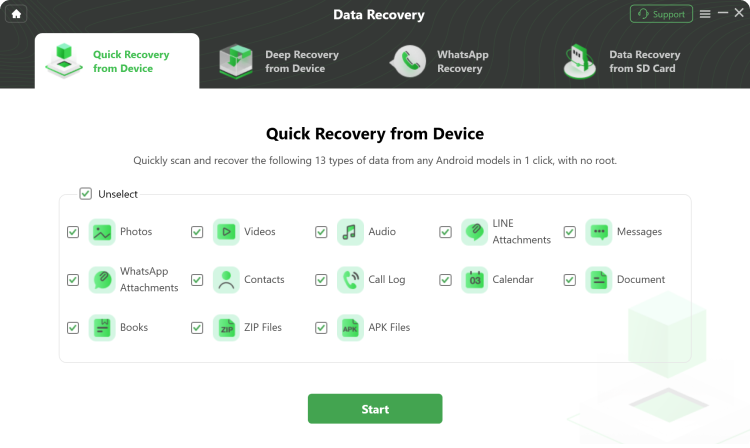
Note: You can recover photos from the device without root in Quick Recovery mode. Meanwhile, iMobie DroidKit also provides Deep Recovery mode with a more in-depth scan and higher success rate. Feel free to choose the mode that’s right for you based on your cases.
iMobie DroidKit allows you to preview every single photo in your phone, Google Photos, and SD card, making it clear where to find your lost photos back. Then you can pick up what you need, and then restore them straight onto your phone and reuse them immediately. Or, store them on your computer for future use, if you prefer. Say goodbye to blind and unselectable restore.
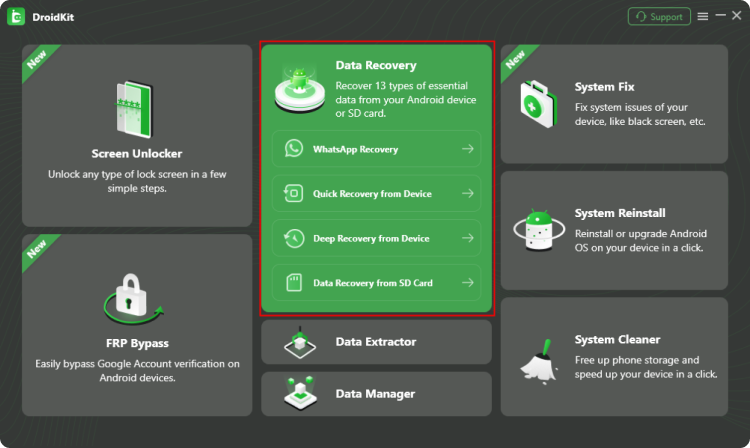
1 Launch DroidKit and choose Data Recovery from the homepage.
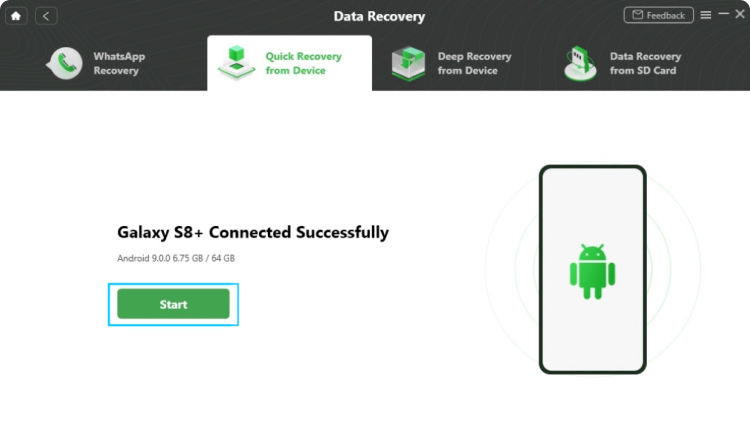
2 Choose the recovery modes, and connect your Android phone to start scanning.
3 Preview and recover the photos you need to your phone or computer.
You can use Quick Recovery without rooting to find and recover many deleted photos. Deep Recovery (which may require root) offers a more thorough scan for difficult cases.
Yes. DroidKit is a secure desktop recovery tool that does not harm your device or overwrite existing data during scanning.
Permanent deletion reduces recovery chance, but using Deep Recovery increases odds of finding remnants and restoring lost photos.
DroidKit supports photo recovery on a wide range of Android phones and tablets across major brands.
The complete Android solution to save your lost data, revive your dead phone, and optimize your mobile experience in a way simple, smart, and secure.
Free
Download
Rated 4.8/5
Based on 195 Customer Reviews >
Recover Lost Data from Device without Backup
Remove Screen Locks of Any Kind in Minutes
Remove Google Account Easily and Instantly
Fix All Android System Issues without Root
Preview and Extract Data from Google Account
Save Data from System Crashed Samsung Device
Recover Deleted or Formatted Files from SD Card
Manage All Android Data and Files at Your Fingertips