What Is UnlockRiver and How to Use in 2026?
This is a full guide on UnlockRiver tool, including the features, price and comment review. Additionally, we offer the stepwise guide to bypass iCloud activation lock via this tool and its best alternative. Read now!
AnyUnlock – iCloud Activation Unlocker
Download AnyUnlock for free and unlock iCloud activation in just minutes with simple clicks. It’s an all-in-one iOS unlock tool that can also remove screen passcodes, bypass MDM locks, and much more—now supporting iPhone 17.
Locked out of your phone due to carrier restrictions, a forgotten password, or a secondhand device? UnlockRiver offers a convenient, web-based solution to unlock your phone quickly and hassle-free. But is it still effective and secure in 2026? Or could alternatives like AnyUnlock be a better fit? This comprehensive review explores UnlockRiver’s features, pricing, safety, and more, while comparing it to AnyUnlock to help you make an informed decision.
Part 1: What Is UnlockRiver?
1.1 Overview of UnlockRiver
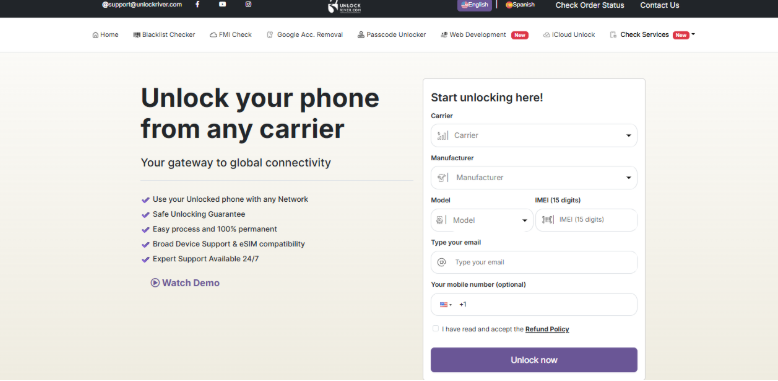
UnlockRiver is an online phone unlocking service designed to free mobile devices from carrier restrictions, iCloud locks, or Google account limitations. With a user-friendly, location-independent platform, it eliminates the need for in-store visits or complex technical processes, making phone unlocking accessible to everyone.
UnlockRiver
1.2 Key Services
UnlockRiver offers a range of tools to unlock devices securely. Here’s a breakdown of its core services:
- IMEI Blacklist Check: Verify if your phone is reported as lost or stolen. This essential step ensures your device is eligible for unlocking, providing peace of mind before proceeding.
- FMI Check (iCloud Activation): Verify the iCloud status of an iPhone to determine if the iCloud lock can be removed, ideal for second-hand devices or when forgotten credentials are present.
- Google Account Removal: For Samsung users, this service bypasses Google account activation locks, allowing you to sign in with a new account and regain full device access.
- iCloud Unlock: Remove iCloud activation locks on iPhones, enabling users to sign in with a new iCloud account and restore full functionality.
1.3 Supported Devices and Networks
UnlockRiver supports a wide range of devices and carriers worldwide, including:
- Carriers: Major U.S. providers (AT&T, Verizon, T-Mobile, Sprint), UK networks (Vodafone, EE, O2), and Australian carriers (Telstra, Optus).
- Devices: Popular brands like Apple iPhone, Samsung, Huawei, LG, Sony, and HTC.
1.4 Pricing
UnlockRiver’s services typically range from $20 to $80, depending on the device, carrier, and service type. Prices may vary due to promotions or specific requirements.
1.5 Is UnlockRiver Legit and Safe?
UnlockRiver enjoys a strong reputation, with a 4.6/5 rating on Trustpilot based on over 3,200 reviews. Users praise its intuitive website, fast order processing, and responsive customer support. Many report successful unlocks within minutes, particularly for carrier unlocks and blacklist checks.
However, its 3.2/5 rating on Sitejabber (based on 127 reviews) highlights some concerns, including occasional delays and communication issues. While UnlockRiver is generally safe and reliable, results may vary depending on device and carrier compatibility.
Part 2: How to Unlock Your Device with UnlockRiver
Unlocking your phone with UnlockRiver is straightforward. Follow these steps:
Step 1: Enter your device details
First, you must insert the model of your device, the carrier, and the IMEI number. By doing this, UnlockRiver can provide a solution tailored to your phone and network requirements.
Step 2: Remote unlocking in progress
After you have filled out your order, the unlocking process is carried out remotely. You can follow the steps online, and progress will be updated to you at every stage, so you know exactly where you are.
Step 3: Device ready for use
As soon as the unlock is successful, you will get a confirmation email. iPhones are completely unlocked and compatible with any carrier, whereas Android devices typically have the release codes sent to them, which provide complete freedom to use any network on your device.
Part 3: UnlockRiver Pros and Cons
| Pros | Cons |
| User-Friendly: Simple, guided steps make unlocking accessible to all. | Cost: Some services may be pricier than alternatives. |
| Wide Compatibility: Supports major smartphone brands and global carriers. | Variable Processing Times: Unlocking speed depends on the device and carrier. |
| Versatile Services: Offers carrier unlocks, iCloud removal, Google account bypass, and IMEI checks. | Occasional Failures: Some users report issues due to device or network restrictions. |
| Reliable Reputation: High Trustpilot rating and positive user feedback. |
UnlockRiver generally offers advantages such as ease of use, strong compatibility, and positive reputation. However, they still carry uncertainties regarding pricing, unlocking speed, and success rates. They are suitable for users seeking stability and versatility, but one must weigh the costs against the risks.
Part 4: Best Alternative: AnyUnlock for iCloud Activation Lock
If you have no idea of your device details, like the model of your device, the carrier, and the IMEI number? If UnlockRiver doesn’t meet your needs? Then AnyUnlock-iCloud activation Unlocker by iMobie is a powerful alternative, especially for bypassing iCloud Activation Locks on iPhones, iPads, or iPod touches. It’s ideal for secondhand devices or forgotten Apple ID credentials.
Why Is AnyUnlock Better?
- Quick and Easy: Bypass iCloud locks with minimal steps without Apple ID or password.
- Privacy Protection: Prevents the previous Apple ID owner from tracking, locking, or wiping the device.
- Cross-Platform: Compatible with Windows and Mac, supporting the latest iOS 26.
- Full functions: This tool serves as an all-in-one iPhone unlocker to remove screen passcodes, bypass MDM locks, and much more.
Free Download * 100% Clean & Safe
Steps to Bypass iCloud Activation Lock with AnyUnlock
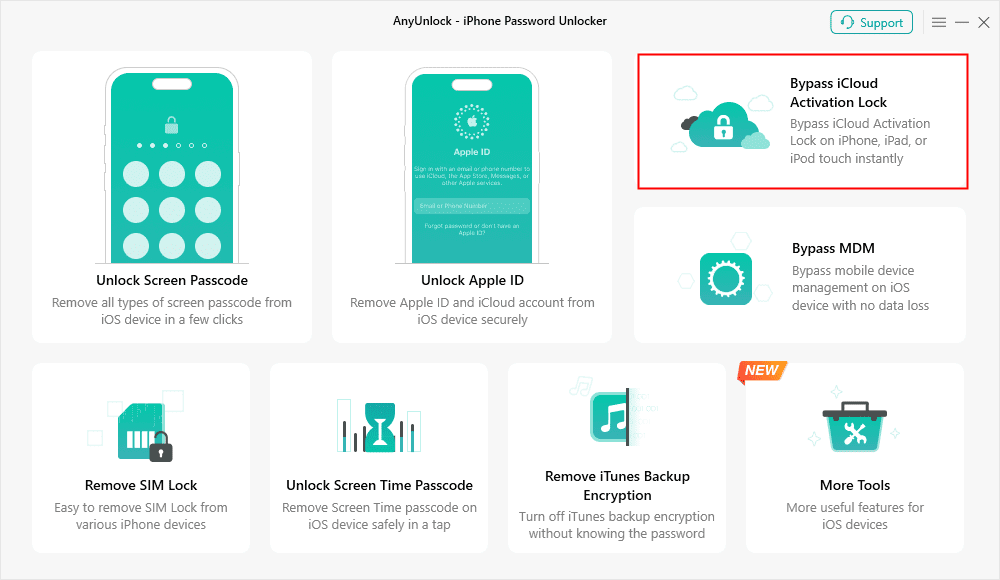
Step 1: Download and launch AnyUnlock on your computer
Install AnyUnlock – iPhone Password Unlocker on your Windows or Mac machine. Then, open the software and select the “Bypass iCloud Activation Lock” mode to proceed.
Bypass iCloud Activation Lock
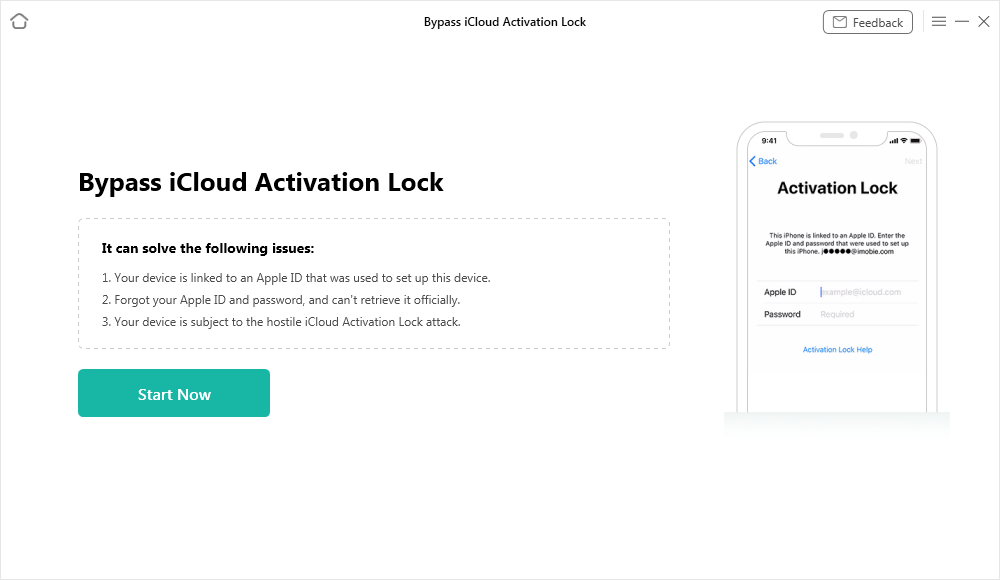
Step 2: Connect your iOS device
Connect iPhone, iPad, or iPod touch to the computer via a USB cable. Click on the “Start Now” button once the connection is made to move forward.
Connect Your iOS Device to the Computer
Step 3: Jailbreak your device
Check the box to confirm that you have read and understood the Terms of Use. Hit the “Jailbreak Now” button. Choose your device model and follow the instructions provided on the screen to enter DFU mode. The jailbreak process will be initiated automatically.

Click Jailbreak Now
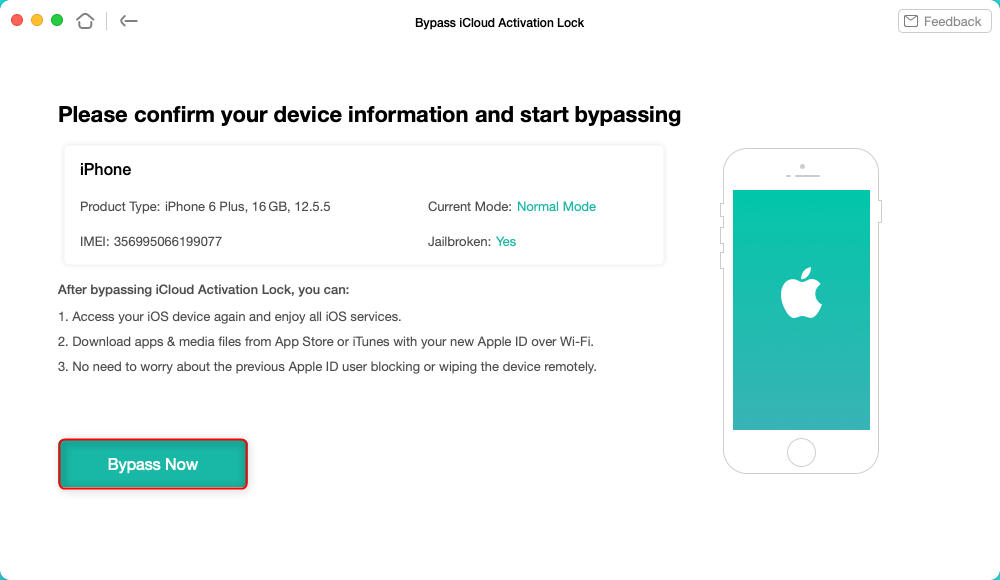
Step 4: Start bypassing the iCloud Activation Lock
Check your device info after the jailbreak and hit the “Bypass Now” button. Instructions for exiting DFU mode will be provided.
Tap on Bypass Now to Start Bypassing
If you cannot enter DFU mode manually, then do it again. Without delay, the program will be at the point where it bypasses the iCloud Activation Lock. Don’t disconnect your device during this time.
Step 5: Complete the bypass
A window with a success message will pop up once the task is complete. “Done,” which you back to the home screen, where your iOS device can now be accessed with a new Apple ID, should be clicked.
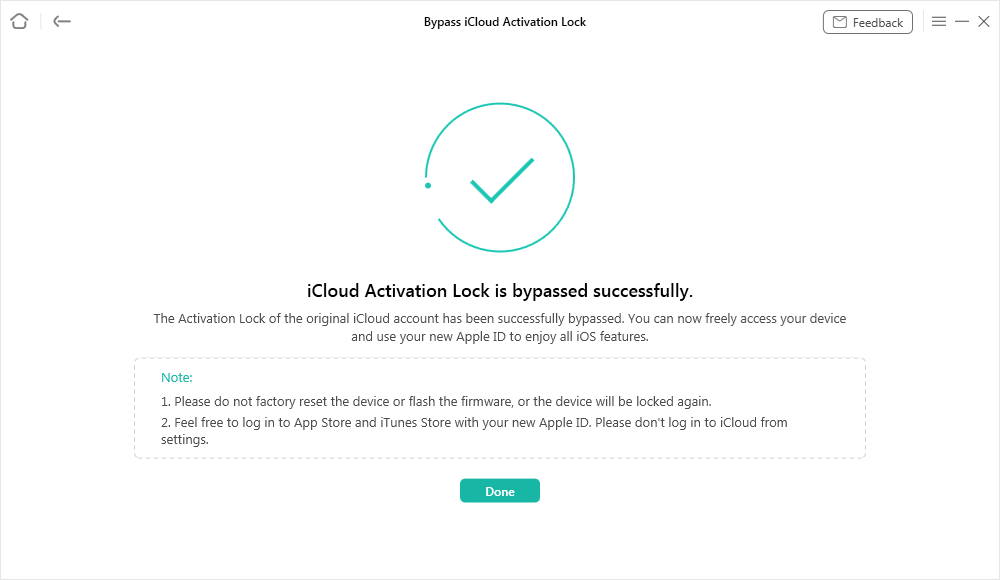
iCloud Activation Lock Is Bypassed Successfully
Part 5: Frequently Asked Questions
Q1. How Long Does UnlockRiver Take to Unlock a Device?
Unlock times vary based on the device, carrier, and service. Some unlocks are completed in minutes, while others may take longer.
Q2. What If UnlockRiver Doesn’t Work?
Contact UnlockRiver’s customer support for assistance. Alternatively, try AnyUnlock, a reliable solution for iOS and Android unlocking needs.
Part 6: Conclusion
UnlockRiver is a dependable, user-friendly service for unlocking phones across various devices and carriers. With a strong Trustpilot rating and versatile offerings, it’s a solid choice for most users. However, occasional delays and device-specific limitations may affect results. For those seeking alternatives, AnyUnlock excels at bypassing iCloud Activation Locks, offering a fast, secure solution for iOS devices. Compare both tools based on your device, budget, and urgency to choose the best option in 2025.
Free Download * 100% Clean & Safe



Wanda Norris is a junior author in iMobie specializing in iOS tips and solutions. She keeps a close eye on every iOS update to provide practical, easy-to-understand guides that help users solve problems and master their Apple devices.
Product-related questions? Contact Our Support Team to Get Quick Solution >
