Quick Answer: Does Airplane Mode Turn Off Location?
The short answer is no. Turning on Airplane Mode disables your phone’s cellular and Wi-Fi connections, but it does not turn off the internal GPS receiver.
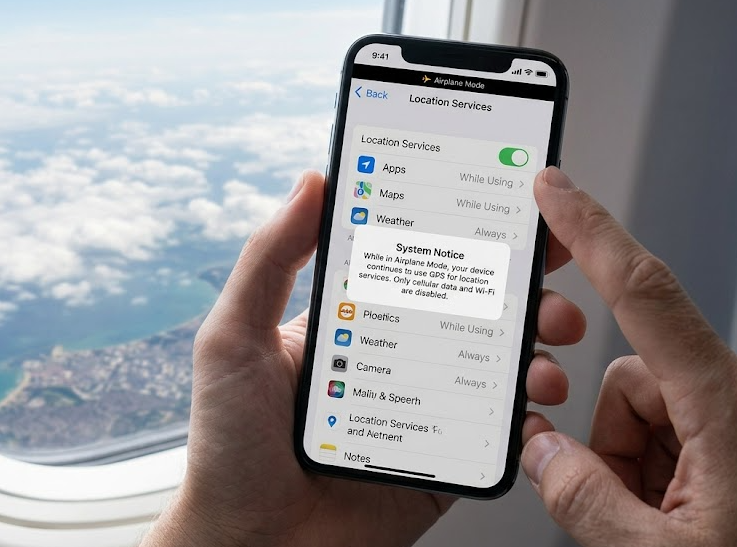
Here is exactly what happens when you use it to hide your location:
- Your GPS stays active: Your phone still calculates its exact coordinates using satellite signals.
- Transmission stops: Because your phone has no internet connection, tracking apps cannot send your location data to their servers.
- An offline status appears: Apps like Life360 or Find My will display your “last known location” alongside a highly visible “offline” or “no connection” warning.
While Airplane Mode successfully stops live tracking, it often causes more questions than it answers by making it obvious you have disconnected from the network.
Why Your Phone Still Knows Your Location (GPS vs. Internet)
To understand why Airplane Mode doesn’t fully disable location tracking, it helps to know the technical difference between how your phone finds its location and how it shares it.
The GPS Chip is a Passive Receiver
Your phone’s GPS chip does not need cellular data or Wi-Fi to function. It acts as a passive receiver, picking up signals directly from satellites in orbit to calculate your coordinates. This is why offline maps still work perfectly even when you are driving through a remote area with zero cell service.
Apps Need the Internet to Broadcast
While your phone always knows where you are, third-party tracking apps rely on an active internet connection to broadcast that location to your friends or family. Airplane Mode simply cuts the internet broadcast, not the GPS itself.
The Wi-Fi Loophole
A common mistake users make is turning on Airplane Mode and then manually turning Wi-Fi back on to browse the web or send messages. If you connect to a Wi-Fi network while Airplane Mode is active, your internet connection is restored. Tracking apps running in the background will immediately use this connection to transmit your real-time GPS location again, entirely defeating your attempt at privacy. For broader context on managing these connections, explore iPhone and Android location change best practices.
What Your Friends See on Life360 and Find My (The Suspicion Problem)
When you use Airplane Mode to stop sharing your location, the biggest problem isn’t the technology—it’s the reaction of the people tracking you.
Here is exactly what happens on popular tracking apps when you go completely offline:
- Life360: The app will pause live updates and display a “Location Paused” or “No Network” status under your avatar. Your circle members will see a grayed-out dot stuck at your last known location. If you want to safely adjust your Life360 location, going offline is often the most suspicious route.
- Find My (Apple): Friends or family checking your location will see “No Location Found” or simply an outdated timestamp of when your phone was last online.
- Snapchat (Snap Map): Your Bitmoji will freeze at your last spot, or disappear from the map entirely after a few hours of inactivity.
The core pain point here is suspicion. Going completely offline without warning often causes friends or parents to worry that your phone is dead, lost, or intentionally turned off. Furthermore, by disabling your internet to hide your location, your phone becomes virtually useless for messaging, browsing, or streaming while you are out.
Comparing Your Options: Airplane Mode vs. Location Off vs. Virtual Location
If Airplane Mode creates a suspicious offline status, what are your other options? Here is a quick comparison of the three most common ways to manage your location visibility based on your needs.
| Privacy Method | What Tracking Apps Show | Do You Keep Internet Access? | Does It Raise Suspicion? |
|---|---|---|---|
| Airplane Mode | “Offline” / “No Connection” | No | Yes (Looks like your phone is dead or turned off) |
| Location Services Off | “Location Paused” / “Disabled” | Yes | Yes (Directly tells trackers you revoked permissions) |
| Virtual Location Tool | Normal, active status at a fake place | Yes | No (Appears as if you are simply somewhere else) |
While manual methods like turning off Location Services or enabling Airplane Mode work fine for basic offline needs, they fail if your goal is stealth. They immediately notify the other party that your data transmission has stopped. For true privacy management without raising alarms, a virtual location tool provides a much smoother alternative.
How to Stop Sharing Location Without Causing Suspicion
For users who want to temporarily hide their real location without triggering a suspicious “offline” alert or losing internet access, a dedicated GPS location changer is the most practical next step.
Fonelora Location Changer is a desktop-guided privacy management tool for supported iOS and Android devices. Instead of cutting your internet connection, it changes your GPS location at the system level. This means tracking apps will report a normal, active status at a virtual location of your choice. You avoid the offline warning, and you maintain full cellular and Wi-Fi access, keeping your phone completely usable.
Fonelora Location Changer
Realistic GPS movement simulation, flexible route control, easy no-modification setup, and support for gaming, social, privacy, and location-based testing in one platform.
Whether you need an iOS virtual location tool or want to ensure safe GPS spoofing on Android, here is how a basic privacy workflow looks:
1. Connect your device: Connect your supported iPhone or Android to your computer using a USB cable or Wi-Fi.
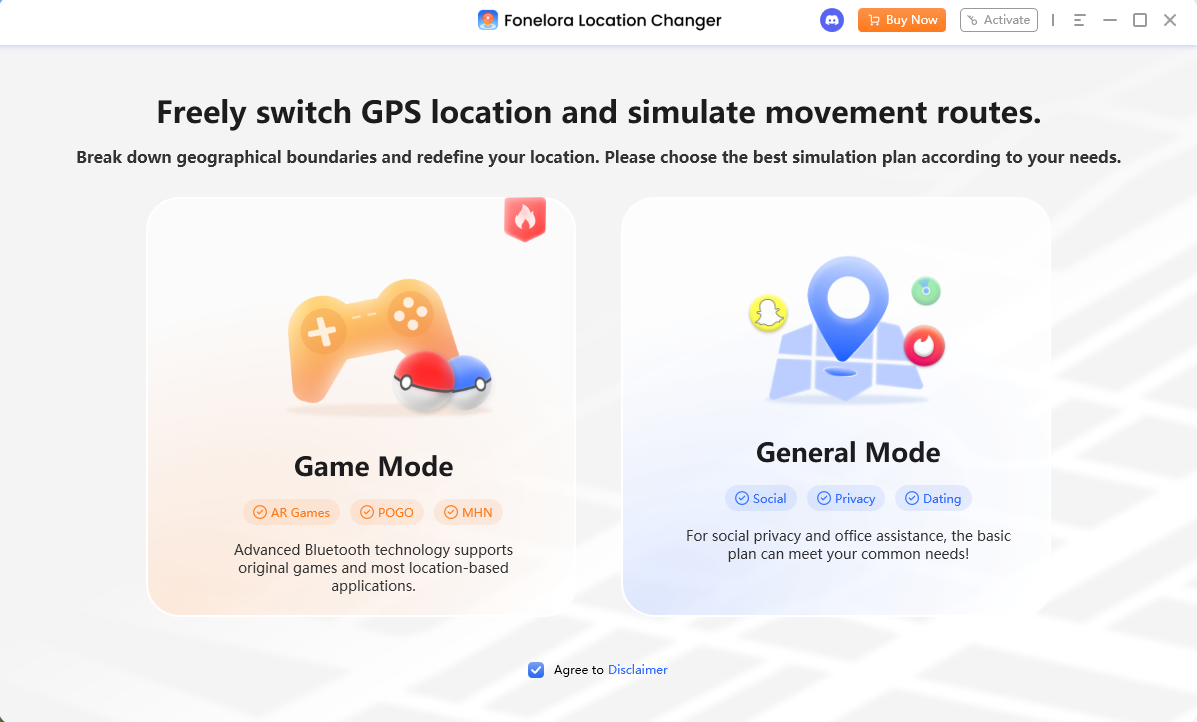

2. Select your virtual location: Open Fonelora Location Changer, use the Teleport Mode, and select a realistic location (such as your home, workplace, or a library).
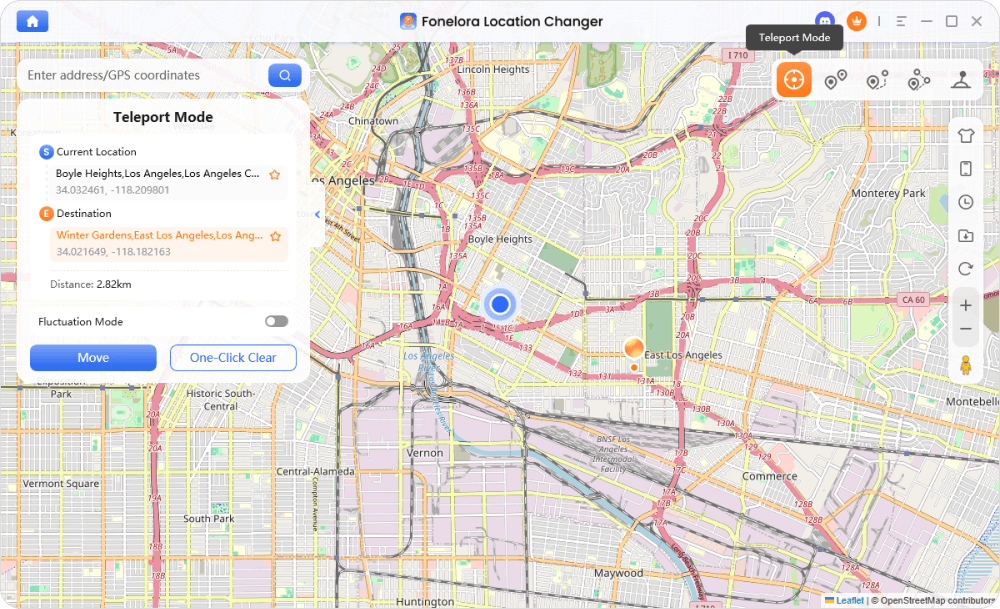
3. Apply the change: Click to apply. Your phone’s GPS will now report this new location to all installed tracking apps.
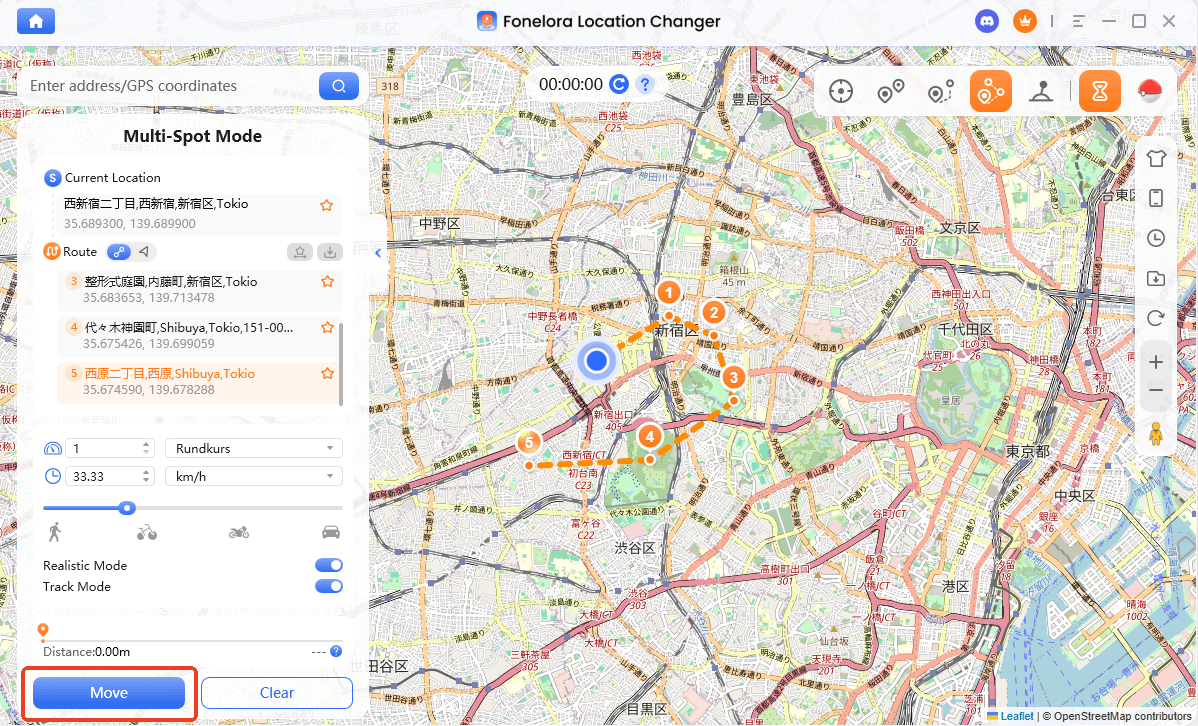
4. Keep your internet: Leave your phone connected (or disconnect if your device supports untethered use), and use your internet and messaging apps normally.
Fonelora Location Changer is designed for personal privacy management on your own devices. While it prevents offline alerts by simulating a real environment, it is not 100% undetectable for all apps and should be used responsibly.
Frequently Asked Questions
Q1: Does airplane mode turn off Life360?
No. Airplane Mode stops Life360 from sending live updates because it cuts off the internet connection. However, the app will simply display your last known location along with a “No Network” warning, which often alerts your circle that you are offline.
Q2: Can a phone be tracked on airplane mode?
Live tracking stops because the phone cannot broadcast data to cellular towers or app servers without an internet connection. However, your internal GPS receiver remains active, and your last known location remains visible to tracking apps.
Q3: Does airplane mode turn off location sharing on iPhone?
It pauses live updates for Find My and iMessage location sharing. Your friends will either see an old timestamp or a “No Location Found” message, but the GPS chip itself is not.
Q4: What happens if I connect to Wi-Fi while in airplane mode?
If you manually enable Wi-Fi while Airplane Mode is on, your phone will regain internet access. Once the internet is restored, tracking apps running in the background will immediately read your active GPS data and resume broadcasting your real-time location to others.
Final Thoughts: Choosing the Right Privacy Method
While Airplane Mode is a quick way to stop apps from transmitting your location data, it is far from a perfect privacy solution. Because it kills your internet connection, tracking apps immediately flag your device as “offline,” which often creates more suspicion and worry than simply being at a normal location.
For basic offline needs, manual settings like Airplane Mode or turning off Location Services work fine. But if your goal is to maintain your privacy stealthily while keeping your phone fully usable for browsing and messaging, those basic methods fall short.
If you need to manage your location visibility safely on supported devices, consider using a guided virtual location tool like Fonelora Location Changer. It allows you to simulate a realistic location, keeping your status active and natural without raising red flags.

Fonelora Location Changer
- Bluetooth Hardware Simulation for Safer GPS Spoofing
- Realistic Movement & Route Simulation
- No Root or Jailbreak Required
- All-in-One Solution for Games, Social Apps & Privacy
More Related Articles



