Facing a region-locked game when you just want to participate in a remote raid can be a highly frustrating obstacle. Like many dedicated players, I found myself repeatedly missing out on rare, region-exclusive Pokémon that simply don’t spawn in my local area. After hearing about the MocPOGO spoofing tool online, I decided to test it myself. But I immediately faced the same anxieties you probably have: I want to change my location in Pokémon GO, but I absolutely cannot risk getting my day-one account banned. Are these apps hiding malware? Will I have to risk my expensive smartphone by rooting or jailbreaking it?
To get real answers, I spent the last few weeks rigorously testing MocPOGO on both my primary iPhone 15 running iOS 18 and a Samsung Galaxy S24 running Android 14. I wanted to see if it could actually bypass location limits safely, or if it was just another quick way to catch a ban.
If you are looking for an honest, unbiased review of this tool, you are in the right place. We are going to explore exactly how this software works, how much it actually costs, how to avoid Niantic’s dreaded “Error 12,” and how to protect your account from penalties using strict cooldown rules.
The Honest Pros and Cons of MocPOGO
Before we get into the technical setup, let’s look at a realistic evaluation of the software. Every tool has its flaws, and painting any spoofer as perfect is incredibly misleading.
Here is what I found during my hands-on testing:
The Pros:
- No Rooting or Jailbreaking Required: You can spoof your location without modifying your device’s operating system, keeping your warranty intact and your device secure.
- Precise Joystick and Routing: The desktop interface offers a responsive joystick and supports GPX file import, allowing you to simulate realistic walking routes.
- Multi-Device Support: One license supports multiple devices and works smoothly across both iOS and Android systems.
The Cons (What You Need to Know):
- Requires a PC/Mac Connection: Unlike mobile-only apps, you need to stay connected to a computer (or the same Wi-Fi network) to change your location, making it less convenient for on-the-go use.
- Risk of “Error 12”: Game developers like Niantic actively detect spoofing tools, which can trigger errors such as “Error 12: Failed to detect location.” Although tools are frequently updated, this remains an ongoing challenge.
- Subscription Cost: This is a paid solution. Advanced features like teleportation and joystick control require a subscription.
Pricing Transparency
Many guides hide the cost until you click a download link, which feels like a bait-and-switch. To be completely upfront, MocPOGO operates on a paid subscription model. As of this review, their standard pricing structure is:
- 1-Month Plan: ~$9.95
- 1-Quarter Plan: ~$19.95
- 1-Year Plan: ~$39.95
- Lifetime Plan: ~$79.95 (one-time payment)
While the monthly cost is relatively low, it is an investment. I recommend starting with a one-month plan to ensure it works flawlessly with your specific device and network setup before committing to a lifetime license.
MocPOGO vs Other Spoofer Methods: A Decision-Making Guide
Historically, players relied on manual techniques like rooting their Android devices, jailbreaking their iPhones, or using unreliable VPN services. These methods often require advanced technical skills and carry a massive safety risk, including the possibility of permanently “bricking” your hardware.
To address the common fear of breaking a device or losing an account, MocPOGO uses a non-destructive procedure. It alters your GPS location at the operating system level from your computer, completely bypassing the need to modify the files on your phone itself.
When evaluating your options, professional desktop-tethered tools generally provide a more consistent outcome with zero technical background required. While unverified mobile apps downloaded from third-party websites often contain malware, running the software primarily from your secure desktop PC keeps your mobile device free from harmful files.
A More Stable Alternative: Why Many Pokémon GO Players Choose Fonelora Location Changer
While MocPOGO provides a functional solution for GPS spoofing, many Pokémon GO players eventually look for an alternative that offers a simpler setup process, stronger location simulation controls, and broader compatibility with modern iOS and Android devices.
One option that has gained popularity among Pokémon GO players is Fonelora Location Changer. Unlike many older spoofing tools that struggle with location synchronization issues or frequent connection drops, Fonelora focuses on providing a stable GPS simulation experience while keeping the device’s operating system untouched.
Why Pokémon GO Players Choose Fonelora Location Changer
Several features make Fonelora particularly useful for location-based games:
- No Jailbreak or Root Required: Change your GPS location without modifying your iPhone or Android system, helping maintain device security and warranty protection.
- Supports Latest iOS & Android Versions: Compatible with recent system updates and newer devices, ensuring stable performance across a wide range of smartphones.
- Instant Teleport Mode: Jump to any Pokémon GO hotspot worldwide with a single click, making it easier to participate in global raids and regional events.
- Realistic GPS Movement Simulation: Simulate walking, cycling, or driving speeds to create more natural movement patterns for location-based applications.
- Joystick Control for Manual Exploration: Move freely around gyms, PokéStops, and spawn locations without repeatedly entering coordinates.
- Multi-Spot Route Planning: Create custom farming routes for hatching eggs, collecting items, and participating in local events more efficiently.
- Designed for Location-Based Apps: Works with Pokémon GO, Monster Hunter Now, Life360, Tinder, Bumble, Snapchat, and other GPS-dependent applications.
For players who frequently participate in global raid events, regional Pokémon hunts, or Community Day farming sessions, these tools can significantly reduce the time spent manually changing locations.
How to Use Fonelora Location Changer for Pokémon GO
Getting started requires only a few minutes:
Step 1. Install Fonelora Location Changer on your Windows PC or Mac.
Step 2. Connect your iPhone or Android device using a USB cable and allow the required permissions.

Step 3. Launch the software and select Teleport Mode.
Step 4. Enter the coordinates or search for the city where you want to play Pokémon GO.
Step 5. Click Move, then wait for the appropriate cooldown period before opening Pokémon GO.
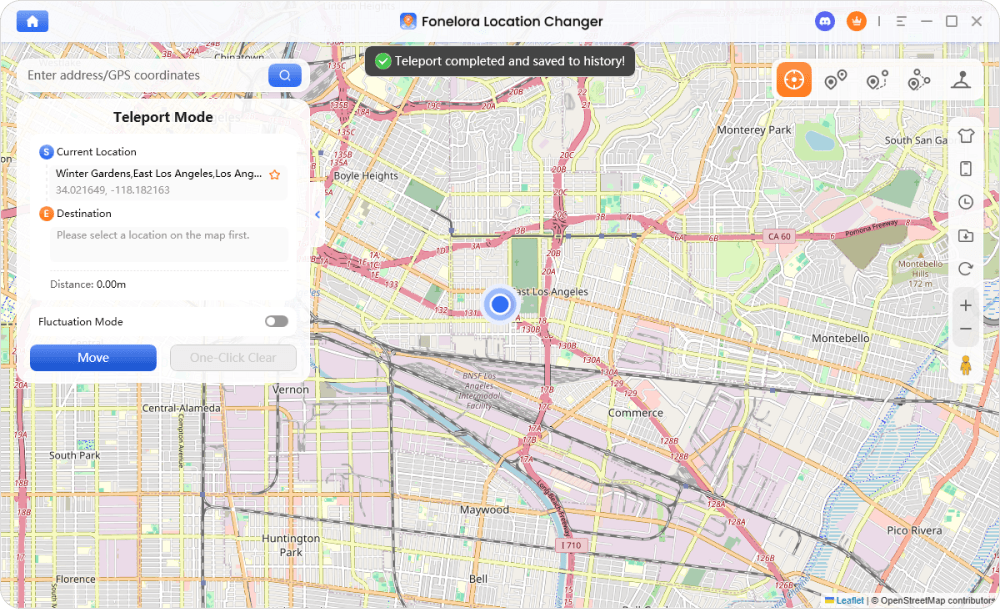
Step 6. Use the built-in joystick or route simulation feature to move naturally around the map.
Safety Tips When Using Any GPS Spoofing Tool
Regardless of whether you use MocPOGO, Fonelora, or another location changer, account safety ultimately depends on your behavior.
To reduce detection risk:
- Follow Realistic Travel Times.
- Respect Pokémon GO Cooldown Rules.
- Avoid Teleporting Repeatedly Between Continents.
- Use Walking Speeds That Mimic Real-World Movement.
- Do Not Combine Spoofing Tools with Modified Game Clients or Automation Bots.
A GPS changer is only one part of the equation—the safest strategy is always to behave like a legitimate traveler.
Inside the App: Teleporting and Joystick Features in Action
My primary frustration with Pokémon GO was missing out on remote raids. Last week, a rare 5-star raid was popping off in Tokyo, and I wanted in. I connected my iPhone to my Mac, loaded up MocPOGO, and typed the Tokyo coordinates into the search bar.
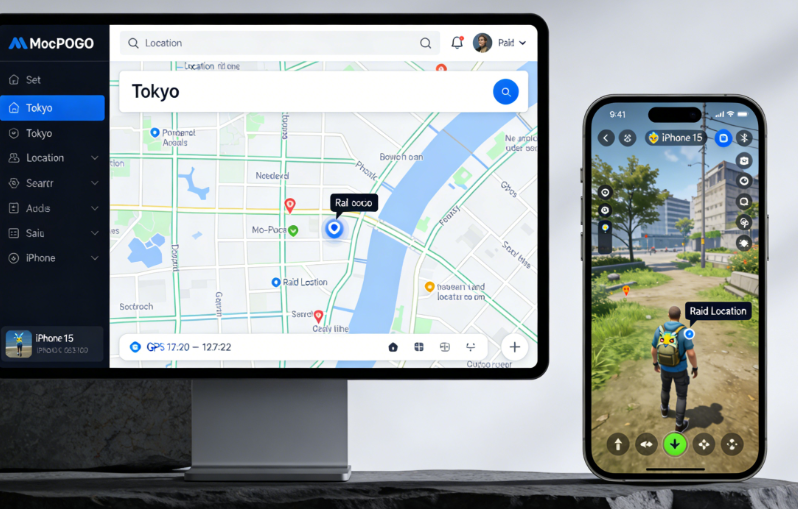
Instead of just appearing there instantly and clicking the gym (which is a guaranteed way to get flagged), I used the teleport feature and then waited for my cooldown timer to expire. Once it was safe, I used the joystick feature to simulate walking from a nearby street directly to the gym at a realistic speed of 4 km/h.
The software allows you to customize your walking, cycling, or driving speed to mimic human movement perfectly. Furthermore, the tool includes a “Multi-Spot Route” feature. I used this later that evening to set up a predetermined 5-kilometer walking loop around my neighborhood to hatch a batch of 10km eggs while I answered emails at my desk.
Learn More:The Working Master Ball Cheat in Pokémon Emerald >
Is MocPOGO Safe? Mastering Cooldown Rules
The most critical question any player asks is: “Is this safe to use?” The answer depends entirely on your behavior.
Here is a critical expert insight that separates safe players from banned players: One common reason spoofing tools trigger bans is not the teleport feature itself, but unrealistic travel patterns.
Pokémon GO servers continuously analyze your location movement history and the exact timing between your in-game actions. Jumping thousands of miles instantly without respecting wait times creates detectable anomalies in the server logs. If you teleport from New York to Tokyo and immediately attempt to catch a Pokémon or spin a PokéStop, the server flags this physically impossible travel time.
This results in a soft ban, where Pokémon flee instantly and PokéStops yield no items. To safely change your location, you must wait a strict cooldown period before interacting with the game again at your new destination.
🛑 THE GOLDEN RULE: COOLDOWN TIMERS 🛑
To avoid account bans, you must wait before interacting in the game after changing locations. Do not spin, catch, or raid until the cooldown period has passed.
Cooldown Guide:
1–5 km: 1–2 minutes
10–25 km: 10–15 minutes
100 km: 45 minutes
250 km: 1 hour
1,000+ km: 2 hours (maximum wait time)
Mastering this waiting technique is the ultimate solution for keeping your account active and penalty-free.
My Setup Experience: iOS and Android Walkthrough
For many players, the biggest hurdle is the setup procedure. Setting up MocPOGO is straightforward, but it requires a few specific steps depending on your device. During my testing, the official desktop installer was completely clean and malware-free.
Here is exactly how I set it up on both of my test devices.
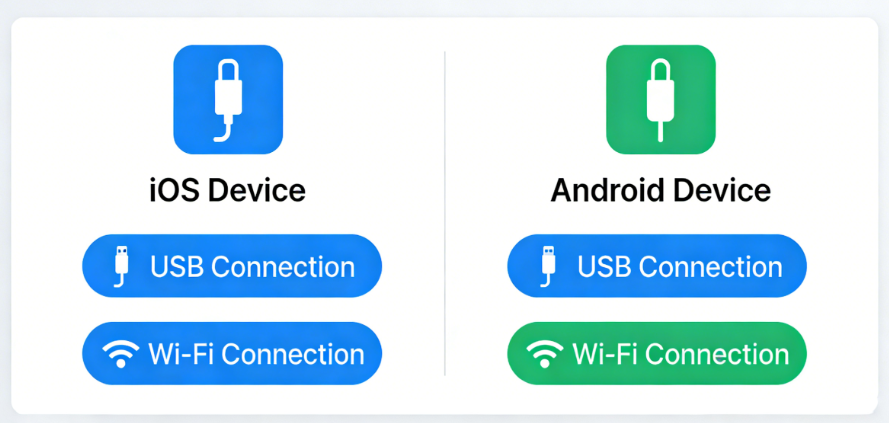
Step-by-Step Connection Procedure
- Download and Install: Download the software from the official MocPOGO website onto your Windows PC or Mac.
- Connect Your Device: Use a high-quality USB data cable to connect your smartphone to the computer.
- Enable Debugging / Developer Modes:
– Android (Galaxy S24): Go to Settings > About Phone > Software Information, tap Build Number 7 times, then enable USB Debugging in Developer Options.
– iOS (iPhone 15): Go to Settings > Privacy & Security > Developer Mode, enable it, restart your device, and confirm activation with your passcode. - Trust the Computer: Approve the prompt on your phone to “Trust this Computer”.
- Start Spoofing: Open the MocPOGO desktop app, choose your target location, and override your GPS.
Troubleshooting: Rubber-Banding and Error 12
Even with premium tools, glitches happen.
- Rubber-banding: If your avatar keeps snapping between your fake and real location, Wi-Fi or Bluetooth scanning is interfering. Go to your phone settings and disable Wi-Fi Scanning and Bluetooth Scanning under location accuracy settings.
- Error 12: If you see “Failed to detect location,” the system has detected spoofing. Close the game completely, update your desktop spoofing software to the latest version, restart your phone, and reconnect before launching the game again.
Why Older Modded Apps Fail Today
As the developers continuously update their anti-cheat detection systems, the landscape of location spoofing has drastically shifted. In the past, players heavily relied on modified versions of the game client downloaded directly to their phones.
Today, those modded apps and automated bot tools are highly susceptible to immediate detection. These older techniques require you to uninstall the official game and install an unauthorized, altered version. The game’s modern security algorithms now easily scan for these file modifications, leading directly to account warning strikes.
This is why I prefer a dedicated system-level location changer like MocPOGO. Because it changes the device’s global GPS coordinates from a connected computer—rather than injecting malicious code into the game application itself—it is much harder for the game client to detect, provided you aren’t teleporting wildly.
Frequently Asked Questions
- What is MocPOGO and how does it work?
- It is a desktop-based software solution that overrides your smartphone’s native GPS coordinates. By connecting your phone to your computer, it allows you to simulate physical movement in location-based games without actually traveling.
- Can using this tool get my account banned?
- Any form of location changing carries inherent risk; there is no such thing as a 100% safe spoofer. However, if you strictly follow realistic travel patterns and wait the appropriate 2-hour maximum cooldown for long distances, you minimize this risk significantly.
- Does it work on the latest iOS and Android versions?
- Yes, during my testing, the tool was fully compatible with iOS 18 and Android 14.
Conclusion
Changing your Pokémon GO location safely requires more than simply installing a spoofing tool—it requires understanding cooldown rules, realistic movement patterns, and responsible gameplay.
Throughout my testing, MocPOGO proved to be a capable option for players who want joystick controls and teleport features without rooting or jailbreaking their devices. However, players looking for a smoother experience, broader device compatibility, and more advanced route simulation features may also want to consider Fonelora Location Changer as an alternative solution.
Whether you choose MocPOGO, Fonelora Location Changer, or another GPS simulation tool, the same principle applies: respect cooldown timers, avoid unrealistic travel behavior, and prioritize account safety over convenience. When used responsibly, a reliable location changer can help you participate in global raids, hunt regional Pokémon, and enjoy Pokémon GO without geographical limitations.


Hot Topics
