What is Activation Lock on iPhone? A Simple Guide for Used iPhone Buyers
Activation Lock is Apple’s anti-theft feature that ties an iPhone to an Apple ID. Even after a factory reset, the device cannot be set up or used without the original Apple ID and password, helping prevent unauthorized access or theft.
Quick Answer: Activation Lock is an Apple anti-theft system that links an iPhone to an Apple ID and is part of iPhone unlock Activation Lock protection. It blocks setup, erase, or use without the correct login.
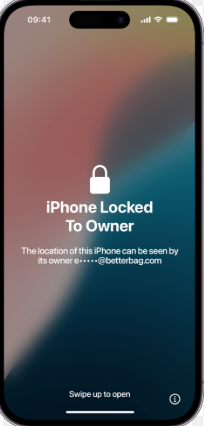
If you see “iPhone Locked to Owner,” the lock is still active, even after reset. Many users search iPhone locked to owner how to unlock, but without the original Apple ID, the device cannot be activated.
Activation Lock is different from Bypass SIM lock iPhone, which only affects carrier restrictions.
There is no valid Activation Lock bypass code.
How to Check Activation Lock Before Buying a Used iPhone
The best way to handle Activation Lock is to avoid buying a locked phone in the first place. Whether you are buying on Facebook Marketplace, Craigslist, or from a friend, always verify the device status before handing over your money.
Here is your essential pre-purchase checklist:
- Meet in a public place with active Wi-Fi: Coffee shops are ideal because you need an internet connection to test the activation status.
- Turn on the device and start the setup: Do not accept a phone that is already turned off or supposedly “ready to go.” Walk through the initial language and Wi-Fi setup screens yourself.
- Watch for the “Locked to Owner” screen: If the setup process suddenly asks for an Apple ID and password, or displays “iPhone Locked to Owner,” stop immediately.
- Ask the seller to remove the lock right there: If the seller is the legitimate owner, they can simply type in their Apple ID password or remove the device from their Find My app to unlock it.
- Walk away if they make excuses: If the seller claims they “forgot the password” or “will do it later from home,” do not buy the phone.
I Already Bought a Locked iPhone: What Are My Options?
Getting scammed is unfortunately common in the second-hand market. If you already paid for the device, took it home, and discovered the Activation Lock screen, you are in a difficult spot. Your recovery options shrink rapidly depending on your relationship with the seller.
Here is a realistic breakdown of your options:
| Option | Best For | Requirement | Reality Check |
|---|---|---|---|
| 1. Contact the Seller | Honest mistakes | The seller must answer your messages and remove the device via iCloud.com. | This is the only official, free, and permanent way to remove the lock. |
| 2. Contact Apple Support | Legitimate resale | You must have the original proof of purchase from the first buyer. | Apple is incredibly strict. They will not accept an eBay receipt. |
| 3. Third-Party Bypass Tools | Ghosted buyers | A supported older iPhone model and specific iOS version. | This is a last resort. Tools like the FRPFILE iCloud bypass tool and others have strict hardware limits and disable cellular data. |
If the seller ghosts you and you do not have the original store receipt, your official avenues are entirely exhausted. At that point, you must decide whether to recycle the phone or explore limited software workarounds.
Will Apple Unlock It? The Original Receipt Rule Explained
A common myth among used iPhone buyers is that Apple Support will gladly unlock the device if you can prove you paid for it. Unfortunately, this is not true.
Apple has an incredibly strict verification policy to prevent thieves from laundering stolen phones. They explicitly reject second-hand receipts. Showing an eBay invoice, a PayPal transaction record, a Facebook Marketplace chat log, or a handwritten bill of sale will not work.
To remove Activation Lock, Apple requires the original proof of purchase. This means the store receipt from the very first person who bought the phone brand-new from Apple or an authorized carrier. The receipt must clearly show the device’s IMEI or serial number. While this policy effectively protects legitimate owners, it leaves honest second-hand buyers stuck with a locked phone if they were scammed by a reseller.
Software Bypass Tools: Realities, Limitations, and Hardware Limits
If the seller disappeared and Apple rejected your request, you might be searching for software bypass tools. Before you proceed, it is critical to understand that there is no “magic tool” that effortlessly unlocks any iPhone, and many online claims give false hope.
Here are the strict realities and limitations you must accept before trying a tool-assisted bypass:
- No support for the newest iPhones: Bypass tools rely on specific hardware vulnerabilities (often tied to jailbreaks). They typically only work on older, supported iPhone models running specific iOS versions. They cannot bypass the newest iPhone models or the latest fully patched iOS updates.
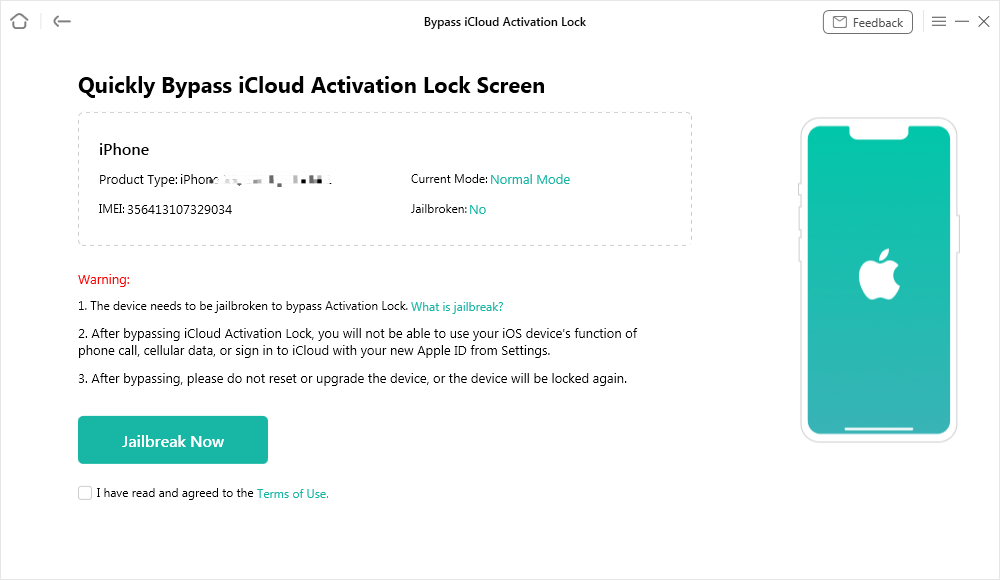
- Cellular calls and mobile data are: This is the most critical functional impact. Bypassing Activation Lock usually disables the device’s cellular capabilities. You will not be able to make regular phone calls or use 4G/5G mobile data.
- It becomes a “Wi-Fi only” device: After a successful bypass, your iPhone essentially becomes an iPod Touch. It is useful for playing games, browsing the web on Wi-Fi, or giving to a child, but it will no longer function as a primary cell phone.
- The lock returns after a factory reset: A bypass is not a permanent removal from Apple’s servers. If you ever factory reset the device or update the iOS, the “Locked to Owner” screen will return.
Using AnyUnlock as a Last Resort for Supported Devices
If you are completely stuck—the seller ghosted you, Apple rejected your second-hand receipt, and you are okay with the device becoming Wi-Fi only—AnyUnlock offers a guided desktop workflow as a last resort.
AnyUnlock provides a structured toolkit to help users attempt an Activation Lock bypass on lawfully owned or authorized devices. Because it relies on specific iOS vulnerabilities, you must check your device model and iOS version compatibility first.

AnyUnlock – One-stop iOS Unlocker
What if you get locked out of your iPhone? Or what if you forgot your Apple ID and its password? No worries, AnyUnlock unlocks any iOS lock for you with 1 click. No technology required. Only 3 steps.
Here is how the guided desktop workflow works:
1. Verify your device: Ensure you have a supported older iPhone model and compatible iOS version.
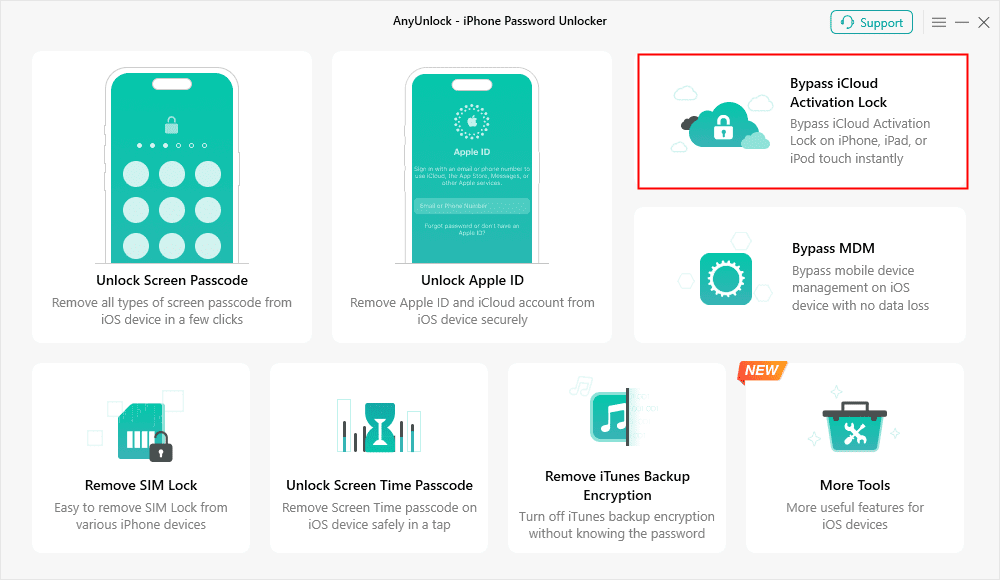
2. Open the AnyUnlock toolkit: Launch the software on your Windows or Mac computer and select the “Bypass iCloud Activation Lock” module.
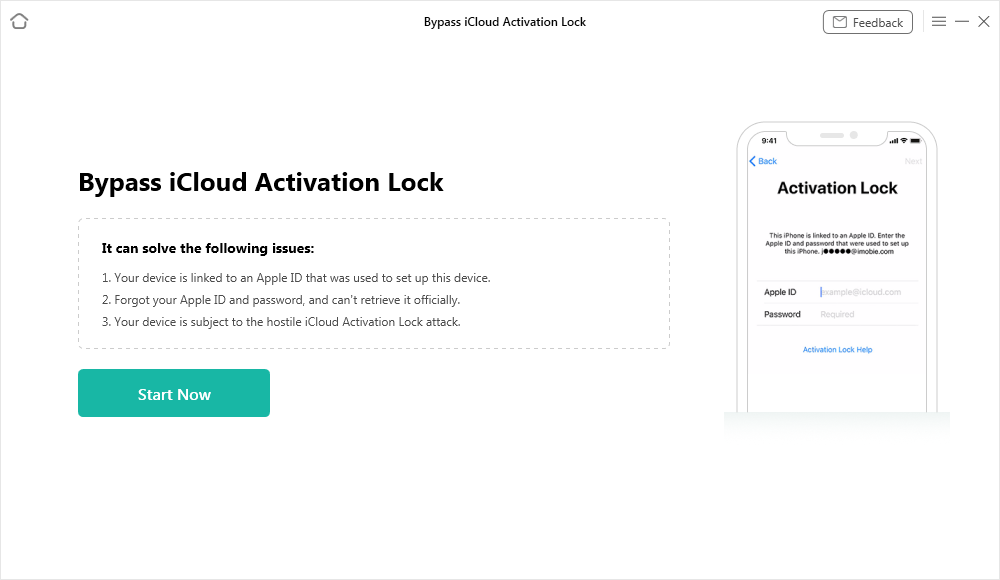
3. Connect the iPhone: Plug your locked device into the computer via a USB cable.
4. Follow the on-screen jailbreak guidance: AnyUnlock will safely guide you through the necessary jailbreak process required for the bypass.
5. Bypass the lock: Follow the final prompts to bypass the Activation Lock screen.
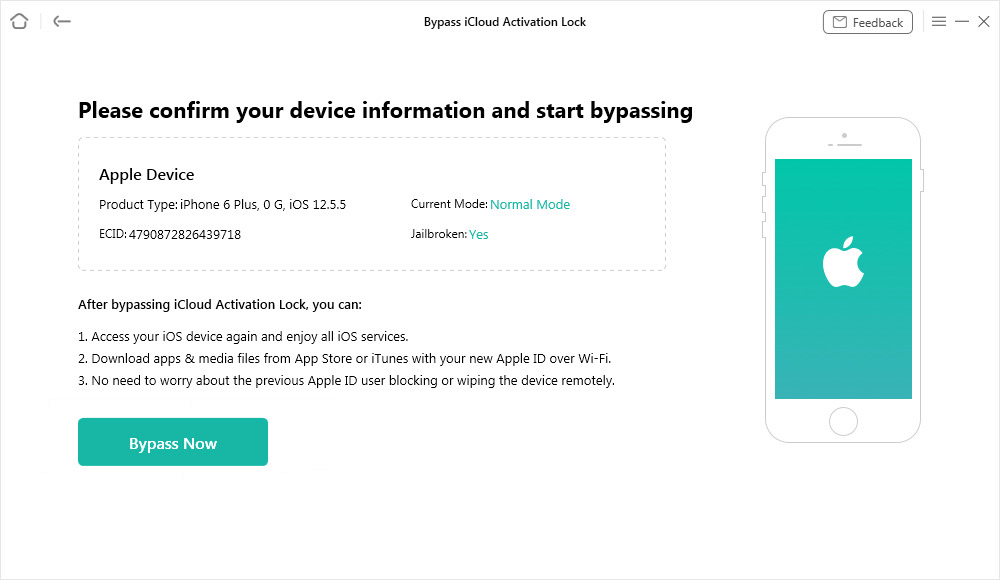
Once completed, you can set up the iPhone and regain basic Wi-Fi access, allowing you to salvage a phone that would otherwise be a permanent paperweight.
Frequently Asked Questions
Can I use cellular data after an Activation Lock bypass?
No. Bypassing Activation Lock using third-party software usually disables cellular capabilities. You will not be able to make traditional phone calls or use mobile data, turning the iPhone into a Wi-Fi-only device.
How do I avoid buying a stolen iPhone?
Always meet in a public place with Wi-Fi, run the device’s IMEI through an online checker (see our iUnlocker review) to ensure it isn’t blacklisted, and most importantly, walk through the setup screen before paying. If it asks for an Apple ID, do not buy it.
Can I remove activation lock without the previous owner?
Officially, no. Apple requires the original proof of purchase to remove it without the owner. Unofficially, you can use desktop tools like AnyUnlock for supported older models, but you must accept the functional limitations like losing cellular access.
Is bypassing the activation lock permanent?
No. Software bypasses are tethered to the current iOS installation. If you perform a factory reset, erase all content and settings, or update the iOS, the Activation Lock will reappear.
Will a factory reset remove the Activation Lock?
No. Activation Lock survives factory resets and system restores. Because the lock is tied to Apple’s remote servers, erasing the local data on the phone does not remove the security restriction.
Final Thoughts: Buying Used iPhones Safely
Some users also look for an Activation Lock bypass code, but no such code exists, as Activation Lock is server-based and cannot be bypassed locally.
AnyUnlock – Unlock Any iOS Password
Quickly and easily unlock your iPhone/iPad/iPod touch from various locks such as screen lock, MDM lock, iCloud activation lock, Apple ID, iTunes backup password, and more.
Free Download for all windows & 100% safe
Free Download for all mac & 100% safe
Free Download 100% Clean & Safe
Related Articles:
* Broque Ramdisk Pro Latest Version Free Download
* 007 Ramdisk Tool Review
* IMEI Unlock Software Review



Wanda Norris is a junior author in iMobie specializing in iOS tips and solutions. She keeps a close eye on every iOS update to provide practical, easy-to-understand guides that help users solve problems and master their Apple devices.
Product-related questions? Contact Our Support Team to Get Quick Solution >
