HushSMS APK Latest Version Free Download for Android [2026]
HushSMS APK is a lightweight app used to bypass FRP locks on Android phones, especially Samsung models. This guide explains how it works, how to install it, and who can benefit from it. You’ll also find a trusted alternative that works across more devices and Android versions.
DroidKit – One-click to Bypass FRP
Free download DroidKit to bypass Google verification on Android phones without any credentials. Support Android 6 – 15. No technical skills needed.

Losing access to your phone because of a factory reset can be stressful, especially when you’re hit with the Google account verification screen. HushSMS APK offers a simple way to get around this. It works by sending special types of messages that help unlock Android devices. This guide will walk you through what it does and how to download and use the latest version in 2025. We also introduce a more reliable FRP bypass tool to help you disable a Google-locked phone in easy steps.
Introduction to HushSMS APK v2.8.8
HushSMS APK v2.8.8 is a small Android app that helps you bypass the Google FRP lock on Samsung phones. After a factory reset, some phones ask for the old Google account. This app sends special messages that can help you unlock the phone and skip that screen. It’s easy to use, doesn’t need a computer or cable, and works well on many older Samsung models. That’s why it’s popular with both phone repair experts and regular users.
Pros:
- Completely free to use.
- Doesn’t require a PC or OTG cable.
- Fast and light work well on older Android versions.
- Works on many Samsung models, including Note 9, S9+, and earlier.
Cons:
- Only support bypassing FRP on Samsung devices.
- Complex interface and steps, tricky for non-techie users to understand.
- Works for some users may vary with each case, depending on the model and firmware.
- Limited updates and official support.
Is HushSMS APK Free to Use?
Yes, HushSMS APK is completely free. No money or signing up is required just simply download the app, install it on your Android phone, and it is ready to use. It is an excellent choice for anyone who needs to bypass FRP without spending money on costly tools or services.
Is HushSMS APK Safe to Use?
Downloading the HushSMS APK from a reliable source is usually safe. It won’t damage your phone and doesn’t require root access on the locked device. However, it’s essential to download it from a trusted website, such as XDA Developers or the official forum, to avoid third-party cracked versions or those bundled with malicious ads.
How to Use HushSMS APK to Unlock FRP on Samsung
To successfully bypass the FRP on a Samsung device using HushSMS, you’ll need to prepare another working Android phone capable of sending special message types. HushSMS works by sending a WAP Push message to the locked device, which can trigger a browser link or settings prompt, allowing access to bypass the Google account verification screen.
How to use hushsms to bypass FRP:
Step 1. Connect the locked Samsung phone to Wi-Fi and leave it on the Google account screen.
Step 2. Put a SIM card in the locked phone that has no PIN. In turn, insert the second SIM into the unlocked phone, which shall be for data/SMS.
Step 3. On the working phone, download and install HushSMS APK.
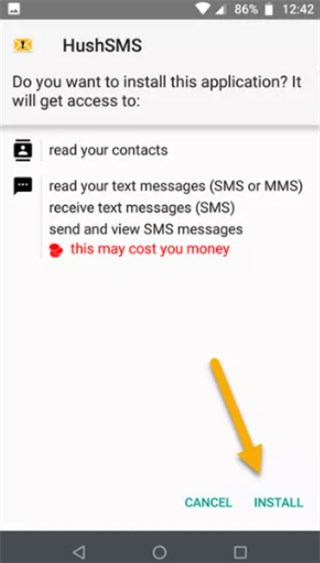
Install HushSMS APK
Step 4. Open HushSMS and tap on “WAP PUSH SL”. Enter the locked phone’s number, type youtube.com in the URL field, and tap Send.
Step 5. The locked phone should receive a special message that opens YouTube. Tap it, then open Terms & Privacy Policy to access the browser.
Step 6. Now download and install two APKs, then allow “Unknown Sources” if prompted.
- Android 6 → Install version 6.0
- Android 8 or 9 → Install version 5.0
Step 7. Open the FRP Bypass app, tap the menu (3 dots), and choose “Browser Sign-In.” Log in with your Google account.
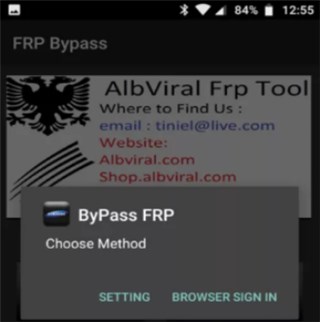
Bypass FRP via HushSMS APK
Step 8. Restart the Samsung phone. You should now be able to use it without the previous Google account.
Best HushSMS APK Alternative to Bypass FRP [Easy & Secure]
For wider device compatibility, DroidKit would be highly recommended to bypass FRP. It is a smart and easy solution for anyone dealing with Android phone problems. This support can help you bypass Google account verification on phones running Android 6 – 15, including Samsung, Xiaomi, OPPO, etc. With only a few clicks, you can regain access to your locked phones. With the help of DroidKit, anyone can also remove screen locks, recover lost data, fix glitches in the system, etc. Everything is designed to be safe, smooth, and simple, even if it’s your first time using such a tool.
Main Benefits of DroidKit:
- Bypass Google account verification on Android devices without the original login credentials.
- Support disabling FRP lock on phones running Android 6 to Android 15.
- No need for root, ADB, or complex flashing tools, more suitable for beginners.
- Safe and secure unlocking process that protects your device data during the FRP bypass.
Free Download * 100% Clean & Safe
How to Use DroidKit to Bypass FRP:
Step 1. Download and install DroidKit on your computer. Once it opens, click on the FRP Bypass option.

DroidKit FRP Bypass
Step 2. Plug your locked phone into the computer with a USB cable. Click Start to begin.
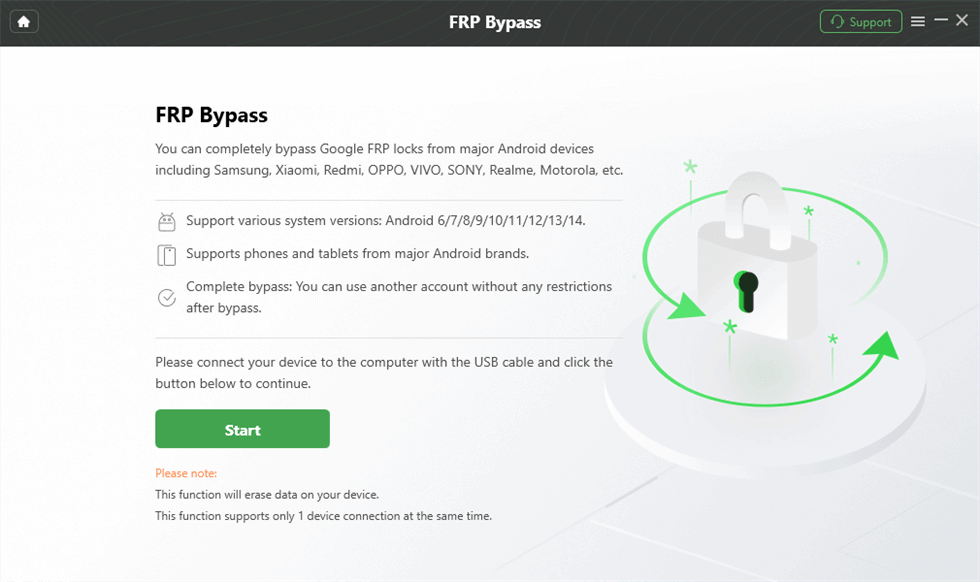
Launch the FRP Operation
Step 3. DroidKit will automatically check your phone and set everything up. Just follow the instructions and click to Start to Bypass button.
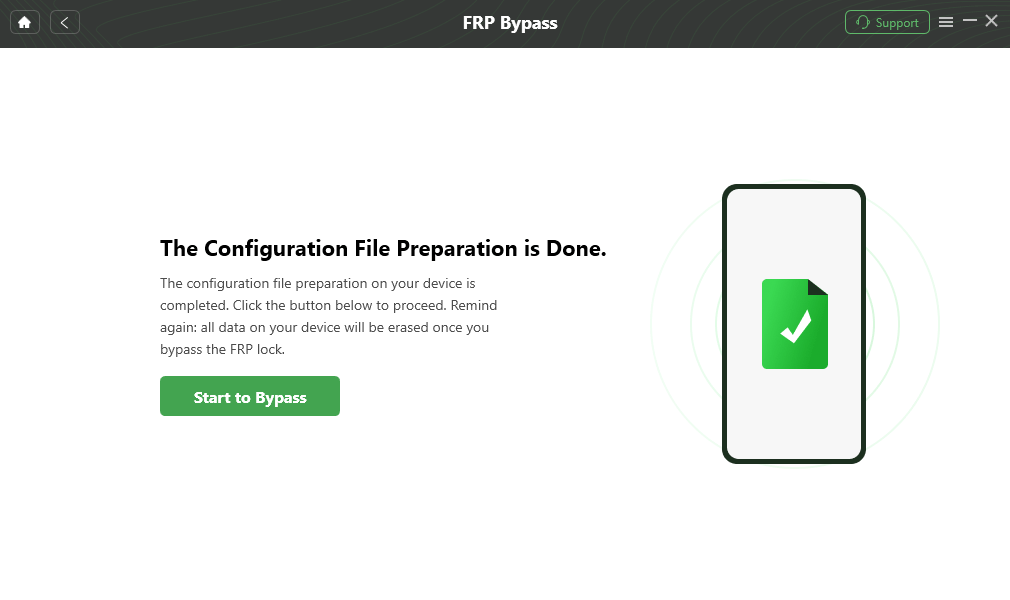
Click Start to Bypass
Step 4. Next, you will be instructed to clear the cache of the device; just follow the onscreen instructions.
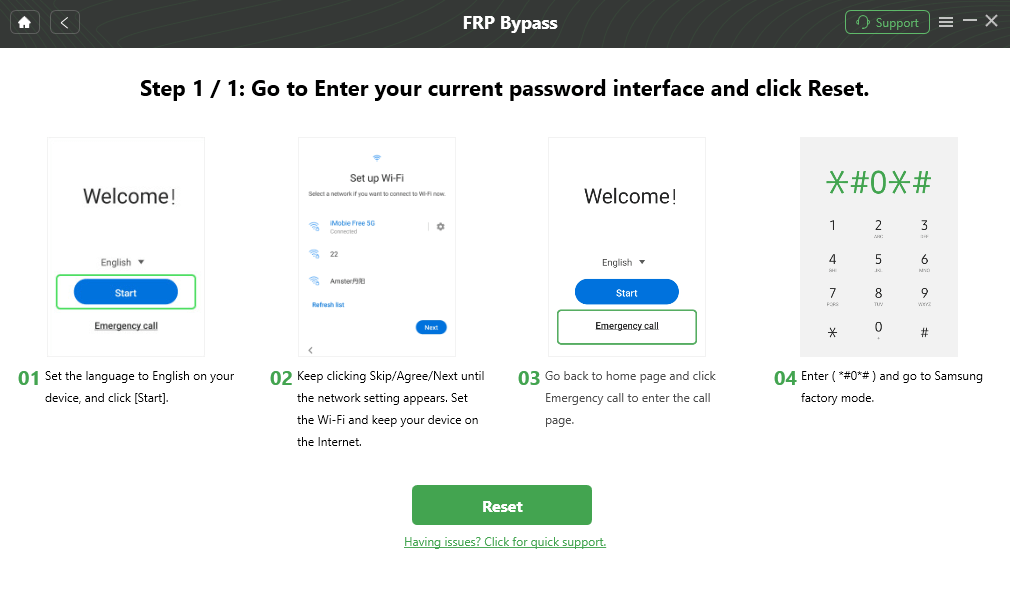
Go to Factory Mode
Step 5. When finished, reboot your phone. The FRP lock now disappears and lets you use the phone freely.

FRP Bypass Complete
FAQs about HushSMS APK
Q1: Is HushSMS APK Compatible with All Android Devices?
No, HushSMS apk is designed mainly for the older Samsung devices, Android 6 to Android 10. As such, it does not support most of the newly made devices or non-Samsung ones.
Q2: Why Does HushSMS APK Fail to Send WAP Push Messages?
HushSMS APK may fail to send WAP Push Messages because the message is being blocked by the firmware of the phone, or the device is unauthorized, or the network does not support WAP push services.
Q3: Does HushSMS APK Really Work?
Yes, HushSMS APK does work, but only on some Samsung phones and specific Android versions. On newer devices with updated security, it often fails.
Conclusion
HushSMS APK offers a simple way to bypass FRP on older Samsung devices using push messages. It is lightweight, free, and easy to use for some basic unlocking tasks. This means it might work on older devices but not on all phones due to current security patches. For more dependable, user-friendly options, DroidKit is worth a shot. It handles FRP bypass smoothly, even on newer models. Give it a go and unlock your phone without the usual hassle!
Free Download * 100% Clean & Safe
More Related Articles



Senior writer of the iMobie team as well as an Apple fan, love to help more users solve various types of iOS & Android-related issues.
Product-related questions? Contact Our Support Team to Get Quick Solution >
