Can FRP Lock Be Removed? Check Your Phone Scenario
Can FRP lock be removed from your Android phone? Check your exact scenario to see if FRP bypass is possible based on account access, device ownership, Android version, and security level.
Not every FRP-locked device can be unlocked the same way.
FRP removal feasibility depends on:
- Whether the original Google account is available
- Device ownership (personal, second-hand, enterprise-managed)
- Android version & security patch level
- Brand-specific FRP restrictions
Use the scenario checklist below to determine the correct removal path.
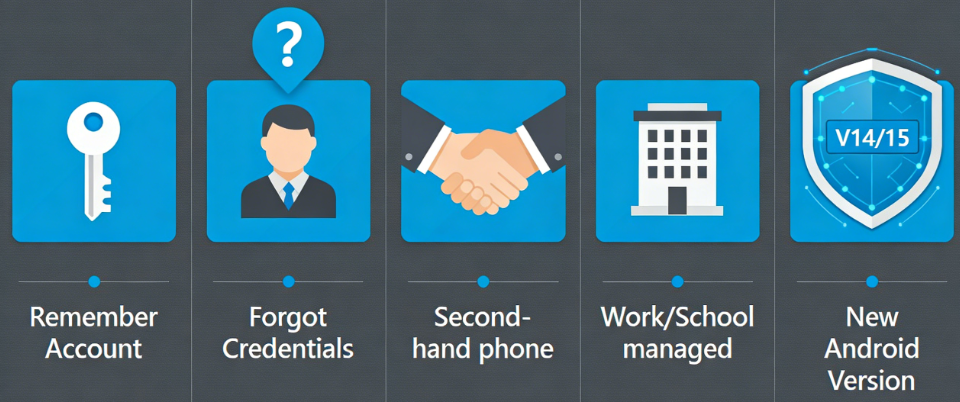
Quick FRP Scenario Check
Choose the condition that best matches your phone:
- I still remember the original Google account → Scenario 1
- I forgot the Google account credentials → Scenario 2
- This is a second-hand Android phone → Scenario 3
- The phone belongs to a company or school → Scenario 4
- The device runs a very new Android version → Scenario 5
Scenario 1 – You Know the Original Google Account
If you still remember the Google account previously synced on the device, FRP can usually be removed through official verification during setup. This is the standard Google-supported method and does not require factory reset protection bypass tools.
- FRP removable: Yes
- Recommended path: Sign in with the original account or recover it via Google Account Recovery
- Data status: Already erased (reset required for FRP to trigger)
- Next step: Proceed with setup → No bypass required
Scenario 2 – Forgot Google Account Credentials
If the original Google account email or password cannot be recovered, removal feasibility becomes conditional. Many users in this situation search “how do I bypass Google lock” or “how to bypass FRP lock.”
In this case, factory reset protection bypass options may exist depending on device compatibility.
- FRP removable: Conditional
- Depends on: Android version, device brand, security patch level
- Possible path: Compatible FRP bypass tools or technical solutions
- Next step:→ Check device compatibility on the FRP guide page
Scenario 3 – Second-Hand Android Phone
If you purchased a used phone and it requests the previous owner’s Google account, FRP is active. Whether removing FRP lock is possible depends primarily on cooperation from the original owner.
If the previous owner can provide credentials, the issue is resolved officially. If not, alternative Android FRP unlock options may be explored depending on system conditions.
- FRP removable: Conditional
- Key factor: Owner cooperation
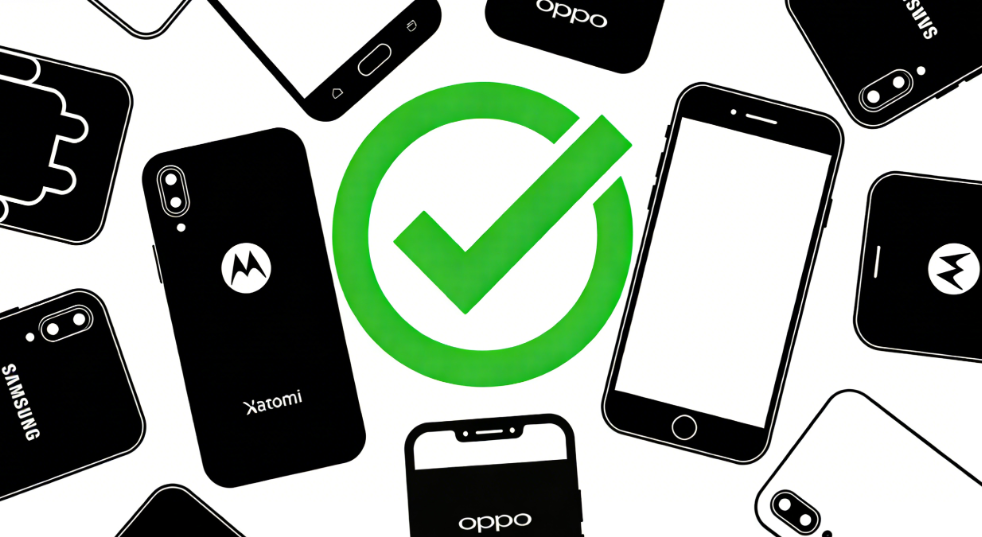
- Alternative path: Brand-compatible FRP bypass tools
- Next step:→ Go to second-hand device FRP removal guide
Scenario 4 – Company or School Managed Device
If the phone is enrolled in company or school management (MDM or enterprise control), FRP may be linked to administrative policies rather than a personal Google account.
In such cases, bypassing the lock is typically restricted by management configuration.
- FRP removable: No (while device is actively managed)
- Reason: Device controlled by administrator or enterprise system
- Recommended action: Contact the IT administrator or organization support
- Next step:→ Contact the organization’s IT administrator
If the organization has officially removed the device from management and only standard Google FRP remains, compatible FRP removal solutions may then be explored.
👉 See supported FRP removal options for eligible devices
Scenario 5 – Unsupported Android Version
If the device runs a newer Android version with updated security patches, certain factory reset protection bypass methods may no longer function.
Android security updates continuously strengthen FRP enforcement, limiting compatibility of older solutions.
- FRP removable: Depends on version
- Risk factor: Updated firmware and security patch
- Possible path: Check supported Android versions before attempting FRP unlock
- Next step:→ View brand-specific FRP bypass guides to find the method that applies to your device
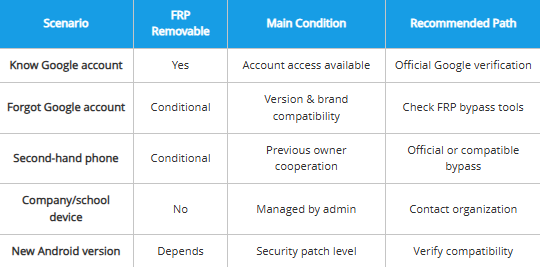
FRP Removal Feasibility Summary Table
| Scenario | FRP Removable | Main Condition | Recommended Path |
| Know Google account | Yes | Account access available | Official Google verification |
| Forgot Google account | Conditional | Version & brand compatibility | Check FRP bypass tools |
| Second-hand phone | Conditional | Previous owner cooperation | Official or compatible bypass |
| Company/school device | No | Managed by admin | Contact organization |
| New Android version | Depends | Security patch level | Verify compatibility |
Learn More About FRP Removal Solutions
If you are exploring FRP bypass and lock removal options beyond official account verification, review the available solution categories before proceeding.
→ Complete Guide to Factory Reset Protection Bypass
→ Google FRP Bypass Explained
→ FRP Lock Samsung Solutions
Whether you are searching for FRP unlock methods, Google FRP bypass options, or how to bypass FRP lock safely, choosing a solution depends on your exact scenario and device compatibility.
Always verify device ownership before attempting to remove FRP lock.
DroidKit
As an all-round Android solution, DroidKit has multiple functions such as Android data recovery, screen password unlock, Google account lock removal, SD card data recovery, Android data management, etc., fully meeting the various needs of Android users.
Free Download for all windows & 100% safe
Free Download for all mac & 100% safe
Free Download 100% Clean & Safe


Roger Smith is a senior technical writer with years of experience in providing Android solutions. He loves to help users solve various problems such as Android unlock, Android data recovery, and Android system repair.
Product-related questions? Contact Our Support Team to Get Quick Solution >
