FRPFile FirmwareBD: What It Is & Better Alternative
FRPFile FirmwareBD offers tools and firmware to bypass FRP on various Android phones. While helpful, it carries risks like outdated files or technical errors for beginners. This guide explains its features, safety tips, and usage steps. It also introduces a safer, faster FRP bypass tool, DroidKit.
FRP bypass tools help unlock phones when you forget your Google account details. One such tool, FRPFile FirmwareBD, is known for working on many Android brands. It offers different firmware and methods to remove security locks without advanced skills. This guide covers an in-depth review of FRPFile FirmwareBD, and also provides a more reliable alternative to help you unlock your phone without Google Account.
What Is FRPFile FirmwareBD?
FRPFile FirmwareBD is a free online platform that shares various firmware and unlocking tools. It mainly helps users fix or unlock Android phones that are locked after resets. The site focuses on Samsung devices but also supports brands like Xiaomi and Huawei. Many mobile experts use it to repair phones or remove factory reset protection easily. However, beginners should use it carefully because the process can be tricky sometimes.
Supported Device: Samsung, Xiaomi, Huawei, Vivo, OPPO, and Motorola.
Chipset Support: MediaTek (MTK) devices and Qualcomm Snapdragon devices
Key Features:
- FRP Tools: Provides APKs and tools to bypass Google verification screens easily.
- Unlocking Software: Helps crack forgotten passwords or patterns in Android phones.
- IMEI Repair: Comes with a utility to repair a broken IMEI to recover network connectivity.
- Flash Support: Let users flash the stock ROMs or custom firmware to improve performance.
Pros:
- Registration is not needed, as it means that files can be downloaded anonymously.
- Periodically updated files to keep it in step with new versions of Android.
Cons:
- Some utilities require advanced skills and knowledge that are not suitable for casual users.
- Incorrect firmware flashing may brick devices, causing permanent damage.
Is FRPFile FirmwareBD Safe & Legal?
FRPFile FirmwareBD collects and shares tools from other developers, not creating its own. Downloads come from third parties and may be outdated or contain hidden malware. Many fake mirror sites copy files and sometimes spread harmful or altered packages. Always scan every download with good antivirus software before opening or installing it.
Some tools on FRPFile FirmwareBD require technical skills, so beginners had better choose trusted paid services or official support.
How to Use FRPFile FirmwareBD for FRP Bypass?
FRPFile FirmwareBD offers various tools to remove Google account locks from phones. Users can access firmware files, FRP bypass software, and utilities in one convenient place. Review the following steps to find out how you can download and use FRPFile FirmwareBD:
Step 1. Navigate to your PC’s “Windows Security” to access the “Virus & Threat Protection” section and press “Manage Settings.”
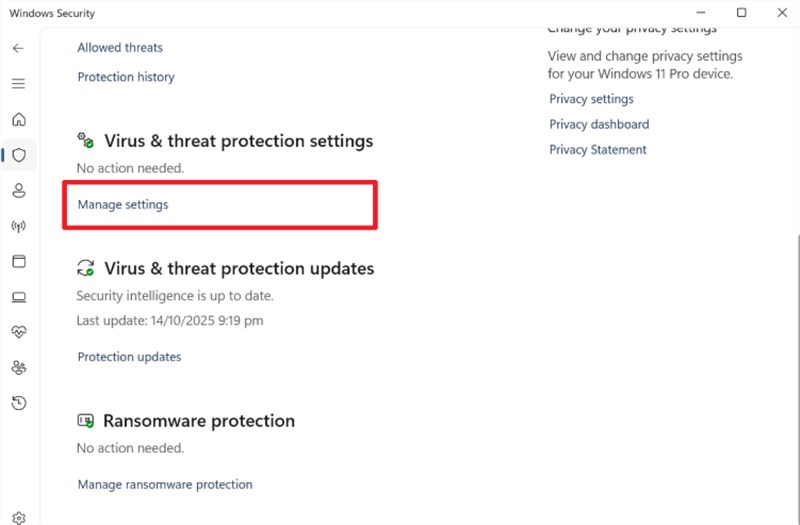
Step 2. Click the “Real-Time Protection” toggle to disable it.
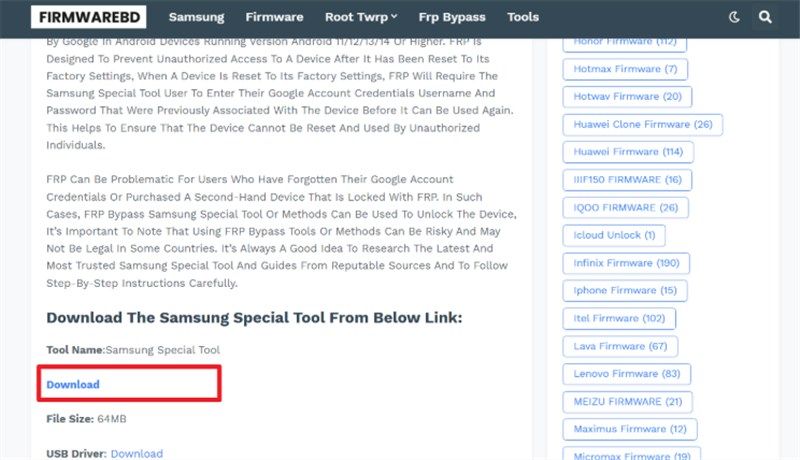
Step 3. Access the official “FirmwareBD” website and type your phone brand in the search bar.
Step 4. Choose the latest FRP file and click the “Download” icon to export the file. Link your Android to the PC and run the tool to follow the displayed instructions for FRP removal.
Safer Alternative to FRPFile FirmwareBD – DroidKit
FRPFile FirmwareBD is not always safe or reliable for every Android user’s needs. To avoid risks, DroidKit offers a trusted and secure way to bypass Google FRP. It supports Android up to version 15 to ensure compatibility with the newest updates. You can unlock FRP protection quickly after a factory reset without complex technical steps. Upon bypassing FRP, DroidKit lets you remove previously synced Google Account from Android and sign in again using a new Google account. Your privacy always stays protected with SSL-256 encryption during the complete FRP process.
Key Features of DroidKit:
- Achieves high success rate with advanced technology for FRP bypass.
- Restores immediate access to device functions and services.
- Prompts users to choose the correct Android version to reduce bypass failures.
- Regularly updated system ensures compatibility with the newest device models.
Free Download * 100% Clean & Safe
Stepwise Guide to Use DroidKit to Bypass Google FRP:
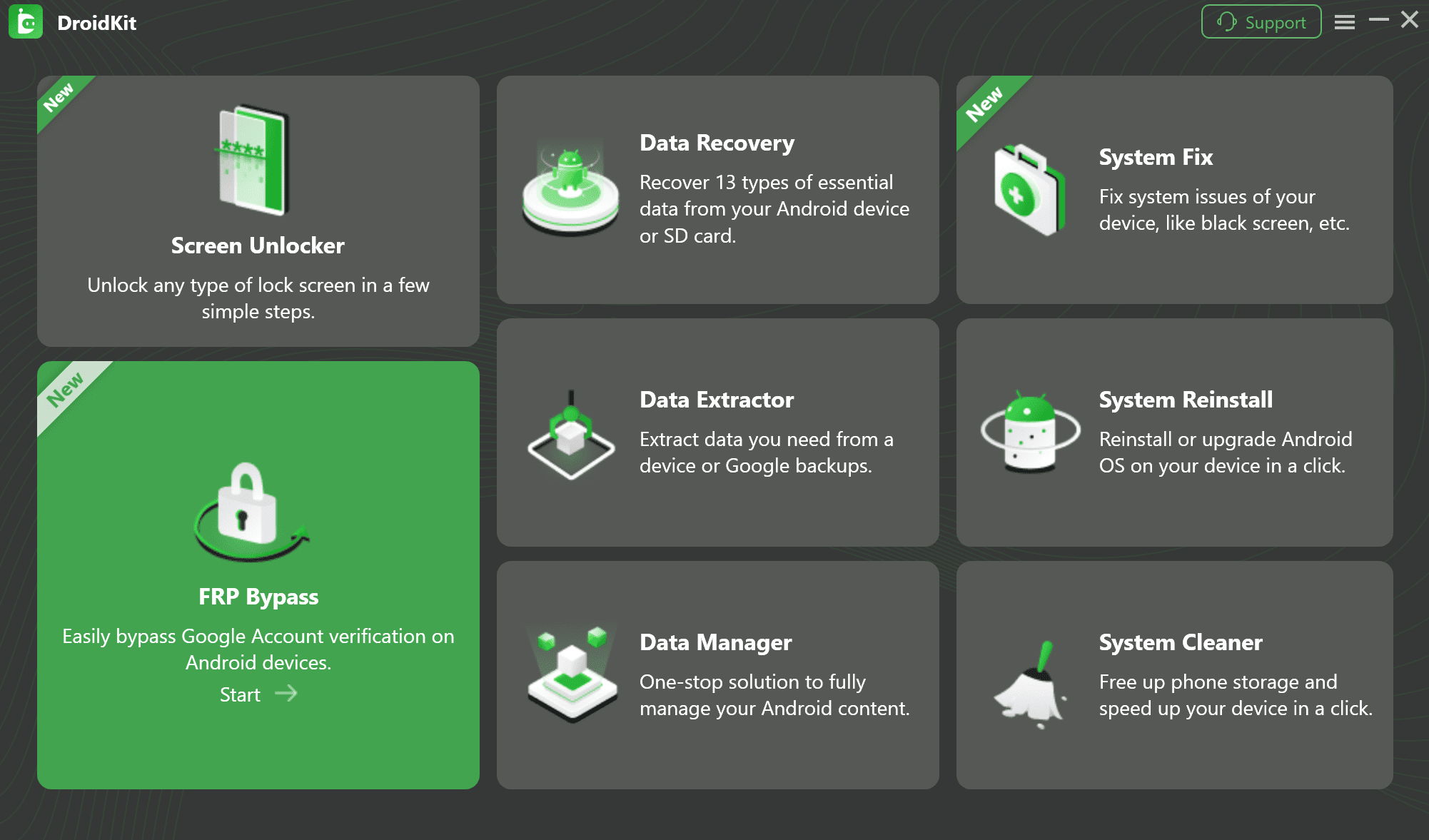
Step 1. Free download DroidKit and install it on your PC. Choose FRP bypass mode.
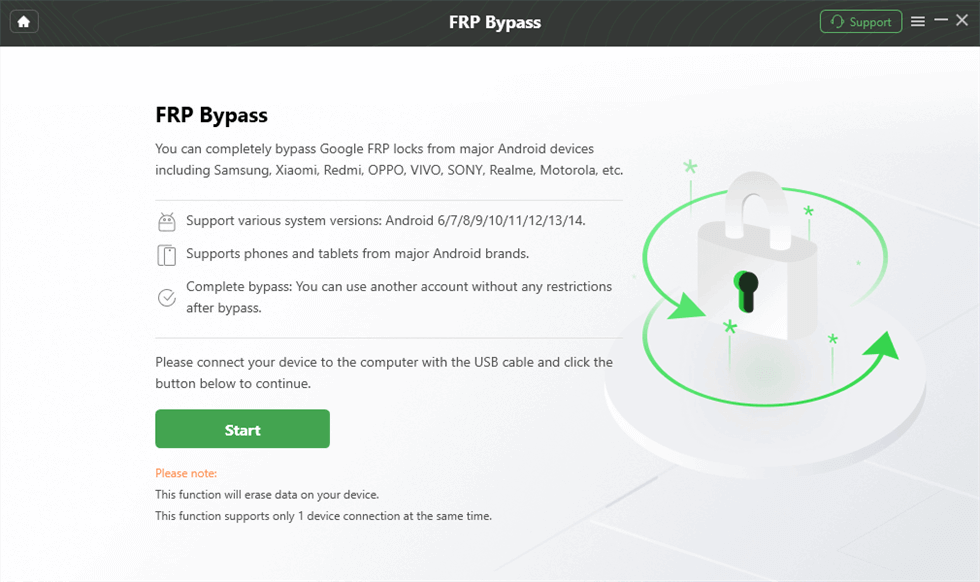
Step 2. Take the locked Android phone and plug it into your PC via USB cable. Then click on the Start button.
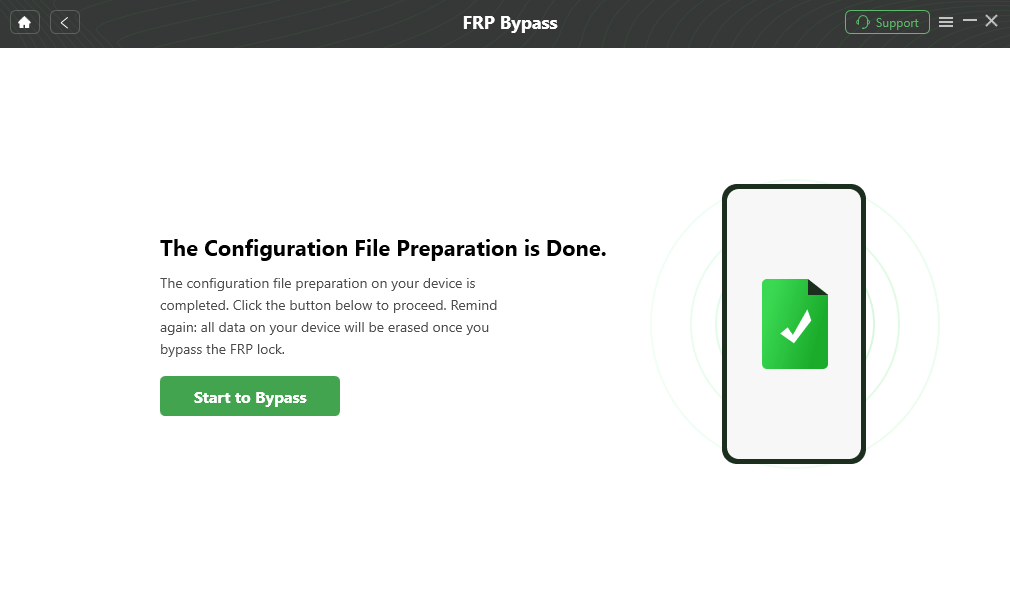
Step 3. After the configuration file for the phone is prepared, click Start to Bypass.
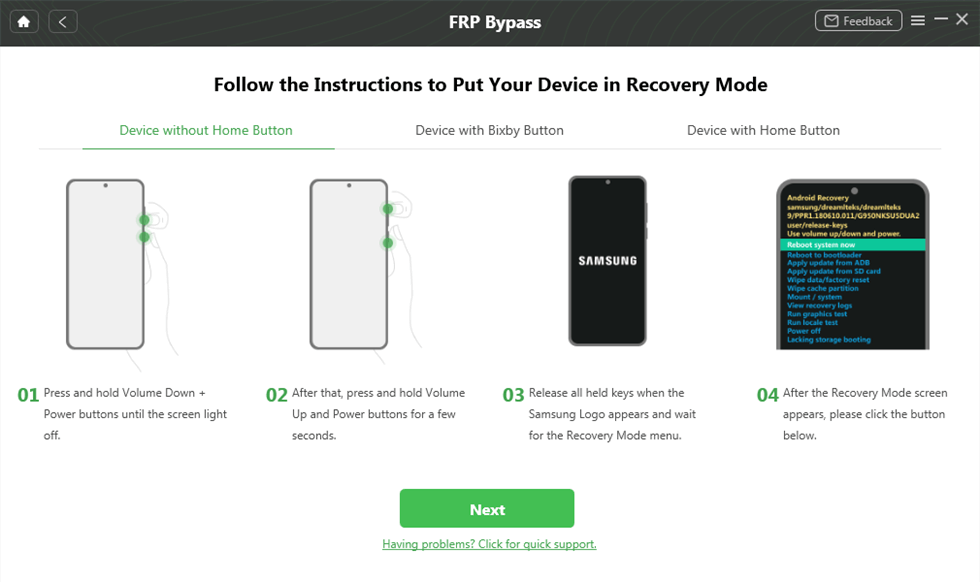
Step 4. Follow the instructions to reset your Android phone.
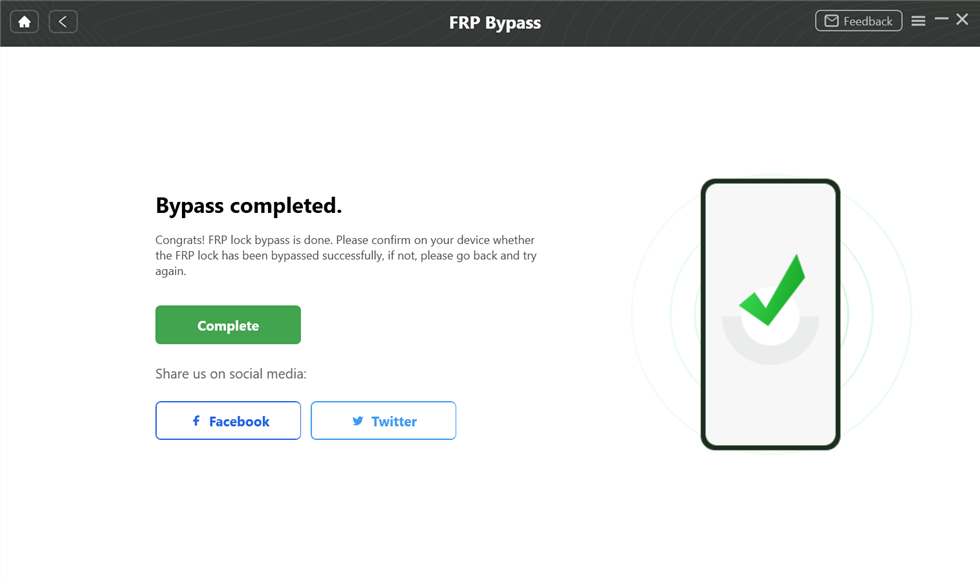
Step 5. After the process is completed, the phone will be restarted automatically.
FAQs about FRPFile FirmwareBD
Q1. Does FRPFile FirmwareBD Work for Xiaomi or Huawei?
FRPFile FirmwareBD contains bypass tools working for Xiaomi and Huawei devices. Yet, success rates may vary depending on the model, Android version, and tool compatibility used.
Q2. Is FRPFile FirmwareBD the Same as FRPFile?
FRPFile FirmwareBD and FRPFile are related but not exactly the same platform. FRPFile provides FRP bypass tools, while FRPFile FirmwareBD shares firmware and utility files.
Q3. Can FRPFile FirmwareBD bypass FRP on Android 14 devices?
FRPFile FirmwareBD can bypass FRP on Android 14 devices with compatible tools and firmware. Success depends on device model, firmware version, and whether the right tool is available locally.
Conclusion
To sum up, FRPFile FirmwareBD provides tools and firmware for bypassing FRP on Android phones. While useful, it may carry risks like outdated files or technical difficulties for beginners. Therefore, careful use and antivirus scanning are necessary to prevent errors or device damage. For safer, faster, and more reliable FRP removal with higher success, choose DroidKit instead. Download and try DroidKit today for an effortless FRP bypassing experience.
Free Download * 100% Clean & Safe


Roger Smith is a senior technical writer with years of experience in providing Android solutions. He loves to help users solve various problems such as Android unlock, Android data recovery, and Android system repair.
Product-related questions? Contact Our Support Team to Get Quick Solution >
