In-depth Review of Riserom FRP Tool: Is It Safe?
Riserom FRP Tool searches in 2026 often lead to APK files, Factory Test APK, QuickShortcutMaker routes, combination files, or custom ROM downloads. This review explains which Riserom-style methods may still work, where they usually fail, and what safety checks to make before installing any file.
Riserom FRP Tool is often searched in 2026 by users looking for APK files, Factory Test APK, QuickShortcutMaker routes, combination files, or custom ROM downloads after getting stuck on Google verification. The key question is not only whether a Riserom bypass file exists, but whether that file still matches your phone brand, Android version, setup path, and security patch.
This review focuses on Riserom FRP Tool, Riserom bypass, Risrom, Riserom FRP APK, Factory Test APK, and QuickShortcutMaker FRP searches. It also explains how to evaluate older Riserom bypass 2024 or 2025 tutorials when you are checking them in 2026.
Use FRP-related tools only on a device you own or are authorized to repair. If a second-hand phone is still linked to the previous owner, ask the seller to remove the Google account properly before trying any APK, combination file, or flashing route. For a broader view of Android FRP utilities, see the Android FRP tool guide and the best FRP bypass tools comparison.
Table of ContentsHide
Quick Answer: Is Riserom FRP Tool Worth Trying?
What Is Riserom FRP Tool?
How Does Riserom FRP Tool Work?
Is Riserom FRP Tool Free to Use?
Is Riserom FRP Tool Safe to Use?
How to Download Riserom FRP Tool Latest Version
Riserom Download Safety: APK, Combination File, ROM
How to Use Riserom FRP Tool to Bypass FRP
Riserom Bypass Not Working: Common Fixes
APK Alternatives to Riserom FRP Tool
When to Compare a PC-Based FRP Tool
Comparison Table: DroidKit vs Riserom FRP Tool
FAQs About Riserom FRP Tool
Conclusion
Quick Answer: Is Riserom FRP Tool Worth Trying?
Riserom may still be worth checking in 2026 only when you can match the file type to the device: APK, Factory Test APK, QuickShortcutMaker, combination file, or custom ROM. If the phone cannot open the required setup path, the APK will not install, Phone Clone is unavailable, or the file source looks unclear, the Riserom route is not a good fit for that device.
| Your Riserom Search | What It Usually Means | What to Check First |
| Riserom bypass | User wants a general FRP bypass route. | Check device brand, Android version, setup menu access, and file type. |
| Riserom bypass 2024 / 2025 | User may be following an older method. | Check whether TalkBack, Phone Clone, or APK install still appears on your firmware. |
| Risrom | Likely misspelling of Riserom. | Use the same safety checks before downloading any file. |
| Riserom FRP APK | User wants an APK-based route. | Check APK source, Android version, file permissions, and install errors. |
| Riserom combination file / ROM | User may need a flashing-based route. | Check exact model, binary version, firmware risk, and data-loss impact. |
What Is Riserom FRP Tool?
Riserom FRP Tool is not an official Google or Android recovery product. It is commonly described as a third-party source for FRP-related APK files, Factory Test APK routes, QuickShortcutMaker-style shortcuts, combination files, and custom ROM resources. Users visit it when they want a free file-based route after Android setup asks for the previously synced Google account.
The biggest attraction is easy access to files. The biggest problem is that those files may not match your phone model, Android version, security patch, or setup screen. A method that appears in a 2024 or 2025 Riserom tutorial may stop immediately if the required menu has been patched.
| Pros | Cons |
| Free files may be available without a paid license. | Files are not official Google recovery tools. |
| May include APKs, Factory Test APK, shortcuts, combination files, and ROM resources. | Compatibility depends heavily on device model, Android version, and security patch. |
| Useful for users researching older APK-style FRP methods. | Unknown APKs, ads, redirects, or modified files can create security risk. |
| Some guides explain device-specific setup paths. | Flashing or custom ROM routes may erase data or damage the device if mismatched. |
How Does Riserom FRP Tool Work?
Riserom-style FRP methods usually work by providing files that try to open a path around Google verification during Android setup. The exact path changes by device. Some methods use APKs that open hidden settings or account screens. Some use Factory Test APK and QuickShortcutMaker to open engineering or factory-test activities. Others rely on combination firmware or custom ROMs, which are more technical and riskier.
| Riserom File Type | How It Is Usually Used | Main Risk |
| FRP APK | Installed through a browser, file manager, Phone Clone, or another setup entry point. | APK may be modified, incompatible, or blocked by install permissions. |
| Factory Test APK | May open a factory or engineering activity on selected devices. | Activity may not exist or may be blocked on newer firmware. |
| QuickShortcutMaker | Used to search for settings, engineering, or account-related activities. | Shortcut only works if the activity is still accessible. |
| Combination file | Used in some Samsung-style service workflows. | Wrong model or binary can cause flashing errors. |
| Custom ROM | Replaces or modifies the system image. | High data-loss and device-stability risk. |
If your main intent is APK safety rather than Riserom specifically, read this FRP Bypass APK safety guide before downloading unknown files.
Is Riserom FRP Tool Free to Use?
Riserom resources are often discussed as free downloads, but “free” does not automatically mean safe or compatible. Some file pages may include ads, pop-ups, shortened links, outside file hosts, or firmware links that require another account or paid access. Always check where the final file is hosted before opening it.
A free APK that does not match your Android version may fail with “App not installed.” A free combination file that does not match your model or binary version can be much riskier than a normal APK failure.
Is Riserom FRP Tool Safe to Use?
Riserom should be treated as a higher-risk file source because it is not an official Android recovery channel. The risk depends on the exact file, host, device, and method. APK files may request unusual permissions, combination files may require flashing, and custom ROMs may replace system components.
Safety note: Do not enter Google account credentials into unknown APKs or pages. Do not flash files unless you can verify the exact model, Android version, binary, and source. Stop if a file page redirects repeatedly or forces unrelated downloads.
| Risk Signal | Why It Matters | Safer Action |
| Unknown APK source | The file may be modified or bundled with unsafe code. | Scan the file and avoid suspicious mirrors. |
| “Latest version” without date | The page may be copying old files from another source. | Check upload date, version, file size, and comments. |
| Combination file with unclear model | Wrong firmware can fail or affect boot behavior. | Verify model and binary before flashing anything. |
| Custom ROM download | ROM changes can erase data or destabilize the phone. | Use only if you understand flashing and recovery risks. |
| Too many pop-ups or redirects | High chance of fake buttons or unwanted downloads. | Leave the page and use a cleaner source. |
How to Download Riserom FRP Tool Latest Version
Searches for “Riserom latest version” are tricky because Riserom is more of a file source than a single desktop product with one stable release number. Before downloading, identify whether you need an APK, Factory Test APK, QuickShortcutMaker, combination file, or ROM package.
Step 1. Search for the exact Riserom file type you need, such as Riserom FRP APK, Factory Test APK, QuickShortcutMaker, or a device-specific combination file.
Step 2. Check whether the page mentions your device brand, Android version, and method year. A 2024 or 2025 method may be patched on newer security builds.
Step 3. Review the download host. Avoid pages that redirect through multiple ad screens or download managers.
Step 4. Scan the downloaded file before opening it. For APKs, check the package name and requested permissions before installing.
Step 5. Do not continue if the file type does not match the tutorial. For example, do not use a ROM package when the guide is actually describing an APK route.
Riserom Download Safety: APK, Combination File, ROM
Use this table before opening a Riserom file.
| File Type | Check Before Use | Stop If… |
| APK | Source, package name, permissions, Android version, install path. | The APK requests unrelated permissions, fails to install, or redirects to another file. |
| Factory Test APK | Device brand, activity name, setup path, Android build. | The factory-test activity is missing or blocked. |
| QuickShortcutMaker | Whether the target activity is still available. | Search results do not show the expected activity. |
| Combination file | Exact model, binary version, firmware source, flashing tool. | Model or binary does not match. |
| Custom ROM | Bootloader state, recovery, model, backup, ROM source. | You cannot verify the ROM or do not understand flashing steps. |
How to Use Riserom FRP Tool to Bypass FRP
The original Riserom-style method often involves TalkBack, voice commands, Phone Clone, Factory Test APK, and QuickShortcutMaker. Treat the steps below as a compatibility checklist, not a guaranteed route. If one checkpoint is missing, the method is not suitable for your firmware.
Step 1. Turn on the phone and reach the setup screen. Check whether the device asks for the Google account previously synced on the phone.
Step 2. Try the setup accessibility path only if it is visible on your model. Some older instructions use TalkBack gestures and voice commands to reach Settings, but many newer Android builds block this path.
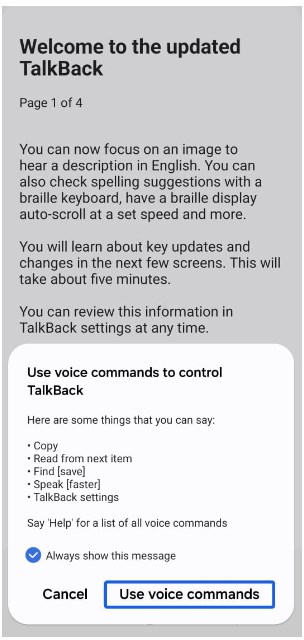
Select Use Voice Commands
Step 3. Check whether Phone Clone or a similar transfer app is available. If your phone does not include this option during setup, the Riserom Phone Clone route cannot continue.
Step 4. On another phone, download only the exact files required by the guide, such as Factory Test APK and QuickShortcutMaker. Scan the files before transferring them.
Step 5. Transfer the APK files to the locked phone only if the setup flow allows it. If installation is blocked, do not keep testing random APK files.
Step 6. Open QuickShortcutMaker and search for the activity required by the method, such as a factory or engineering test activity. If the activity does not appear, the route is likely patched on your firmware.
Step 7. Continue only when the activity shown on your screen matches the guide. Do not open unrelated factory, modem, or engineering menus.
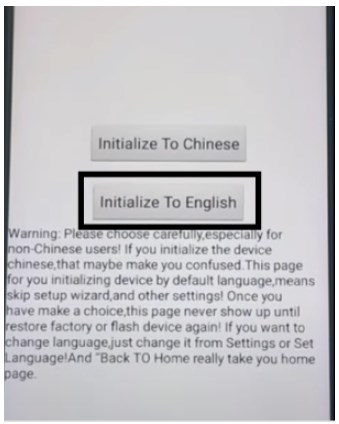
Select Initialize to English
Stop point: If TalkBack, voice commands, Phone Clone, APK install, or the expected QuickShortcutMaker activity is missing, stop the Riserom route. Your device likely needs a different method, account recovery, or a supported PC workflow.
Riserom Bypass Not Working: Common Fixes
When a Riserom bypass method fails, identify the exact checkpoint instead of downloading more files with similar names.
| Problem | Likely Cause | What to Try Next |
| TalkBack path does not open Settings | Android security patch blocks the setup shortcut. | Use another device-specific route or account recovery. |
| Phone Clone is missing | The model or setup flow does not support that transfer path. | The Factory Test APK transfer route cannot continue. |
| APK says App not installed | Wrong APK version, blocked install permission, or damaged file. | Check APK source and Android version before trying another file. |
| QuickShortcutMaker does not show the activity | The factory or engineering activity is unavailable or patched. | Do not open unrelated activities; switch methods. |
| Combination file fails | Wrong model, binary, firmware, or flashing tool. | Stop and verify device details before flashing again. |
| Device still asks for Google account | FRP remains active or the method did not apply. | Use Google recovery, seller removal, or a compatible FRP workflow. |
For broader method-failure checks, use the FRP bypass not working guide.
APK Alternatives to Riserom FRP Tool
Riserom is not the only APK-related source users compare. The alternatives below are not automatic recommendations; each one should still be judged by file source, version match, ads, permissions, and device compatibility.
Legacy FRP APK Sources: RootJunky vs. MobileTeamOfficial vs. Riserom
RootJunky and MobileTeamOfficial frequently appear as alternatives when a Riserom APK or setup route does not work. However, changing the APK name does not restore a setup shortcut that has already been blocked by the phone’s Android version or security patch. Compare the required entry path and device compatibility before downloading another file.
| FRP Source | What It Is Known For | Main Compatibility Limit | When to Stop |
| RootJunky | Older FRP APK, OTG, RealTerm, and setup-screen methods | Primarily associated with much older Android versions and vulnerabilities that have since been patched | Stop if the OTG file prompt, settings shortcut, or required communication path is unavailable |
| MobileTeamOfficial | Collections of Google Account Manager, QuickShortcutMaker, Factory Test, launcher, and FRP APK files | Results depend on the Android build, phone brand, APK version, installation permission, and access to the required activity | Stop if the APK cannot install, the expected activity is missing, or the download source cannot be verified |
| Riserom | FRP APKs, Factory Test files, QuickShortcutMaker routes, combination files, and ROM resources | No single file works across all models, Android versions, binary versions, and security patches | Stop if TalkBack, Phone Clone, APK installation, or the required factory activity is blocked |
Key takeaway: These sources often depend on the same types of setup-screen access and hidden Android activities. If Riserom fails because the required route has been patched, downloading a similarly named RootJunky or MobileTeamOfficial APK is unlikely to solve the underlying compatibility problem. Use Google Account Recovery, ask the previous owner to remove the device from their account, or compare a supported device-specific workflow instead.
1. APKMirror
APKMirror is often used to find older official Android app versions, such as Google Account Manager or SetupWizard components. It is not an FRP-specific bypass tool, so you need to know which APK version your method requires.

APKMirror Interface
| Pros | Cons |
| Large archive of app versions. | Not built specifically for FRP bypass. |
| Useful when a method requires a known official app package. | You must know the correct package and version yourself. |
2. FRPBypass.cc
FRPBypass.cc focuses more directly on FRP APK files and device instructions. That focus can be useful for research, but the site still requires source and permission checks before downloading anything.
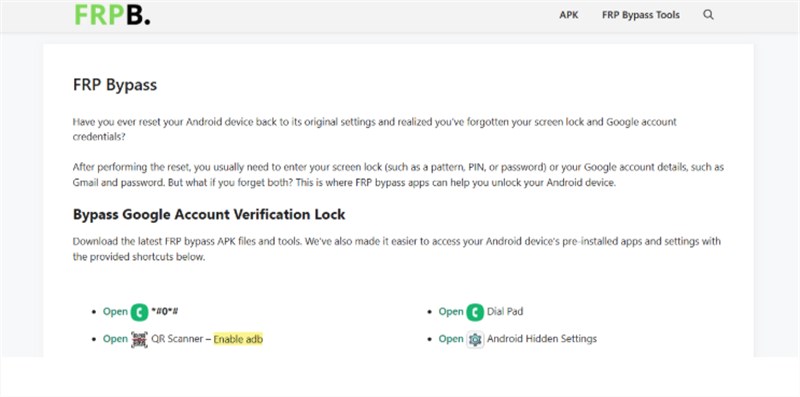
FRPBypass.cc Interface
| Pros | Cons |
| FRP-specific files and guides may be easier to find. | Not an official Google or Android recovery source. |
| May organize tools by device or Android version. | Ads, redirects, and unknown developers can create risk. |
3. APKPure
APKPure hosts many Android APKs and older app versions. It can be useful for finding regular apps, but FRP-related files still require careful checking because installing the wrong APK can fail or expose the device to unnecessary risk.
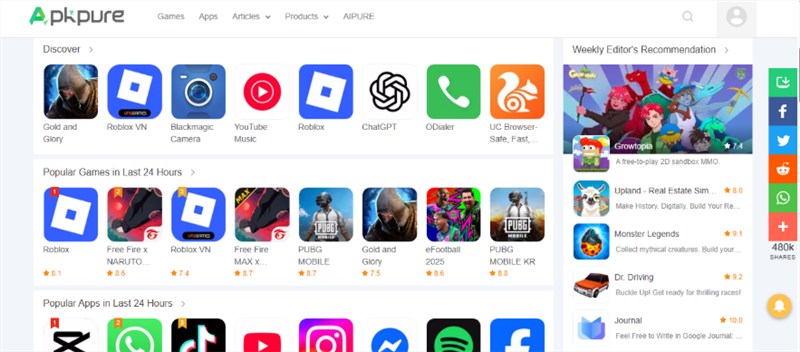
APKPure Interface
| Pros | Cons |
| Large app library with older versions. | Not every APK source is right for FRP-related use. |
| Easy search and download experience. | Users still need to verify package, version, and permissions. |
When to Compare a PC-Based FRP Tool
A PC-based FRP tool becomes worth comparing when the Riserom path fails at a specific point: TalkBack is blocked, Phone Clone is unavailable, Factory Test APK will not install, QuickShortcutMaker cannot find the activity, or the file source looks unsafe. DroidKit FRP Bypass provides an on-screen workflow for supported Android FRP scenarios, so it is more relevant when the user needs structured steps instead of APK trial-and-error.
Check this path when:
- Riserom APK files will not install on your Android version;
- the setup shortcut in a 2024 or 2025 guide is patched;
- you cannot verify a Factory Test APK or custom ROM source;
- you prefer a desktop workflow with visible device instructions;
- you are using a device and Android version supported by the tool.
Free Download * 100% Clean & Safe
Step 1. Download and install DroidKit on your computer. Choose FRP Bypass from the main screen.
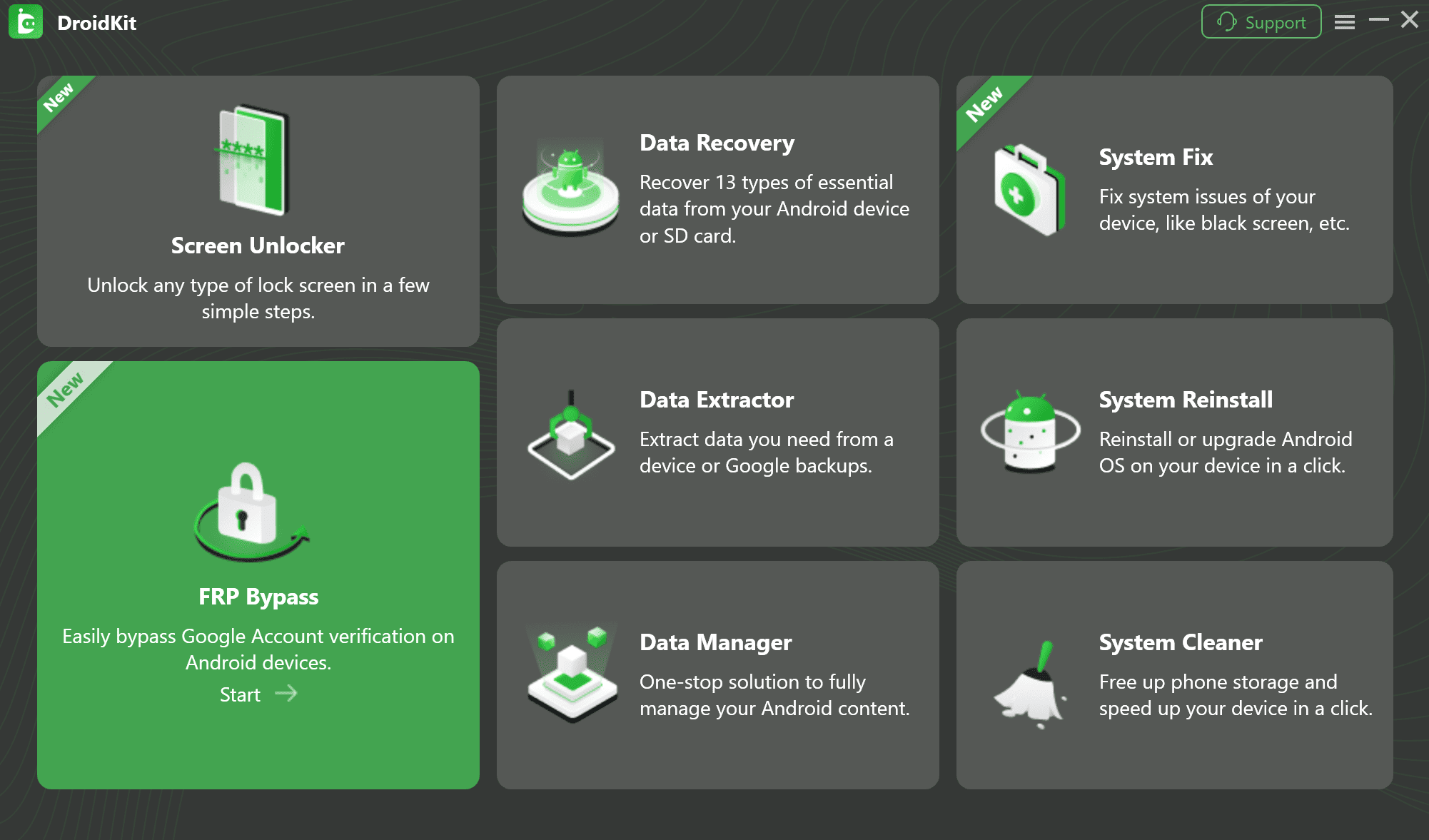
Select FRP Bypass Feature
Step 2. Connect the locked Android phone with a stable USB cable and click Start.
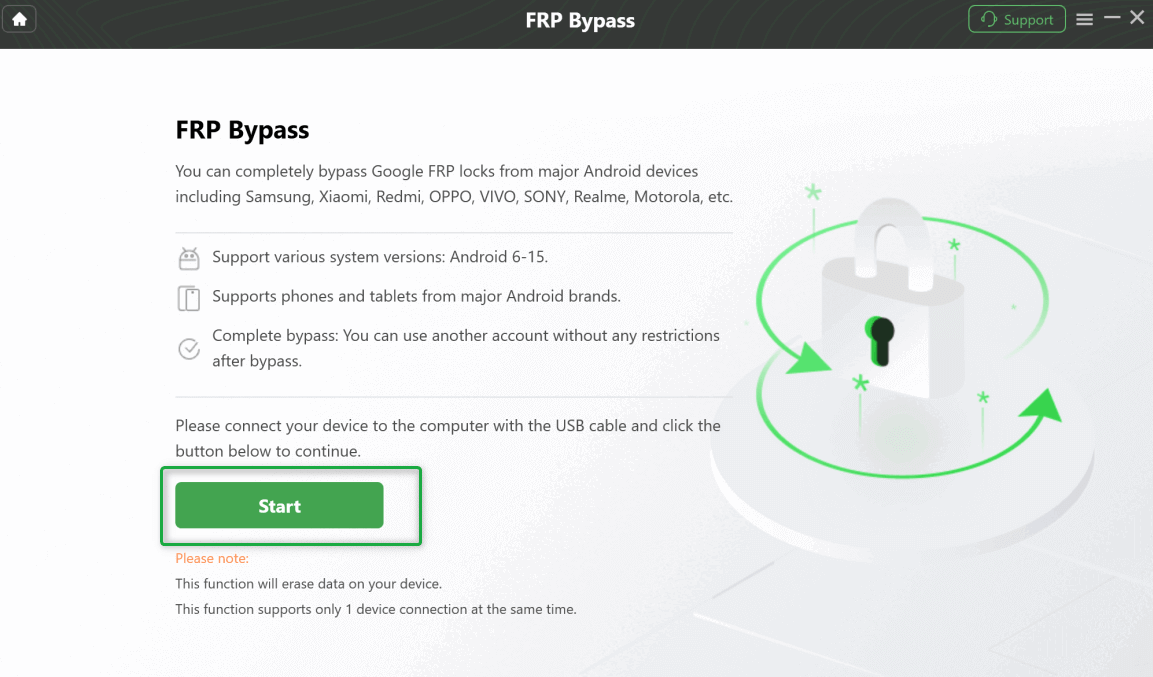
Click Start
Step 3. Wait for the configuration file to be prepared, then click Start to Bypass when the option appears.
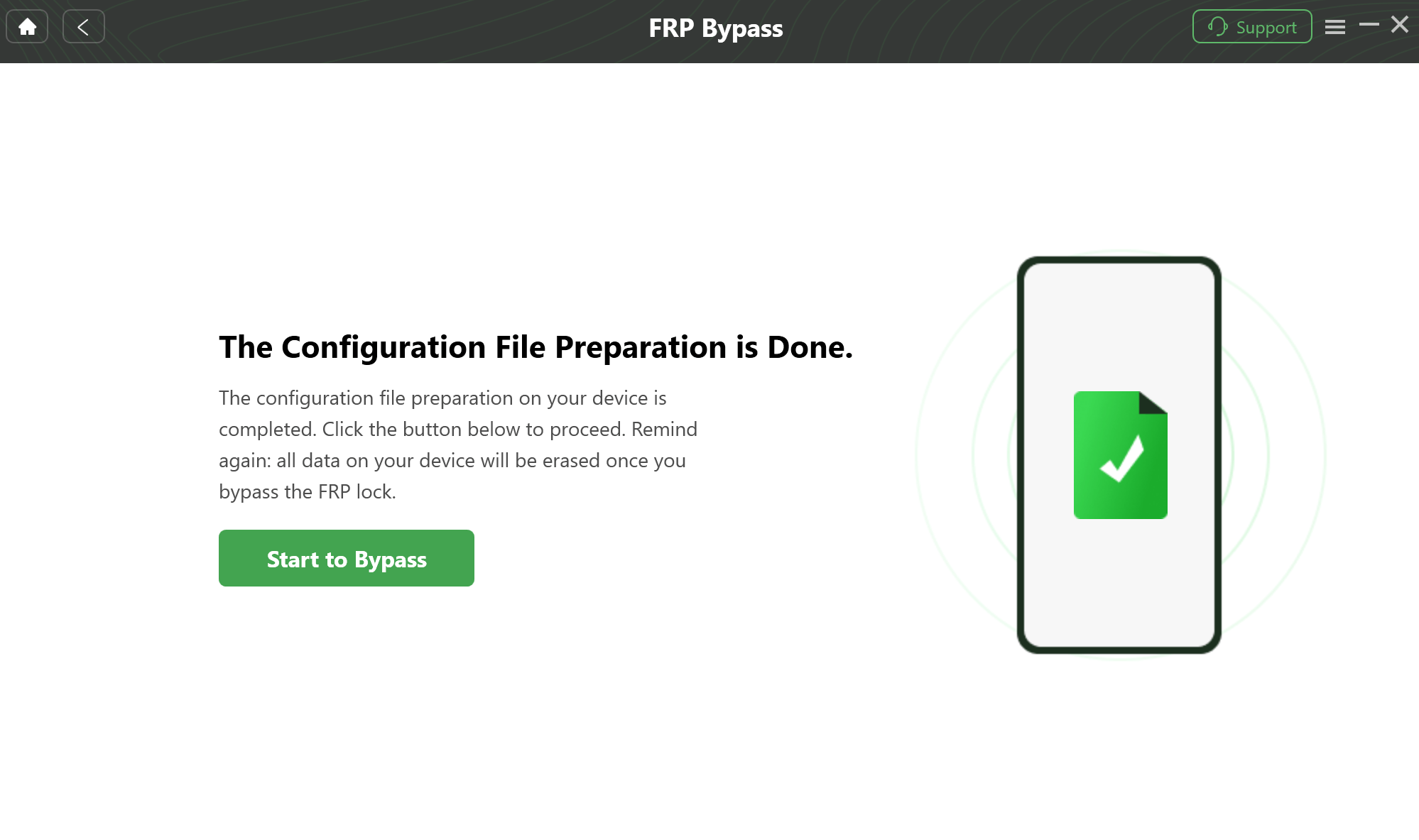
Prepare to Bypass FRP on Your Device
Step 4. Follow the on-screen instructions for your device model and Android version.
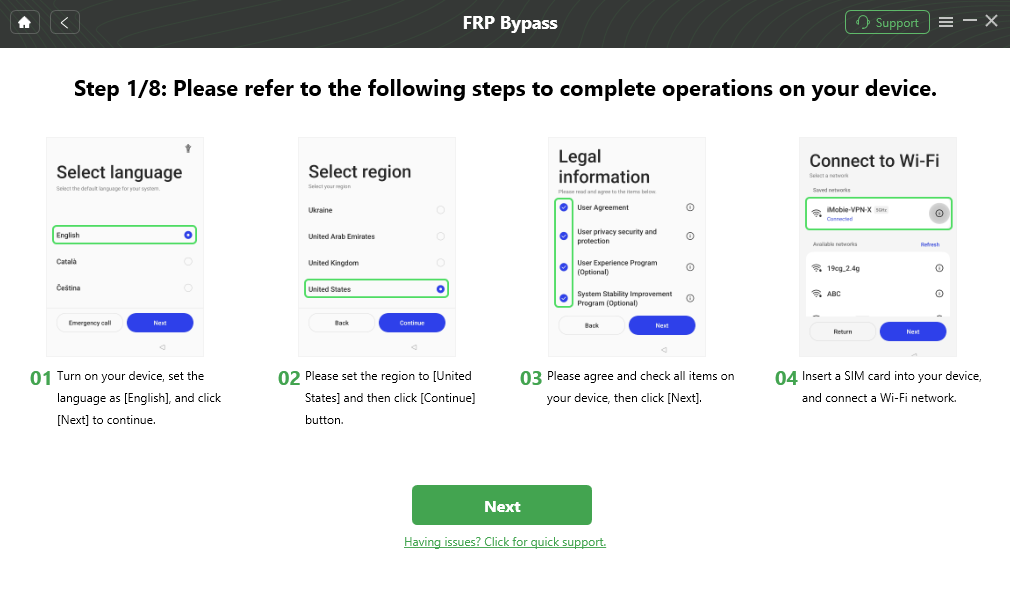
Follow the Bypass Steps
Step 5. Keep the phone connected until the process completes, then set up the device with a Google account you control.
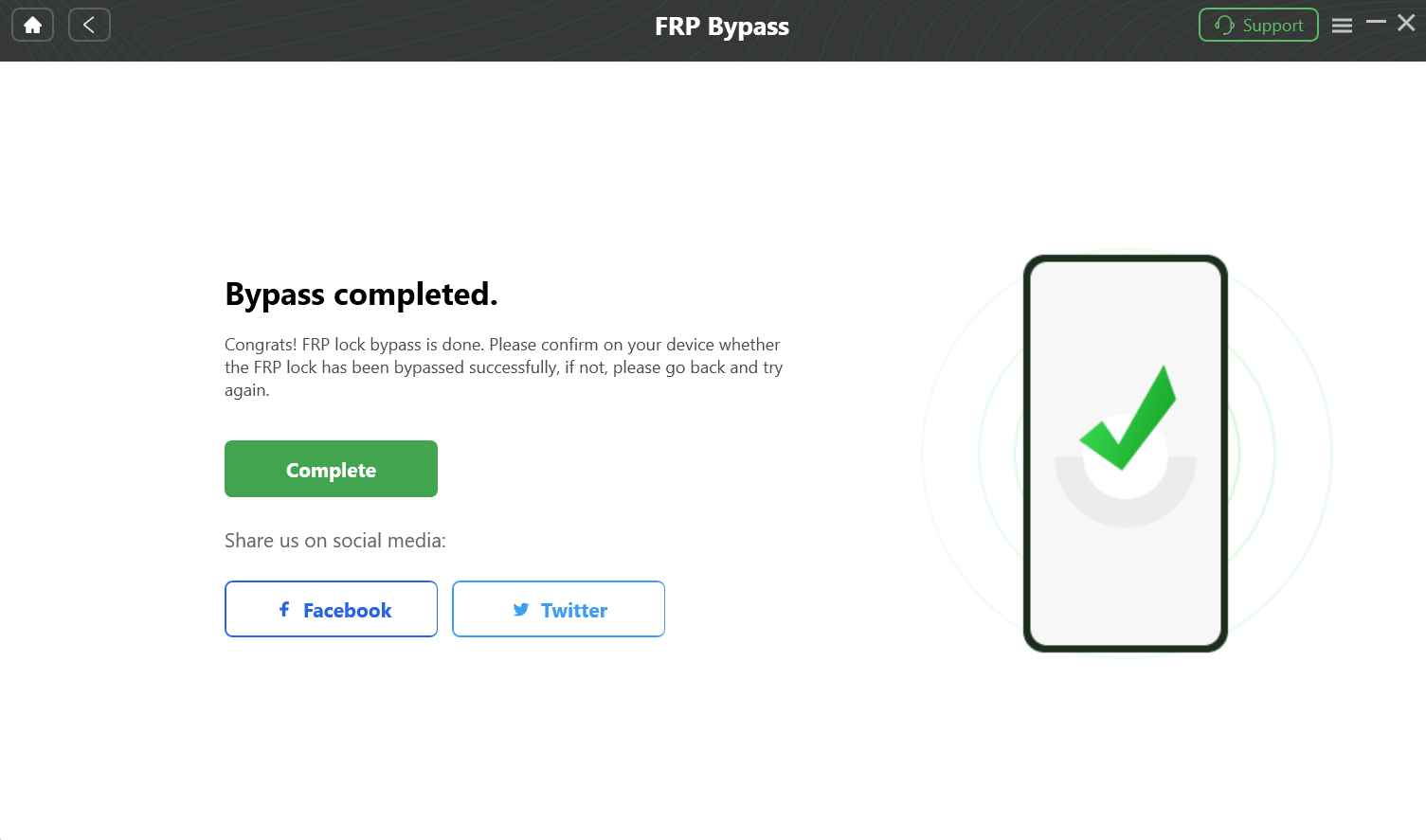
Bypass FRP Lock Successfully
Compatibility note: A PC-based tool is not a guarantee for every Android model. Check support first and use it only on a device you own or are authorized to repair.
Comparison Table: DroidKit vs Riserom FRP Tool
Use this comparison to decide whether you should continue testing Riserom files or switch to a more structured route.
| Attribute | DroidKit FRP Bypass | Riserom FRP Tool |
| Primary use | Guided FRP workflow for supported Android scenarios. | FRP APKs, Factory Test APK, shortcuts, combination files, and ROM resources. |
| Best for | Users who need step-by-step desktop instructions. | Users researching APK or file-based FRP routes. |
| Setup difficulty | Requires PC connection and following tool prompts. | Depends on setup shortcuts, APK install, file transfer, or flashing. |
| Risk area | Device support and reset steps must be checked. | Unknown file source, APK mismatch, ads, redirects, and firmware risk. |
| Failure sign | Device or Android version not supported. | APK not installed, Phone Clone missing, QuickShortcutMaker activity not found. |
FAQs About Riserom FRP Tool
Is Riserom the same as Risrom?
Most “Risrom” searches appear to be misspellings of Riserom. The safety checks are the same: verify the file source, device model, Android version, method year, and download behavior before opening anything.
Is Riserom FRP Tool official?
No. Riserom is not an official Google or Android recovery tool. It is commonly used as a third-party source for APKs, Factory Test APK files, shortcuts, combination files, and ROM-related resources.
Do Riserom bypass 2024 or 2025 methods still work in 2026?
Some Riserom bypass 2024 or 2025 methods may still appear in search results, but they only work when the required setup path, APK install option, Phone Clone route, or QuickShortcutMaker activity is still available on your Android version and security patch.
Is Riserom FRP Tool safe?
It should be treated with caution. APKs, combination files, and custom ROMs from third-party sources can be outdated, modified, incompatible, or unsafe. Always scan files and avoid pages with repeated redirects or unclear file origins.
Why does Riserom APK say App not installed?
This usually means the APK version is wrong for your Android build, the file is damaged, installation from unknown sources is blocked, or the APK package conflicts with an existing system component.
Why does QuickShortcutMaker not show the factory activity?
The activity may not exist on your model, may be named differently, or may be blocked by a newer security patch. If the expected activity is missing, the Riserom method is likely not compatible with your firmware.
Does Riserom FRP bypass erase data?
It can. APK methods may not always erase data, but FRP usually appears after a factory reset. Combination files, custom ROMs, flashing, or reset-based workflows can erase data or make existing data inaccessible.
What is the best Riserom FRP Tool alternative?
The best alternative depends on where Riserom fails. If the APK cannot install, Phone Clone is missing, or the QuickShortcutMaker activity is patched, compare a supported PC-based FRP workflow or a device-specific guide instead of downloading more random APKs.
Can RootJunky or MobileTeamOfficial work if Riserom fails?
Only if the alternative uses a different route that is still supported by your exact device and firmware. RootJunky, MobileTeamOfficial, and Riserom often rely on similar APK installation options, setup shortcuts, or hidden Android activities. If your security patch has blocked the required entry point, simply switching to another FRP APK usually will not help. Check the device model, Android version, security patch, APK source, and required setup path before trying another tool.
Is it legal to use Riserom FRP Tool?
FRP-related methods should only be used on a device you own or are authorized to repair. Do not use Riserom files, APKs, or tools to access someone else’s phone, Google account, or data.
Conclusion
Riserom FRP Tool is best understood as a file-source and method-research page, not a universal FRP remover. The result depends on whether your phone still exposes the required setup path: TalkBack, Phone Clone, Factory Test APK, QuickShortcutMaker activity, APK installation, combination file, or flashing route.
Before following a Riserom bypass 2024 or 2025 tutorial, check the file type, source, Android version, phone model, and exact failure point. If the route stops at Phone Clone, APK install, or QuickShortcutMaker activity search, a different APK name is unlikely to fix the problem. Use account recovery, seller support, device-specific guidance, or a supported PC workflow when the file-based path does not match your device.
Free Download * 100% Clean & Safe
More Related Articles


Roger Smith is a senior technical writer with years of experience in providing Android solutions. He loves to help users solve various problems such as Android unlock, Android data recovery, and Android system repair.
Product-related questions? Contact Our Support Team to Get Quick Solution >
