In-depth Review of SIM Unlocker Pro Free Download [Latest]
The article is mainly about SIM Unlocker Pro, a tech-savvy handset unlocking, repairing, and managing tool. Moreover, we pointed out DroidKit as an easy way to bypass Google FRP locks and get your gadgets back to normal.
DroidKit – Bypass FRP Without Passcode
Free download DroidKit to bypass Google account lock on Android devices quickly. No technical experience is required. Supports Android 6 – 15.

SIM Unlocker Pro, a simple yet efficient tool for removing Google account verification from your mobile phone, is your go-to solution to have full access to your device. Knowing about the main uses of SIM Unlocker Pro, the advantages and disadvantages, and the truth about it being free and safe is the first thing we will do in this article. Besides that, you will also get a handy instruction to unlock your SIM network plus a secret trick of using DroidKit to unlock your Google-protected phone without a password.
What Is SIM Unlocker Pro?
SIM Unlocker Pro is a multi-function and easy-to-use software that can be used not only to unlock a phone but also to flash and repair phone. As a matter of fact, it is the first choice of mobile technicians since it gives a full range of the most famous brands like Samsung, Xiaomi, Huawei, etc. Moreover, with its appealing and strong features, SIM Unlocker Pro makes the unlocking process faster, so that people with limited knowledge can use it.
It supports various chipsets such as MediaTek (MTK), Qualcomm (Qcom), Spreadtrum (SPD), and more. What is more, the users can unlock bootloaders, bypass Factory Reset Protection (FRP), and perform necessary repairs without rooting the device or downgrading the firmware.
Main Functions:
- One-click unlocking & FRP removal: Besides bootloader unlocking, you can easily do SIM, FRP, OPPO ID, Huawei ID, and Xiaomi MI account unblocking as well.
- Device repair & maintenance: Erase data, run factory resets, patch device states, and handle IMEI/MEID on Qualcomm hardware.
- Wide device and Android compatibility: The tool works for Samsung, Xiaomi, Huawei, and other brands; supports Android 4–10 and various chipsets (MediaTek, Qualcomm, Spreadtrum).
- Secure and effortless operation: It has no rooting or firmware downgrade requirements, time-based unlocking events, server access around the clock, and a user interface designed for ease of use.
- Innovative unlocking tools: The package comes with SPC reset, Orange state patching, and a complete set of account bypass alternatives for various account types.
Pros:
- Supports a wide range of devices and carriers.
- Reliable and effective unlocking, including international networks.
- Handles unlocking, repairs, and account bypass in one tool.
Cons:
- Windows-only software (no Mac support).
- Credit-based system is required for unlocking operations.
- Limited compatibility with Android versions (4–10).
📌 Note
Martview Forum community shows that SIM Unlocker Pro has added support for Samsung device FRP removal and network unlock for Android 13 and 14, including Sprint and TCL models. But results can vary by security patch.
Supported Devices:
SIM Unlocker Pro supports a wide range of smartphones, including major brands like Samsung, Xiaomi, OPPO, Vivo, Huawei, Motorola, Nokia, and more.
Is SIM Unlocker Pro a Free Tool?
SIM Unlocker Pro is based on a credit system, where every unlocking or fixing of the device will use some credits. These credits are like tokens that give the tool the authority to carry out functions on your device. The pricing for SIM Unlocker Pro is as follows: 5 credits for $18; A single credit can be used to unlock a SIM card on compatible devices. The number of credits required depends on the device model and the kind of operation.
Is SIM Unlocker Pro Safe to Use?
SIM Unlocker Pro was built to be a secure and trustworthy tool if utilized properly. It is almost impossible to cause any harm to your device as the program does not require rooting or rolling back the firmware. In our controlled testing environment, SIM Unlocker Pro showed no malicious behavior. The method based on credits also allows each process to be safe and regulated.
A hack-free installation of the legitimate version from reliable sources is an extra barrier against viruses or counterfeit software. Also, make a backup of your device data before doing any unlocking or repair tasks.
How to Use SIM Unlocker Pro for FRP Bypass?
SIM Unlocker Pro offers a safer and more efficient way to bypass FRP locks on supported Android models. With its wide compatibility across popular brands and chipsets, the tool ensures that both beginners and technicians can complete the bypass without complex technical steps. Getting your smartphone unlocked with SIM Unlocker Pro is just a matter of a few simple steps:
Step 1: Download and Log in to Your Account
Download and install SIM Unlocker Pro. Launch the software and log in to your account.
Step 2: Connect Your Device
Launch the software and connect your locked Android device via USB cable.
Step 3: Select FRP Bypass Mode
From the main menu, choose the FRP Bypass / Remove FRP option.
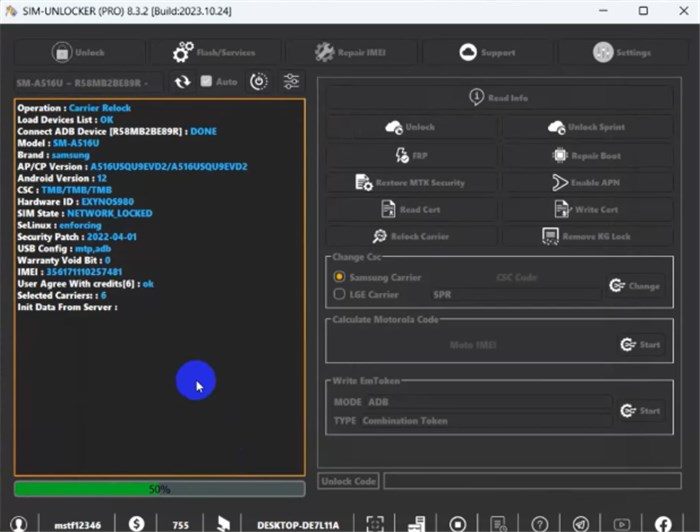
Bypass FRP via SIM Unlocker Pro
Step 4: Choose Device Brand/Chipset
Select the correct brand or chipset (e.g., Samsung, Xiaomi, MTK, Qualcomm).
Step 5: Start the FRP Removal
Follow the on-screen instructions to begin the FRP bypass process.
Step 6: Complete the Process
Wait for the software to finish; your device will reboot without the Google account lock.
Best SIM Unlocker Pro Alternative to Bypass FRP – DroidKit
For a more reliable solution to unlock a Google-locked phone, DroidKit is a better choice. Without a need for a password, this tool enables you to bypass Google FRP locks on various Android devices such as Samsung, Xiaomi, Redmi, POCO, OPPO, Motorola, Lenovo, VIVO, Realme, Sony, and OnePlus. Working with Android 6 to Android 15, DroidKit can achieve its high success rate using the advanced FRP unlock technology. Except for FRP bypass, it can also help you remove screen locks, recover lost data without backup, fix Android system issues, etc.
Key Features of DroidKit FRP Bypass:
- Free the device from the Google account verification in easy steps.
- Extensive device compatibility, including Samsung, Xiaomi, Motorola, etc.
- Supports bypassing FRP on devices running Android 6 to 15.
- High success rate of overcoming FRP lock with upgraded technology.
Free Download * 100% Clean & Safe
Here are the steps to bypass FRP via DroidKit:
Step 1: Download and Install DroidKit
Download and install the DroidKit app. Once launched, choose the FRP Bypass mode, and launch it.
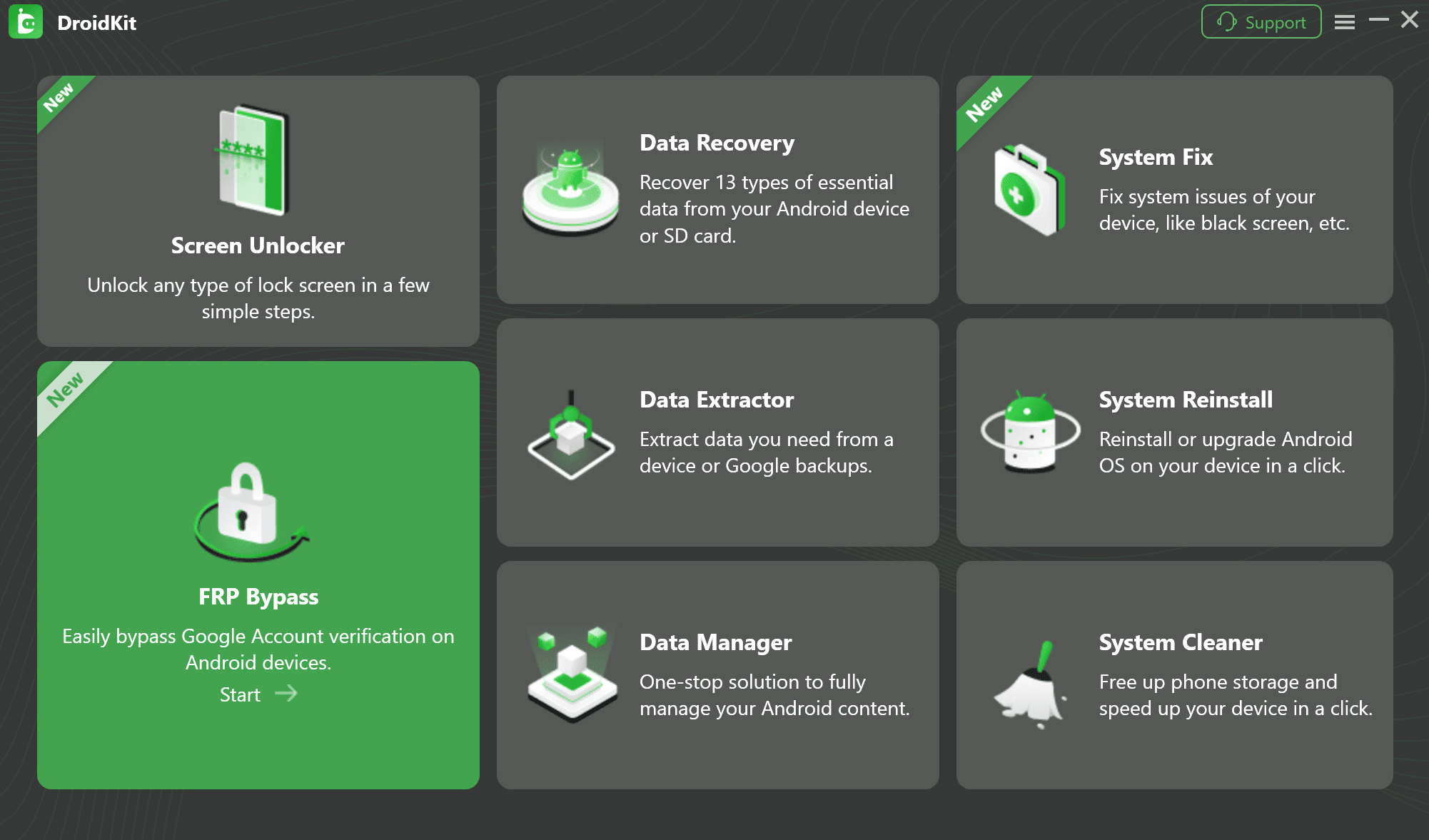
Select FRP Bypass Mode in DroidKit
Step 2: Prepare the Configuration file
Connect the Android device to the computer via USB, press Start, and select the brand and the version of your device. Allow DroidKit to generate the device configuration file, and then press Start to Bypass.
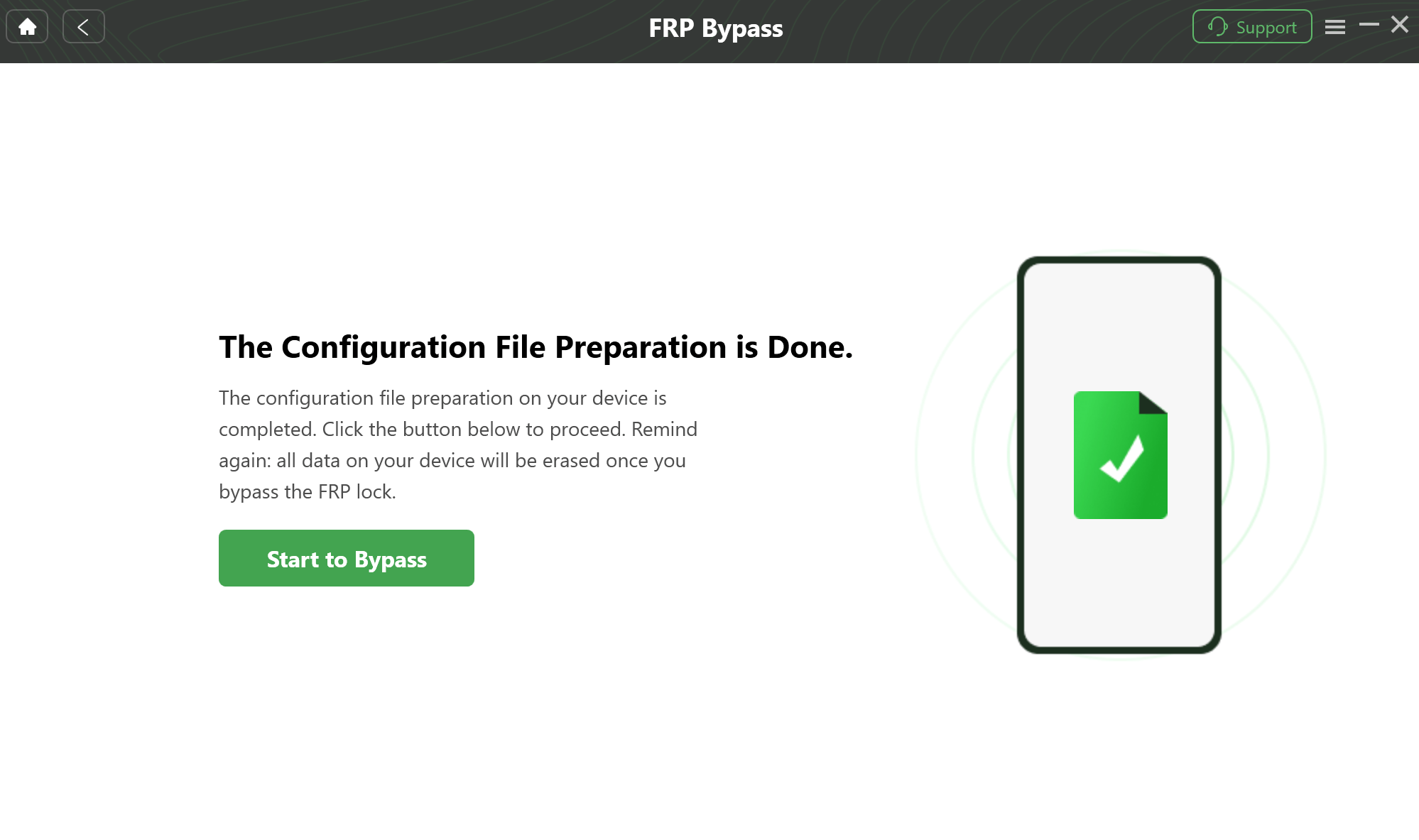
Prepare to Bypass FRP on Your Device
Step 3: Start to Bypass FRP
Press Reset to initiate the FRP bypass process. After that, your device will be rebooted without Google account verification.
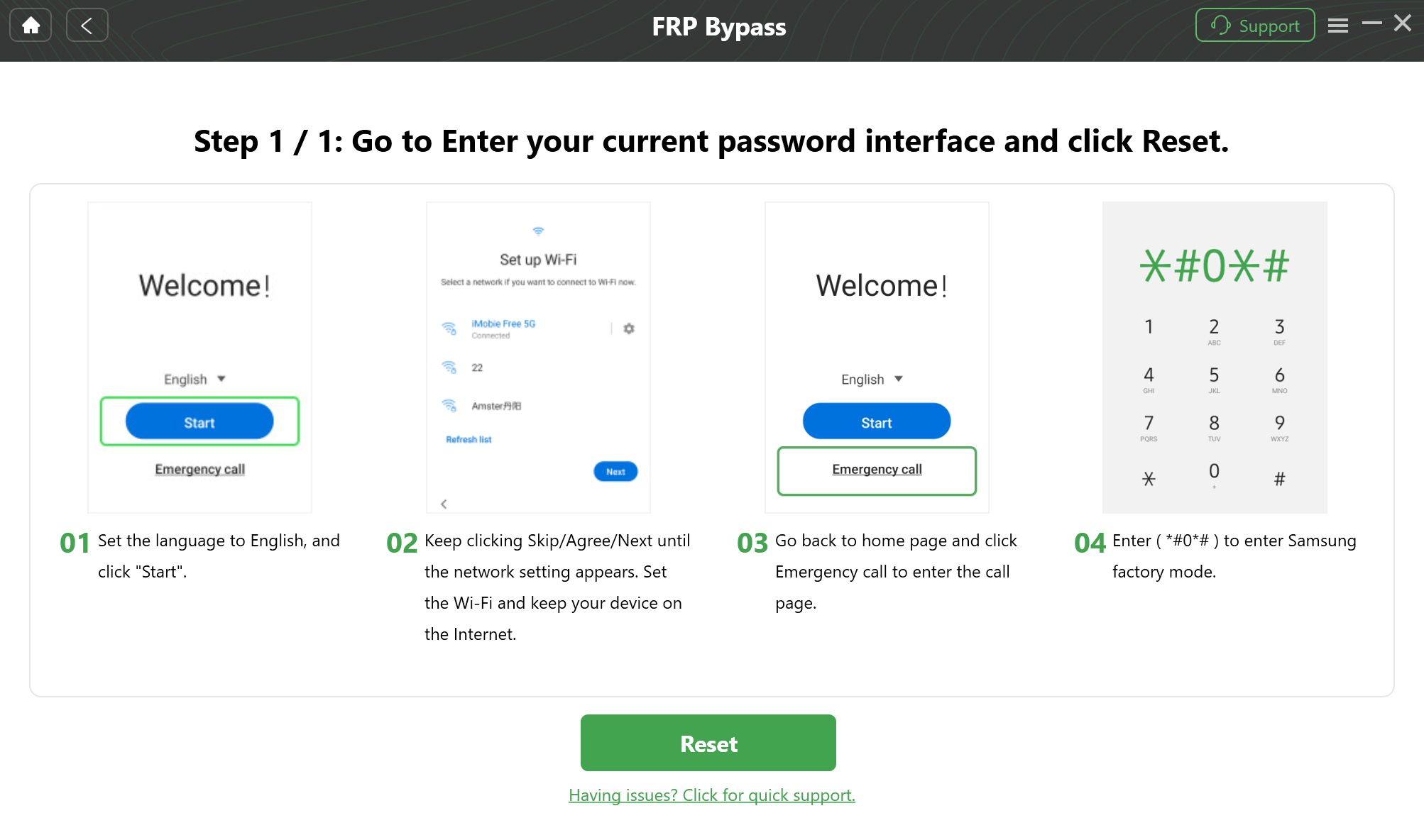
Follow On-Screen Prompts
Step 4: FRP Bypass Successfully
After the process is completed, the phone will be restarted automatically.
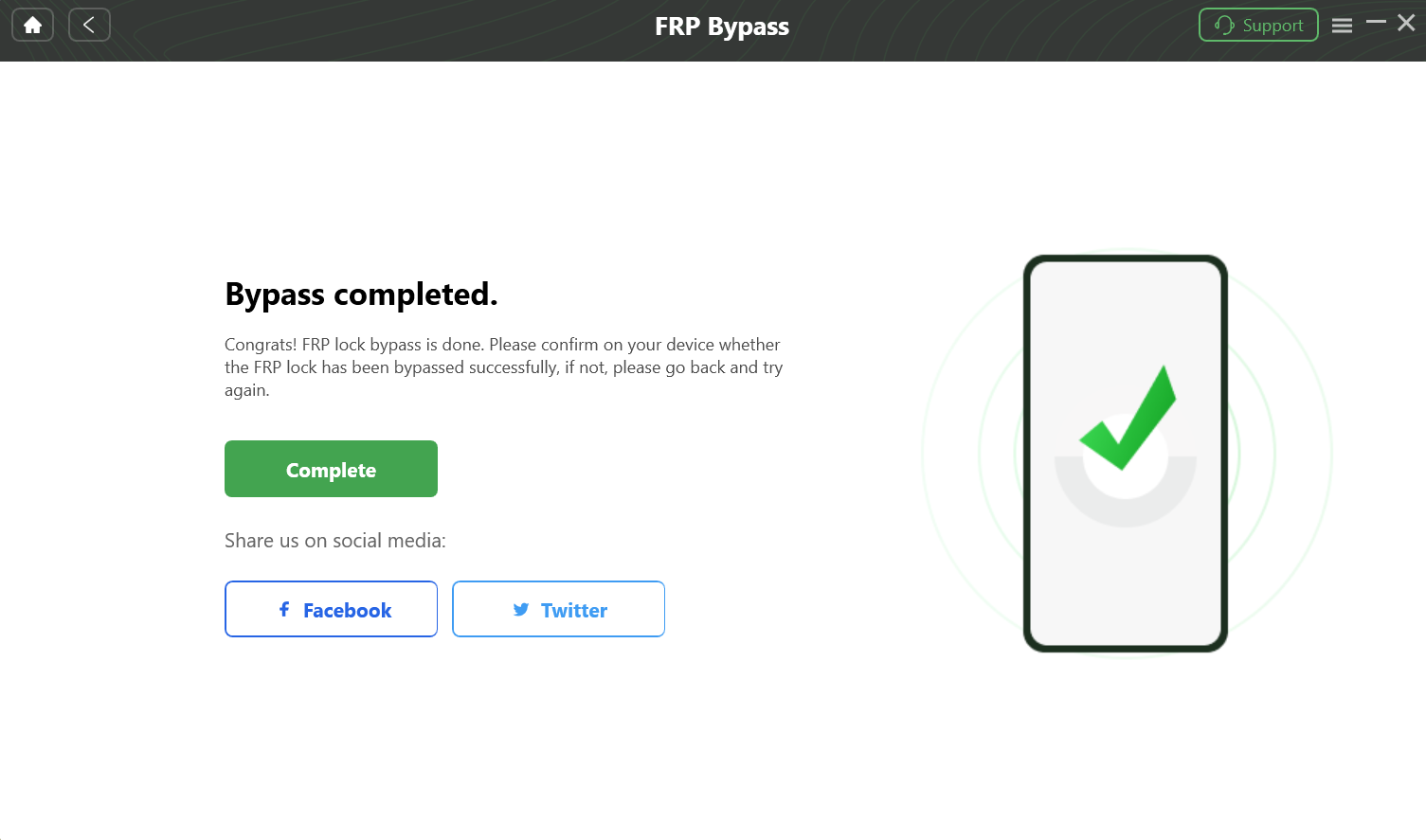
Bypass FRP Lock
FAQs about SIM Unlocker Pro
Q1: Does SIM Unlocker Pro Support Both Windows & Mac?
No, SIM Unlocker Pro is only compatible with Windows operating systems. The software cannot be run on a Mac, so it is advised that a Windows PC be used for all unlocking operations.
Q2: Is SIM Unlocker Pro Compatible with All Devices?
SIM Unlocker Pro is not compatible with every single device or Android version. It can handle various Android gadgets manufactured by Samsung, Xiaomi, Huawei, OPPO, and many more.
Conclusion
This article covers an in-depth review of SIM Unlocker Pro. SIM Unlocker Pro offers an effective solution to bypass FRP on Android, while it mainly supports older Android versions. For wider device compatibility, DroidKit is a better alternative. It is capable of bypassing Google account verification on Android 6 through Android 15. Try DroidKit to regain access to your Google-locked phone effortlessly!
Free Download * 100% Clean & Safe


Roger Smith is a senior technical writer with years of experience in providing Android solutions. He loves to help users solve various problems such as Android unlock, Android data recovery, and Android system repair.
Product-related questions? Contact Our Support Team to Get Quick Solution >
