Why Does Android Ask for the Previous Google Account After Reset?
FRP is an Android anti-theft feature that blocks access after reset unless the original Google account is verified. Recovery, official methods, or tools like DroidKit may help regain access.
Setting up a phone only to be blocked by a Google account verification screen can be incredibly frustrating, especially when users search After factory reset Android asking Google account or face Verifying your account after hard reset.
Quick Answer: Why your phone asks for the previous Google account
Your Android phone is asking for the previously synced Google account because of Factory Reset Protection (FRP), often triggered when users I forgot to remove Google account before factory reset or assume Does factory reset remove Google account from phone.
What Triggers Factory Reset Protection (FRP)?
Factory Reset Protection (FRP) is designed to protect your private data and prevent unauthorized use if the device is ever lost or stolen.
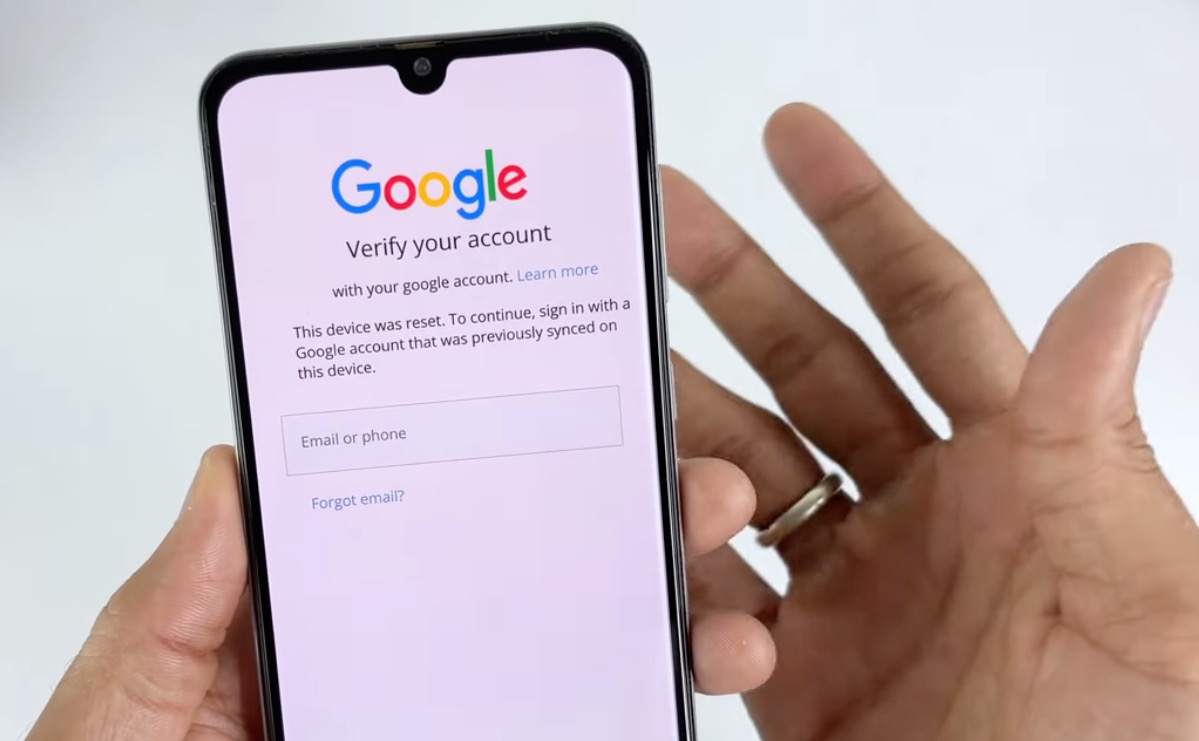
When you reset your phone through the standard Settings menu, the phone asks for your PIN or password to confirm it is really you. Because you authorized the reset, FRP does not turn on. However, FRP is immediately triggered by “unauthorized” or hard resets. Common actions that trigger this Google account lock include:
- Wiping the phone using the physical volume and power buttons (Recovery Mode).
- Erasing the device remotely using Google’s Find My Device.
- Resetting the phone using certain third-party PC software.
Once triggered, the phone enters a lockdown state upon reboot. To prove you are the rightful owner, Android forces you to sign in with the exact Google account and password that were actively synced to the phone right before the reset occurred.
To safely perform a factory reset without triggering the FRP lock, always remove your Google account first. Go to Settings > Accounts and backup > Manage accounts, select your Google account, and tap Remove account. Once removed, you can safely wipe the device without facing a verification lockdown.
Official Ways to Bypass Google Account Verification
Before looking into third-party software, it is always best to try the officially supported methods to get past the verification screen. These are the safest routes to regain access to your legally owned device.
Official FRP Unlock Checklist:
- Method 1: Google Account Recovery. If you are the original owner but simply forgot your password, you can reset your Google account password on another device, like a computer or tablet. Note: After resetting a Google password, Android security may impose a 24-to-72 hour lockout period before you can use the new password to unlock the phone.
- Method 2: Contact the Seller. If you bought a secondhand phone, reach out to the previous owner. You do not need to meet them in person; they can log into their Google account on a computer, go to their device management settings, and remove previously synced Google account from Android remotely.
- Method 3: Manufacturer Support. If you are the original owner and have a valid proof of purchase (such as a receipt or invoice), you can often take the phone to an official brand service center. Many manufacturers can legally remove the FRP lock for you.
The Risks of Manual APK Bypass Methods
If you search online forums or older tutorial videos, you will likely find suggestions to download manual APK files to bypass the Google account verification screen, especially after Forgot Google account after factory reset Samsung. While these manual exploits may have worked years ago, they are highly unreliable today.
Manual bypass methods rely on browser exploits and system loopholes that are incredibly technical and confusing to execute. More importantly, Google and Android manufacturers constantly patch these loopholes in recent security updates. A tutorial that worked six months ago is likely useless when dealing with After factory reset Android asking Google account on a phone with the latest security patch.
Choosing Your Next Step
When official methods are exhausted, users need a clearer, updated, and guided solution rather than risky trial-and-error. Use the table below to quickly identify the most practical path forward based on your situation:
| Your Situation | Best Path Forward | Requirements |
|---|---|---|
| Forgot your own password | Official Google Account Recovery | Access to your recovery email or phone number. Requires a 24-72 hour wait. |
| Bought secondhand, can contact seller | Remote Account Removal | Seller logs into their Google account on a PC to remove the device remotely. |
| Original owner, recovery failed | Manufacturer Support | Original proof of purchase (receipt/invoice) and a visit to an official service center. |
| Legitimate owner, seller is unreachable | Guided Software Workflow | A supported device brand, model, and Android version, plus a computer. |
How to Bypass FRP with DroidKit (For Supported Devices)
If you are the legal owner of the device but cannot use the official recovery options—such as when the previous owner is unreachable—you need a practical alternative. This is where a dedicated toolkit like DroidKit becomes relevant.
DroidKit features a dedicated DroidKit FRP Bypass module designed to provide a guided, user-friendly workflow when manual methods fail. Instead of typing complex browser commands or downloading sketchy APKs, DroidKit gives you a clear visual process on your computer. Keep in mind that bypassing FRP requires lawful authorization, and DroidKit’s compatibility depends heavily on your phone’s specific brand (e.g., Samsung, Xiaomi, OPPO), device model, Android OS version, and specific security patch.

DroidKit
As a complete Android solution, DroidKit can easily help you recover lost data with/without backup, unlock Android screen, bypass FRP lock, fix system issues, etc. within minutes.
How the guided DroidKit FRP Bypass workflow works:
1. Check Compatibility: Confirm on the official DroidKit page that your specific brand, model, and Android version are supported by the FRP Bypass module.
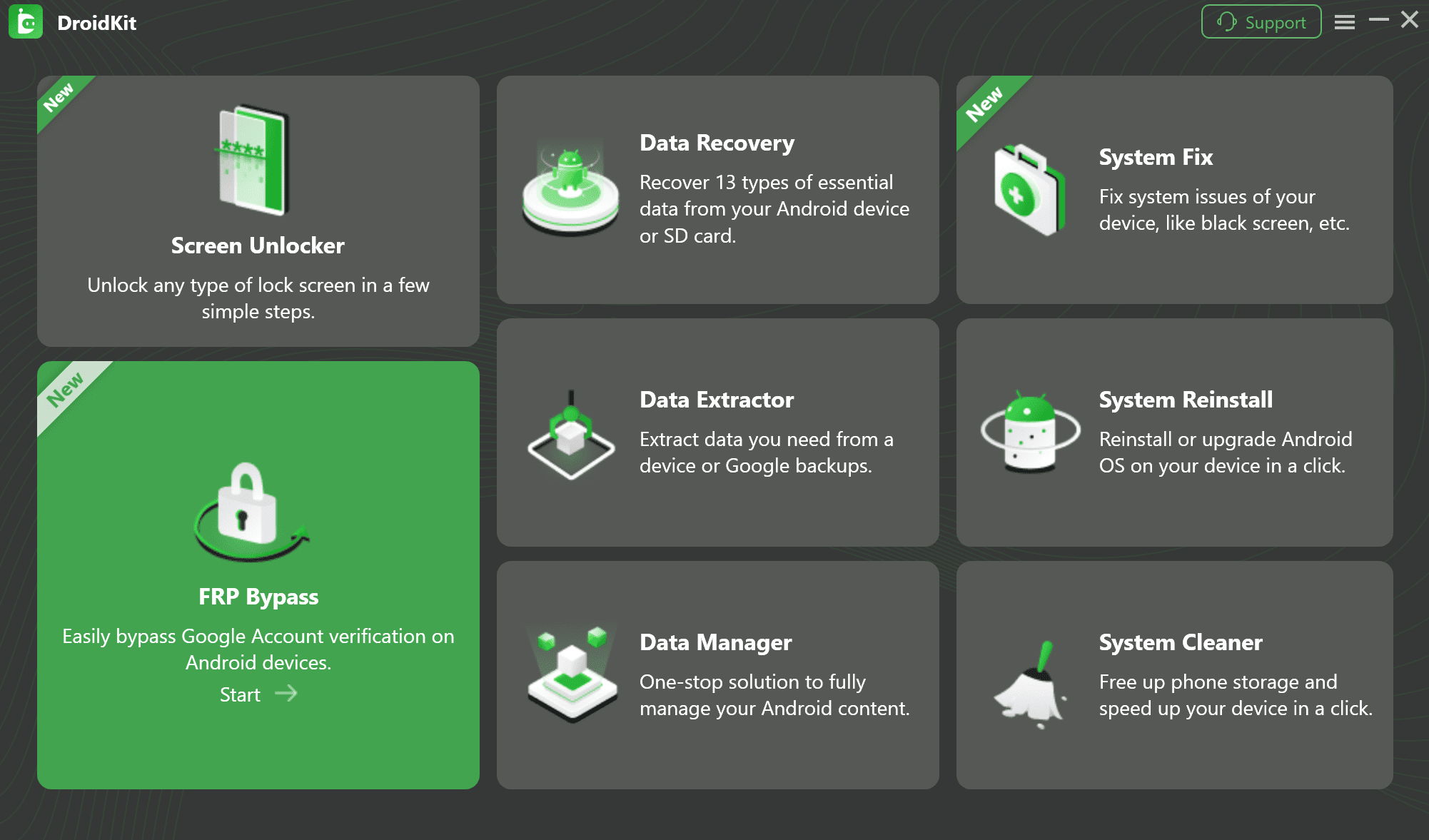
2. Connect the Device: Download and open DroidKit on your PC or Mac, select “FRP Bypass,” and connect your locked, legally owned phone via a USB cable.
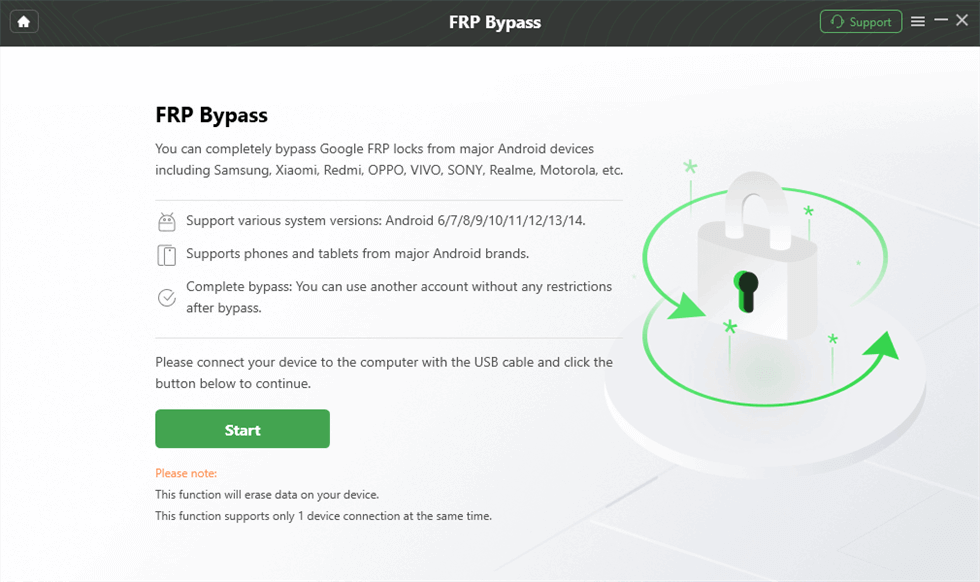
3. Review Notes: Read the on-screen compatibility and data-impact notes to understand the process before proceeding.
4. Follow the Guided Steps: DroidKit will provide the matching configuration steps or firmware needed for your phone’s current system state and security patch.
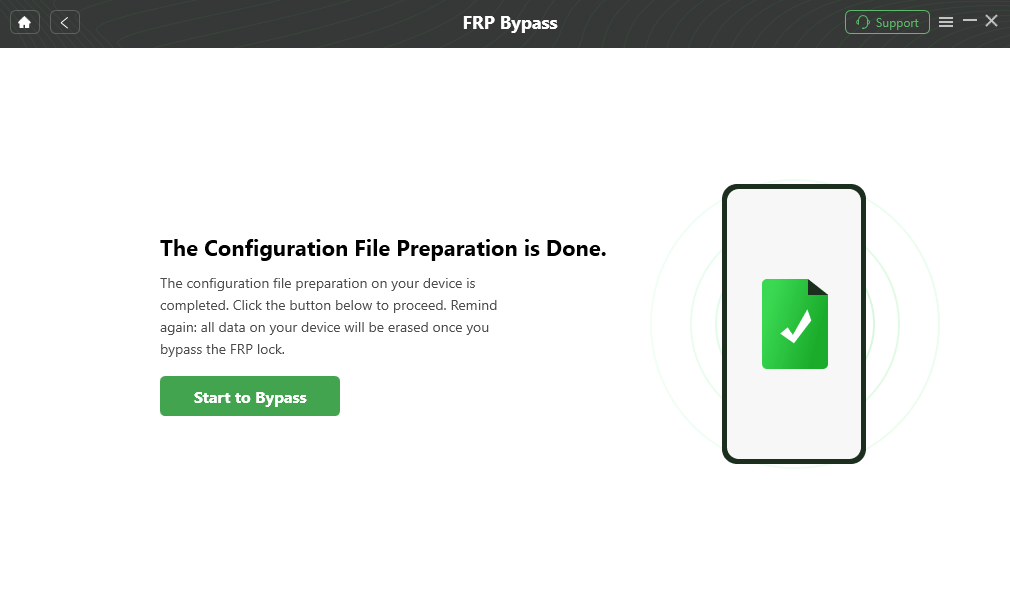
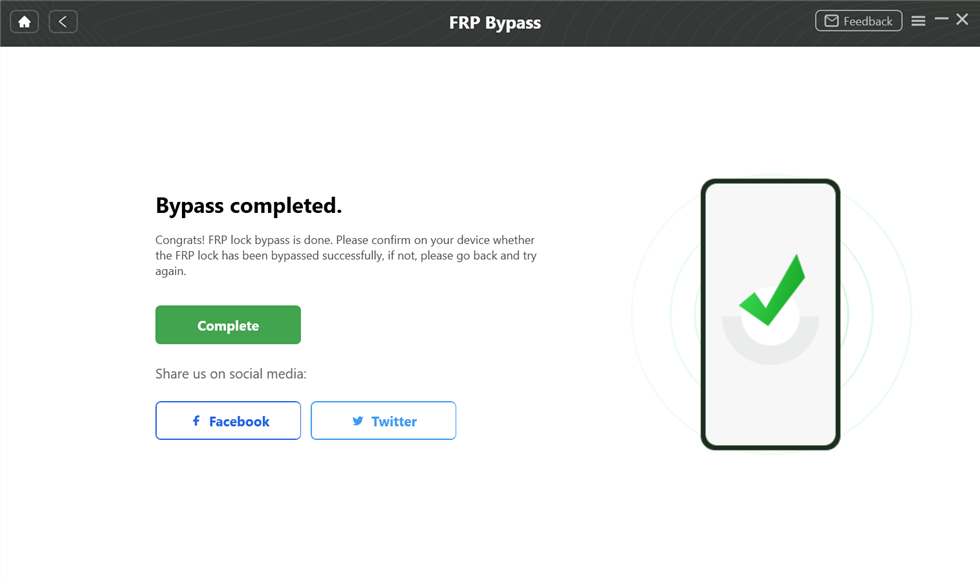
5. Regain Access: Once the guided process completes successfully, the previous Google account requirement is removed, allowing you to set up the phone as new.
Frequently Asked Questions
Can I remove FRP without the previous owner?
Yes, but it is extremely difficult without third-party desktop tools. Assuming you have legal ownership of the device, supported software like DroidKit can help you follow a guided bypass workflow when the previous owner is unavailable.
What happens if I don’t know the synced Google account?
The device remains locked on the Google account verification after reset screen. You will not be able to access the home screen, download apps, or use the phone normally until it is verified or properly bypassed.
Is there a free way to bypass the previous Google account?
The only legitimate free ways are official account recovery, contacting the seller for remote removal, or bringing proof of purchase to the manufacturer. Manual free methods found online are highly technical, risky, and usually patched out by recent updates.
Will a hard reset remove a Google account?
No. Wiping a phone via a hard reset from Recovery Mode is exactly what triggers the Factory Reset Protection lock. To remove an account safely, you must delete it manually from the phone’s Settings menu before resetting.
The Bottom Line
Seeing a Google account verification screen after resetting your Android phone is not a device failure; it is Factory Reset Protection doing its job to keep your data secure from unauthorized access, often appearing as Verifying your account after hard reset.
Whenever possible, always try official Google account recovery or contacting the secondhand seller first. These are the safest and most reliable ways to regain access, especially in cases like Forgot Google account after factory reset Samsung. However, if you are an authorized user stuck with no other options, you do not have to rely on outdated and risky manual exploits. Check DroidKit’s compatibility to see if the guided FRP Bypass module matches your device model and Android version, helping you regain access and finally set up your phone.
DroidKit – Unlock Android Screen in 1 click
- Can unlock multiple screen locks like digital password, PIN, pattern, Touch/Face ID, etc.
- Only need to click buttons. No root requirement. As simple as possible.
- Compatible with almost all Android brands such as Huawei, Samsung, Sony, etc.
Free Download for all windows & 100% safe
Free Download for all mac & 100% safe
Free Download 100% Clean & Safe
Related Articles:
* FRP tool
* bypass Google FRP on Samsung tablet
* Samsung A15 FRP bypass



Jeremy Feron is a writer for iMobie with a deep passion for Android. He specializes in creating clear guides on Android tips and the latest updates, helping users navigate their devices and get the most out of new features.
Product-related questions? Contact Our Support Team to Get Quick Solution >
