- Overview
- Features
Recover Data from iPhone iPad
Save iPhone/iPad from Mistaken Deletion Restore Lost Data from iTunes Backup Grab Your Valuables from iCloud Recover Your Favorite App DataRescue iOS Device Back to Normal
Save iPhone/iPad from Breakdowns Remove Your iPhone Lock Screen Recover Your Screen Time PasscodePhoneRescue News & Tech
Innate Next-Gen Technologies New Updates You May Concern - Guide
- Review
- Tech Specs
- Free Trial
- See Pricing

More Than Data, Also Save Your Dead iPhone
Aiming to work as your most comprehensive solution, PhoneRescue has expanded the recovery power from specific data to the whole iOS system. It's easier and safer than ever to revive your dead iPhone and iPad from any iOS crash, since your personal versatile expert is always standing by.

Bring Your Frozen iPhone Back to Life
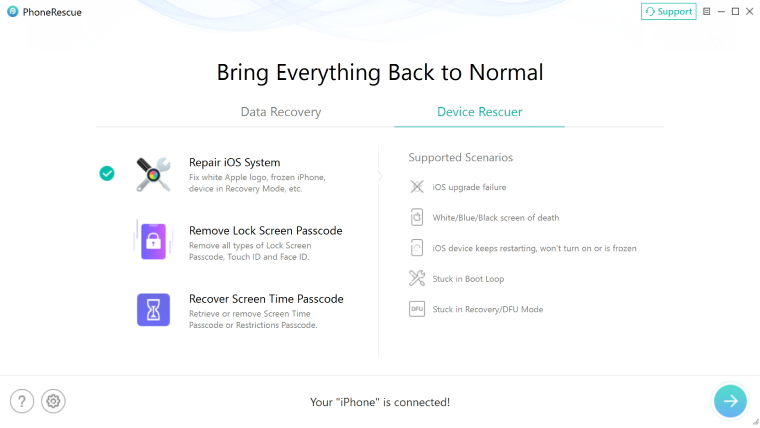
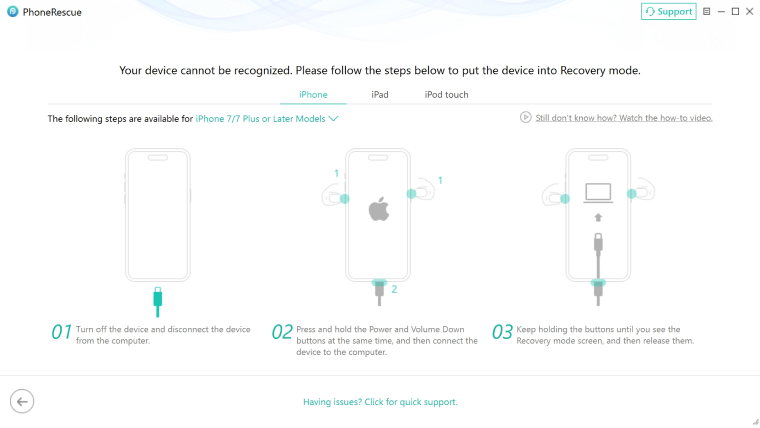
PhoneRescue can fix your iPhone and iPad from any type of breakdown, like stuck on white Apple logo, continuous reboot loop, or black screen. No need to search online for a confusing reboot guide, or waste your money on a repair store. Now you can easily repair your iOS devices at home like a pro in just a simple click.

Perfectly Reserve Your Data During Repair
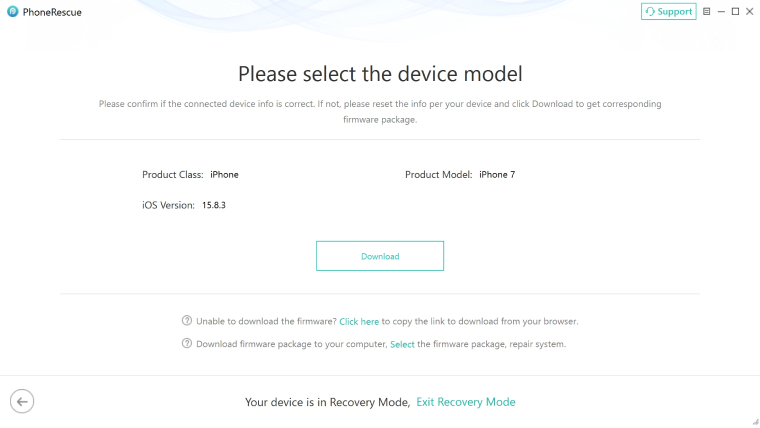
Many may suggest a factory reset when an iOS crash happens, but by doing so you will lose all your data in iPhone. Now, PhoneRescue can perfectly save both your iPhone and the data inside. With the Advanced iOS Repair mode, it fixes all the errors without removing a single byte from your iPhone/iPad storage.
Save Your Device in Various Common Scenarios

iOS Update Failure

Stuck on Apple Logo

Black Screen

Recovery Mode Loop