- Overview
- Features
Recover Data from iPhone iPad
Save iPhone/iPad from Mistaken Deletion Restore Lost Data from iTunes Backup Grab Your Valuables from iCloud Recover Your Favorite App DataRescue iOS Device Back to Normal
Save iPhone/iPad from Breakdowns Remove Your iPhone Lock Screen Recover Your Screen Time PasscodePhoneRescue News & Tech
Innate Next-Gen Technologies New Updates You May Concern - Guide
- Review
- Tech Specs
- Free Trial
- See Pricing
Undelete Your Data Even with No Backup
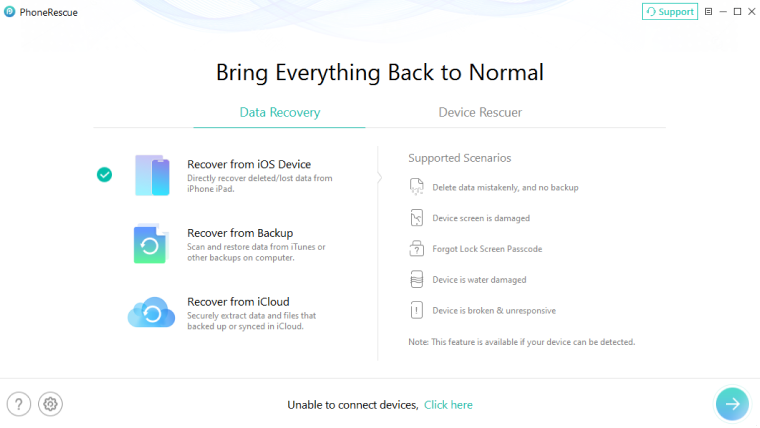
It happens too often that you carelessly delete some important messages, photos, or contacts, yet without a previous backup. Thanks to the powerful NO-DATA-LOSS technology, now PhoneRescue can easily find every piece of lost data you want from your iPhone or iPad, and securely get them back in seconds.

Pioneering Technology Makes Best Ever Data Recovery
To better help you retrieve your deleted or lost data and files, we completely redesigned PhoneRescue with innovative NO-DATA-LOSS scanning technology. The result? It surpasses all rivals to push the industry’s first-class standard to a completely new level. You’ve never been so confident about successfully retrieving what you want, ever.

Have Your Lost Information Back On Your iPhone
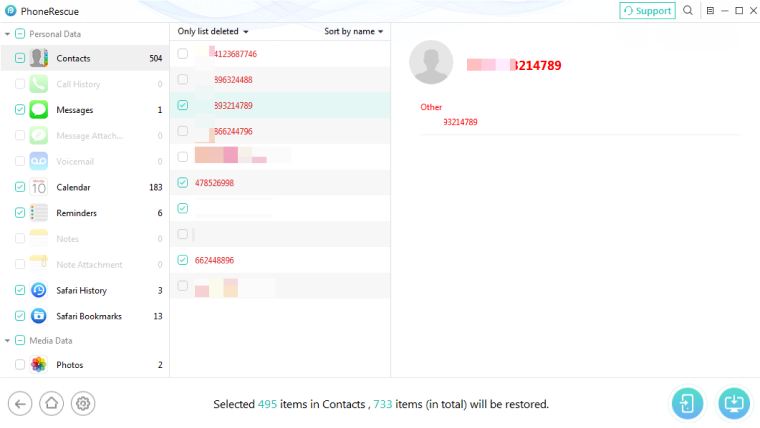
PhoneRescue offers you full access to all the deleted content on iPhone. You get 100% freedom to preview and select what you need for recovery. For the first time, it's able to restore selected items directly to your iPhone, so that you can re-use them as soon as possible, just like they were never deleted. Also, you can extract them to computer in your most favorable formats for further use.
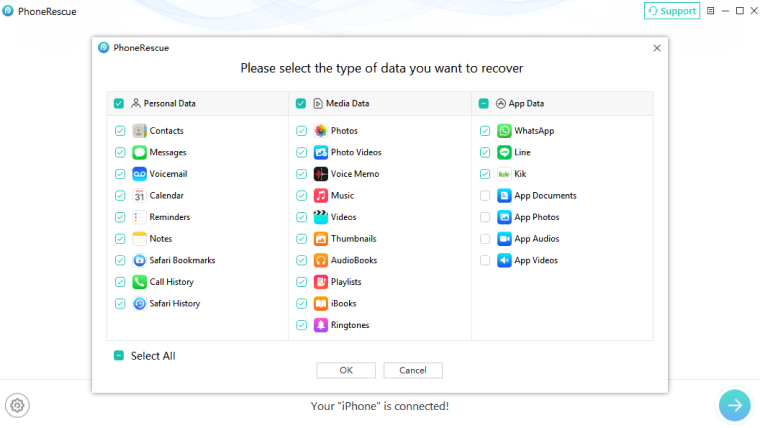
What Can Be Recovered from iPhone/iPad?
-
 Photos
 -
 Messages
 -
 Contacts
 -
 Call History
 -
 Voicemail
 -
 Calendar
 -
 Reminders
 -
 Notes
Notes -
 Safari Data
 -
 Videos
 -
 Music
Music -
 iBooks
 -
 Voice Memo
 -
 App Data
Save Your Lost Data in Various Common Scenarios

Mistaken Deletion

Forgotten Passcode

Cracked Screen

Damaged Device

No iTunes Backup

No iCloud Backup