Quick Answer: If you are seeing “Error 15: Access Denied,” you are not permanently banned from Pokémon GO or the Pokémon Center. Error 15 is simply a temporary IP block triggered by the Imperva Web Application Firewall (WAF). The system mistakenly flagged your network traffic as a bot. This temporarily restricts your current IP address from accessing the Pokémon Center store checkout or the Pokémon Trainer Club (PTC) login servers, but your actual account remains completely safe.
Why Did You Get an “Access Denied” Error?
The Imperva WAF is designed to protect Pokémon servers from DDoS attacks and scalper bots. However, it frequently catches legitimate merchandise shoppers and Pokémon GO players by mistake. You likely triggered the “Access Denied” screen if you recently did one of the following:
- Merchandise drops: You refreshed the Pokémon Center checkout or product page too fast while trying to buy limited items.
- Pokémon GO gameplay: You logged in and out of multiple Pokémon Trainer Club (PTC) accounts too quickly on the same network.
- Network setup: You are using a VPN, proxy, or a public Wi-Fi network that has already been flagged for suspicious traffic by other users.
In all these cases, the security system automatically blocked your IP address as a precaution, but you did not do anything malicious.
How to Fix Error 15 and Regain Access Immediately
Since Error 15 is tied entirely to your current IP address, the fastest way to regain access to the Pokémon Center website or the PTC login screen is to change your network connection.
Important Warning: Before trying the fixes below, stop spamming the login or refresh button. Panic-refreshing the page or repeatedly attempting to log in while blocked will only reset the Imperva WAF timer and extend your temporary IP ban.
Try these steps in order to bypass the temporary block:
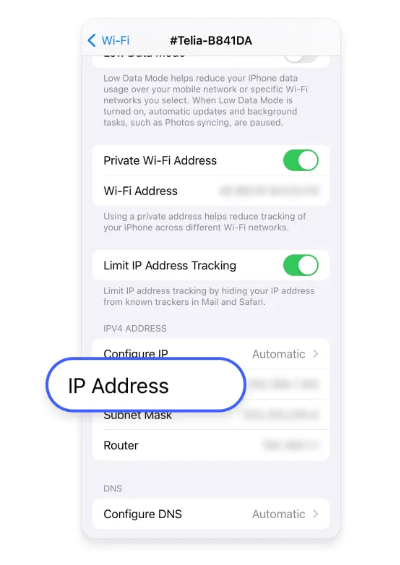
- Switch your network connection: If you are on Wi-Fi, turn it off and switch to Mobile Data (or vice versa). This instantly assigns your device a new IP address, bypassing the block immediately.
- Turn off active VPNs or proxies: Because VPN IP addresses are shared among thousands of users, Imperva often flags them. Disabling your VPN might instantly restore access.
- Clear browser data or use Incognito: If you are trying to use the Pokémon Center store, clear your browser cache and cookies, or open a fresh incognito/private window to ensure no blocked session data is saved.
- Restart your router: Unplug your home router for 60 seconds and plug it back in. This often forces your ISP to assign a new dynamic IP address.
- Wait it out: If you cannot change your IP address, do not panic. The Imperva WAF block is strictly temporary and will usually expire automatically within 24 hours.
Is My Pokémon GO Account Permanently Banned?
A major panic point for Pokémon GO players hitting Error 15 is the fear that their account has received a permanent strike. You can rest assured: Error 15 is strictly a network firewall issue, not an in-game Niantic ban or anti-cheat strike. Your Pokémon, items, and account progress are entirely safe.
Once you bypass the IP block using the network fixes above, your PTC account will function normally again. However, to avoid triggering the WAF again in the future, you should slow down when switching between PTC accounts. Fast, erratic behavior on the login screen looks like a bot to the server firewall. Taking a safer, more deliberate approach to how you play and log in is the best way to keep your access uninterrupted. For general Pokémon GO tips and tools, managing your login behavior is always the safest first step.
Bonus Tip: Safer Virtual Movement for Pokémon GO Players
Once you have regained access to your Pokémon Trainer Club account, you may want to rethink how you manage your gameplay—especially if you use location-changing tools.
Important: A GPS changer does not fix or bypass the Error 15 IP block. However, for Pokémon GO players who want to explore virtually without triggering in-game account risks, moving from unstable fake GPS apps to a dedicated desktop tool is a smart next step.
Fonelora Location Changer offers a guided iOS and Android workflow for safer, cooldown-aware virtual movement. Instead of erratic teleporting that can flag your account in-game, Fonelora helps you simulate natural walking routes with adjustable speeds under supported conditions.
How to use Fonelora Location Changer for safer gameplay:
Connect your device: Open Fonelora Location Changer on your computer and connect your supported iOS or Android device.

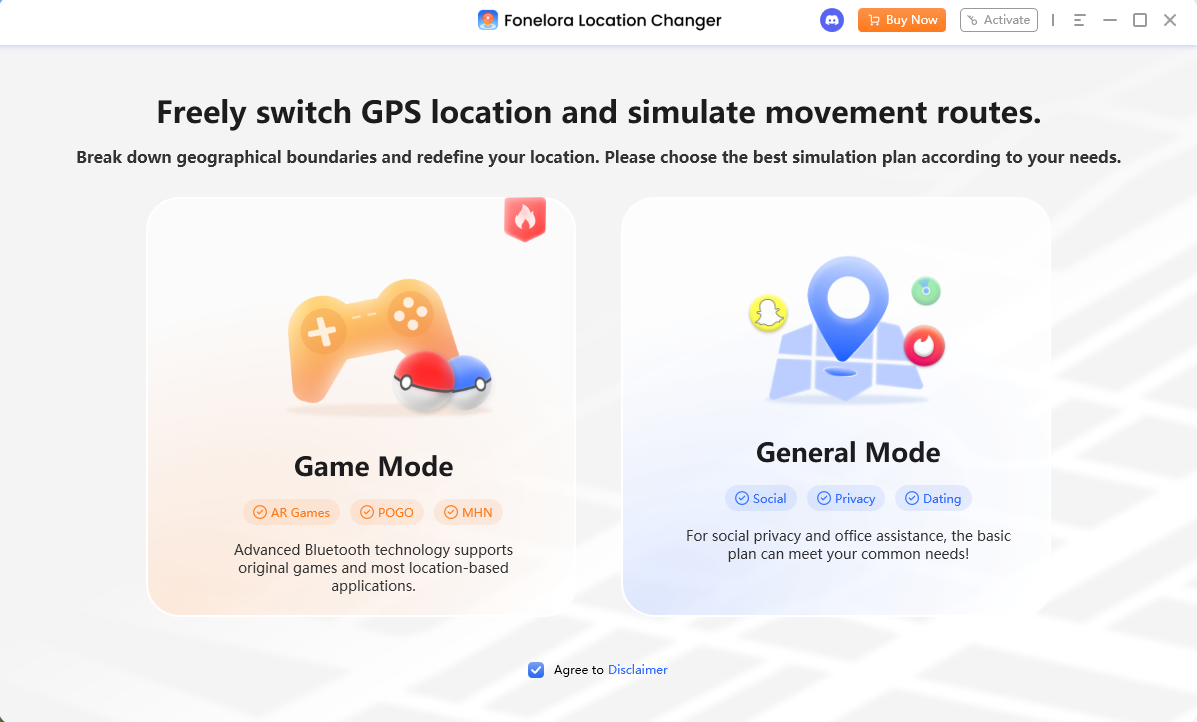
Choose Game Mode: Select the game-oriented mode to load the dedicated map interface.
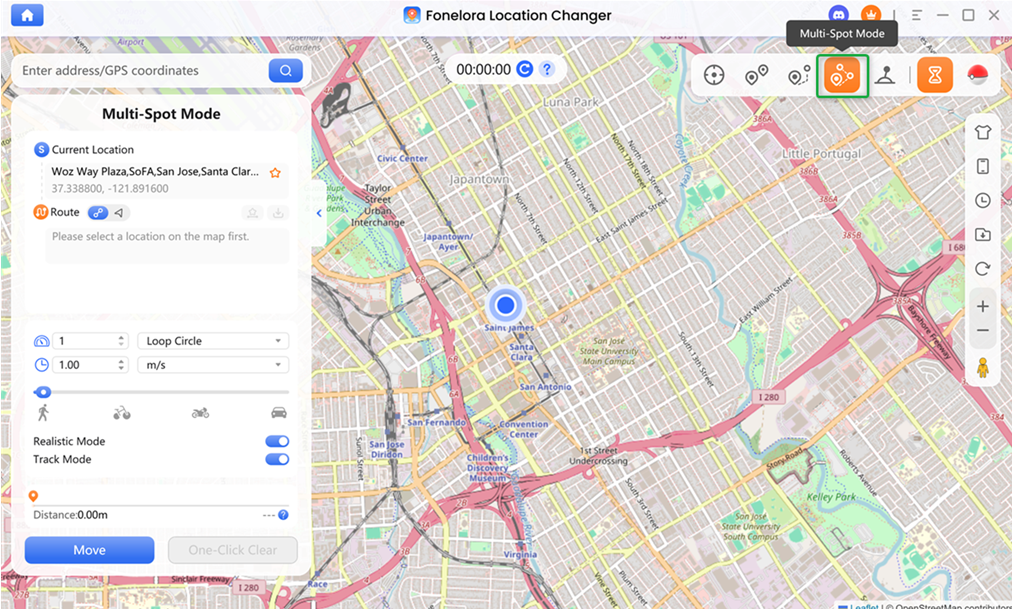
Plan a realistic route: Use Multi-Spot Mode or Joystick Mode to simulate natural walking paths instead of jumping wildly across the map.
Monitor the Cooldown Timer: Before making any long-distance moves, check the built-in Cooldown Timer to ensure you wait the recommended time, helping you respect Pokémon GO cooldown rules.
Always verify current Niantic app policies and understand your account risk limits before utilizing any virtual location tools. Results may vary based on device compatibility, connection method, and app updates. By combining realistic speed settings with cooldown awareness, Fonelora provides a safer way to change location in Pokémon GO once your PTC login is back online.
Frequently Asked Questions (FAQs)
Q1: What does Error 15 mean on Pokemon Center?
It means the Imperva Web Application Firewall (WAF) protecting the site detected unusually fast activity from your IP address and temporarily blocked you, mistaking you for an automated bot.
Q2: Why am I getting error 15 when logging into Pokemon Go?
Pokémon GO’s Pokémon Trainer Club (PTC) login servers use the exact same Imperva firewall as the Pokémon Center store. Logging in and out of PTC accounts too quickly can trigger the same temporary IP block.
Q3: How long does the Pokemon Center IP block last?
The IP block is strictly temporary. If you cannot get a new IP address by switching to mobile data or restarting your router, the block typically expires on its own within 24 hours.
Q4: Does using a VPN cause or fix Pokemon Trainer Club error 15?
While a VPN can sometimes give you a fresh IP address to bypass an active block, VPNs are actually a common cause of Error 15. Many VPN IP addresses are already flagged by Imperva due to high traffic from other users. Turning your VPN off is usually a much better fix.
Final Thoughts: Getting Back to Your Pokémon Safely
Encountering Pokémon Center Error 15 can be alarming, but the bottom line is that your account is safe. It is simply a temporary IP roadblock designed to catch bots, easily fixed by switching from Wi-Fi to mobile data, disabling your VPN, or just waiting it out. Moving forward, remember to pace yourself when refreshing merchandise pages or switching PTC accounts to avoid triggering the security filters again.
For Pokémon GO players looking to upgrade their gameplay experience after restoring their account access, exploring safer virtual location resources can make a huge difference. By checking out Fonelora Location Changer, you gain access to cooldown reminders and realistic walking simulations on supported devices—helping you manage your in-game locations with much greater control.
More Related Articles

Fonelora Location Changer
- Bluetooth Hardware Simulation for Safer GPS Spoofing
- Realistic Movement & Route Simulation
- No Root or Jailbreak Required
- All-in-One Solution for Games, Social Apps & Privacy



