Best iCloud Remover & How to Unlock iCloud Activation Lock
Are you looking for the best iCloud activation lock removal software? Don’t know how to bypass iCloud activation lock when you fail to recall the login information? Read this article to get the top iCloud removal tool and the detailed guide on the iCloud unlock. Paid and free iCloud activation lock removal tools are all introduced here.
iCloud Unlock Tips
AnyUnlock – iCloud Activation Lock Removal Software
Looking for an iCloud Activation Lock removal tool? AnyUnlock provides a desktop Activation Lock bypass workflow for supported iPhone and iPad models on Windows and Mac. Check your exact device and iOS compatibility before starting. Free download does not necessarily mean the complete bypass is free.

Many users search for an iCloud Activation Lock removal tool after a used or reset iPhone shows the Activation Lock screen. Before choosing any bypass software, confirm that you own the device or have permission to unlock it.
For legitimate owners, Apple’s official routes should come first: enter the Apple Account credentials used with the device, ask the previous owner to remove the device from their account, or submit an Activation Lock support request when valid proof of purchase is available. Third-party tools are a separate option for supported devices, but their compatibility, jailbreak requirements, post-bypass limitations, and pricing can differ significantly.
Before using such tools, be aware of the following:
- Legality & ethics: Apple’s Activation Lock is an anti-theft feature. Using bypass tools on a device that is not yours or without the owner’s permission can be illegal and unethical. Use these tools only on your own devices or those for which you are authorized to unlock.
- Security & trust: Always download from official sites. Some third-party bypass tools may contain malware or scams.
- Risk: Bypassing may void your warranty, disable Apple services (iMessage, FaceTime, iCloud sync), or fail after an iOS update.
Part 1. Why Remove iCloud Activation Lock?
iCloud Activation Lock is a security feature introduced by Apple to protect devices from unauthorized use in the event of loss or theft. It ties the device to the original owner’s Apple ID, preventing reactivation even after a factory reset as long as Find My is enabled. While it enhances recovery chances and deters theft, there are legitimate reasons to remove it:
- Selling or Transferring the Device: When selling, gifting, or recycling an iPhone, removing the lock allows the new owner to set it up with their own Apple ID without issues.
- Forgotten Apple ID Credentials: If you’re the original owner but can’t remember your Apple ID or password, removal restores access to your device.
- Second-Hand Purchase Complications: For buyers of used iPhones, an unremoved lock can render the device unusable; proving ownership enables unlocking.
- Enterprise or Educational Use: In managed environments (e.g., via MDM), admins may need to remove the lock for device reallocation.
Use removal or bypass methods only on a device you own or are authorized to manage. For a second-hand device that is still linked to the seller, the cleanest solution is for the previous owner to remove it from their Apple Account. If you have valid proof of purchase, Apple also provides an Activation Lock support-request path.
Before You Choose an Activation Lock Removal Tool
| Check First | Why It Matters |
| Do you know the Apple Account or device passcode? | If yes, use Apple’s on-device removal method before third-party software. |
| Can you contact the previous owner? | The previous owner can remove the device from their account remotely. |
| Do you have valid proof of purchase? | You may be eligible to submit an Activation Lock support request to Apple. |
| Exact iPhone/iPad model and iOS version | Third-party bypass compatibility is often device- and version-specific. |
| Is jailbreak required? | Some older-device workflows require jailbreak, while newer supported workflows may not. |
| What works after bypass? | Some methods have restrictions after reset, update, SIM use, cellular service, or Apple-service sign-in. |
| Is the tool really free? | Free download, compatibility check, or trial access does not always include the complete bypass. |
Activation Lock Removal vs. Bypass
Removal normally means the device is no longer associated with the previous Apple Account through an official account/device-removal process. A bypass can instead provide access on a supported device without necessarily changing the underlying ownership association on Apple’s activation servers. Because bypass behavior varies by tool, check what happens after restart, reset, update, SIM use, and Apple Account sign-in before choosing one.
Part 2. How to Remove iCloud Activation Lock on iPhone Without the Previous Owner
If the official options are unavailable and you are authorized to unlock the device, AnyUnlock is one third-party option for supported iPhone and iPad models. Its current Activation Lock feature supports a defined range of devices and iOS versions, so verify compatibility before purchasing or starting the bypass.
Why it is included: AnyUnlock provides a guided Windows/Mac workflow, publishes current compatibility information, and distinguishes newer no-jailbreak support from the small number of older-device workflows that may still require jailbreaking.
AnyUnlock – iPhone Password Unlocker
- Transfer all kinds of formats of photos from computer to your iPhone.
- With original size with no loss of picture quality and no compression.
- Lightning fast speed to transfer 100 photos in 3.4 seconds.
- No erase of previous photos on your iPhone, 100% clean & safe.
Free Download100% Clean & Safe
Free Download100% Clean & Safe
Free Download * 100% Clean & Safe
Steps for Windows Users
Step 1. Free install AnyUnlock on your computer. Launch it and choose the Bypass iCloud Activation Lock mode on the left panel of its homepage to get started.
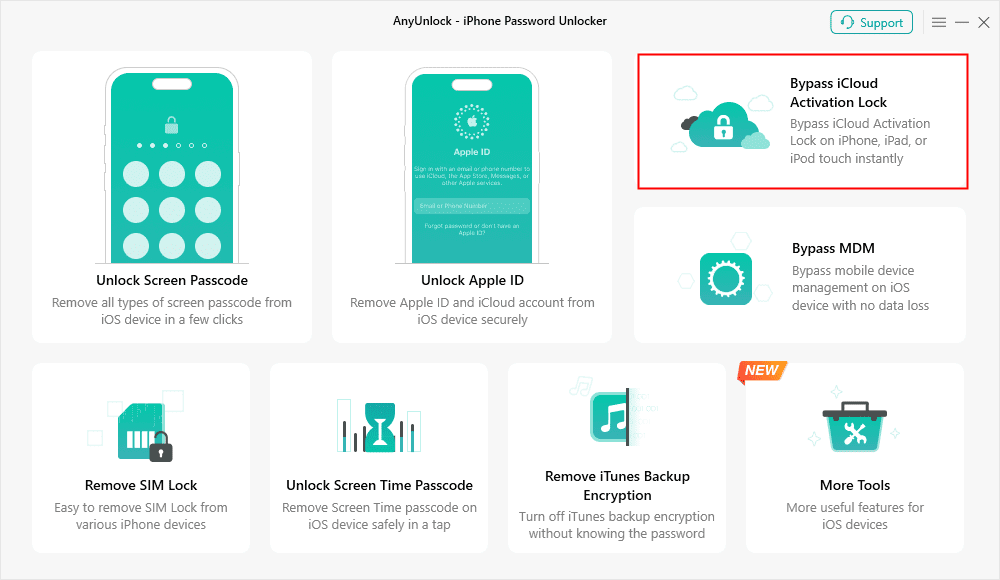
Click on Start Now to Bypass iCloud Activation Lock
Step 2. Connect your iCloud-locked device and click the Start Now button.
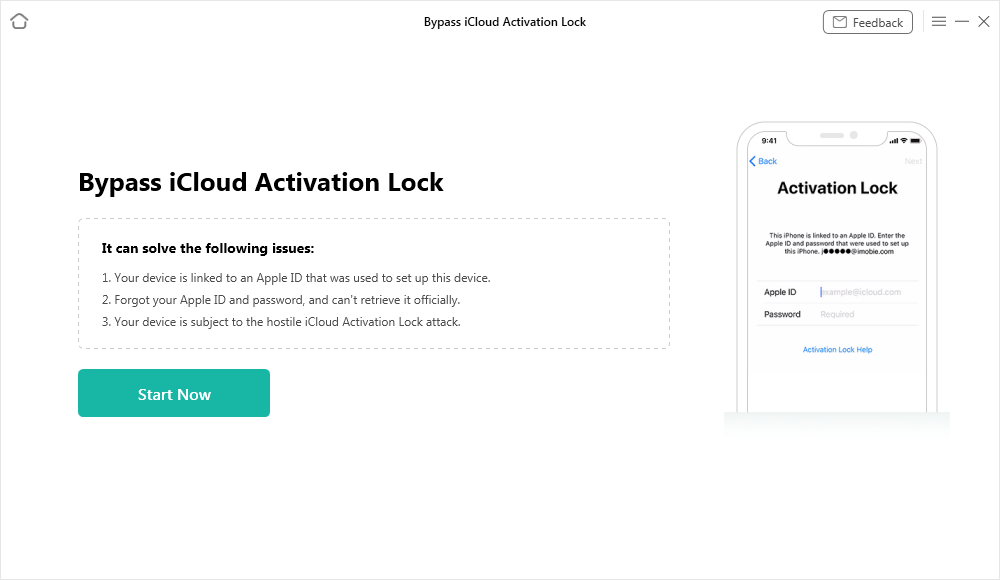
Connect Your iOS Device to the Computer
Step 3. Follow the workflow shown for your detected device. Current AnyUnlock information says most supported Activation Lock bypass cases do not require jailbreak, while a small number of older-device cases may still require it. If the software specifically asks for jailbreak, follow the on-screen instructions for that supported device.
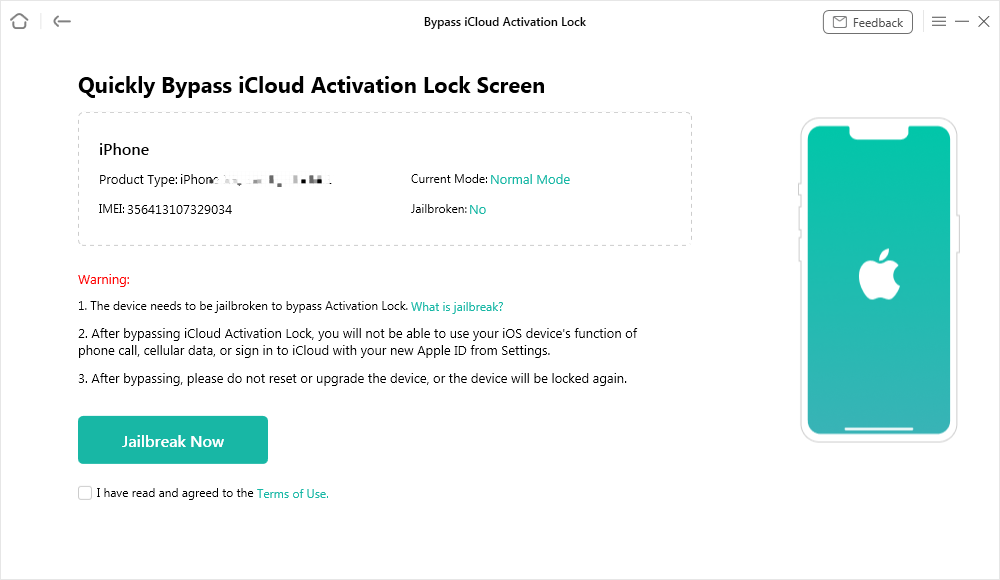
Jailbreak Your Device
Step 4. Then the tool will start to bypass after clicking the Bypass Now button. Wait until the process is finished, you will get iCloud Activation Lock is bypassed successfully page as below.
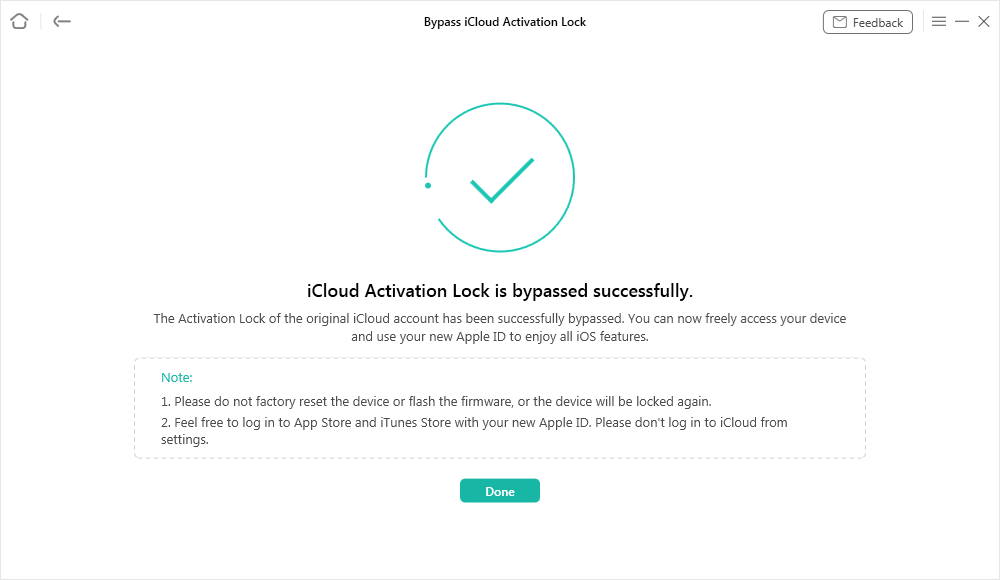
iCloud Activation Lock Is Bypassed Successfully
Steps for Mac Users
Step 1. Download AnyUnlock on your Mac computer, install and run it on your computer > Choose Bypass iCloud Activation Lock.
Free Download * 100% Clean & Safe
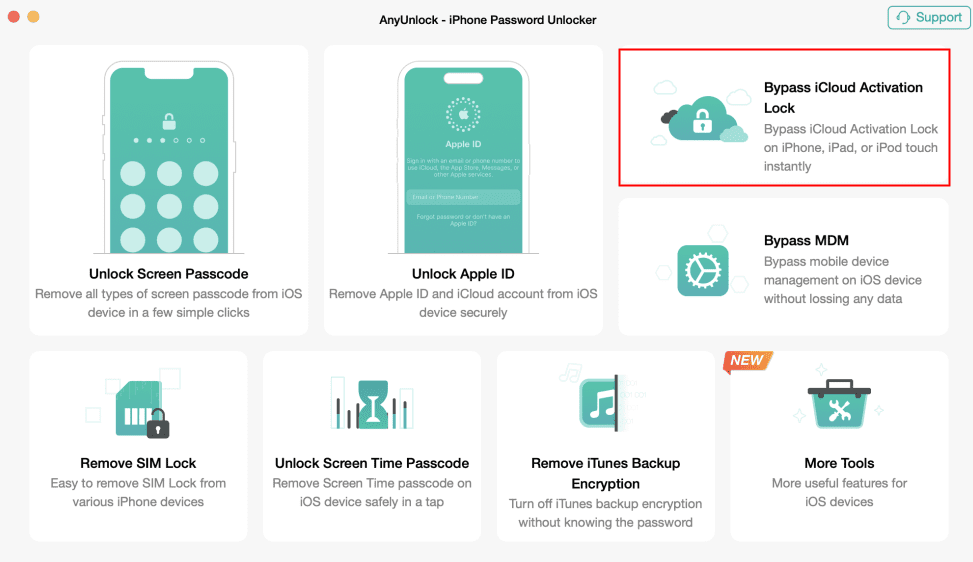
Choose Bypass iCloud Activation Lock
Step 2. Connect the iCloud-locked device to the computer and hit the Start Now button to get initiated.
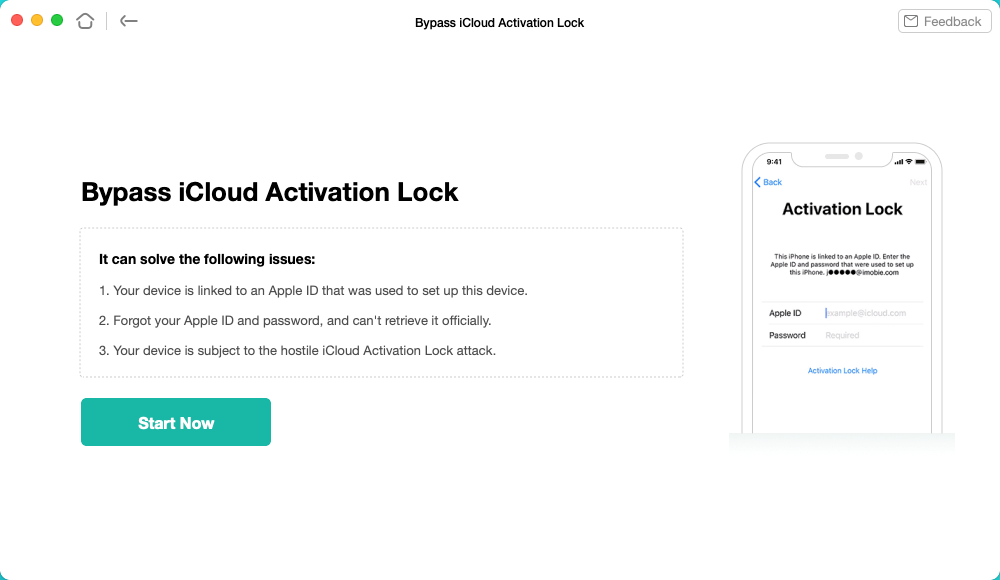
Click on the Start to Go On
Step 3. Follow the on-screen instructions for the detected device. If AnyUnlock identifies the device as one of the older cases that requires jailbreak, use the provided instructions; otherwise continue with the supported no-jailbreak workflow.
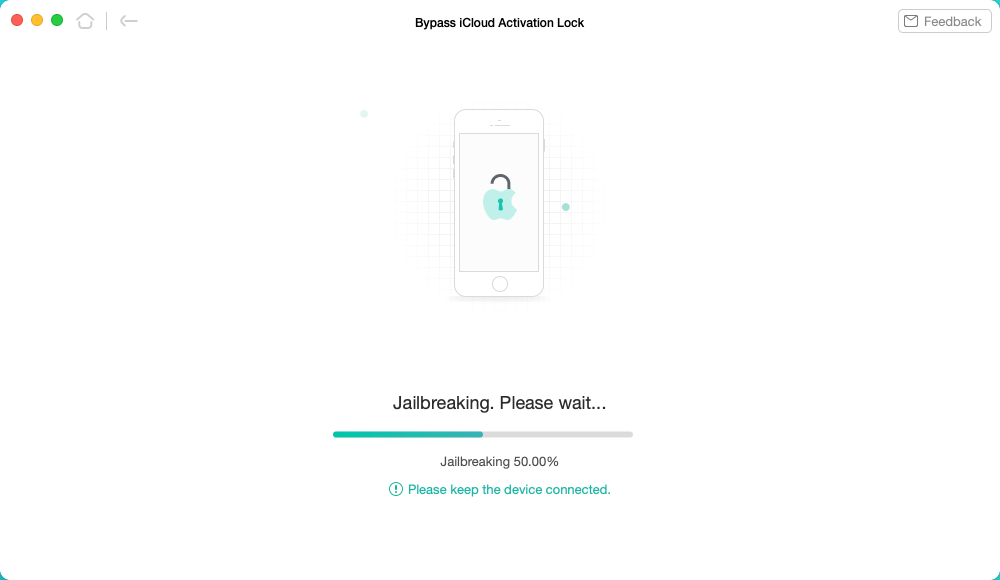
Download the Jailbreaking Tool
Step 4. Complete the device-specific preparation shown by AnyUnlock, then choose Bypass Now when the software indicates that the device is ready.
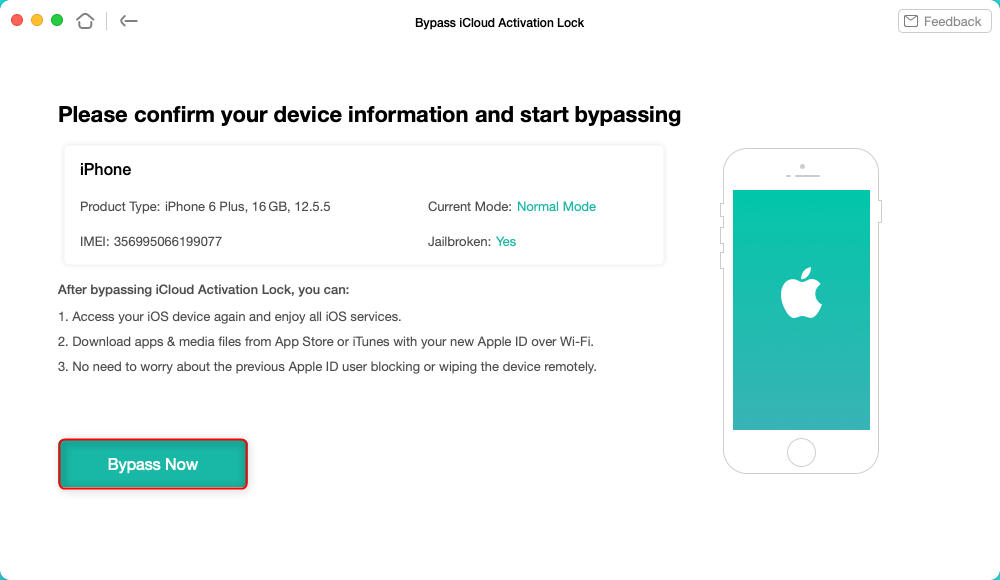
Tap on Bypass Now to Start Bypassing
Step 5. Wait for a few minutes until AnyUnlock finishes the bypassing process. Now, you will see the interface on the screen below.
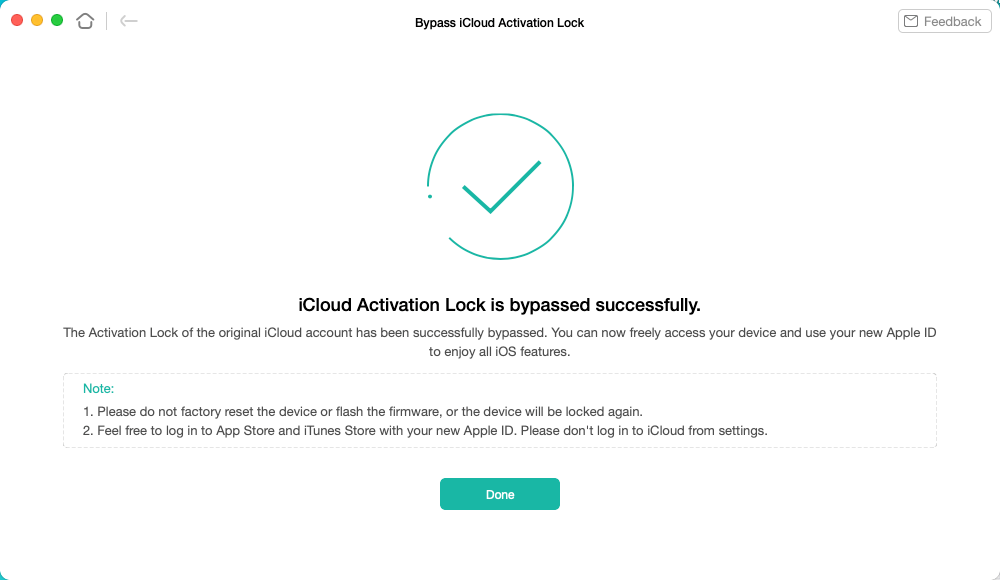
iCloud Activation Lock Is Bypassed Successfully
Please DO NOT log into iCloud from the Settings on your iPhone/iPad/iPod touch or factory reset your device, which will lock the device again.
Now you can log in to the App Store to download whatever applications you like and go to the iTunes Store to get the music and movies you found with your new Apple ID.
| Pros | Cons / Limits |
| Windows and Mac workflow with published compatibility information. | Compatibility still depends on the exact device and iOS version. |
| Most current supported cases do not require jailbreak. | A small number of older-device cases may still require jailbreak. |
| Guided interface for checking and starting the bypass. | Free download should not be confused with a guaranteed free completed bypass. |
Part 3. Other iCloud Bypass Tool Alternatives
Apart from AnyUnlock, the web contains older freeware, online services, DNS methods, and actively maintained commercial tools. Treat these categories differently: some legacy tools no longer have a trustworthy official download or current compatibility information.
How We Compare These iCloud Bypass Tools
We compare tools by current availability, device/iOS compatibility, jailbreak requirement, what happens after bypass, platform support, and the free-vs-paid boundary. We do not assign an invented success-rate score because results vary by device, iOS version, and method.
# 1. iPhone Approved Unlock
iPhone Approved Unlock is another iCloud activation lock removal software designed to help you remove the iPhone activation lock. Newbie users can handle it without facing too many challenges. Here are some features of this Apple activation lock removal tool.
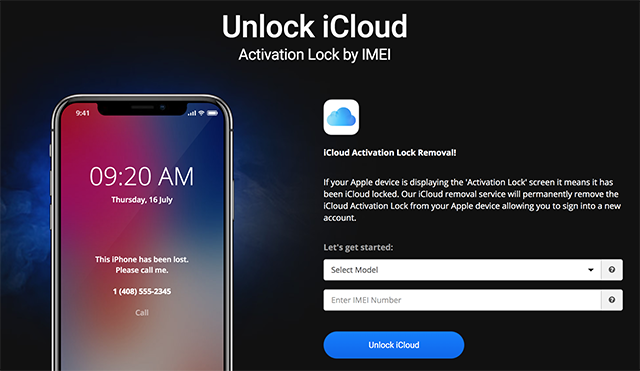
iPhone Approved Unlock to Unlock iCloud Lock
Features:
- Remove Activation Lock for either your iPhone or iPad device.
- You need to offer your device’s IMEI number to the website
Pros & Cons
| Pros | Cons |
| It offers an easy and safe method to unlock iOS devices that have been locked. | Some users found that their devices cannot be detected. |
| It’s easy to use and user-friendly. | You have to pay for the service. |
#2. iCloud Bypass
Want to complete iCloud activation lock removal free online? Another free iCloud unlock service is iCloud Bypass, which allows you to easily remove your iCloud activation lock. Apart from that, this tool can also help you unlock the network carrier and remove the Apple ID. And you can learn what it can do for you in iPhone activation lock removal for free.
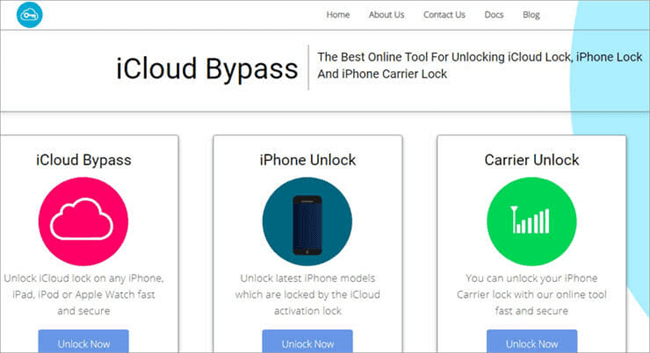
iCloud Removal Tool – iCloud Bypass
Features:
- Supports unlocking iCloud activation lock, Apple ID and SIM card.
- Detailed guide to put the device into DFU mode.
Pros & Cons:
| Pros | Cons |
| Easy to operate, suitable for novices. | Takes a long time to unlock. |
| Supports Windows, Mac, and Linux. | It will erase your original iCloud account. |
# 3. iCloudin
Best for: historical reference when researching older free iCloud bypass tools.
iCloudin is frequently searched as a free iCloud bypass tool, but the version described in this article is a legacy option for very old iOS releases. A current, trustworthy official download and modern compatibility information are difficult to verify. Do not download an “iCloudin” installer from an unknown mirror simply because it is labeled free.
Why it remains in this list: it explains why searches such as “icloud bypass tool icloudin” still appear, while making clear that an old freeware listing is not the same as a maintained 2026 tool.
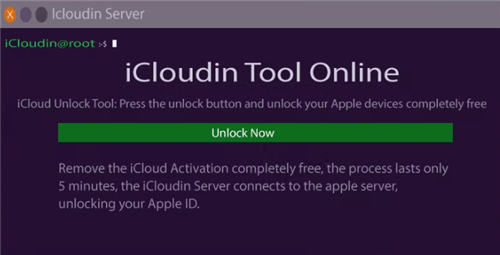
Use iCloudin to Remove iCloud Activation Lock
Features:
- Support to remove and disable iCloud activation lock.
- The interface is simple and intuitive, which is convenient for users to learn.
Pros & Cons:
| Pros | Cons |
| This is a completely free activation lock removal software. | Poor compatibility, only applicable to iOS 9 and earlier system versions. |
| The operation is simple and user-friendly. | It is difficult for you to find a safe and official way to download this tool. |
#4. GadgetWide
GadgetWide appears in older Activation Lock bypass guides, but it should be treated as a legacy tool. Its old compatibility claims and download sources should not be assumed to be current. Avoid describing it as providing unrestricted modern iPhone access unless a current official source verifies that claim.

GadgetWide iCloud Activation Removal Tool
Features:
- Connect to the external server to remove iCloud Activation Lock.
- It provides users with a detailed operation guide, so you don’t have to worry about not being able to operate it.
Pros & Cons:
| Pros | Cons |
| Works fast, so it won’t take too long to bypass iCloud Activation Lock. | Only supports iOS 11 and below system versions. |
| This is free software, allowing you to use it to remove the iPhone activation lock for free. | Mac users cannot use this tool. |
# 5. Try DNS Method
Best for: understanding a historical, limited-access workaround rather than permanent Activation Lock removal.
DNS bypass is not the same as removing Activation Lock from Apple’s activation servers. Older DNS workarounds could provide limited access in specific environments, but they should not be presented as a permanent iCloud unlock or as equivalent to official account removal. If you need normal device activation and Apple services, use an official removal route or a currently supported tool whose limitations are clearly documented.
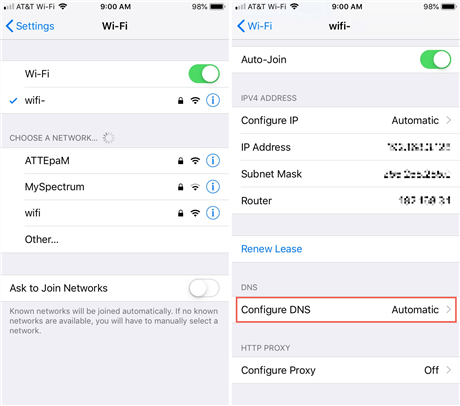
Try DNS Method
Features:
- Remove iCloud activation lock by changing DNS.
- Does not require a computer; it only needs to be operated on an iPhone.
Pros & Cons:
| Pros | Cons |
| Easy to operate. | High requirements for network and DNS stability. |
| There is no need to download additional tools; it is a completely free activation lock removal tool. | Only for iOS 13/12. |
#6. Doulci iCloud Unlocking Tool
Doulci is another name found in older iCloud bypass discussions. It is best treated as a legacy/manual method, not as a currently verified tool that works on all iOS devices. Current official compatibility and a trustworthy maintained download should be verified before use.
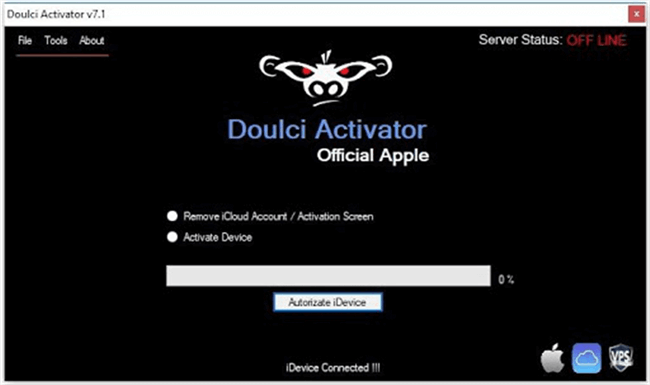
Doulci Activator
Features:
- It is very compatible with Windows and Linux.
- You don’t need to offer any extra information, such as IMEI or any screen passcodes, to bypass the iCloud activation lock.
- It supports all of the iOS devices, including the iPhone X series, iPhone 11 series, iPad Pro, and iPad Mini.
Pros & Cons:
| Pros | Cons |
| It’s user-friendly. | It supports limited Apple versions and is not updated regularly. |
| This Tool’s website has support with tutorials. | You have to complete a survey to be allowed to download this tool, and the download speed is slow. |
#7. iCloud Activation Bypass Tool 1.4
iCloud Activation Bypass Tool 1.4 is another name that appears in older bypass-tool lists. Because current official maintenance, compatibility, and download provenance are not clearly verifiable, treat it as a legacy/unverified option rather than claiming that it supports all current iPhone models or directly changes Apple’s Activation Lock status.
Features:
- It can be very useful to you when you are looking to iCloud activation lock removal, iCloud account, and bypassing the iCloud lock.
- One-click iCloud Bypass process. No need to install other tools on your PC. After the bypass of your device, you will be able to use the new Apple ID, Apple Store ID on your device
- Support all iPhone series.
Pros & Cons:
| Pros | Cons |
| Users can get 24/7 support for any issues. | It works with a lot of iOS devices normally. |
| It can be used for more than just one purpose. | It stops suddenly sometimes while performing the process. |
| It works with a lot of iOS devices normally. |
#8. Open My iCloud Easy Unlock Tool
Open My iCloud Easy Unlock Tool also appears in older Activation Lock bypass lists. Current official availability and compatibility should be verified before downloading it. Do not rely on old claims such as “all iOS versions,” offline unlocking, or universal IMEI support without a current official source.
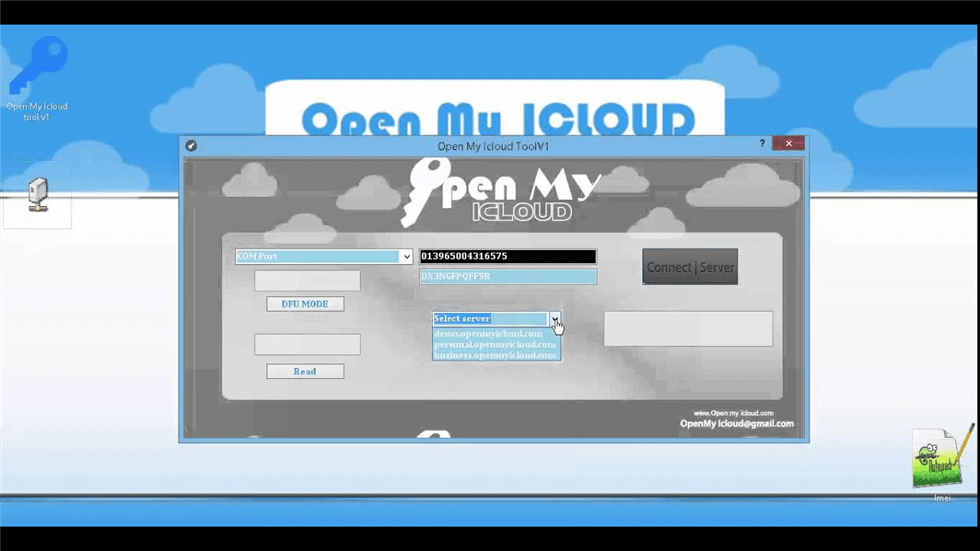
Open My iCloud Easy Unlock Tool
Features:
- Supported all iOS versions.
- Unlock the iCloud activation lock using the IMEI of the device.
- It works on Mac, Linux, and Windows.
- This tool can be used OFFLINE.
- This Cloud unlock method uses a mirror activation server that can activate your iPhone/iPad/iPod when connected to iTunes.
Pros & Cons:
| Pros | Cons |
| Works on all iOS devices. | Sometimes it only comes with a Windows download. |
| It allows you to use your phone’s IMEI code to unlock your iPhone. | It’s too slow, and it doesn’t provide customer support to resolve the issues. |
#9. iRemove Unlocking Software
Best for: users who want an actively maintained commercial alternative and are willing to check device-specific pricing and compatibility.
iRemove remains active and publishes current device/firmware information. Its 2026 pricing material lists Activation Lock bypass coverage for selected iPhone and iPad models, with supported firmware ranges depending on the service and platform. Because pricing and supported models vary, check the exact device before purchasing.
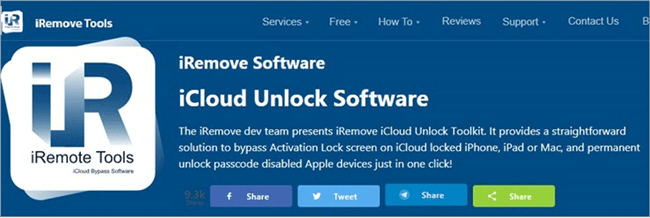
iCloud Removal Tool – iRemove
Features:
- You only need to click the button to unlock iCloud activation lock.
- Provide you with a simple and fast IMEI query service.
Pros & Cons:
| Pros | Cons |
| The interface is intuitive and concise, which makes it convenient for users to use. | No built-in jailbreak tools and tutorials. |
| iRemove is still available even if your SIM card is locked. | The price is a little bit expensive. |
| Compatibility and pricing vary by device, firmware, and platform; check the current service list first. |
#10. CheckM8
Another iCloud activation lock removal tool we are going to introduce is called CheckM8. With this tool, you can quickly bypass your iCloud activation lock with one click. Apart from iPhone, CheckM8 also supports iCloud activation lock removal on iPad. The following are the specific functions of this iCloud removal tool.
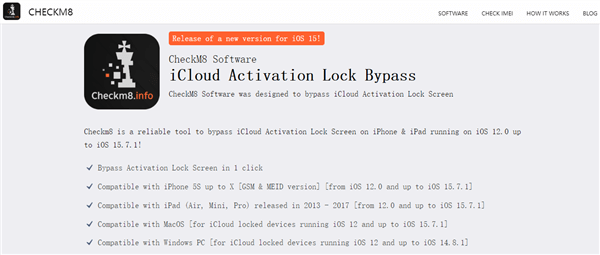
CheckM8 iCloud Activation Removal Tool
Features:
- Remove iCloud Activation Lock with just a click of a button.
- You can also use this tool to bypass screen lock, unlock Apple ID, bypass MDM lock, etc.
Pros & Cons:
| Pros | Cons |
| The types of supported locks are more diverse. | Compatibility changes by product and device; verify the current supported iOS/device list on the provider’s official site before purchasing. |
| The latest version supports both Windows and Mac computers. | The functions of the free version are limited. |
Part 4. What are the best iCloud activation lock removal tools for iPhone and iPad?
The best option depends less on a generic “success rate” claim and more on whether the method actually matches your device. Before paying for or downloading anything, compare the following:
- Ownership route: If Apple Account credentials, the previous owner, or valid proof of purchase are available, use Apple’s official removal options first.
- Current availability: Prefer tools with an identifiable official site, current documentation, and a maintained download.
- Compatibility: Check the exact iPhone/iPad model and iOS version rather than relying on “all devices” claims.
- Jailbreak requirement: Determine whether your device needs jailbreak and whether you are comfortable with that workflow.
- After-bypass limitations: Check reset/update behavior, SIM/cellular support, Apple Account sign-in, and Apple-service access.
- Free vs. paid: Distinguish free download or compatibility checking from a completed free bypass.
Quick Comparison of the iCloud Activation Lock Tools
| Tool / Method | Best For | Current Status | Key Limitation to Check | Free / Paid |
| AnyUnlock | Guided Windows/Mac workflow with published compatibility | Actively maintained | Exact device/iOS support; older cases may still require jailbreak | Free download; check license requirement for full bypass |
| iRemove | Actively maintained commercial alternative | Active | Device/firmware/platform-specific support and pricing | Paid services; pricing varies |
| iCloudin | Researching older freeware options | Legacy | Very old compatibility and no clearly verified modern official download | Historically free |
| GadgetWide | Historical reference | Legacy / verify before use | Old compatibility and download provenance | Historically free |
| DNS method | Understanding an older limited-access workaround | Limited workaround | Not equivalent to permanent Activation Lock removal | Free |
| Doulci | Historical/manual bypass research | Legacy / verify before use | Do not assume current-device compatibility | Historically free |
| iCloud Activation Bypass Tool 1.4 | Historical reference | Legacy / unverified | Current official maintenance/download not clearly verifiable | Verify before use |
| Open My iCloud | Historical reference | Legacy / verify before use | Old “all iOS” and IMEI claims should not be treated as current | Historically promoted as free |
| iPhone Approved Unlock / online services | Users comparing remote-service claims | Verify provider before payment | Ownership, refund policy, service legitimacy, and IMEI handling | Usually paid |
| CheckM8 | Users considering another commercial bypass provider | Verify current product page | Current device/iOS coverage and feature-specific pricing | Free functions may be limited; paid services available |
Part 5. Frequently Asked Questions
These questions focus on choosing an Activation Lock removal method rather than treating every bypass tool as equivalent.
Q1. What is the best iCloud Activation Lock removal software?
There is no single tool that is best for every device. For legitimate owners, Apple’s official removal options should come first. If you need a third-party tool, prioritize current device/iOS compatibility, a maintained official download, jailbreak requirements, post-bypass limitations, and a clear free/paid boundary. AnyUnlock is one actively maintained option in this list, while several older freeware tools should now be treated as legacy choices.
Q2. Is there a free iCloud Activation Lock removal tool?
Some older tools and DNS-based methods are described online as free, but “free” does not mean they support current iPhones or provide full normal device access. Many modern commercial tools are free to download or check but require payment for the complete bypass. Verify the exact free functionality before installing anything.
Q3. What is an Activation Lock bypass code?
An Activation Lock bypass code is primarily associated with managed devices in an organization’s device-management workflow; it is not a universal code that ordinary users can generate to unlock any iCloud-locked iPhone. If the device belongs to a business or school, contact the organization’s IT administrator. Personal-device owners should use their Apple Account, the previous owner’s account-removal process, or Apple’s support-request route when eligible.
Q4. What is the difference between Activation Lock removal and bypass?
Official removal disconnects the device from the relevant Apple Account so it can be activated normally by a new owner. A third-party bypass may instead provide access under specific supported conditions and can have limitations after reset, update, SIM use, or Apple-service sign-in. Always check the tool’s current restrictions.
Q5. Is iCloudin still a good free iCloud bypass tool?
iCloudin is best treated as a legacy tool for older iOS research. Its old compatibility information does not make it a good default choice for a current iPhone, and a trustworthy modern official download is difficult to verify. Avoid unknown download mirrors.
Q6. Do all Activation Lock bypass tools require jailbreak?
No. The requirement depends on the tool, device, and iOS version. Some older workflows rely on jailbreak, while current supported workflows from some maintained tools may not. Check the exact device-specific instructions before starting.
The Bottom Line
Choose an Activation Lock removal method based on ownership, current device/iOS compatibility, jailbreak requirements, post-bypass limitations, and the real free-vs-paid boundary. If you can use Apple Account credentials, contact the previous owner, or provide valid proof of purchase, use Apple’s official removal route first.
For an authorized device that needs a third-party option, AnyUnlock is one actively maintained choice with a guided Windows/Mac workflow and published compatibility information. Several free tools in older lists, including iCloudin, GadgetWide, Doulci, and similar utilities, should be treated as legacy options unless you can verify a current official download and current-device support.
Free Download * 100% Clean & Safe



Joy Taylor is a seasoned technical writer with over a decade of experience in mobile technology. At iMobie, she specializes in producing in-depth content on iOS data recovery, iPhone unlocking solutions, and iOS troubleshooting.
Product-related questions? Contact Our Support Team to Get Quick Solution >
