Pixel 7a FRP Bypass: Methods, Limits & Build Checks
Stuck at Google verification after resetting a Pixel 7a? Start with Google account recovery, check your device build and setup screens, and learn why older FRP methods may no longer match your phone.
If your Pixel 7a stops at the Google verification screen after a factory reset, the phone is protected by Factory Reset Protection (FRP). If you still know the Google account previously synced with the phone, signing in with that account or recovering it should be your first route.
If account recovery is not available, be careful with older Pixel 7a FRP tutorials. A method that once depended on Emergency Information, App Info, Multiple Users, a SIM notification, TalkBack, or another setup shortcut may no longer expose the same path on your phone. The Android version is useful context, but it does not prove that a particular manual method still works.
This guide helps you check the Pixel 7a software environment, recognize older FRP routes that may no longer match the device, and decide when to stop repeating an incompatible method.
Before you continue: Use FRP recovery or removal methods only on a Pixel 7a you own or are authorized to service. If the previously synced Google account belongs to you, account recovery is preferable to trying an unverified bypass route.
Quick Answer: What Should You Try First on a Pixel 7a?
There is no single Pixel 7a FRP bypass method that can be assumed to work on every Android build or security update. Start with the original Google account, then check what you can verify about the phone’s software and setup environment before evaluating another route.
| What You Find | What It Means | Best Next Step |
| You know the previously synced Google account | You may not need an FRP bypass | Sign in with that account or recover its credentials first |
| An older guide shows the same setup menus as your Pixel 7a | The guide may describe a route exposed by your setup environment | Treat it as a compatibility checkpoint, not a guaranteed bypass |
| App Info, Settings, Multiple Users, or another required shortcut is missing | The older route does not match your current setup environment | Stop repeating that route |
| You only know the Android version | There is not enough information to guarantee method compatibility | Check the device state and available menus before choosing a route |
| Google account recovery is unavailable and legacy routes do not match | You need another supported recovery option | Evaluate the exact device compatibility before using a PC-based FRP tool |
Table of ContentsHide
Check What You Can Verify About Your Pixel 7a Software
Which FRP Route Fits Your Pixel 7a Situation?
Legacy Pixel 7a Multi-User FRP Route: What to Check
Legacy Pixel 7a SIM-PIN Route: What to Check
Why Pixel 7a FRP Methods Stop Working
Before Trying a PC-Based FRP Tool on Pixel 7a
Pixel 7a FRP Bypass FAQ
What to Try Next on Your Pixel 7a
Check What You Can Verify About Your Pixel 7a Software
Before choosing an FRP route, check what you can reliably identify about the Pixel 7a in front of you. An older tutorial is not useful when it depends on setup screens or shortcuts that your current phone no longer exposes.
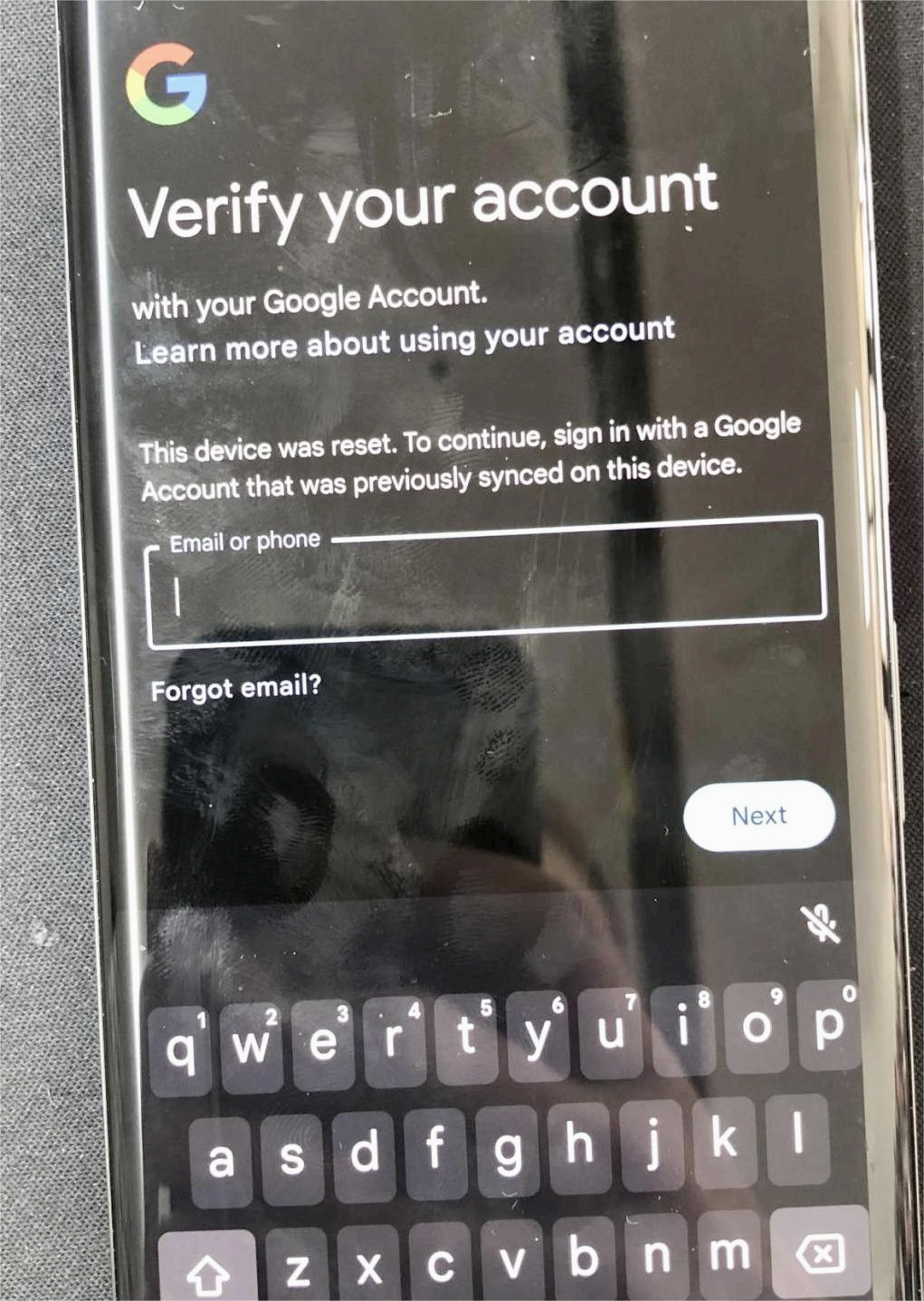
Check the available software and device information before evaluating a Pixel 7a FRP route.
Pixel 7a can enter the bootloader/Fastboot environment by powering off the phone and using the Power and Volume Down buttons. Recovery mode can then be selected from the available bootloader options.
Recovery or Fastboot information can help you understand the device state and may expose build-related information, but it should not be treated as a definitive FRP compatibility test. An Android version, build identifier, or security patch date alone cannot prove that a manual bypass method will work.
Use the Actual Setup Screens as a Compatibility Check
The more useful question is whether the critical screen required by an older route actually exists on your Pixel 7a. If a tutorial depends on App Info, Multiple Users, a notification shortcut, or another setup entry and that checkpoint is absent, the rest of the tutorial does not match your current setup environment.
Compatibility rule: Do not treat “Android 14,” “Android 15,” or a specific security patch month as a success guarantee. Pixel 7a setup behavior can change with builds and security updates.
Which FRP Route Fits Your Pixel 7a Situation?
Instead of trying every Pixel FRP trick you find, start with the condition you can actually verify.
| Pixel 7a Situation | Route to Consider | Stop If |
| The previously synced Google account is available | Google account sign-in or recovery | You do not need a bypass route |
| An older guide depends on App Info and Multiple Users | Check whether those legacy checkpoints still exist | App Info, Settings, or Multiple Users cannot be reached |
| An older guide depends on a SIM notification | Check whether the required notification behavior exists | The expected notification or Settings entry never appears |
| The guide shows screens that differ from your phone | Treat the guide as incompatible with your current environment | Do not keep repeating the same sequence |
| Account recovery is unavailable and legacy routes do not match | Evaluate another supported recovery option | The option does not explicitly support your device scenario |
If your Pixel 7a is running Android 14, the Android 14 FRP guide provides broader Android 14 context. Do not assume that an Android 14 method automatically supports every Pixel 7a build.
Legacy Pixel 7a Multi-User FRP Route: What to Check
Older Pixel FRP instructions have described a route that depends on moving from the setup environment into App Info or Settings and eventually reaching System > Multiple users. This should now be treated as a legacy compatibility checkpoint rather than a method that is guaranteed to work on a current Pixel 7a.
The critical question is simple: does your phone still expose the required Settings path?
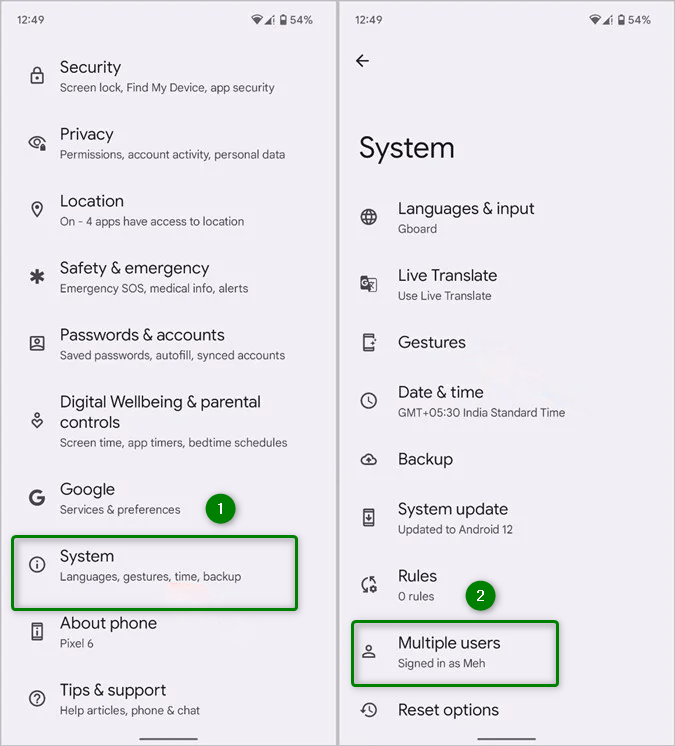
The Multiple Users screen is a compatibility checkpoint referenced by an older Pixel FRP route.
| Legacy Checkpoint | What to Look For |
| Emergency Information | Older instructions may begin from options exposed during initial setup |
| App Info | The route depends on being able to reach an app information screen from the setup environment |
| Settings | The route cannot continue if the expected path into Android Settings is blocked |
| Multiple Users | The older route depends on the Multiple Users option being available |
If App Info cannot lead to Settings, or System > Multiple users is unavailable, stop treating this route as applicable to your Pixel 7a. Repeating earlier screens does not restore a menu that the current setup environment does not expose.
This page does not claim that the legacy multi-user route works across current Pixel 7a builds or security updates. The screenshot is retained to help identify the checkpoint described by older instructions.
Legacy Pixel 7a SIM-PIN Route: What to Check
Another older Pixel FRP route relies on a PIN-protected SIM and a specific notification or lock-screen behavior. That behavior should not be assumed to exist on every Pixel 7a build.
Rather than repeatedly trying a timing sequence from an older tutorial, check whether the fundamental prerequisite exists: does the phone expose the same notification and Settings entry described by that route?
| Checkpoint | What It Tells You |
| The expected SIM-related notification appears | Your setup environment may still share part of the behavior described by the older route |
| The notification appears but provides no useful Settings entry | The critical shortcut required by the route is unavailable |
| No matching notification appears | The legacy instructions do not match your current setup environment |
| The tutorial requires repeated timing attempts | Do not assume more retries will restore behavior that is absent from the current build |
If the expected notification or Settings shortcut is missing, move on from the SIM-PIN route. The absence of a required checkpoint is a compatibility signal, not evidence that you simply need to repeat the sequence more times.
Why Pixel 7a FRP Methods Stop Working
Manual FRP methods often depend on a particular setup screen, shortcut, accessibility behavior, notification, or Settings entry. Android and security updates can change which paths are exposed during device setup, so an older Pixel 7a tutorial may stop before reaching the screen it expects.
| Where the Route Stops | What It Suggests | What to Do |
| Emergency Information is available but App Info cannot be reached | The legacy multi-user route is blocked before Settings access | Stop repeating that route |
| Settings is reachable but Multiple Users is unavailable | A critical legacy checkpoint is missing | Move away from the multi-user route |
| The expected SIM notification does not appear | The older notification behavior does not match the phone | Do not rely on repeated timing attempts |
| TalkBack or another accessibility route shows different screens | The older tutorial and current setup environment differ | Do not substitute unrelated steps from another build or brand |
| Another factory reset returns to Google verification | FRP is still active | Use the previously synced account when possible |
Android Version Is Not the Same as Method Compatibility
Two Pixel 7a phones can share the same major Android version while showing different setup behavior after security and system updates. That is why Android 14 or Android 15 should be treated as context rather than proof that a particular bypass route will work.
Try Google Account Recovery Before Another Bypass Route
If the Pixel 7a is asking for an account that was previously synced with the phone and you can recover that account, signing back in is the most direct route. If your main problem is the post-reset Google verification screen, see the Google account verification after reset guide for the broader recovery options.
Before Trying a PC-Based FRP Tool on Pixel 7a
A PC-based FRP tool may be worth evaluating after legitimate account recovery is unavailable and the legacy manual checkpoints described above do not match your Pixel 7a. However, the presence of an FRP feature in a software product does not prove that every Pixel 7a build is supported.
Before downloading or purchasing a tool for this purpose, verify the exact compatibility information available for your device scenario. Do not infer Pixel 7a support only from a general claim that the software supports Android FRP removal.
| Before Using a PC Tool | Why It Matters |
| Confirm the exact device or supported scenario | FRP compatibility can vary by brand, model, Android version, build, and security environment |
| Check whether the software recognizes the connected device | Detection alone does not guarantee that an FRP route is available |
| Read the workflow shown for the detected device | Do not substitute Samsung, Motorola, or another brand’s instructions for Pixel 7a |
| Check purchase requirements before paying | A general FRP feature does not establish compatibility with your exact Pixel 7a |
Compatibility checkpoint: This guide does not claim that Android 14, Android 15, or a particular Pixel 7a security patch guarantees compatibility with a PC-based FRP tool.
Pixel 7a FRP Bypass FAQ
Can I use the original Google account instead of bypassing FRP?
Yes. If you can access or recover the Google account previously synced with the Pixel 7a, use that account at the verification screen. In that situation, you do not need to rely on a manual FRP bypass route.
Why is the Multiple Users option missing on my Pixel 7a?
An older multi-user FRP route depends on reaching a specific Settings path. If your Pixel 7a does not show the required Multiple Users option during that route, the instructions do not match your current setup environment.
Does the TalkBack FRP method work on every Pixel 7a?
No. TalkBack and other setup-screen routes should not be assumed to work across every Pixel 7a build. If the screens required by an older tutorial are missing, treat the route as incompatible with your current setup environment.
Is there a Pixel 7a FRP bypass without a PC?
Older no-PC methods have depended on setup menus, notifications, or shortcuts that may no longer be exposed. Their historical existence does not guarantee that they work on a current Pixel 7a build.
Can I bypass FRP on a Pixel 7a running Android 15?
The Android 15 label alone cannot identify a working FRP method. Build and security changes can affect the setup environment, so check the actual device state and required checkpoints instead of assuming an older Pixel tutorial remains compatible.
Does an Android 14 Pixel 7a use the same FRP method on every security patch?
No such guarantee should be assumed. A major Android version does not establish that every Pixel 7a build exposes the same setup menus or shortcuts.
Why does my Pixel 7a return to Google verification after another reset?
Another factory reset does not automatically remove Factory Reset Protection. If Android still requires verification of an account previously associated with the phone, resetting it again can return you to the same verification stage.
Will an FRP method restore data erased from my Pixel 7a?
No. In the scenario covered by this guide, FRP appears after the device has already been factory reset. An FRP recovery or removal process should not be expected to restore local files erased by that earlier reset.
When should I stop trying an older Pixel 7a FRP method?
Stop when a critical checkpoint is missing. Examples include App Info not leading to Settings, Multiple Users being unavailable, the expected SIM notification not appearing, or an older tutorial showing setup screens that your Pixel 7a does not have.
What if I do not remember which Google account was previously synced?
First try to identify or recover the Google account that belonged to you and was previously used on the device. For more detail on this specific post-reset problem, see the previously synced Google account guide.
What to Try Next on Your Pixel 7a
Start with the previously synced Google account whenever possible. If account recovery is not available, use the Pixel 7a’s actual setup environment to rule out incompatible legacy methods rather than assuming Android 14, Android 15, or a security patch date guarantees a working bypass.
If an older multi-user route cannot reach Settings or Multiple Users, stop repeating it. If an older SIM-PIN route does not expose the notification or Settings entry it requires, move on from that route as well. If you evaluate a PC-based option, confirm support for your device scenario before relying on it.
The most useful compatibility signal is not the number of times you retry an old method. It is whether the critical setup checkpoint that method requires actually exists on the Pixel 7a in front of you.
More Related Articles



Jeremy Feron is a writer for iMobie with a deep passion for Android. He specializes in creating clear guides on Android tips and the latest updates, helping users navigate their devices and get the most out of new features.
Product-related questions? Contact Our Support Team to Get Quick Solution >
