RootJunky FRP Bypass APK: Download Info & Compatibility
Looking for com.rootjunky.frpbypass-1.0.apk? This guide explains where the file is listed, what the old Samsung workflow required, why it fails on many newer phones, and which recovery options a lawful device owner can try next.
Quick Answer:
The RootJunkysDL FRP directory currently lists
com.rootjunky.frpbypass-1.0.apk
as a 1.17 MB file dated December 21, 2016. It is a legacy package associated with
certain older Samsung setup workflows, not a current universal FRP tool. Compatibility
depends on the exact phone model, Android version, security patch, Setup Wizard, and
whether the device still permits the required file and settings access.
Before trying any third-party method, use a Google Account previously synced to the device, contact the previous owner, or ask the manufacturer or seller for help. Use FRP recovery software only on a device you own or are authorized to service.
What Is RootJunky FRP Bypass APK?
RootJunky FRP Bypass APK
usually refers to the Android package
com.rootjunky.frpbypass-1.0.apk
. It appeared in older Android repair workflows that attempted to open settings or
related system screens during device setup. The best-known use case involved certain
Samsung phones, a USB drive, and an OTG adapter.
These related names describe different things:
| Term | Meaning |
|---|---|
| RootJunky | The creator or brand associated with Android repair tutorials, files, and device-specific tools. |
| RootJunkysDL | A file directory used to host downloads referenced in RootJunky-related repair workflows. |
| com.rootjunky.frpbypass-1.0.apk | A specific Android package listed in the RootJunkysDL FRP directory. |
| RootJunky OTG method | A legacy Samsung-oriented workflow that depended on the Setup Wizard opening files from an OTG-connected USB drive. |
The APK is not an official Google or Samsung account-recovery tool. For a broader explanation of this file type and its risks, see the guide to FRP bypass APKs .
Where Is the RootJunky APK Listed?
The
RootJunkysDL FRP directory
lists
com.rootjunky.frpbypass-1.0.apk
as a 1.17 MB file dated December 21, 2016. The listing confirms that the file appears in
the directory; it does not verify current compatibility or guarantee that the APK will
work on a particular phone.
Be cautious with other pages using the same filename. A copied file can be outdated, modified, renamed, or bundled with unrelated downloads. Avoid mirrors with fake buttons or forced installers, review requested permissions, and never enter Google credentials into an unknown app or page.
Important: A file can be authentic to an old workflow and still be unsuitable for a current device. The file date, model, Android version, security patch, and Setup Wizard all matter.
Does RootJunky FRP Bypass Still Work?
It may still work in a limited legacy scenario, but it should not be described as a universal Samsung FRP solution. Android version alone is not enough to predict the result. Two phones running the same Android release can behave differently because their model, firmware build, security patch, and Setup Wizard are different.
| Compatibility Factor | What to Check |
|---|---|
| Phone model | The package is mainly associated with older Samsung workflows. Do not assume that it applies to every Samsung model or another Android brand. |
| Security patch | A manufacturer can close the required setup path without changing the main Android version. |
| Setup Wizard | The old method relied on access to a file manager, APK installer, settings screen, or another activity during setup. |
| OTG behavior | The phone must recognize the USB drive and expose the file at the verification stage. |
| Unknown-app installation | If APK installation is blocked during setup, the workflow cannot continue. |
For model-specific information and other Samsung paths, read the Samsung FRP recovery guide .
What Did the Old RootJunky OTG Method Require?
The RootJunky OTG workflow was built around an older Samsung setup environment. It generally required:
- A compatible Samsung phone and firmware build.
- A USB drive containing the RootJunky APK.
- An OTG adapter that the phone recognized during setup.
- A Setup Wizard that opened the USB file manager.
- Permission to install an APK from outside Google Play.
- Access from the installed package to the required settings or reset screen.
In a compatible legacy environment, the user connected the OTG drive, opened the APK from the file manager, installed it, and followed the available settings path. This is a historical workflow overview, not a guarantee that the same sequence is available on a current phone.
Why RootJunky FRP Bypass APK Does Not Work
| Problem | Likely Reason | What It Means |
|---|---|---|
| The USB drive is not detected | The Setup Wizard does not permit OTG file access, or the adapter and drive are not recognized. | The original OTG path cannot start. |
| No file manager opens | The automatic file-manager launch used by the old guide has been blocked or removed. | Repeating the same connection step is unlikely to help. |
| The APK will not install | Unknown-app installation is blocked, the package is incompatible, or the file is damaged. | Do not keep installing random copies from unrelated mirrors. |
| The APK opens but settings are unavailable | The activity or settings path used by the workflow has been patched. | The file may be intact, but the method no longer matches the firmware. |
| Google verification returns after another reset | The device is still protected by the previously synced account. | Use account recovery, previous-owner help, or a supported recovery option. |
These failures usually indicate a compatibility problem rather than one missing click. Check the exact model and patch level before trying another file with the same name.
What to Try Before Using an FRP Tool
Google explains that after a protected Android device is reset, setup can require the screen lock or a Google Account previously added and synced to the device. Review Google's device-protection guidance and try these options first:
- Use a previously synced Google Account: Try an account that was added and synced as an account or user, not as a guest.
- Recover the Google Account: Use Google's sign-in recovery process if you remember the account but not the password.
- Contact the previous owner: For a second-hand phone, ask the seller to help complete ownership verification or remove the account correctly.
- Contact the manufacturer or seller: Ask an authorized support channel for help and be prepared to provide valid proof of purchase.
Before selling or resetting another phone, learn how to disable Factory Reset Protection before a reset .
What to Do If RootJunky Does Not Work
If official account recovery is unavailable and the RootJunky workflow is incompatible, compare methods before installing more legacy APK files. The FRP bypass methods comparison explains the differences between account recovery, older free methods, and guided computer-based options.
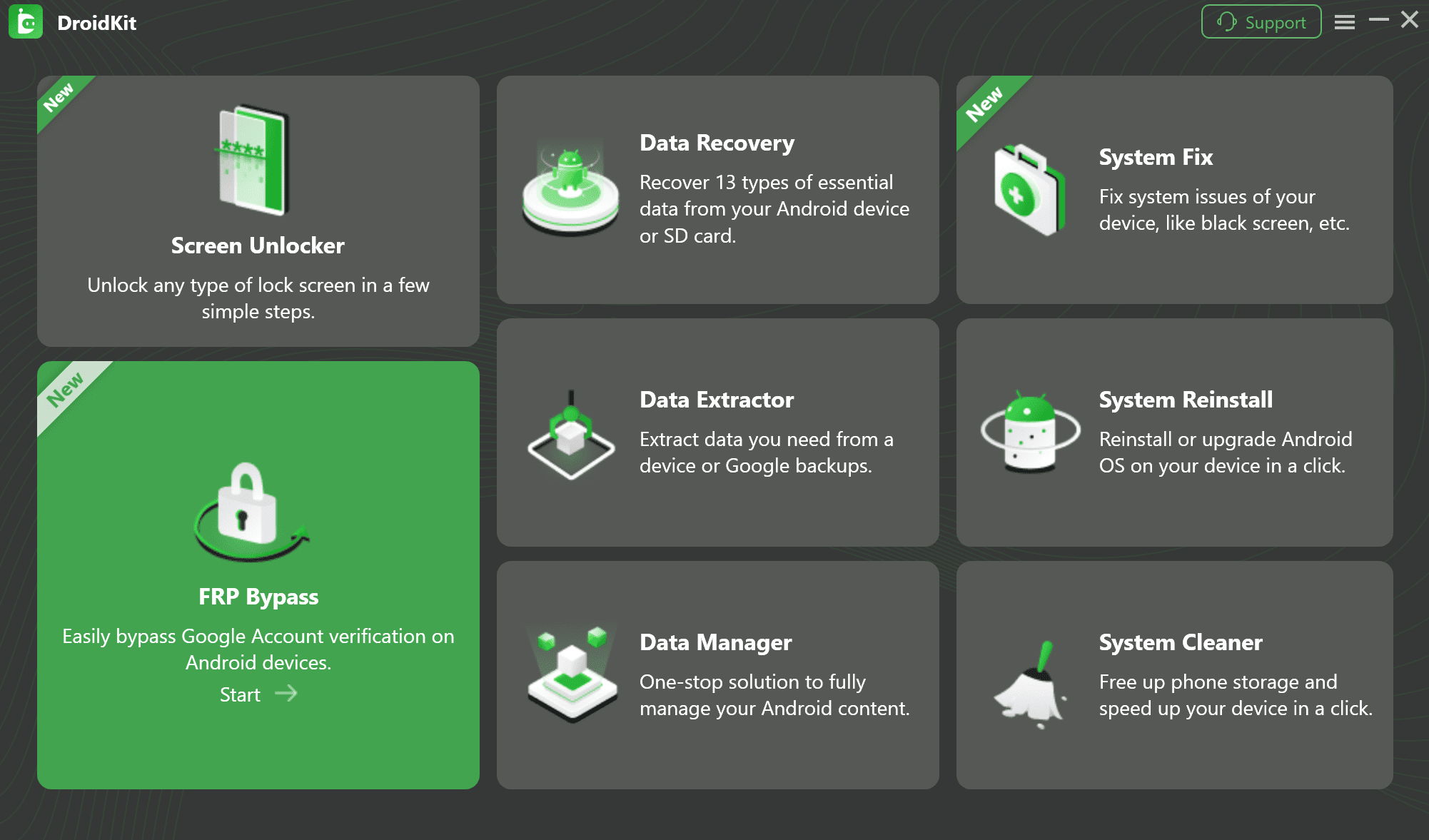
For supported devices, DroidKit can be considered as a guided option. According to the current DroidKit FRP guide , it supports selected Samsung, Xiaomi, OPPO, Motorola, Lenovo, vivo, Redmi, POCO, Realme, Sony, and OnePlus devices running Android 6 or later. The guide also states that Samsung devices with security patches dated August 2023 or later are currently unsupported for FRP bypass.
Data and license notice: DroidKit's FRP Bypass process erases data on the device. The free version can check whether a device is matched, while completing FRP bypass requires the activated version.

Check Device Compatibility
Before using DroidKit, confirm that your exact device and security patch are supported. The FRP Bypass process erases device data, and completing the process requires the activated version.
How to Check DroidKit Compatibility
Open DroidKit, choose FRP Bypass, and connect the phone to check whether the device is matched. Confirm the Android version and Samsung security patch before activating the feature.
FAQs about RootJunky FRP Bypass APK
What is com.rootjunky.frpbypass-1.0.apk?
It is a legacy Android package associated with certain RootJunky Samsung FRP workflows. It was used with older setup screens and OTG-based methods, but it is not a universal FRP solution.
Where is the RootJunky FRP Bypass APK listed?
The RootJunkysDL FRP directory currently lists the 1.17 MB package with a file date of December 21, 2016. A listing does not guarantee that the file is compatible with a current device.
Does RootJunky FRP Bypass still work in 2026?
It may work in a narrow legacy scenario, but results depend on the exact Samsung model, firmware, security patch, Setup Wizard, OTG behavior, and APK-installation permissions.
Is RootJunky FRP Bypass APK free?
The RootJunkysDL directory does not display a price for the APK file. However, that does not confirm its license terms, safety, or compatibility with a particular device.
Is RootJunky FRP Bypass APK safe to download?
The known directory lists an old file, but any APK downloaded outside Google Play should be treated cautiously. Avoid unrelated mirrors, forced installers, suspicious permissions, and pages that ask for Google credentials.
Does RootJunky APK work on OPPO, Xiaomi, or other Android brands?
The specific package is most commonly associated with older Samsung workflows. Other RootJunky files or device-specific methods should not be treated as the same APK.
Why does the RootJunky APK fail to install?
Common reasons include blocked unknown-app installation, an incompatible Android environment, a damaged copy, or a Setup Wizard that no longer exposes the required installation path.
What should I do if RootJunky does not work?
Try a previously synced Google Account, account recovery, previous-owner assistance, or manufacturer support first. A guided tool such as DroidKit may be considered only after confirming that the exact device and security patch are supported. Its FRP Bypass process erases device data.
Sources Checked
- RootJunkysDL FRP directory — APK file listing, size, and file date.
- Google Android Help — device protection and ownership verification after a factory reset.
- DroidKit User Guide — supported devices, Samsung patch limitation, data erasure, and activation requirements.
Conclusion
RootJunky FRP Bypass APK is a real legacy package listed in the RootJunkysDL archive, but its 2016 file date and dependence on older Samsung setup behavior make it unsuitable as a universal current solution. The decisive factors are the phone model, firmware, security patch, Setup Wizard, OTG access, and APK-installation permissions.
If the RootJunky workflow is incompatible with your phone, check whether DroidKit supports your exact device and security patch before proceeding. Remember that FRP Bypass erases device data and requires activation to complete.
More Related Articles


Roger Smith is a senior technical writer with years of experience in providing Android solutions. He loves to help users solve various problems such as Android unlock, Android data recovery, and Android system repair.
Product-related questions? Contact Our Support Team to Get Quick Solution >
