Android system repair is the process of restoring a malfunctioning Android operating system when the device can no longer boot, update, or function normally after a system failure.
There is no single universal solution for Android system repair.
The correct approach depends on the device model, Android version, system damage level, and whether the issue is software corruption or hardware failure.
This page provides an overview of Android System and Phone Repair, including:
- What Android system repair means and when it is needed
- Common system-level failures such as bootloop or update errors
- How to diagnose what is wrong with my phone
- Which repair for Android solutions are safest under different conditions
Detailed step-by-step instructions are covered in dedicated repair guides.
Table of ContentsHide
What Is Android System Repair?
Android system repair refers to fixing operating system–level issues that prevent a device from booting, updating, or running properly. These problems usually occur when critical system files become corrupted or when a system update fails during installation.
Unlike normal troubleshooting (such as clearing cache or restarting the device), system repair addresses deeper system corruption or damaged firmware components.
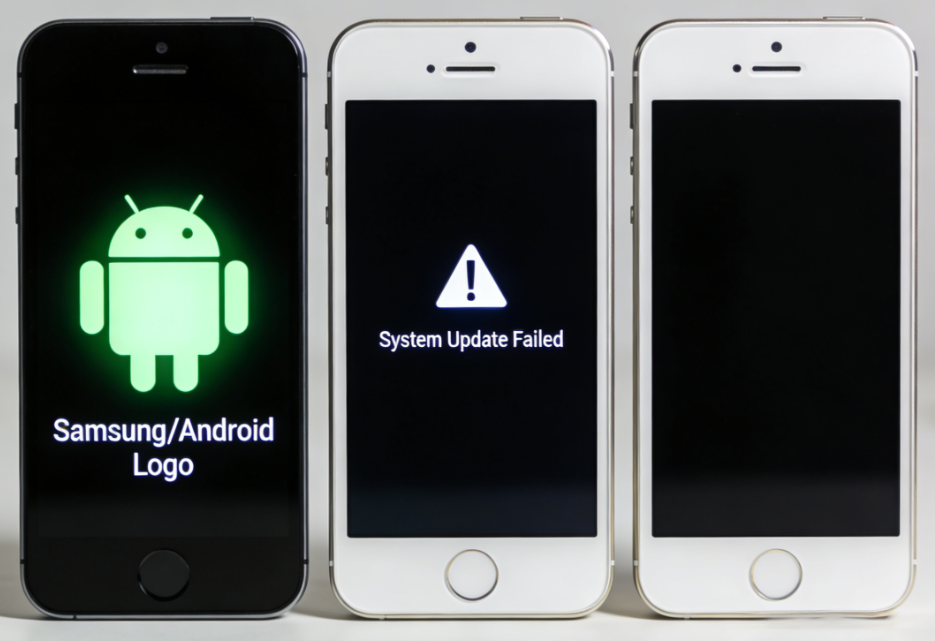
Typical system-level failures include:
- Bootloop or device stuck on startup logo
- System update failure
- Black screen caused by system or firmware crash
- Device stuck in recovery mode
- System instability after flashing custom firmware
When users say “something is wrong with my phone” or “what is wrong with my phone, ” the issue is often related to system-level failures rather than simple app bugs.
When Android System Repair Is Needed
Android system repair is usually required when a device cannot start, update, or operate normally due to system-level errors.
Typical warning signs include:
- The phone is stuck on the manufacturer logo during startup
- The device repeatedly restarts in a bootloop
- The screen stays black even though the phone is powered on
- The device only boots into recovery mode
- A system update fails and the phone cannot start properly
If your phone shows one of these symptoms, the issue is often related to system corruption rather than a simple app problem.
Common Android System Problems
1. Bootloop / Stuck on Logo
A bootloop occurs when an Android device repeatedly restarts or becomes stuck on the manufacturer’s logo during startup. The phone powers on but never reaches the home screen. This issue is commonly caused by corrupted system files, failed updates, or interrupted firmware installations.
2. Android Update Failed
An Android update failure happens when a system update cannot complete successfully. The device may freeze during installation or display an “Update Failed” message. Common causes include unstable internet connections, insufficient storage space, or corrupted update packages.
3. Black Screen / No Display
The Android black screen issue occurs when the device powers on but the display remains completely dark. Users may still hear sounds or feel vibrations while the screen stays blank. This problem is often related to firmware crashes, system corruption, or display driver errors.
4. Stuck in Recovery Mode
A device stuck in recovery mode repeatedly boots into the Android recovery screen instead of starting normally. Restarting the phone usually returns to the same recovery menu. This problem is typically caused by system corruption, incomplete updates, or interrupted firmware flashing.
5. Stuck After Flashing ROM
A device stuck after flashing a ROM occurs when an Android phone fails to boot normally after installing new firmware. The phone may enter a bootloop, freeze on the logo screen, or return to recovery mode. This usually happens due to incompatible ROM versions or flashing errors.
How to Diagnose Android System Issues
Different Android system failures may show similar symptoms, but the underlying causes can be very different. Before choosing a repair method, it is helpful to identify what type of system problem your device is experiencing:
| Symptom | Possible Cause | Repair Type |
|---|---|---|
| Stuck on logo | Corrupted system files | System repair tool |
| Update fails repeatedly | Incomplete firmware install | Reinstall firmware |
| Black screen but powered | System crash | System recovery |
| Boots only to recovery | Damaged OS | Advanced repair |
| No power at all | Possible hardware damage | Hardware inspection |
If your phone shows no response to charging or key combinations, hardware damage may be involved rather than software failure.
How to Fix Android System Problems
Android system issues can usually be repaired using two different approaches depending on the severity of the system damage and whether the device can still access recovery functions.
Official Repair Methods
Official repair methods include Android recovery mode, factory reset, or reinstalling firmware using manufacturer tools.
These solutions are typically recommended for relatively minor system errors where the device can still access recovery functions.
Limitations:
- May require technical tools such as ADB or flashing utilities
- Often results in complete data loss
- Some devices may not be recognized if the system is severely corrupted
Professional Android System Repair Tools
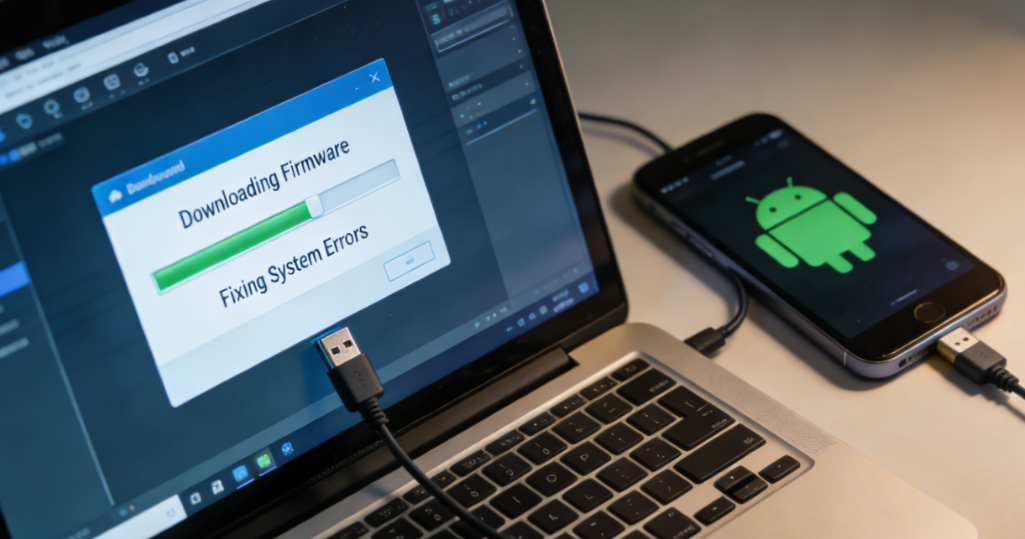
When official recovery options fail or the device cannot boot normally, specialized Android repair tools may help restore the system automatically.
These tools typically identify the device model, download compatible firmware packages, and reinstall damaged system components to restore normal system operation.
Limitations:
- Device and chipset compatibility may vary
- Success rate depends on the Android version and damage level
- Deep system repair can still cause data loss
→ See the dedicated data recovery guide for detailed steps on retrieving files after a system repair.
Limitations & Risks of Android System Repair
- Will Android System Repair Erase Data?
- Depends. Data loss may occur during certain repair processes. If the repair requires a factory reset or firmware reinstallation, existing data will usually be erased. Minor system fixes such as cache repair may keep user data intact, but severe system corruption often requires wiping system partitions to restore the device.
- Is System Repair Always Successful?
- No. Android system repair does not guarantee a full recovery. Some repair tools only support specific device models, chipsets, or Android firmware versions. Compatibility limitations are common, especially on newer Android builds with stricter system protections. If the firmware is incompatible or the system partition is heavily corrupted, some phone errors may remain unresolved even after repair attempts.
- Are There Device or Version Restrictions?
- Yes. Not every Android device or version is fully supported. Some repair tools only work with specific device models, chipsets, or Android security patch levels. Newer Android versions often include stricter security protections, which may limit certain system repair methods.
- Can System Repair Fix Hardware Damage?
- No. Android system repair only addresses software-related issues. If the motherboard, storage chip, battery, or display is physically damaged, software repair methods will not resolve the problem. In such cases, the device requires professional hardware diagnostics or component replacement.
Android System Repair Guides
If you are experiencing one of the Android system problems listed above, follow the corresponding repair guide to see detailed step-by-step solutions.
→ See All Android Repair Guides


Hot Topics
 DroidKit