Advance Turbo Flasher Review: Features, Risks, and Alternatives
Before downloading Advance Turbo Flasher, learn what ATF is designed for, who should use it, what safety and compatibility risks to check, and when a guided Android screen unlock tool such as DroidKit may be a better option.
Advance Turbo Flasher, also known as ATF or AdvanceBox Turbo Flasher, is often discussed in mobile repair communities as a technician-oriented flashing and servicing tool. It may be used for tasks such as firmware flashing, user code reset, older phone servicing, and selected repair operations. However, it is not a simple consumer app or a universal Android screen unlocker.
This review explains what ATF can and cannot do, whether “free latest version” download claims should be trusted, what risks come with flashing tools, and how it compares with DroidKit for ordinary Android users who only need to remove a forgotten screen lock.
Important: Use phone servicing, flashing, FRP, or screen unlock tools only on devices you own or are authorized to repair. Flashing the wrong firmware, installing unknown drivers, or using cracked software can damage the device, erase data, or expose your computer to security risks.
Quick Answer: Is Advance Turbo Flasher Still Worth Using?
Quick Answer: Advance Turbo Flasher is best treated as a technician-level flashing and phone servicing tool, especially for older or selected supported devices. It is not a universal Android screen unlock tool, and its current official download source, latest version, pricing, and device compatibility need human review before use. If your goal is only to remove an Android screen lock, a guided tool such as DroidKit may be easier on supported devices, but most screen unlock workflows can erase device data.
What Is Advance Turbo Flasher?
Advance Turbo Flasher, commonly shortened to ATF, is a phone flashing and servicing utility used in repair settings. It is often associated with firmware flashing, user code reset, dead phone recovery, and selected service operations. Unlike a general Android unlock app, ATF usually requires technical knowledge, correct USB drivers, matching firmware files, and sometimes license or hardware-box support.
Because ATF information is often found on vendor pages, repair forums, and software download mirrors, the exact latest version, supported devices, and download source should be manually verified before any installation.
Who Should Use ATF and Who Should Avoid It?
| User Type | Should You Use ATF? | Why |
|---|---|---|
| Mobile repair technician | Possibly | ATF may be useful if you understand firmware flashing, drivers, supported chipsets, and repair risks. |
| Advanced user with matching firmware | Use caution | It may help with supported devices, but one wrong firmware file can brick the phone or erase data. |
| Regular user who forgot Android PIN | Usually no | ATF is too technical for ordinary screen lock removal. A guided screen unlock tool may be easier. |
| User looking for a free cracked download | No | Cracked flashing tools and unknown drivers can contain malware, unstable files, or unsafe firmware packages. |
Advance Turbo Flasher Features, Pros, and Cons
ATF is commonly described as a servicing tool for selected mobile devices. Since official compatibility and version information must be reviewed manually, treat the following as general reported use cases rather than guaranteed features.
Reported Functions
- Firmware flashing: Reinstalling or updating compatible firmware on supported devices.
- User code reset: Performing service-level reset tasks on selected models.
- Dead or bricked phone servicing: Attempting recovery when the device and firmware are supported.
- Professional repair workflows: Working with drivers, firmware packages, and service modes used by technicians.
Pros
- Can be useful for technician-level flashing and servicing tasks.
- May support older or selected device families that ordinary consumer tools do not cover.
- Gives advanced users more control over firmware and service operations.
Cons
- Not beginner-friendly and may require drivers, firmware files, and technical repair knowledge.
- Current official download source, latest version, and support status need human review.
- Wrong firmware or improper operation may cause boot failure, data loss, or further device damage.
- It should not be presented as a universal Android screen unlock solution.
Is Advance Turbo Flasher Free?
Advance Turbo Flasher should not be described as a simple “free latest version” consumer app unless an official source confirms it. In many discussions, ATF is treated as a licensed or vendor-distributed technician tool. Current pricing, license requirements, hardware-box requirements, and official download availability need human review.
Be careful with pages that promise “Advance Turbo Flasher latest version free download” but do not show a verified publisher, checksum, release note, or legitimate vendor source.
Is Advance Turbo Flasher Safe to Download?
ATF can be risky if downloaded from unknown mirrors or bundled with unverified drivers and firmware. Flashing tools need deep system access, so a bad installer, cracked package, or wrong driver can put both your computer and phone at risk.
- Download only from trusted or verified vendor sources.
- Avoid cracked, repacked, or password-protected archives from unknown sites.
- Scan installers and firmware files before opening them.
- Verify the exact model and firmware build before flashing.
- Back up data whenever possible, because flashing or reset operations may erase the phone.
What Devices Does Advance Turbo Flasher Support?
ATF is often associated with older Nokia and selected phone servicing tasks, and some pages mention support for brands such as Samsung, LG, HTC, or Sony Ericsson. However, support can depend on chipset, model, firmware, driver package, license status, and tool version.
Needs human review: Do not assume ATF supports your Android phone just because the brand name appears in a tool list. Before using it, confirm the exact model number, firmware region, chipset, USB driver, and supported operation.
Can ATF Unlock Android Screen Locks?
ATF may support service-level user code operations on selected devices, but it is not the best choice for ordinary Android users who simply forgot a PIN, password, or pattern. Screen lock removal on modern Android devices often requires a reset and may trigger Google verification after reset.
For normal Android screen lock problems, consider checking official options first, such as biometric unlock, Samsung remote unlock if available, Google account recovery, backups, and factory reset paths. For a guided tool-based option, DroidKit Screen Unlocker may be easier on supported devices.
What to Check Before Using ATF for Flashing or Servicing
ATF workflows can vary by version and device. Instead of following a generic flashing tutorial, review this checklist first:
- Confirm the exact phone model, region, and firmware build.
- Install only the correct USB drivers from a trusted source.
- Use only matching firmware files for the exact device variant.
- Make sure the battery is sufficiently charged before flashing.
- Understand whether the operation may erase data, reset the phone, or affect network/service functions.
- Do not attempt IMEI, carrier, or ownership-related servicing unless it is legal in your region and you are authorized to repair the device.
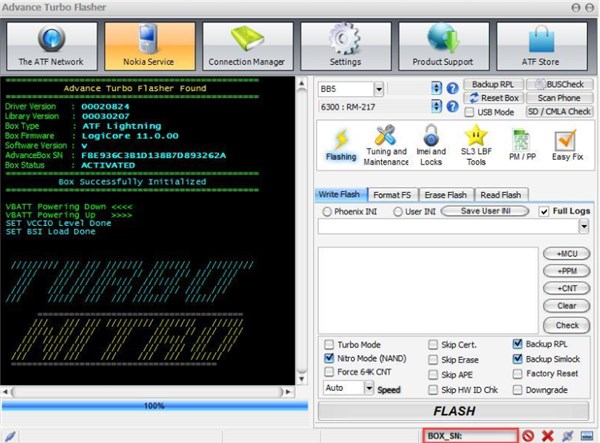
ATF Flashing Tab Example
ATF vs DroidKit: Which Tool Should You Choose?
| Comparison | Advance Turbo Flasher | DroidKit |
|---|---|---|
| Main purpose | Technician-level flashing and phone servicing on supported devices. | Guided Android screen lock, FRP, data recovery, and system repair workflows on supported devices. |
| Best for | Repair technicians who understand firmware, drivers, and service modes. | Ordinary users who need guided help with screen lock or common Android issues. |
| Screen lock use | May support selected service operations, but not universal. | Designed for removing Android screen locks on supported devices. |
| Data risk | Flashing or reset operations may erase data or damage the device if done incorrectly. | Most screen unlock workflows may erase device data; check compatibility and backup status first. |
| Replaces the other? | No. ATF is not a consumer unlock app. | No. DroidKit does not replace ATF for firmware flashing, IMEI repair, or professional servicing tasks. |
Alternative: Unlock Android Screen with DroidKit on Supported Devices
If your goal is to remove a forgotten Android screen lock rather than perform technician-level flashing, DroidKit Screen Unlocker may be easier on supported Android devices. It guides users through removing PIN, password, pattern, fingerprint, or face lock without requiring advanced flashing knowledge.
Data-loss note: Most Android screen unlock workflows can erase device data. DroidKit does not replace ATF for firmware flashing, IMEI repair, SIM servicing, or professional phone repair tasks. Use it only on a device you own or are authorized to unlock.
Basic steps to unlock Android screen with DroidKit:
Step 1. Download and install DroidKit on your computer. Launch it and choose Screen Unlocker .
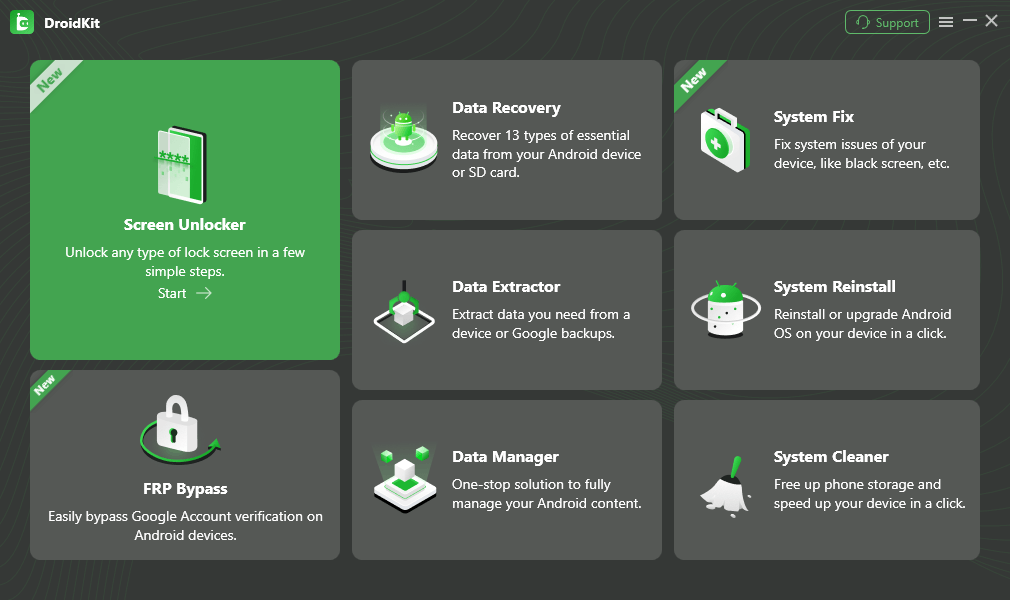
Select Screen Unlocker Mode
Step 2. Connect your locked Android phone and let DroidKit prepare the device-specific configuration file.
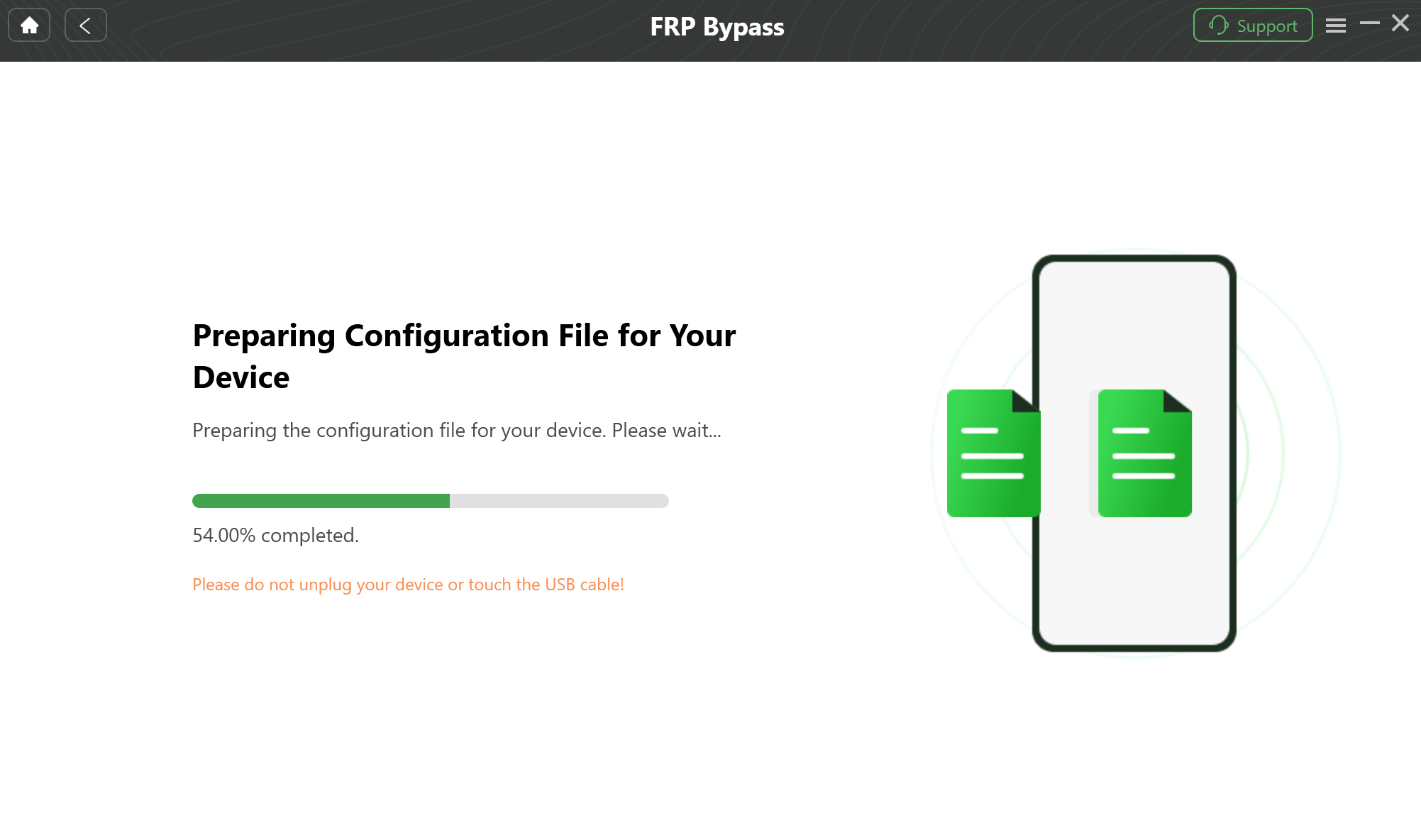
Prepare Device-Specific Configuration
Step 3. Click Remove Now and follow the on-screen instructions for your device.
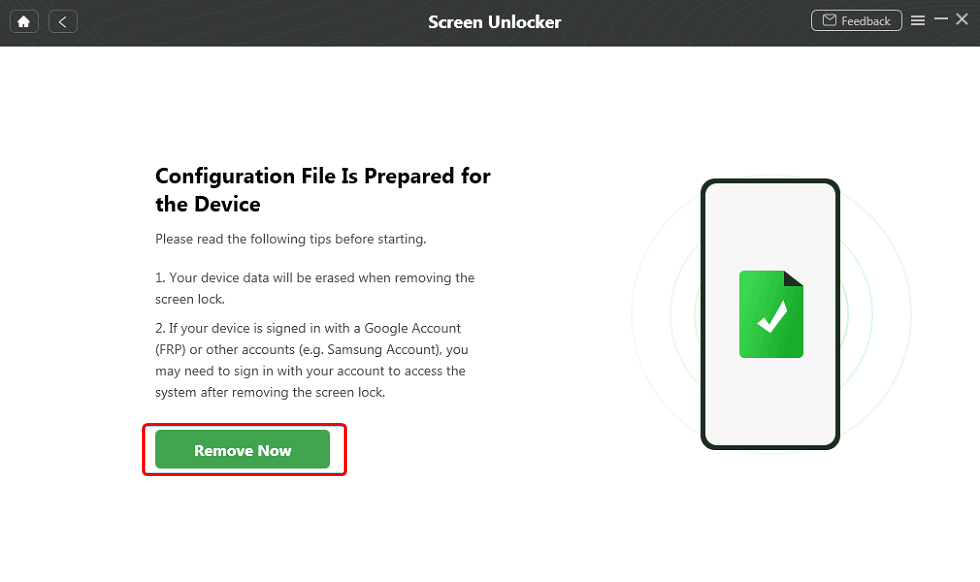
Click Remove Now Button
Step 4. Wait for the screen lock removal process to complete. After the phone restarts, set it up again and restore data from backup if available.
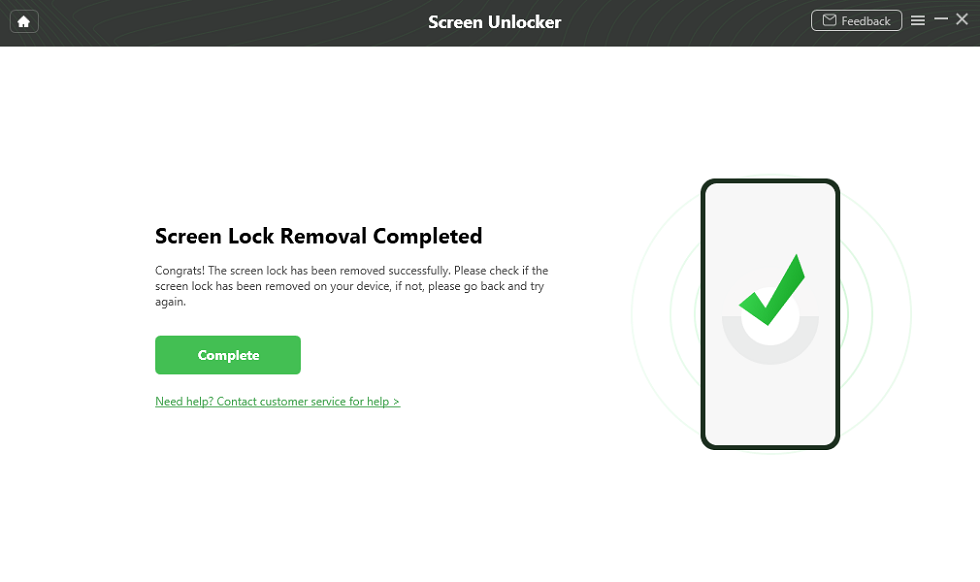
Unlock Screen Successfully
* For supported Android devices. Screen unlocking may erase device data.
Free Download * Data erase may occur.
FAQs About Advance Turbo Flasher
What is Advance Turbo Flasher?
Advance Turbo Flasher, often called ATF, is a phone flashing and servicing tool mainly used by mobile repair technicians. It is commonly associated with firmware flashing, phone servicing, user code reset, and older device repair tasks, but exact compatibility depends on the device, firmware, drivers, and tool version.
Is Advance Turbo Flasher free?
The full ATF setup is usually treated as a licensed or vendor-distributed technician tool, not a simple consumer app. Because current official pricing and download sources are unclear, any “free latest version” download claim should be checked manually before use.
Is Advance Turbo Flasher safe to download?
It depends on the source. Downloading flashing tools, drivers, or firmware from unofficial sites can expose your computer or phone to malware, corrupted files, or wrong firmware. Use only trusted sources, scan files, and avoid cracked packages.
Can Advance Turbo Flasher unlock Android screen locks?
ATF may support some user code or servicing operations on selected devices, but it should not be treated as a universal Android screen unlock tool. For ordinary users who forgot a PIN, pattern, or password, a guided screen unlock tool may be easier, though data loss is still possible.
Does ATF support all Android phones?
No. Device support depends on chipset, brand, firmware, drivers, box or license status, and tool version. Current support for newer Android models should be verified manually before any download or flashing attempt.
Can ATF repair a bricked phone?
It may help in some servicing scenarios if the device model and firmware are supported. However, flashing the wrong firmware can make the phone worse. Non-technicians should not attempt advanced flashing without a verified guide and matching firmware.
What is the best Advance Turbo Flasher alternative for Android screen unlock?
If your goal is only to remove a forgotten Android screen lock, DroidKit Screen Unlocker may be easier on supported Android devices. It does not replace technician flashing tools, and most screen unlock workflows may erase device data.
Should I use ATF or DroidKit?
Use ATF only if you are handling technician-level flashing or servicing tasks and understand firmware risks. Use DroidKit if your main problem is a locked Android screen, FRP, or a common Android issue on supported devices.
The Bottom Line
Advance Turbo Flasher may still be relevant for technicians working with supported devices, firmware packages, and professional repair workflows. However, it should not be promoted as a simple “latest free download” or universal Android unlock tool without verified sources. For ordinary users who only forgot an Android screen lock, DroidKit may be a more practical guided option on supported devices, while still requiring clear awareness of data loss and compatibility limits.
Related Guides You May Need


Roger Smith is a senior technical writer with years of experience in providing Android solutions. He loves to help users solve various problems such as Android unlock, Android data recovery, and Android system repair.
Product-related questions? Contact Our Support Team to Get Quick Solution >
