Direct Open FRP MobileTech: Does It Still Work in 2026?
Direct Open FRP MobileTech is often searched by users who are stuck at Google verification after a factory reset. This review explains what the tool name usually refers to, whether it may still work, why APK-based FRP methods often fail, what download risks to check, and what safer paths to consider for a device you own or are authorized to service.
Quick Answer: Direct Open FRP MobileTech may still appear in FRP bypass searches, but it should not be treated as a universal or risk-free solution. It is commonly discussed as an APK-based or mobile-focused method, and its reliability depends on APK source, phone brand, Android version, setup wizard behavior, and security patch level. Start with official account recovery or seller support when possible, and use FRP-related methods only on a device you own or are authorized to repair.
Important: FRP, or Factory Reset Protection, is designed to protect an Android device after a factory reset by asking for the previously synced Google account. If you bought a second-hand phone that is still linked to the seller’s account, contact the seller first and ask them to remove the account properly.
Also Read: Top FRP Bypass Tools to Bypass Google Account on Android >
Table of Contents Hide
What Is FRP and Why Are You Stuck?
What Is Direct Open FRP MobileTech?
Direct Open FRP MobileTech: Names Users May See Online
Does Direct Open FRP MobileTech Still Work?
Direct Open FRP MobileTech Not Working: What to Check
Is Direct Open FRP MobileTech Safe to Download?
Before You Try Any FRP Method
Direct Open FRP MobileTech vs DroidKit
When to Consider a Guided FRP Bypass Tool
FAQs About Direct Open FRP MobileTech
What Is FRP and Why Are You Stuck?
Factory Reset Protection is an Android security feature that helps prevent unauthorized use after a device has been reset. When FRP is active, the phone may ask for the Google account that was previously synced on the device before allowing setup to continue.
This can protect a lost or stolen phone, but it can also create a problem for legitimate users. You may get stuck after a reset if you forgot the original Google account, changed the password recently, lost access to recovery options, or bought a second-hand phone that was not properly removed from the previous owner’s account.
Before using any FRP-related method, try official account recovery or seller support first. FRP bypass tools should only be used on devices you own or are authorized to service.
What Is Direct Open FRP MobileTech?
Direct Open FRP MobileTech is a name often used in online FRP discussions for APK-based or mobile-focused methods that users research when they cannot pass Android Google verification after a factory reset. Some guides connect it with Samsung or Huawei FRP scenarios, while others list related APK tools such as Pangu FRP Bypass, Quick Shortcut Maker, or Google Account Manager packages.
However, Direct Open FRP MobileTech is not an official Google, Android, Samsung, Huawei, or other OEM tool. That means users should be careful with download sources, APK permissions, version claims, and guides that promise instant results. Compatibility depends on your exact device model, Android version, setup wizard behavior, and security patch level.
For more device-specific reading, see Samsung FRP tool , Huawei FRP bypass , and bypass Google account verification after reset .
Direct Open FRP MobileTech: Names Users May See Online
One reason this topic can be confusing is that different websites and videos may use slightly different names for similar FRP-related APK discussions. These names do not always refer to a verified official app or a single trusted download source.
| Name or Search Term | What It Usually Refers To | What to Watch For |
|---|---|---|
| Direct Open FRP MobileTech | A commonly searched name for APK-based FRP discussions. | Verify the source and avoid any page that guarantees success on every Android phone. |
| Direct Open FRP | A shorter version of the same or similar search intent. | Search results may mix guides, APK mirrors, videos, and unrelated downloads. |
| Open Direct FRP | A reordered name users may search when looking for the same topic. | Do not assume every result points to the same file or method. |
| Direct Open FRP Mobile Tech | A spacing variation of MobileTech. | Be careful with renamed APK files or copied guides. |
| MobileTech FRP | A broad phrase that may refer to MobileTech-related FRP videos or tools. | Check whether the guide matches your device brand and Android version. |
| Direct Open APK | A download-oriented variation. | Highest risk area: fake APKs, modified files, and unsafe mirrors. |
If a website uses one of these names but does not explain supported devices, Android versions, security patch limits, or ownership requirements, treat it with caution.
Does Direct Open FRP MobileTech Still Work?
Direct Open FRP MobileTech may work only in limited cases, especially when a guide matches the exact phone model, Android version, and security patch level. It should not be described as an instant or universal FRP solution. Many APK-based FRP methods rely on older setup paths that may be blocked by Android updates, OEM changes, or Google services updates.
Device and Android Version Limits
The table below is a practical decision guide, not a verified compatibility list. Always check the exact device model, Android version, and security patch level before deciding whether an APK-based method is worth trying.
| Device / Android Situation | Direct Open FRP Chance | Recommended Action |
|---|---|---|
| Older Samsung Android 5–8 | May work in limited old workflows | Check exact model, guide date, and patch level before trying any APK method. |
| Older Huawei Android 5–8 | May appear in older guides | Prefer a device-specific Huawei guide instead of a generic APK method. |
| Android 9–10 | Unstable | Expect patch-level differences and possible setup blocks. |
| Android 11–13 | Usually unreliable | Avoid repeating old APK steps if setup paths are blocked. |
| Android 14+ or recent security patch | Not recommended as a default approach | Use official account recovery, seller support, or a supported repair option. |
| Second-hand phone linked to previous owner | Not a tool problem | Ask the seller to remove the Google account properly. |
Brand and Device Situation Guide
Direct Open FRP MobileTech is not a brand-certified tool. If a guide claims to support many brands, compare it against your actual device details before trying anything.
| Brand / Situation | What to Check First | Better Next Step |
|---|---|---|
| Samsung | Exact model, Android version, and security patch date. | Use a Samsung-specific FRP guide instead of a generic APK claim. |
| Huawei | EMUI version, Google services status, and reset history. | Read a Huawei-specific FRP guide before trying APK-based methods. |
| Motorola / Lenovo | Android version and whether setup blocks browser or file access. | Look for device-specific guidance; generic APK paths often fail. |
| Xiaomi / Redmi | MIUI/HyperOS version, Google verification screen, and account status. | Check Xiaomi-specific FRP or account recovery options first. |
| Tecno / Infinix / Itel | Android Go version, security patch, and setup wizard restrictions. | Use device-specific instructions where possible. |
| Used or refurbished phone | Whether the previous owner’s Google account is still linked. | Contact the seller before using third-party tools. |
Direct Open FRP MobileTech Not Working: What to Check
If Direct Open FRP MobileTech is not working, the issue is usually compatibility or source reliability rather than one missing step. Use the checklist below to identify the likely cause before trying another APK file.
| Problem | Likely Cause | What to Do |
|---|---|---|
| The APK will not install | Unknown-source installation is blocked or the APK does not match your Android version. | Do not force-install random versions. Check device compatibility first. |
| Browser or file manager cannot open | The setup wizard path used by older guides may have been patched. | Stop repeating outdated steps and look for a current device-specific guide. |
| Google Account Manager mismatch | The package version expected by the guide does not match your Android version. | Avoid downloading multiple unknown APKs just to test blindly. |
| The method worked in a video but not on your phone | The video may use a different model, Android version, or security patch. | Compare model number and patch date, not just the brand name. |
| The phone is on Android 11 or newer | Older APK-based FRP paths are commonly blocked. | Consider official recovery, seller support, or a supported guided option. |
| The guide is for Samsung but your phone is another brand | FRP behavior differs by OEM setup wizard and system apps. | Use a brand-specific guide instead of a generic APK method. |
| The downloaded file looks suspicious | The file may be fake, renamed, or modified. | Do not install it. Avoid mirrors with excessive ads, redirects, or unknown permissions. |
You can also compare other FRP-related methods in the FRP bypass tools guide.
Is Direct Open FRP MobileTech Safe to Download?
Download safety is one of the biggest concerns with Direct Open FRP MobileTech and similar APK-based FRP methods. Because these files are usually distributed outside Google Play or official OEM channels, users may encounter outdated, modified, fake, or repackaged APK files.
| Risk | What It Means | What to Do |
|---|---|---|
| Fake APK | The file may use the Direct Open FRP or MobileTech name but contain unrelated code. | Avoid suspicious mirrors and verify the package source carefully. |
| Malware or unwanted components | Unknown APK files may contain unsafe behavior or unwanted permissions. | Scan files before use and avoid APKs that request unnecessary access. |
| Version mismatch | The APK may not match your Android version or device setup process. | Do not assume an old guide still applies to a newer device. |
| Privacy risk | Some pages or apps may ask for sensitive account information. | Never enter Google account credentials into a page or app you do not trust. |
| Device instability | Wrong files or repeated reset attempts can create additional setup issues. | Stop if the method does not match your device and choose a safer path. |
iMobie does not recommend treating any third-party FRP APK as a guaranteed or universal solution. If you are unsure, start with official account recovery, seller support, or a device-specific repair option.
Before You Try Any FRP Method
Use this checklist before trying Direct Open FRP MobileTech, DroidKit, or any other FRP-related option. It helps reduce risk and prevents wasting time on a method that is unlikely to work for your device.
| Checklist | What to Confirm |
|---|---|
| Ownership or authorization | Use FRP-related methods only on a device you own or are authorized to service. |
| Official recovery first | Try Google account recovery or proper account removal when possible. |
| Second-hand device status | If the phone is linked to a seller’s account, ask the seller to remove it. |
| Device details | Check the exact brand, model, Android version, and security patch level. |
| APK source | Avoid unknown mirrors, fake files, or APKs requesting suspicious permissions. |
| Data status | FRP usually appears after a factory reset, so previous data may already be erased or inaccessible. |
If your issue involves a phone bought second-hand, read remove previously synced Google account from Android before trying third-party tools.
Direct Open FRP MobileTech vs DroidKit
Direct Open FRP MobileTech and DroidKit are related to FRP access problems, but they are different types of solutions. Direct Open FRP MobileTech is generally discussed as an APK-based or mobile-focused method. DroidKit is a desktop software workflow designed to guide users through FRP bypass on supported Android devices.
| Feature | Direct Open FRP MobileTech | DroidKit |
|---|---|---|
| Tool type | APK-based or mobile-focused FRP method | Desktop software for Windows/Mac |
| Best for | Researching older or device-specific APK-based workflows | Following guided steps on supported Android devices |
| Compatibility | Depends heavily on device model, Android version, and security patch | Depends on DroidKit’s current supported device list |
| Safety consideration | Requires caution with APK source, permissions, and file integrity | Installed on computer; still requires compatibility and ownership checks |
| Ease of use | May require more manual checks and device-specific conditions | Guided interface with on-screen instructions |
| When to choose | When you are only checking whether an APK method may apply to an older device | When APK-based methods fail and your device is supported |
When to Consider a Guided FRP Bypass Tool
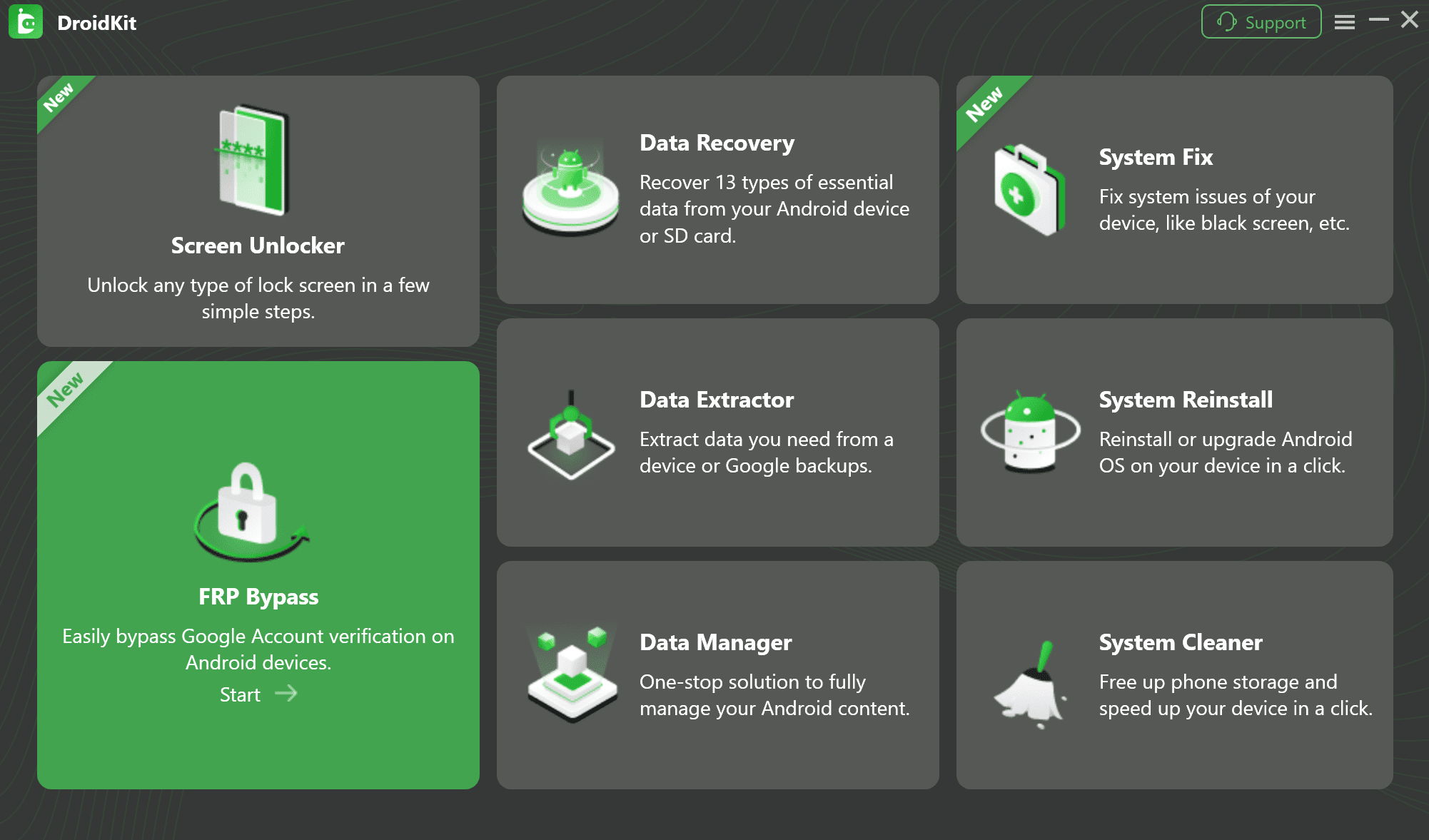
If APK-based FRP methods do not work, DroidKit can be considered as a guided desktop option for supported Android devices. Check your model and Android version before starting, and use it only on a device you own or are authorized to service.
iMobie DroidKit – Guided FRP Bypass Option for Supported Android Devices
DroidKit offers a computer-based workflow with on-screen guidance for FRP bypass on supported devices. It may be useful when mobile-only APK methods are blocked, outdated, or too difficult to match to your device.

General DroidKit workflow:
- Download and install DroidKit on your computer.
- Open DroidKit and choose the FRP Bypass mode.
- Connect your Android device and select the correct device brand and version.
- Follow the on-screen instructions for your supported device.
- Complete the process and set up the device according to the guidance shown in the software.
For the full product walkthrough, see how to bypass FRP lock with DroidKit . If your issue is not FRP but screen lock access, see Android phone unlocking software .
FAQs About Direct Open FRP MobileTech
Q1: What is Direct Open FRP MobileTech?
Direct Open FRP MobileTech is commonly mentioned as an APK-based or mobile-focused FRP bypass option for Android devices. It is not an official Google or Android tool, so its safety, availability, and compatibility can vary by source, device model, Android version, and security patch level.
Q2: Is Open Direct FRP the same as Direct Open FRP MobileTech?
In many online searches and guides, names such as Direct Open FRP, Open Direct FRP, Direct Open FRP MobileTech, and MobileTech FRP may be used loosely for similar APK-based FRP discussions. Because names are often mixed by download sites, verify the source carefully.
Q3: Is Direct Open FRP MobileTech safe to download?
It can be risky because APK files from third-party sources may be outdated, modified, fake, or bundled with unwanted components. Avoid unknown mirrors, scan files before use, and do not enter sensitive Google account information into any app or page you do not trust.
Q4: Does Direct Open FRP MobileTech work on newer Android versions?
It may not work reliably on newer Android versions or devices with recent security patches. APK-based FRP methods often depend on older setup paths that can be blocked by Android updates, OEM changes, or Google services updates.
Q5: Why is Direct Open FRP MobileTech not working?
Common reasons include an unsupported device model, a newer Android security patch, a mismatched APK version, blocked unknown-source installation, patched setup paths, or a guide written for a different Android version or phone brand.
Q6: Can I use Direct Open FRP MobileTech on a second-hand phone?
Only use FRP-related methods if you legally own the device or have clear authorization. If the phone is still linked to the previous owner’s Google account, the safest first step is to contact the seller and ask them to remove the account properly.
Q7: What is a safer alternative if APK methods fail?
If APK-based methods fail, official account recovery, seller support, or a device-specific repair option should be checked first. For supported devices, a guided desktop tool such as DroidKit may be considered after confirming compatibility.
Q8: Will FRP bypass delete my data?
FRP usually appears after a factory reset, so previous device data may already be erased or inaccessible. The exact data impact depends on the device state and the method used. Back up important data whenever possible before any reset or repair process.
The Bottom Line
Direct Open FRP MobileTech may still appear in FRP searches, but it should be treated as a limited APK-based method rather than a universal fix. Its usefulness depends on the exact device model, Android version, security patch, APK source, and ownership status. Start with official account recovery or seller support when possible. If APK-based methods fail, DroidKit may be considered as a guided desktop option for supported Android devices.
More Related Articles
- Top FRP Bypass Tools to Bypass Google Account on Android >
- Samsung FRP Tool Guide >
- Huawei FRP Bypass Guide >
- How to Bypass Google Account Verification After Reset >
- Remove Previously Synced Google Account from Android >
- How to Bypass FRP Lock with DroidKit >


Roger Smith is a senior technical writer with years of experience in providing Android solutions. He loves to help users solve various problems such as Android unlock, Android data recovery, and Android system repair.
Product-related questions? Contact Our Support Team to Get Quick Solution >
