Samsung FRP Remove by IMEI/SN: Does It Really Work?
Samsung FRP removal by IMEI or SN is often offered by online services, but it is not a normal APK or DIY code method. This guide explains what IMEI/SN FRP removal means, how to find your Samsung IMEI or serial number, what risks to check before using a remote service, and what to try if the IMEI/SN method is unavailable or fails.
When you factory reset a Samsung phone without removing the Google account first, you may get stuck on the Google verification screen during setup. This is called FRP lock, and it is designed to protect the device after an unauthorized reset. At this point, many users search for “Samsung FRP remove by IMEI,” “Samsung FRP by SN,” or “Samsung FRP unlock by IMEI” because they want a remote way to regain access.
But can you really remove Samsung FRP by IMEI or serial number? The answer is more complicated than a simple yes or no. Some online services claim to process Samsung FRP removal with your device IMEI or SN, but it is not a built-in Samsung feature, not a normal APK method, and not something you can complete directly from the locked phone. This guide explains what IMEI/SN FRP removal means, what risks you should check, how to find your Samsung IMEI or SN, and what to try if this method is unavailable or fails.
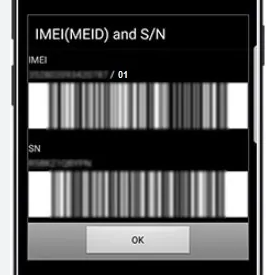
Quick Answer: Samsung FRP removal by IMEI or SN is not a built-in Samsung feature, APK trick, or dial code. Some online services claim to process FRP removal remotely with your device IMEI or serial number, but results, price, time, and safety depend on the service provider. If you cannot verify the service, use official account recovery or a trusted Samsung FRP bypass tool instead.
Can You Remove Samsung FRP by IMEI or SN?
In some cases, online services claim that they can help remove Samsung FRP by using the device IMEI or serial number. However, this is not a normal do-it-yourself method you can complete directly on the locked phone, and it is not the same as installing an FRP bypass APK.
The IMEI, short for International Mobile Equipment Identity, is a unique number used to identify a mobile device. The SN, or serial number, is another unique identifier assigned to your Samsung phone or tablet. Some remote FRP services may ask for one or both of these numbers to check whether the device is eligible for their process.
Before using any online service, remember that Samsung does not provide a public “enter IMEI to remove FRP” portal for general users. If a website claims that FRP can be removed instantly, for free, or with only one APK file, treat it carefully and check the provider’s credibility first.
If you want to compare this method with other options, you can also read this guide to online FRP removal services or review broader Android FRP bypass methods.
IMEI/SN FRP Removal vs APK and Software Methods
| Method | How It Usually Works | Main Risk | Best For |
| IMEI/SN remote service | A third-party service asks for your IMEI, SN, model, or region and claims to process the device remotely. | Scam risk, privacy risk, unclear refund policy, long waiting time. | Users who can verify a trusted provider and prove device ownership. |
| FRP APK | An APK is installed during setup to access settings or bypass verification on certain old Android versions. | Unstable on newer security patches, unsafe download sources, compatibility limits. | Older Samsung phones with matching Android versions. |
| Samsung FRP software | A desktop tool guides you through a Samsung FRP bypass process with a USB connection. | Needs a computer and model compatibility check. | Users who want a guided process instead of unknown online services. |
| Google account recovery | You sign in with the Google account previously synced to the phone. | Only works if you know or can recover the account. | Original owners who remember the Google account. |
Is Samsung FRP Removal by IMEI/SN Safe?
The safety of Samsung FRP removal by IMEI or SN depends mostly on the service provider. Technically, you are not flashing firmware or modifying the phone hardware by yourself. The bigger concerns are whether the service is legitimate, whether your device information is handled properly, and whether the phone is legally yours.
You should only try to remove FRP on a Samsung device that you own or have permission to unlock. If the device is second-hand, ask the seller to remove the Google account from the phone or provide proof that the device was sold legally.
Main Risks of Samsung FRP Remove by IMEI/SN
- Scams and fake services: Some websites or sellers may take payment and disappear without unlocking the phone.
- No clear refund policy: If the service fails, you may not be able to get your money back.
- Privacy concerns: IMEI and SN do not directly include your personal files, but they are unique device identifiers and should not be shared with unknown providers.
- Stolen or blacklisted devices: If the phone was reported lost, stolen, or blocked by a carrier, IMEI/SN services will not solve the ownership problem.
- Misleading “free” claims: Free IMEI/SN FRP removal pages, APKs, or Telegram groups may collect device information, redirect you to paid services, or offer unsafe files.
Tips to choose a safer Samsung FRP unlock service by IMEI/SN:
- Use a provider with a real website, clear service description, and visible support channel.
- Check whether the service explains supported models, regions, time frame, and refund rules.
- Do not share your Google account password, card PIN, or personal account login.
- Avoid services that pressure you to pay through suspicious channels.
- Keep your proof of purchase in case the provider, carrier, or seller asks for ownership verification.
Can a Free Samsung FRP Remove by IMEI Service Work?
Be careful with websites that promise free Samsung FRP removal by IMEI. A real remote service usually requires support, processing, and verification, so completely free offers are often unreliable. Some free pages may simply collect your IMEI and then ask for payment later, while others may push unsafe APK files or unrelated ads.
If you want to test free methods, make sure you understand the risk. Do not install APKs from unknown sources, do not provide your Google password, and do not allow remote control of your computer unless you fully trust the provider.
Is There a Samsung FRP Remove by IMEI APK?
No reliable APK can remove Samsung FRP only by IMEI. APK-based FRP bypass and IMEI/SN remote removal are different approaches. An APK method usually depends on the Android version, Samsung security patch, accessibility settings, browser access, or other device conditions. IMEI/SN service, on the other hand, is handled outside the phone by a third-party provider.
If you see an APK claiming to remove Samsung FRP by IMEI on any model, check it carefully. It may be outdated, incompatible, or unsafe.
Tip: If you cannot verify an IMEI/SN service or do not want to share your device identifiers with an unknown provider, you can try a guided Samsung FRP bypass tool instead.
How to Remove Samsung FRP by IMEI/SN
If you still want to try an IMEI/SN service, use the steps below as a safety-first checklist. This process does not recommend any unknown third-party service; it only shows what you should prepare and verify before you submit your device information.
Step 1. Find the IMEI or serial number on your Samsung device.
On many Samsung phones, you can tap Emergency Call on the setup screen and dial *#06# to view the IMEI. You can also check the SIM tray, the back of the device, the original box, purchase invoice, or carrier documents.
Step 2. Confirm that the device is yours.
Prepare proof of purchase, carrier documents, or seller information if needed. If the phone is second-hand, contact the seller first and ask them to remove the Google account from the device remotely or provide proper ownership proof.
Step 3. Check the service provider carefully.
Before you submit your IMEI or SN, check the provider’s supported models, processing time, payment method, refund policy, and support options. Avoid any service that promises “100% instant free unlock” without explaining how support or refunds work.
Step 4. Submit only the required device information.
A service may ask for your IMEI, serial number, Samsung model, country or region, and lock type. Do not provide your Google password, Samsung account password, credit card PIN, or unrelated personal information.
Step 5. Wait for the service result and test the phone.
After the provider says the process is complete, restart the Samsung phone and connect it to Wi-Fi. Continue the setup process and check whether the Google verification screen is removed. If the phone still asks for the previously synced Google account, contact the provider’s support or use another method.
Important: Samsung FRP removal and carrier SIM unlocking are not the same. IMEI can be used in different unlock-related services, but removing Google verification, unlocking a network carrier, and clearing a blacklisted device are separate issues.
Alternative: Bypass Samsung FRP without IMEI/SN Service
If the IMEI/SN service is unavailable, too slow, or not trustworthy, you can try Samsung FRP bypass software instead. For users who own the device and want a guided desktop process, iMobie DroidKit provides an FRP Bypass feature for supported Samsung devices.
DroidKit is not an IMEI/SN remote removal service. It is a desktop tool that guides you through a Samsung FRP bypass process with a USB connection. This makes it a more practical option when you do not want to share IMEI/SN with unknown online providers or when free APK methods do not match your Samsung model or Android version.
You can also compare more Samsung FRP tools before choosing the method that fits your device.
iMobie DroidKit – Bypass Samsung FRP When IMEI/SN Service Is Not an Option
If you are stuck on the Google verification screen and cannot find a trusted IMEI/SN service, DroidKit offers a guided Samsung FRP bypass process for supported devices.

Step 1. Download and install DroidKit on your PC or Mac from the official source. Launch the program and choose the FRP Bypass feature from the main interface.
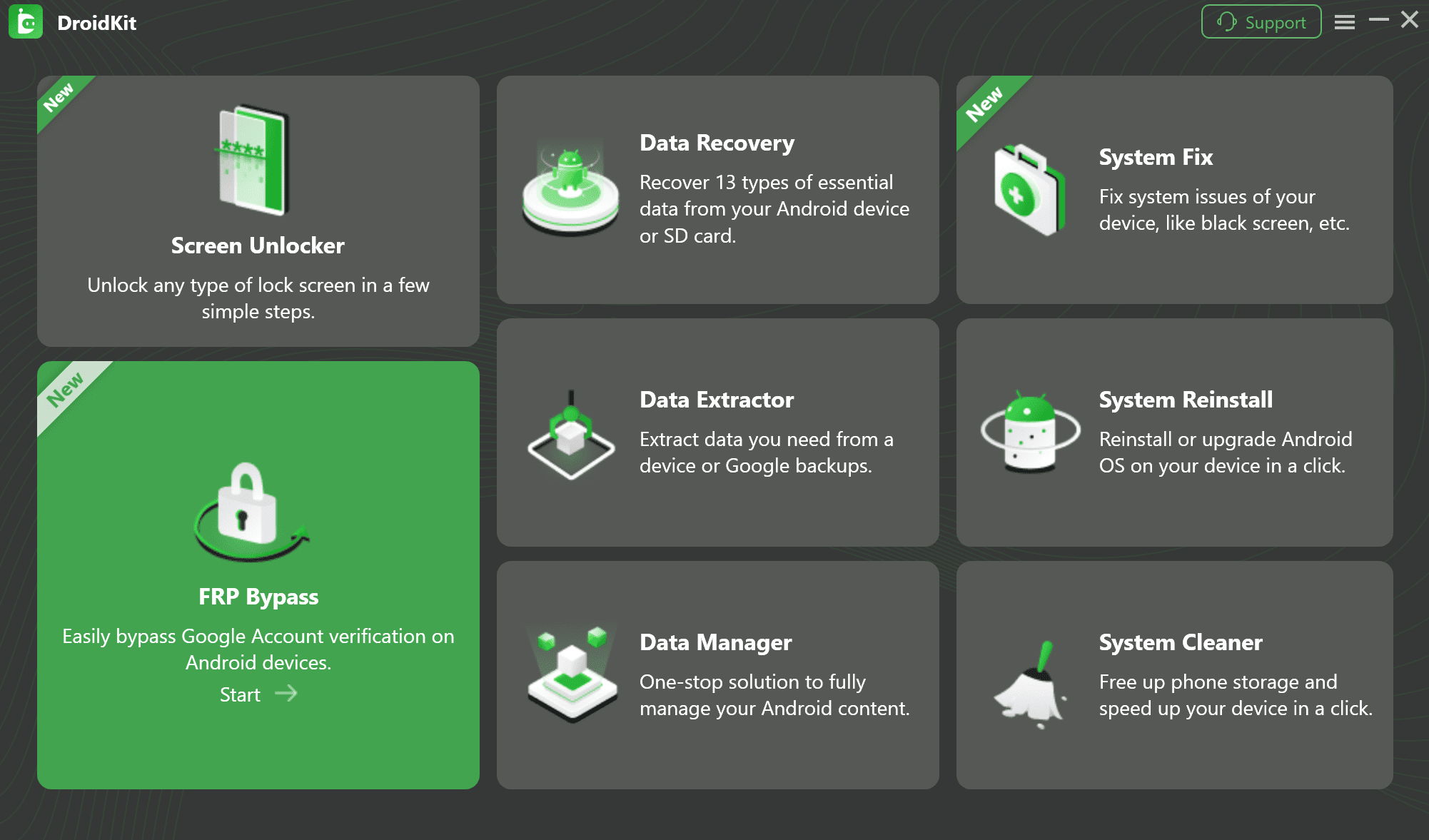
Step 2. Use a USB cable to connect your Samsung phone to the computer. Make sure the device is on the FRP lock or Google verification screen. Once connected, click Start to continue.
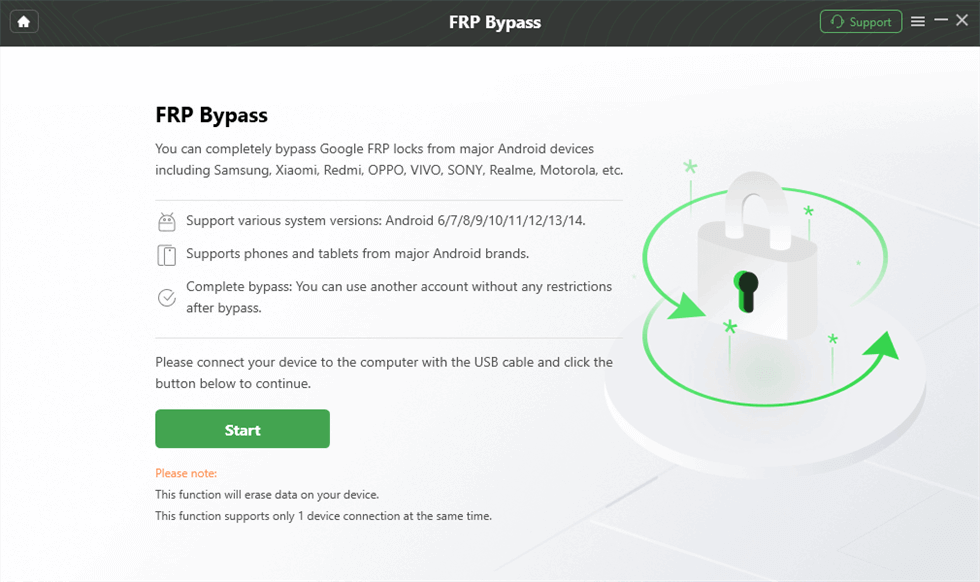
Step 3. Follow the on-screen instructions provided by DroidKit. Depending on your Samsung model and Android version, you may need to enter a specific mode, adjust device settings, or complete the required setup steps.
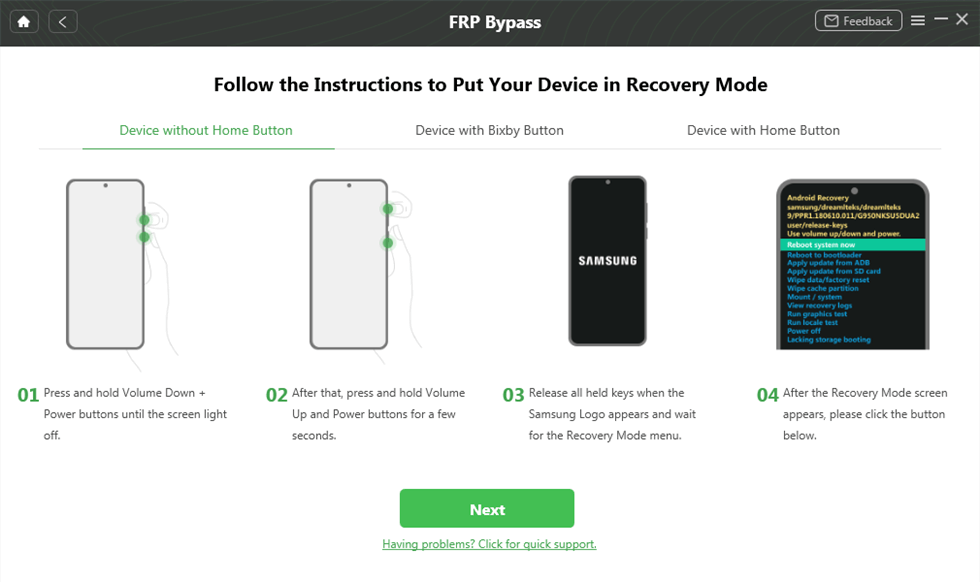
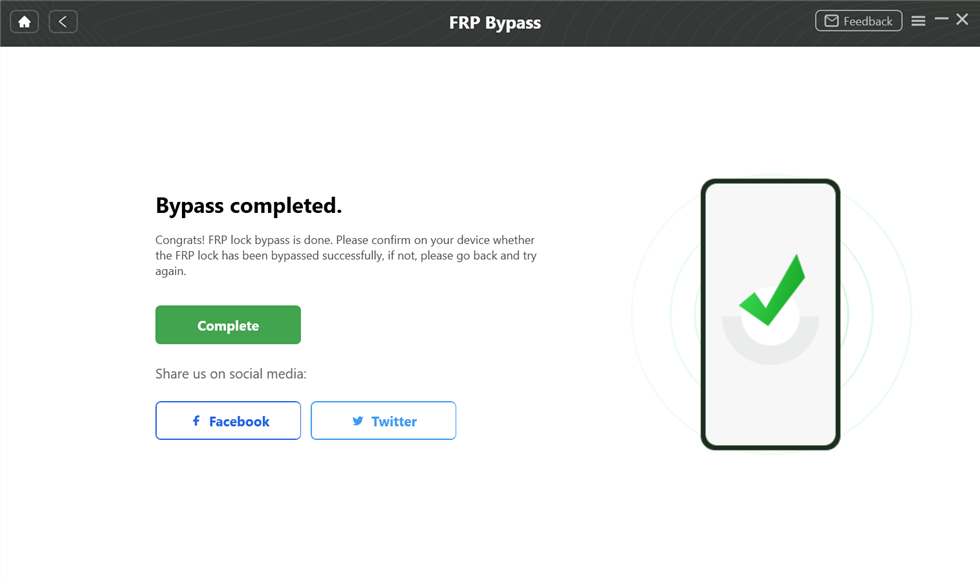
Step 4. Wait while DroidKit completes the FRP bypass process. When the process is complete, your Samsung phone will restart, and you can continue setting it up.
Note: FRP bypass results depend on the device model, Android version, security patch, and supported conditions. Always use FRP bypass only on a device you own or have permission to unlock.
Samsung FRP Remove by IMEI/SN FAQs
1. Can Samsung FRP be removed by IMEI?
Some online services claim to remove Samsung FRP by IMEI, but it is not an official DIY feature on the phone. The result depends on the service provider, device model, region, and whether the service is legitimate.
2. Can I remove Samsung FRP by serial number?
Some services may ask for the Samsung serial number instead of, or together with, the IMEI. You should only provide this information to a trusted provider and only for a device you own.
3. Is Samsung FRP remove by IMEI free?
Most legitimate remote services are not free. Be careful with free IMEI/SN FRP removal websites, APKs, or Telegram groups, because they may collect device information, request payment later, or fail to unlock the phone.
4. Is there a Samsung FRP remove by IMEI APK?
No reliable APK can remove Samsung FRP only by IMEI. APK-based FRP bypass methods and IMEI/SN remote services are different approaches. APK methods usually depend on Android version, security patch, and device settings.
5. How do I find the IMEI on a FRP-locked Samsung?
On many Samsung phones, you can tap Emergency Call and dial *#06# to view the IMEI. You can also check the SIM tray, the back of the device, the original box, or purchase documents.
6. What if Samsung FRP removal by IMEI/SN does not work?
You can try official Google account recovery, contact the seller or carrier if the phone is second-hand, or use a guided Samsung FRP bypass tool on a supported device.
7. Will FRP come back after I factory reset my Samsung again?
If you successfully set up the phone with your own Google account, a future factory reset may ask for your current Google account credentials. If you need to factory reset your Samsung without password, make sure you know the Google account currently synced to the device.
8. Is Samsung FRP removal by IMEI the same as carrier unlock?
No. Carrier unlock removes a network restriction, while FRP removal deals with Google account verification after a factory reset. Both may involve the IMEI in some services, but they are different problems.
Conclusion
Samsung FRP remove by IMEI/SN is a popular search because it sounds like a remote and simple solution. However, it is not a built-in Samsung feature, not a normal APK method, and not guaranteed by default. The biggest risks are fake services, unclear refunds, privacy concerns, and devices with questionable ownership history.
Before using any IMEI/SN service, confirm that the Samsung device is yours, check the provider carefully, and avoid sharing unnecessary personal information. If the IMEI/SN method is not available or does not feel trustworthy, a guided Samsung FRP bypass tool like DroidKit can be a practical next step for supported devices.
Free Download * 100% Clean & Safe
More Related Articles


Roger Smith is a senior technical writer with years of experience in providing Android solutions. He loves to help users solve various problems such as Android unlock, Android data recovery, and Android system repair.
Product-related questions? Contact Our Support Team to Get Quick Solution >
