Best FRP Bypass Tools for Android in 2026 (Free & Paid Options Compared)
I bought a used phone for my son, and it’s locked to a Google account. I’m completely stuck. I wish there was just one website that would explain the different types of tools and give me an honest recommendation for my situation in 2026.
Staring at the “Verify your account” screen on your Android device after a factory reset is a frustrating experience. This security feature, Factory Reset Protection (FRP), is meant to keep your data safe, but it can easily lock you out if you’ve forgotten your Google password. Searching for an FRP bypass tool can lead to worse outcomes, directing you to questionable websites and software that may pose a malware risk.
In this guide, we’ll review the best FRP bypass tools available in 2026, compare free and paid options, and help you choose the most reliable solution for unlocking Samsung, Xiaomi, Motorola, and other Android devices.
Quick Answer: Best FRP Bypass Tools in 2026
If you need to bypass Google FRP verification, these are some of the most commonly recommended tools:
- DroidKit – Best overall FRP bypass solution for beginners
- Tenorshare 4uKey for Android – Reliable and widely supported tool
- SamFw FRP Tool – Free Samsung FRP unlocking solution
- Chimera Tool – Professional repair shop software
- Z3X Samsung Tool – Advanced Samsung unlocking platform
For most everyday users, guided software tools like DroidKit or Tenorshare 4uKey provide the safest and easiest way to bypass FRP locks.
Before choosing an FRP bypass tool, it helps to understand how the process works. See our full guide on how to bypass FRP on Android >
FRP Bypass Tool Comparison
| Tool | Supported Brands | Ease of Use | Price | Recommended For |
| DroidKit | Samsung, Xiaomi, Motorola | Very Easy | Paid | Beginners |
| Tenorshare 4uKey | Samsung, Google Pixel | Easy | Paid | Beginners |
| SamFw Tool | Samsung | Medium | Free | Intermediate users |
| Chimera Tool | Samsung, Huawei | Advanced | Subscription | Repair shops |
| Z3X Tool | Samsung | Advanced | Paid hardware | Professional technicians |
For most users trying to unlock a single phone, consumer tools with guided interfaces are usually the safest choice.
DroidKit: A Beginner-Friendly FRP Bypass Tool
Among consumer FRP bypass solutions, DroidKit stands out because it simplifies a complex unlocking process into a step-by-step workflow.
It supports a wide range of Android brands, including Samsung, Xiaomi, and Motorola devices, and is frequently updated to handle new Android security patches.
Key advantages
- Supports thousands of Android models
- Guided unlocking process
- Compatible with recent Android versions
- No technical knowledge required
Typical FRP bypass process
1. Download and Install: Get the DroidKit software and install it on your Windows or Mac computer.
2. Select “FRP Bypass”: Open the program and choose the “FRP Bypass” function from the main screen.
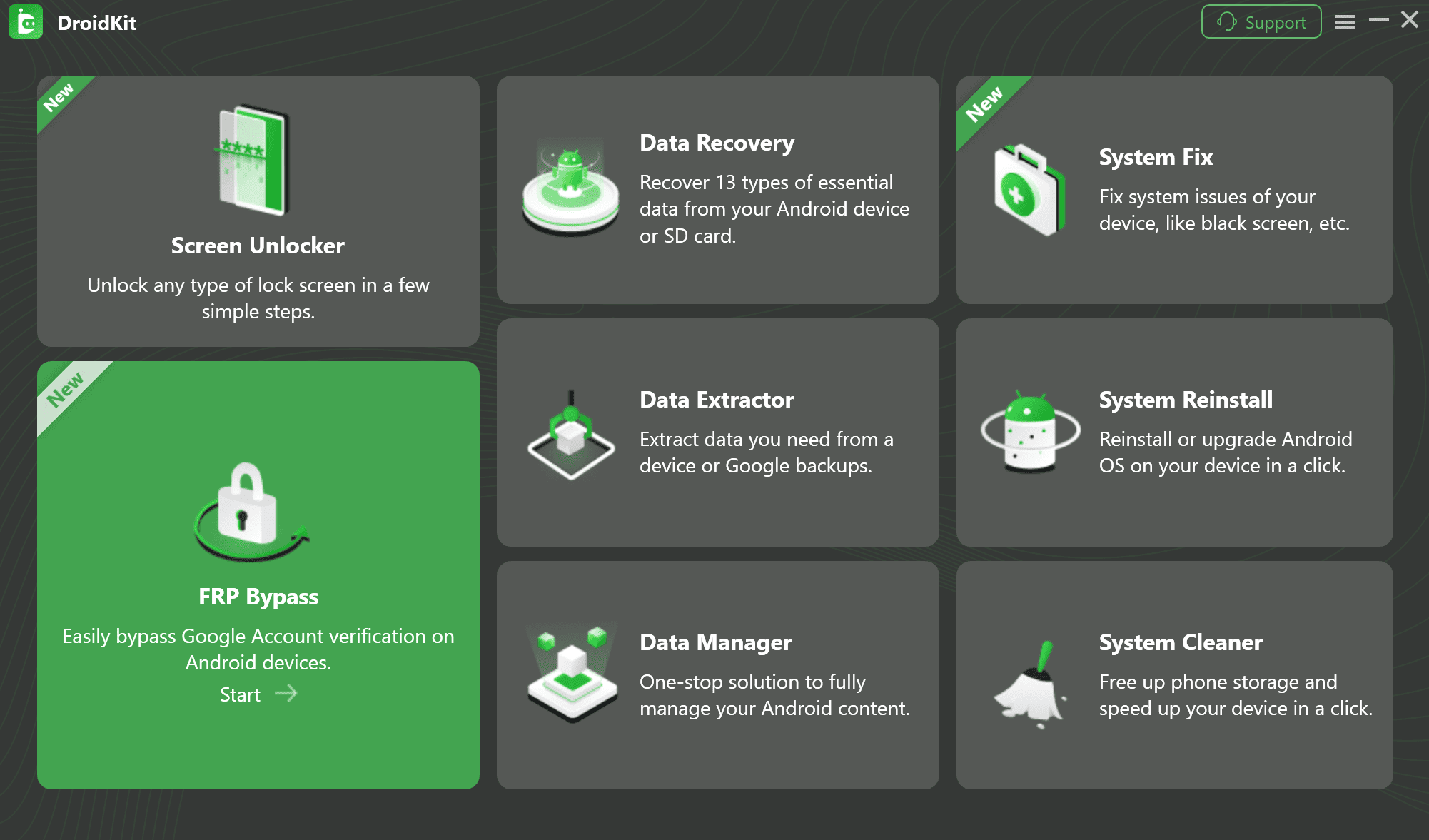
FRP Bypass Feature
3. Connect Your Device: Use a high-quality USB cable to connect your locked Android phone to your computer and click “Start.”
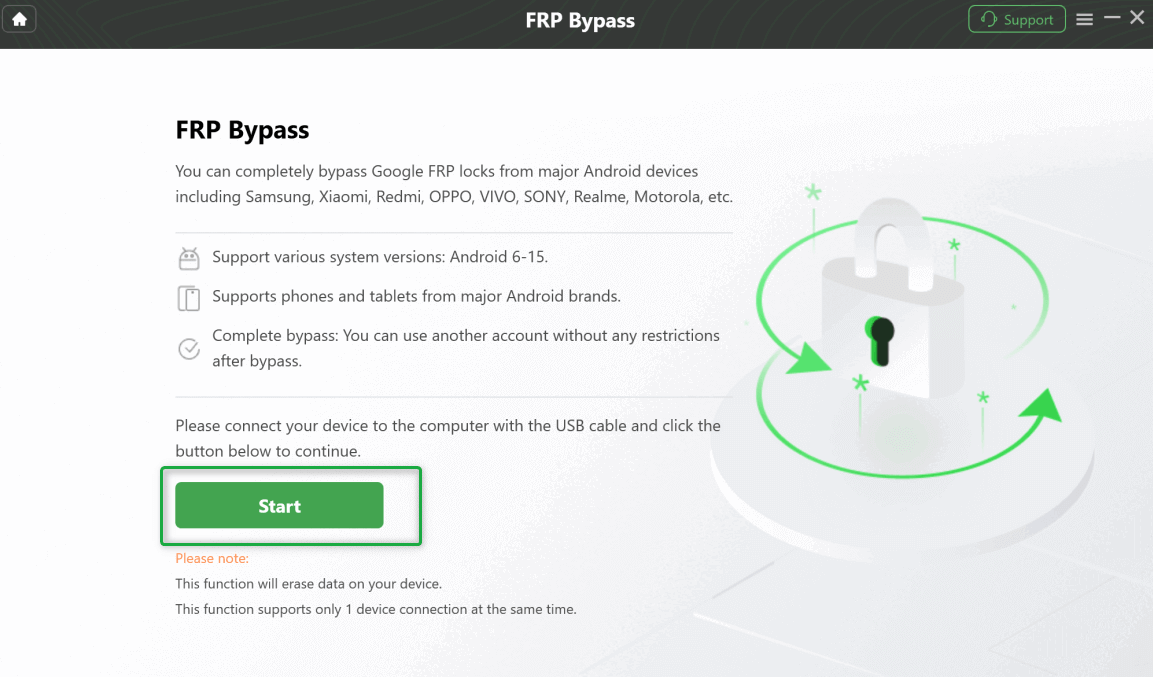
Connect Your Device and Start the Process
4. Prepare Your Device: The software will detect your device and provide a tailored set of instructions. This is the most important part. For example, if you have a Samsung phone, you will likely be instructed to open the emergency call screen on your phone and dial *#0*# to enter a diagnostic mode.
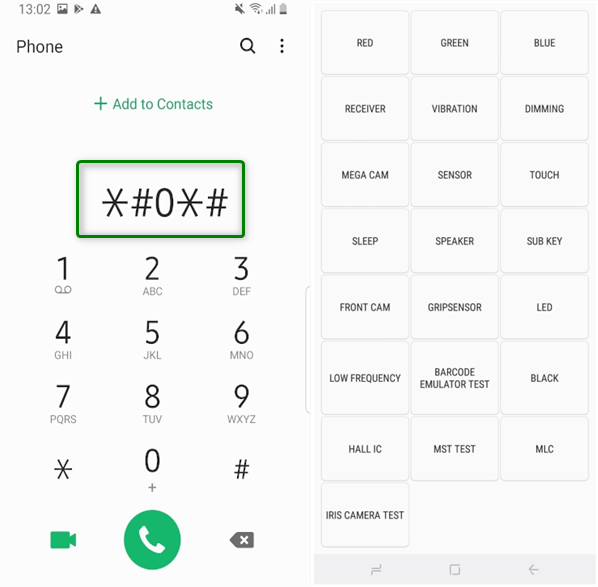
Enter Code to Access Test Mode
5. Complete the Bypass: Once your phone is in the correct mode, the software will proceed with the bypass. Follow any final on-screen prompts to finish the process and restart your phone.
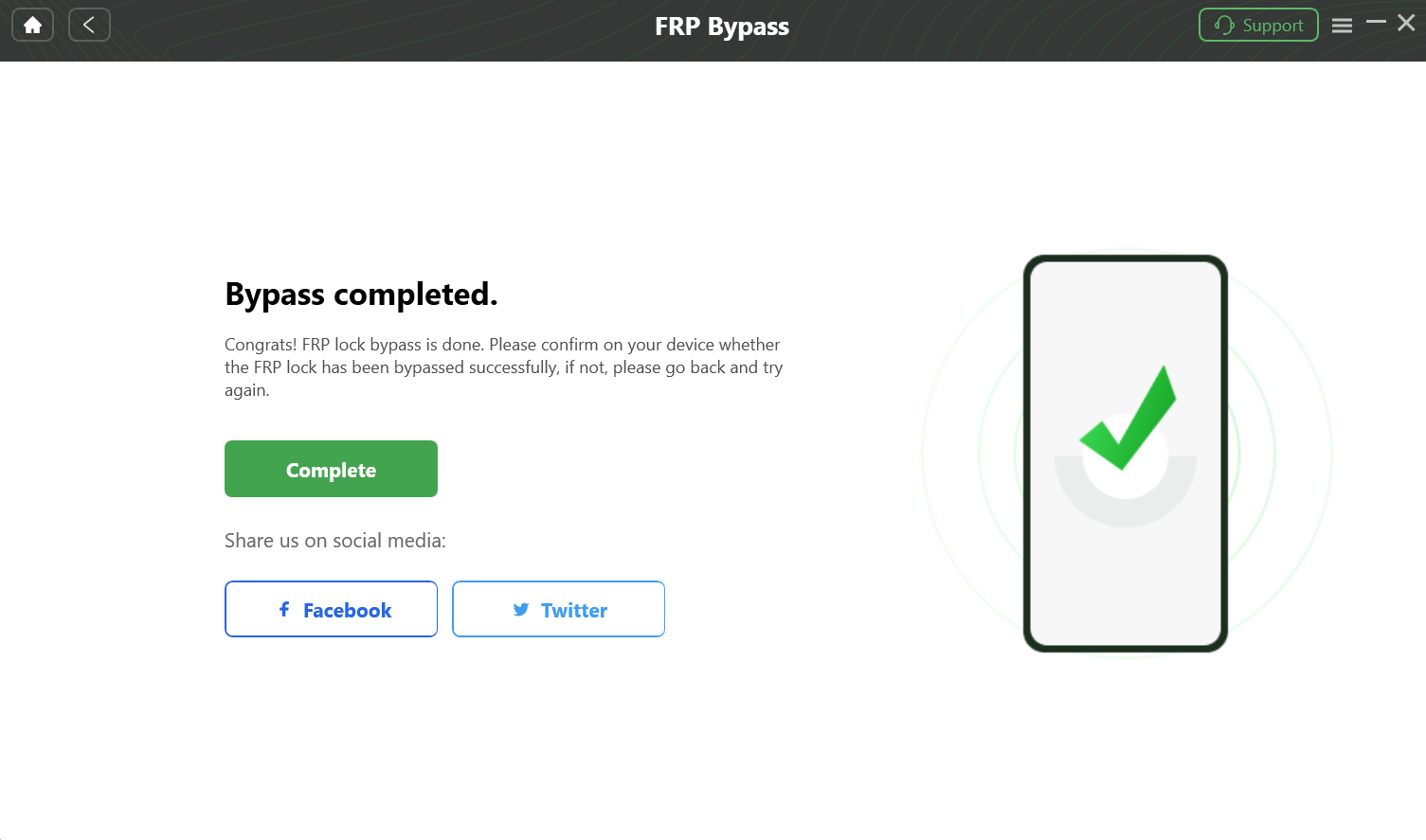
Complete the FRP Bypass
Because everything happens locally on your computer, the process is generally more secure than downloading unknown APK tools from random websites.
Tenorshare 4uKey for Android
Another widely used FRP bypass tool is Tenorshare 4uKey for Android. Like DroidKit, it focuses on providing a guided unlocking experience for non-technical users.
Key features include:
• Support for many Samsung and Pixel devices
• Simplified unlocking interface
• Compatibility with modern Android security updates
For users who want an alternative paid FRP tool, Tenorshare 4uKey is often considered a reliable option.
SamFw FRP Tool (Free Samsung FRP Tool)
For users specifically trying to unlock Samsung phones, SamFw FRP Tool is a well-known free solution.
Advantages:
• Completely free
• Works with many Samsung devices
• Active community support
Limitations:
• Requires more technical steps
• Limited official support
• May not always work with newer Android updates
Because of these limitations, SamFw is usually better suited for intermediate users who are comfortable following manual procedures.
Best Free FRP Bypass Tools
Many users search for a free FRP bypass tool, but it’s important to understand the trade-offs.
Popular free tools include:
• SamFw FRP Tool
• FRP Hijacker
• Alliance Shield
While these tools can sometimes work, they often require manual steps, ADB commands, or device-specific procedures.
Free tools may also have lower success rates on newer Android versions, especially Android 13 or later.
How to Choose the Right FRP Bypass Tool
The best FRP bypass tool depends on your specific situation.
Consider these factors:
Device brand
Different manufacturers add additional security layers beyond Google FRP.
Android version
Newer Android versions may block older bypass methods.
Technical skill level
Some tools require advanced procedures such as:
• ADB commands
• diagnostic modes
• firmware flashing
For beginners, guided tools are usually the safest option.
Brand-Specific FRP Challenges
FRP bypass methods are not identical for every Android brand.
Samsung FRP Bypass
Samsung phones are a common case and come with an extra security feature called Knox Guard (KG Lock). A generic tool may fail because it only addresses Google’s FRP. A specialized Samsung FRP bypass tool needs to handle both. For example, the *#0*# diagnostic mode is a key step unique to many modern Samsung devices.
Xiaomi / Redmi FRP Bypass
Xiaomi devices may also be tied to a Mi Account lock, which adds another layer of security.
See our guide: Redmi FRP Bypass
Motorola FRP Bypass
Motorola phones typically use a cleaner version of Android but rely on specific bootloader communication protocols.
Check our guide: Motorola FRP Bypass
Troubleshooting FRP Bypass Problems
Sometimes the problem isn’t the lock itself but the connection between the phone and computer.
Common issues include:
PC not recognizing the device
Use the original USB cable and install the correct USB drivers for your device brand.
ADB driver errors
Download the latest Android platform tools and ensure drivers are installed correctly.
FRP bypass process freezing
Restart both devices and temporarily disable antivirus software if necessary.
Frequently Asked Questions
What is the safest FRP bypass tool?
Reputable software tools that are regularly updated are generally safer than random APK downloads from unknown websites.
Can you bypass FRP without a computer?
Some methods exist, but they usually involve complicated steps and are less reliable.
Are FRP bypass tools legal?
FRP bypass tools are intended for legitimate device owners who are locked out of their phones.
Conclusion
Factory Reset Protection plays an important role in protecting Android devices, but it can also create problems for legitimate users who lose access to their Google account.
If you need to regain access to a locked device, choosing the right FRP bypass tool is critical.
For most users, beginner-friendly tools like DroidKit or Tenorshare 4uKey offer the safest, most reliable solution. In contrast, free tools such as SamFw may work for experienced users who are comfortable performing manual steps.
With the right tool and proper instructions, it is usually possible to bypass FRP and regain full access to your Android phone.
More Related Articles


Roger Smith is a senior technical writer with years of experience in providing Android solutions. He loves to help users solve various problems such as Android unlock, Android data recovery, and Android system repair.
Product-related questions? Contact Our Support Team to Get Quick Solution >
