How to Bypass FRP on BLU Phones: MTK & Unisoc Guide
BLU phones do not all use the same hardware: some models run on MediaTek chipsets, while others use Unisoc. Identify your exact BLU model, chipset, and Android build first, then use this guide to determine which FRP recovery route fits your device and which methods to avoid.
If your BLU phone asks for a previously synced Google account after a factory reset, the first thing to check is not the bypass tool—it is the exact BLU model and chipset. BLU phones use different hardware platforms, including MediaTek (MTK) and Unisoc (SPD), so a method intended for one chipset may be irrelevant to another.
If you still have access to the Google account that was previously used on the phone, recovering that account is the least disruptive route. If account access is no longer available, use the checks below to identify your BLU phone before choosing an on-device, guided PC, or chipset-specific approach. For the broader logic behind Factory Reset Protection across other Android phones, see the Android FRP bypass guide.
Table of ContentsHide
BLU FRP Bypass: What to Check First
A factory reset can trigger Factory Reset Protection when the phone was previously connected to a Google account. On a BLU phone, three details can change which recovery path is appropriate:
- Exact BLU model: Identify the full model name rather than relying only on the BLU brand name.
- Chipset: Determine whether the phone uses MediaTek (MTK), Unisoc (SPD), or another platform before considering chipset-specific PC software.
- Android build and available setup menus: On-device routes depend on what accessibility, browser, Assistant, or system menus are still exposed during setup.
Before changing firmware: Do not copy scatter files, PAC files, partition values, or flashing settings from another BLU model. A package or configuration intended for a different device can cause the process to fail and may make the phone unusable.
If you are not sure which BLU model you have, solve that first. It is more useful than repeatedly trying generic “BLU FRP bypass” instructions that may have been written for different hardware.
Identify Your BLU Phone Chipset Before Choosing a Method
BLU uses more than one chipset family across its phones. That matters because MediaTek servicing tools and Unisoc servicing tools use different drivers, firmware formats, and connection workflows.
How to Find Your BLU Phone Model and Chipset
Step 1. Find the exact model name on the original packaging, device label, SIM-tray area, or any model information available in recovery or system screens.
Step 2. Search the exact model name together with terms such as specifications or chipset.
Step 3. Check the chipset or platform field in a reliable device specification source. Look specifically for MediaTek/MTK or Unisoc/Spreadtrum/SPD.
BLU Models Listed in the Existing Guide
The current BLU guide associates the following models with these chipset families. Treat this table as a starting point and verify the exact model or variant before using firmware-level tools.
| BLU Phone Model | Listed Chipset Family | What It Means for This Guide |
| BLU G91 Pro | MediaTek (MTK) | Use the MTK path only after confirming the exact model and compatible files. |
| BLU G93 | MediaTek (MTK) | Check MTK-specific drivers and model-matched firmware resources. |
| BLU Bold N2 | MediaTek (MTK) | Do not use Unisoc PAC-file instructions. |
| BLU View 4 | Unisoc (SPD) | Look for Unisoc/SPD-specific resources for the exact model. |
| BLU Studio X12 | MediaTek (MTK) | Confirm the specific variant before using MTK servicing software. |
The important point is not to memorize the table. It is to establish a reliable chain of exact BLU model → chipset → model-matched recovery method before touching firmware.
Which BLU FRP Method Should You Use?
Once you know the model and chipset, use this decision table instead of choosing a method only because it looks easier.
| Your Situation | Check First | Route to Consider | Main Limitation |
| You still know the previously synced Google account | Whether you can sign in or recover the account | Google account recovery and normal setup | Requires access to the original account |
| You have no computer | Whether accessibility, Assistant, browser, or other setup paths are still available | On-device route | Menus differ by Android build and security patch |
| You want a guided PC workflow | Whether your exact BLU model is supported by the tool | DroidKit FRP Bypass, if compatible | A computer is required and model support should be checked first |
| You have an MTK BLU phone and firmware experience | Exact model, scatter file, drivers, and firmware match | MTK servicing tools | Wrong firmware or partition settings can damage the device |
| You have a Unisoc BLU phone and firmware experience | Exact model, PAC package, drivers, and connection mode | Unisoc/SPD servicing tools | Files and procedures are model-dependent |
A BLU phone being “Android” is not enough information for firmware-level FRP work. Two BLU models can require completely different PC workflows because the underlying chipset is different.
Method 1: Use a Guided FRP Tool If Your BLU Model Is Supported
If the setup-screen routes on your BLU phone do not match the no-PC instructions and you do not want to work manually with MTK scatter files or Unisoc PAC packages, a guided PC tool is another route to evaluate.
DroidKit includes an FRP Bypass feature. Before starting, check the software’s current device options and confirm that your BLU model or device scenario is supported. Do not assume compatibility only because the phone runs Android.
Free Download * 100% Clean & Safe
If your device is supported, the general DroidKit FRP workflow is:
Step 1. Install and open DroidKit on your Windows or Mac computer.
Step 2. Select the FRP Bypass feature.
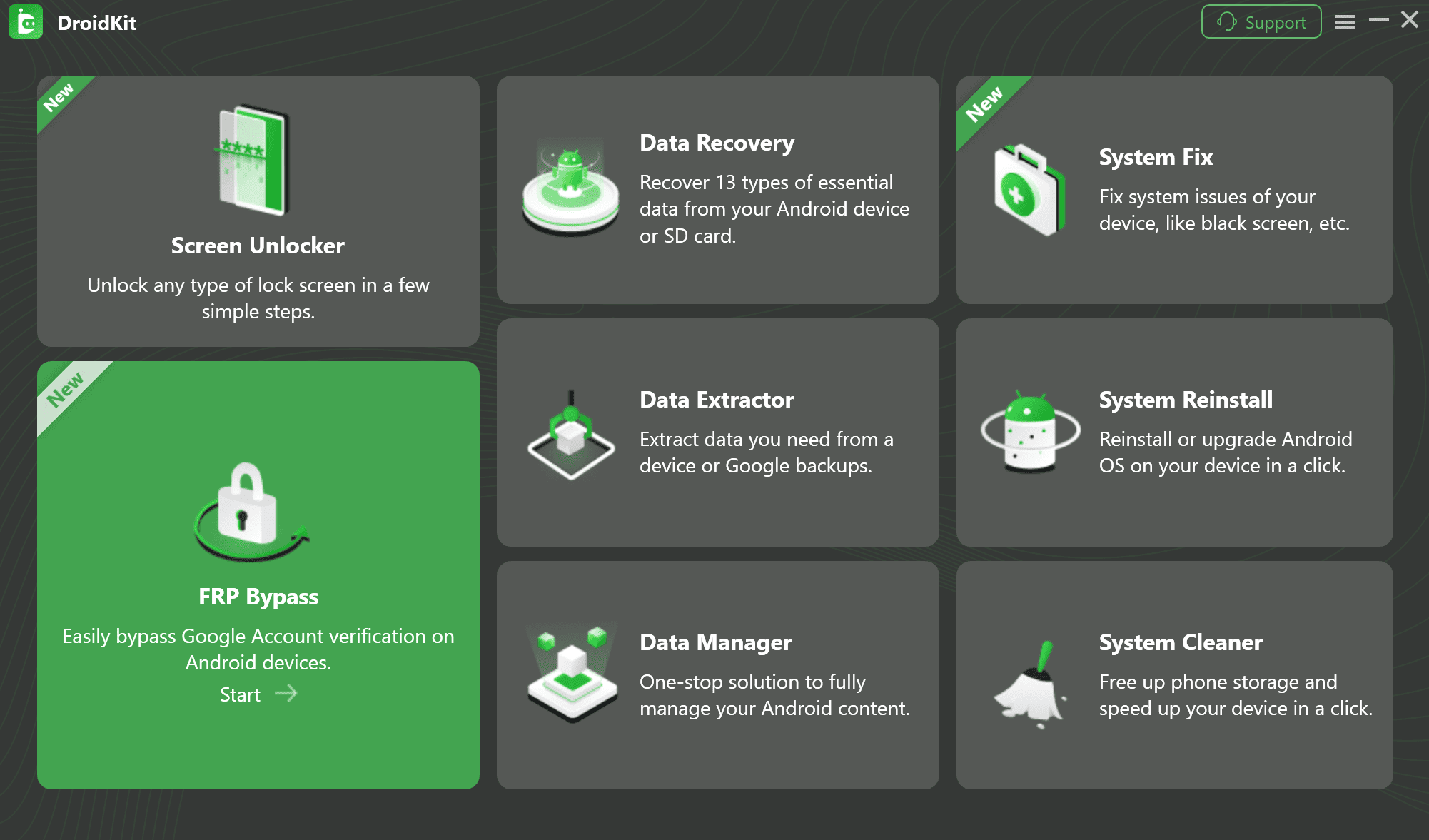
Select the FRP Bypass feature in DroidKit.
Step 3. Connect the BLU phone to the computer and follow the connection prompts shown by the software.
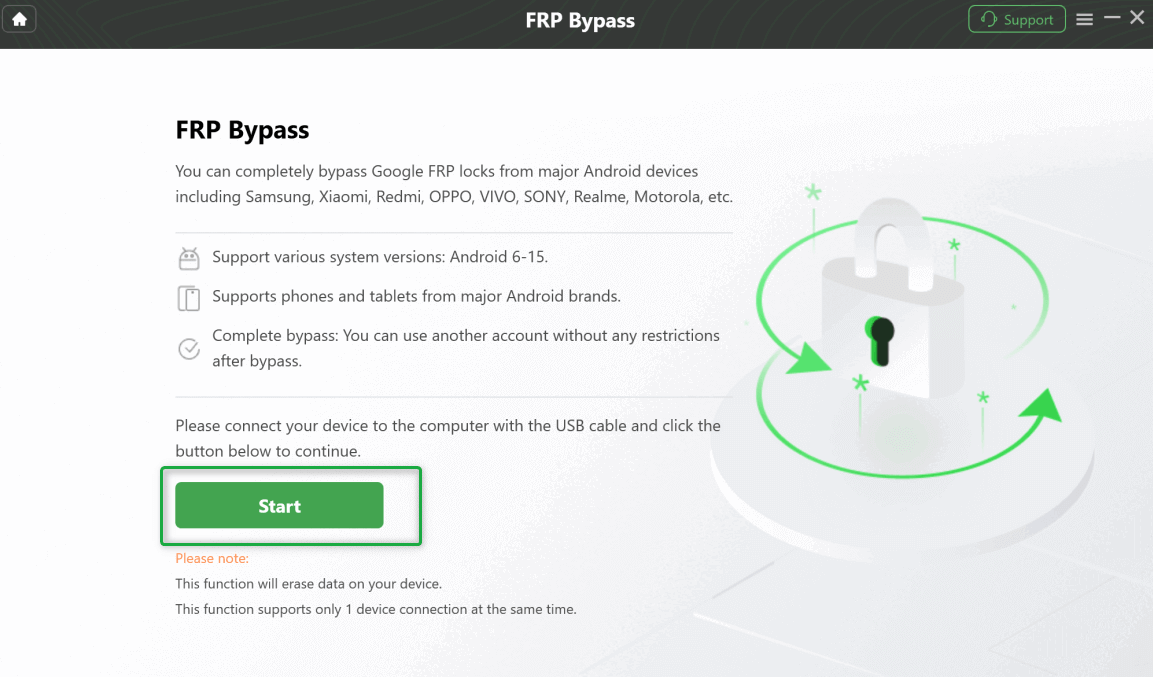
Connect the device and start the FRP Bypass workflow.
Step 4. Read the device information and instructions displayed by DroidKit. If the software does not provide a compatible route for your BLU phone, stop rather than applying instructions intended for another model.
Step 5. If a supported workflow is available, complete the on-screen instructions and check the phone after it restarts.
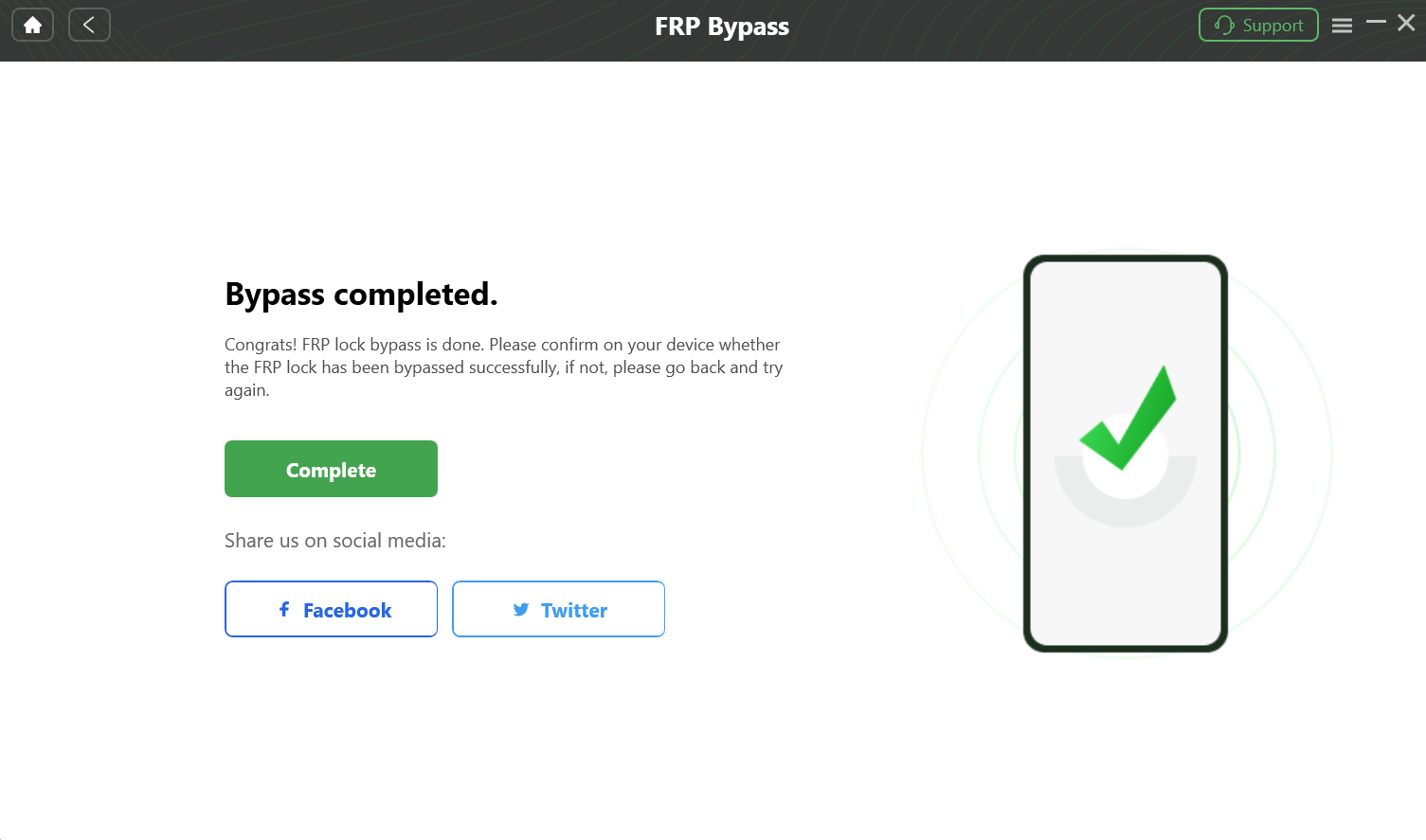
DroidKit FRP Bypass completion screen.
This route is most relevant when your BLU setup menus no longer expose the paths used by older no-PC methods, or when you want to avoid manually editing MTK or Unisoc firmware settings. Compatibility still needs to be confirmed for the phone in front of you.
Method 2: Can You Bypass BLU FRP Without a PC?
Some BLU phones may expose accessibility, Assistant, browser, emergency-information, or app-setting paths during Android setup. These no-computer routes are highly dependent on the exact software build, so the menus on one BLU phone may not appear on another.
Check the TalkBack Route
On builds where TalkBack is still available from the setup screen, users may be able to open accessibility controls and reach another system app such as Assistant or a browser. The older route commonly relies on a sequence similar to:
- Open Vision Settings or TalkBack from the setup screen if the option exists.
- Check whether the TalkBack menu provides voice-command or Assistant access.
- If Assistant or YouTube can be opened, check whether a browser or Google policy page can still be launched.
- If the expected menu, gesture, Assistant action, or browser transition is missing, do not assume you performed the steps incorrectly. The route may simply not exist on that BLU software build.
Check the Emergency Information Route
Another older setup route depends on whether the emergency-information screen allows access to profile editing, image selection, app information, or system settings.
- Open Emergency Call and check whether Emergency Information can be edited.
- Look for profile or image-selection controls only if those options are actually present.
- If the screen exposes an app-information route, check whether system Settings can be reached.
- Stop if the available menus differ from the instructions instead of repeatedly navigating unrelated system screens.
Why the no-PC route often stops: the critical failure point is usually a missing menu or blocked transition—TalkBack does not expose the expected command, Assistant will not open, the browser cannot be reached, or app settings are restricted. That tells you more than repeatedly restarting the same sequence.
If the required setup-screen path is unavailable, return to your BLU model and chipset information and choose another route rather than assuming every Android 11, 12, or 13 phone exposes the same workaround.
Method 3: PC Options for MTK and Unisoc BLU Phones
Chipset-level PC tools are intended for users who already understand Android firmware packages, device drivers, and the consequences of writing or formatting partitions. They are not interchangeable: an MTK scatter-based workflow is different from a Unisoc PAC-based workflow.
For MediaTek (MTK) BLU Phones
The existing BLU guide references SP Flash Tool for MediaTek devices. Before opening the program, make sure you have resources that match the exact BLU model.
Typical requirements include:
- Compatible MediaTek/VCOM drivers.
- SP Flash Tool.
- A scatter file taken from firmware intended for the exact BLU model or variant.
A typical MTK workflow starts by installing the correct drivers, loading the model-matched scatter file, and checking the partition layout shown by the firmware package. Do not enter FRP start addresses or format lengths copied from a different BLU phone.
The previous version of this article included fixed hexadecimal FRP partition values for a BLU G91 Pro. Those values should not be treated as universal settings. Partition information must come from resources that match the exact phone and firmware being serviced.
For Unisoc (SPD) BLU Phones
Unisoc devices use a different toolchain. The existing guide references SPD Research Tool or a related Unisoc utility together with a model-specific PAC firmware package.
Typical requirements include:
- Compatible Unisoc/SPD drivers.
- SPD Research Tool or the appropriate servicing utility.
- A PAC firmware file intended for the exact BLU model.
Load only the package intended for your phone and verify what the tool plans to write before starting. Do not substitute a PAC package from another BLU model because the device happens to use the same chipset brand.
If you have never worked with scatter files, PAC files, partition layouts, or firmware flashing before, the main risk is not simply that FRP removal fails. An incorrect package or write operation can affect normal booting as well.
Why BLU FRP Bypass May Fail
A failed attempt is useful when you identify where it stopped. On BLU phones, the failure point often indicates whether the problem is the Android build, the chipset choice, the firmware package, or the PC connection.
| What You See | Likely Area to Check | What to Do Next |
| TalkBack or the expected setup menu is missing | Android build or security patch | Stop following that no-PC route and compare another method for your exact BLU model. |
| Assistant, YouTube, browser, or Settings will not open | The setup-screen transition used by the method is blocked | Do not keep repeating the same sequence; move to another supported route. |
| The phone is not detected by a PC | USB cable, USB port, driver, or required device connection mode | Check the physical connection and install the driver required by the phone’s chipset. |
| SP Flash Tool does not accept the firmware resources | Wrong scatter file, model mismatch, or incompatible MTK package | Verify the exact BLU model and firmware package before continuing. |
| SPD Research Tool cannot load or use the PAC package | Wrong PAC package, tool version, driver, or model mismatch | Confirm that the package belongs to the exact Unisoc BLU model. |
| A guided FRP tool does not provide a compatible workflow | Current device/model support | Do not apply instructions for another brand or model; choose a route that explicitly matches the phone. |
The most useful troubleshooting question for this page is therefore not simply “Why didn’t BLU FRP bypass work?” Ask instead: What exact BLU model do I have, what chipset does it use, and at which screen or PC step did the process stop?
What Is the Best Route for Your BLU Phone?
There is no single BLU FRP method that fits every model. If you can recover the previously synced Google account, that avoids firmware work altogether. If you cannot, first identify the exact BLU model and chipset.
A no-PC route only makes sense while the required setup menus are still present. An MTK or Unisoc servicing route only makes sense when you have model-matched firmware resources and understand the tool. A guided FRP feature such as DroidKit is worth checking when you want a PC workflow without manually working through chipset firmware settings, but the exact BLU device must still be supported.
Free Download * 100% Clean & Safe
FAQs About FRP Bypass for BLU Phones
Can I bypass FRP on a BLU phone without a computer?
It depends on the BLU phone’s Android build and the setup menus that remain available. Some builds may expose TalkBack, Assistant, browser, emergency-information, or app-setting paths, while others block one or more of those transitions. If the required menu is absent, repeating instructions written for another BLU model is unlikely to help.
What should I do with a BLU phone running Android 14 or Android 15?
Do not assume an older TalkBack or emergency-information sequence works simply because it worked on an earlier Android release. Check the exact BLU model, software build, and available setup menus first. If you consider a PC tool, confirm that the current tool supports your exact device before proceeding.
How do I know whether my BLU phone is MTK or Unisoc?
Find the exact model name and check its specifications for the chipset or platform field. MediaTek may be shown as MediaTek or MTK, while Unisoc may also appear in older material as Spreadtrum or SPD. This check should happen before downloading scatter files, PAC files, or chipset-specific drivers.
Is it safe to use SP Flash Tool or SPD Research Tool for BLU FRP?
Firmware-level tools involve more risk than navigating Android setup menus. The key safety issue is matching the exact BLU model, chipset, firmware package, and partition information. Do not reuse firmware files or partition values from another device just because its name or chipset looks similar.
More Related Articles


Roger Smith is a senior technical writer with years of experience in providing Android solutions. He loves to help users solve various problems such as Android unlock, Android data recovery, and Android system repair.
Product-related questions? Contact Our Support Team to Get Quick Solution >
