RootJunky FRP: Why It’s Obsolete in 2026 & The Method That Works Today
The RootJunky FRP method is obsolete and unsafe in 2026. This guide explains why the old bypass fails and details the modern, secure software tool that actually works today.
If your search for a “RootJunky FRP” solution led you here, you’re likely staring at a locked Android device, feeling stuck. For years, the RootJunky method was a popular workaround for Google’s Factory Reset Protection (FRP) lock. However, if you’re asking, “is the RootJunky method still working in 2026?” the answer is a definitive no.
Continuous Android security updates have patched the vulnerabilities that these old tools relied on. Following outdated guides will only lead to frustration and, worse, could expose your device and personal data to serious security risks.
This guide is designed to provide a modern, secure, and effective solution to your problem. We’ll explain why RootJunky is a dead end and provide a reliable FRP lock removal tool that works with today’s devices, so you can regain access safely.
Your FRP Bypass Options in 2026: A Quick Comparison
When you’re locked out, you have a few paths forward. Here’s a quick look at your options to help you decide which is best for you.
| Method | Success Rate | Time Required | Requirements |
| Contact Original Owner | High | Varies (hours to days) | Must be able to contact them |
| Provide Proof of Purchase | Medium | Days to weeks | Original receipt required |
| Use a Professional Tool | Very High | 10-30 minutes | A computer and USB cable |
For most users, especially with secondhand devices, a professional tool is the fastest and most reliable option.
The Professional Alternative to RootJunky: DroidKit
The most effective and secure alternative to the obsolete RootJunky method is a dedicated software tool built for modern Android security. We recommend DroidKit, a professional solution trusted by millions of users worldwide. It is engineered to handle current FRP lock protocols with a high success rate.
Why Choose DroidKit?
- Broad Compatibility: It supports thousands of device models from brands like Samsung, Google Pixel, Xiaomi, and more, across Android versions 6 through 15.
- Secure & Private: Unlike searching for a questionable rootjunky frp bypass apk download, DroidKit runs securely from your computer, ensuring your data’s privacy and protecting you from malware.
- Constantly Updated: As a premium software tool, it receives continuous updates to keep pace with the latest Android security patches.
- Dedicated Support: It includes dedicated 24/7 technical support to assist you if you encounter any issues.
How to Bypass FRP with DroidKit: A Step-by-Step Guide
This process is designed to be straightforward, even for non-technical users.
Before You Begin: What You’ll Need
- A Windows or Mac computer.
- A stable internet connection.
- A reliable USB cable to connect your Android device.
- Your phone should have at least 50% battery.
Important Warning: This FRP bypass process will erase all data currently on the locked device. This is a necessary security measure to remove the Google account lock. The entire process typically takes 10-30 minutes to complete.
Step 1: Download and Launch DroidKit.
First, install DroidKit on your computer and open the application. Select the FRP Bypass feature from the main menu.
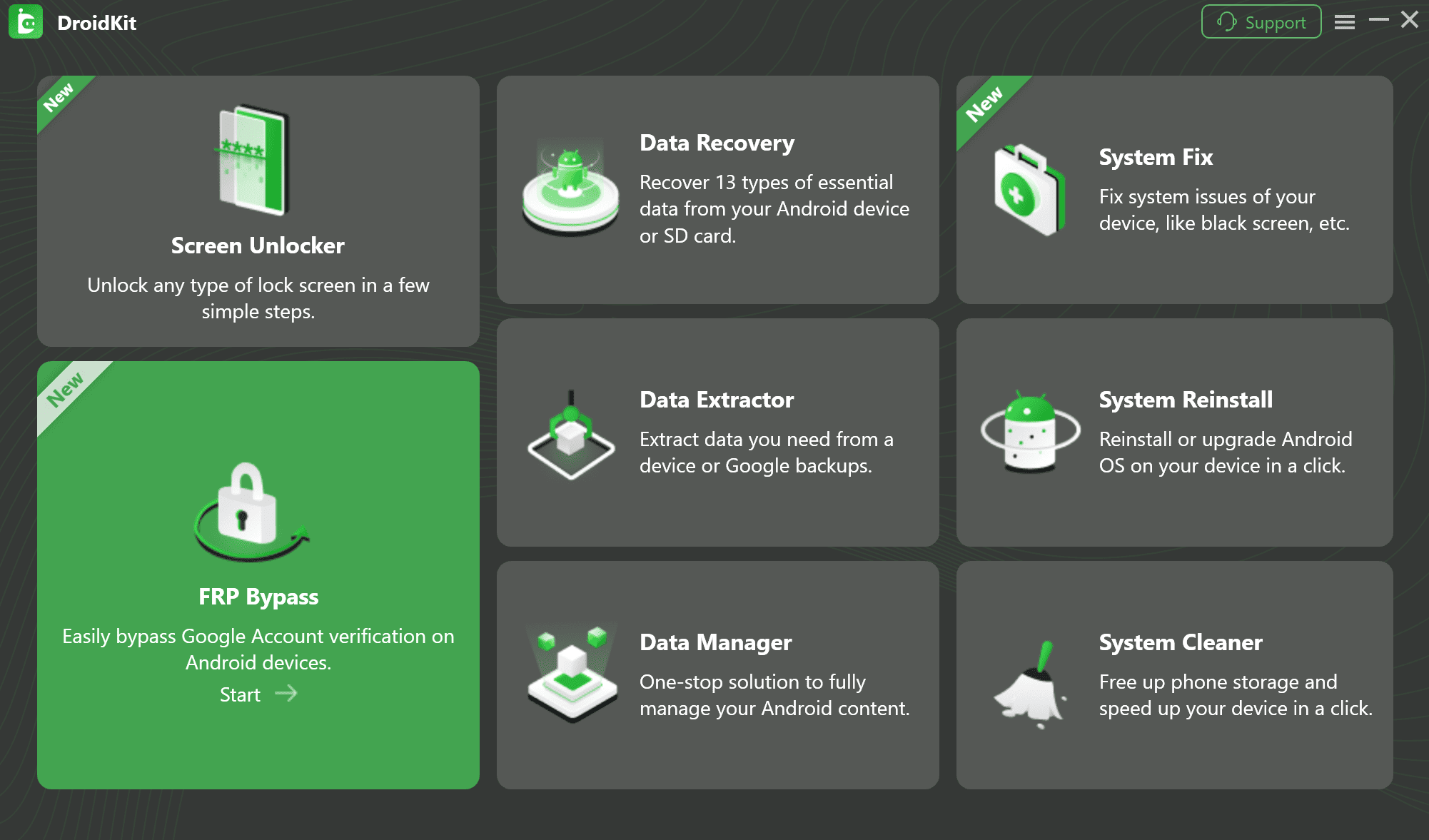
The DroidKit FRP Bypass feature being selected in the main software interface
Step 2: Connect and Configure Your Device.
Connect your locked Android device to the computer with your USB cable. DroidKit will detect your device brand and begin preparing a custom configuration file. Click “Start.”
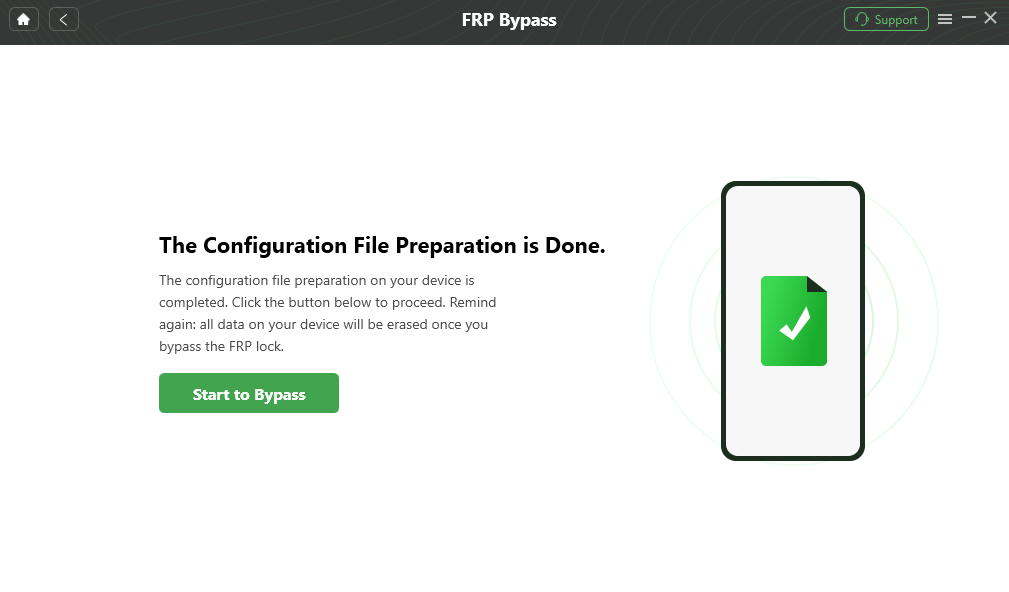
Configure Your Device
Step 3: Follow On-Screen Instructions.
This is the critical part. DroidKit provides custom, guided instructions for your exact model to put it into the correct mode for the bypass. You don’t have to guess the right button combination.
Real-World Example (Samsung): For most Samsung devices, the software will guide you to enter “Samsung Factory Mode.” From there, follow the device’s clear instructions to prepare it for the final step.
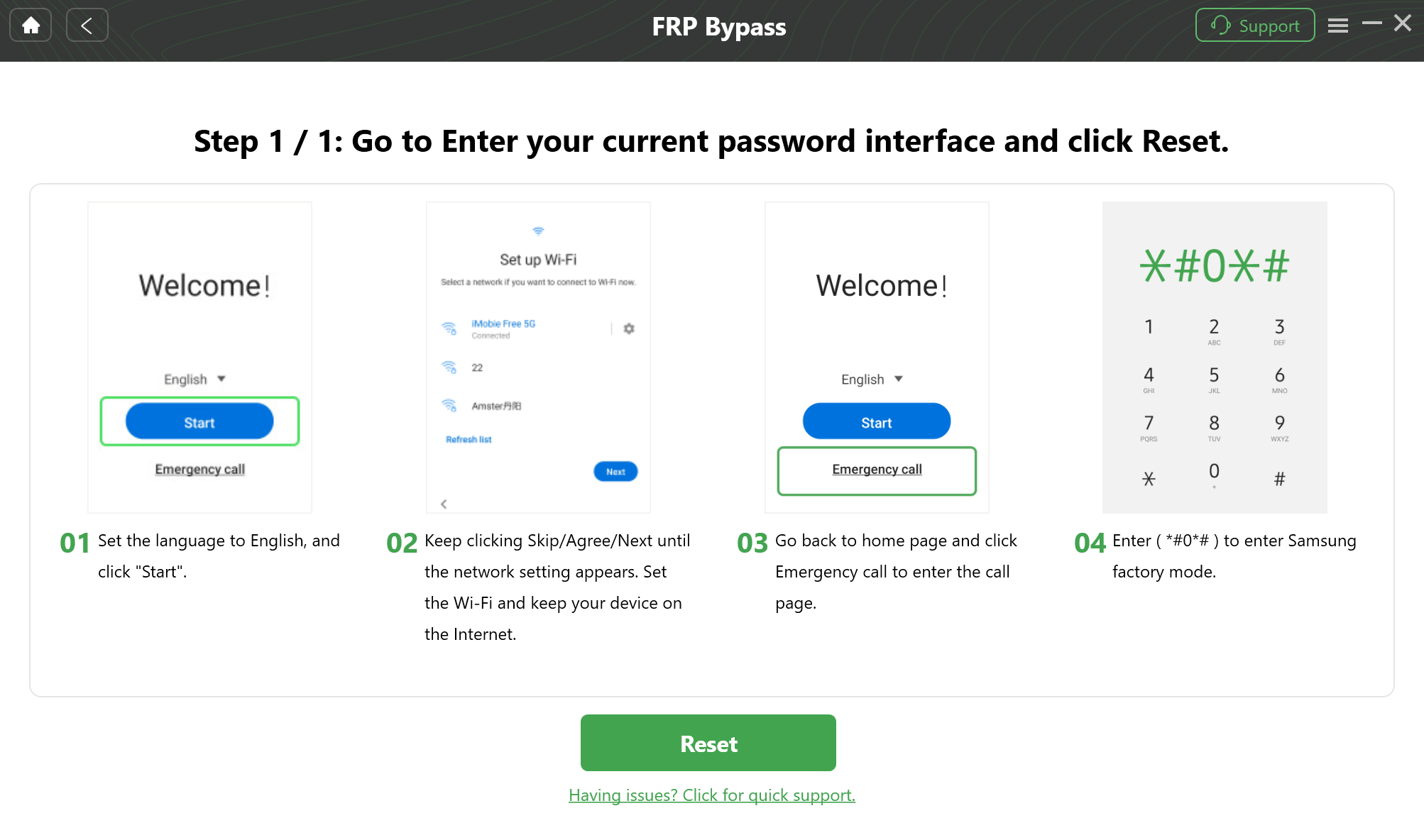
Step-by-Step Instructions
Step 4: Complete the Bypass.
Once the device is prepared, DroidKit’s powerful Google account bypass technology takes over. The rest of the process is automated. Your device will restart once it’s finished, and the FRP lock will be completely removed. You’ll have full access to set it up like new.
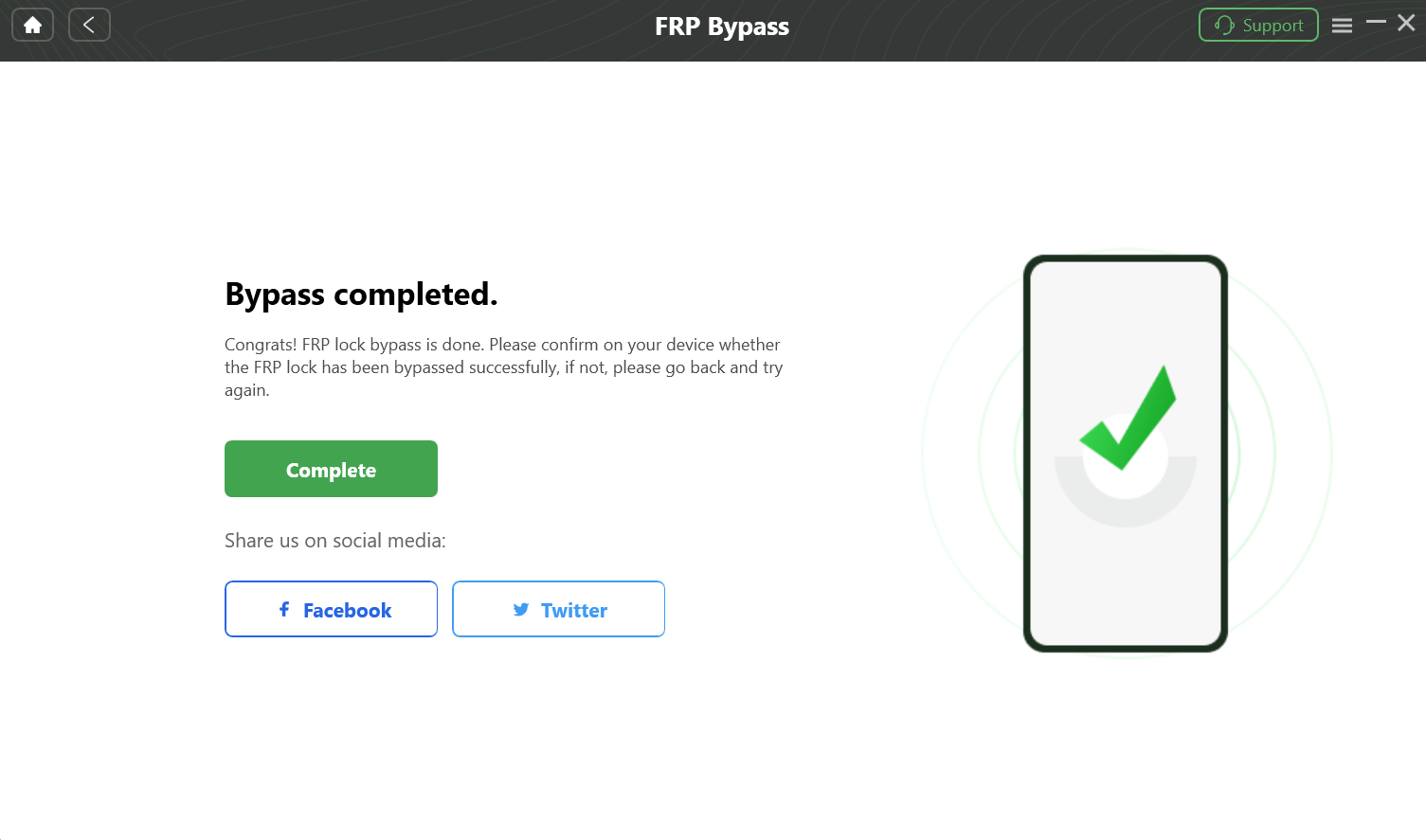
Complete the Bypass
Ready to get back into your phone? Download DroidKit Now>>
Security Alert: The Hidden Dangers of “Free” FRP Bypass APKs
Your search will undoubtedly lead you to sites offering a rootjunky FRP bypass apk download. It is critical to understand that these files are a direct threat to your security.
The original, legitimate com.rootjunky.frpbypass-1.0.apk is no longer distributed by its creator. Any version you find today is an unofficial, repackaged copy that is almost certainly malicious.
Downloading these files can lead to:
- Malware and Spyware: Hackers inject malicious code to steal your banking details, social media logins, and other personal data.
- Ransomware: These files can encrypt your device’s data, holding it hostage until you pay a ransom.
- Aggressive Adware: The app can flood your device with pop-up ads, crippling performance and making the phone nearly unusable.
Trying to solve a security lock by installing an unknown app creates a much bigger problem than the one you started with.
A Look Back: Why the Old RootJunky Methods No Longer Work
The original RootJunky tools were clever, but they exploited security loopholes in Android 5 & 6 that were patched years ago. Here’s a quick breakdown:
The OTG Cable Method: This involved using an OTG cable to connect a USB drive with the APK.
- Why it fails now: Modern Android blocks file manager pop-ups and app installations during the setup process.
The RealTerm Method: This used a PC program to send commands to the phone’s modem, forcing open the settings.
- Why it fails now: Modem communication ports are now secured and no longer accept the generic commands this method relied on.
Google has sealed these and other exploits like the TalkBack vulnerability, making these old methods completely non-functional on any device running Android 7.0 or newer.
Frequently Asked Questions (FAQ)
Q1: Is there a truly free tool that works like RootJunky did?
Unfortunately, no. The vulnerabilities that allowed free tools to work have been permanently fixed. Any “free” tool you find today for modern Android versions is almost certainly a scam or contains malware. Reliable FRP lock removal tools are premium products because they require constant development to keep up with security updates.
Q2: Will this process erase the data on my phone?
Yes. Bypassing FRP is a security procedure that requires a factory reset. The process will wipe all data, including photos, contacts, and apps. This is unavoidable for any legitimate FRP removal method.
Q3: Will using a tool like DroidKit damage my phone or void its warranty?
No. DroidKit is a software-based solution that works within the device’s protocols and will not harm the hardware. In most regions, regaining access to your own device does not void the warranty, but it’s always wise to check your local regulations.
Q4: What if DroidKit doesn’t work on my phone?
Reputable companies like DroidKit offer a money-back guarantee. You can check their website for a list of compatible devices before purchasing. If the process fails on a supported device, you can contact their technical support for help or request a refund.
Q5: Is it legal to bypass an FRP lock?
It is widely considered legal to bypass the FRP lock on a device you legally own. However, it is illegal to use these tools on a stolen device. Professional tools are intended for legitimate owners who have forgotten their credentials.
Conclusion: Stop Wasting Time, Use a Modern Tool for a Modern Problem
The RootJunky FRP methods are a part of Android’s history, but they are not a part of its present. In 2026, attempting to use them is a waste of your time, and downloading the associated files is a gamble with your security.
To solve a modern FRP lock safely and effectively, the correct approach is to use a professional tool built for today’s technology. A solution like DroidKit is maintained by a dedicated team to ensure it works with the latest security from Google and manufacturers. To regain access to your phone quickly and securely, use a tool you can trust.
More Related Articles



Jeremy Feron is a writer for iMobie with a deep passion for Android. He specializes in creating clear guides on Android tips and the latest updates, helping users navigate their devices and get the most out of new features.
Product-related questions? Contact Our Support Team to Get Quick Solution >
