Easy Flashing FRP Bypass 8.0 APK: Safe Download & Fixes
Easy Flashing FRP Bypass 8.0 APK may still work on some older Android 8.0 devices, but it often fails on updated phones and can be risky if downloaded from unverified APK sites. This guide explains what it is, whether it is safe, Android 8.0 compatibility limits, how the APK method works, common installation and FRP errors, and when a guided FRP tool is a safer option.
Many Android users search for Easy Flashing FRP Bypass 8.0 APK, Easy Flashing Bypass 8.0 APK, or Easy Flash FRP Bypass APK when they are stuck on the Google account verification screen after a factory reset. This screen appears because of Factory Reset Protection, also called FRP.
Easy Flashing FRP Bypass APK is mainly associated with older Android 8.0 devices. It may still work in limited cases, but it is not a universal FRP solution. Updated Android security patches, blocked browser access, unknown-source installation limits, and unsafe APK mirrors can all cause the method to fail.
This guide explains whether Easy Flashing FRP Bypass 8.0 APK still works, what to check before downloading it, how the manual APK method usually works, why it may fail, and when a guided FRP option such as DroidKit may be a safer next step for supported devices. Use FRP methods only on a device you own or are authorized to repair.
Quick Answer: Does Easy Flashing FRP Bypass 8.0 APK Still Work?
Easy Flashing FRP Bypass 8.0 APK may still work on some older Android 8.0 devices, especially when the phone still allows browser access, APK transfer, and unknown-source installation. However, it often fails on updated devices because the old setup loopholes used by APK methods have been patched.
| Your Situation | APK Method Status | Recommended Next Step |
| Older Android 8.0 phone with browser or file manager access | May work in limited cases. | Check APK safety first and follow the manual steps carefully. |
| Android 9 or newer device | Usually unreliable. | Use the broader Android FRP bypass guide. |
| APK will not install or opens with errors | Likely blocked or incompatible. | Stop trying random APK copies and use troubleshooting. |
| No browser access on the locked phone | Manual APK route is usually blocked. | Compare FRP bypass tool options. |
| Second-hand phone still linked to seller’s account | Do not bypass first. | Ask the seller to remove the Google account properly. |
Bottom line: Easy Flashing FRP Bypass APK is best treated as an old Android 8.0 APK method, not a guaranteed modern FRP fix. If your device has a newer security patch, the method may fail before the APK even opens.
What Is Easy Flashing FRP Bypass 8.0 APK?
Easy Flashing FRP Bypass 8.0 APK is a third-party Android APK discussed in older FRP bypass tutorials. It is usually used when a phone running Android 8.0 Oreo is stuck at Google account verification after a factory reset.
The APK method depends on a setup loophole that lets the user open browser, file manager, settings, or account-related screens during the locked setup process. If the required route is blocked, the APK alone cannot remove FRP.
- It is mainly designed for Android 8.0 Oreo scenarios.
- It is often mentioned for older Samsung Galaxy models.
- It requires a way to open browser, file manager, or APK installer.
- It may require enabling installation from unknown sources.
- It is not an official Google or Android recovery tool.
For a broader explanation of APK-based FRP methods, see this FRP Bypass APK guide.
Android 8.0 Compatibility: When It May Work
Easy Flashing FRP Bypass APK is strongly tied to Android 8.0. Even within Android 8.0, success depends on device brand, security patch, and setup path. A method that worked on one old Samsung model may fail on another device with a later patch.
| Device / Version | Chance of Working | Why |
| Older Android 8.0 Samsung phone | Possible in limited cases. | Some old setup paths may still allow APK installation. |
| Android 8.0 phone with recent security patch | Uncertain or low. | Security updates may block the browser or APK route. |
| Android 7 or older | Depends on matching APK and Google Account Manager version. | Older APK workflows may need different supporting files. |
| Android 9, 10, 11, 12, 13, 14, or newer | Usually unreliable. | Modern Android versions commonly block old FRP APK methods. |
| Phone with no browser or file access | Very low. | The APK cannot be installed without an entry route. |
Is Easy Flashing FRP Bypass APK Safe and Legal?
Easy Flashing FRP Bypass APK should be treated with caution. The main risk is not only whether the method works, but whether the file you download is clean. Most copies are hosted on third-party APK sites, file mirrors, or forum links, so the file may be modified, outdated, or bundled with unwanted code.
Legally, FRP protects the previously synced Google account on the device. You should use FRP-related methods only on your own phone or a device you are clearly authorized to service. Do not use FRP tools to access someone else’s phone, account, or data.
| Risk Area | What Can Go Wrong | Safer Action |
| APK source | The file may be modified, fake, or bundled with adware. | Download only from sources you trust and scan the file first. |
| Unknown-source installation | The phone may warn you before installing third-party APKs. | Do not continue if the file source looks suspicious. |
| Device ownership | FRP may belong to the previous owner’s Google account. | Use official recovery or ask the seller to remove the account. |
| Outdated method | The APK may install but fail to complete the bypass. | Check Android version and security patch before trying. |
| Repeated APK downloads | Trying many random APK copies increases security risk. | Stop if the first verified route fails and use troubleshooting. |
Before You Download Easy Flashing FRP Bypass APK
Before downloading any Easy Flashing FRP Bypass 8.0 APK file, confirm that the method actually matches your situation. Many failures happen because the phone is not Android 8.0, the security patch is too new, or the user cannot open the required browser or file manager route.
Check these items first:
- You own the Android device or have permission to repair it.
- The phone is running Android 8.0, or the guide specifically matches your version.
- You have Wi-Fi access during setup.
- You can open a browser, file manager, or APK installer on the locked phone.
- The APK file is scanned before installation.
- You understand that the method may fail after security updates.
Important: Do not install random FRP APK files directly on a locked phone without checking the file first. If several APK downloads are flagged or fail to install, the manual APK route is probably not worth the risk.
How to Use Easy Flashing FRP Bypass 8.0 APK
The steps below describe the common Android 8.0 APK workflow. They are for authorized devices only. The process may not work if your device has a newer security patch or does not allow browser or file access during setup.
What you need:
- A locked Android 8.0 device.
- A stable Wi-Fi connection.
- A computer and USB cable, if you need to transfer the APK file.
- A scanned Easy Flashing FRP Bypass 8.0 APK file from a source you trust.
Step 1. Find a safe entry route into the locked phone. You may need browser access, file manager access, or another setup route that allows APK installation. If you cannot reach any of these, the APK method is not suitable for your device.
Step 2. Download the APK to your computer first and scan it. If the file looks suspicious, do not transfer it to your phone.
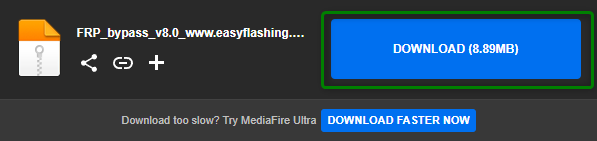
Download Easy Flashing FRP Bypass 8.0 APK
Step 3. Transfer the APK to the phone or download it through the browser route available on the locked device. Avoid sites with forced installers, pop-ups, or unrelated download buttons.
Step 4. Tap the APK file to install it. If the phone asks you to allow installation from unknown sources, read the warning carefully before continuing.
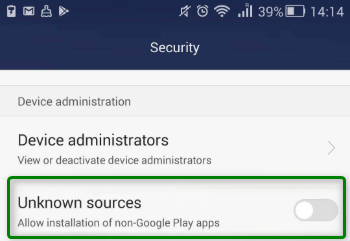
Enable “Install from Unknown Sources”
Step 5. Open the APK if installation completes. If it opens a settings or reset route, follow only the options shown on your device. Do not install extra APK files unless the guide is clearly for your Android version.
Step 6. If the APK route lets you access reset options, go to the available reset screen and perform the required reset for your device scenario.
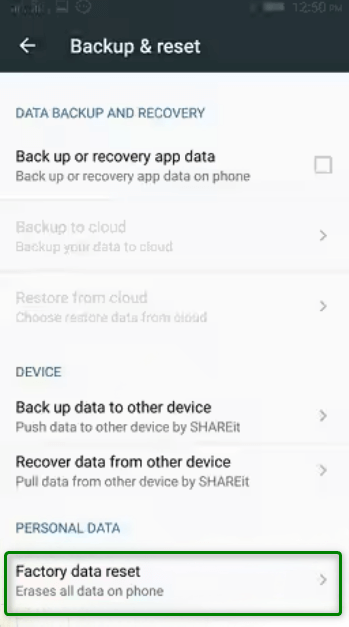
Bypass and Reset
Step 7. Restart the phone and go through setup again. If the Google verification screen still appears, the APK method did not work for your device or security patch.
Easy Flashing FRP Bypass APK Not Working: Common Fixes
If Easy Flashing FRP Bypass APK does not work, do not keep downloading random copies. First identify the likely reason.
| Problem | Likely Cause | What to Try Next |
| APK will not install | Unknown-source installation is blocked, or the APK is incompatible. | Check Android version and avoid random APK mirrors. |
| App not installed error | Wrong APK version, corrupted file, or security restriction. | Delete the file and use a safer route instead of forcing installation. |
| No browser access | Setup Wizard blocks browser or file access. | Manual APK method is likely blocked on your phone. |
| APK opens but nothing happens | The old loophole does not exist on your device. | Check your security patch and use a supported method. |
| FRP remains after reset | The bypass process was incomplete or unsupported. | Use the FRP bypass not working guide. |
| Security app flags the APK | The file may be modified or unsafe. | Do not install it. Use a verified tool or official recovery route. |
Easy Flashing FRP APK vs Guided FRP Tool
The APK method and a guided FRP tool serve different users. Easy Flashing FRP APK may be useful only for older Android 8.0 devices where the required setup route still exists. A guided FRP tool is better for users who want clearer instructions and do not want to search for unknown APK files.
| Feature | Easy Flashing FRP Bypass APK | Guided FRP Tool |
| Best for | Older Android 8.0 devices with APK installation access. | Users who want on-screen steps on supported devices. |
| Download source | Usually third-party APK pages. | Official software download page. |
| Safety risk | Higher because APK source and integrity vary. | Lower third-party APK risk. |
| Technical difficulty | Medium to high. | Lower for supported scenarios. |
| Android version fit | Mainly Android 8.0 and older unpatched devices. | Depends on supported brand, model, and Android scenario. |
| When to avoid | When APK is flagged, blocked, or the phone has no browser access. | When your device scenario is not supported or you do not have a computer. |
Best Guided Alternative When APK Methods Fail
If Easy Flashing FRP Bypass APK cannot install, crashes, is flagged by security tools, or fails after reset, a guided PC-based solution such as DroidKit may be a practical alternative for supported devices. It avoids searching for risky APK files and gives users a clearer workflow on Windows or Mac.
DroidKit is useful when:
- You cannot open a browser or file manager on the locked phone.
- The APK is blocked or flagged by security software.
- Your device has a newer Android security patch.
- You want guided instructions instead of trial-and-error APK steps.
- You prefer official software access instead of third-party APK mirrors.
Free Download * 100% Clean & Safe
How to Bypass FRP with DroidKit
Step 1. Download and install DroidKit on your Windows or Mac computer.
Step 2. Launch the software and choose FRP Bypass from the main screen.
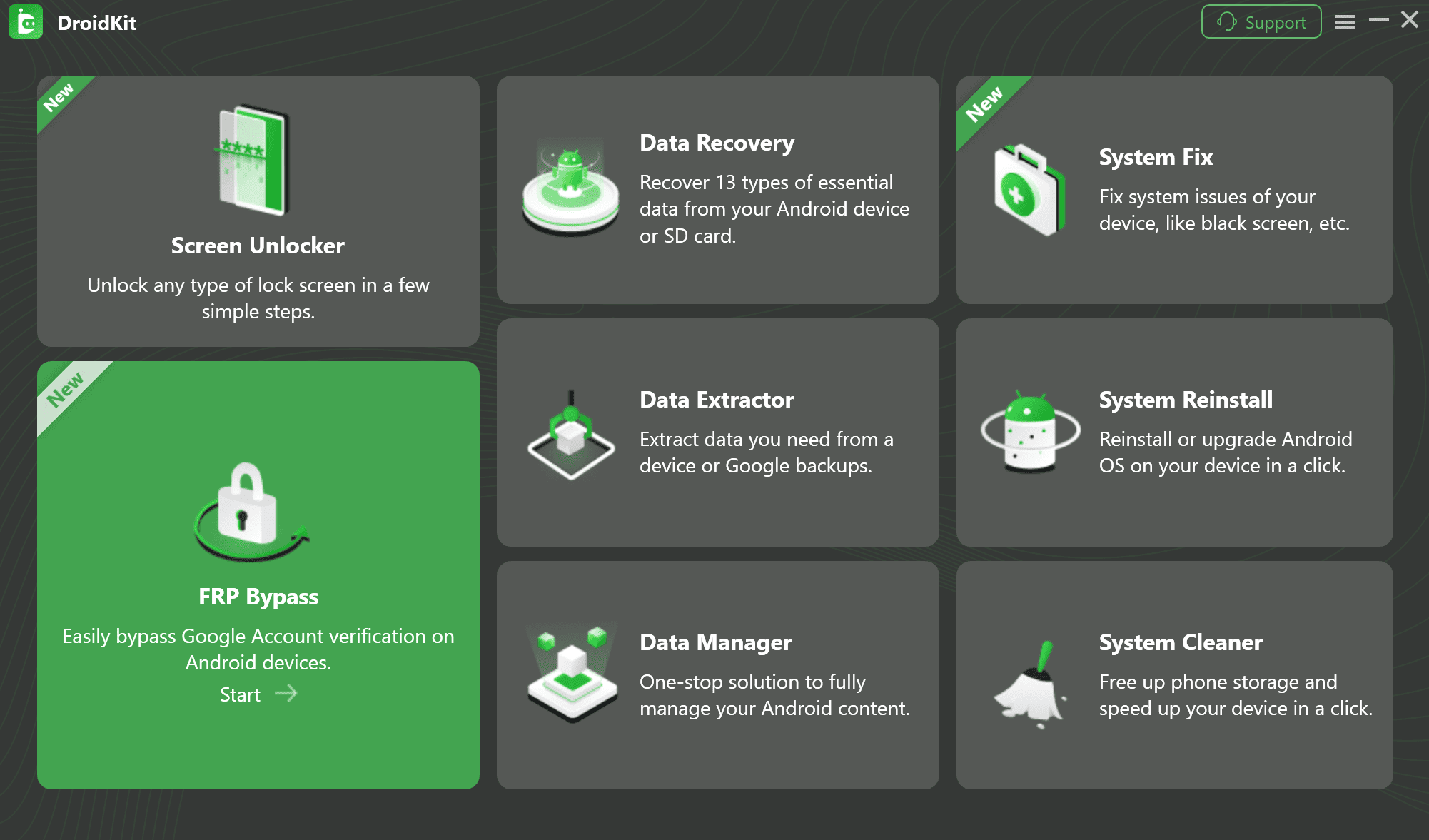
FRP Bypass Feature
Step 3. Connect your locked Android device to the computer with a USB cable and click Start.
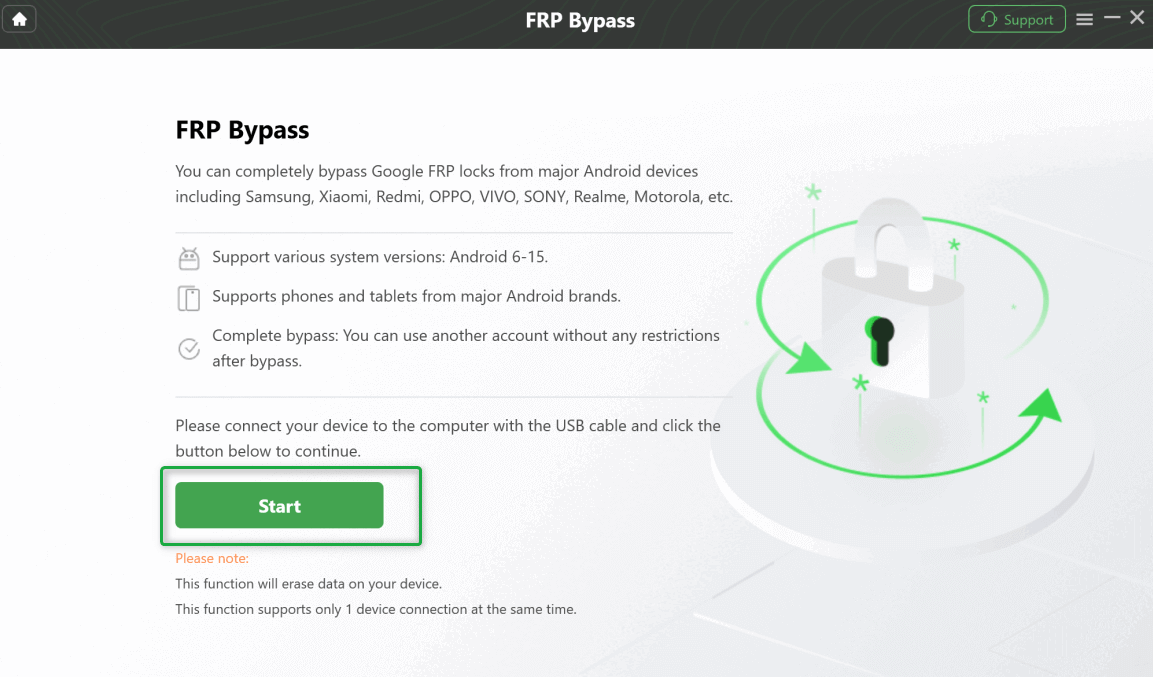
Connect Your Device and Start the Process
Step 4. Follow the on-screen instructions. The required device mode and settings may vary by brand, Android version, and device scenario.
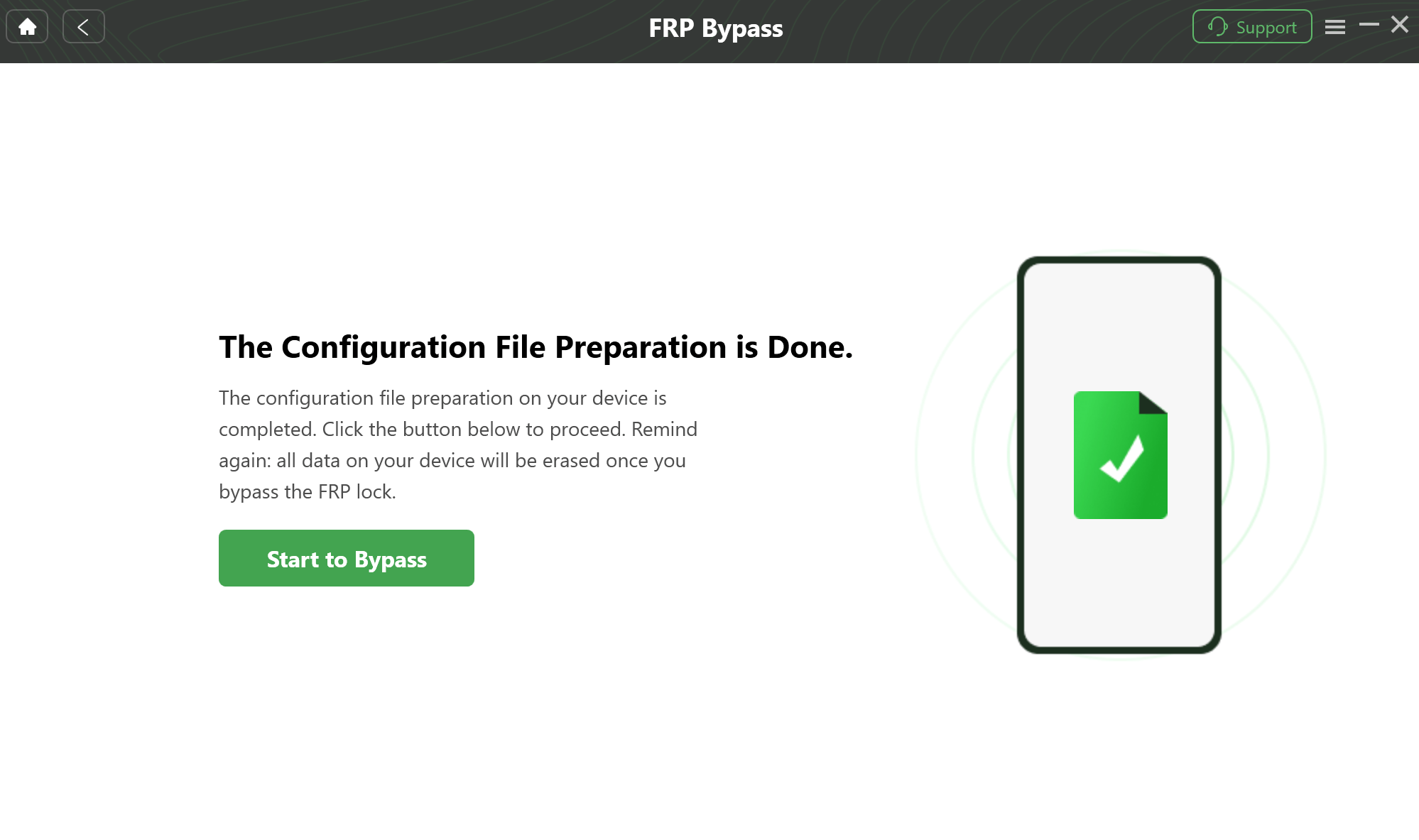
Prepare to Bypass FRP on Your Device
Step 5. Wait for the process to finish. Do not disconnect the device while the software is working. After completion, restart the phone and set it up again.
FAQs About Easy Flashing FRP Bypass APK
Q1. What is Easy Flashing FRP Bypass 8.0 APK?
It is a third-party FRP bypass APK discussed for older Android 8.0 devices. It may help open settings or reset routes in limited legacy scenarios, but it is not an official Google recovery tool.
Q2. Does Easy Flashing FRP Bypass APK still work?
It may work on some older Android 8.0 devices, but it often fails on devices with newer security patches, blocked browser access, or restricted APK installation.
Q3. Is Easy Flashing FRP Bypass APK safe?
It depends on the exact file and source. APK files from unknown mirrors may be modified, outdated, or unsafe. Always scan the file before installing it and avoid suspicious download pages.
Q4. Can I use Easy Flashing FRP Bypass APK on Android 9 or newer?
In most cases, no. The APK method is mainly associated with Android 8.0. Newer Android versions commonly block old APK-based FRP routes.
Q5. Why does Easy Flashing FRP Bypass APK say “App not installed”?
This can happen because the APK is corrupted, incompatible with your Android version, blocked by security settings, or not allowed during the setup process.
Q6. Do I need a PC to use Easy Flashing FRP Bypass APK?
Sometimes. You may need a computer to download, scan, and transfer the APK file. However, the main requirement is still access to a browser, file manager, or APK installer on the locked phone.
Q7. What should I do if the APK method fails?
Stop downloading more random APK files. Check your Android version, security patch, and whether browser access is blocked. Then use a method that matches your device or consider a guided FRP tool for supported devices.
Q8. Is it legal to bypass FRP?
FRP bypass should only be used on a device you own or are authorized to repair. Do not use FRP tools to access another person’s phone, Google account, or data.
Conclusion
Easy Flashing FRP Bypass 8.0 APK still attracts searches because some users are locked out of older Android 8.0 phones. But the method is limited, patch-dependent, and risky if the APK comes from an unverified source.
Before trying it, confirm your Android version, check whether browser or file access is available, scan the APK, and understand that the method may fail on updated devices. If the APK will not install, is flagged, or does not remove FRP, use a safer troubleshooting path or a guided FRP tool for supported devices instead.
Free Download * 100% Clean & Safe
More Related Articles



Jeremy Feron is a writer for iMobie with a deep passion for Android. He specializes in creating clear guides on Android tips and the latest updates, helping users navigate their devices and get the most out of new features.
Product-related questions? Contact Our Support Team to Get Quick Solution >
