TFM Tool Pro Review 2026: Free Download, Price, Safety & Alternative
Looking for TFM Tool Pro free download or FRP bypass help? This review explains what TFM Tool Pro does, whether it is free, how safe it is, how to use it, and when DroidKit can be a simpler alternative.

DroidKit – A Guided FRP Bypass Alternative
If TFM Tool Pro feels too technical, requires a license setup, or does not support your device, DroidKit can help you bypass FRP on Android phones with guided steps on Windows or Mac.
TFM Tool Pro is an Android utility designed for advanced phone servicing tasks, including FRP reset, firmware flashing, bootloader unlocking, and chipset-based repair functions. It is often used by technicians and experienced users who need to work with MediaTek, Qualcomm, or Spreadtrum devices.
However, many users also search for TFM Tool Pro free download, TFM Tool free, TFM Tool Pro 2.0 free, or TFM Tool download. These searches can lead to unofficial packages, cracked files, or outdated versions. Before downloading or using any TFM Tool Pro file, it is important to understand what the tool does, whether it is free, how safe it is, and when a guided FRP bypass alternative may be easier.
In this review, you will learn the key features of TFM Tool Pro, its price and safety risks, how to use it for FRP bypass, what to do if it fails, and how it compares with DroidKit for users who prefer step-by-step FRP bypass instructions.
For broader tool comparisons, you can also read this best FRP bypass tools guide. If you need a general overview of Google lock removal, check this Android FRP bypass guide.
Table of ContentsHide
Quick Answer: Is TFM Tool Pro Worth Using?
TFM Tool Pro can be useful for technicians or advanced users who need Android FRP reset, firmware flashing, bootloader unlocking, or chipset-based repair functions on a Windows PC. It provides separate modules for MediaTek, Qualcomm, and Spreadtrum devices, which can help users choose the correct operation based on the phone’s processor type.
However, TFM Tool Pro is not fully free, and unofficial free downloads or cracked packages can carry security risks. If your main goal is to bypass FRP with guided steps instead of handling manual tool setup, DroidKit can be a simpler alternative for Android FRP removal.
What Is TFM Tool Pro?
TFM Tool Pro is a Windows-based Android service tool used for FRP reset, firmware flashing, bootloader unlocking, and repair-related operations on supported Android phones. It includes different modules for MediaTek, Qualcomm, and Spreadtrum processors, helping users perform chipset-specific tasks more accurately.
The tool supports many Android brands, including Samsung, Itel, Tecno, Infinix, Xiaomi, OPPO, Vivo, and other supported models depending on the version and module. Since it performs deep system operations, it is more suitable for users who understand Android drivers, chipset modules, device modes, and repair tool workflows.
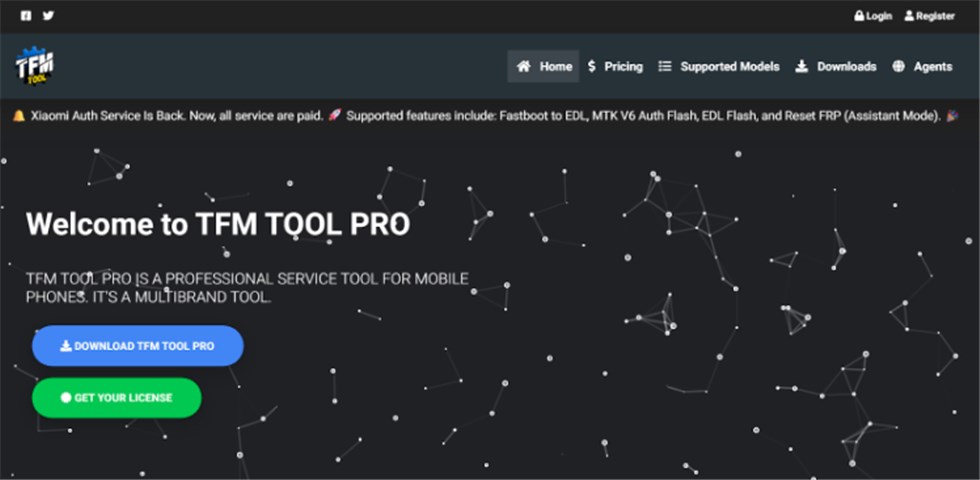
TFM Tool Pro
Key Features of TFM Tool Pro:
- FRP Reset: It can remove Google account lock on some supported Android phones, including selected Samsung, OPPO, Tecno, Itel, and other models.
- Firmware Flashing: It can help install stock firmware on MTK, Qualcomm, or SPD-based phones to fix certain software issues.
- Bootloader Unlocking: It can unlock a phone’s bootloader for advanced firmware operations on supported devices.
- Chipset Compatibility: It includes modules for MediaTek, Qualcomm, and Spreadtrum devices.
- Repair Functions: It can support selected repair tasks depending on phone brand, chipset, and tool version.
Pros:
- Supports multiple Android brands and chipset platforms.
- Includes FRP reset, firmware flashing, bootloader, and service functions.
- Useful for technicians who handle different Android repair tasks.
- Can be effective on supported devices when the right module is selected.
Cons:
- It only works on Windows systems, so Mac users cannot use it directly.
- It requires a paid license for full access.
- It can feel technical for beginners who only need FRP bypass.
- Using cracked or unofficial packages may harm your computer or phone.
Is TFM Tool Pro Free or Safe to Download?
TFM Tool Pro is not completely free if you want to use the official activated version. The original article lists license options such as 20 CRD for 3 months, 30 CRD for 1 year, and 50 CRD for 2 years, with updates during the license period.
Many users search for TFM Tool Pro free download or TFM Tool Pro 2.0 free download, but free packages found on unknown websites may be unofficial, outdated, or modified. Since TFM Tool Pro performs deep Android service operations, downloading from an unsafe source can put both your PC and phone at risk.
| Download Type | Cost | Risk Level | Best For |
| Official TFM Tool Pro license | Paid license | Lower | Technicians and advanced users |
| TFM Tool Pro free download from unknown sites | Free or unclear | Medium to high | Not recommended unless the source is verified |
| TFM Tool Pro crack or modified package | Free | High | Avoid due to malware, data, and device risks |
TFM Tool Pro can be safe when downloaded from the official website or trusted resellers. Avoid password-protected archives, suspicious installers, cracked files, or packages that ask you to disable antivirus without a clear reason.
How to Download and Use TFM Tool Pro to Bypass FRP
After exploring the features and safety risks of TFM Tool Pro, you may still want to use it for FRP reset on a supported Android device. Before starting, make sure you download the tool from an official or trusted source and confirm that your device model and chipset are supported.
Before you start:
- Use a Windows PC.
- Install the correct USB driver for your phone brand and chipset.
- Make sure your TFM Tool Pro license is active.
- Use a stable USB cable and avoid disconnecting the phone during the process.
- Back up important data first if the phone is still accessible.
Steps to use TFM Tool Pro for FRP bypass:
Step 1. Download and install TFM Tool Pro from the official website or a trusted reseller.
Step 2. Launch the tool on your Windows PC and connect your supported Android device via USB.
Step 3. Choose the correct chipset module, such as MediaTek, Qualcomm, or Spreadtrum, based on your phone.
Step 4. Select the FRP reset or Bypass FRP function in the tool.
Step 5. Follow the on-screen instructions and wait for the process to complete.
Step 6. After the phone reboots, complete the device setup and check whether the Google account lock has been removed.
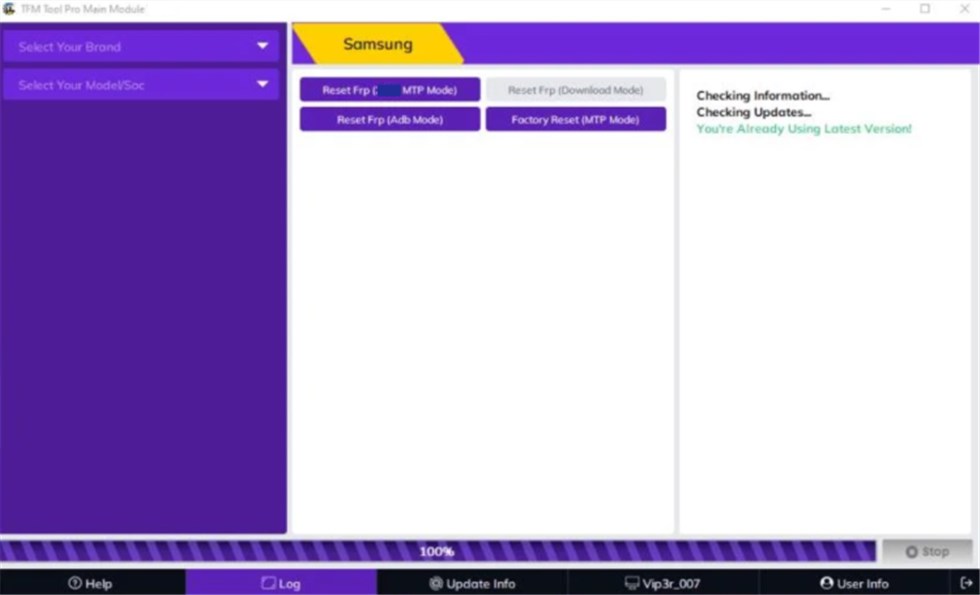
Reset FRP via TFM Tool
What If TFM Tool Pro Is Not Working?
TFM Tool Pro may fail if the license is not active, the phone is not in the correct mode, the USB driver is missing, or the selected chipset module does not match your device. Check the common issues below before trying again.
| Problem | Possible Reason | What to Try |
| Device not detected | Missing USB driver or unstable cable | Install the correct driver and try another USB cable or port |
| FRP reset fails | Unsupported model, wrong chipset module, or blocked security patch | Check device compatibility and retry with the correct module |
| Tool cannot activate | Expired license or unofficial package | Verify your license or contact the seller |
| Setup feels too technical | TFM Tool Pro is designed more for advanced users | Try a guided FRP bypass alternative instead |
If the FRP reset fails repeatedly, this guide on FRP bypass not working can help you identify common causes and next steps.
Best Alternative to TFM Tool Pro for FRP Bypass – DroidKit
If TFM Tool Pro feels too technical, requires a license setup, or does not support your device, DroidKit can be a simpler guided option for users who mainly need to bypass Google account lock after a reset.
Unlike advanced service tools that require chipset modules, license activation, and manual repair knowledge, DroidKit provides step-by-step FRP Bypass instructions on Windows or Mac. It is more suitable for regular users who want guided steps instead of handling technical repair-tool operations.
You can also review this Android FRP tool page if you want to compare more FRP removal options.
Key Features of DroidKit:
- Provides guided FRP bypass steps for Android users.
- Works on Windows and Mac computers.
- Useful when TFM Tool Pro is too technical or cannot detect your device.
- Does not require users to manually select chipset repair modules.
- Also includes Android utility features such as screen lock removal and system repair.
Free Download * 100% Clean & Safe
Detailed Steps to Bypass FRP with DroidKit:
Step 1. Download and launch DroidKit. Head to the FRP Bypass function, press the Start button, and connect your smartphone to the computer with a USB cable.

DroidKit FRP Bypass
Step 2. Choose your device brand from the screen. Let the tool generate a custom configuration file, then click Start to Bypass.
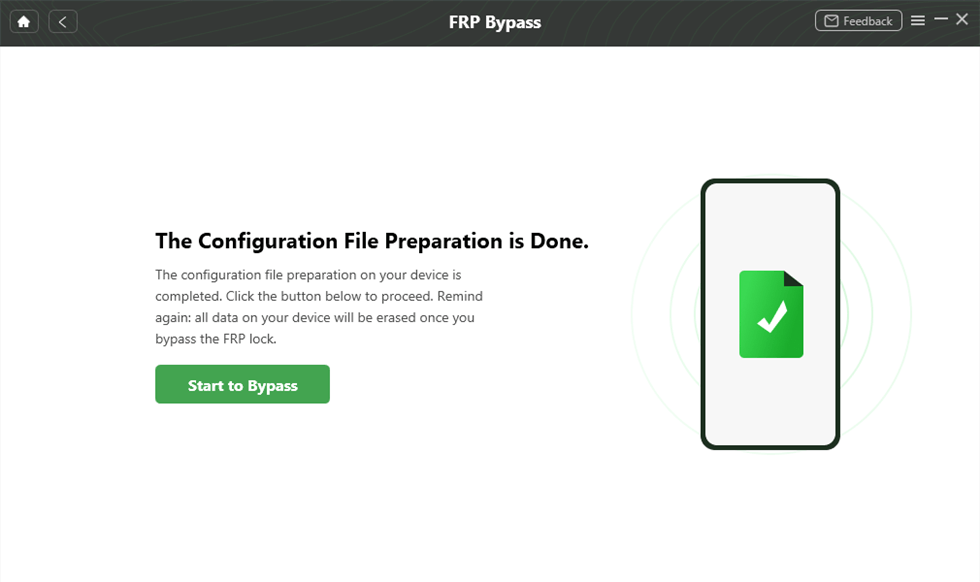
Preparing the Configuration File
Step 3. Follow the on-screen guide to enter the required mode, then complete the necessary settings as instructed.
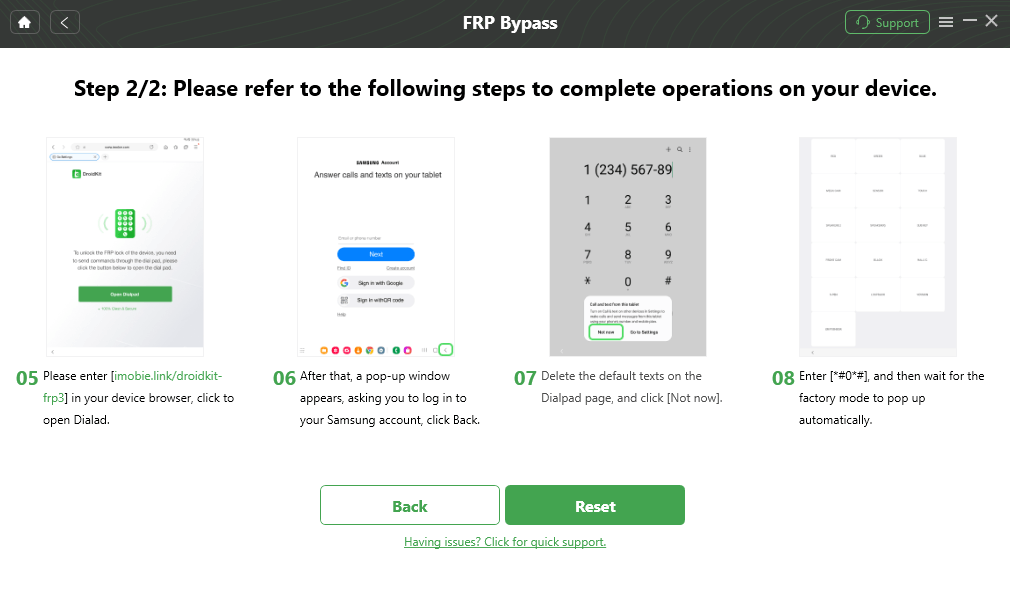
Click Reset
Step 4. When the FRP bypass process finishes, a confirmation screen will appear.

FRP Bypass Complete
DroidKit & TFM Tool Pro Comparison Chart
TFM Tool Pro and DroidKit serve different types of users. TFM Tool Pro is more suitable for technicians who need chipset-based service functions, while DroidKit is easier for users who mainly need guided FRP bypass.
| Feature | DroidKit | TFM Tool Pro |
| Main Use | Guided Android FRP bypass and Android utility features | Advanced service functions, including FRP reset, firmware flashing, and chipset repair tasks |
| Ease of Use | Beginner-friendly with step-by-step guidance | Requires technical knowledge and license setup |
| Platform | Windows and Mac | Windows only |
| Device Support | Designed for common Android FRP scenarios | Chipset-based support for MediaTek, Qualcomm, and Spreadtrum devices |
| Setup Complexity | Guided software process | Requires driver setup, license activation, and correct module selection |
| Free Download Risk | Use official download source | Unofficial free or cracked packages may be risky |
| Best For | Users who want a guided FRP bypass process | Technicians and advanced users who need multiple service functions |
If you only need to bypass FRP and do not want to deal with chipset modules, USB driver issues, or license setup, DroidKit may be easier to start with. If you are a technician who needs advanced Android service functions, TFM Tool Pro may still be useful when used through official or trusted sources.
Frequently Asked Questions (FAQ)
Q1. What is TFM Tool Pro used for?
TFM Tool Pro is used for Android service tasks such as FRP reset, firmware flashing, bootloader unlocking, and chipset-based repair functions on supported devices.
Q2. Is TFM Tool Pro free?
No. The official TFM Tool Pro usually requires a paid license. Some free downloads may appear online, but unofficial packages can be unsafe or outdated.
Q3. Is TFM Tool Pro free download safe?
It depends on the source. Downloads from official or trusted sources are safer, while cracked or modified packages may contain malware or unstable files.
Q4. What is TFM Tool Pro 2.0?
TFM Tool Pro 2.0 usually refers to a version searched by users looking for updated TFM Tool packages. Before downloading any version, verify the source, license, and device support.
Q5. Why is TFM Tool Pro not detecting my phone?
The common reasons include missing USB drivers, wrong chipset module, unsupported device model, unstable USB cable, or incorrect phone mode.
Q6. What is the best TFM Tool Pro alternative for FRP bypass?
If TFM Tool Pro feels too technical or does not support your device, DroidKit can be a simpler guided FRP bypass alternative for users who prefer step-by-step instructions.
Conclusion
TFM Tool Pro is a useful Android service tool for technicians and advanced users who need FRP reset, firmware flashing, bootloader unlocking, and chipset-based repair features. However, it is not fully free, works only on Windows, and may feel difficult for users who only need FRP bypass.
If you are searching for TFM Tool Pro free download or TFM Tool Pro 2.0 free download, be careful with unofficial files. Cracked or modified packages may include security risks. For users who prefer guided FRP bypass without complex setup, DroidKit can be a more beginner-friendly alternative.
Free Download * 100% Clean & Safe
More Related Articles
- DFT Pro Tool Review: Download, Price, Crack Risks and Alternative >
- MTK FRP Tool Review: MediaTek FRP Bypass Tool Guide >
- MTK Client Tool FRP Bypass: Full Review and Safer Alternative >
- MTK Auth Bypass Tool Review for Android Unlock Users >
- Miracle Box FRP Tool Review: Crack Risks and Alternatives >



Joy Taylor is a seasoned technical writer with over a decade of experience in mobile technology. At iMobie, she specializes in producing in-depth content on iOS data recovery, iPhone unlocking solutions, and iOS troubleshooting.
Product-related questions? Contact Our Support Team to Get Quick Solution >
