Online FRP Bypass in 2026: Is It Real and What Actually Works?
Most “online FRP bypass” tools either don’t work or pose security risks. In contrast, connecting your device to a PC and using specialized software remains the most reliable and safe solution. This guide provides a step-by-step walkthrough to help you unlock your device securely.
Let’s be honest—you searched for “online FRP bypass” hoping for a simple website that can unlock your Android phone without a computer.
Unfortunately, here’s the reality:
👉 There is no real online FRP bypass tool that works on modern Android devices.
Factory Reset Protection (FRP) is a deep system-level security feature. A web-based tool simply cannot access or modify your phone’s protected system files remotely.
So what actually works in 2026?
- ❌ Online FRP bypass websites → Not real (often scams)
- ⚠️ APK / no-PC tricks → Rarely work on modern Android (Android 11+)
- ✅ PC-based FRP bypass tools → The most reliable solution today
If you’re locked on the “Verify your account” screen, the only proven method is using a dedicated desktop FRP Bypass tool with a direct USB connection.
Is Online FRP Bypass Real?
The idea of bypassing FRP directly from a website sounds convenient—but technically, it doesn’t work.
Factory Reset Protection (FRP) isn’t an app; it’s a core security feature baked directly into the Android operating system. Google designed it to make a stolen phone useless to a thief. The lock is deeply integrated with your phone’s hardware and secure boot process.
A website runs inside a browser sandbox. It cannot interact with your phone’s system layer over the internet. This is why a true “online FRP bypass tool” does not exist.
Crucial Warning: Any website claiming to be a “free online FRP bypass tool” should be treated as a potential scam. These sites are often designed to:
- Trick you into installing malware or adware.
- Phish for your personal data and account credentials.
- Waste your time with fake loading bars that do nothing.
Why “Free Online FRP Bypass Tools” Are Risky
Most sites claiming to offer free online FRP bypass are not just ineffective—they can be dangerous.
Common risks include:
- Malware or adware downloads
- Phishing for Google account credentials
- Fake progress bars that waste time
- Redirects to suspicious APK files
👉 If a tool claims to unlock your phone “instantly online,” it’s very likely a scam.
Are There Any FRP Bypass Methods Without a PC?
You may have seen tutorials using:
- TalkBack accessibility tricks
- Hidden browser access
- FRP bypass APK downloads
These methods did work years ago, but here’s the key issue:
👉 Google has patched most of these loopholes starting from Android 10 and above.
On modern systems (Android 11, 12, 13, 14, and later):
- Browser access is restricted
- APK installation is blocked
- Google Account Manager exploits are closed
Result:
❌ Most no-PC methods fail
❌ Even if they work, they are unstable and device-specific
Quick Comparison: Which FRP Bypass Option Should You Choose?
Before jumping into a solution, here’s a clear comparison:
| Method | Works on Modern Android | Difficulty | Risk | Recommendation |
| Online FRP bypass websites | ❌ No | Easy | High (scams) | Not recommended |
| APK / manual tricks | ⚠️ Rarely | Hard | Medium–High | Only for old devices |
| PC-based FRP tool | ✅ Yes | Moderate | Low | ✅ Best option |
The Proven Solution: Using a Dedicated FRP Bypass Tool on Your PC
Since online tools and APK tricks are no longer reliable, the safest and most effective solution is a dedicated desktop FRP bypass tool.
A tool like DroidKit works differently:
- Establishes a direct USB connection with your device
- Loads a device-specific bypass configuration
- Guides you step by step (no guesswork)
- Supports modern Android versions and security patches
👉 Instead of trial-and-error with random APKs, you follow a structured process that actually works.
Before You Begin: A Quick Checklist
To ensure a smooth process, let’s get everything in order first.
- A Reliable USB Cable: Use the original cable that came with your phone if possible. Cheap, third-party cables that are “charge-only” will not work.
- A Windows or Mac Computer: The software works on both major operating systems.
- A Stable Internet Connection: The tool needs to download a specific solution package tailored to your phone’s model and Android version.
- A Bit of Patience: While this is the fastest method, it can still take 10-20 minutes.
A Note on Cost: Professional tools like DroidKit are premium software. The constant research and development required to defeat new Android security patches means that a truly effective tool cannot be free. However, most offer a free download to let you connect your phone and confirm compatibility before you pay. Expect a license to be a one-time cost, a small price to recover a device worth hundreds of dollars.
How to Bypass FRP Lock with DroidKit [Step-by-Step Guide]
Here is the exact process. We’ve added extra detail to the steps that can often be tricky.
Step 1:Download and Install the FRP Bypass Tool
First, download DroidKit and install it on your computer, open the program, and from the main dashboard, select the FRP Bypass feature.
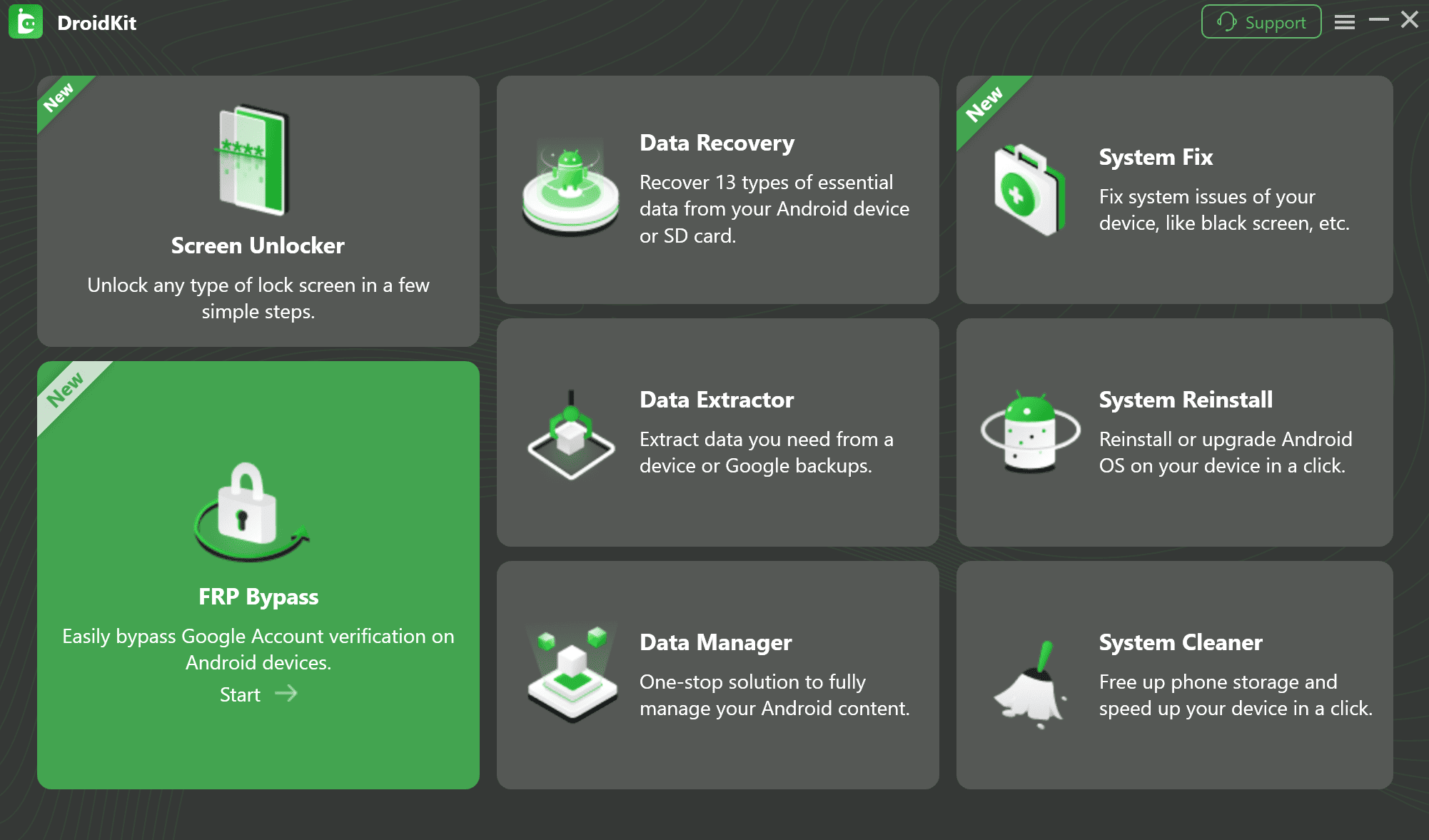
Select the FRP Bypass Feature
Step 2: Connect Your Device and Start the Process
Connect your FRP-locked phone to the computer using your USB data cable. On the DroidKit screen, click the Start button. The software will begin analyzing your device and preparing a custom configuration file for it.
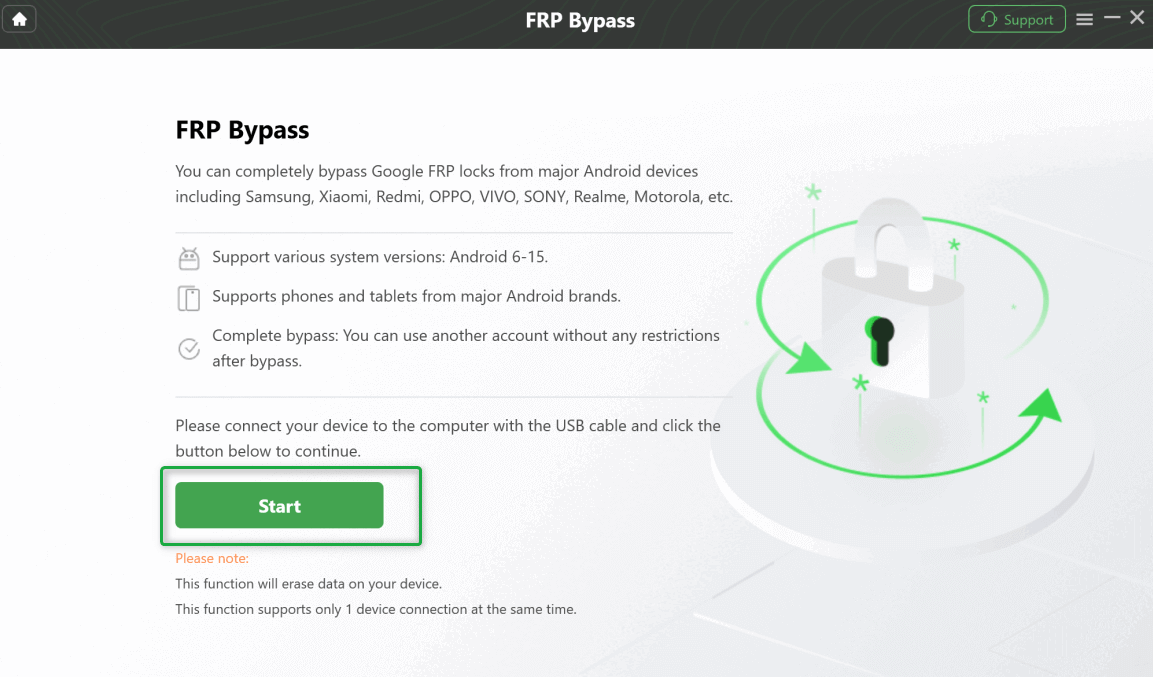
Connect Your Device and Start the Process
Step 3: Boot Your Android into Recovery Mode
This is often the most intimidating step for users. DroidKit will provide specific on-screen instructions for your exact model, but here are the general methods:
- For most Samsung Phones: Power off the device. Press and hold Volume Up + Power buttons. Release all buttons once you see the Samsung logo.
- For Google Pixel / Stock Android: Power off the device. Press and hold Volume Down + Power until you see the bootloader menu. Use the Volume keys to scroll to “Recovery Mode” and press Power to select.
- For most Motorola / Lenovo Phones: Power off the device. Press and hold Volume Down + Power for a few seconds to enter the bootloader menu, then navigate to “Recovery Mode.”
Once your phone is in Recovery Mode, DroidKit will detect it and guide you to select the correct Android OS version.
Step 4: Follow Guided Steps to Remove Google Account
This is where the software does the heavy lifting. It will now provide a series of simple, guided actions. Unlike vague online tutorials, the software will be very specific. For example, it will:
- Please wipe the cache partition from the recovery menu (a safe, non-destructive action).
- Restart the phone and exploit a vulnerability to open a hidden diagnostic menu.
- Instruct you to type a specific code (like *#0*#) into the emergency dialer to enable USB debugging.
You just need to follow each prompt carefully. Once you complete the sequence, DroidKit will begin the final bypass process.
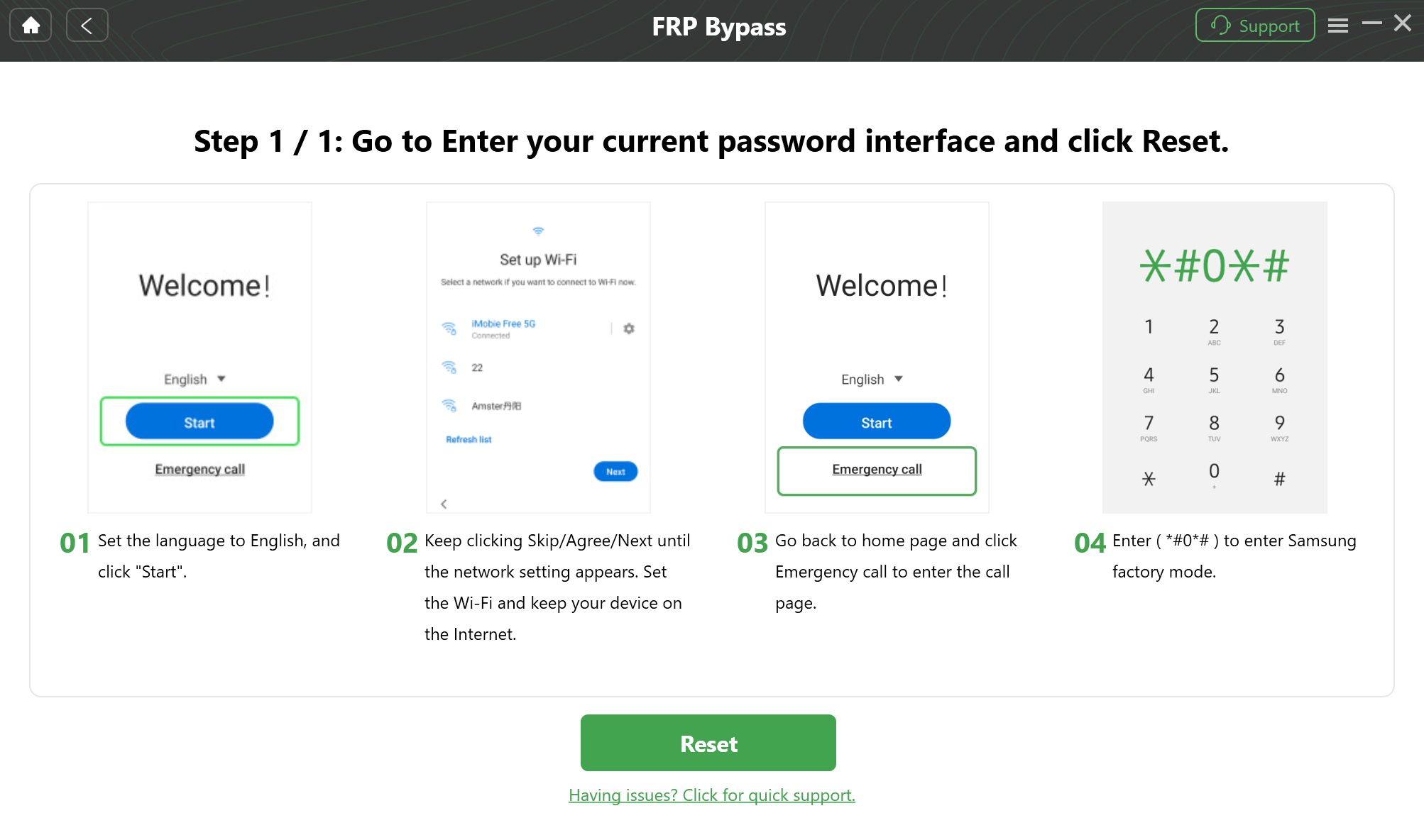
Follow On-Screen Prompts
Step 5: Reboot and Access Your Phone
Your phone will restart automatically. This time, the “Verify your account” screen will be gone. You can proceed with the standard setup process and add a new Google account, giving you full access to your device.
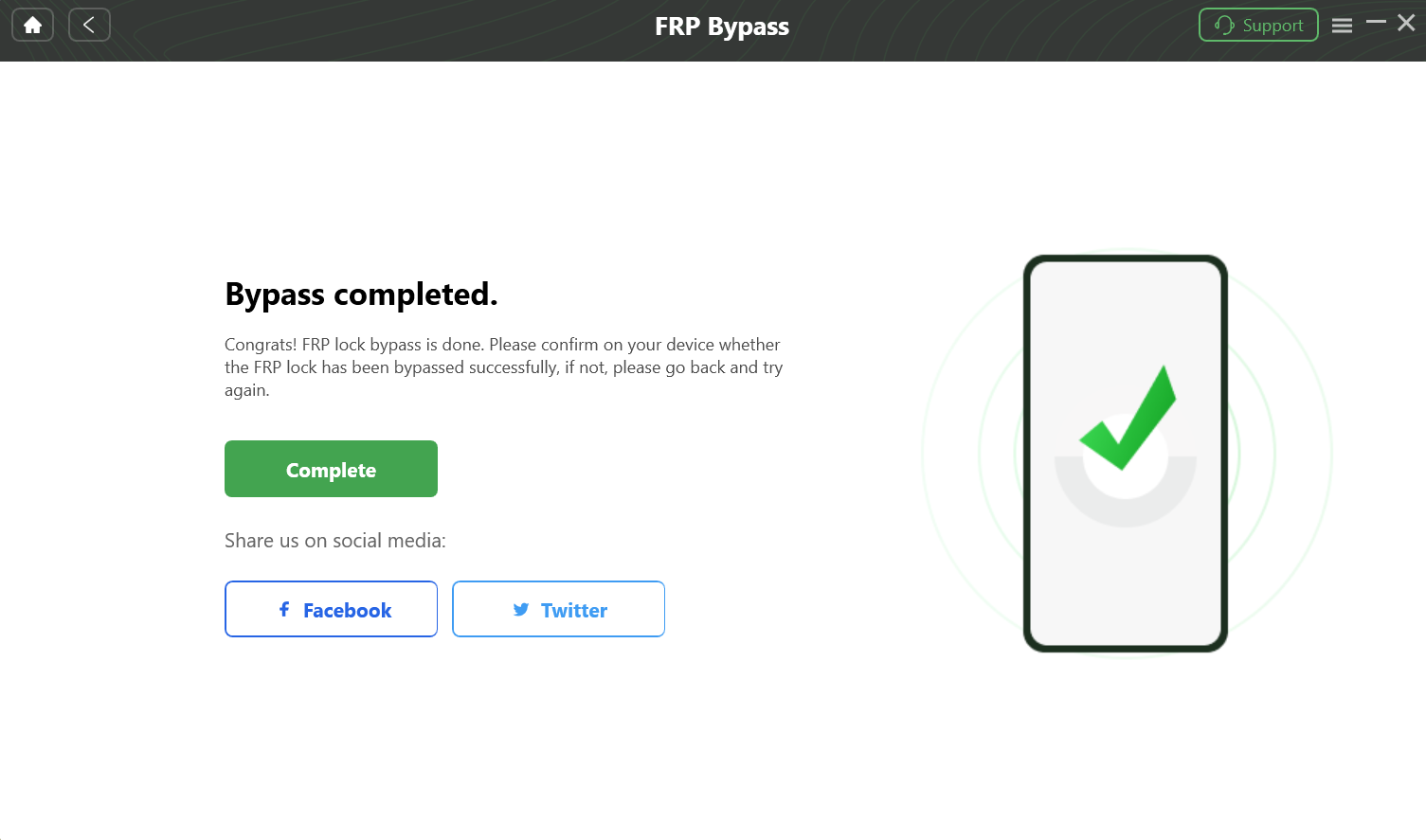
Bypass FRP Lock
Why APK-Based FRP Bypass No Longer Works
Many users still try APK-based solutions—but on modern Android, they fail because:
- Security patches block exploit pathways
- System permissions are restricted
- Installation from unknown sources is limited
These methods are now unreliable and often lead to frustration.
Frequently Asked Questions (FAQ) About FRP Bypass
Is it legal to bypass FRP?
Yes, it is 100% legal to bypass the FRP lock on a device that you legally own.
Will this process wipe my data?
Yes. The FRP bypass process requires resetting the device to remove the old account lock. Unfortunately, any data on the phone that was not previously backed up will be erased.
Is online FRP bypass real?
No. There is no legitimate web-based FRP bypass tool for modern Android devices.
Are FRP bypass APKs still effective in 2026?
Mostly no. Google has patched the vulnerabilities they rely on.
Conclusion: Stop Searching for “Online” Solutions
The search for an “online frp bypass” is understandable, but it’s a journey that ends in frustration or, worse, with malware on your computer. The security on your modern Android phone is simply too robust for a browser-based trick.
If you want a safe, fast, and proven solution, using a tool like DroidKit is the most practical way to regain access to your device.

DroidKit
As a complete Android solution, DroidKit can easily help you recover lost data with/without backup, unlock Android screen, bypass FRP lock, fix system issues, etc. within minutes.
More Related Articles



Joy Taylor is a seasoned technical writer with over a decade of experience in mobile technology. At iMobie, she specializes in producing in-depth content on iOS data recovery, iPhone unlocking solutions, and iOS troubleshooting.
Product-related questions? Contact Our Support Team to Get Quick Solution >
