Samsung FRP Helper v0.2 (2026): Does It Still Work & What to Use Instead
Samsung FRP Helper v0.2 no longer works on modern Android devices. Here’s why it fails and what safer FRP bypass solutions actually work in 2026.
Quick Answer
Samsung FRP Helper v0.2 does NOT work on Android 7 or newer devices.
It only supported Android 5–6 and is now obsolete. If your Samsung phone runs Android 10, 11, 12, 13, 14, or newer, you’ll need a more modern FRP bypass solution. If your device runs a newer Android version, check this guide: FRP Bypass for All Android Versions.
Introduction
Your search for the Samsung FRP Helper v0.2 tool means you’re trying to solve a frustrating Factory Reset Protection (FRP) lock on your Samsung device.
This is a common situation — especially when buying a second-hand phone or forgetting account credentials. Many users first look for a free tool like Samsung FRP Helper. However, this tool is now outdated and ineffective on modern Android systems. Below, we’ll explain why it fails and what actually works today.
What Most Users Are Actually Looking For
Most users searching for Samsung FRP Helper v0.2 are trying to:
- Download a working FRP bypass tool
- Unlock a Samsung phone without the Google account
- Find a free or simple solution
This guide is designed to help you choose the right method based on your device and situation.
The Hard Truth: Why Samsung FRP Helper v0.2 Will Fail
To understand why this tool is obsolete, you need to understand the technical reason it once worked. The Samsung FRP Helper ADB enable tool functions by exploiting a security flaw in older Android versions, specifically Android 5 (Lollipop) and Android 6 (Marshmallow). It used a loophole to force-enable ADB (Android Debug Bridge) from the lock screen, which then allowed a PC to manually delete the Google account files.
This vulnerability was permanently closed by Google and Samsung in a security patch released with Android 7 (Nougat). Modern Android systems now prevent ADB from being enabled before the device is fully unlocked. This single security enhancement makes the old tool’s method completely impossible on any device running Android 7 or newer.
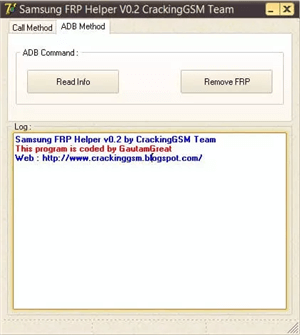
Samsung FRP Helper V0.2
If your phone runs Android 7 or newer (which includes almost all modern Samsung devices), this method will not work.
What You’ll Experience If You Try (A Practical Failure Guide)
If you attempt to run the old Samsung FRP Helper v0.2 tool today, you will not experience success. Instead, you will encounter clear signs of its obsolescence. Seeing these issues is not a user error; it is a direct confirmation that your phone’s modern security is working as intended.
- Symptom 1: The Tool Won’t Detect Your Phone. The software will fail to recognize your connected Samsung device because it cannot communicate using modern USB protocols.
- Symptom 2: The “Call” Button is Grayed Out or Unresponsive. The button designed to initiate the ADB exploit will be inactive or do nothing when clicked because the underlying function has been removed from your phone’s OS.
- Symptom 3: The ADB Command Fails Silently. The tool may appear to run, but the command to enable ADB will be silently rejected by your device’s security, leaving you stuck on the lock screen.
Download Risks to Be Aware Of
Because the original tool is no longer maintained, most available downloads come from unofficial sources.
This may expose you to:
- Malware or ransomware
- Spyware collecting personal data
- Unwanted bundled software
Tip: Always download tools from official websites whenever possible.
Which FRP Method Works in 2026? (Quick Comparison)
| Method | Android Support | Difficulty | Success Rate | Notes |
| Samsung FRP Helper v0.2 | Android 5–6 only | Easy | ❌ Very Low | Obsolete |
| TalkBack / Manual Tricks | Android 6–10 (partial) | Hard | ⚠️ Low | Often patched |
| APK-based Methods | Android 6–11 | Medium | ⚠️ Unstable | Not reliable |
| DroidKit | Android 6–15 | Easy | ✅ High | Recommended |
For modern Samsung devices, choosing a reliable method is more effective than testing outdated tools. If you’re comparing different tools, you can also check: Best FRP Bypass Tools (2026 Comparison).
Which Option Should You Choose?
Use free/manual methods if:
- You have time to test multiple solutions
- Your device is relatively old (Android 8–10)
- You’re comfortable with trial and error
Use a professional tool if:
- Your device runs Android 11 or newer
- You want a faster and more reliable result
- You want step-by-step guidance
See a more reliable FRP solution for your device
At a Glance: Samsung FRP Helper v0.2 vs. DroidKit
| Feature | Samsung FRP Helper v0.2 (Obsolete) | DroidKit (Recommended for 2026) |
| Android Version Support | Android 5.0 & 6.0 Only | Android 6.0 – 15 |
| Success Rate | Low / Fails on modern devices | High |
| Security Risk | Extreme (Malware, Spyware) | Safe and Secure (SSL-256 Encrypted) |
| Ease of Use | Confusing, no instructions | Guided, step-by-step instructions |
| Developer Support | None (Abandoned) | Active Development & Tech Support |
| Platform Compatibility | Old Windows versions only | Windows 11/10/8/7 & macOS |
Why Most Working FRP Tools Are Not Free
You may notice that many effective FRP bypass tools today are no longer free.
This is because modern Android security has become much more advanced. Reliable tools now require continuous updates, device-specific solutions, and ongoing technical support.
In simple terms, Free methods rely on old loopholes (often patched), while maintained tools are designed to work with newer systems.
If you’re using a newer Samsung device (Android 11+), using a reliable tool can save hours of trial and error.
👉 Download DroidKit and start FRP removal safely >>
How to Bypass Samsung FRP Safely (Step-by-Step)
This procedure is designed to be guided and transparent. Here is a realistic overview of the process.
Before You Begin: An Honest Warning About Data Loss
This process will completely erase all data on your locked Samsung device. This is a necessary security step to remove the Google account lock. There is no way to bypass FRP on a modern device without a factory reset.
Requirements: You will need a Windows or Mac computer, a high-quality USB cable, and a stable internet connection.
1. Download and install DroidKit. To ensure you have a legitimate and safe copy, get the software directly here. Install and open the application, then select the FRP Bypass feature.
2. Select the FRP Bypass Feature: Launch the DroidKit application. From the main screen, choose the FRP Bypass mode.
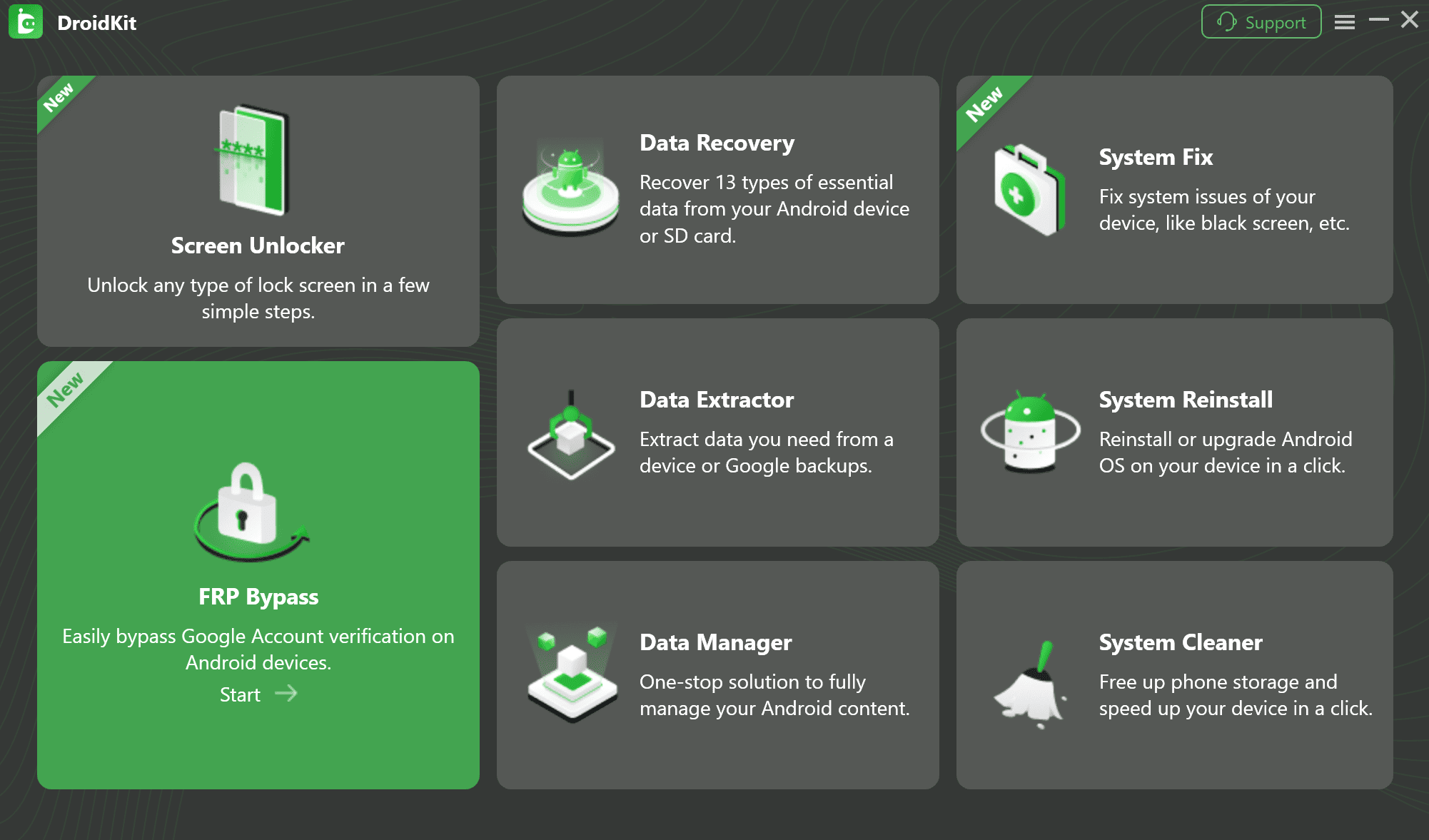
Samsung FRP Helper V0.2 Alternative
3. Connect Your Device and Start. Connect your locked Samsung phone or tablet to the computer. Click the Start button inside DroidKit. The software will begin analyzing your device and preparing a custom solution.
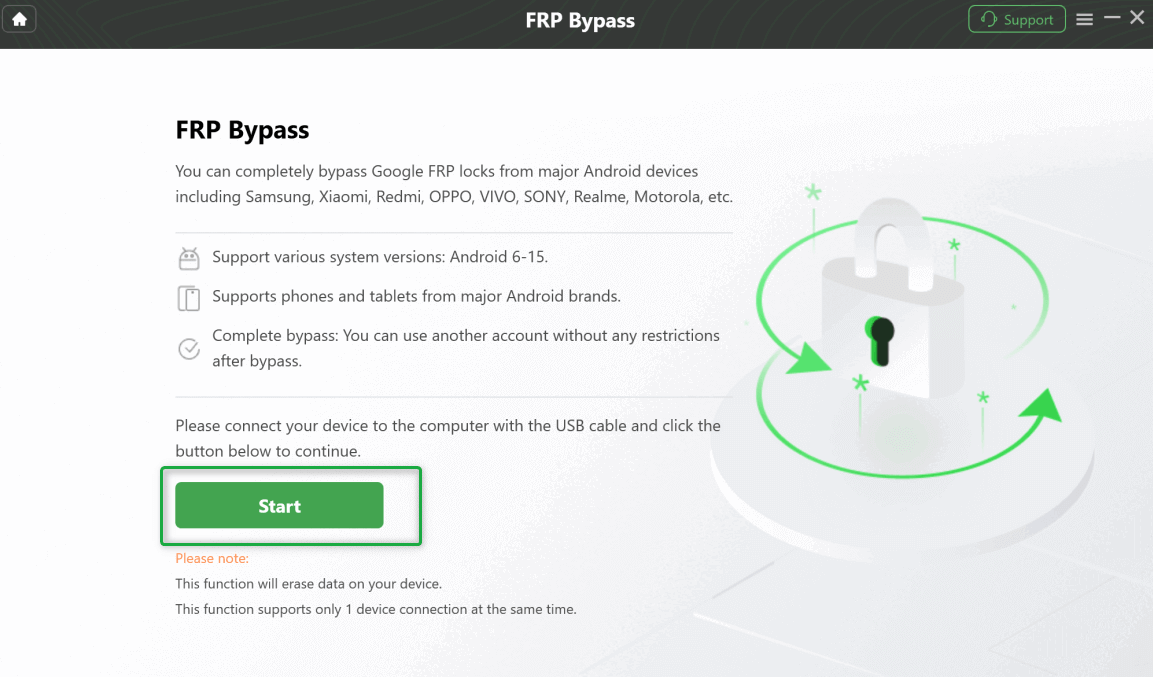
Connect Your Device and Start the Process
4. Prepare Your Device for Bypass: This is the most critical step. DroidKit will automatically detect your device and OS version, then provide specific, easy-to-follow on-screen instructions.
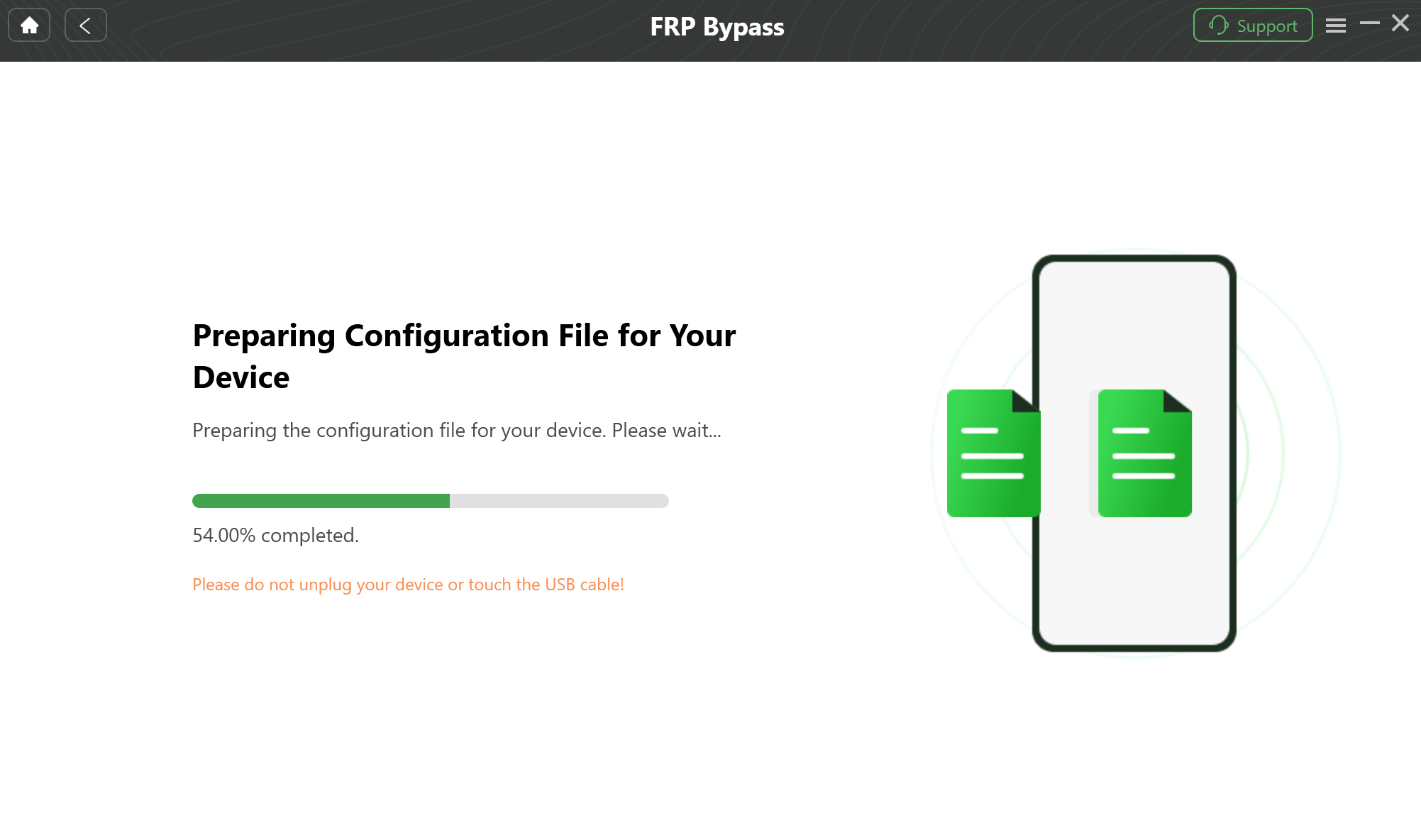
Prepare the Device-Specific Configuration
5. Follow Guided Steps. Depending on your device brand, steps may vary. Follow the detailed instructions on the app screen to complete the setup.
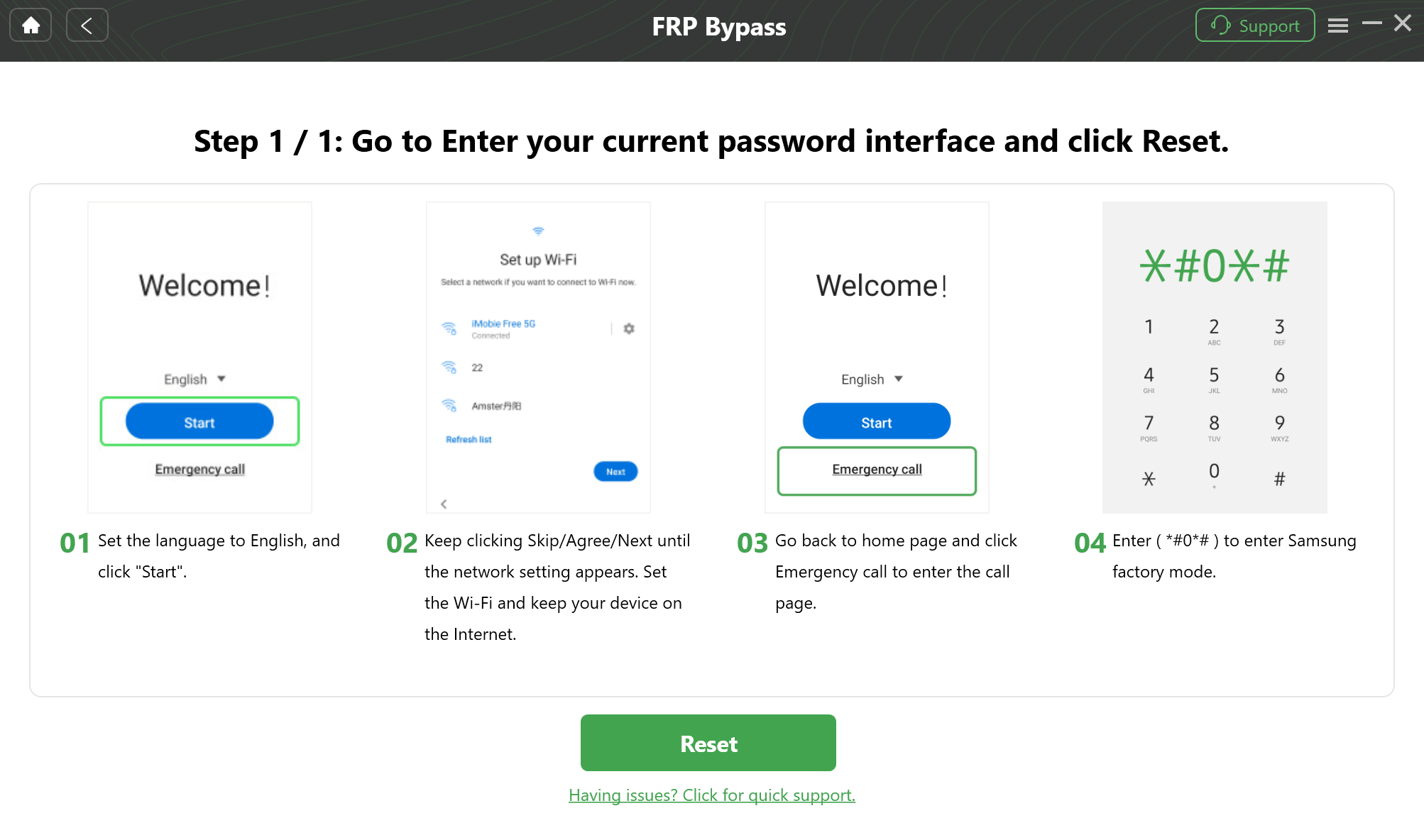
Step-by-Step Instructions
6. Complete the Bypass. The software will then handle all the technical work, potentially downloading a secure firmware package to remove the lock. After the process is complete, your device will restart.
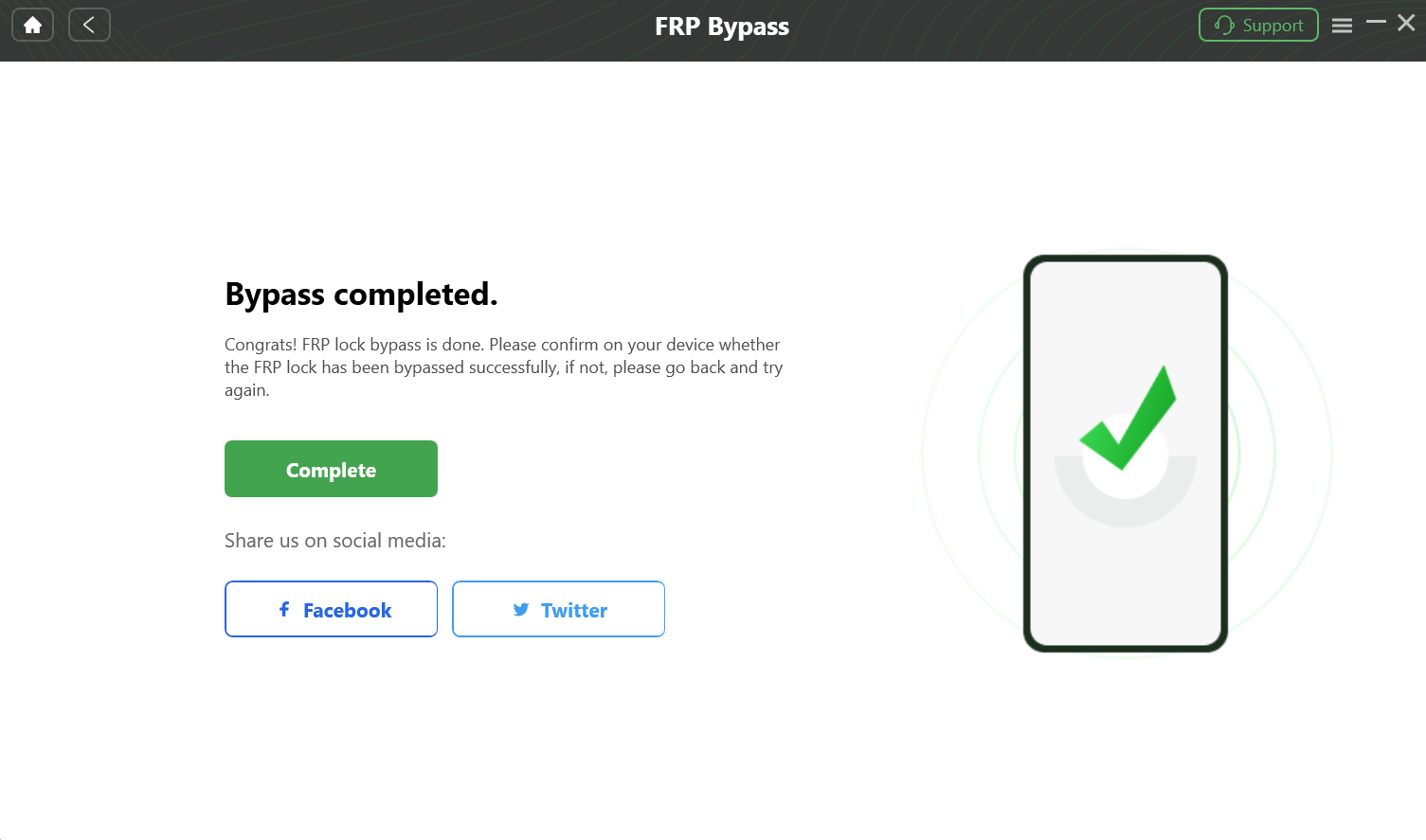
Complete the FRP Bypass
Frequently Asked Questions
Is Samsung FRP Helper v0.2 still working in 2026?
No. It only works on Android 5–6 and is obsolete on modern devices.
Is Samsung FRP Helper v0.2 safe to download?
No. Most versions online are hosted on unofficial sites and may contain malware.
Is there a free FRP bypass method?
Some exist, but they are unstable and often patched on newer Android versions.
What is the best alternative for Android 11–15?
A maintained FRP bypass tool like DroidKit is a more reliable solution.
Final Recommendation
Samsung FRP Helper v0.2 is no longer a viable solution for modern Samsung devices. Instead of testing outdated tools, it’s more effective to choose a method built for current Android systems.
Download DroidKit and regain access to your Samsung device today.
More Related Articles



Jeremy Feron is a writer for iMobie with a deep passion for Android. He specializes in creating clear guides on Android tips and the latest updates, helping users navigate their devices and get the most out of new features.
Product-related questions? Contact Our Support Team to Get Quick Solution >
