Unlocked Phones Guide: Carrier Compatibility, Pros, Cons, and Buying Tips

Buying an unlocked phone can save money and give you more carrier freedom, but only if the phone is compatible with your network. This guide explains what unlocked phones mean, how to check compatibility with an IMEI, and what to check before buying a new or used phone.

Author Avatar Roger Smith Last Updated: Jun. 09, 2026

Quick Answer: What Is an Unlocked Phone?

Quick Answer: An unlocked phone is not restricted to one carrier, so it can work with different providers if the phone supports that carrier’s network. Before you buy one, do not rely on the word “unlocked” alone. Ask for the IMEI and check it on your carrier’s official Bring Your Own Device page. This is the safest way to confirm compatibility, especially when buying a used phone.

Factory Unlocked vs Carrier Unlocked vs Locked Phone

“Unlocked phone” is a broad term. Before buying, make sure you know which type of phone you are looking at.

Term What It Means What to Check
Factory unlocked Sold unlocked by the manufacturer or retailer from the start. Model number, region, carrier compatibility, warranty.
Carrier unlocked Originally locked to a carrier, then unlocked after meeting the carrier’s requirements. IMEI status, blacklist status, remaining finance balance, compatibility.
Carrier-locked Restricted to one carrier until it is unlocked. Unlock eligibility, account standing, payment status, carrier policy.
SIM-free Usually sold without a carrier SIM and often unlocked. Do not assume; verify the listing and IMEI before buying.

An unlocked phone is not the same as a jailbroken or rooted phone. Unlocking is about carrier network restrictions. Jailbreaking or rooting changes software permissions and can affect security or warranty.

Will an Unlocked Phone Work With My Carrier?

The most reliable way to check carrier compatibility is to use your carrier’s official IMEI checker or Bring Your Own Device page. The IMEI is a unique number for the phone, and carriers use it to check whether the device can be activated on their network.

Step 1. Find or Ask for the IMEI

For a phone you already have, you can usually dial *#06# to view the IMEI. For a new phone, the IMEI may appear on the box. For a used phone, ask the seller to provide the IMEI before you pay. If you need help finding an iPhone IMEI when the device is locked, see this guide on how to find the IMEI number .

Red flag: If a seller refuses to share the IMEI, avoid the purchase.

Step 2. Use Your Carrier’s BYOD Compatibility Checker

Enter the IMEI on your carrier’s official compatibility page. Here are commonly used U.S. carrier pages:

For international buyers, search your local carrier’s website for “Bring Your Own Device,” “BYOD,” or “IMEI compatibility check.”

Step 3. Check 4G/5G Bands If You Do Not Have the IMEI

If you are comparing phones before getting an IMEI, use the model number and spec sheet to check 4G LTE and 5G band support. This is less reliable than an IMEI check, but it can help you avoid obviously incompatible international models.

  • Check the exact model number, not just the phone name.
  • Confirm the phone supports your carrier’s key 4G/5G bands.
  • Be careful with international versions that may lack important U.S. bands.
  • For eSIM use, confirm that both the phone and your carrier support eSIM activation.

Unlocked Phones vs Carrier-Locked Phones

Feature Unlocked Phone Carrier-Locked Phone
Carrier freedom Can switch to another compatible carrier. Usually tied to one carrier until unlocked.
Upfront cost Often higher because you pay full retail price. Often lower upfront with financing or promotion.
Plan flexibility Easier to move to cheaper prepaid or MVNO plans. May require staying with the same carrier or contract.
Travel Can use local SIM or eSIM if the phone supports the network. May require roaming or carrier unlock first.
Software Often fewer carrier apps. May include carrier apps or carrier-controlled update timing.
Resale Usually easier to resell because more buyers can use it. Smaller buyer pool unless it is unlocked first.

How to Safely Buy an Unlocked Phone

Buying unlocked is usually safe when you verify the device first. Use this checklist before paying.

  • Buy new from trusted sources: Manufacturer websites, major retailers, and official stores are safest.
  • Check the exact model: The same phone name can have different regional versions.
  • Ask for the IMEI: Use your carrier’s BYOD checker and check whether the device is reported lost or stolen when possible.
  • Confirm it is paid off: A financed phone can later become blocked or locked if the account is not settled.
  • Check account locks: On iPhone, make sure Activation Lock is removed. On Android, make sure the previous Google account is removed before reset.
  • Test with your SIM/eSIM: If buying locally, test calls, data, and messaging before completing the purchase.
  • Avoid unclear listings: Terms like “GSM unlocked,” “international version,” or “open box” need extra verification.

Can I Unlock My Current Phone Instead of Buying a New One?

Yes, in many cases you can request a carrier unlock for your current phone. This is also called a SIM unlock or network unlock. It is different from removing a screen password or bypassing Google FRP.

Carrier unlock requirements vary, but you usually need the phone to be paid off, not reported lost or stolen, and connected to an account in good standing. If your goal is to use your current phone with another carrier, learn more about SIM unlocker software and carrier unlock options.

How to Choose the Best Unlocked Phone for Your Budget

Instead of relying on a fixed “best phone” list that can quickly become outdated, choose by budget, update support, carrier compatibility, and warranty.

Budget Range What to Prioritize What to Avoid
Budget Reliable 4G/5G bands, enough storage, clean condition, clear warranty. Old models with weak update support or unclear carrier compatibility.
Mid-range Long software updates, good battery, eSIM support, strong camera basics. International variants missing key bands for your carrier.
Premium Full carrier band support, long warranty, flagship update policy, travel-friendly eSIM. Carrier-locked “deals” that only look cheap because of contract terms.
Used or refurbished IMEI verification, return policy, battery health, account lock removal. Seller refuses IMEI, no proof of ownership, or phone is already reset but account-locked.

Before choosing any specific model, confirm the current version, region, warranty status, and carrier compatibility. Pricing and model availability can change quickly, so verify details before purchase.

Common Problems After Buying an Unlocked Phone

The phone is unlocked but not compatible with my carrier

This usually means the phone is not carrier-locked, but it lacks required network support or cannot be activated on that carrier. Contact the carrier and confirm the IMEI result, eSIM/SIM type, and APN settings.

The phone is still carrier-locked

If a phone asks for a network unlock code or rejects another carrier’s SIM, contact the original carrier or seller first. Avoid confusing carrier unlock with Android screen unlock or FRP bypass.

The used Android phone asks for the previous Google account

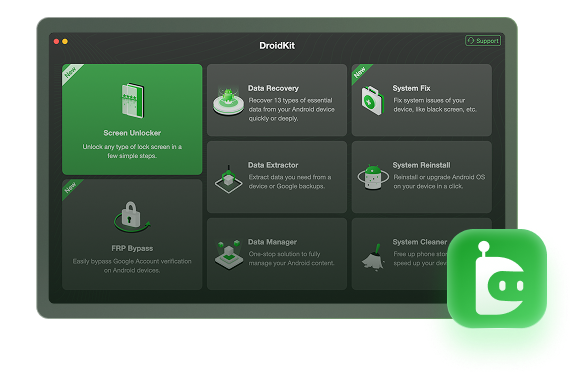
This is usually Google Factory Reset Protection, also called FRP lock . It is not a carrier compatibility issue. Contact the seller and ask them to remove the device from their Google account. If you own the device and manual recovery options do not work, DroidKit may be considered for supported FRP scenarios.

Important: Only use unlock or FRP tools on a device you own or are authorized to unlock. Compatibility and results can depend on the model, Android version, and security patch.

Free Download * 100% Clean & Safe

The phone has a screen lock

A screen PIN, pattern, or password is different from carrier locking. If the seller cannot unlock the screen before sale, do not buy the phone. If it is your own Android device, a supported Android phone unlocking software may be relevant after you check data-loss risks and compatibility.

FAQs About Unlocked Phones

What does an unlocked phone mean?

An unlocked phone is not restricted to one carrier. It can be used with another carrier if the phone supports that carrier’s network bands and passes the carrier’s compatibility check. “Unlocked” does not automatically mean it works with every network.

How do I know if an unlocked phone will work with my carrier?

The most reliable way is to enter the phone’s IMEI on your carrier’s official Bring Your Own Device or compatibility checker page. This gives a clearer answer than checking the model name alone, especially for used phones or international models.

What is the difference between factory unlocked and carrier unlocked?

A factory unlocked phone is sold unlocked by the manufacturer or retailer from the start. A carrier unlocked phone was originally locked to one carrier and later unlocked after meeting that carrier’s requirements. Both still need compatibility checking before use.

Is an unlocked phone the same as a SIM-free phone?

They are similar terms, but wording can vary by retailer. A SIM-free phone is usually sold without a carrier SIM and is often unlocked. You should still confirm the exact model, region, and carrier compatibility before buying.

Can I unlock my current phone instead of buying an unlocked phone?

In many cases, yes. If the phone is paid off and your account meets your carrier’s requirements, you can request a carrier unlock. This is different from removing a screen lock or bypassing Google FRP on an Android phone.

Is it safe to buy a used unlocked phone?

It can be safe if you verify the IMEI, confirm the phone is not blacklisted, check carrier compatibility, and make sure the previous owner removed all accounts and screen locks. Avoid sellers who refuse to share the IMEI or cannot prove ownership.

Why does my unlocked Android phone ask for the previous Google account?

That is usually Factory Reset Protection, not carrier locking. It can happen when an Android phone was reset without removing the previous Google account. Contact the seller first. A tool-assisted FRP option may be relevant only for a device you own or are authorized to unlock.

The Bottom Line

An unlocked phone gives you more freedom, but compatibility still needs to be verified. The safest buying rule is simple: get the IMEI, check it with your carrier, confirm the phone is paid off and account-free, and test the device whenever possible. If a used Android phone is carrier-unlocked but stuck on Google verification or a screen lock, treat that as a separate security issue rather than a carrier compatibility problem.

Author Avatar
Roger Smith Twitter Share Facebook Share

Roger Smith is a senior technical writer with years of experience in providing Android solutions. He loves to help users solve various problems such as Android unlock, Android data recovery, and Android system repair.

Back to Top Icon